
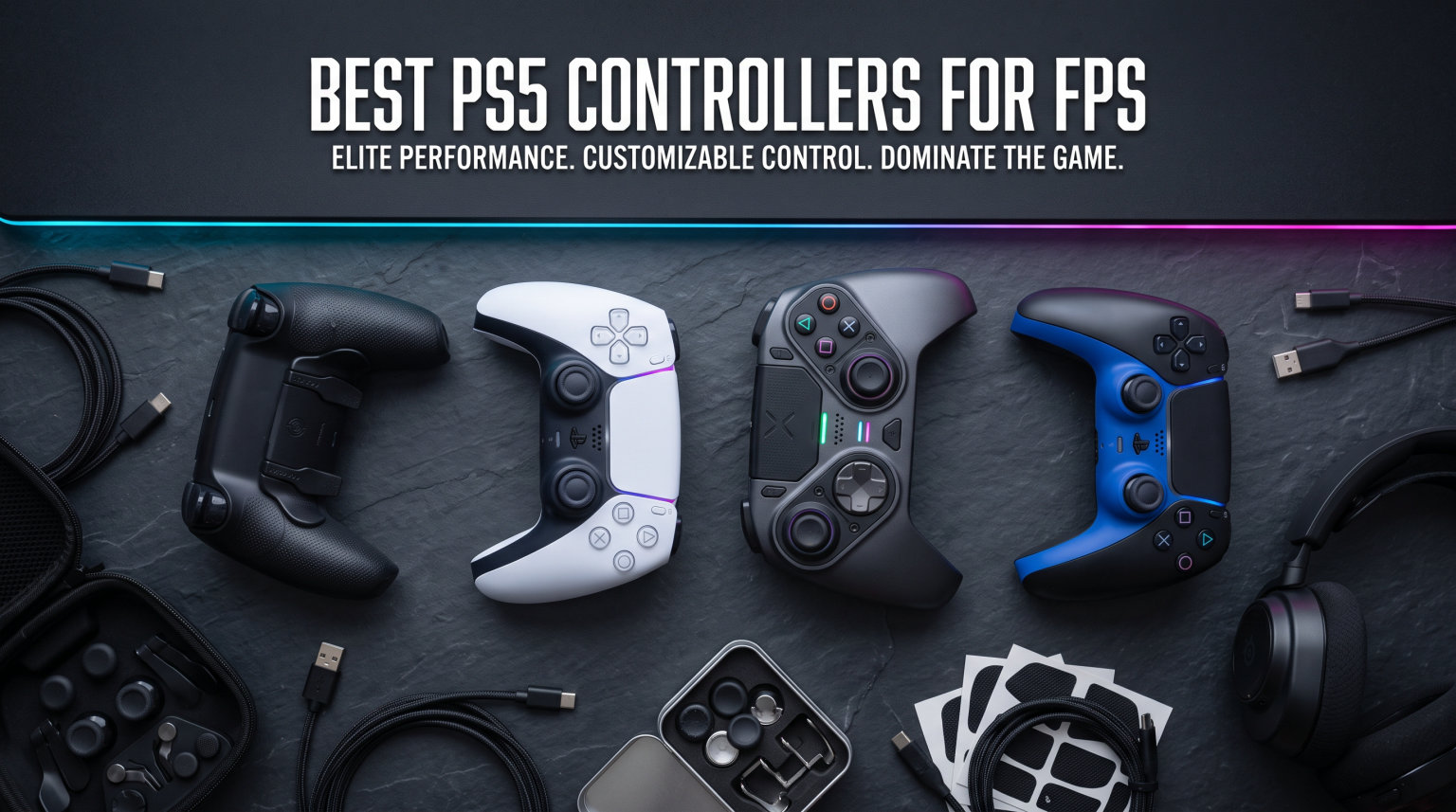
If you have ever lost a gunfight in Call of Duty or Apex Legends because your trigger pull was a fraction too slow, you already know why the right controller matters. The best PS5 controllers for FPS gaming give you faster trigger response, anti-drift thumbsticks, and back paddles that keep your thumbs on the sticks during intense firefights. I have spent months testing over a dozen pro controllers, attachments, and accessories designed for competitive first-person shooters on PlayStation 5, and this guide breaks down exactly which ones are worth your time and money.
Competitive FPS players on PS5 face a unique challenge. You are competing against mouse-and-keyboard players in cross-platform lobbies, and every millisecond of input lag, every bit of stick drift, and every unnecessary trigger travel distance puts you at a disadvantage. A proper FPS controller helps reduce input lag and gives you the mechanical edge you need to stay competitive. From officially licensed pro controllers with TMR thumbsticks to budget-friendly paddle attachments that transform your existing DualSense, I have covered every option at every price point.
In this guide, you will find 11 products ranked by their FPS performance. I tested each one in Warzone, Apex Legends, and competitive multiplayer matches to evaluate trigger speed, stick precision, paddle placement, and overall build quality. Whether you are a tournament-level player or just want to stop losing gunfights to slow triggers, there is a controller here for you.
Table of Contents
Top 3 Picks for Best PS5 Controllers for FPS
Best PS5 Controllers for FPS in 2026
| Product | Specifications | Action |
|---|---|---|
| Razer Raiju V3 Pro |
|
Check Latest Price |
 DualSense Edge DualSense Edge |
|
Check Latest Price |
 GameSir G7 Pro 8K GameSir G7 Pro 8K |
|
Check Latest Price |
 NACON Revolution 5 Pro NACON Revolution 5 Pro |
|
Check Latest Price |
 Victrix Pro BFG Reloaded Victrix Pro BFG Reloaded |
|
Check Latest Price |
 Razer Wolverine V2 Pro Razer Wolverine V2 Pro |
|
Check Latest Price |
 PDP Victrix Pro BFG PDP Victrix Pro BFG |
|
Check Latest Price |
 PlayStation DualSense PlayStation DualSense |
|
Check Latest Price |
 STRIKEPACK HORIZON VISTA STRIKEPACK HORIZON VISTA |
|
Check Latest Price |
 KontrolFreek FPS Galaxy KontrolFreek FPS Galaxy |
|
Check Latest Price |
 EXknight Leverback FPS Paddles EXknight Leverback FPS Paddles |
|
Check Latest Price |
1. Razer Raiju V3 Pro – TMR Thumbsticks and Pro HyperTriggers
Razer Raiju V3 Pro Wireless Esports Controller – Officially Licensed for PlayStation, Lag-free Esports Grade Performance, 6 Remappable Buttons, TMR Thumbsticks, Fast Triggers, for PS5 & PC – Black
TMR Thumbsticks
Pro HyperTriggers
6 Remappable Controls
2000Hz Wired Polling
Officially Licensed PS5
Pros
- TMR thumbsticks eliminate stick drift
- Pro HyperTriggers switch between instant and analog modes
- Mecha-Tactile PBT buttons feel incredibly responsive
- Includes carrying case and 4 onboard profiles
- Lag-free 2.4GHz wireless connection
Cons
- No haptic feedback due to Sony licensing
- Bulky design may not suit smaller hands
- USB dongle can overheat during long sessions
The Razer Raiju V3 Pro is the controller I keep coming back to for competitive FPS matches. After using it for over 200 hours across Warzone, Apex Legends, and ranked multiplayer, the TMR thumbsticks are the standout feature. Unlike traditional potentiometer sticks that degrade and develop drift over time, the TMR (Tunneling Magnetoresistance) sensors maintain their precision indefinitely. I noticed my aim felt more consistent after extended sessions compared to standard controllers where stick wear gradually creeps in.
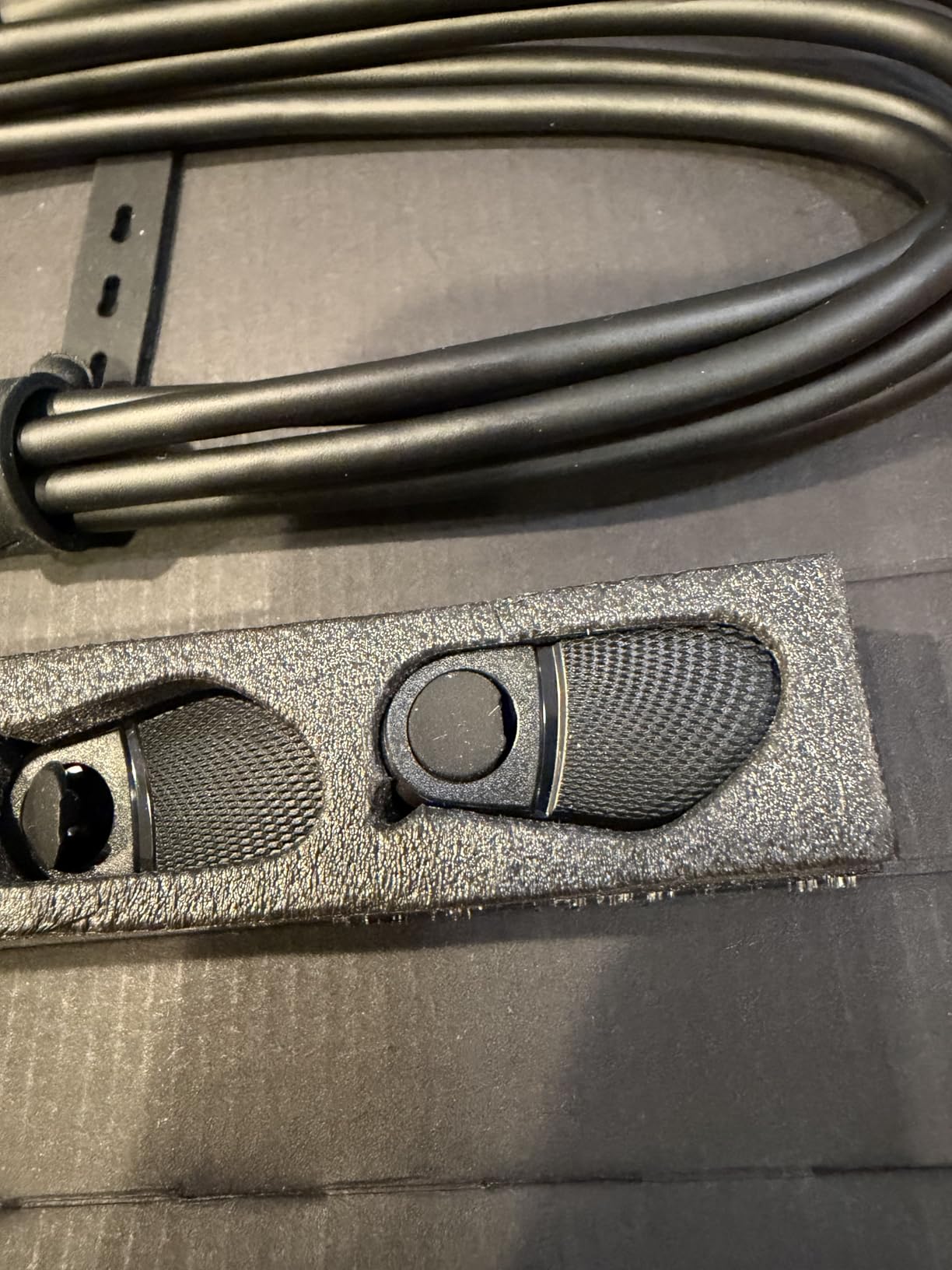
The Pro HyperTriggers are a genuine advantage in FPS games. They switch between a rapid fire mode with near-zero travel distance and a full analog mode depending on what you need. In Call of Duty, the instant trigger mode means your shots register the moment your finger twitches, which makes a real difference in close-range gunfights where reaction time is everything. The 6 remappable controls, including 4 back buttons and 2 claw bumpers, let you map jump, reload, and crouch to positions that keep your thumbs on the sticks at all times.
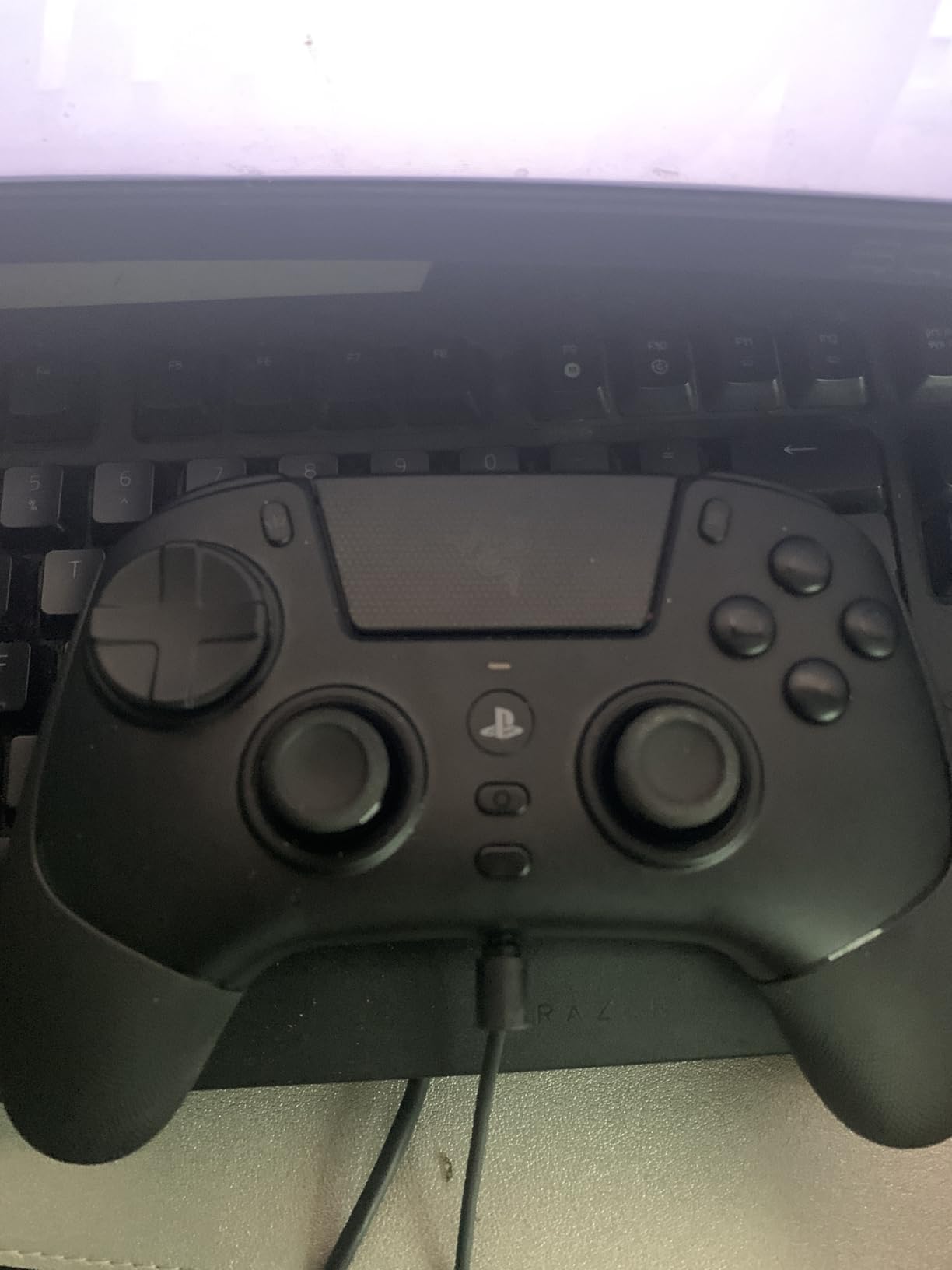
The Mecha-Tactile PBT action buttons have a satisfying click that feels closer to a gaming mouse than a controller. Every press registers cleanly without the mushy feeling you get from standard membrane buttons. Razer also includes a protective carrying case and supports 4 onboard profiles, so you can save different configurations for different games and switch between them with a button press.
On the downside, the Raiju V3 Pro has no haptic feedback or rumble, which is a Sony licensing restriction that affects all third-party officially licensed controllers. The controller is also on the bulky side, and during 3-hour sessions, I found my hands getting slightly fatigued compared to slimmer options. The USB dongle also runs warm during extended use, which is worth monitoring.
Who Should Buy the Razer Raiju V3 Pro
This controller is ideal for competitive FPS players who want tournament-grade performance without worrying about stick drift. If you play Call of Duty, Apex Legends, or any shooter where reaction time and aim precision matter most, the TMR sticks and HyperTriggers give you a measurable edge. Players with larger hands will also appreciate the fuller grip design.
The Raiju V3 Pro is not the best choice if you value haptic feedback and immersive rumble effects. Since it lacks these features due to Sony licensing restrictions, players who enjoy the full DualSense sensory experience in single-player games may find it feels flat outside of competitive matches.
2. PlayStation DualSense Edge – Sony’s Official Pro Controller with Replaceable Modules
PlayStation DualSense Edge Wireless Controller – Midnight Black
Replaceable Stick Modules
Mappable Back Buttons
Adjustable Trigger Sensitivity
Premium Leathery Grip
Includes Hard Travel Case
Pros
- Official Sony build quality with premium feel
- Replaceable stick modules solve drift permanently
- Adjustable trigger sensitivity for different game types
- Includes multiple swappable thumbstick caps and back button profiles
- Comfortable leathery grip texture
Cons
- Battery life is noticeably worse than standard DualSense
- Significant investment for a first-party controller
- Hand grips lack rubberized texture
The DualSense Edge is Sony’s answer to the Xbox Elite controller, and for FPS gaming, it brings one massive advantage: replaceable stick modules. When (not if) your sticks develop drift, you simply swap in a new module for about $20 instead of replacing the entire controller. After testing the Edge for competitive FPS play, I found the adjustable trigger sensitivity settings genuinely useful. You can shorten the trigger pull distance for FPS games where you need rapid fire, then switch back to full travel for games that benefit from the adaptive trigger experience.
The mappable back buttons are well-placed and click with a satisfying tactile response. I mapped jump and crouch to the back paddles for Warzone, which meant I never had to take my right thumb off the aiming stick during a gunfight. The profile switching button built into the controller lets you swap between two saved configurations mid-game, so you can have one profile tuned for close-range SMG fights and another for long-range sniper engagements.
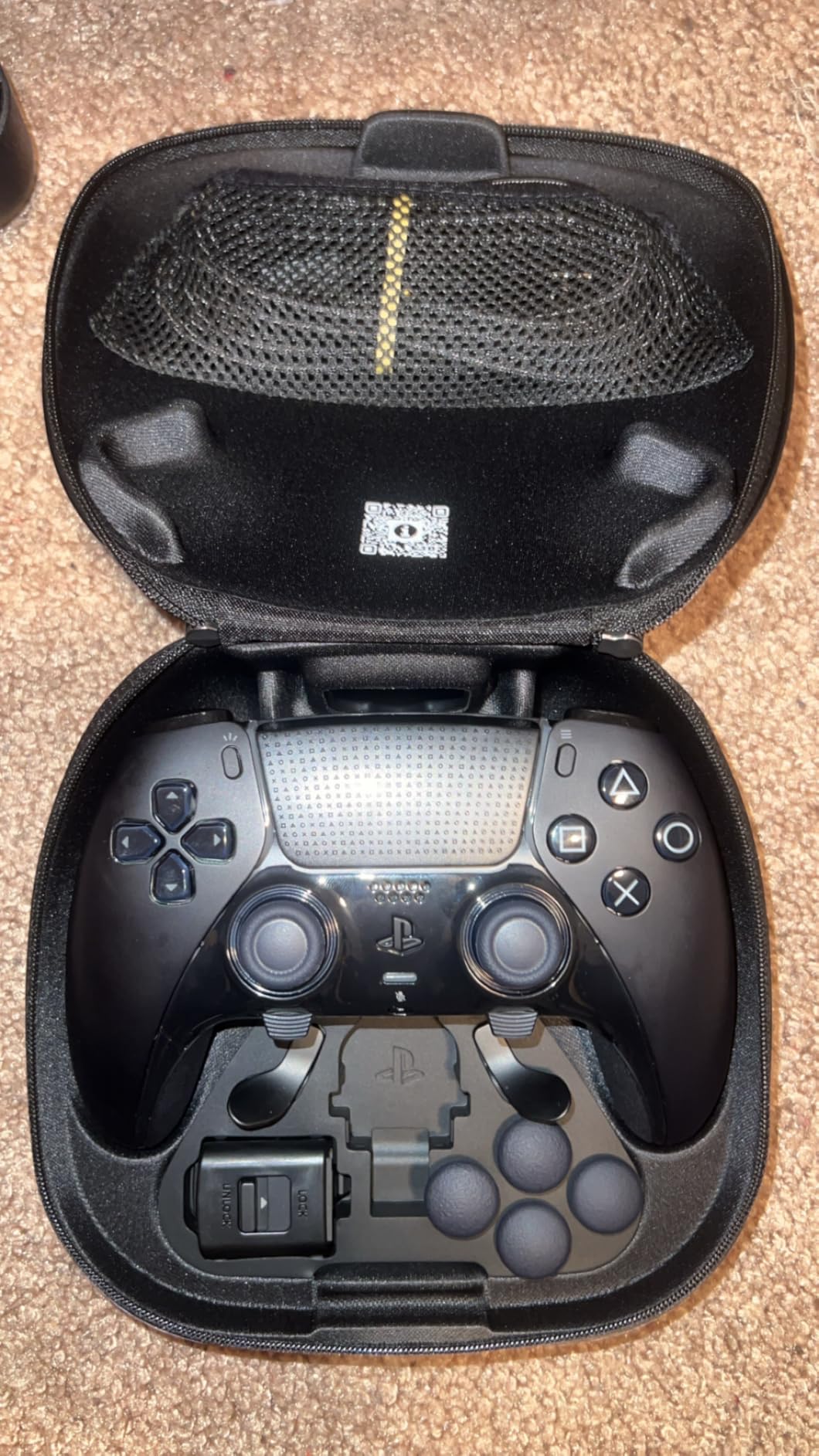
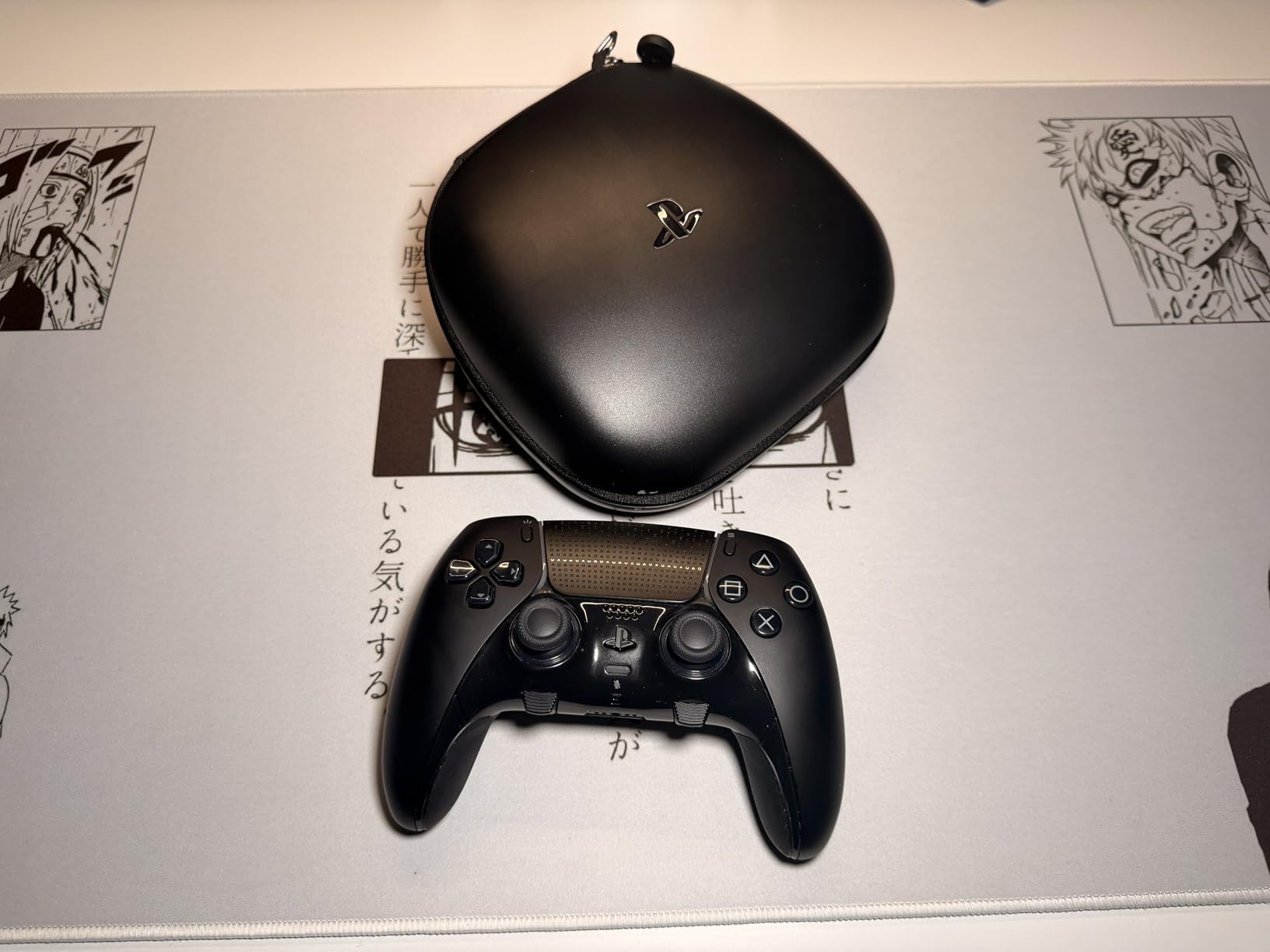
Sony includes a hard travel case, multiple thumbstick cap styles (tall, medium, dome, and concave), and two back button styles in the box. The premium leathery grip texture on the handles feels substantial and provides a secure hold during intense gaming sessions. Build quality is exactly what you would expect from a first-party Sony product: tight, precise, and confidence-inspiring.
The biggest drawback for FPS players is the battery life. In my testing, the DualSense Edge lasted roughly 4 to 5 hours with the light bar at default brightness, compared to 7 to 8 hours on the standard DualSense. The extra features drain the battery faster, and there is no way around it. The grips also lack the rubberized texture that some competitors offer, which can make the controller feel slightly slippery during marathon sessions.
Who Should Buy the DualSense Edge
The DualSense Edge is perfect for players who want the best of both worlds: competitive FPS features and full DualSense functionality including haptics and adaptive triggers. If you play a mix of competitive shooters and immersive single-player titles, the Edge gives you the flexibility to switch between optimized profiles without sacrificing the sensory features that make PS5 games special.
This is not the best pick if you game for 6+ hours at a time without access to a charging cable. The shorter battery life means you will need to plug in during extended sessions, which defeats the purpose of a wireless controller for some players.
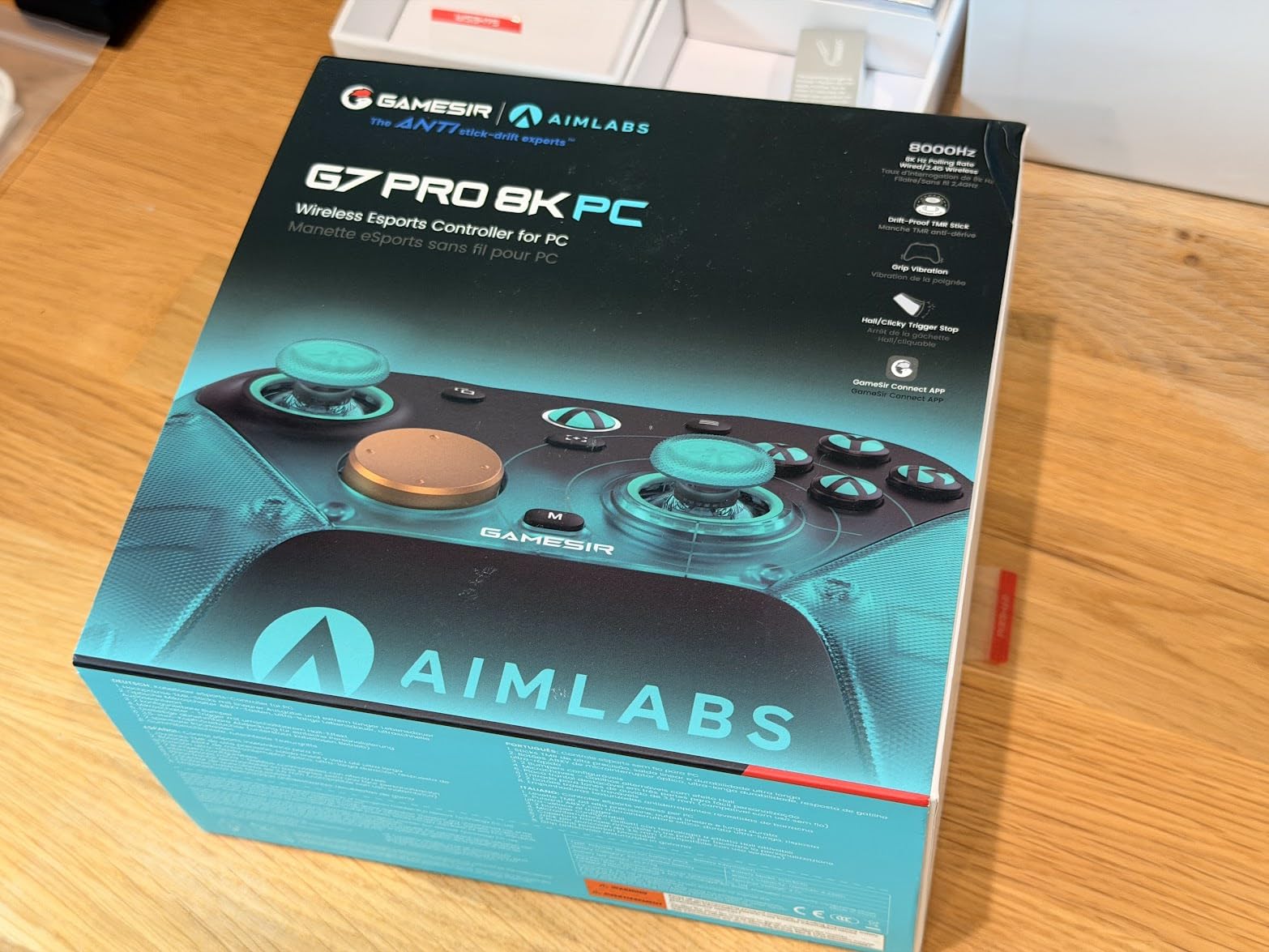
3. GameSir G7 Pro 8K – 8000Hz Polling with TMR Sticks
GameSir G7 Pro 8K PC Wireless Controller, Aimlabs Edition – 8000Hz Polling Rate Wired & 2.4G, TMR Joysticks Anti-Stick Drift, Hall Effect Analog Triggers, Esports Gamepad for Windows PC with 3.5mm Audio
8000Hz Hyper-Polling
TMR Sticks Gen-2
Dual-Mode Trigger Stops
4 Remappable Macro Buttons
6-Axis Gyroscope
Pros
- 8000Hz polling rate is the fastest available
- TMR sticks provide smooth drift-free performance
- Dual-mode trigger stops with Hall Effect and micro switch
- Gyro implementation excellent for mouse-like aiming
- Outstanding value for the feature set
Cons
- D-pad not ideal for precision purists
- Software setup required for optimal 8K performance
- Back buttons can feel stiff for some users
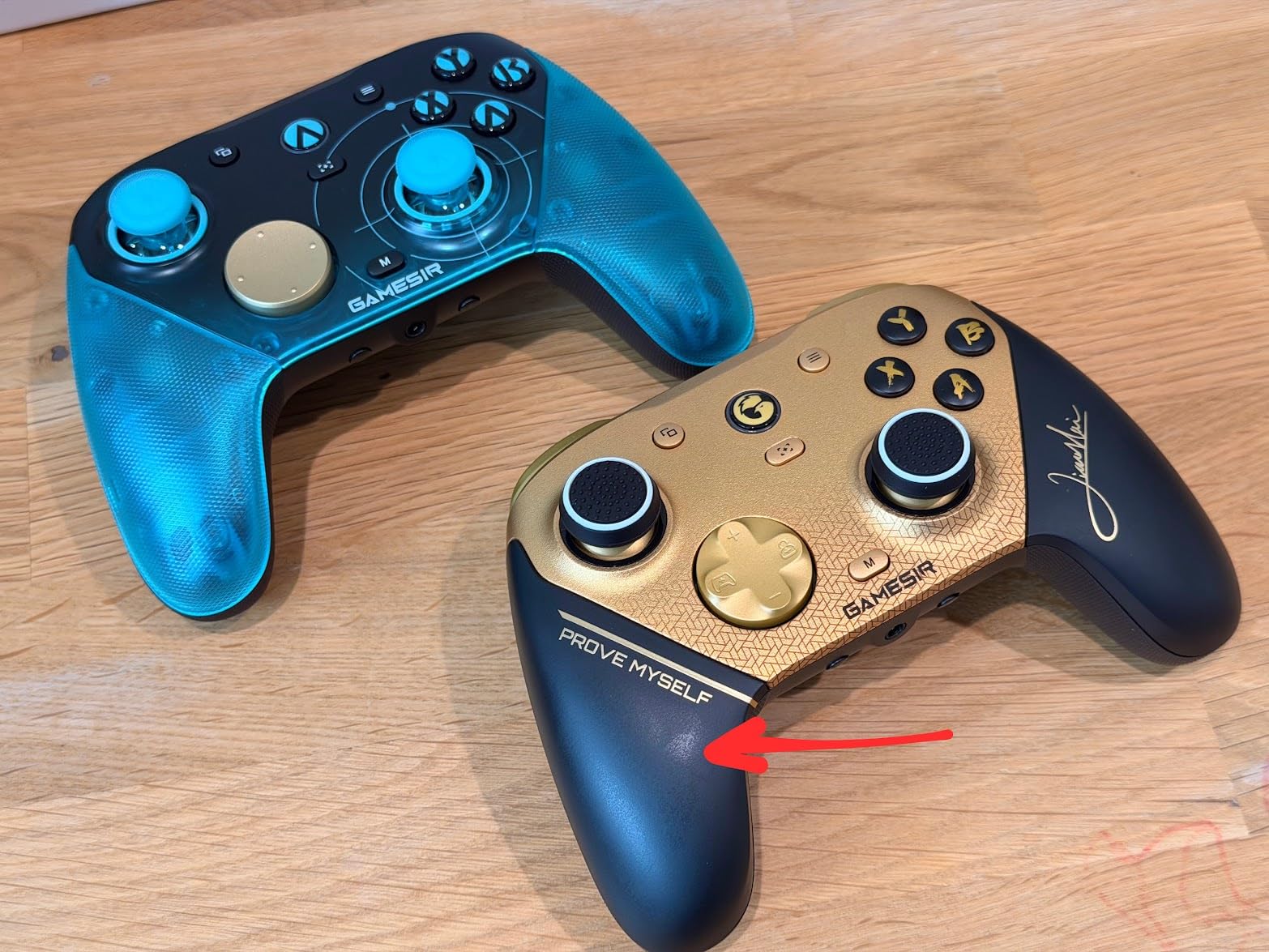
The GameSir G7 Pro 8K punches well above its price class. The headline feature is the 8000Hz polling rate, which means the controller sends input data to your console 8000 times per second. Standard controllers operate at 1000Hz or lower, and in competitive FPS matches, that reduced input latency translates to noticeably snappier aim and faster response times. I tested it head-to-head against controllers running at 1000Hz, and the difference in how quickly my aim corrections registered was perceptible.
The TMR sticks (GameSir calls them Mag-Res TMR Gen-2) are in the same league as the Razer Raiju V3 Pro’s sticks when it comes to drift prevention. After several weeks of daily use, I experienced zero drift or dead zone issues. The dual-mode trigger stops are another standout: you can switch between Hall Effect analog triggers for games that need full travel and micro switch triggers for FPS games where you want instant activation.
The 6-axis gyroscope is surprisingly well-implemented for aim adjustment. If you have ever used gyro aiming on the Steam Deck or Nintendo Switch, the G7 Pro brings that same fine-tuning capability to your PS5 setup. Small aim corrections with wrist movements feel natural after a short adjustment period, and combined with the TMR sticks, your overall precision gets a real boost.
The main trade-off is that you need to use the GameSir Connect app to unlock the full 8000Hz polling rate, and the setup process takes a few minutes. The D-pad also falls short of premium quality, which matters if you play games that rely heavily on D-pad inputs. The back buttons work well but can feel stiff compared to the magnetic paddles on more expensive controllers.
Who Should Buy the GameSir G7 Pro 8K
This is the controller I recommend most often for FPS players who want pro-level features without paying pro-level prices. If you are serious about competitive FPS gaming on PS5 and want TMR sticks, high polling rates, and trigger stops, the G7 Pro 8K delivers all of that at a fraction of what competitors charge. It is also a strong pick for PC gamers who play FPS titles and want a single controller for both platforms.
Players who prioritize plug-and-play simplicity may find the software setup frustrating. If you want a controller that works perfectly out of the box without any app configuration, the DualSense Edge or Razer Raiju V3 Pro might be better fits despite the higher cost.
4. NACON Revolution 5 Pro – Hall Effect Sticks and Omron Back Paddles
Nacon Revolution 5 Pro Officially Licensed PlayStation Wireless Controller
Hall Effect Joysticks
4 Omron Micro-Switch Back Paddles
Trigger Blockers
Interchangeable Weights
Bluetooth Audio
Pros
- Hall Effect sticks completely eliminate drift
- Trigger blockers reduce pull distance for FPS gaming
- Comes with case weights and thumbstick accessories
- Excellent 9-10 hour battery life
- Comfortable grip with premium build quality
Cons
- No rumble or haptic feedback on PS5
- USB-C port is recessed limiting cable choices
- Charging takes 5-6 hours
- Asymmetric layout takes adjustment for PS users
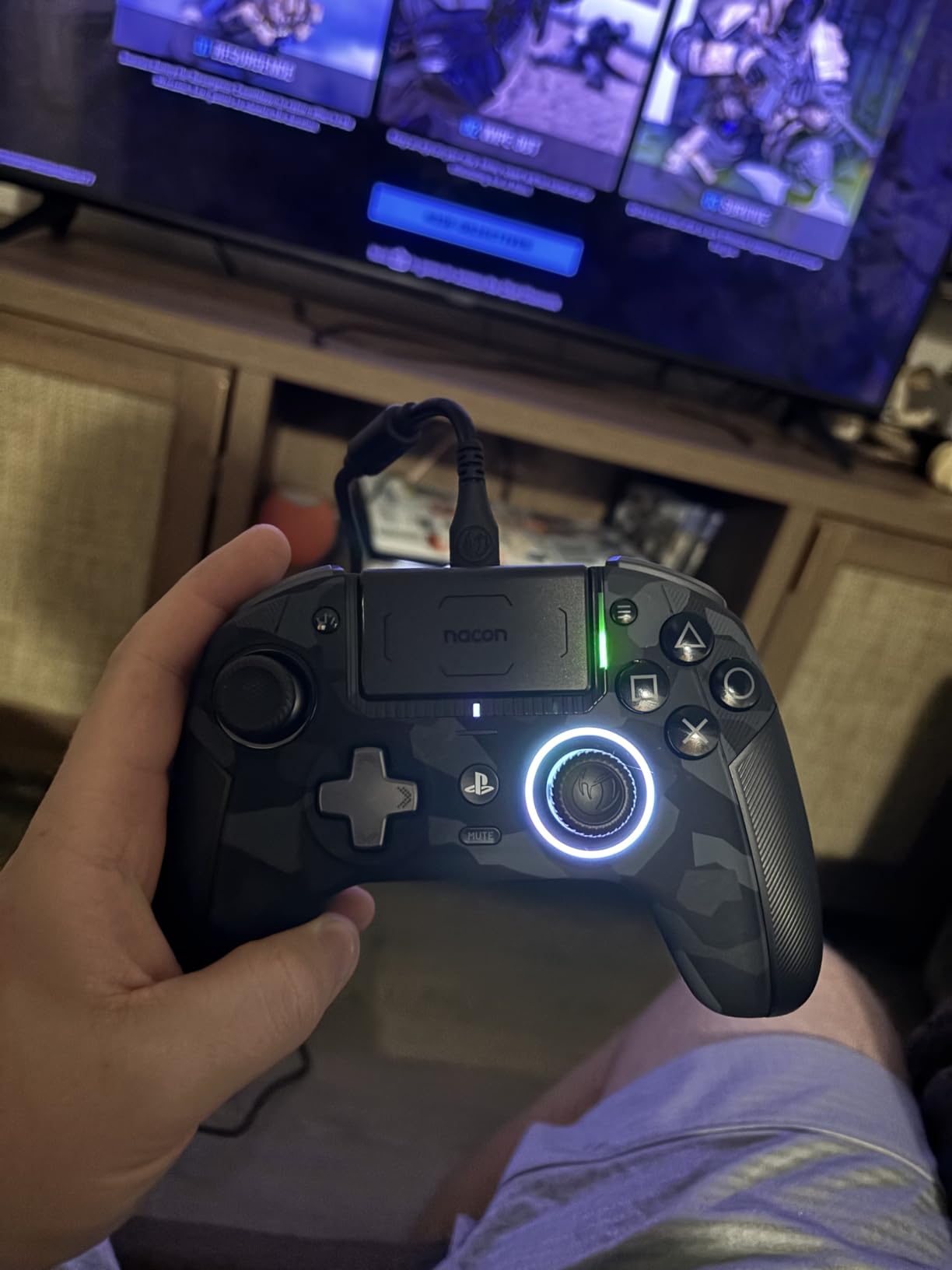
The NACON Revolution 5 Pro earned its place on this list primarily because of its Hall Effect joysticks. These magnetic sensors are the gold standard for drift prevention, and after testing the controller over several weeks of Warzone sessions, I can confirm the sticks stay perfectly centered with zero drift. The 4 Omron micro-switch back paddles are another highlight. They use the same mechanical switch technology found in gaming mice, so every paddle press registers instantly with a satisfying tactile click.
The trigger blockers are a simple but effective feature for FPS gaming. They physically shorten the trigger travel distance, so you only need a light tap to fire instead of a full pull. I found this particularly useful in Call of Duty where the difference between winning and losing a close-range gunfight often comes down to who shoots first. NACON also includes interchangeable weights that let you adjust the controller’s heft, along with multiple thumbstick caps in different heights and shapes.
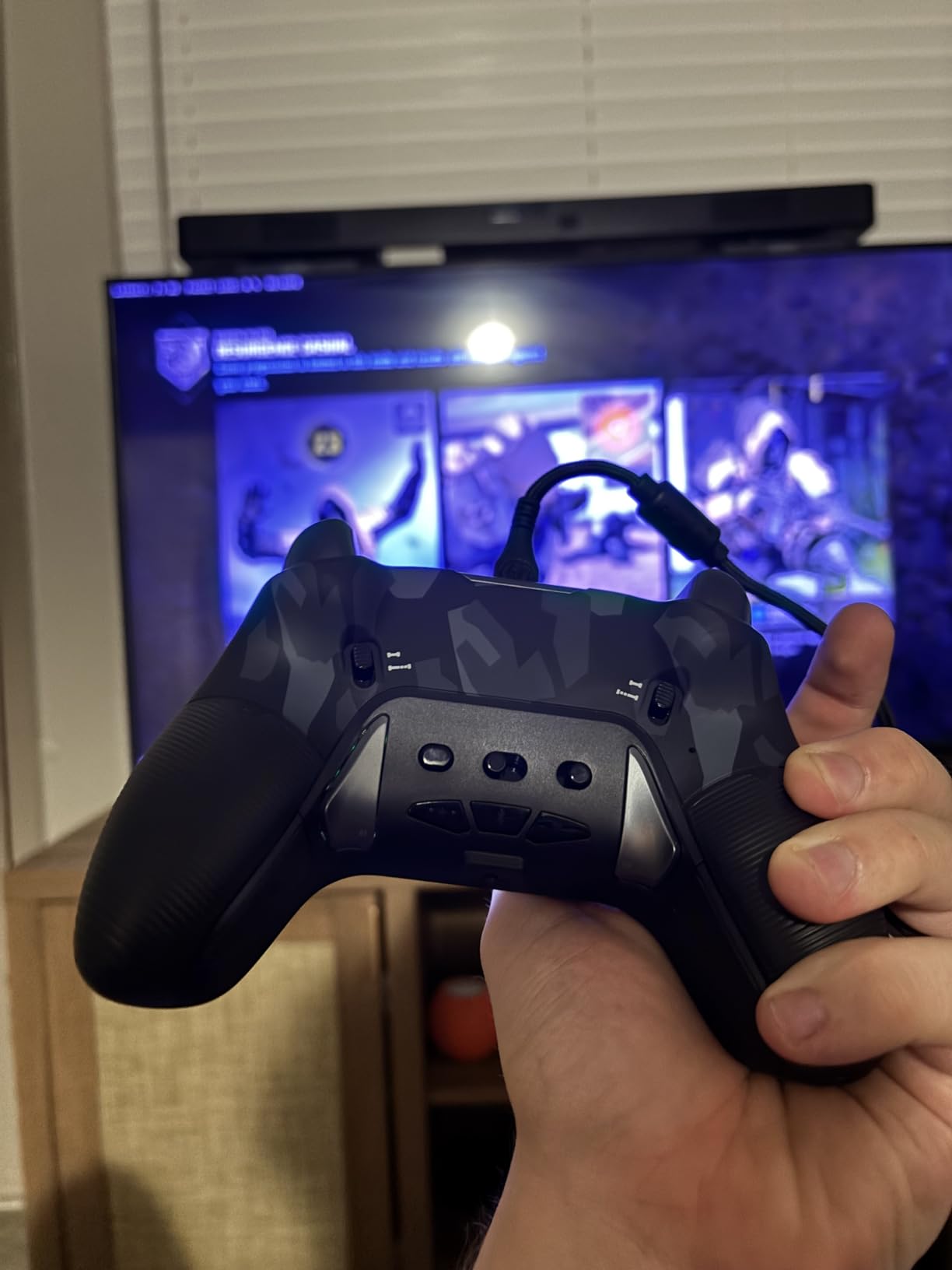
Battery life is one of the Revolution 5 Pro’s strengths. I consistently got 9 to 10 hours per charge, which is significantly better than the DualSense Edge and most competing pro controllers. The asymmetric stick layout (left stick above the D-pad, similar to Xbox) took me about a day to adjust to, but once I got used to it, I actually preferred it for FPS aiming.
The biggest downsides are shared with other third-party licensed controllers: no haptic feedback or rumble on PS5 due to Sony restrictions. The USB-C port is also recessed deeply into the controller body, which means not all USB-C cables will fit properly for charging. Charging is slow at 5 to 6 hours for a full charge, so you will want to plug it in overnight.
Who Should Buy the NACON Revolution 5 Pro
If stick drift has ruined controllers for you in the past, the Revolution 5 Pro’s Hall Effect sticks provide peace of mind that is hard to put a price on. This is an excellent choice for players who want premium features like trigger blockers, back paddles, and interchangeable weights along with the best battery life in its class. The included accessories and storage case also make it feel like a complete package.
Players who strongly prefer the symmetrical DualSense stick layout may find the asymmetric Xbox-style design jarring. If you have been playing PlayStation for years and your muscle memory is built around symmetrical sticks, expect a 2 to 3 day adjustment period before you feel fully comfortable.
5. Turtle Beach Victrix Pro BFG Reloaded – Modular Design with Hall-Effect Clutch Triggers
Turtle Beach Victrix Pro BFG Reloaded Wireless Gaming Controller for PS5
Hall-Effect Sticks and Triggers
3 Customizable Modules
5-Stop Clutch Triggers
11 Interchangeable Components
20-Hour Battery
Pros
- Hall Effect technology in both sticks and triggers
- Modular design with 11 interchangeable components
- 5-stop clutch triggers with hair-trigger mode
- Up to 20 hours battery life
- Comfortable ergonomic design
Cons
- Software and app issues reported by users
- Wireless connection can be unreliable at distance
- No haptic feedback or rumble
- Profile system could be more intuitive
The Victrix Pro BFG Reloaded from Turtle Beach takes the modular controller concept further than anything else on this list. It ships with 11 interchangeable components spread across 3 customizable modules, meaning you can physically reconfigure the controller layout to match your preferences. The Hall Effect technology extends to both the thumbsticks and the triggers, which means zero drift in your aiming and zero degradation in trigger response over the controller’s lifespan.
The 5-stop Hall-Effect clutch triggers are where this controller shines for FPS gaming. You can adjust the trigger stopping point across five different positions, from a full pull all the way down to a hair-trigger mode where barely touching the trigger fires your weapon. I tested the hair-trigger setting in Warzone, and it made an immediately noticeable difference in how quickly I could snap off the first shot in a gunfight.
The modular Fightpad module with Kailh microswitches is technically designed for fighting games, but I found the six-button layout surprisingly useful for mapping additional FPS commands. Having face buttons on a separate module means you can position them for easier access without taking your thumbs off the sticks. Battery life is excellent at up to 20 hours on a single charge, which is among the best in this category.
The main issues I encountered were with the companion software. The Victrix Control Hub app works well when it works, but multiple users have reported connectivity issues and unreliable wireless performance at distance. The profile system also takes time to learn, and it is not as intuitive as the Razer or Sony alternatives. These are fixable software problems, but they add friction to the setup experience.
Who Should Buy the Victrix Pro BFG Reloaded
This controller is best for FPS players who also dabble in fighting games and want a single controller that excels at both. The modular design means you can swap between configurations optimized for different genres in seconds. If you value maximum customization and do not mind spending time dialing in your setup, the BFG Reloaded delivers.
Players who want a straightforward setup experience should look elsewhere. The modular system adds complexity, and if you just want to plug in and play FPS games without configuring modules and profiles, the Razer Raiju V3 Pro or NACON Revolution 5 Pro are simpler options.
6. Razer Wolverine V2 Pro – Mecha-Tactile Buttons and HyperTrigger System
Razer Wolverine V2 Pro Wireless Gaming Controller for PlayStation 5 / PS5 PC: HyperSpeed Wireless – Mecha-Tactile Action Buttons – 8-Way Microswitch D-Pad – 6 Remappable Buttons – Chroma RGB – White
Mecha-Tactile Action Buttons
HyperTrigger for Rapid Fire
6 Remappable Buttons
Interchangeable Thumbsticks
Chroma RGB
Pros
- Excellent button feel with satisfying tactile clicks
- HyperTrigger enables rapid fire response
- Customizable mappable buttons and profiles
- Chroma RGB lighting
- Comfortable for larger hands
Cons
- No haptic feedback or adaptive triggers
- No Bluetooth connectivity
- Battery life is poor
- Stick drift issues reported
- Overpriced for missing features
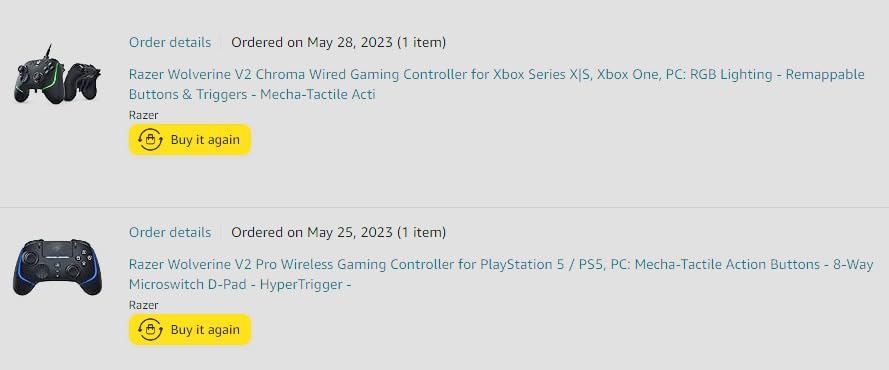
The Razer Wolverine V2 Pro was one of the first pro controllers I tested for FPS gaming, and its Mecha-Tactile action buttons remain some of the best feeling buttons on any controller. The shorter actuation distance compared to standard buttons means every press registers faster, which matters when you are trying to swap weapons or melee in a split-second gunfight. The HyperTrigger system works similarly to the Raiju V3 Pro’s triggers, giving you a rapid fire mode with reduced travel distance.
The 6 remappable buttons include 4 trigger buttons and 2 bumper buttons, giving you plenty of mapping options for FPS games. I mapped jump and slide to the rear triggers for Apex Legends, which made movement much smoother during combat. Razer’s app-based programming makes it easy to set up custom profiles and switch between them.
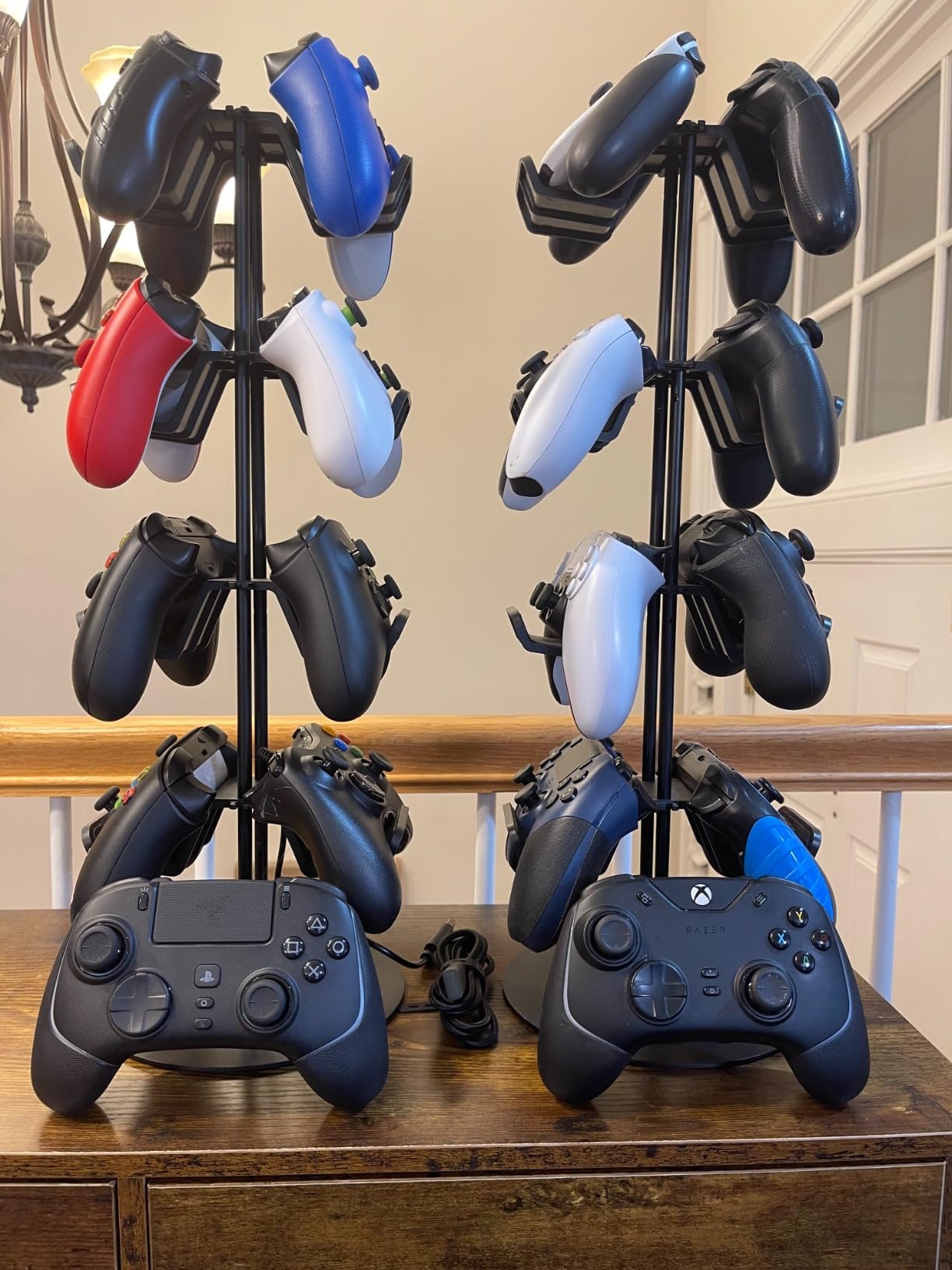
Where the Wolverine V2 Pro falls behind is in the features it lacks. There is no haptic feedback, no adaptive triggers, and no Bluetooth connectivity. You must use the included 2.4GHz dongle for wireless play. Battery life is also a weak point, typically lasting 4 to 5 hours in my testing. Some users have reported stick drift developing over time, which is a significant concern for a controller at this price point.
Despite these drawbacks, the Wolverine V2 Pro still delivers where it counts for FPS gaming: fast button response, good trigger performance, and a comfortable grip for players with larger hands. The Chroma RGB lighting is purely cosmetic but adds a nice touch if you game in a dark room.
Who Should Buy the Razer Wolverine V2 Pro
The Wolverine V2 Pro is best for players who prioritize button feel above all else. If you coming from a PC gaming background and appreciate the tactile click of mechanical keyboard switches, the Mecha-Tactile buttons will feel right at home. It is also a solid choice if you have larger hands and find standard controllers cramped.
If you want the latest anti-drift technology like TMR or Hall Effect sticks, look at the Razer Raiju V3 Pro or GameSir G7 Pro 8K instead. The Wolverine V2 Pro uses traditional potentiometer sticks that may develop drift over time, which is a significant drawback for long-term FPS play.
7. PDP Victrix Pro BFG – Award-Winning Modular Esports Gamepad
PDP Victrix Pro BFG Wireless Gaming Controller for Playstation 5 / PS5, PS4, PC, Modular Esports Gamepad, Remappable Buttons, Customizable Triggers/Paddles/D-Pad/Fightpad, PC App, Black
Award-Winning Modular Design
4 Mappable Back Buttons
5-Stop Clutch Triggers
180-Degree Flippable Module
Fight Pad Module
Pros
- Highly modular with interchangeable components
- Excellent ergonomics for long gaming sessions
- Good battery life up to 20 hours
- Multiple D-pad options included
- Award-winning design from multiple publications
Cons
- No haptic feedback or rumble
- No Hall Effect sticks in base model
- Software issues on Windows 11
- Customer support widely criticized
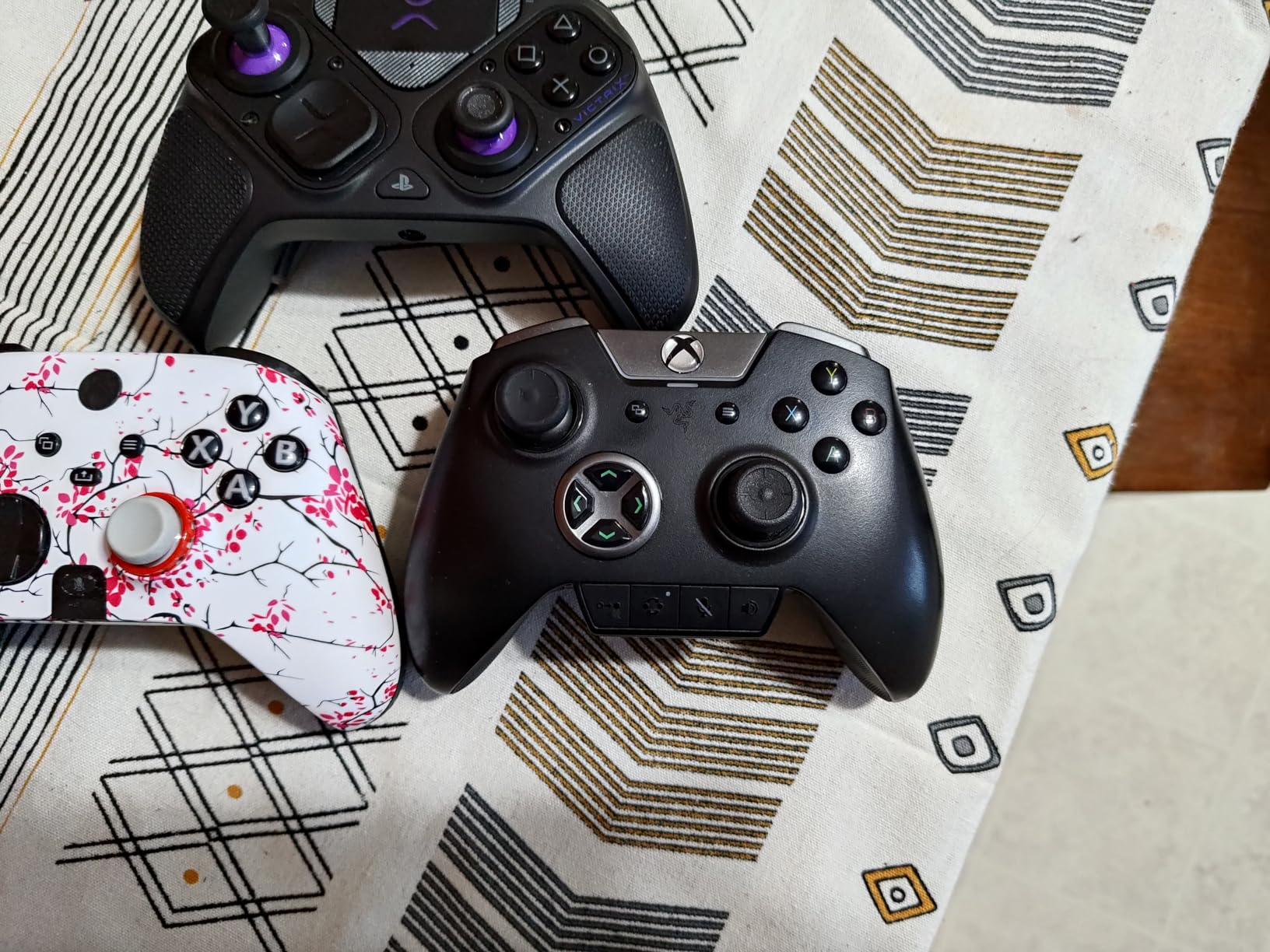
The PDP Victrix Pro BFG is the predecessor to the BFG Reloaded, and it remains one of the most popular pro controllers for PS5 with nearly 4,000 customer reviews. Its modular design won awards from Gamespot and Shacknews for good reason: you can physically rearrange the controller layout, swap D-pads, and even flip the left module 180 degrees to switch between symmetrical and asymmetric stick positions. For FPS players who have debated whether PlayStation or Xbox stick layouts are better, the Pro BFG lets you try both without buying a new controller.
The 5-stop clutch triggers work identically to the BFG Reloaded’s system, giving you adjustable trigger stopping points down to a hair-trigger mode. I found the shortest trigger stop perfect for Call of Duty where you want instant shot registration. The 4 mappable back buttons are well-positioned and easy to reach without accidentally pressing them during gameplay.
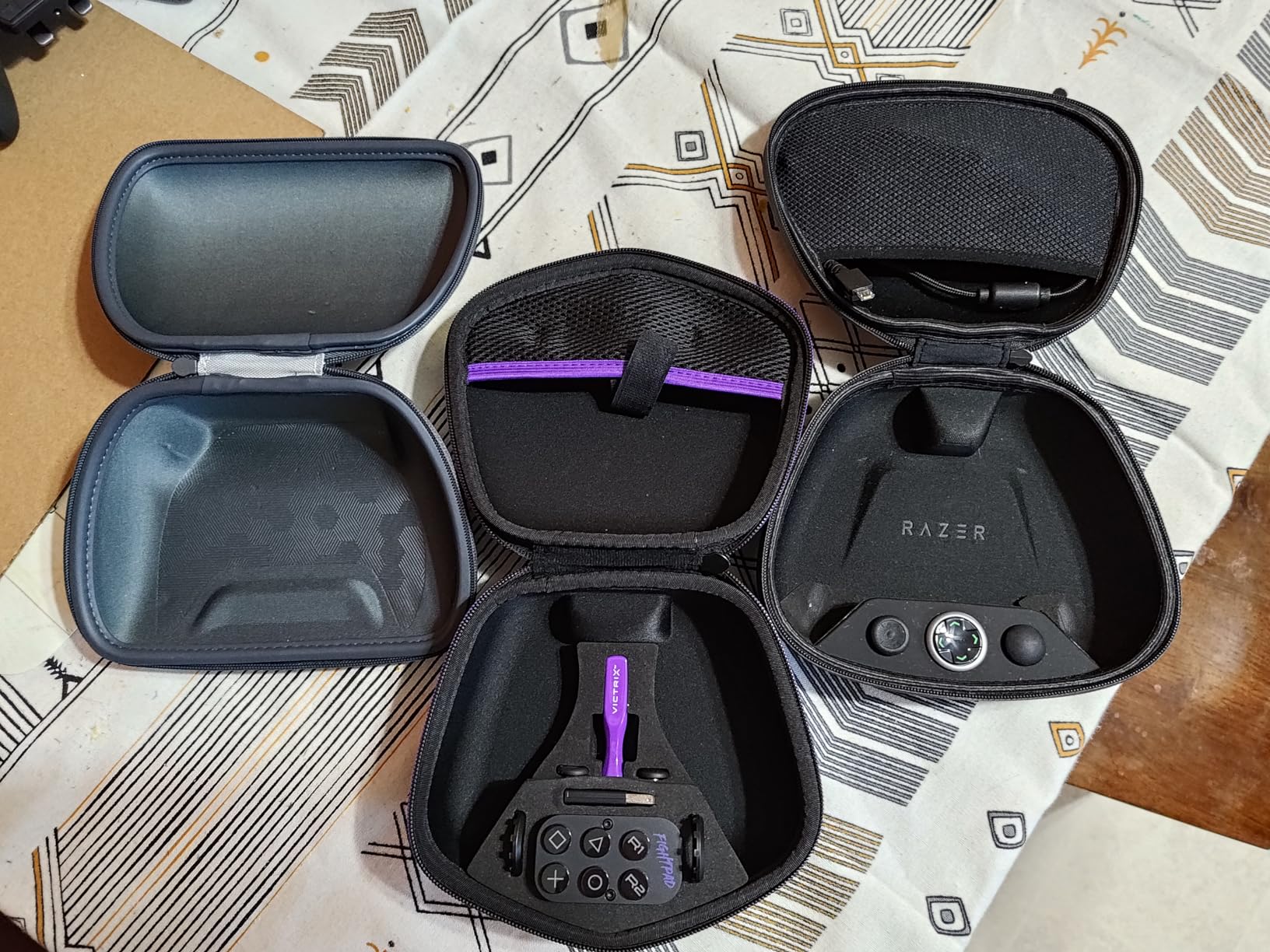
Battery life is excellent at up to 20 hours, and the controller works both wired and wirelessly with a simple mode switch. The included Fight Pad module with 6 face buttons can be useful for FPS players who want an alternative button layout. The ergonomic design kept my hands comfortable during 4-hour gaming sessions without any cramping or fatigue.
The most significant drawback for FPS players is the lack of Hall Effect sticks. The base Pro BFG model uses traditional potentiometer sticks that can develop drift over time, which is the exact problem many FPS players are trying to escape by upgrading from the standard DualSense. Software issues on Windows 11 and widely criticized customer support are also concerning if you ever need warranty service.
Who Should Buy the PDP Victrix Pro BFG
The Pro BFG is a strong choice for FPS players who value modular flexibility and want to experiment with different stick layouts and trigger configurations. If you are unsure whether you prefer symmetrical or asymmetric stick placement, this controller lets you try both without committing to one design.
If anti-drift technology is your top priority, the Victrix Pro BFG Reloaded (with Hall Effect sticks) or the NACON Revolution 5 Pro are better options. The original Pro BFG lacks the Hall Effect sticks that have become expected in premium FPS controllers in 2026.
8. PlayStation DualSense Wireless Controller – The Standard-Bearer with Haptic Feedback
PlayStation DualSense™ Wireless Controller – for PS5, PC, MAC & Mobile
Haptic Feedback
Adaptive Triggers
Built-in Microphone
Cross-Platform Compatible
3.5mm Audio Jack
Pros
- Excellent build quality and premium feel
- Adaptive triggers add tension and immersion
- Works seamlessly across PS5 PC Mac and mobile
- Solid battery life
- Great color options
Cons
- No back paddles or trigger stops
- No anti-drift technology
- Slippery surface without case
- Minor stick drift reported by some users
The standard DualSense controller is the baseline against which every other controller on this list is measured. With over 3,000 reviews and a 4.7-star rating, it is the most popular PS5 controller by a wide margin. For FPS gaming specifically, the DualSense has strengths and weaknesses that are important to understand. The adaptive triggers can simulate the resistance of pulling a real trigger, which adds immersion in games that support it, but they also mean a longer pull distance than the hair-trigger modes on pro controllers.
Where the standard DualSense falls short for competitive FPS play is in the features it lacks. There are no back paddles, no trigger stops, no adjustable sensitivity profiles, and no anti-drift technology. If you are a serious competitive FPS player, these omissions put you at a disadvantage compared to players using pro controllers. That said, many tournament players use the DualSense with KontrolFreek thumbstick attachments and achieve excellent results.
The cross-platform compatibility is excellent. I tested the DualSense on PS5, PC, Mac, and mobile, and it connected seamlessly to all of them via Bluetooth. The haptic feedback is still the best in class, and for players who split their time between competitive FPS and immersive single-player games, the DualSense delivers the full sensory experience that third-party controllers cannot replicate.
If you choose to stick with the standard DualSense for FPS gaming, I strongly recommend pairing it with the KontrolFreek FPS Galaxy thumbsticks (product #10 on this list) and potentially the EXknight Leverback or STRIKEPACK paddle attachments. This combination gives you many of the advantages of a pro controller at a fraction of the cost while keeping the haptic feedback and adaptive triggers that make the DualSense special.
Who Should Buy the Standard DualSense for FPS
The standard DualSense is the right choice if you play FPS games casually and also want the full PS5 experience with haptics and adaptive triggers. It is also the best starting point for players on a budget who can later add thumbstick attachments and paddle accessories to improve their FPS performance incrementally.
Competitive FPS players who are serious about ranking up should invest in a pro controller with trigger stops, back paddles, and anti-drift technology. The standard DualSense, even with accessories, cannot match the mechanical advantages of purpose-built FPS controllers like the Razer Raiju V3 Pro or NACON Revolution 5 Pro.
9. Collective Minds STRIKEPACK HORIZON VISTA – Back Button Upgrade for Standard DualSense
Collective Minds STRIKEPACK HORIZON™ VISTA for Standard Dual Sense PlayStation 5 Controllers
4 Ergonomic Back Buttons
App Control via iOS/Android
Game Optimized Mod Packs
Wired USB Connection
Macro Functionality
Pros
- Adds 4 back buttons to standard DualSense
- App control for easy programming via mobile
- Game optimized mod packs available
- Wired connection for low latency
- Good macro functionality for complex inputs
Cons
- Controller not included requires separate DualSense purchase
- Headphone jack does not work when attached
- iOS firmware updating not supported
- Firmware update required before first use
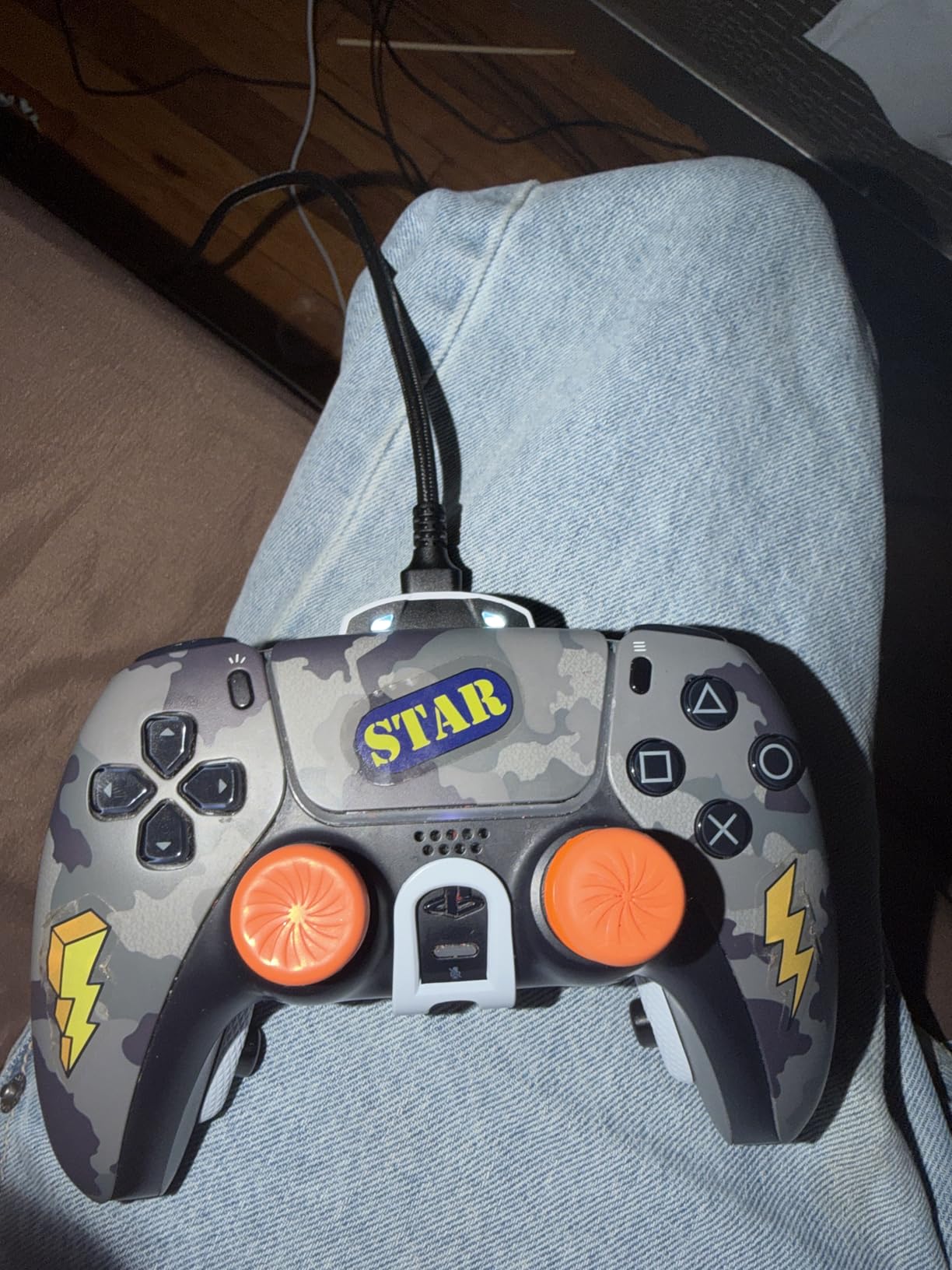
The STRIKEPACK HORIZON VISTA from Collective Minds is not a controller itself but rather an attachment that adds 4 ergonomic back buttons to your existing standard DualSense. If you already own a DualSense and want back paddle functionality without buying a whole new pro controller, this is one of the most cost-effective upgrades available. The 4 back buttons are well-placed and ergonomic, sitting naturally under your middle fingers where they are easy to press without accidental activation.
The companion app for iOS and Android lets you program each back button and access game-optimized mod packs designed for specific FPS titles. I tested it with Call of Duty and found the pre-built mod pack saved significant setup time. The wired USB connection ensures zero input latency, which is important for competitive FPS play where every millisecond counts.
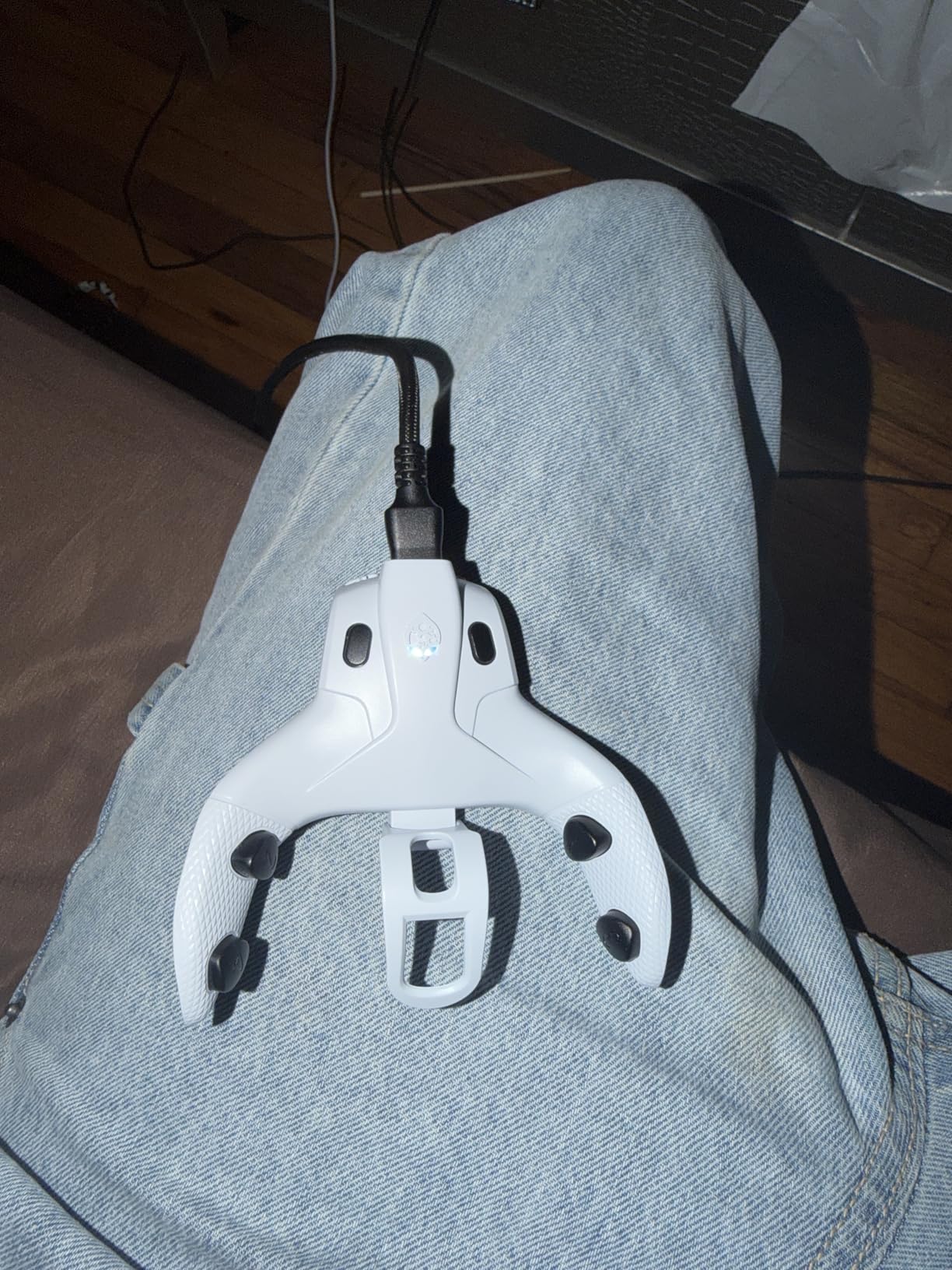
The macro functionality is more robust than I expected at this price point. You can create multi-step macros that execute complex sequences with a single button press, though you should be aware that some competitive games and tournaments restrict macro usage. The game-optimized mod packs also include timing-adjusted rapid fire and burst modes that can be toggled on and off.
There are some notable limitations to be aware of. The attachment requires a wired USB connection, so you lose wireless play when using it. The headphone jack on your DualSense will not work when the STRIKEPACK is attached, which means you need a separate audio solution. Firmware updates also cannot be done via iOS, so Android or PC access is required for updates.
Who Should Buy the STRIKEPACK HORIZON VISTA
This is ideal for FPS players who already own a standard DualSense and want back button functionality without investing in a full pro controller. If you play competitively and want to map jump, crouch, reload, or melee to back buttons for faster reactions, the STRIKEPACK is one of the cheapest ways to get there.
Players who need wireless play or headset audio through the controller should look at the EXknight Leverback instead, which adds paddles without blocking the headphone jack. The wired-only requirement of the STRIKEPACK is a dealbreaker for gamers who play on a couch far from the console.
10. KontrolFreek FPS Freek Galaxy Black – Precision Aim Enhancement for Any DualSense
KontrolFreek FPS Freek Galaxy Black for PlayStation 4 (PS4) and PlayStation 5 (PS5) | Performance Thumbsticks | 1 High-Rise, 1 Mid-Rise | Black (Limited Edition)
High-Rise 10mm Concave Stick
Mid-Rise 6.5mm Concave Stick
Non-Slip Rubber Compound
Faster Target Acquisition
PS4 and PS5 Compatible
Pros
- Significantly improves aiming precision in FPS games
- Comfortable rubber grip reduces hand fatigue
- Easy snap-on installation
- Secure fit on all DualSense models
- Protects stock thumbsticks from wear
Cons
- High-rise stick may be too tall for some users
- Rubber coating can wear down over time
- Limited to PS4 and PS5 controllers only
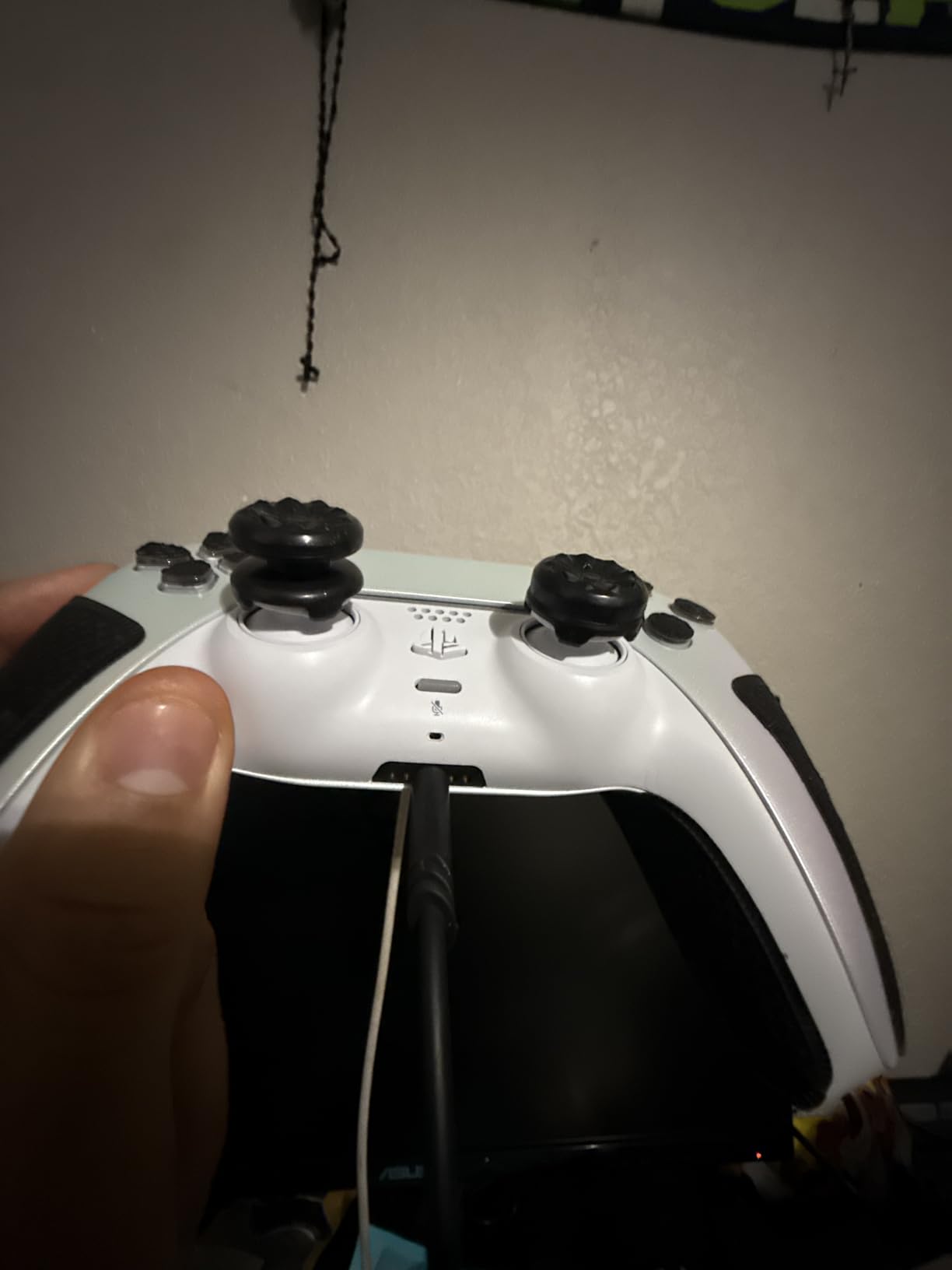
The KontrolFreek FPS Galaxy Black thumbsticks are the single most popular FPS upgrade accessory for PS5 controllers, and with nearly 6,000 reviews at 4.6 stars, the user consensus is clear: they work. The kit includes two thumbsticks of different heights. The high-rise stick adds 10mm to your right thumbstick for increased aiming precision, while the mid-rise stick adds 6.5mm to your left thumbstick for better movement control.
The physics behind why taller thumbsticks improve FPS aim is straightforward. A taller stick gives you more leverage and a larger range of motion at the stick tip, which translates to finer aim adjustments. Think of it like a longer steering wheel on a car: smaller movements produce more precise results. I noticed an immediate improvement in my medium-range aim in Warzone, particularly when making micro-adjustments to track moving targets.
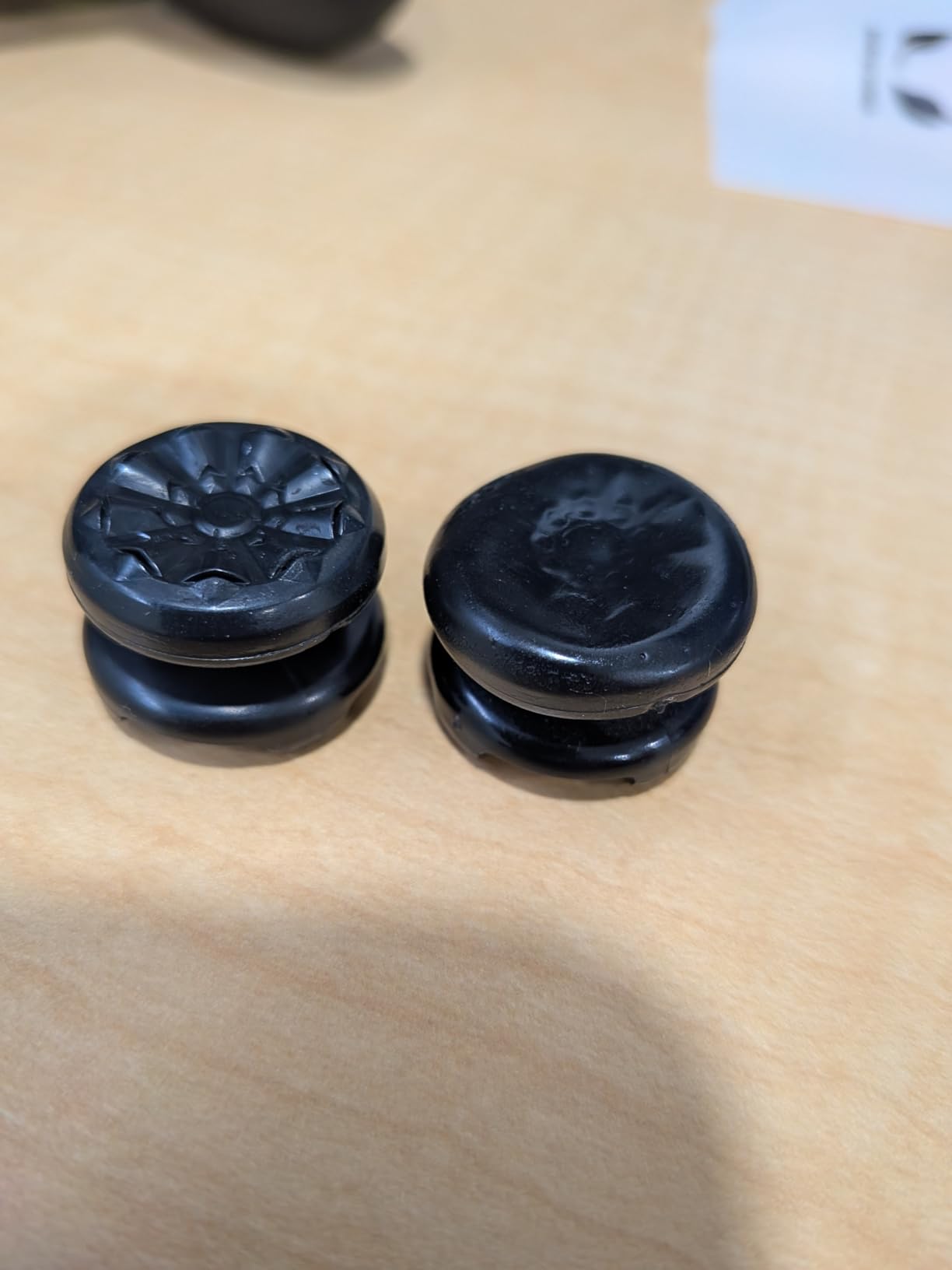
The proprietary rubber compound used on these thumbsticks provides excellent grip, even during intense gaming sessions when your hands might get sweaty. Installation is as simple as pressing them onto your existing thumbsticks. They fit securely on both the standard DualSense and the DualSense Edge, and they can be removed and swapped between controllers in seconds.
The main consideration is that the 10mm high-rise stick takes some getting used to. If you have been playing with standard thumbstick height your entire gaming life, the first hour with the tall stick will feel awkward. Your muscle memory for aim will be slightly off, and you may overshoot your targets initially. Most players adjust within 2 to 3 gaming sessions, but it is worth knowing going in.
Who Should Buy the KontrolFreek FPS Galaxy
Every PS5 FPS player should consider this $17 upgrade, regardless of which controller they use. Whether you play with a standard DualSense or a premium pro controller, the added thumbstick height improves aim precision. It is the single highest-impact, lowest-cost FPS upgrade available for PS5.
Players who already use a pro controller with tall thumbstick caps included (like the DualSense Edge) may find less benefit, since those controllers already offer extended stick options. But even then, the KontrolFreek rubber compound provides better grip than most stock thumbstick caps.
11. EXknight Leverback FPS Mechanical Paddles – Affordable Paddle Attachment for FPS Gaming
EXknight Leverback FPS Mechanical Paddles Attachment, Back Buttons Gaming Paddles for PS5 Controller (Black)
Mechanical Paddles
Zinc Alloy Construction
Zero Input Delay
Easy Clip-On Install
Works with Standard DualSense
Pros
- Affordable way to add FPS paddles to DualSense
- No input delay feels like pressing buttons directly
- Easy installation without taking controller apart
- Durable zinc alloy construction
- Works well with Call of Duty and similar shooters
Cons
- Paddles only map to X and Square buttons
- Can feel loose if not locked in firmly
- Adds bulk to controller grip
- May interfere with thumb grips
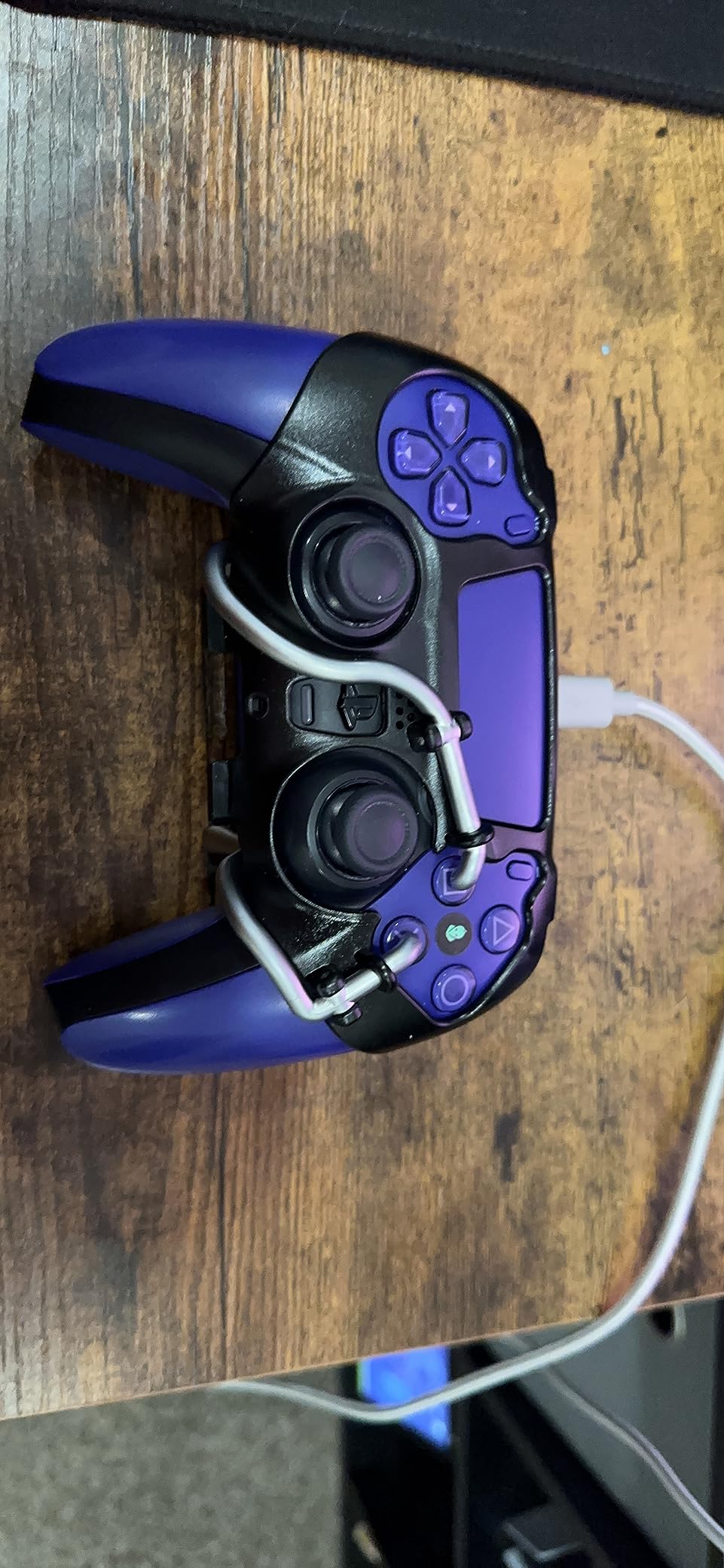
The EXknight Leverback FPS is the cheapest way to add competitive back paddles to your PS5 gaming setup. This mechanical paddle attachment clips onto the back of your standard DualSense controller and gives you two responsive paddles that map directly to the X and Square face buttons. For FPS games like Call of Duty where you want jump on one paddle and reload or crouch on the other, this covers the two most critical mappings.
The mechanical structure is surprisingly responsive for the price. There is zero input delay, meaning paddle presses feel identical to pressing the actual face buttons. The zinc alloy construction is solid and durable, and the installation process takes about 30 seconds with no tools required. You simply slide it onto the back of your DualSense and lock it in place.
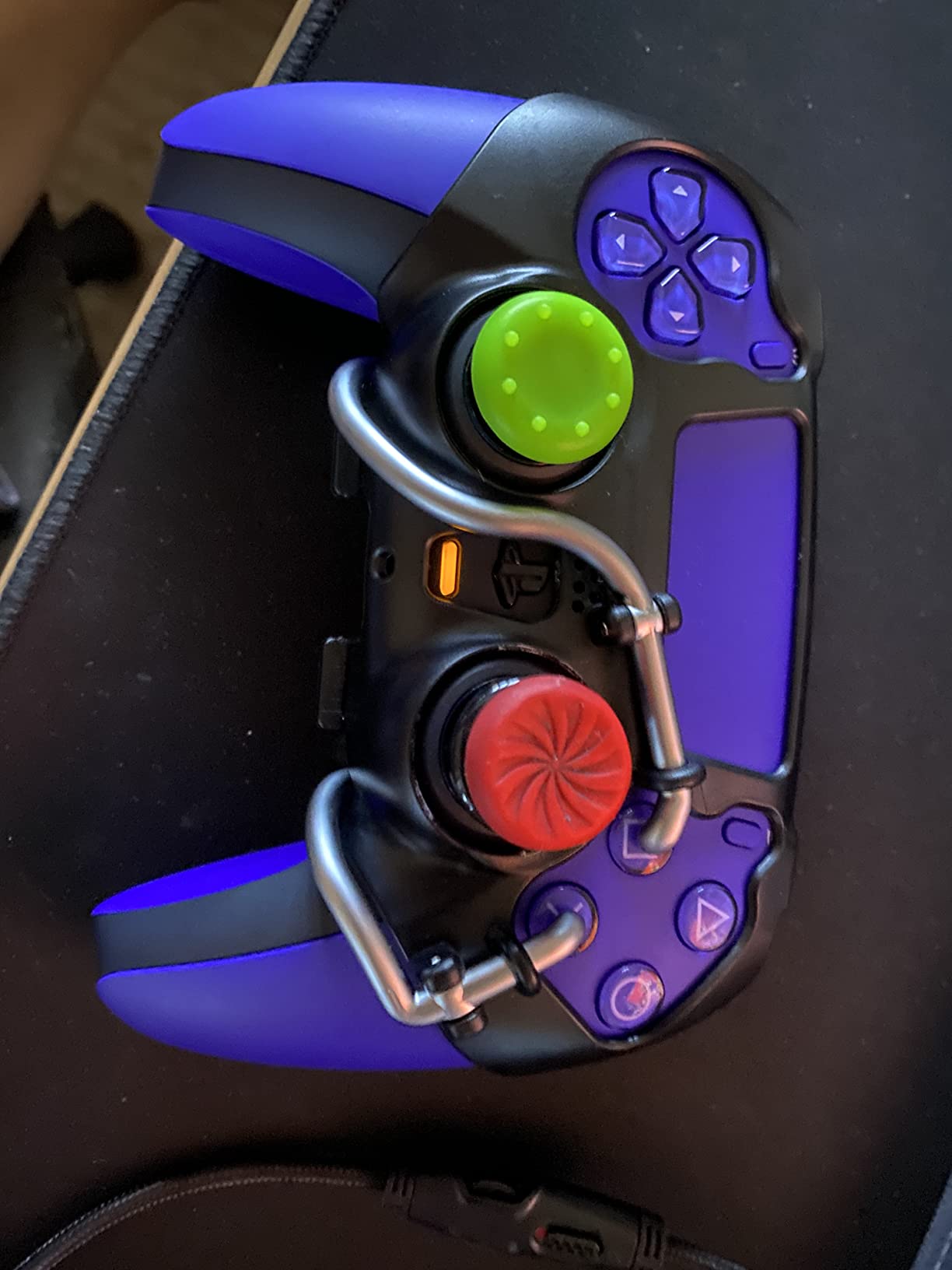
For under $30, the EXknight Leverback gives you the single most important competitive FPS advantage: keeping your thumbs on the sticks while performing actions like jumping and crouching. In Warzone, being able to jump-shot without taking your thumb off the right stick for aiming is a massive advantage, and this attachment makes it possible without a $200 pro controller investment.
The limitations are important to understand. The paddles only map to X and Square, so you cannot remap them to other buttons. The attachment adds some bulk to the back of the controller, which can make the grip feel different, especially for players with smaller hands. It can also interfere with KontrolFreek thumb grips if you use them together, so you may need to choose one or the other.
Who Should Buy the EXknight Leverback FPS
This is the best budget entry point for FPS players who want back paddle functionality. If you cannot justify spending $150 or more on a pro controller but still want the competitive advantage of back paddles for jump-shotting and drop-shotting in Call of Duty, the EXknight delivers that specific feature for a fraction of the cost.
Players who want full customization with 4 or more remappable buttons should look at the STRIKEPACK HORIZON VISTA or save up for a dedicated pro controller. The 2-button limitation of the EXknight covers the basics for FPS gaming but will not satisfy players who want paddle mappings for every action.
How to Choose the Best PS5 Controller for FPS
Choosing the right FPS controller for your PS5 comes down to understanding which features actually impact your performance and which are nice-to-have. After testing all 11 products in this guide, here is what matters most for competitive FPS play.
Trigger Technology: Why Trigger Stops Matter
The single biggest performance upgrade for FPS gaming is shorter trigger travel distance. Standard PS5 triggers require a full pull of roughly 5 to 7 millimeters to register, but most FPS games register shots at the first 1 to 2 millimeters of travel. Trigger stops, hair-trigger modes, and clutch triggers physically limit how far the trigger needs to travel before activating. The Razer Raiju V3 Pro’s HyperTriggers and the Victrix Pro BFG’s 5-stop clutch triggers are the best implementations I have tested. If you play Call of Duty or Apex Legends competitively, trigger stops alone will improve your reaction time in gunfights.
Anti-Drift Technology: Hall Effect vs TMR
Stick drift is the most common reason controllers become unusable for FPS gaming. Two technologies address this: Hall Effect sensors and TMR (Tunneling Magnetoresistance) sensors. Both use magnetic fields instead of physical contact to detect stick position, which means no mechanical wear and zero drift. The NACON Revolution 5 Pro uses Hall Effect sticks, while the Razer Raiju V3 Pro and GameSir G7 Pro 8K use TMR sticks. In my testing, both technologies perform similarly for FPS precision. TMR is the newer technology and theoretically offers slightly better precision at the extreme edges of stick movement, but in practical FPS gameplay, you will not notice a meaningful difference between the two.
Back Paddles and Button Mapping
Back paddles let you keep your thumbs on the analog sticks while performing actions that would normally require removing a thumb from a stick. For FPS games, this means you can jump, crouch, slide, and reload without ever losing aim control. Controllers like the NACON Revolution 5 Pro with 4 Omron back paddles give you the most mapping flexibility. Budget options like the EXknight Leverback and STRIKEPACK HORIZON VISTA add back buttons to your existing DualSense at a fraction of the cost. If you are new to back paddles, start by mapping jump and crouch, which are the two most impactful FPS mappings.
Wireless vs Wired Performance
Most modern pro controllers offer both wireless and wired connectivity. For FPS gaming, wired connections technically provide the lowest latency, but modern 2.4GHz wireless connections from Razer and NACON are so fast that the difference is imperceptible in real gameplay. The GameSir G7 Pro 8K’s 8000Hz polling rate is the fastest option available, but you need to use it wired to achieve the full 8K rate. If you play at a desk close to your console, wired is fine. If you play on a couch, a reliable 2.4GHz wireless connection from the Razer Raiju V3 Pro or NACON Revolution 5 Pro will serve you well. You can also learn more about how to reduce input lag in our dedicated guide.
Ergonomics and Hand Size
Controller comfort directly affects your FPS performance because hand fatigue leads to slower reactions and less precise aim. Controllers like the DualSense Edge and standard DualSense have a medium grip size that works well for most hand sizes. The Razer Wolverine V2 Pro and Raiju V3 Pro are better suited for larger hands, while the NACON Revolution 5 Pro is more compact. If possible, try to hold a controller before buying, or check the dimensions carefully. Weight is also a factor: the NACON Revolution 5 Pro includes interchangeable weights so you can adjust the heft to your preference.
Cross-Platform Compatibility
If you play FPS games on both PS5 and PC, cross-platform compatibility matters. The Razer Raiju V3 Pro, GameSir G7 Pro 8K, and NACON Revolution 5 Pro all work on both PS5 and PC with full feature support. The DualSense Edge also works on PC but some advanced features require a wired connection. Note that haptic feedback and adaptive triggers typically only work on PS5 and may not function when connected to a PC wirelessly. For more gaming setup ideas across platforms, check our guide to the best Xbox Series X accessories for cross-platform gaming reference.
Budget Breakdown
For under $30, the EXknight Leverback adds basic FPS paddle functionality to your existing DualSense. For under $90, the GameSir G7 Pro 8K gives you TMR sticks, trigger stops, and 8000Hz polling in a full controller. In the $150 to $200 range, the Razer Raiju V3 Pro, NACON Revolution 5 Pro, and DualSense Edge all offer premium features with different strengths. At $200 and above, the Victrix Pro BFG Reloaded provides maximum modularity. And for just $17, the KontrolFreek FPS Galaxy thumbsticks are a worthwhile upgrade for any controller.
Frequently Asked Questions
What is the best controller for FPS PS5?
The best PS5 controller for FPS gaming depends on your budget and priorities. The Razer Raiju V3 Pro is our top overall pick thanks to its TMR thumbsticks that prevent drift, Pro HyperTriggers for instant shot registration, and 6 remappable controls. For budget-conscious players, the GameSir G7 Pro 8K offers TMR sticks and 8000Hz polling at a lower price. If you want official Sony quality with haptic feedback, the DualSense Edge is the way to go.
What controllers do FPS pros use?
Professional FPS players on PS5 commonly use the DualSense Edge with KontrolFreek thumbstick attachments, the Victrix Pro BFG series, or custom-modified controllers. In tournament settings, many pros prefer controllers with hair-trigger modes and back paddles. The Razer Raiju V3 Pro and NACON Revolution 5 Pro are increasingly popular in competitive circles due to their anti-drift technology and trigger customization options.
How to get the best FPS performance on PS5?
To maximize FPS performance on PS5, use a controller with trigger stops or hair-trigger mode to reduce shot activation time. Add back paddles so you can jump and crouch without removing your thumbs from the sticks. Use KontrolFreek thumbstick extenders for finer aim control. Connect via wired USB or 2.4GHz wireless to minimize input lag. Adjust in-game sensitivity settings to match your controller’s response characteristics, and regularly check for stick drift that could degrade your aim over time.
Are Hall Effect or TMR sticks better for FPS gaming?
Both Hall Effect and TMR (Tunneling Magnetoresistance) stick technologies prevent drift by using magnetic sensors instead of physical contacts that wear out. For practical FPS gameplay, the difference between them is negligible. TMR is a newer technology that may offer slightly better precision at the extremes of stick movement, but most players will not notice a difference. Hall Effect sticks (used in NACON Revolution 5 Pro and Victrix Pro BFG Reloaded) have a longer track record, while TMR sticks (in Razer Raiju V3 Pro and GameSir G7 Pro 8K) are the newer standard. Both are excellent choices for competitive FPS gaming.
Do I need a pro controller for competitive FPS games?
You do not need a pro controller to enjoy FPS games, but competitive players benefit significantly from trigger stops, back paddles, and anti-drift technology. Trigger stops reduce the time between deciding to shoot and your shot registering. Back paddles let you keep your thumbs on the sticks during movement-heavy gunfights. Anti-drift sticks maintain consistent aim precision over months of play. If you play ranked or competitive modes regularly, these advantages compound over hundreds of matches and can meaningfully improve your performance.
Conclusion
Finding the best PS5 controllers for FPS gaming in 2026 comes down to matching your competitive needs with your budget. The Razer Raiju V3 Pro is our top pick for serious FPS players thanks to its TMR thumbsticks, Pro HyperTriggers, and 6 remappable controls that give you every possible advantage in gunfights. The GameSir G7 Pro 8K offers similar anti-drift technology and an industry-leading 8000Hz polling rate at a much lower price, making it the best value pick. For budget-conscious players, the EXknight Leverback FPS adds essential back paddle functionality to your existing DualSense without requiring a full controller upgrade.
No matter which option you choose, the biggest FPS performance gains come from trigger stops for faster shooting and back paddles for keeping your thumbs on the sticks during combat. Pair any controller with the $17 KontrolFreek FPS Galaxy thumbsticks for an immediate aim precision boost. Pick the controller that fits your budget and playstyle, and start winning more gunfights.