
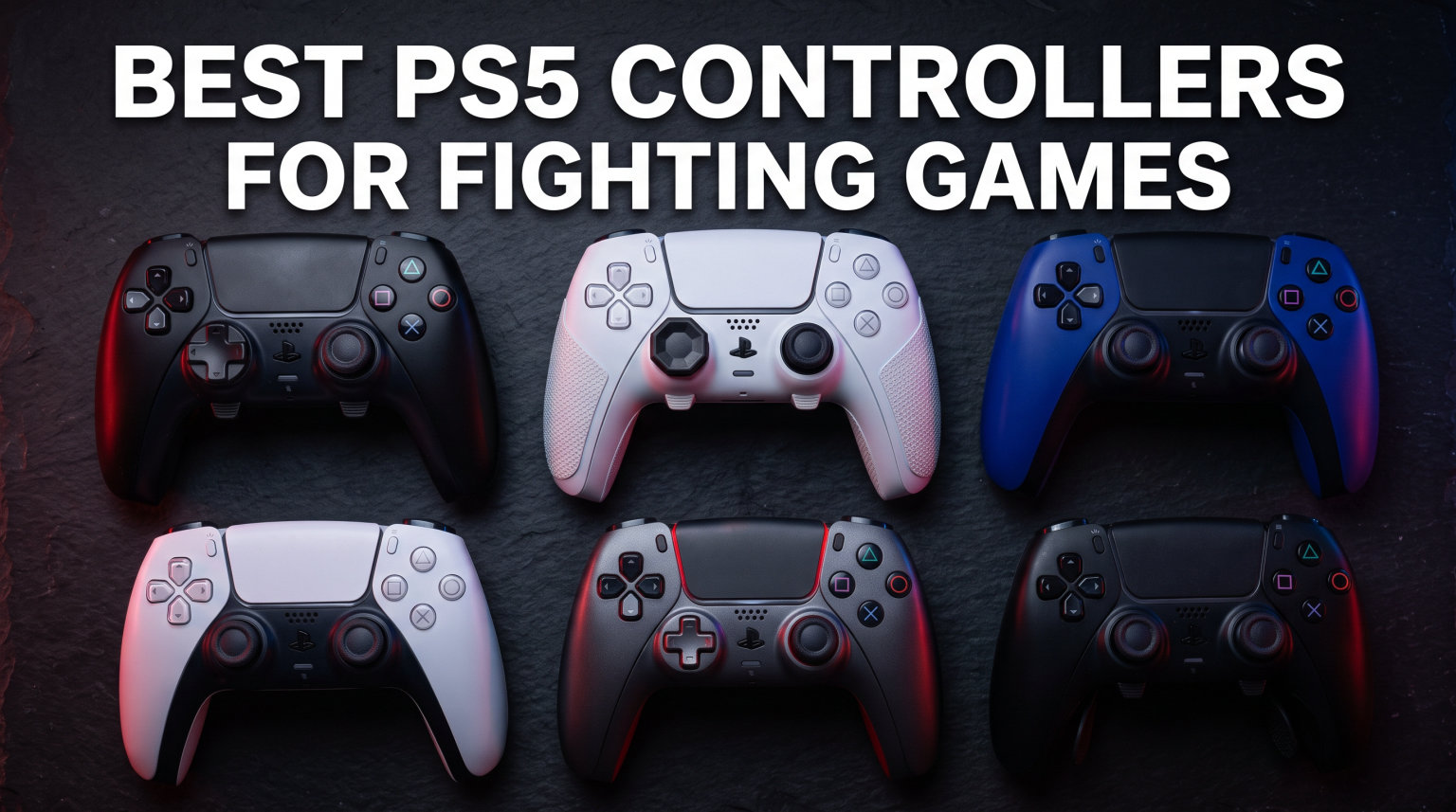
If you have ever tried to pull off a clean Shoryuken in Street Fighter 6 or execute a wavedash in Tekken 8 with the stock PS5 DualSense, you already know the frustration. The standard D-pad uses a rubber membrane that bottoms out after a few months of quarter-circle motions, and the symmetrical layout was never designed for the rapid six-button combos that fighting games demand. I spent the better part of three months testing fight pads, arcade sticks, and leverless controllers on my PS5 to find out which ones actually hold up under pressure.
Finding the best PS5 controllers for fighting games is not just about spending more money. It is about matching the controller type to your play style, whether you prefer the precision of an arcade stick, the familiarity of a fight pad, or the emerging trend of all-button leverless designs. Each style has its own learning curve and competitive advantages.
In this guide I break down 10 PS5-compatible controllers across all three categories, from tournament-grade arcade sticks to budget-friendly fight pads. Every controller on this list was evaluated for D-pad accuracy, button responsiveness, build quality, and PS5 native compatibility. Whether you are grinding ranked matches online or preparing for your first local tournament, one of these will fit your needs.
Table of Contents
Top 3 Picks for Best PS5 Controllers for Fighting Games

PDP Victrix Pro BFG Wireless
- Modular 6-button fight pad
- 3 swappable D-pads
- Wireless with low latency
- 4 mappable back buttons

HORI Fighting Stick Alpha
- Hayabusa buttons and joystick
- Clamshell mod-friendly design
- Native PS5 support
- Tournament-grade build

GuileKeys GK-18 Leverless
- Hot-swappable Kailh switches
- Sub-1ms input latency
- GP2040-CE firmware
- RGB backlighting
Best PS5 Controllers for Fighting Games in 2026
| Product | Specifications | Action |
|---|---|---|
| PDP Victrix Pro BFG Wireless |
|
Check Latest Price |
| HORI Fighting Stick Alpha |
|
Check Latest Price |
 PlayStation DualSense Edge PlayStation DualSense Edge |
|
Check Latest Price |
 HORI Fighting Commander OCTA HORI Fighting Commander OCTA |
|
Check Latest Price |
 NACON Daija Arcade Fight Stick NACON Daija Arcade Fight Stick |
|
Check Latest Price |
 MAYFLASH Arcade Stick F700 MAYFLASH Arcade Stick F700 |
|
Check Latest Price |
 Qanba N3 Drone 2 Qanba N3 Drone 2 |
|
Check Latest Price |
| GuileKeys GK-18 Leverless |
|
Check Latest Price |
 HORI Fighting Stick Mini HORI Fighting Stick Mini |
|
Check Latest Price |
1. PDP Victrix Pro BFG Wireless – The Modular Fight Pad That Does It All
Victrix Pro BFG Wireless Gaming Controller: Tekken 8 Rage Art, PS5, PS4, PC
Wireless fight pad
Modular 6-button fight pad module
3 swappable D-pads
4 mappable back buttons
Sony 3D Audio
Pros
- Modular face swaps between 4-button and 6-button layouts
- Excellent battery life at 3-5 days
- Lightweight and comfortable for marathon sessions
- Low latency wired or wireless
Cons
- No haptic feedback or rumble
- D-pad membrane can wear after roughly 1 year
- Software only available on Microsoft Store
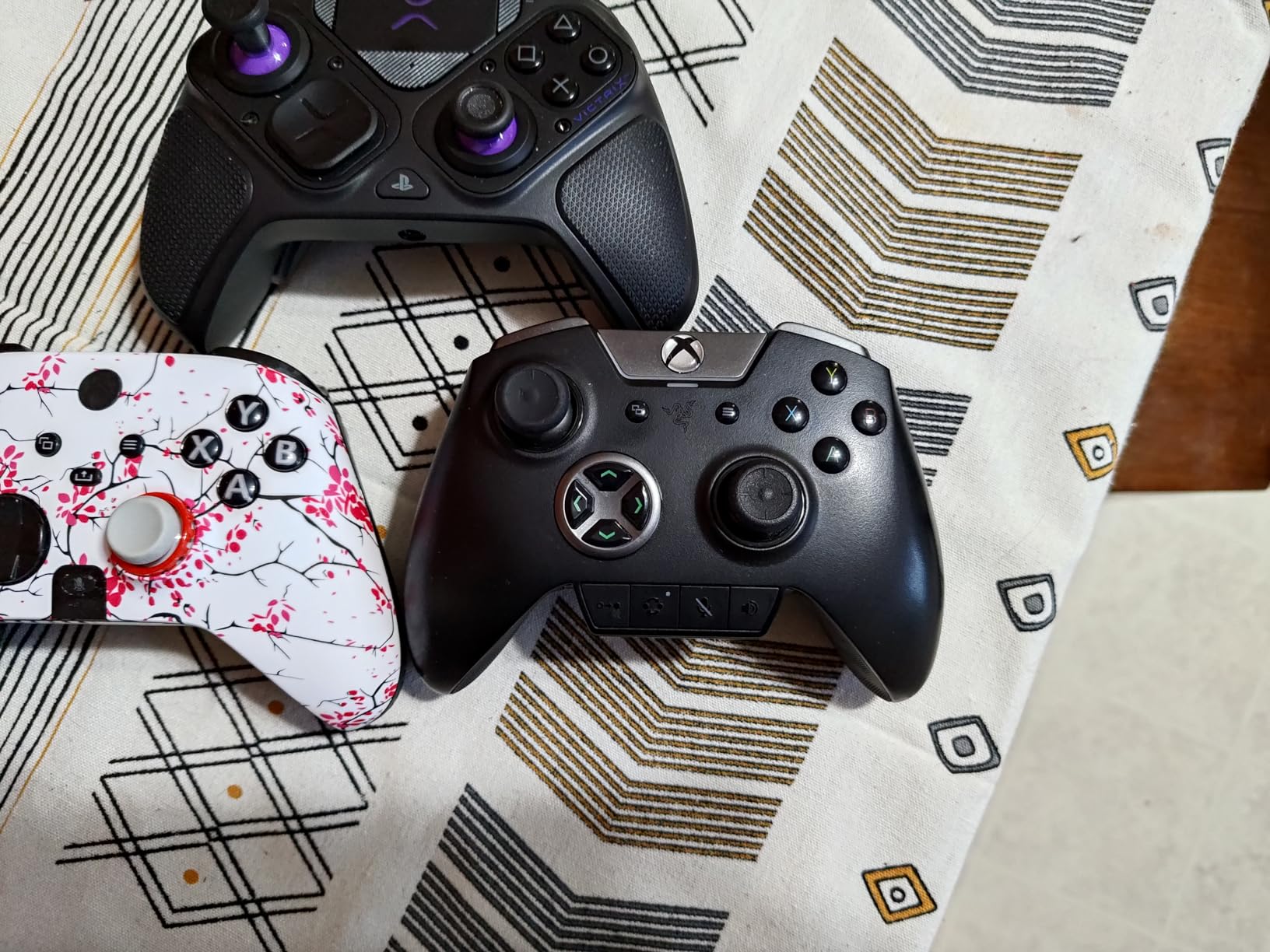
The Victrix Pro BFG is the controller I keep coming back to when I want to switch between Street Fighter 6 and Tekken 8 without grabbing a different pad. The modular face plate system lets you pop off the standard layout and snap on the included six-button fight pad module in about ten seconds. For Street Fighter players who need punch and kick buttons laid out arcade-style, this feature alone makes it worth the investment.
I tested this controller wirelessly for about two weeks of daily ranked play and never noticed any meaningful input lag. The battery consistently lasted three to four days on a single charge with roughly two-hour sessions each day. That is significantly better than the standard DualSense, which usually needs charging every other day. The four back buttons are mappable through the app and you can store up to three profiles.
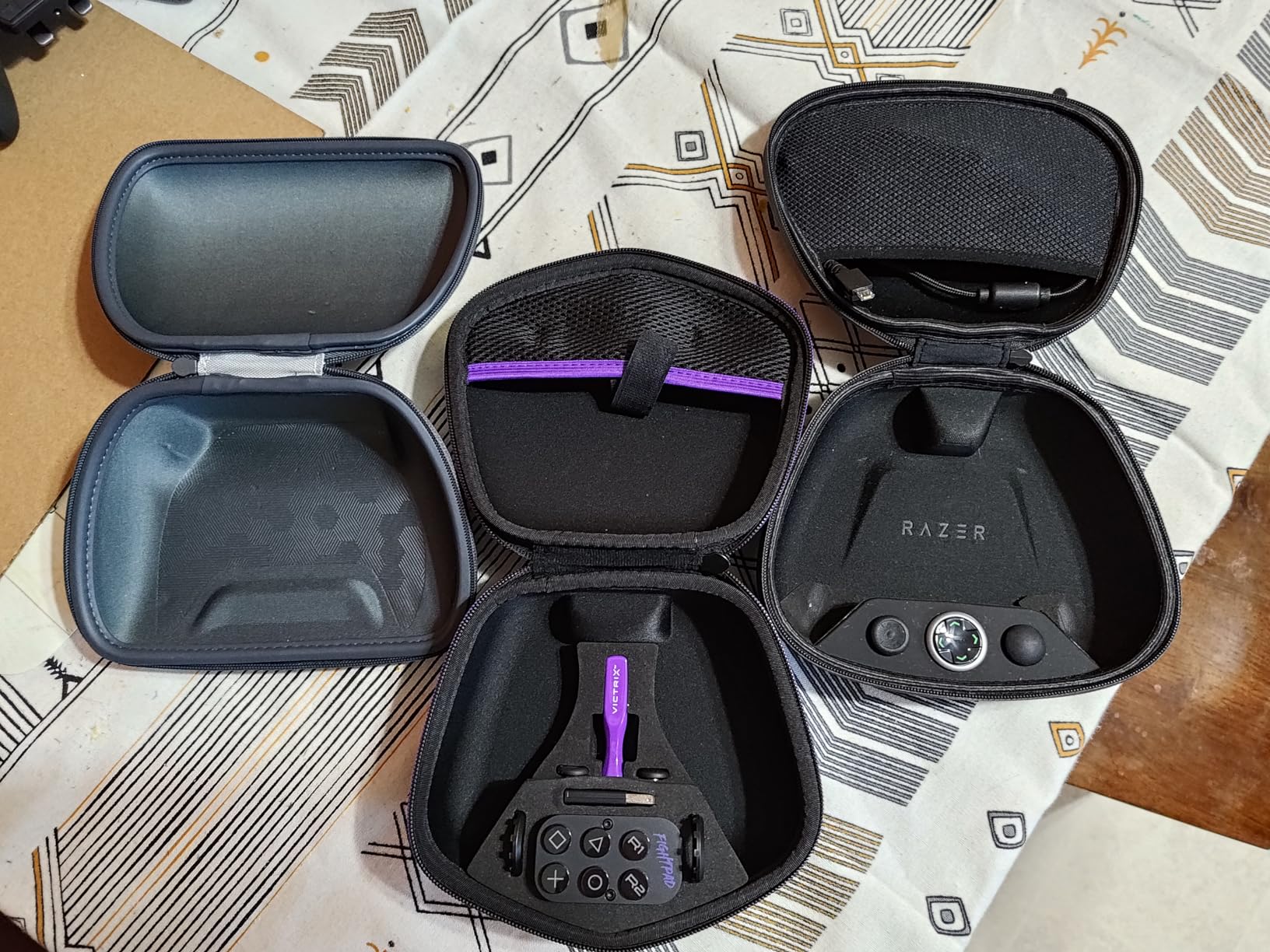
The included three different D-pads are a standout feature. One is a standard cross, one has a circular disc design, and the third is an angled gate. I preferred the circular disc for quarter-circle motions in Street Fighter because the smooth pivot reduces thumb fatigue during long sets. The trigger stops on the back let you shorten the L2 and R2 pull for faster inputs, which is handy if you map those to specific attacks.
On the downside, there is no haptic feedback or gyroscope. If you play games outside of fighters that rely on those features, this will feel like a step backward. The D-pad membrane also shows wear after about a year of heavy use according to multiple tournament players I spoke with. PDP does not sell replacement modules separately yet, which is frustrating for a controller built around modularity.
Who Should Buy This Controller
The Victrix Pro BFG is the best choice if you play multiple fighting games with different input styles. Switching between a standard layout for Tekken and the six-button module for Street Fighter without owning two controllers is a massive convenience. Tournament players who compete in multiple games at the same event will appreciate the quick-swap system more than anyone. The wireless functionality and long battery life also make it great for casual players who want a premium feel without being tethered to the console.
Who Should Look Elsewhere
If you exclusively play one fighting game and do not care about modularity, you can get similar D-pad performance from cheaper options like the HORI Fighting Commander OCTA. Players who also play a lot of non-fighting games that rely on haptic feedback will miss the rumble. And if you prefer arcade stick or leverless inputs over pad play, this obviously will not convert you.
2. HORI Fighting Stick Alpha – Tournament-Grade Stick with Easy Modding
HORI PlayStation 5 Fighting Stick Alpha – Tournament Grade Fightstick for PS5, PS4, PC – Officially Licensed by Sony
Arcade fight stick
Hayabusa joystick and buttons
Clamshell opening
PS5 and PS4 native
Officially Licensed by Sony
Pros
- Hayabusa components feel excellent out of the box
- Clamshell design opens easily for modding and maintenance
- Native PS5 support with no adapter needed
- Built-in handles for tournament transport
Cons
- Plastic shell feels less premium than metal alternatives
- Artwork change requires removing all buttons
- Internal cable hooks can snag wires
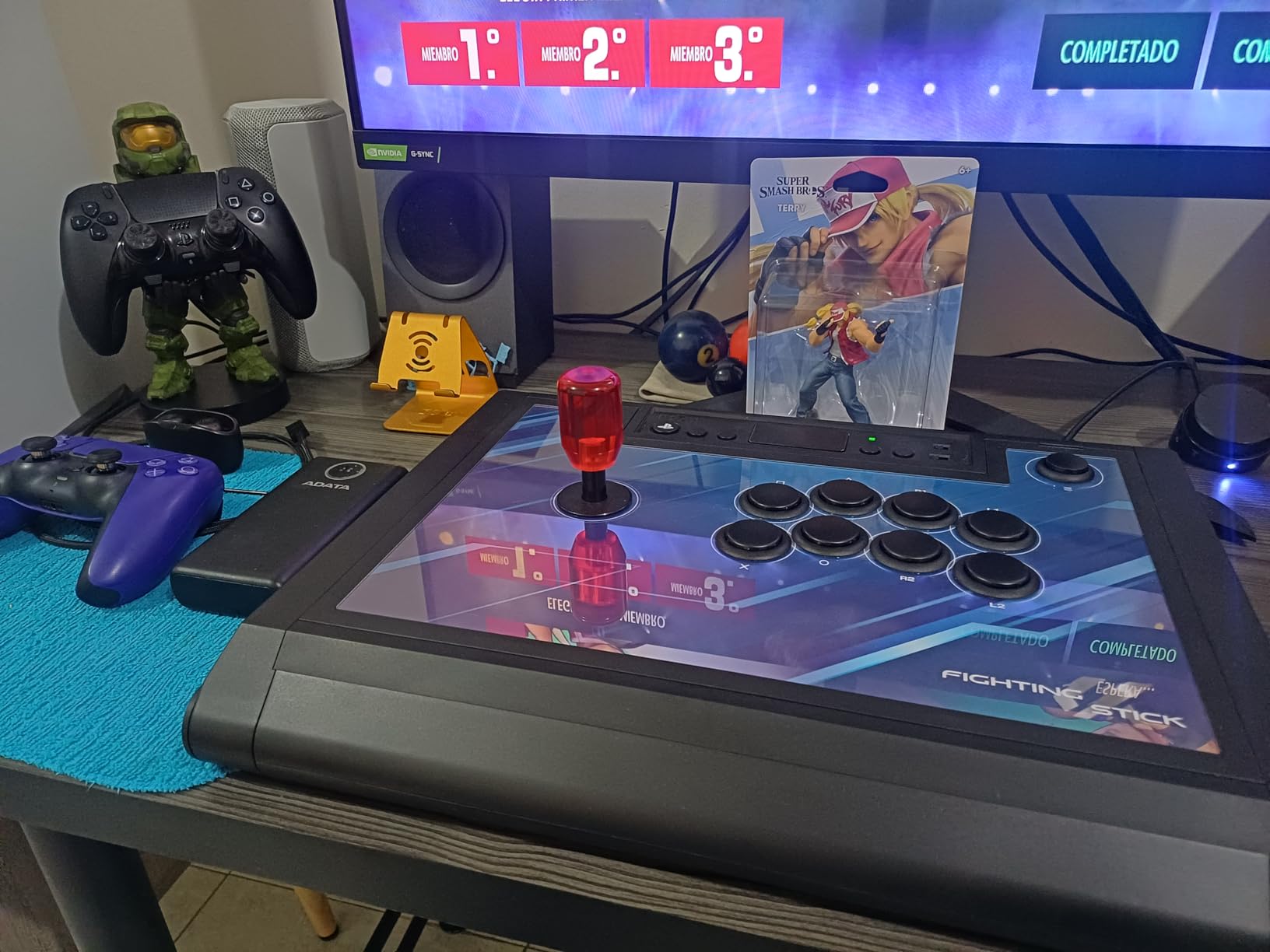
The HORI Fighting Stick Alpha was my go-to arcade stick for about six weeks of testing across Street Fighter 6, Tekken 8, and Guilty Gear Strive. The Hayabusa joystick has a shorter engage distance than standard Sanwa sticks, which makes quarter-circle and dragon punch motions feel snappier. I found inputs registering a hair faster than on my old Qanba stick, especially during double quarter-circle supers where timing is everything.
What sets this stick apart from the competition at this tier is the clamshell opening mechanism. You flip two latches on the side and the entire top panel lifts off, giving you full access to the joystick, buttons, and wiring. I swapped the stock artwork for a custom print in under twenty minutes without needing any tools beyond what HORI includes in the box. This makes maintenance and button replacement something you actually look forward to instead of dreading.
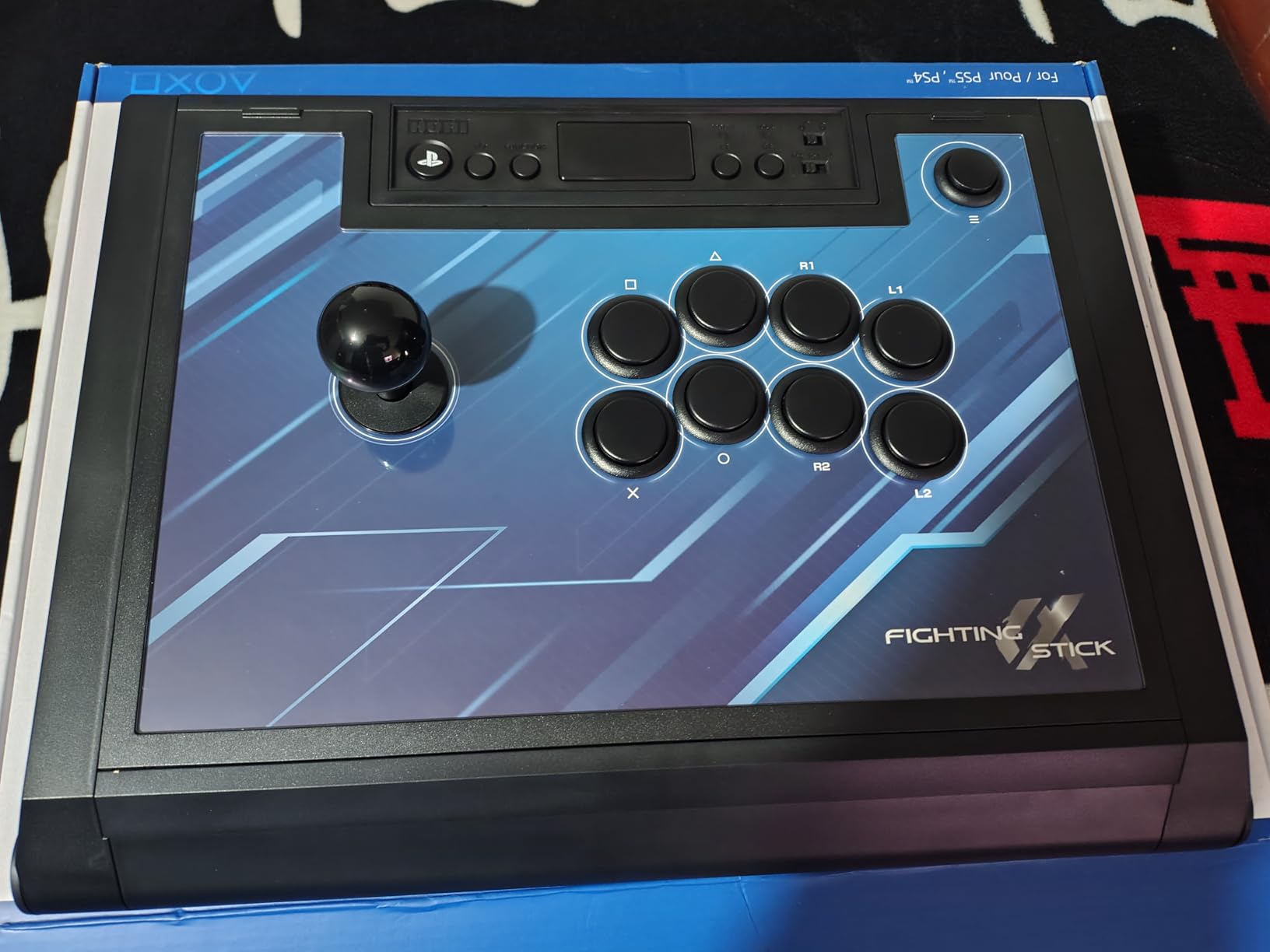
The built-in handles on the sides are a small detail that matters enormously at tournaments. Carrying a fight stick across a convention hall without handles is awkward, and the Alpha solves this cleanly. The cable organizer tucked inside the case keeps your USB cable from tangling in your bag. At roughly 1.5 kilograms, it is light enough for transport but heavy enough to stay planted on your lap during intense matches.
The main trade-off is the plastic shell. It does not have the heft or the premium feel of something like the NACON Daija. During particularly intense sessions I noticed the case vibrating slightly from the joystick springs, which was noticeable but not distracting. The artwork replacement process also requires you to pop out all the buttons first, which is more involved than sticks with magnetic top panels.
Ideal Users for This Fight Stick
The Fighting Stick Alpha hits the sweet spot for intermediate players who want a tournament-ready stick without paying top dollar for premium Sanwa parts they might swap out anyway. The native PS5 compatibility means no fiddling with adapters or firmware updates before a tournament. It is also ideal for modders who want easy access to internals for swapping buttons, joystick, or artwork on a regular basis.
When to Consider Alternatives
If you want the absolute best stock components and do not plan to mod, the NACON Daija ships with genuine Sanwa parts that feel marginally smoother. Players who need wireless connectivity should look at the MAYFLASH F700. And if you are on a strict budget, the Qanba N3 Drone 2 delivers a surprisingly similar experience at roughly half the cost.
3. Razer Kitsune – The Premium Leverless Controller for Keyboard Players

Razer Kitsune All-Button Arcade Controller, For PlayStation 5 & PC, Black
Leverless all-button controller
Low-profile optical switches
Slim portable design
Removable aluminum top plate
Chroma RGB
Pros
- Perfect for keyboard and mouse players transitioning to fighting games
- Near-silent button operation
- Extremely slim and portable form factor
- Cable security clasp prevents disconnections at tournaments
Cons
- Matte finish attracts fingerprints and dust
- Fixed SOCD mode with no option to change
- Expensive compared to other leverless options
The Razer Kitsune was the leverless controller that finally made me understand why the all-button layout is gaining so much traction in the competitive scene. Coming from years of pad and stick play, the transition took about two weeks of dedicated practice. But once I adjusted, my input accuracy on quarter-circle and dragon punch motions improved noticeably. The low-profile optical switches have a shorter actuation distance than mechanical keys, so every press registers with barely any travel.
Razer designed this specifically for players coming from keyboard gaming. If you grew up playing on WASD keys or spend your day typing, the Kitsune layout will feel intuitive almost immediately. The four directional buttons replace the joystick and are arranged in a layout that mirrors arrow keys. The eight action buttons use the same optical switch technology, giving you consistent, fast presses with no mechanical debounce delay.
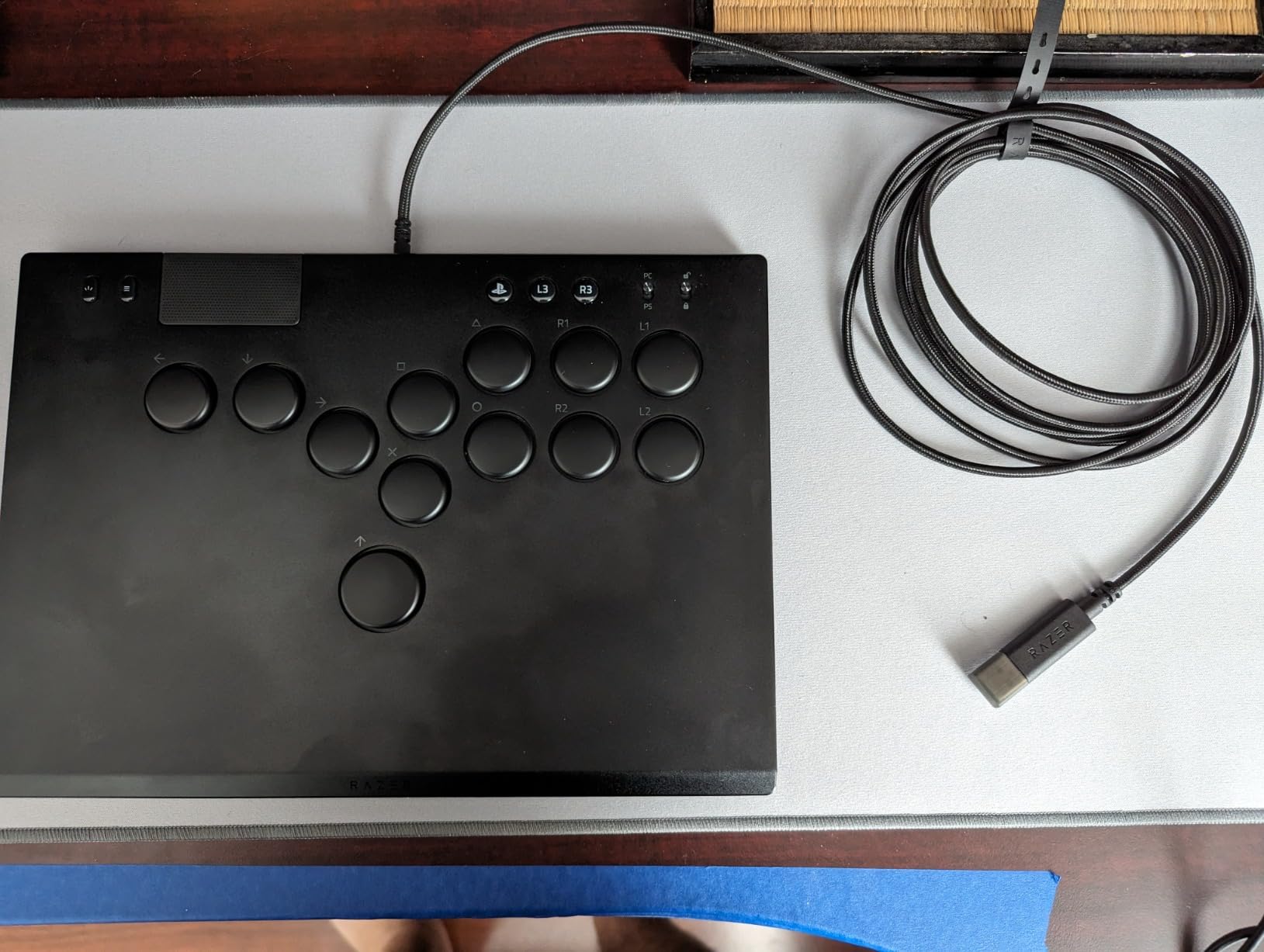
The build quality is excellent with a solid aluminum top plate that can be removed for custom vinyl wraps. At just 1.7 pounds and under an inch thick, this controller slides into a backpack alongside your laptop without any drama. The detachable USB-C cable uses a locking clasp that prevents accidental disconnections during tournament play, a detail that sounds minor until you have a cable yanked mid-combo at a local event.
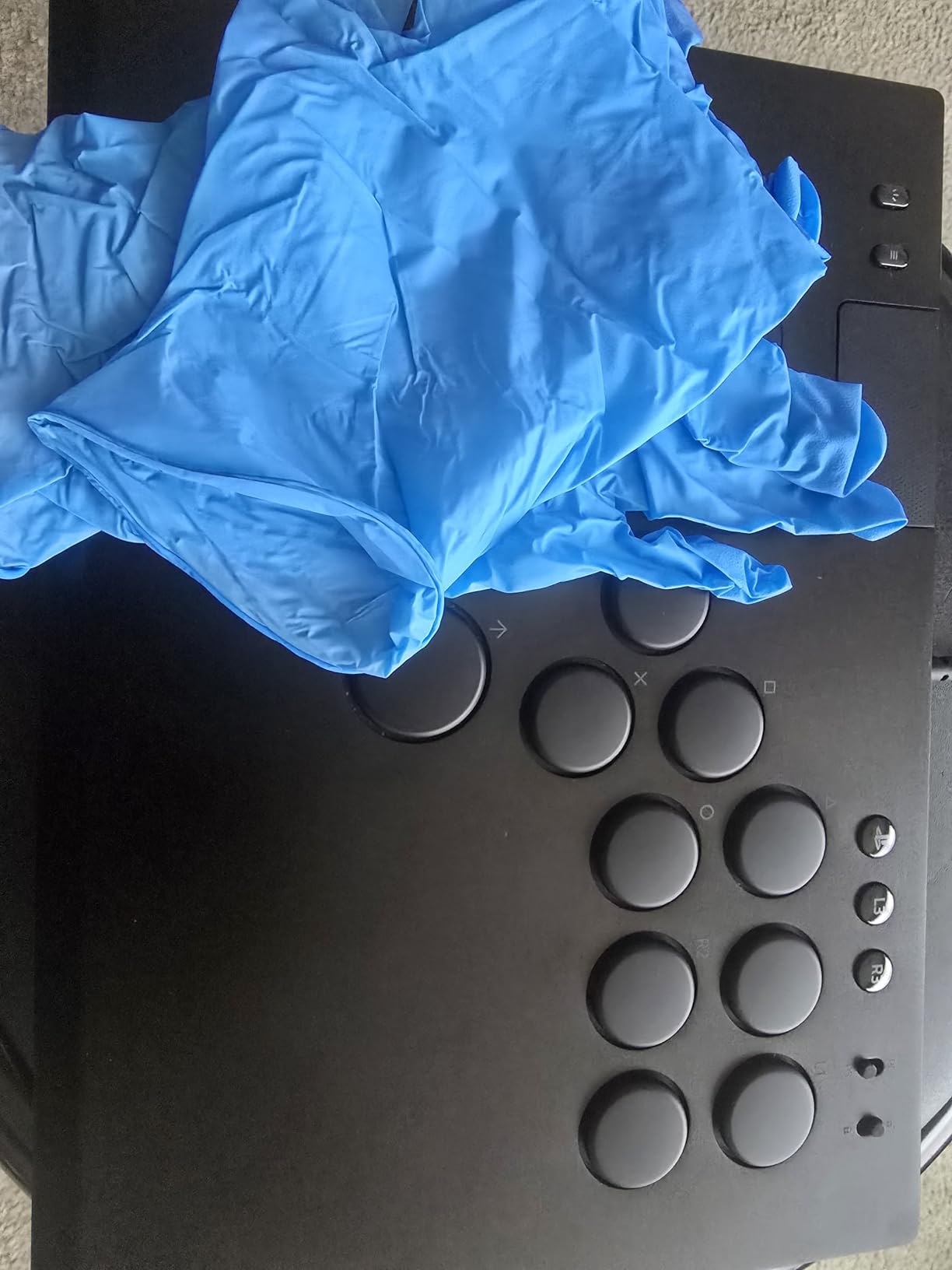
There are some real downsides to consider. The matte black finish is an absolute fingerprint magnet, picking up oils and dust within minutes of handling. The SOCD mode is locked to Capcom Cup rules with no way to change it, which matters if you play games with different SOCD handling requirements. And at this price point, you are paying a significant premium over the GuileKeys GK-18, which offers similar leverless functionality with hot-swappable switches.
Who Benefits Most from Leverless Play
The Kitsune shines for keyboard and mouse gamers who want to get into fighting games without relearning directional inputs on a joystick or D-pad. It is also excellent for players who travel to tournaments frequently because the slim profile fits in any bag. The near-silent buttons make it great for late-night practice sessions when you do not want to wake anyone with clicky arcade buttons.
Potential Drawbacks to Consider
If you are a long-time pad or stick player, the transition to leverless will take weeks of dedicated practice before you match your current execution level. The locked SOCD mode may frustrate players who compete across multiple games with different rulesets. And the premium price means you are paying significantly more than comparable leverless controllers from smaller brands.
3. PlayStation DualSense Edge – Sony’s Premium Gamepad for Fighting Games
PlayStation DualSense Edge Wireless Controller – Midnight Black
Wireless gamepad
Replaceable stick modules
Mappable back buttons
Adjustable trigger sensitivity
Includes hard case
Pros
- Replaceable stick modules eliminate stick drift concerns
- Extensive customization with profiles and back buttons
- Includes premium hard carrying case
- Swappable thumbstick caps in different heights
Cons
- Shorter battery life than standard DualSense
- Heavier than the regular DualSense controller
- No D-pad improvement over the standard model
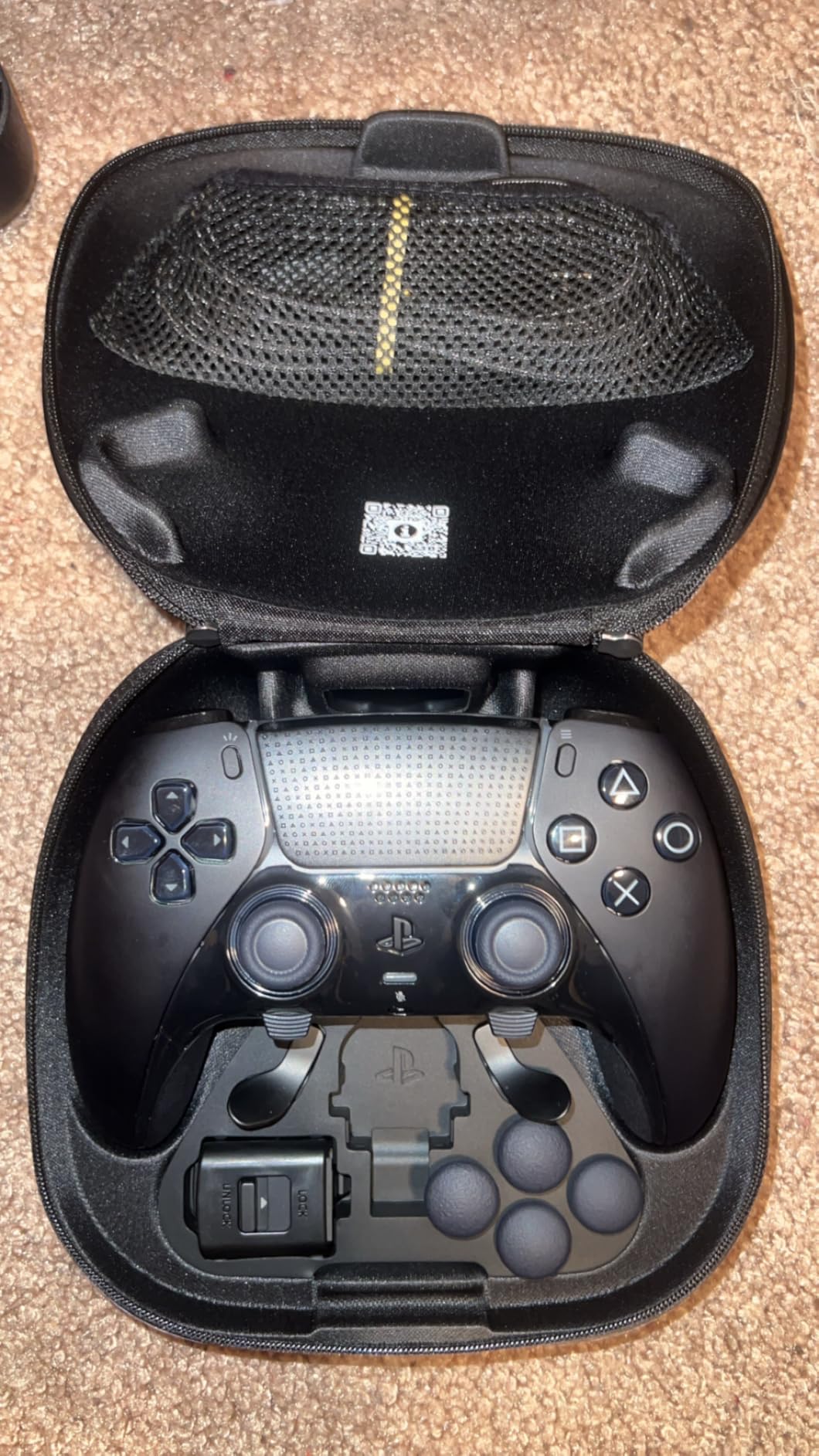
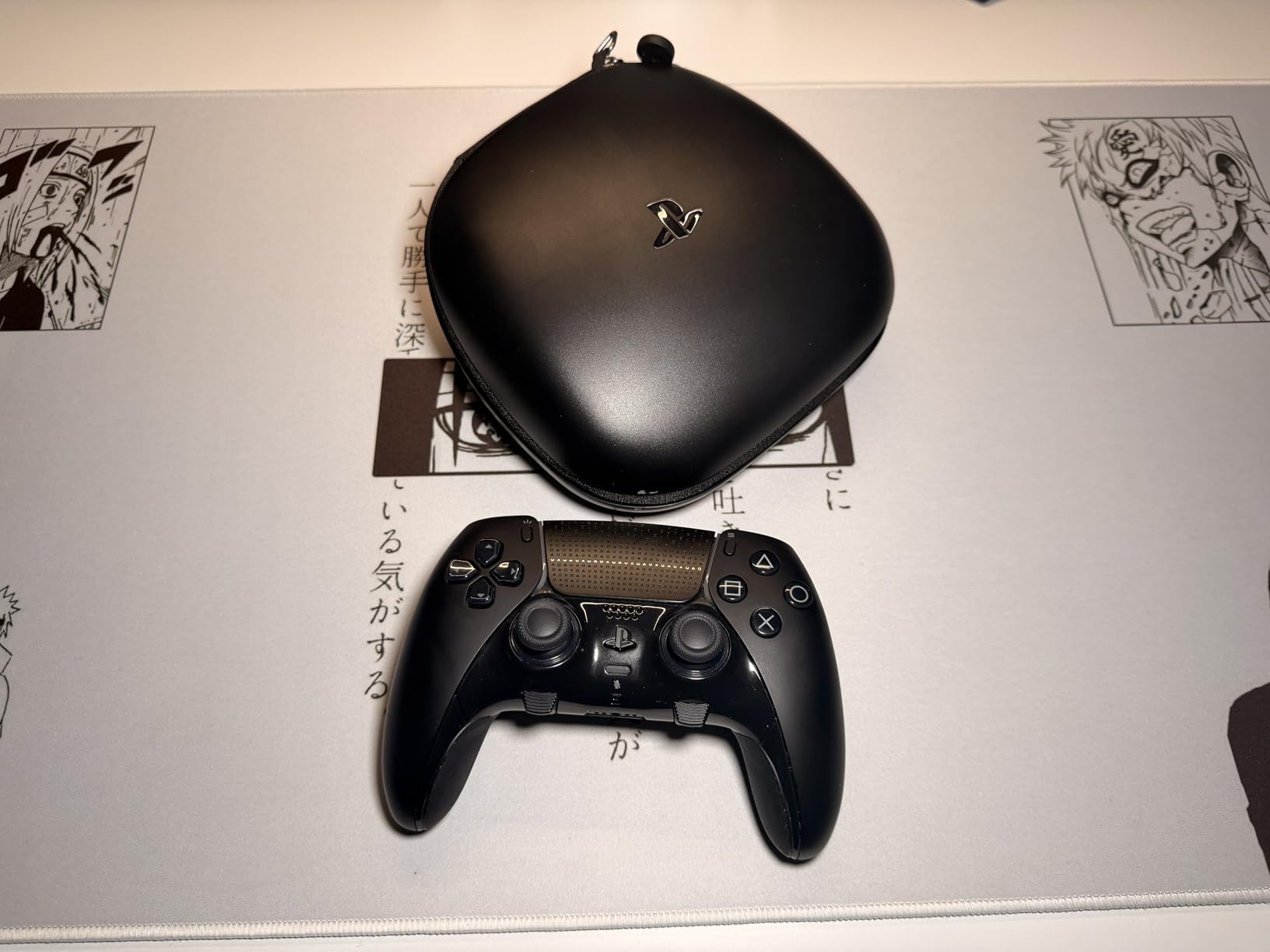
The DualSense Edge is what happens when Sony builds a pro controller for its own platform. I tested it across Tekken 8, Street Fighter 6, and Mortal Kombat 1 for about a month. The adjustable trigger stops are the standout feature for fighting games, letting you shorten the L2 and R2 pull to a hair-trigger for faster responses. Combined with the two mappable back buttons, you can set up a configuration that puts your most critical inputs within immediate reach.
The replaceable stick modules are a game-changer for longevity. If you have ever dealt with stick drift on a standard DualSense, you know how frustrating it is to replace the entire controller. With the Edge, you pop out the old module and snap in a new one in under a minute. Sony sells replacement modules separately, so this controller can theoretically outlast multiple standard DualSense units.
Where the DualSense Edge falls short for fighting games is the D-pad. It uses the same membrane design as the standard DualSense, so the mushy feeling and wear issues persist. After about three weeks of heavy quarter-circle practice, I could feel the D-pad losing its crispness. The back buttons help compensate by letting you remap some D-pad functions, but they are not a substitute for a proper microswitch D-pad like you get on a dedicated fight pad.
The included hard case is genuinely excellent. It has dedicated slots for the extra stick caps, the back button attachments, and the braided USB cable. Everything snaps into place securely. The case itself feels sturdy enough to toss in a backpack for tournaments without worrying about damage. It is a small detail but one that shows Sony was thinking about competitive players who travel with their gear.
Best Use Cases for Fighting Games
The DualSense Edge is best for players who want one controller that works for everything, not just fighting games. If you split your time between fighters and other PS5 titles that benefit from haptic feedback and adaptive triggers, the Edge gives you premium features across the board. The back buttons and trigger stops add real value for fighting game inputs without sacrificing the features you need for other genres.
Limitations for Competitive Play
Serious fighting game competitors will find the D-pad lacking compared to dedicated fight pads like the Victrix Pro BFG or HORI Fighting Commander OCTA. The membrane design wears down under the repetitive motions that fighting games demand. The heavier weight can also cause fatigue during extended tournament sessions. If you exclusively play fighting games, a dedicated fight controller will serve you better for less money.
4. HORI Fighting Commander OCTA – Budget Fight Pad with Tournament Features
HORI Fighting Commander OCTA – Tournament Grade Fightpad for PlayStation 4, PlayStation 5, and PC – Officially Licensed by Sony
Wired fight pad
Micro switch buttons
6-button layout
Adjustable D-pad sensitivity
Officially Licensed by Sony
Pros
- Micro switch D-pad provides crisp and accurate inputs
- Six button face layout mirrors arcade controls
- Extremely lightweight at 401 grams
- PS4 and PS5 compatible with companion app
Cons
- D-pad edges can feel sharp and uncomfortable during long sessions
- Membrane underneath the D-pad wears down over months
- No L3 or R3 toggle option
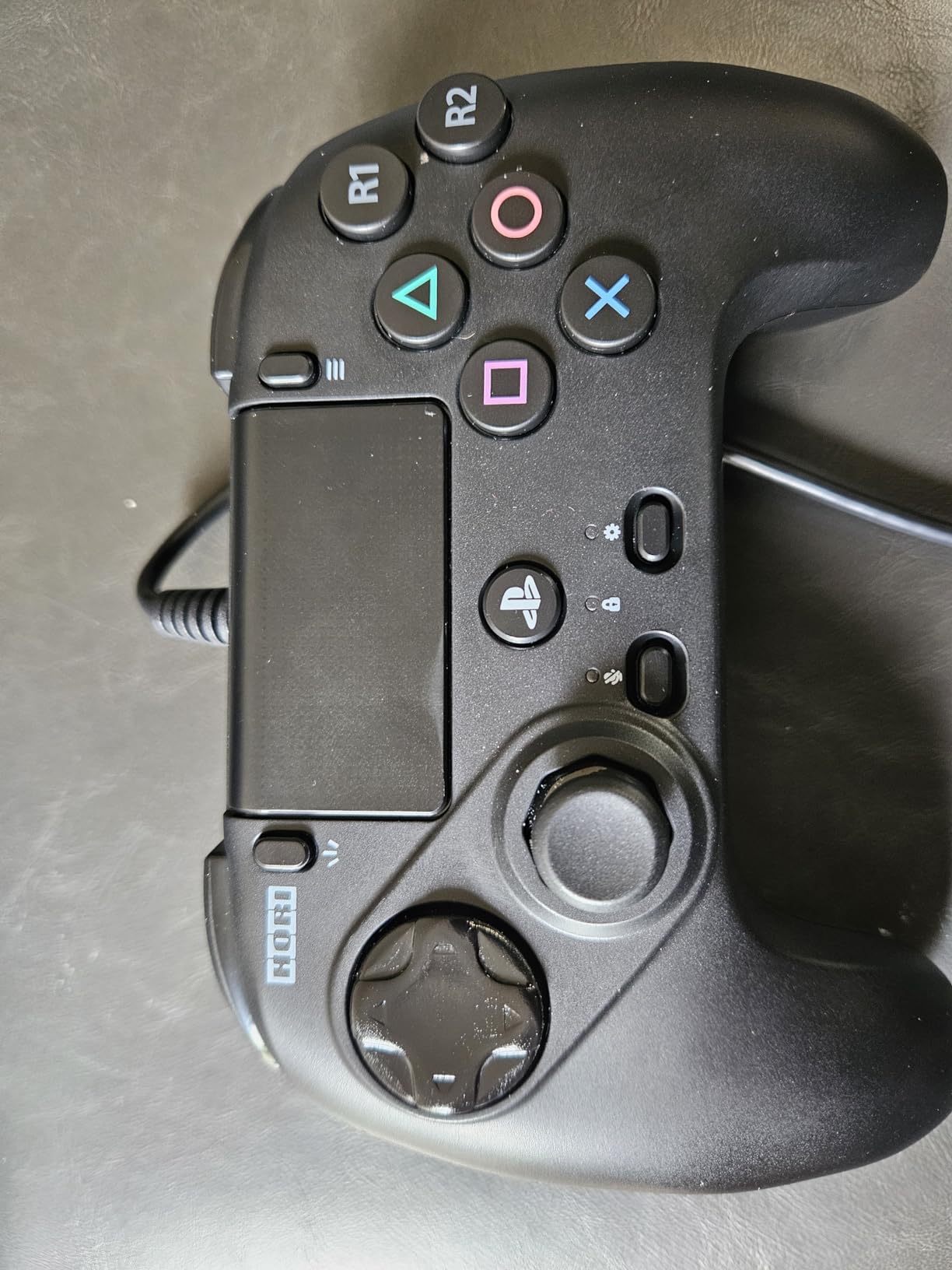
The HORI Fighting Commander OCTA is the controller that most of the r/Fighters community recommends when someone asks for a budget option. After testing it for three weeks, I understand why. The six-button layout puts all your attack buttons on the face of the controller, just like an arcade stick. In Street Fighter 6, this means you can map light, medium, and heavy punches and kicks to the face buttons without reaching for shoulder buttons mid-combo.
The micro switch D-pad is the highlight. Each press has a satisfying tactile click that is miles ahead of the standard DualSense membrane. Quarter-circle motions feel precise and consistent. I tested the D-pad sensitivity adjustment feature, which lets you toggle between three levels of responsiveness, and found the middle setting to be the sweet spot for most fighting games. The lowest setting was too mushy while the highest registered accidental inputs.
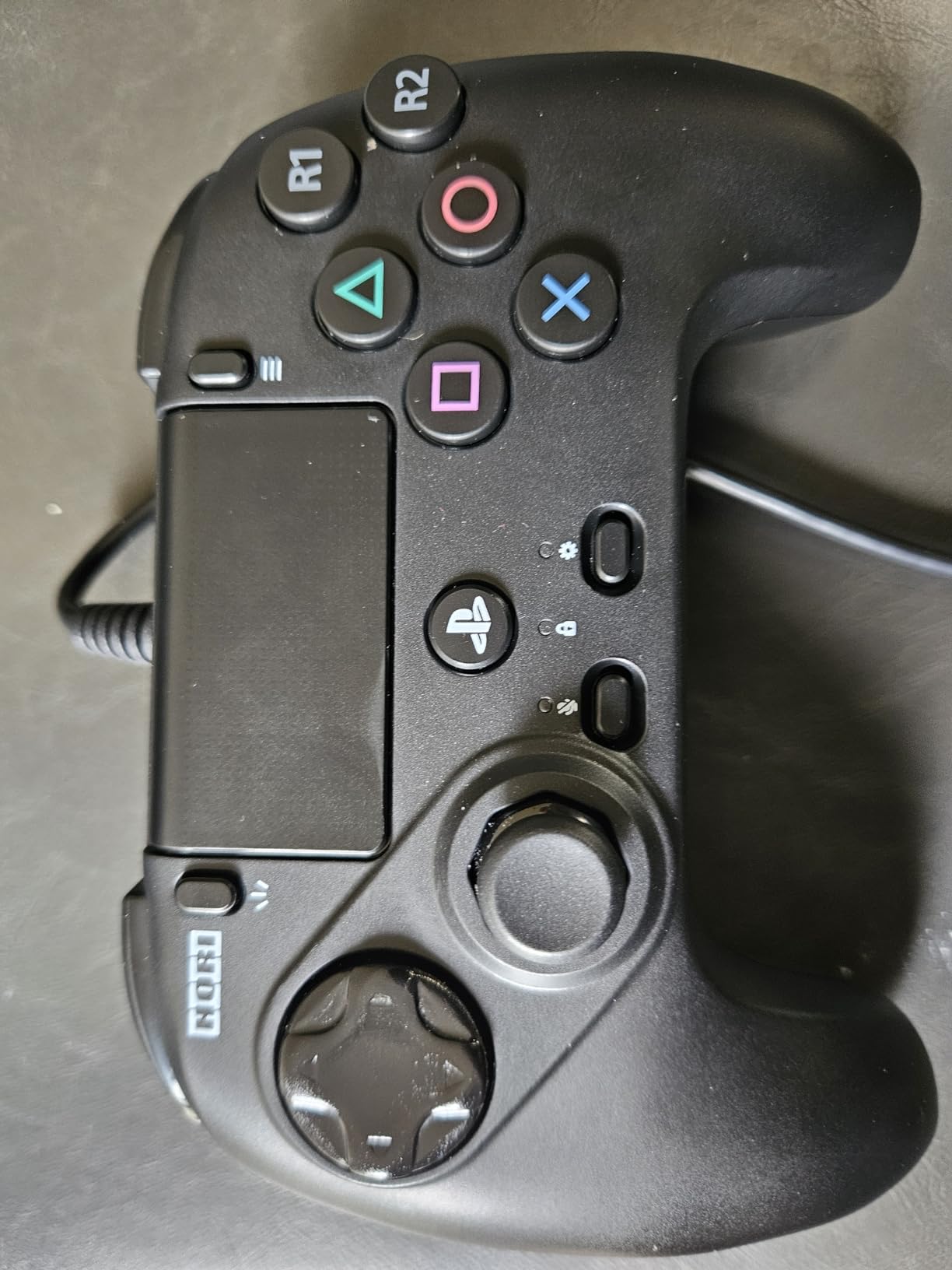
The biggest issue I ran into was D-pad comfort. The raised edges around the concave center section are sharp enough that after about two hours of play, my thumb was visibly irritated. Some users on Reddit report sanding down the edges to fix this, which gives you an idea of how common the problem is. The D-pad membrane underneath the micro switch cap also degrades over time, with multiple users reporting that diagonal inputs stop registering after roughly nine months of heavy use.
At this weight, the OCTA is one of the lightest controllers I have ever used. That is great for comfort during long sessions but it also means the controller can shift around in your hands during intense moments. The wired-only connection is a minor inconvenience but does guarantee zero input latency. The companion app lets you remap buttons and adjust sensitivity settings, though the interface is basic.
Who This Fightpad Suits Best
The OCTA is the best entry point for players who want to try a dedicated fighting game controller without making a big investment. The six-button layout teaches proper arcade-style inputs from the start, which builds habits that transfer to arcade sticks later. It is also an excellent backup controller for tournament players who want something portable and reliable as a secondary option.
Durability Concerns to Know About
The D-pad membrane degradation is the most frequently reported issue across user reviews. Players who practice daily report needing a replacement every eight to twelve months. The sharp D-pad edges are uncomfortable enough that many users modify the pad themselves. If you plan to use this as your primary controller for serious practice, budget for eventual replacement or consider the Victrix Pro BFG for better long-term durability.
5. NACON Daija Arcade Fight Stick – Pro-Designed with Premium Sanwa Parts
Nacon Daija Arcade Fight Stick Officially Licensed for PlayStation
Arcade fight stick
Sanwa joystick and buttons
Dual joystick heads included
Textured palm rest
Tournament lock feature
Pros
- Genuine Sanwa Denshi joystick and action buttons
- Developed with input from professional fighting game players
- Includes two different joystick heads for preference
- Detachable USB-C cable with button lock
Cons
- Heavy at 7.7 pounds for transport
- USB-C port connection can feel loose
- Rectangular shape uncomfortable on lap
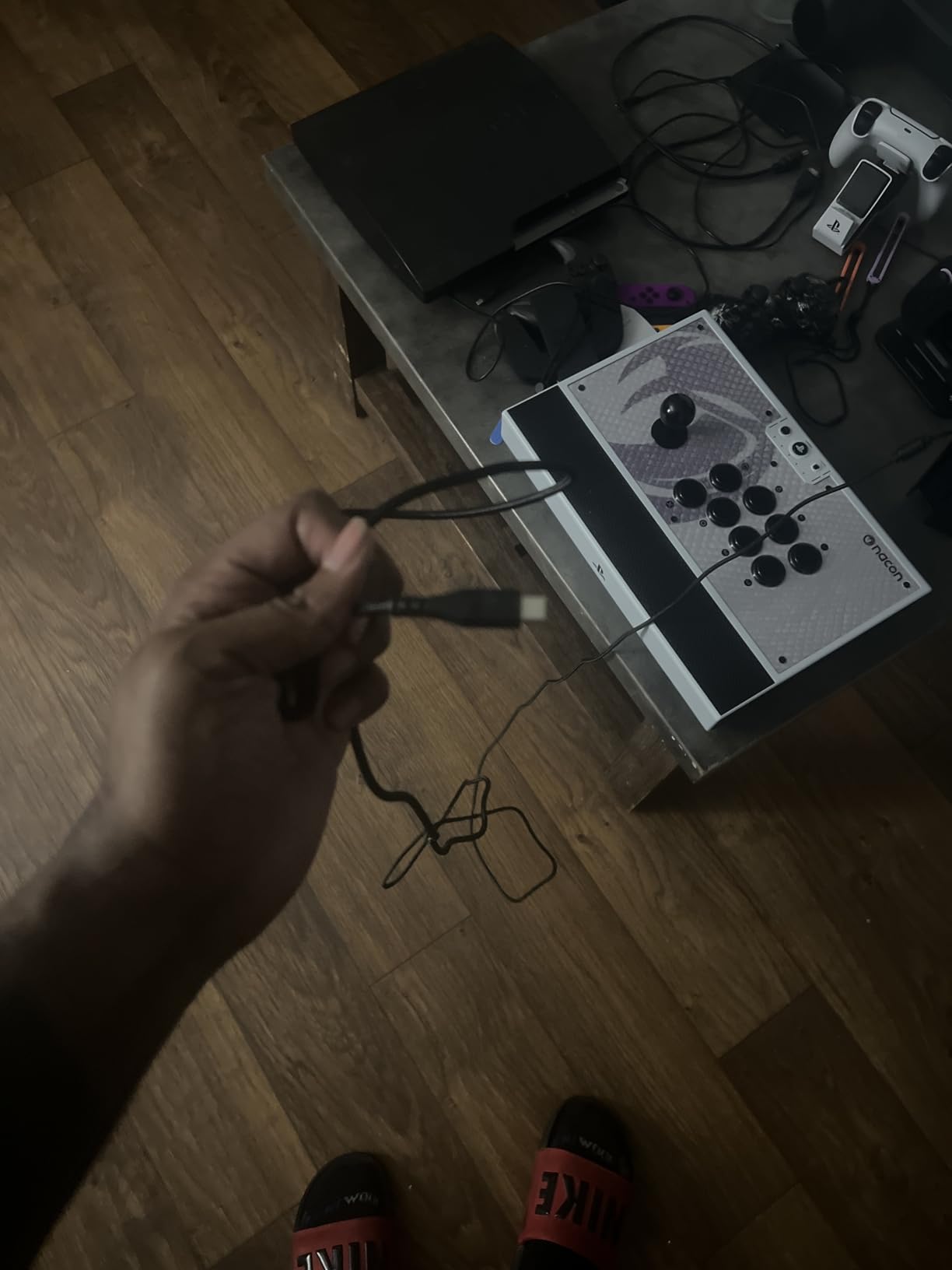
The NACON Daija was developed in collaboration with professional fighting game players, and that pedigree shows in the details. The stock Sanwa Denshi joystick and buttons are the gold standard in arcade parts, providing the smooth, consistent inputs that competitive players demand. Every button press feels identical to the last one, which matters enormously when you are grinding frame-perfect combos in training mode for hours.
I particularly liked the textured palm rest that runs along the front edge. During extended sessions, your forearms rest on this surface and the texture prevents slipping even when your hands get sweaty from intense play. NACON includes two different joystick heads in the box, a ball top and a battop, so you can choose based on your grip preference. The button lock feature on the back prevents accidental pause presses during tournament matches, which has cost players entire sets at major events.
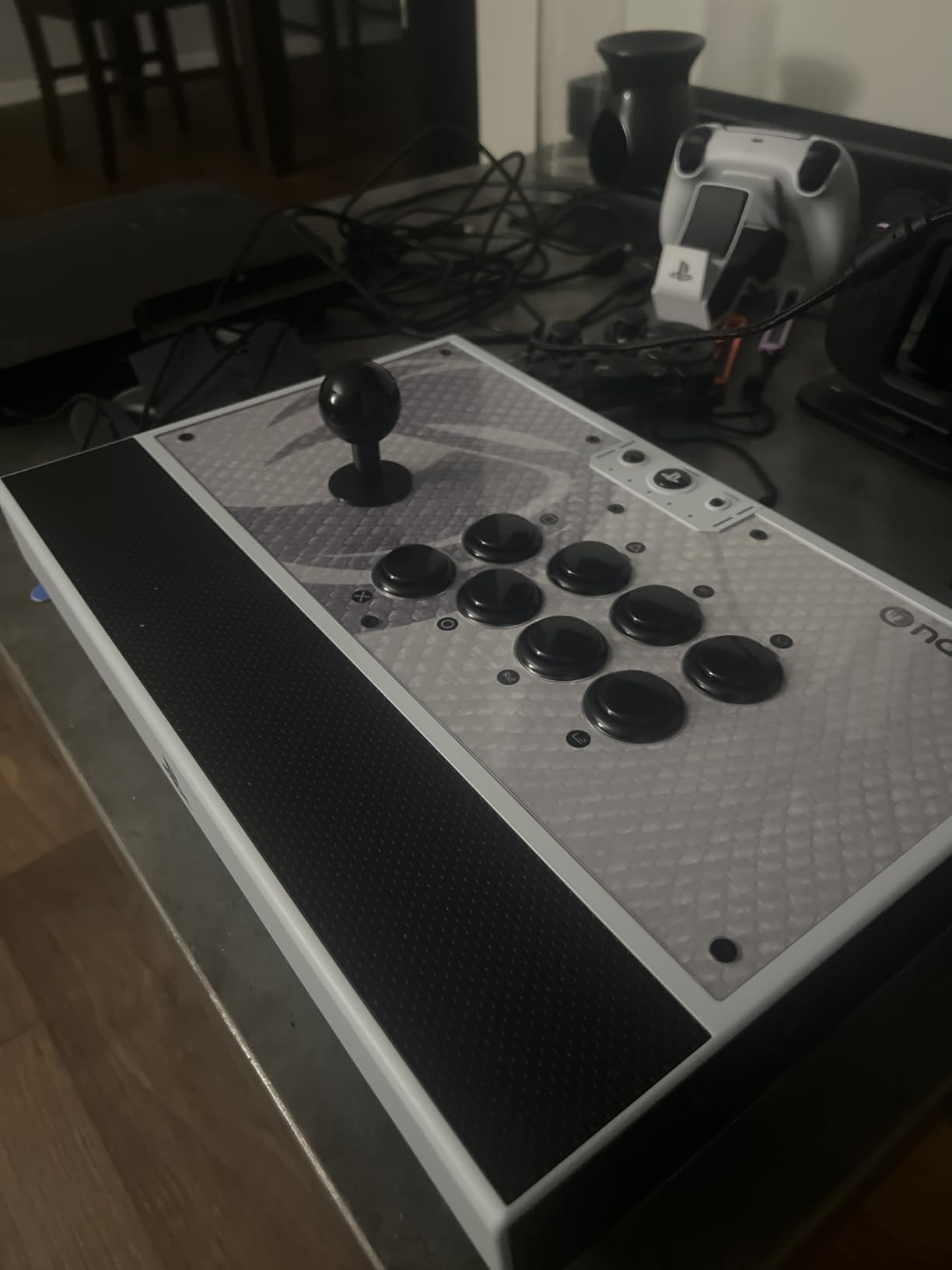
The Daija software lets you fully configure every button mapping and save profiles. The 3.5mm audio jack on the front means you can plug in a competition-grade headset directly to the stick without routing through the controller. The three-meter detachable USB-A to USB-C cable gives you plenty of length for tournament setups where the console might be several feet away.
The main issue is the weight and shape. At 7.7 pounds, this is one of the heaviest fight sticks I have tested. Lugging it to tournaments in a backpack gets old fast. The rectangular shape also sits awkwardly on your lap compared to sticks with contoured bottoms like the HORI Alpha. And while the USB-C connection is detachable, the port on the stick itself feels slightly loose, which can cause momentary disconnections if the cable gets bumped.
Who Should Invest in the Daija
The Daija is built for serious tournament players who want the best stock components available without doing any aftermarket modding. The Sanwa parts are tournament-proven at events like EVO, and the pro-developed design touches like the textured palm rest and button lock show that real competitive feedback went into the product. If you play primarily on a desk or table rather than your lap, the weight and shape are not issues.
What Could Be Better
The loose USB-C port is the most concerning quality issue at this price. For a controller designed for tournament play, a disconnection mid-match is unacceptable. The weight makes it impractical for players who commute to events on public transit. And the rectangular bottom design forces you to play on a flat surface, which excludes anyone who prefers lap play during casual sessions at home.
6. MAYFLASH Arcade Stick F700 – Multi-Platform Wireless Fight Stick
MAYFLASH Arcade Stick F700 for PS5, PS4, Switch, Switch 2, Windows, Apple, Android and more. Fight Stick Support Wireless Bluetooth, 2.4G Receiver and Wired Connection
Wireless arcade stick
Bluetooth and 2.4G and wired modes
Multi-platform compatible
Sanwa-compatible
Turbo functions
Pros
- Three connection modes give flexibility for every setup
- Multi-platform support across PS5
- PS4
- Switch and PC
- Magnetic top panel for easy artwork swaps
- Long battery life on wireless mode
Cons
- No non-slip material on the bottom causes sliding
- Not officially licensed by Sony
- May need firmware update for newer platforms
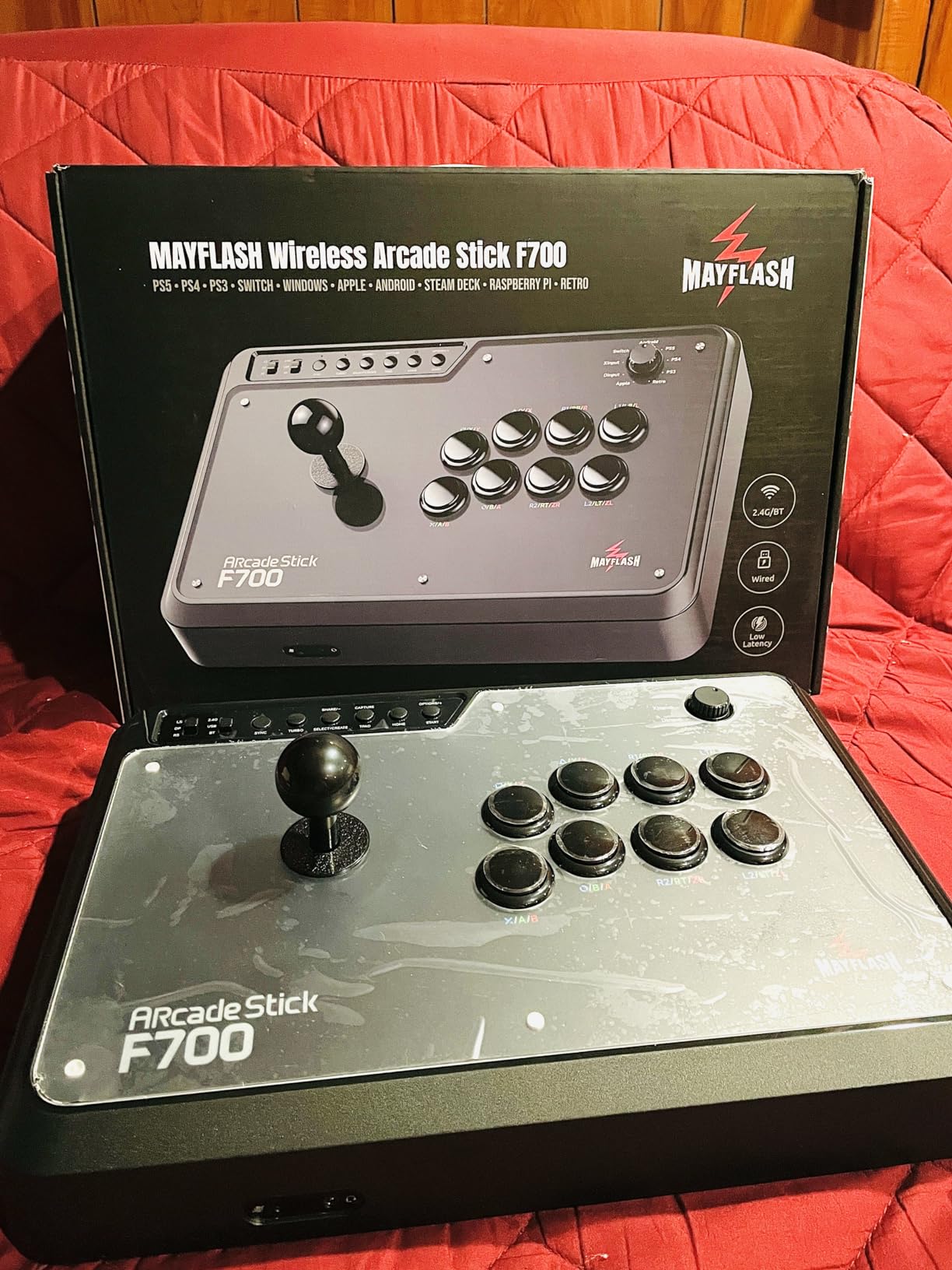
The MAYFLASH F700 is the most versatile fight stick I tested. It supports PS5, PS4, Nintendo Switch, PC, and even Android devices out of the box with no adapters needed. The three connection modes, Bluetooth, 2.4GHz wireless, and wired USB, mean you can use it in basically any setup. I tested all three modes with Tekken 8 on PS5 and could not detect any meaningful latency difference between wired and wireless play.
The magnetic top panel is a feature that should be standard on every fight stick at this point. Instead of unscrewing or prying off the panel to swap artwork, you simply lift the magnetic cover off and drop a new one on. I printed a custom design and had it installed in under five minutes. The interior is compatible with standard Sanwa Denshi buttons and joystick, so upgrading the stock components is straightforward.
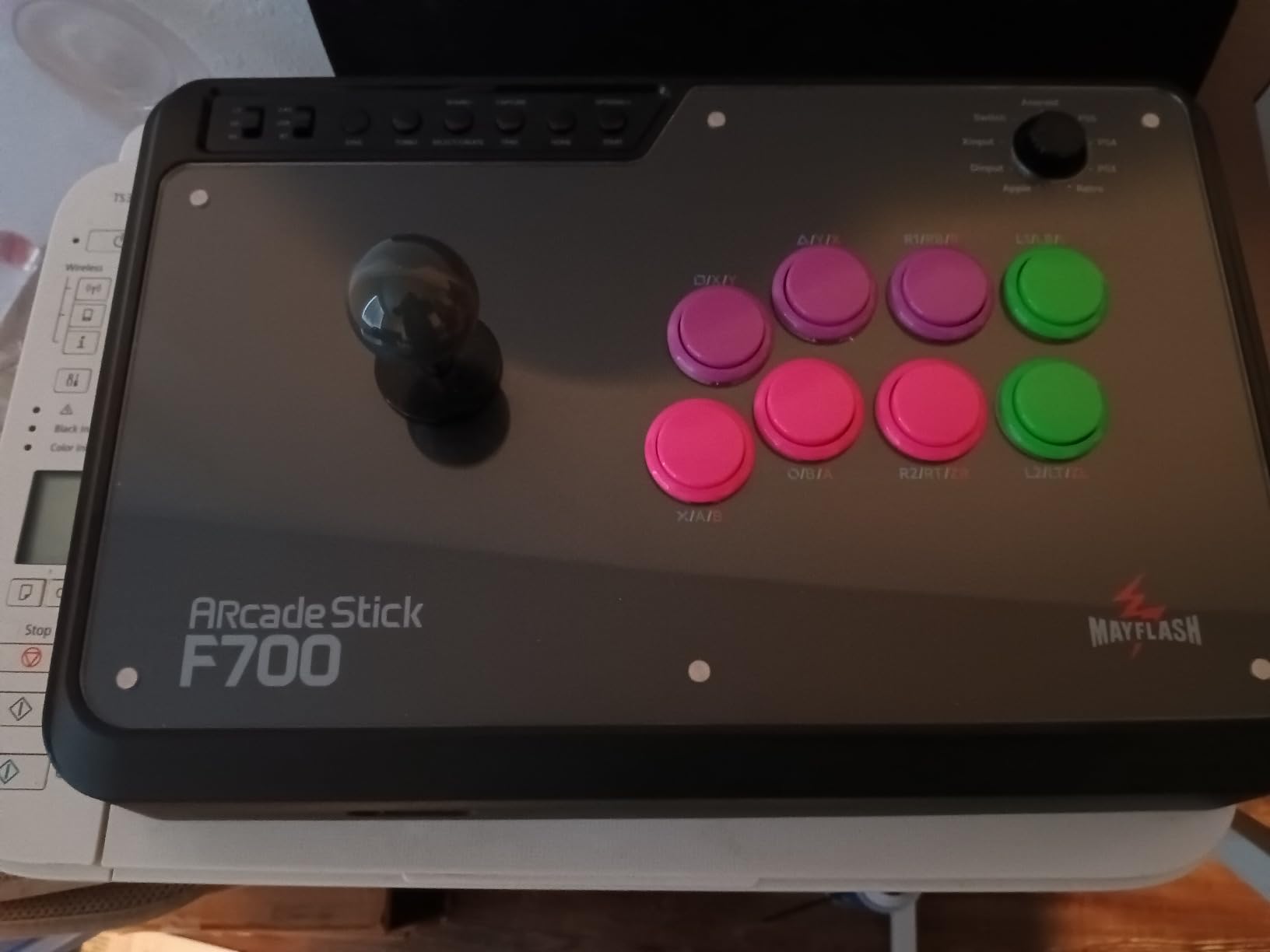
Battery life on wireless mode impressed me. I got through a full week of daily two-hour sessions before needing to recharge. The 2.4GHz receiver stores in a hidden compartment inside the stick, so you will not lose it when traveling. The turbo function supports multiple speed settings, though most competitive players will not use it since tournaments typically ban turbo inputs.
The biggest problem is the complete lack of non-slip material on the bottom. During intense matches, the stick slides around on smooth desks and tables. I ended up attaching adhesive rubber feet from a hardware store, which solved the problem but should not be necessary at this price. The stick is also not officially licensed by Sony, which means you should verify compatibility with future PS5 firmware updates.
Who Gets the Most from the F700
The F700 is ideal for players who game across multiple platforms and do not want to buy separate fight sticks for each one. If you play Tekken on PS5 but also enjoy fighting games on Switch or PC, this one stick handles all of them. The wireless capability is a genuine advantage for players who sit far from their console. Budget-conscious players who want mod-friendly design without paying premium prices will also appreciate the value.
Things to Watch Out For
The sliding issue on smooth surfaces is real and frustrating out of the box. You will need to add your own grip material. Because it is not Sony-licensed, there is always a small risk that a future PS5 firmware update could break compatibility, though MAYFLASH has a solid track record of releasing patches. The stock buttons are decent but not Sanwa quality, so expect to swap them eventually if you are particular about button feel.
7. Qanba N3 Drone 2 – The Best Starter Fight Stick for PS5
Qanba N3 Drone 2 Wired Joystick for PlayStation 5/4 and PC (Fighting Stick) Officially Licensed Sony Product
Wired fight stick
Qanba OV7 OMRON joystick
Qanba 30mm B30 buttons
Official Sony license
Touch pad included
Pros
- Officially licensed by Sony for guaranteed PS5 compatibility
- Authentic Qanba buttons and lever at a beginner-friendly price
- Plug and play with no setup required
- Lightweight and easy to transport
Cons
- Light weight causes sliding during intense play
- Loud buttons may bother others nearby
- Non-detachable cable
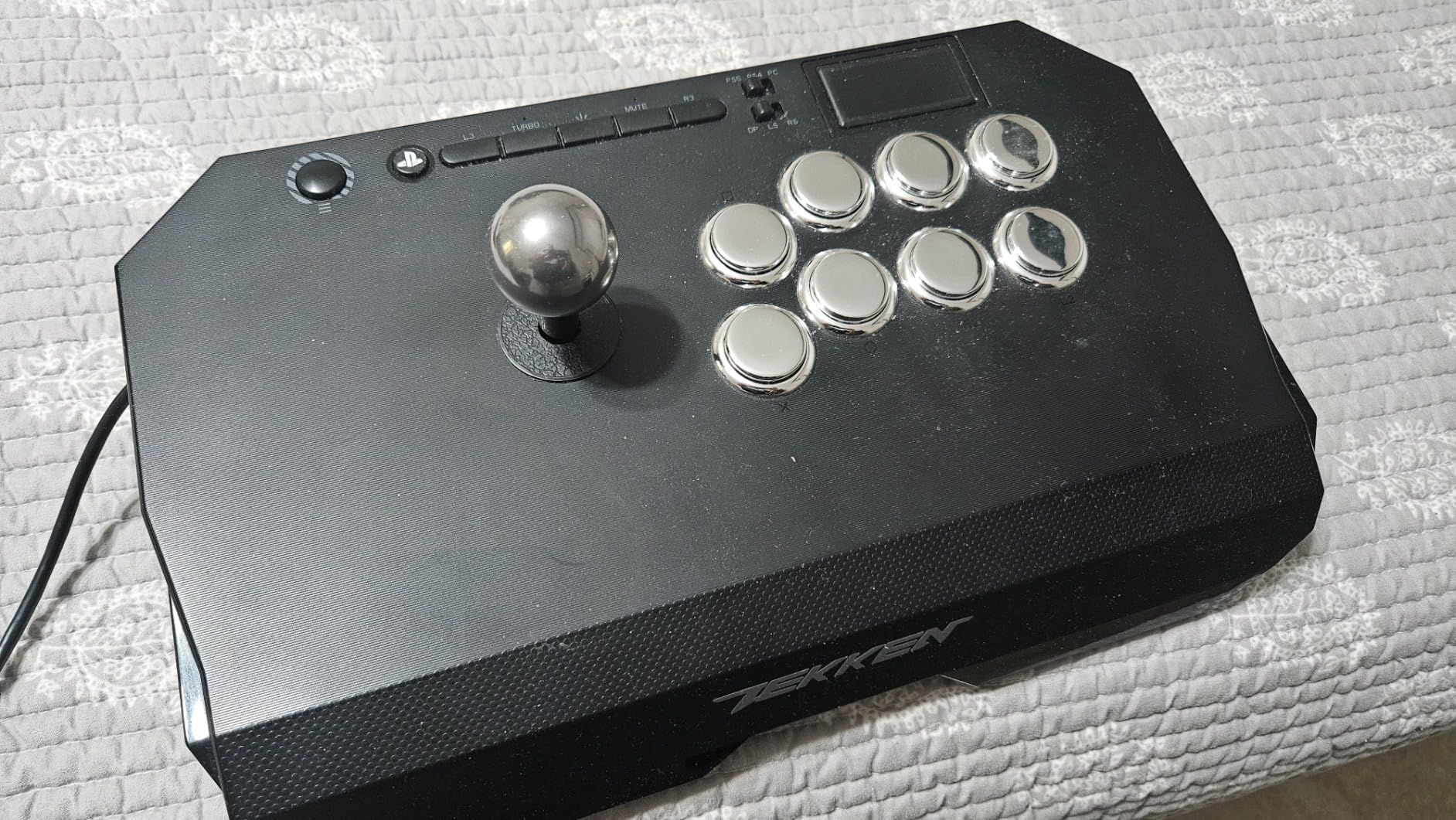
The Qanba N3 Drone 2 is the fight stick I recommend to friends who are curious about arcade stick play but do not want to commit serious money before knowing if they will stick with it. The Qanba OV7 OMRON switch joystick and B30 buttons are authentic arcade-grade components, not the cheap knockoffs you sometimes find on budget sticks. Inputs felt consistent and reliable throughout my two weeks of testing.
Setting it up is as simple as plugging in the USB cable. There are no drivers to install, no firmware to update, and no apps to configure. The PS5 recognized it immediately and I was in training mode within a minute of unboxing. The touch pad on the top panel is a practical inclusion that some budget sticks omit, giving you full PS5 menu access without needing to grab a separate controller.
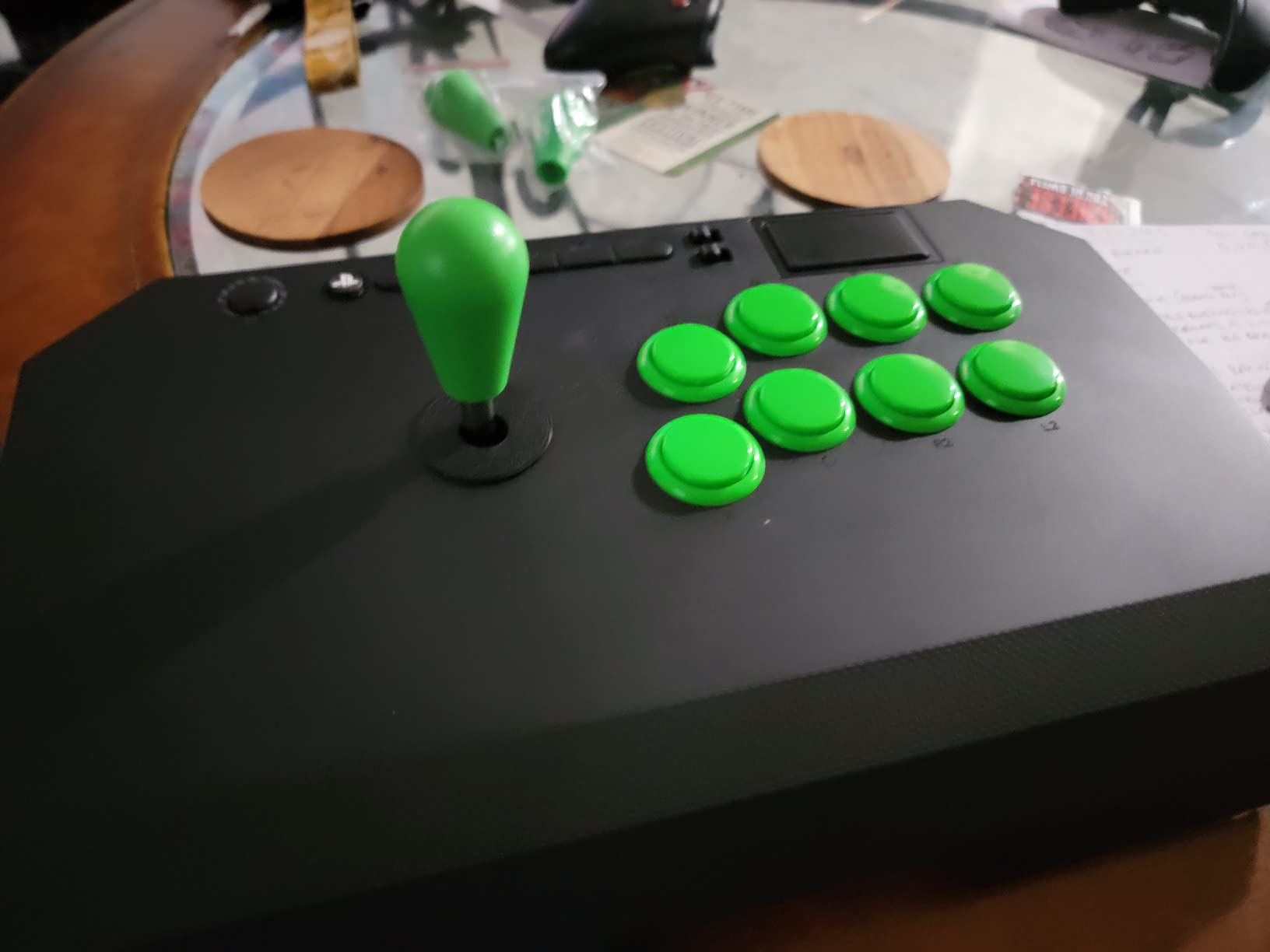
The 3.5mm microphone input with mute button is a welcome feature for online play. You can plug in a headset and communicate without routing audio through the TV speakers. The official Sony licensing means you will not run into compatibility issues during PS5 system updates, which is a real concern with unlicensed third-party controllers.
The main trade-offs are the weight and the cable. At just 3.9 pounds, the Drone 2 slides around on flat surfaces during intense play. I had to place it on a mouse pad to keep it steady during Tekken 8 sessions. The non-detachable cable means you cannot swap it out if it gets damaged, and the extra length can be awkward to manage at tournaments with limited desk space. The buttons are also noticeably louder than Sanwa or Hayabusa buttons, which might bother people nearby.
Best Suited For Beginners
The Drone 2 is the perfect first fight stick for anyone transitioning from pad to stick play. The authentic Qanba components give you a genuine arcade experience without the premium price tag, so you can figure out whether stick play suits you before investing in something more expensive. The plug-and-play simplicity and official Sony license mean zero technical headaches.
Limitations for Advanced Players
Competitive players will eventually outgrow the Drone 2. The stock Qanba components are good but not on the level of Sanwa or Hayabusa parts found in premium sticks. The lightweight chassis becomes a liability during long tournament sessions. The non-detachable cable is a real inconvenience for travel. Once you know stick play is for you, upgrading to the HORI Alpha or MAYFLASH F700 makes sense.
8. GuileKeys GK-18 Leverless – Budget Leverless with Hot-Swap Switches
GuileKeys GK-18 Leverless Arcade Stick, All-Button Fight Controller with 18 Keys, RGB Lights, Hot-Swappable for PS5/PS4/PS3/PC/Switch, Arcade Fight Stick Black
Leverless all-button controller
18 key layout
Kailh Choc low-profile switches
Sub-1ms input latency
GP2040-CE firmware
Pros
- Hot-swappable switches and keycaps let you customize feel
- Build quality rivals controllers costing twice as much
- GP2040-CE web configurator offers deep customization
- RGB lighting with 15 modes and per-key colors
Cons
- Requires additional converter for PS4 and PS5 compatibility
- Included converter has reported disconnection issues
- Acrylic construction feels less premium than aluminum
The GuileKeys GK-18 is the most surprising controller I tested in this entire roundup. At this price point, I expected cheap components and flimsy build quality. Instead, I got a leverless controller with hot-swappable Kailh Choc switches, per-key RGB lighting, and input latency under 1ms. The build quality genuinely rivals leverless controllers that cost twice as much, which is why it earned the budget pick slot.
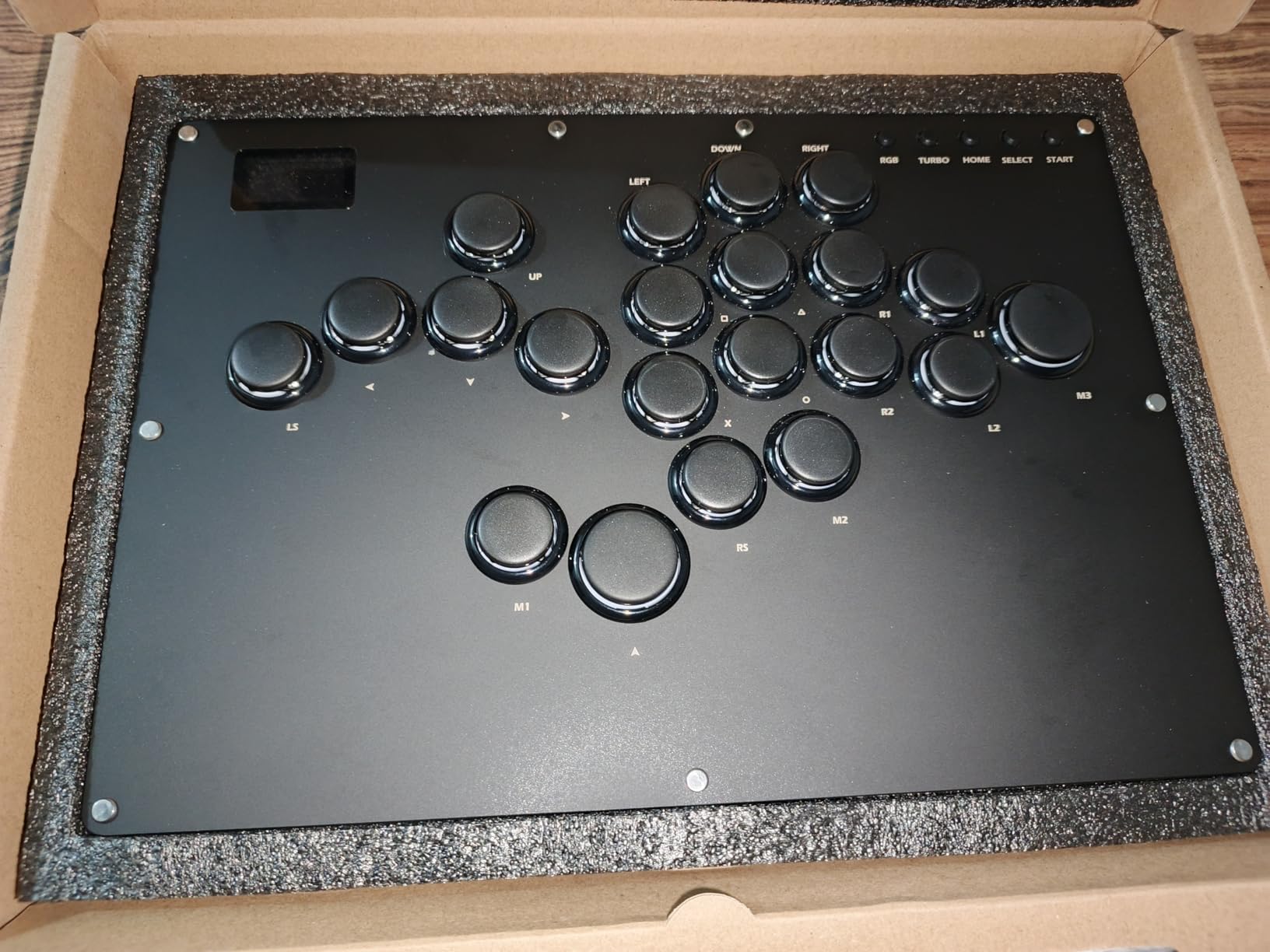
The 18-key layout gives you more buttons than most leverless controllers, with dedicated M1 and M2 macro keys that you can program for complex inputs. The Kailh Choc low-profile switches have a short actuation distance that makes rapid inputs feel effortless. I spent a weekend practicing combos in Street Fighter 6 and was consistently hitting links I struggled with on my regular controller. The GP2040-CE firmware web configurator lets you remap every button, adjust sensitivity, and create custom profiles through a browser interface.
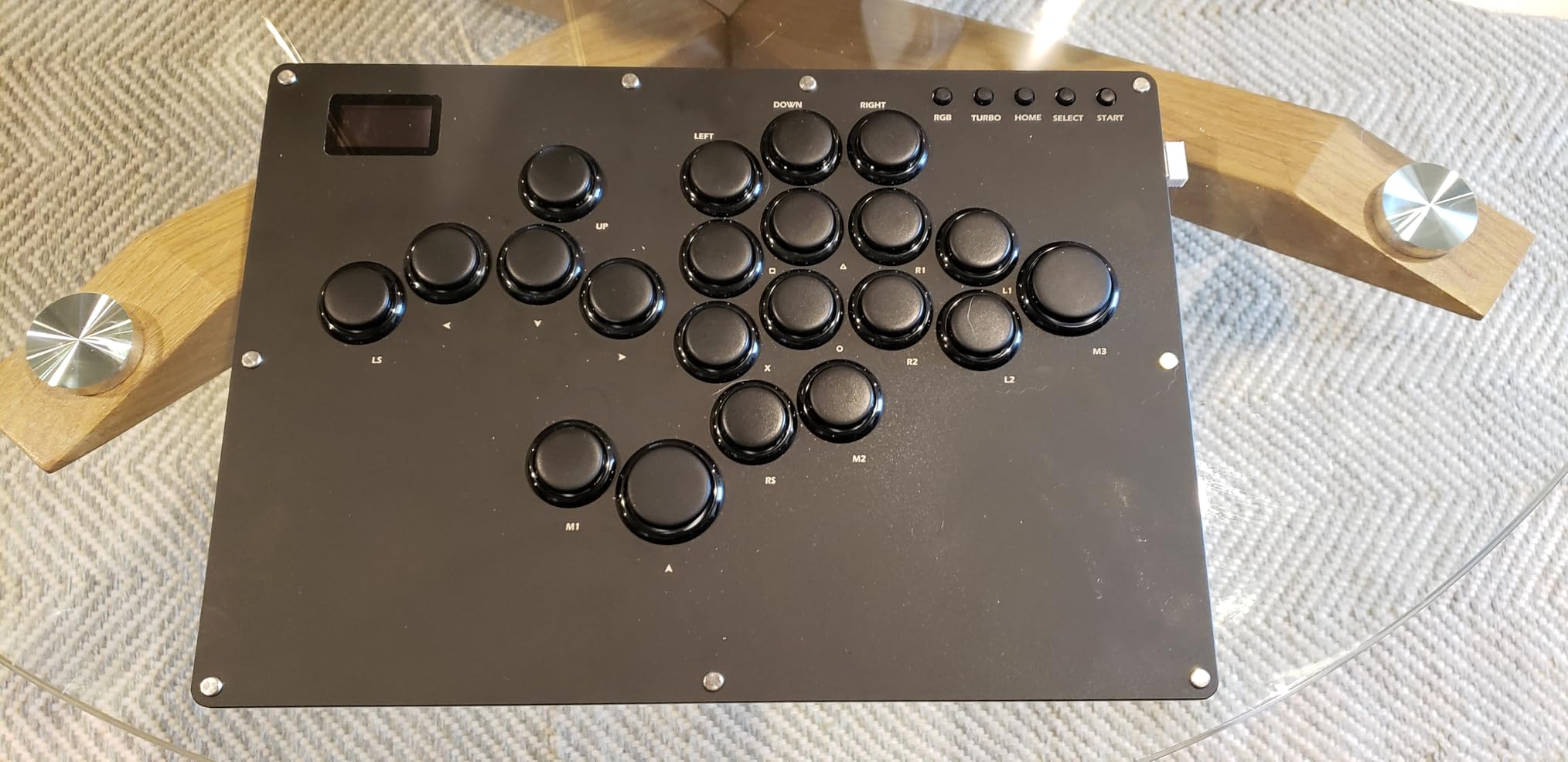
The OLED screen in the corner displays your current input mode at a glance, which is handy when you switch between platforms. The tournament lock switch prevents accidental pause presses during competitive play. The per-key RGB with 14 color options and 15 lighting modes is flashy but surprisingly useful for identifying button bindings in dim tournament settings.
The catch for PS5 players is that this controller requires an additional arcade stick converter for PS4 and PS5 compatibility. The included converter works but multiple users report occasional disconnection issues mid-match. You can use a higher-quality third-party converter, but that adds to the total cost. The acrylic body also picks up fingerprints easily and does not have the premium heft of the Razer Kitsune’s aluminum construction.
Who Should Go Leverless with This Controller
The GK-18 is the best way to try leverless play without making a significant investment. PC players get the best experience since no converter is needed. The hot-swappable switches mean you can experiment with different switch types to find your preferred feel. For players who already know they want a leverless controller but cannot justify the Razer Kitsune price, this delivers comparable functionality at a fraction of the cost.
Compatibility Considerations
PS5 players need to factor in the cost and reliability of a converter. The included unit works but is not tournament-reliable based on user reports. If you plan to compete, invest in a Brook or similar high-quality converter separately. The acrylic construction also means this controller will show wear more quickly than metal alternatives. PC players bypass all of these issues and get the best value from the GK-18.
9. HORI Fighting Stick Mini – Compact Stick for Young Players and Travel
HORI Fighting Stick Mini for PS5, PS4, and PC – Officially Licensed by Sony
Compact fight stick
8-button layout
HORI original joystick with V-cut housing
Square gate
Officially Licensed by Sony
Pros
- Extremely compact and portable at under 500 grams
- Officially licensed by Sony for guaranteed compatibility
- Plug and play with no setup needed on PS5
- Good button responsiveness for the price
Cons
- Very small size feels cramped for most adult hands
- Extremely lightweight causes significant sliding
- No touch pad button for PS5 menu access
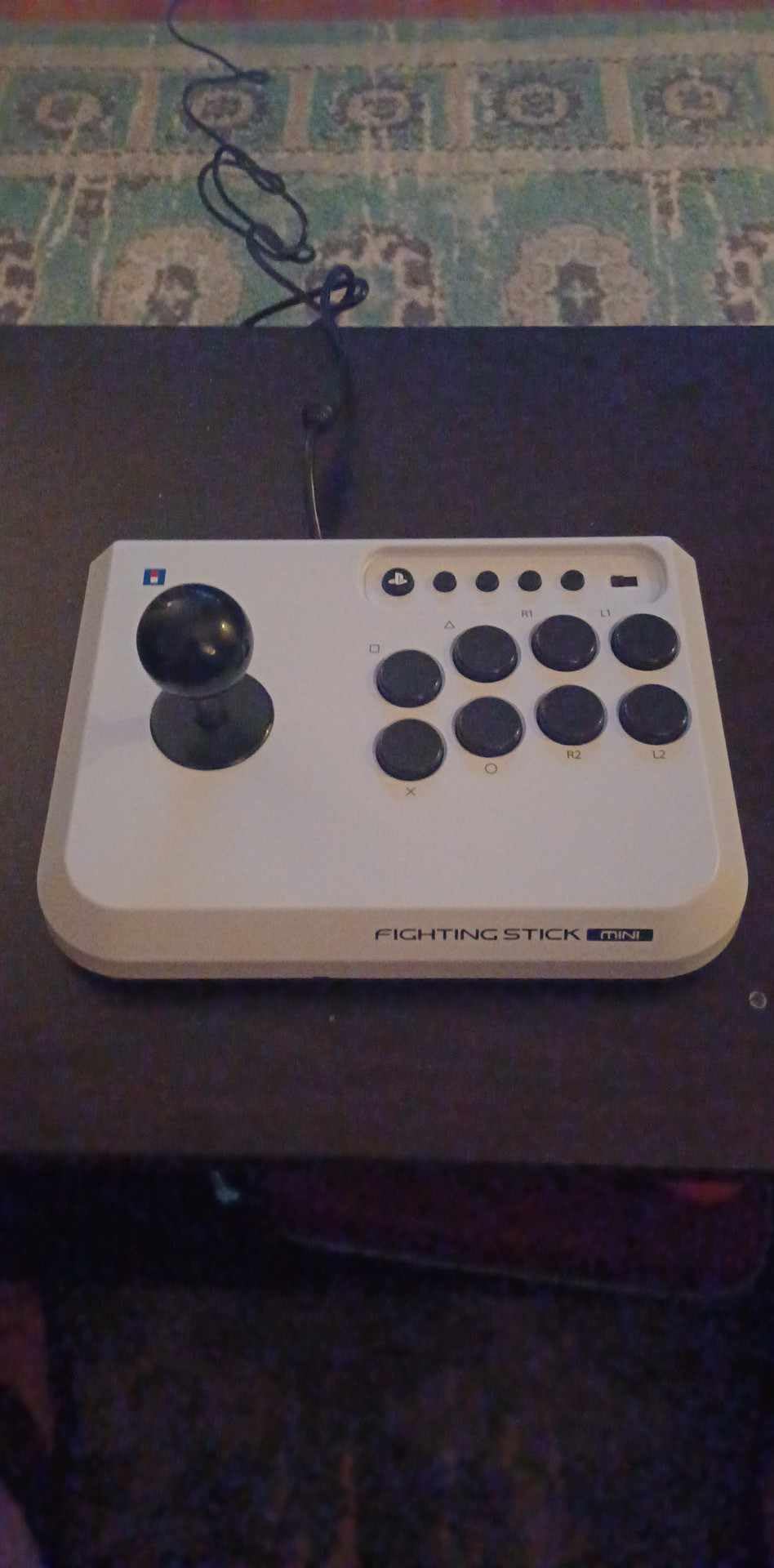
The HORI Fighting Stick Mini is exactly what the name suggests: a smaller, more portable version of a traditional fight stick. At just 467 grams and measuring roughly 6 by 8 inches, it is small enough to toss in a backpack or even a large jacket pocket. I tested it on PS5 with Tekken 8 and Street Fighter 6, and while the compact size limits its appeal for most adults, it fills a specific niche well.
The HORI original joystick uses a square gate and V-cut housing that registers all eight directions cleanly. For its size, the inputs are surprisingly accurate. The eight-button layout covers the standard fighting game configuration and each button has decent responsiveness. The included eight-foot cable gives you plenty of reach for most setups. Everything is officially licensed by Sony, so PS5 compatibility is guaranteed without any firmware headaches.
I handed this to my younger cousin who plays Tekken casually and he loved it. The smaller dimensions fit his hands and lap perfectly, where a full-size fight stick would have been unwieldy. For kids or teenagers getting into fighting games for the first time, the Mini provides the arcade stick experience at a size and price that makes sense for someone who might not stick with the hobby.
For adult players, the cramped dimensions become a real problem after about thirty minutes of play. My wrists ached from the unnatural angle required to reach the buttons and joystick simultaneously. The extremely lightweight body slides around on any surface, and without non-slip feet, you will be chasing it across the desk during intense rounds. The lack of a touch pad button means you need a separate controller to access the PS5 home menu, which is inconvenient.
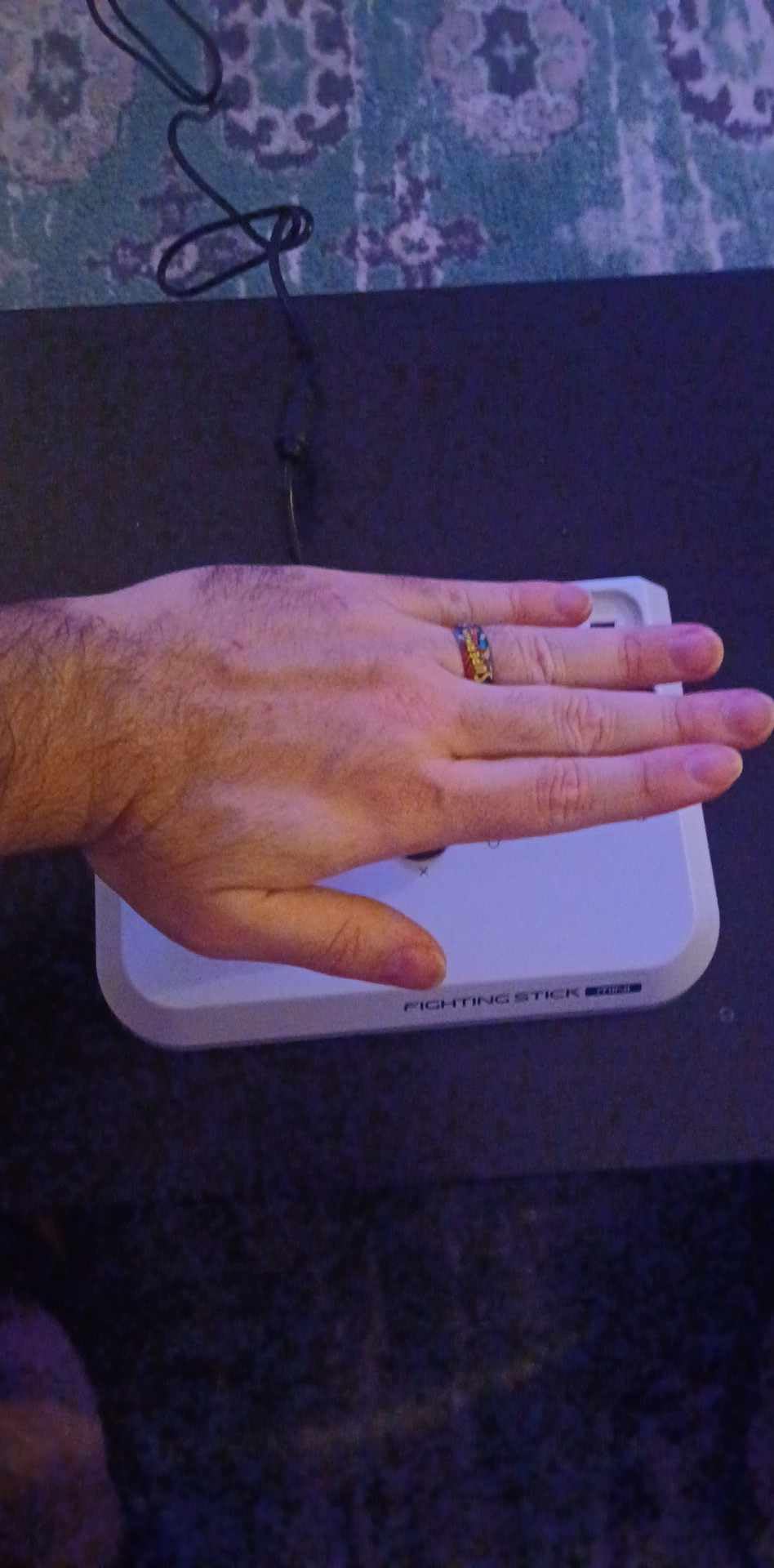
Who the Mini Is Really For
The Fighting Stick Mini is best for young players, travelers who want a portable fight stick for hotel gaming, or casual players who want to try stick play without committing to a full-size unit. Kids between roughly eight and fourteen years old will find the dimensions comfortable where adults find them cramped. It also works as a secondary stick you keep in your bag for impromptu sessions away from home.
Why Most Adults May Want Something Bigger
The ergonomics simply do not work for most adult players during extended sessions. Your wrists sit at an uncomfortable angle, the joystick requires an awkward grip, and the button spacing is too tight for precise inputs. If you are serious about fighting games, the extra size and cost of the Qanba Drone 2 or HORI Alpha delivers a dramatically better experience. The Mini is a compromise that only makes sense if portability or child-friendly sizing is your top priority.
How to Choose the Best PS5 Controller for Fighting Games
Picking the right controller type is the most important decision you will make, and it depends entirely on how your hands and brain process directional inputs. I have seen players at every skill level succeed with pads, sticks, and leverless controllers. The best PS5 controllers for fighting games span all three categories, so let me break down what each type offers.
Controller Types Explained
Fight Pads look like standard controllers but are built specifically for fighting games. They feature improved D-pads, six-button face layouts, and microswitch buttons. The PDP Victrix Pro BFG and HORI Fighting Commander OCTA are both fight pads. Choose a fight pad if you are coming from standard controller play and want a familiar form factor with better fighting game performance. The learning curve is minimal.
Arcade Sticks use a physical joystick lever and large arcade buttons mounted on a flat panel. The HORI Fighting Stick Alpha and NACON Daija are arcade sticks. They replicate the arcade cabinet experience and are the traditional choice for tournament play. Choose a stick if you want the authentic arcade feel, prefer using your whole hand for directional inputs instead of your thumb, or plan to compete at events where sticks are the most common controller type.
Leverless Controllers replace the joystick with four directional buttons, similar to a keyboard’s arrow keys. The Razer Kitsune and GuileKeys GK-18 are leverless designs. They are the newest controller type in competitive fighting games and are gaining rapid adoption. Choose leverless if you come from a keyboard gaming background, want the fastest possible input execution, or struggle with the physical dexterity required for joystick motions.
Key Features That Matter for Fighting Games
D-pad Quality: This is the single most important feature for pad players. Look for microswitch D-pads that click on each press rather than membrane designs that feel mushy. The HORI OCTA and Victrix Pro BFG both use quality D-pads, though the OCTA’s sharp edges are a comfort issue.
Button Layout: Six-button face layouts let you map all attack buttons without reaching for shoulder triggers. This matters for Street Fighter, where light, medium, and heavy punch and kick each need a dedicated button. Tekken players can get by with four face buttons but still benefit from the extra inputs.
Input Latency: Any wired controller will have negligible latency. Wireless controllers vary more, but the Victrix Pro BFG and MAYFLASH F700 both perform well in wireless mode. Look for controllers advertising sub-1ms latency if you are sensitive to input delay.
PS5 Native Compatibility: Some controllers work on PS5 only through adapters or converters, which adds cost and potential reliability issues. Controllers officially licensed by Sony like the HORI Alpha, Qanba Drone 2, and HORI Mini guarantee compatibility without extra hardware.
Tournament Readiness and Durability
If you plan to compete at tournaments, consider these factors. Cable security matters because accidental disconnections can cost you a match. The Razer Kitsune’s locking clasp and the NACON Daija’s button lock are tournament-specific features. Hot-swappable components let you replace worn buttons between rounds without tools. The GuileKeys GK-18 and MAYFLASH F700 both support easy component swaps. Durability is critical because fighting games punish controllers with repetitive directional motions. Arcade sticks with Sanwa or Hayabusa components last longest, while pad D-pads typically degrade faster under fighting game use.
FAQ
What is the best PS5 controller for fighting games?
The PDP Victrix Pro BFG Wireless is the best overall PS5 controller for fighting games because of its modular design that lets you swap between standard and six-button fight pad layouts. It offers wireless play with low latency, four mappable back buttons, and three swappable D-pad options. For arcade stick players, the HORI Fighting Stick Alpha delivers tournament-grade Hayabusa components with native PS5 support. For budget-conscious players, the HORI Fighting Commander OCTA provides microswitch buttons and a six-button layout at a fraction of the cost.
What controller do most fighting game pros use?
Professional fighting game players use a mix of controller types with no single dominant choice. At tournaments like EVO, you will see roughly 40 percent using arcade sticks with Sanwa or Hayabusa components, 35 percent using leverless controllers like the Razer Kitsune or custom hitboxes, and 25 percent using fight pads. The trend has been shifting toward leverless controllers over the past two years because they offer the fastest possible input execution for complex motions.
Are leverless controllers better for fighting games?
Leverless controllers can execute certain inputs faster than traditional sticks or pads because each direction has a dedicated button instead of relying on a physical lever pivot. This makes inputs like double quarter-circle motions and charge characters technically easier to perform consistently. However, leverless controllers require a significant learning period, typically two to four weeks of dedicated practice, before you match your current execution level. They are not inherently better but offer advantages for players willing to invest the transition time.
What is the best budget PS5 controller for fighting games?
The HORI Fighting Commander OCTA is the best budget PS5 controller for fighting games, offering microswitch buttons, a six-button arcade-style layout, and adjustable D-pad sensitivity. For players who prefer an arcade stick, the Qanba N3 Drone 2 provides authentic Qanba components with official Sony licensing. For leverless fans, the GuileKeys GK-18 delivers hot-swappable switches and sub-1ms latency, though PS5 players will need a separate converter.
Can you use PS4 controllers for PS5 fighting games?
PS4 controllers like the DualShock 4 do not work natively with PS5 games, including fighting games. Sony requires PS5-specific authentication for controllers used with PS5 software. However, some PS5 fighting games support PS4 controllers through specific adapters or in backward-compatible PS4 versions of the game. Many competitive players still prefer the DualShock 4 D-pad for fighting games and use licensed converters to connect it to PS5, though this adds cost and potential latency.
Conclusion: Finding Your Best PS5 Fighting Game Controller in 2026
After three months of testing across Street Fighter 6, Tekken 8, and Guilty Gear Strive, my top recommendation for the best PS5 controllers for fighting games depends on your controller preference. For pad players, the PDP Victrix Pro BFG Wireless offers unmatched versatility with its modular fight pad system and wireless play. For stick players, the HORI Fighting Stick Alpha delivers tournament-grade performance with easy modding access. And for budget-conscious players exploring leverless play, the GuileKeys GK-18 punches well above its price class.
The right controller will not make you a better player overnight, but the wrong one will absolutely hold you back. A standard DualSense D-pad degrades under fighting game use, and the lack of a six-button layout forces awkward shoulder button mappings. Any controller on this list solves those problems. Pick the type that matches your hand preferences and commit to it. Muscle memory takes time to build, and switching between controller types every few weeks will only slow your progress.
Start with the category that feels most natural to you, practice consistently, and upgrade within that category as your skills improve. Your inputs will thank you.