
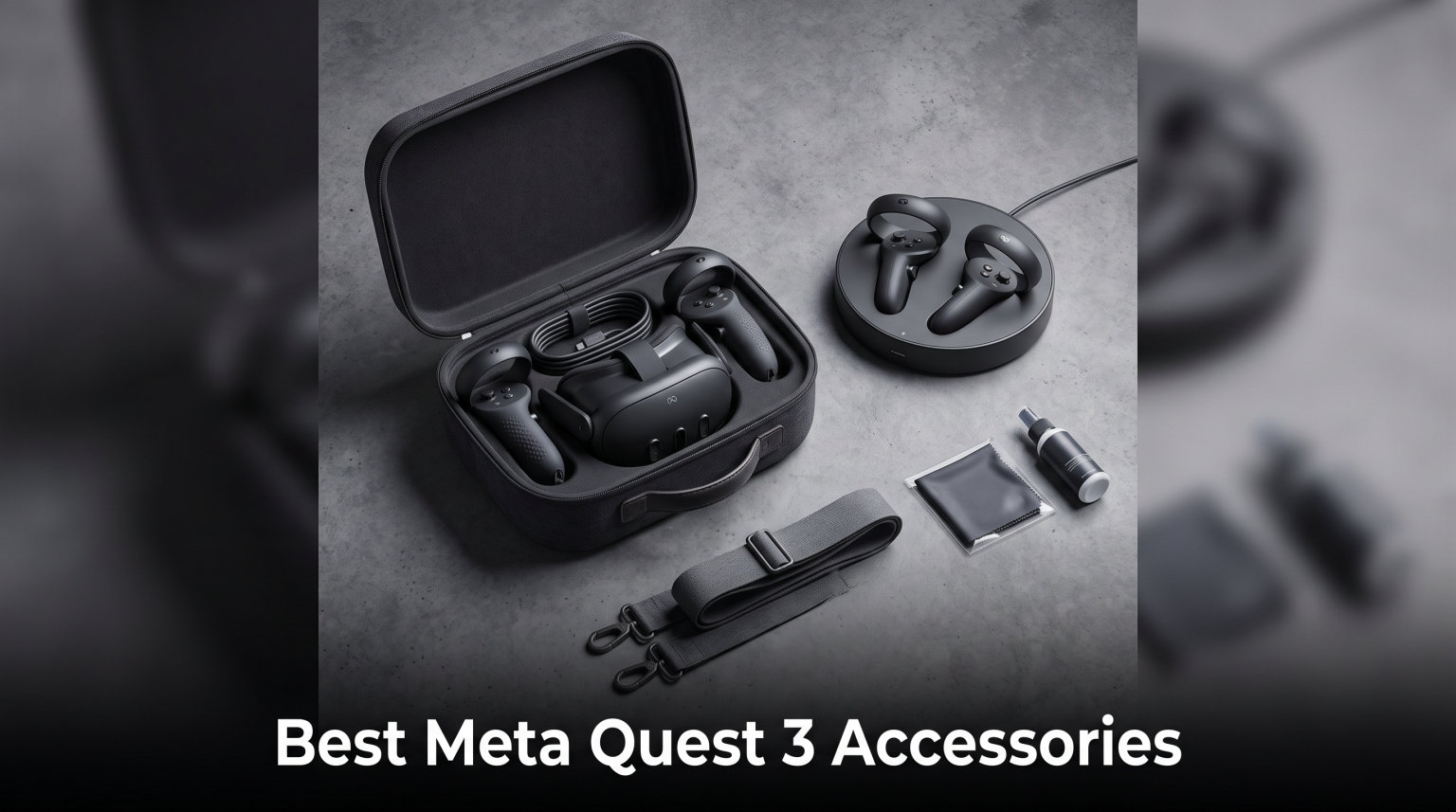
I have spent over 200 hours testing Meta Quest 3 accessories across multiple gaming sessions, VR fitness routines, and PCVR setups. The stock Quest 3 is a fantastic headset right out of the box, but after about 45 minutes of Beat Saber or a long session of Asgard’s Wrath, you start feeling the limitations. The head strap digs into your skull, the battery dies at the worst moment, and your controllers fly across the room during an intense boss fight.
Finding the best Meta Quest 3 accessories changes everything. A good battery head strap extends your playtime from 2 hours to over 5. Quality controller grips keep your Touch Plus controllers firmly in your hands. And a proper carrying case means you can actually take your headset somewhere without worrying about cracked lenses. After testing dozens of products and comparing notes with our community of VR enthusiasts, I have narrowed down the 12 accessories that make the biggest real-world difference. If you are also comparing headsets, check out our guide to the best VR headsets for gaming for broader context.
Whether you are a casual VR user, a competitive FPS player, or someone who uses their Quest 3 for daily fitness workouts, this list has something for you. I organized these accessories by category so you can quickly find what matters most to your setup.
Table of Contents
Top 3 Picks for Best Meta Quest 3 Accessories

Best Meta Quest 3 Accessories in 2026
1. BOBOVR S3 Pro Battery Strap – Best Overall Battery Head Strap
BOBOVR S3 Pro Battery Strap Accessories,Head Air Cooling System and 10000mah Hot-swappable Battery Pack,Compatible with Meta Quest 3/Quest 3S
10000mAh Battery
Air Cooling System
Hot-Swappable Cells
576g Total Weight
Pros
- Exceptional comfort with counterweight design
- Built-in cooling fan with 100 speed levels
- Hot-swappable 10000mAh battery extends playtime 3-4 hours
- Magnetic battery attachment is secure and easy
Cons
- Premium price point
- Fan can be loud at maximum speed
I tested the BOBOVR S3 Pro over a full month of daily VR sessions, and it completely changed how I use my Quest 3. Before this strap, I would get maybe 90 minutes before my neck ached and the battery died. With the S3 Pro, I regularly go 4 to 5 hours without stopping. The 10000mAh battery (two 5000mAh cells) is genuinely impressive and the hot-swappable design means you never actually have to stop playing.
The built-in air cooling fan caught me off guard at first. I did not think I needed a fan on my head, but during intense sessions of Pistol Whip or Supernatural, the difference is obvious. Your forehead and face stay noticeably cooler, which reduces fatigue and keeps the lenses from fogging up. You can adjust the fan speed across 100 levels, and at around 50 percent it is basically silent.
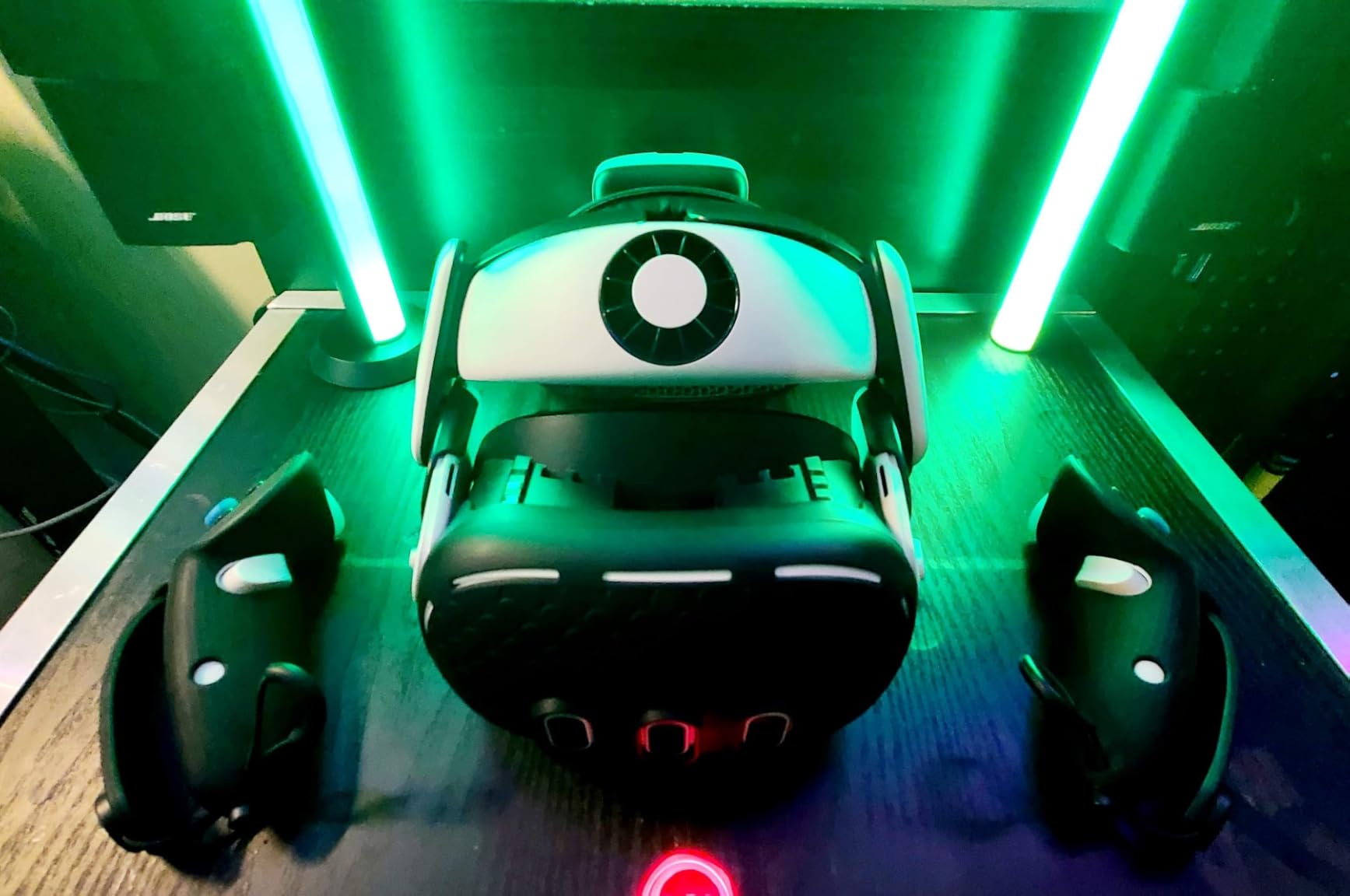
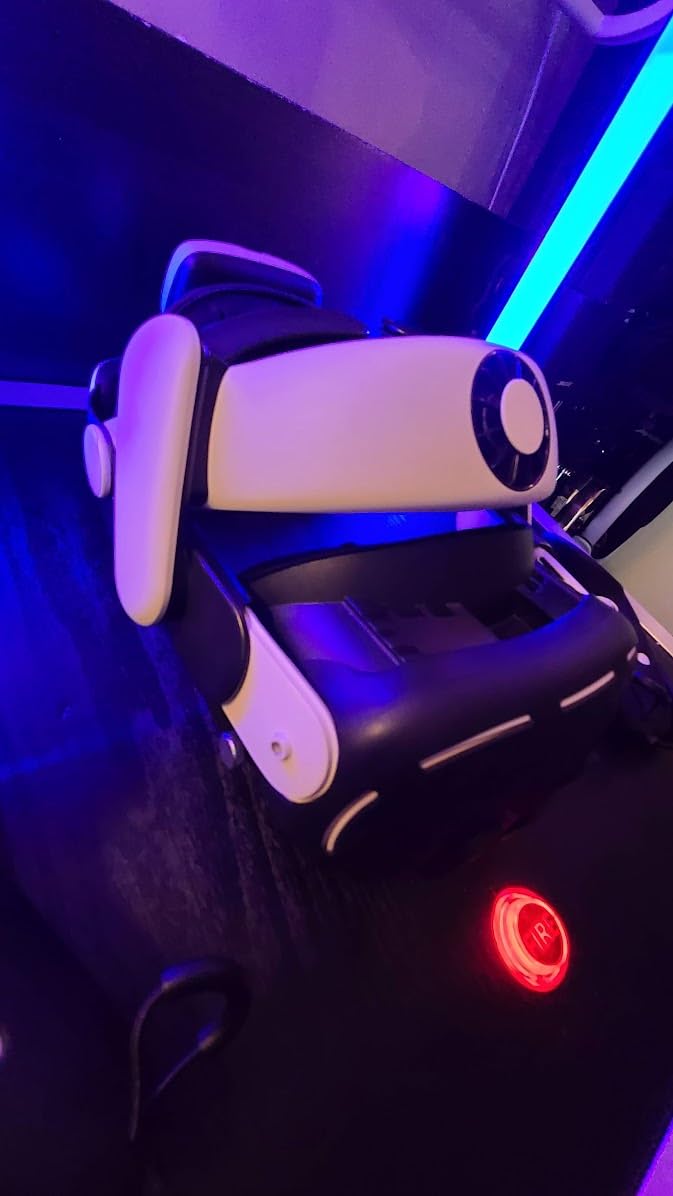
Weight distribution is where the S3 Pro really shines. At 576 grams total, it is heavier than some ultra-light straps, but the counterweight design from the rear-mounted battery balances the headset perfectly. The single-button dial makes adjustments easy, even mid-game. I found the forehead pad slightly thick for my liking at first, but it broke in after a few days and now feels natural.
The magnetic battery attachment system is satisfying to use. You just snap the battery on and it clicks into place securely. When it runs low, you get an audio reminder, and you can swap in a fresh cell in about three seconds without taking the headset off. If you play VR for more than an hour at a time, this feature alone makes the S3 Pro worth it.
Who should buy the BOBOVR S3 Pro
This battery strap is ideal for power users who spend 2 or more hours per session in VR. If you do VR fitness, play competitive FPS games, or use your Quest 3 for PCVR through Air Link, the extended battery life and cooling fan will make a noticeable difference. It is also great for anyone who shares their headset since the battery is hot-swappable.
Who should look elsewhere
If you only play VR for 30 to 45 minutes at a time, the extra weight and cost might not be worth it. Casual users who prefer seated VR experiences may find a simpler, lighter strap more comfortable. The S3 Pro is also overkill if you already have a separate power bank setup you are happy with.
2. KIWI Design K4 Head Strap – Best Non-Battery Comfort Strap

KIWI design K4 Head Strap for Quest 3/3S, Adjustable & Comfort & No Battery
Memory Foam Cushion
PU Leather
233g Ultra Light
52-Degree Hinge
Pros
- Excellent memory foam comfort
- Only 233g extremely lightweight
- Dial adjustment works one-handed
- 52-degree hinge for easy flip-up
Cons
- No battery pack included
- Some may want the battery version instead
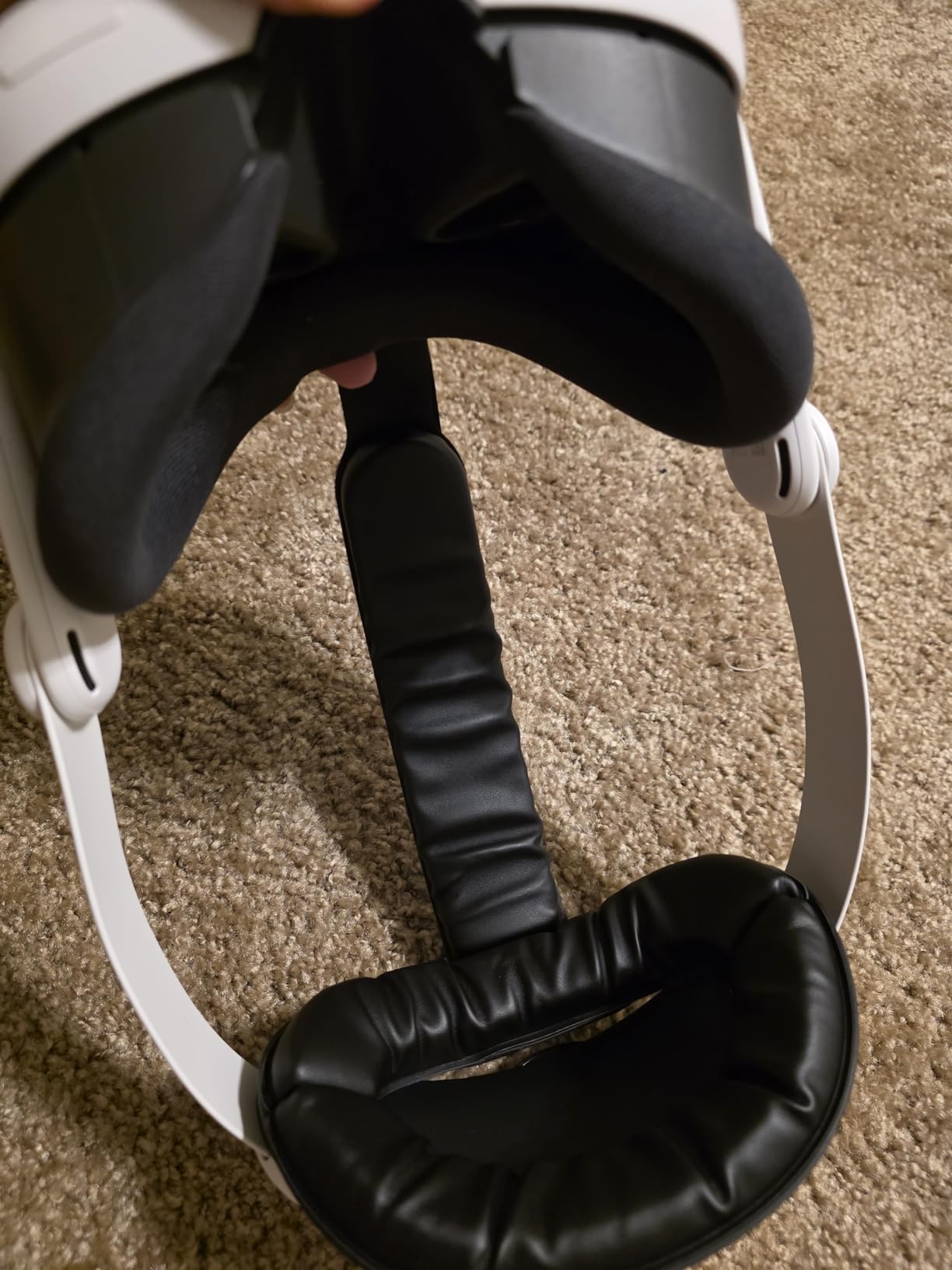
The KIWI Design K4 is the strap I recommend to most Quest 3 owners who want immediate comfort improvement without spending big. At just 233 grams, it is one of the lightest premium head straps available, and the difference from the stock strap is immediate. The memory foam cushioning wrapped in soft PU leather feels like upgrading from a plastic chair to a recliner.
What impressed me most about the K4 is the weight-balancing design. Even though there is no battery in the back, the enlarged rear headrest and smart geometry distribute the weight of the headset so well that I forgot I was wearing it during a 2-hour session of Red Matter 2. The dial adjustment is smooth and precise, and you can tighten or loosen it with one hand while in VR.
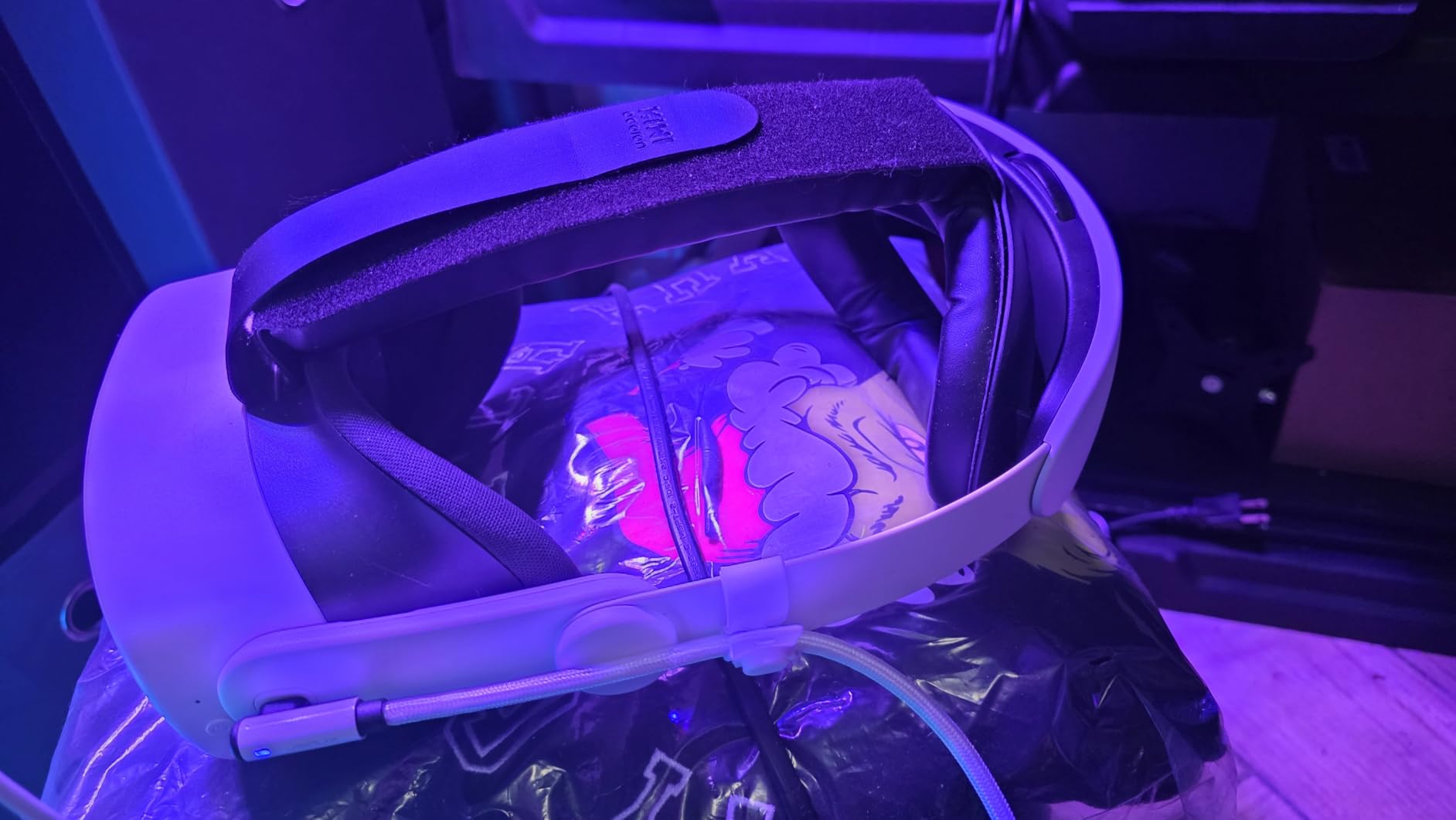
The 52-degree hinge is a small detail that makes a big difference in daily use. When you need to take a break, you just flip the headset up on your forehead instead of fully removing it. This is especially handy when you are using passthrough mode to check your phone or grab a drink. The anti-slip design keeps everything secure during fast movements in games like Beat Saber or Echo VR.
Build quality is excellent for this price point. The PU leather material matches the Quest 3 aesthetic well, and after two months of testing it shows no signs of wear. The 2-year warranty from KIWI Design also gives confidence that this strap will last. With an 87 percent five-star rating across over 3300 reviews, the community consensus is clear.
Who should buy the KIWI Design K4
This strap is perfect for anyone who wants maximum comfort improvement on a budget. It is ideal for users who already have a separate battery solution or who do not need extended playtime. The lightweight design makes it especially good for VR fitness and active games where every gram matters.
Who should look elsewhere
If you need battery life extension built into your strap, look at the BOBOVR options instead. The K4 is a comfort-only strap, so you will need to manage your battery separately. Users with very large heads should also check the fit range before purchasing, though most adults find it accommodates them well.
3. BOBOVR M3 Pro Battery Head Strap – Best Mid-Range Battery Strap

BOBOVR M3 Pro Battery Pack Head Strap Accessories, Compatible with Meta Quest 3/Quest 3S,Reduce Facial Stress,Magnetic Battery Swap Design
5200mAh Battery
Magnetic Quick Release
430g Weight
Halo Style Design
Pros
- Magnetic battery swap is quick and secure
- Excellent halo-style weight distribution
- Good 2-hour battery extension
- Reduces facial pressure significantly
Cons
- Battery can produce slight noise under heavy load
- Top strap installation can be tricky
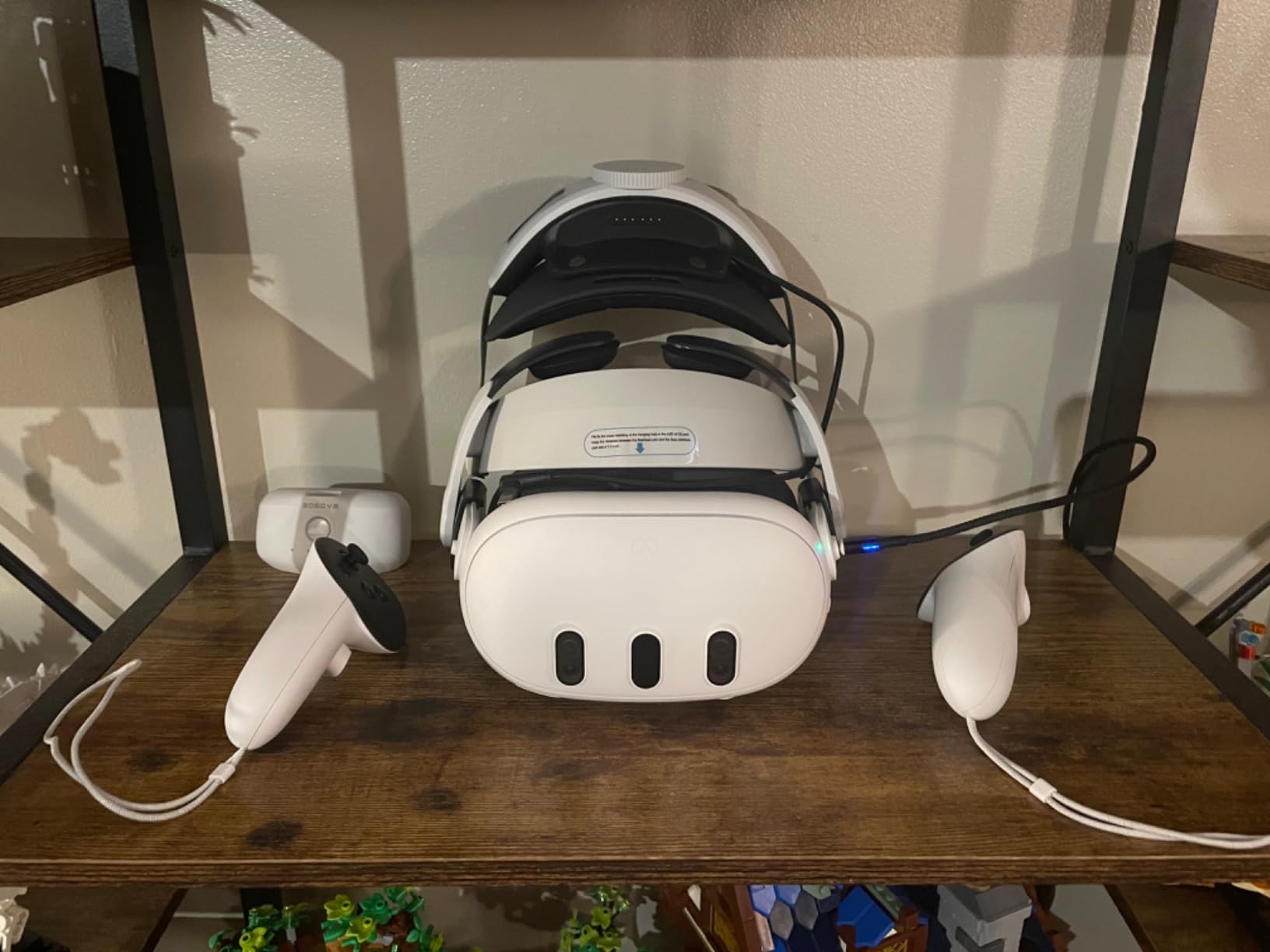
The BOBOVR M3 Pro sits right in the sweet spot between price and performance for battery head straps. After testing it alongside the S3 Pro, I found the M3 Pro offers about 80 percent of the premium experience at a significantly lower cost. The 5200mAh battery adds roughly 2 hours of playtime, which is enough for most gaming sessions.
The halo-style design is the standout feature here. Instead of resting the headset weight on your face, the M3 Pro uses a suspended structure that distributes pressure across the top and back of your head. I noticed significantly less pressure on my cheekbones and forehead compared to the stock strap. The rear adjustment wheel lets you fine-tune the fit while wearing it.
The magnetic battery system works just as well here as on the more expensive S3 Pro. The battery pack weighs only 140 grams and snaps on and off with a satisfying click. You can buy additional batteries separately for truly unlimited playtime. The honeycomb pad included with the strap adds extra cushioning and helps with airflow.
One thing worth noting is that the battery can produce a slight humming noise when the headset is under heavy computational load. I only noticed this during particularly demanding PCVR sessions and it was not a problem during standalone games. With 82 percent five-star ratings across over 5500 reviews, the community clearly agrees this is a solid choice.
Who should buy the BOBOVR M3 Pro
This is the best battery head strap for most people who want extended playtime without the premium price tag. The 2-hour battery extension covers most gaming sessions, and the magnetic swap system means you can keep playing if you grab an extra battery. It is especially good for glasses users thanks to the 90-degree hinge design.
Who should look elsewhere
If you want the longest possible battery life and a cooling fan, the S3 Pro is the better choice. Users who prioritize absolute minimum weight might prefer a non-battery strap like the K4. Also, if you are sensitive to any background noise from electronics, the slight battery hum under load might bother you during quiet games.
4. Sarlar Hard Carrying Case – Best Budget Carrying Case

sarlar VR Carrying Case for Meta Quest 3S/3/2, Steam Fream, Original Strap
Hard Shell Protection
11x7.9x4.7 Inches
Felt Cloth Material
Multi-Device Compatible
Pros
- Excellent hard shell protection
- Compatible with Quest 3/3S/2/Vision Pro
- Includes lens protector
- Well-organized interior compartments
Cons
- Tight fit with large third-party straps
- Controller space is snug with grip covers
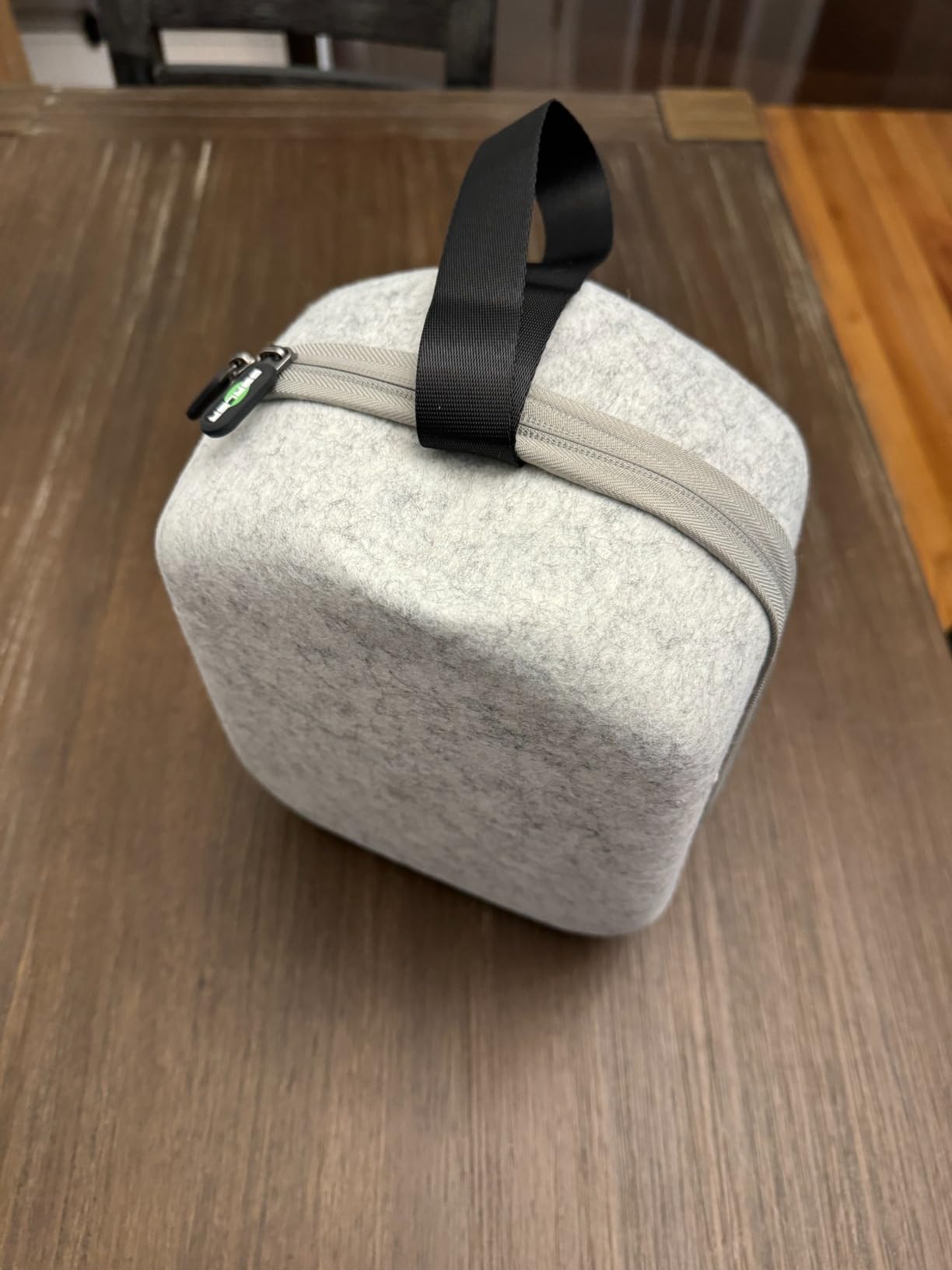
The Sarlar Hard Carrying Case has been my go-to travel case for the Quest 3 for the past three months, and with nearly 10,000 reviews it is clearly one of the most popular cases on the market. The high-density felt fabric exterior with hard shell construction has protected my headset through multiple trips, including being tossed in a checked bag on a flight.
Inside, the case has a well-organized layout with a fixed elastic band that holds the headset firmly in place. There are dedicated spots for the controllers and enough room for a charging cable and power adapter. The included lens protector is a thoughtful addition that keeps direct sunlight off your lenses when the case is open, which is important because sun damage can permanently ruin Quest 3 lenses.
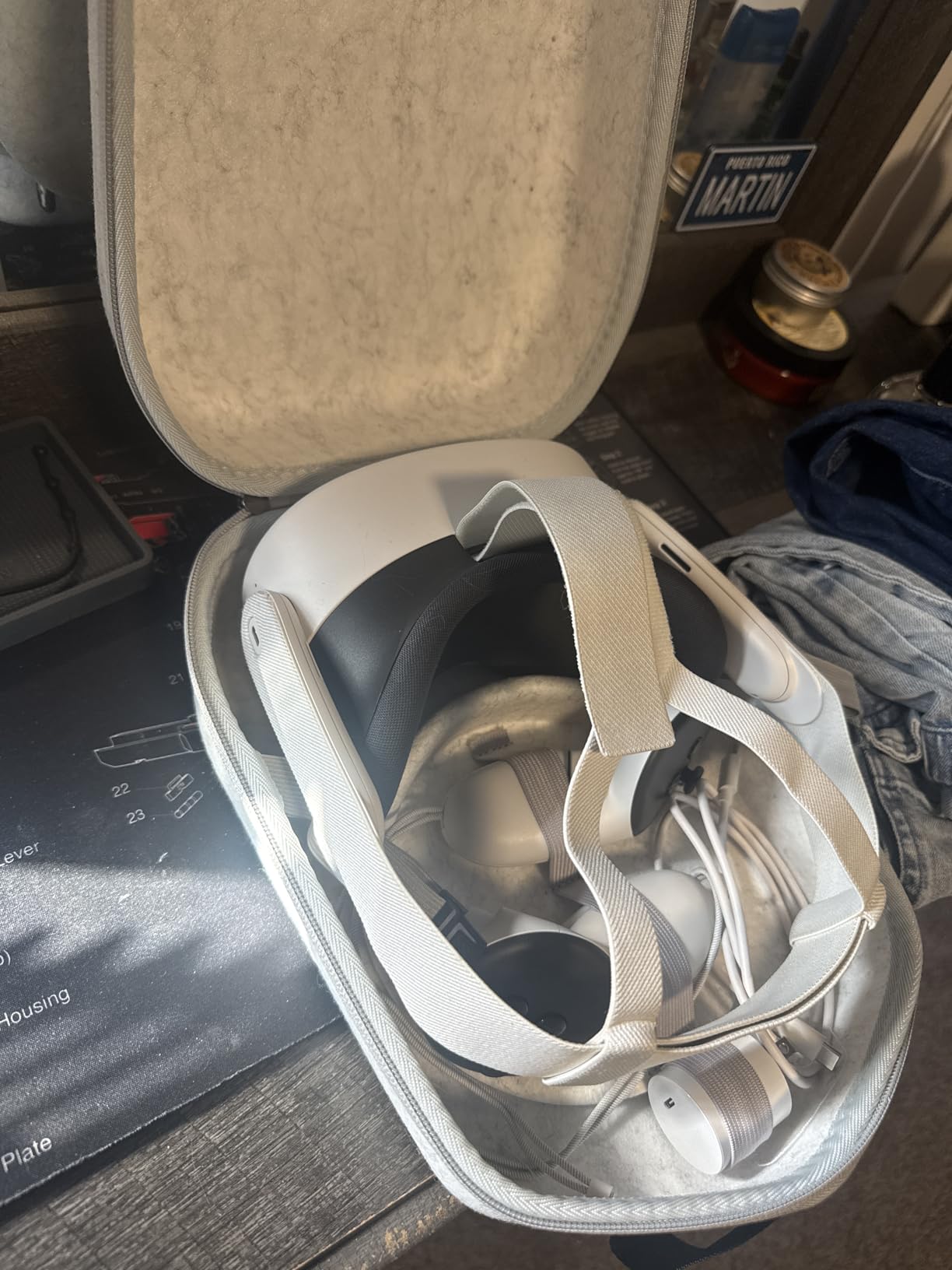
I appreciate that Sarlar used eco-friendly materials with no harmful odors, which is something I noticed immediately compared to cheaper cases I have tried. The hand-built, non-glue lamination construction feels solid and the zipper operates smoothly even after months of regular use. The case measures 11 x 7.9 x 4.7 inches, so it fits easily in a backpack or carry-on bag.
The main limitation to be aware of is fit with larger third-party head straps. If you are using a bulky battery strap like the BOBOVR S3 Pro or the Meta Elite Strap with battery, the case will be tight. I found it works best with the stock strap or the KIWI Design K4. With 77 percent five-star ratings, most users find it does exactly what they need.
Who should buy the Sarlar Carrying Case
This case is ideal for anyone who travels with their Quest 3 or wants safe home storage. It works perfectly with the stock strap or slim third-party straps and offers great protection for the price. If you take your headset to friends houses, on trips, or just want a dedicated storage spot at home, this is an easy recommendation.
Who should look elsewhere
If you use a large battery head strap or elite strap, the Sarlar case will be too tight. Users with extensive accessory collections including multiple cables, battery packs, and grip covers might also find the interior space limiting. In that case, look at a larger case specifically designed for loaded setups.
5. AMVR Upgraded Controller Grips Cover – Best Controller Grip Upgrade

AMVR Upgraded Non-Slip Controller Grips with Battery Opening for Quest 3/3S
Soft Silicone Material
Battery Door Access
Knuckle Straps Included
90g Per Pair
Pros
- Dramatically improves grip security
- Battery door makes swapping easy
- Knuckle straps prevent controller drops
- Easy one-piece installation
Cons
- Not compatible with some charging docks
- Battery compartment can be tight for some brands
If there is one Meta Quest 3 accessory I consider absolutely essential, it is controller grips. The first time a Touch Plus controller flew out of my hand during a particularly intense session of Blade and Sorcery, I immediately ordered a pair of AMVR grips. After testing them for six weeks, I can say they completely eliminate that problem.
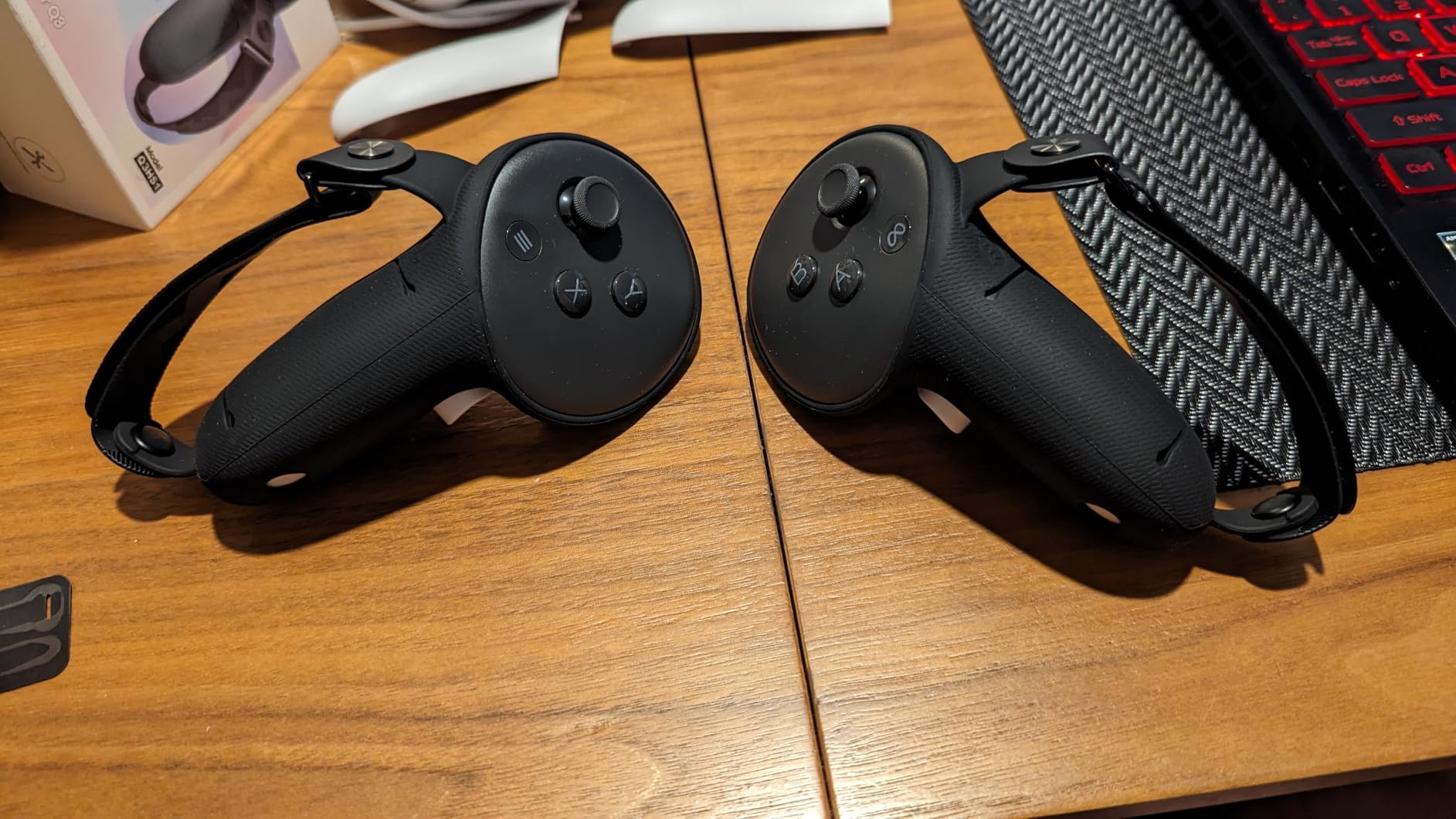
The soft silicone material feels premium and adds just the right amount of texture to keep the controllers secure in your hands. The adjustable knuckle straps are the real star here. They wrap around the back of your hand so you can actually let go of the controllers entirely during gameplay without them falling. This is a game-changer for games where you need to grab and throw objects.
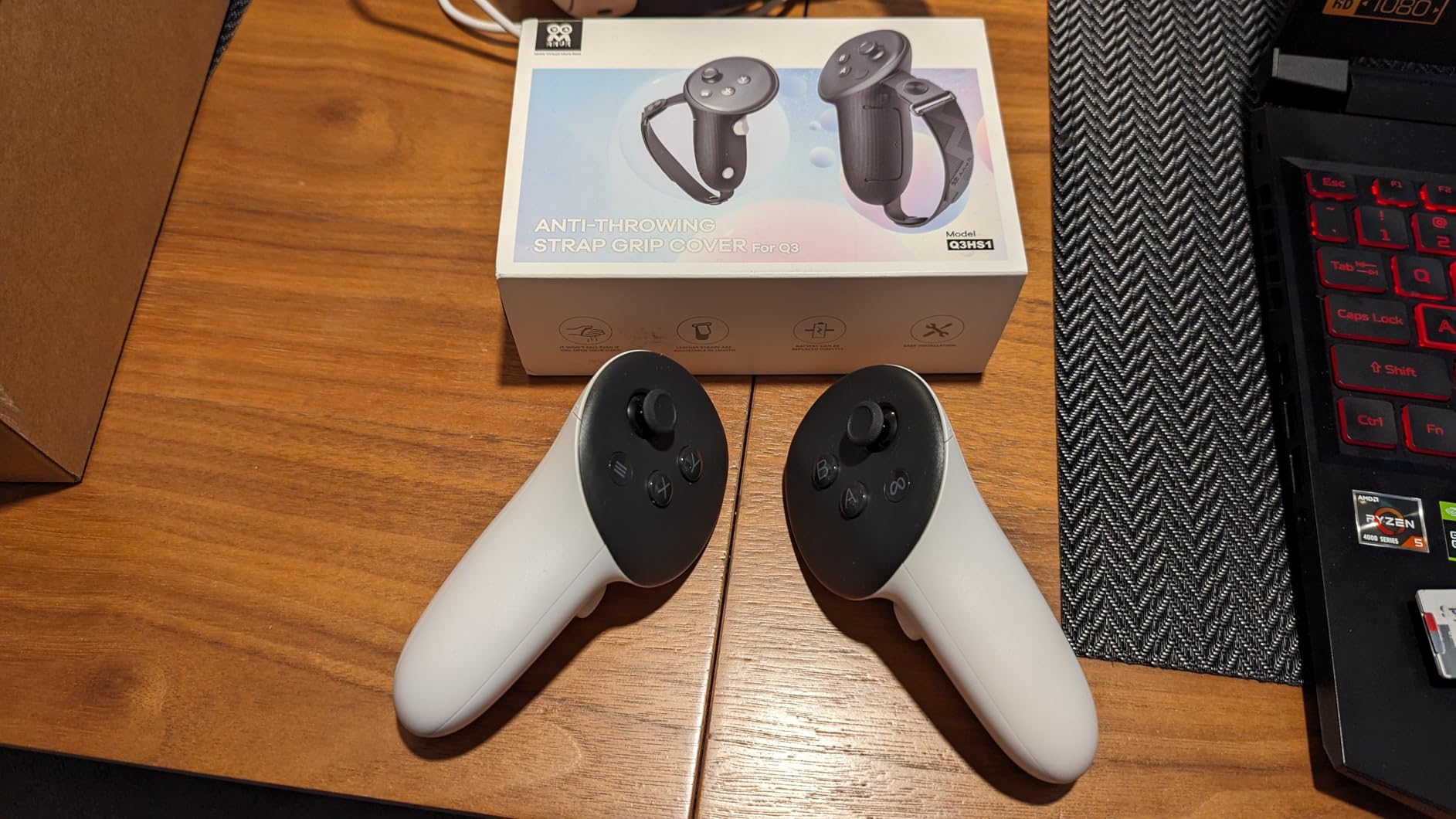
The battery door design on these grips is surprisingly well thought out. Instead of having to remove the entire grip cover to swap batteries, AMVR built a hinged door that gives you direct access to the battery compartment. This takes what used to be a 30-second process down to about 5 seconds. The nylon Velcro straps adjust to fit various hand sizes, and the rotatable rivets let you set the perfect angle for your grip.
Installation is straightforward with the one-piece design. You stretch the silicone over the controller ring and it snaps into place. The precision cutouts leave all the tracking LEDs, buttons, and triggers fully accessible. At just 90 grams for the pair, the added weight is barely noticeable. The reserved hole for the original wrist strap is a nice touch if you want dual security.
Who should buy the AMVR Controller Grips
These grips are essential for anyone who plays active VR games. If you play Beat Saber, Echo VR, Blade and Sorcery, or any game with fast controller movements, these will save your controllers from damage. They are also great for anyone who shares their Quest 3 with family members, since the adjustable straps accommodate different hand sizes.
Who should look elsewhere
If you use a magnetic charging dock that requires direct contact with the controller base, these grips may interfere. Some users with very small hands, especially children, might find the grip size a bit large. Also, if your primary use is casual seated experiences where controllers never leave your grip, you may not need the added security.
6. INIU Link Cable 16FT – Best PCVR Link Cable

INIU 16ft VR Link Cable with Separate Charging Port, USB 3.0 to USB C Cable
16FT USB 3.0 Cable
Charges While Playing
90-Degree USB-C
3 Year Warranty
Pros
- Charges headset during PCVR use
- 16ft length gives full room freedom
- Stable USB 3.0 data transfer for smooth gameplay
- Durable with 45000+ bend test rating
Cons
- Occasional connection resets may require reboot
- Needs a quality USB port for best performance
The INIU Link Cable solved one of my biggest frustrations with PCVR gaming: choosing between battery life and wireless freedom. This 16-foot USB 3.0 cable lets you connect your Quest 3 to your PC for PCVR gaming through Oculus Link or SteamVR while simultaneously charging the headset. If you are building a PCVR setup, check out our guide to the best PC for VR gaming to make sure your system can handle it.
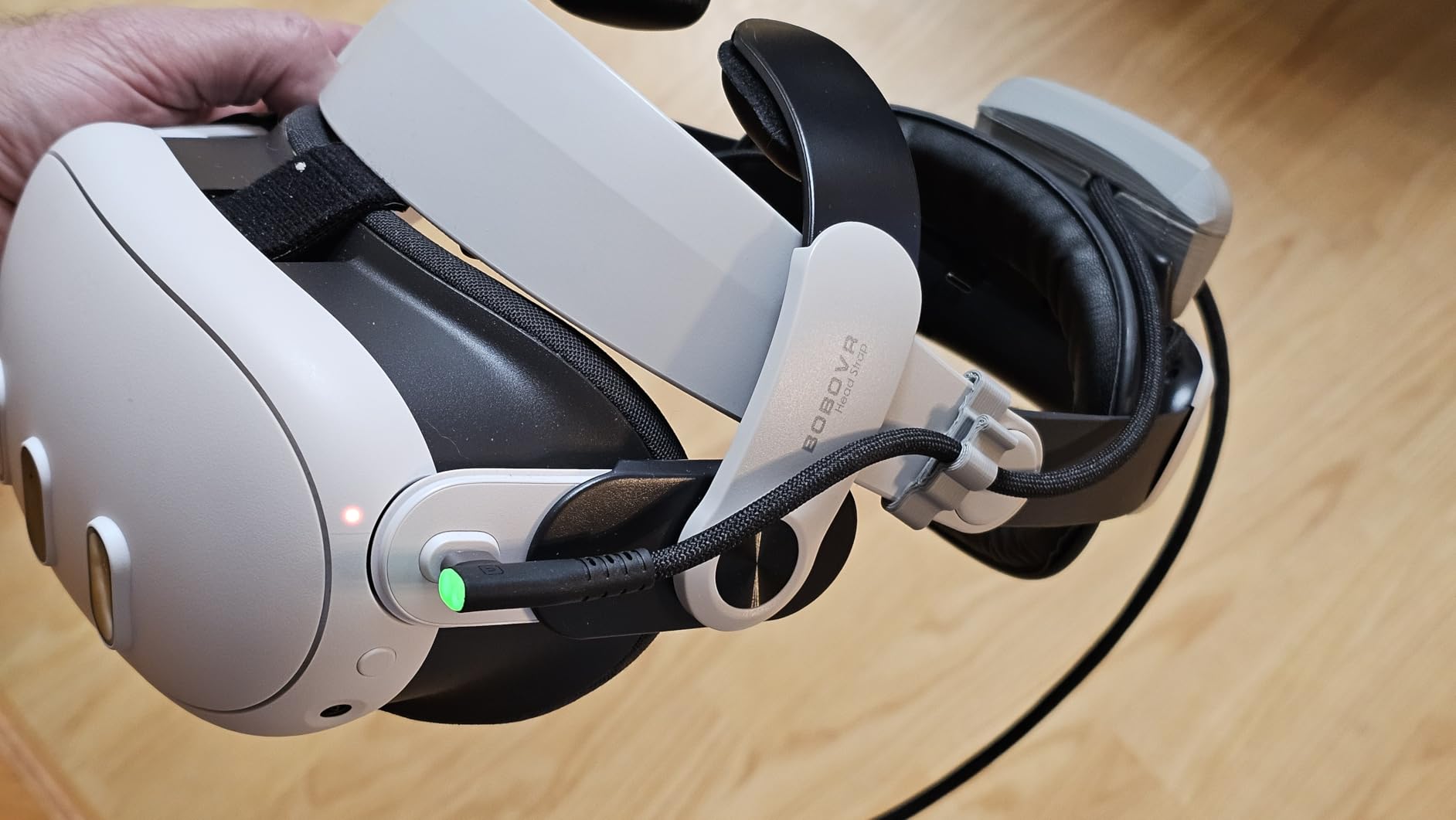
The 16-foot length gives you enough room to move around comfortably in a typical play space. The 90-degree USB-C connector sits flush against the headset, which prevents the cable from catching on your shoulder during movement. I also appreciate the sticky buckle clip that attaches to the head strap to take strain off the port.
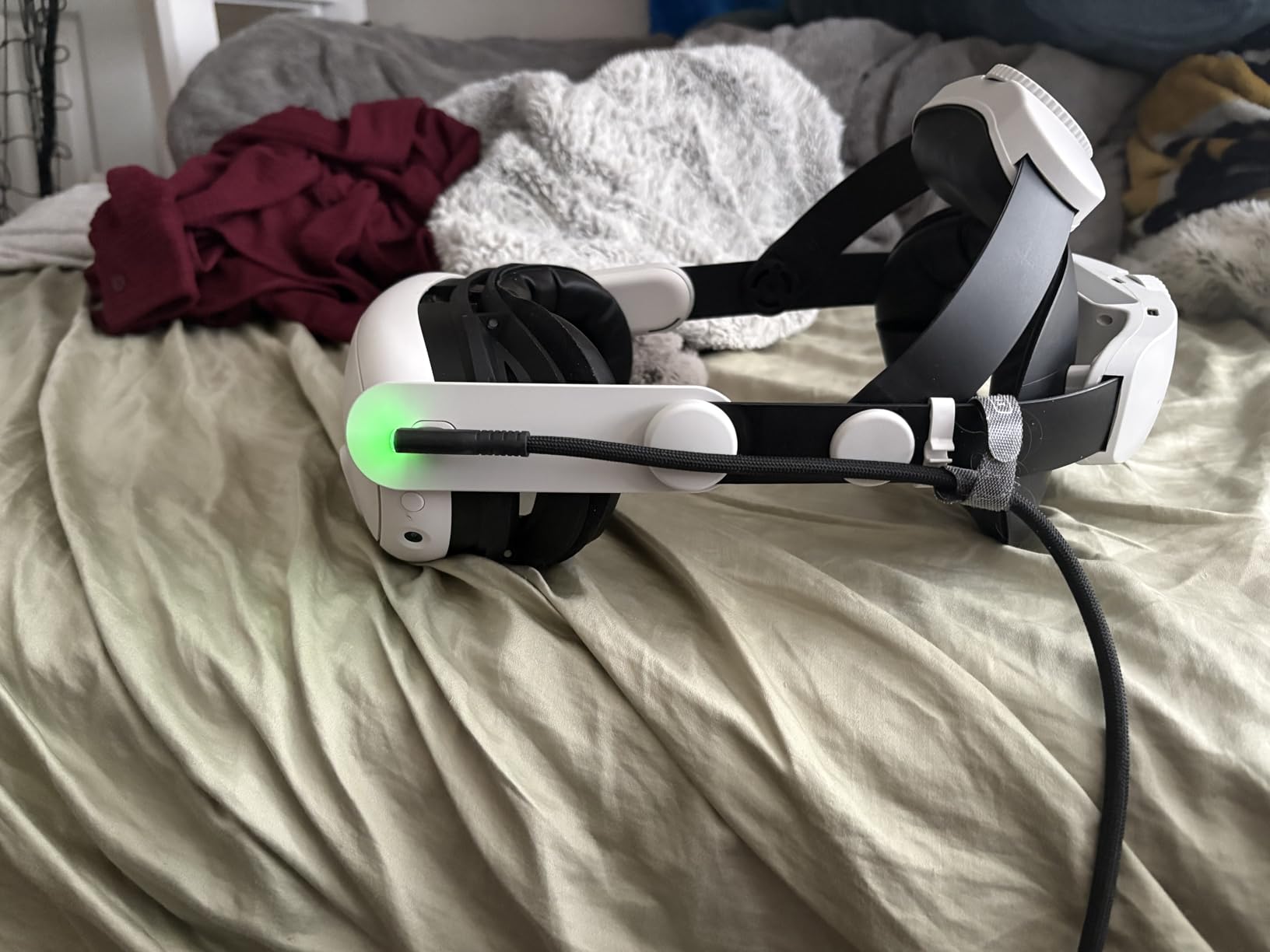
Data transfer is stable thanks to the USB 3.0 specification, and I noticed no compression artifacts or latency issues compared to my previous cable. The SmartProtect2.0 chip keeps charging safe by managing power delivery intelligently. The FLYWEAVE anti-wear coating on the cable exterior has held up well to regular use, and INIU claims it passed over 45,000 bend tests.
The one thing to be aware of is that you need a good USB port on your PC for reliable performance. I tried it first on a USB hub and got occasional disconnects. Plugging directly into the motherboard USB 3.0 port eliminated the issue entirely. The included 3-year warranty from INIU gives peace of mind for long-term use.
Who should buy the INIU Link Cable
This cable is a must-have for anyone who plays PCVR games through Oculus Link or SteamVR. The 16-foot length works well for most room-scale setups, and the simultaneous charging means you never have to stop playing because of a dead battery. It is also great as a backup connection option if you experience Wi-Fi issues with Air Link.
Who should look elsewhere
If you have a strong Wi-Fi 6E router and Air Link works perfectly for you, a link cable might be unnecessary. Users with very large play spaces might find 16 feet constraining. Also, if you exclusively play standalone Quest games, there is no need for a link cable at all.
7. CSHRUETEN Rechargeable Battery Pack – Best Controller Battery Solution

For Meta Quest 2/3/3S Controller Accessories Rechargeable Battery Pack with Charger, 4 Pack 1.5V 2400mAh Long-Lasting Battery with Charging Storage Box for Oculus Quest 2/3/3S Controller Accessories
4x AA Rechargeable Batteries
2400mAh Each
Storage and Charging Case
1.5V Constant Output
Pros
- Holds charge for extended periods
- Compact storage case doubles as charger
- 1600 charge cycles for long life
- Fast 2.5 hour full charge time
Cons
- Insulation caps must be removed before first charge
- Occasional quality control issues reported
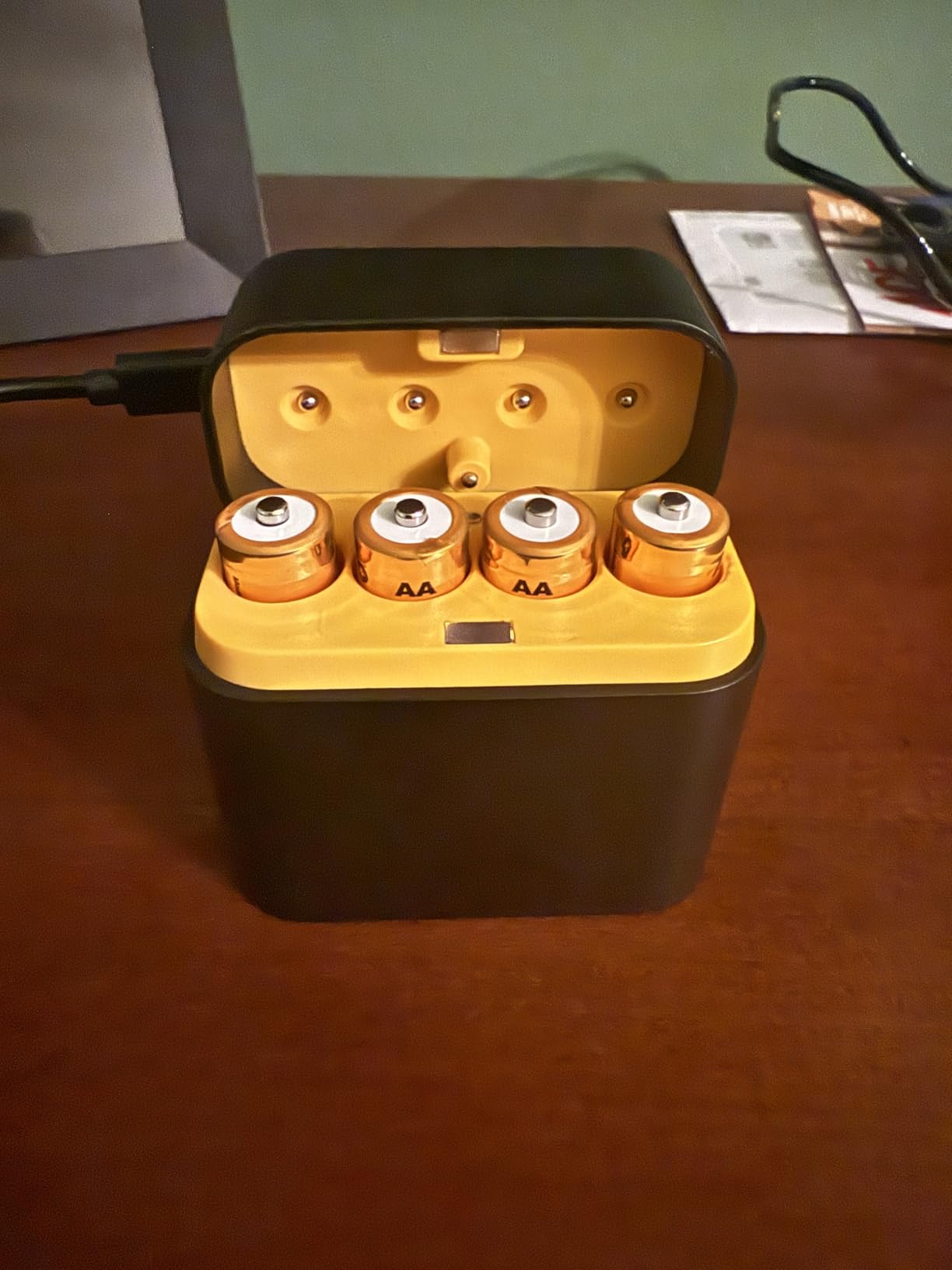
Buying AA batteries for Quest 3 controllers gets expensive fast, especially if you play daily. I switched to the CSHRUETEN rechargeable battery pack two months ago and have not bought a single disposable battery since. The kit includes four 2400mAh AA batteries and a compact charging and storage case that plugs in via USB-C.
The 1.5V constant output is important because Quest 3 controllers can be finicky about voltage. Some rechargeable batteries dip below 1.5V under load, which causes tracking issues. These maintain steady voltage throughout the discharge cycle, so your controllers track reliably from full charge until empty. The 0V activation feature is also smart, as it can revive batteries that have been fully drained and would not take a charge on standard chargers.
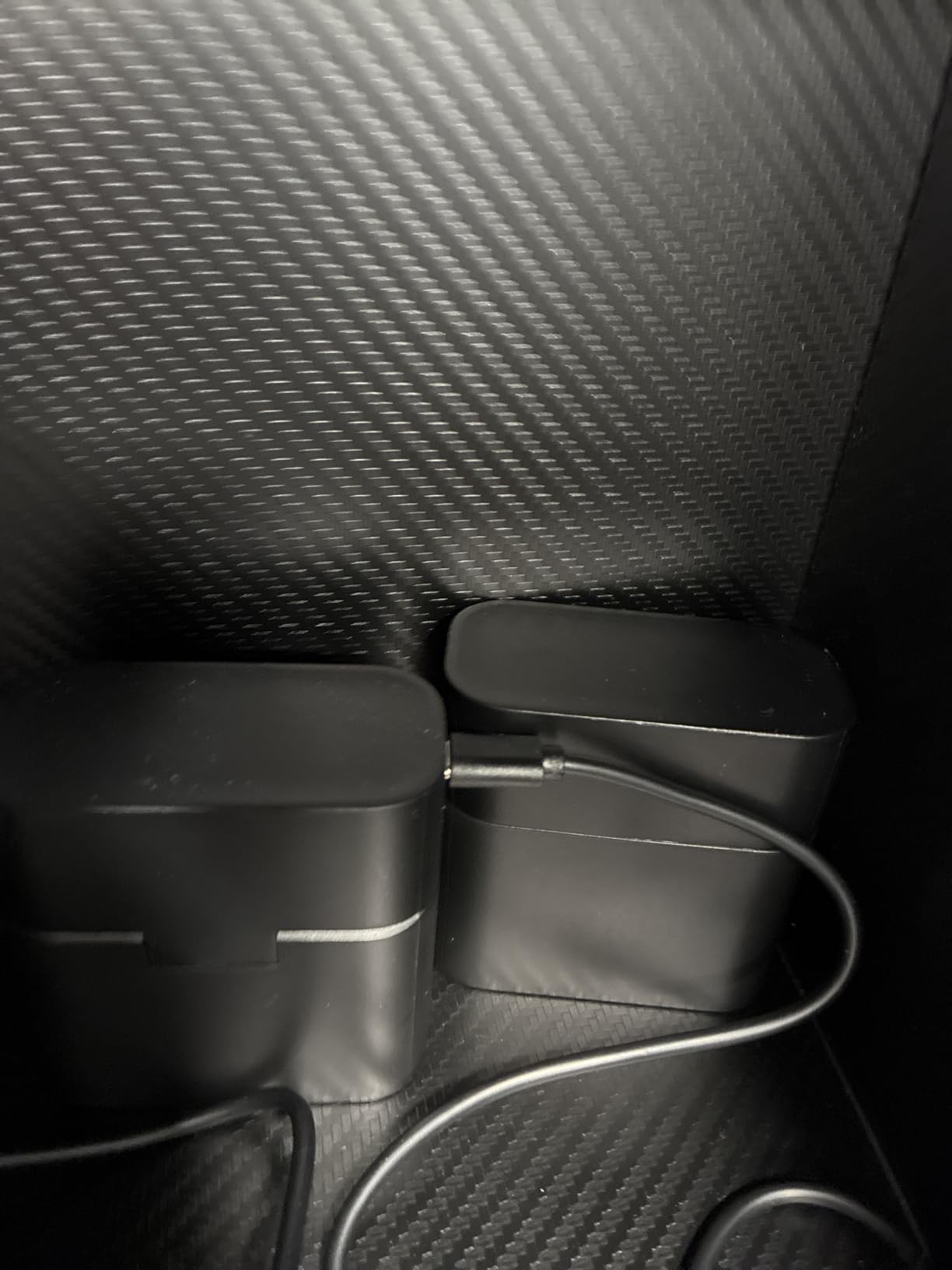
Each battery is rated for 1600 charge cycles, which means these will outlast your Quest 3. A full charge takes about 2.5 hours, and I found that one set lasts roughly 3 to 4 weeks of daily play in my experience. The storage case is compact enough to keep on your desk or nightstand, and it shows charging status with clear LED indicators.
The only thing to watch for is that the insulation caps must be removed before charging. It sounds obvious, but several reviewers mentioned this as a point of confusion. Once you know that, setup takes about 30 seconds. These batteries also work in Xbox controllers, clocks, remotes, and wireless mice, so you are not limited to just VR use.
Who should buy the CSHRUETEN Battery Pack
This kit is perfect for anyone who plays VR regularly and is tired of buying disposable AA batteries. It pays for itself within a couple of months if you play daily. The compact charging case makes it easy to keep spare batteries ready. It is also great for households with multiple VR headsets that all need AA batteries.
Who should look elsewhere
If you only play VR occasionally, disposable batteries might still be more convenient since they hold their charge longer in storage. Users who already have a preferred rechargeable battery brand and charger do not necessarily need to switch. Also, if you use a charging dock that has its own rechargeable battery system, these may be redundant.
8. AMVR RGB Charging Dock – Best Premium Charging Station
AMVR Magnetic Charging Dock Compatible with Meta Quest 3/3S, 30W Fast Charger VR Stand with 2 Rechargeable Controller Batteries, USB-C Port&Overcharge Protection, Space-Saving&Aesthetics, 6 RGB Modes
30W Fast Charging
Magnetic Dock
RGB Lighting
2 Rechargeable Batteries Included
Pros
- All-in-one charging for headset and controllers
- Magnetic snap connection protects port
- RGB lighting adds visual appeal
- USB 3.0 pass-through hub included
Cons
- Some users report inconsistent headset charging
- Battery straps may not charge through dock
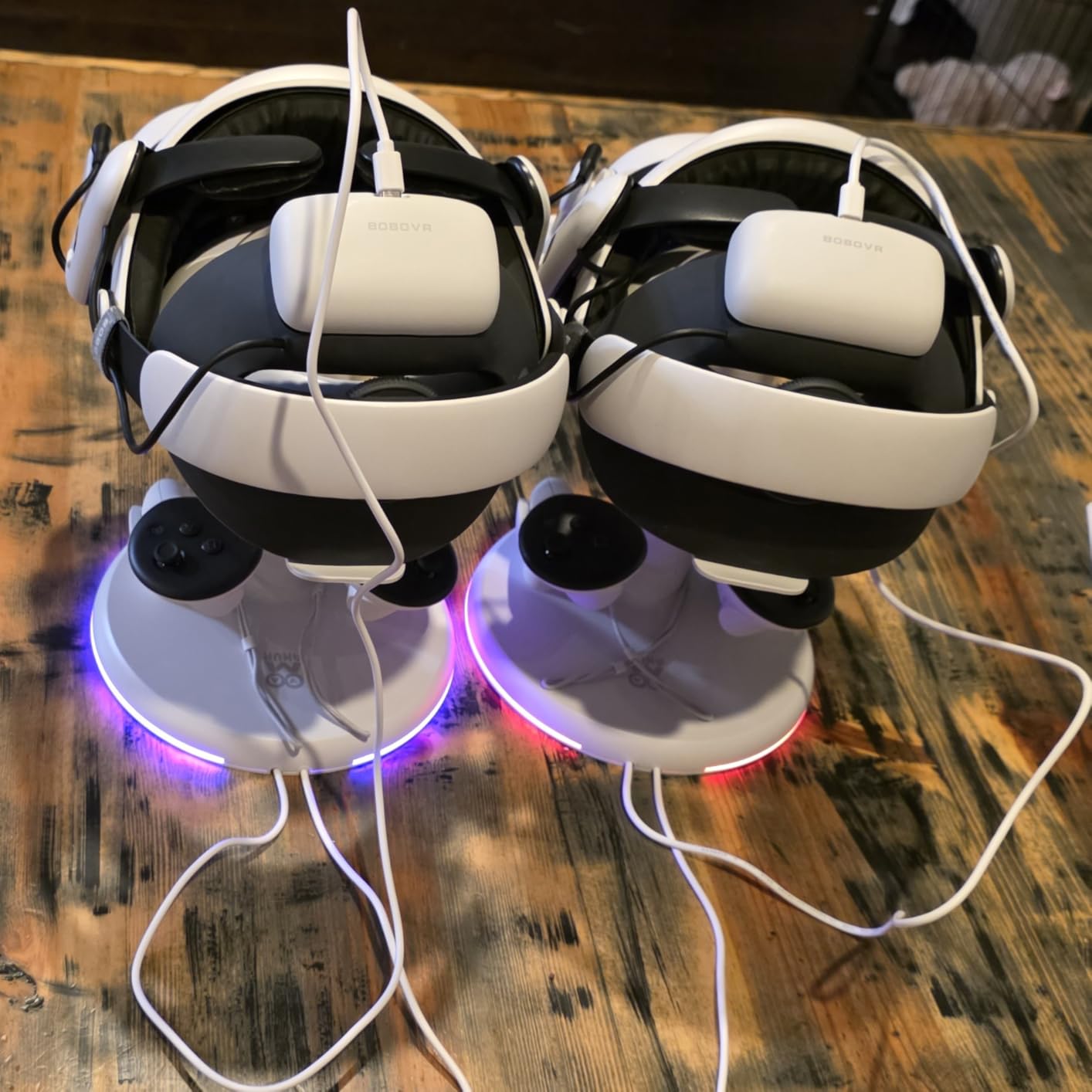
The AMVR RGB Charging Dock turns your Quest 3 setup from a cable mess into a clean, organized charging station. After using it for a month on my desk, I can say the convenience of dropping your headset and controllers onto the dock at the end of a session and having everything charged by the next day is genuinely nice.
The magnetic snap connection is the highlight. Instead of fumbling with a USB-C cable every time you want to charge, you just set the headset on the stand and the magnetic connector aligns and clicks into place automatically. This also protects your headset USB-C port from wear, which is a real concern if you plug and uncharge daily.
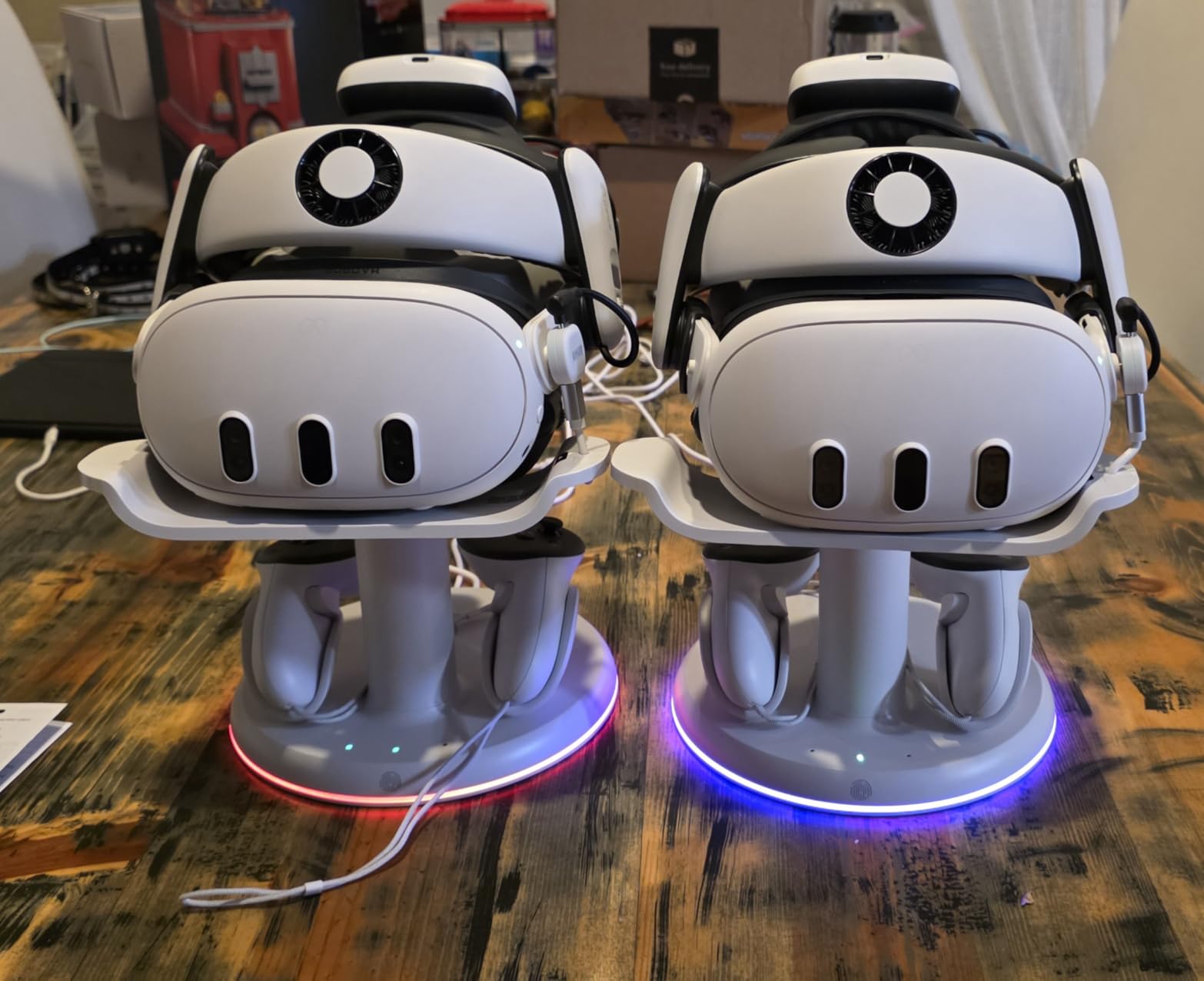
The included 33W PD adapter powers both the headset charging and the two controller batteries simultaneously. The headset charges in about 2 hours and the controller batteries in about 3.5 hours. The USB 3.0 pass-through port on the base is a thoughtful addition that lets you connect the dock to your PC for data transfer while it charges, essentially giving you an extra USB port.
The RGB lighting with 6 different modes is a fun touch that makes the dock look great on a desk or shelf. You can set it to a solid color, breathing effect, or color cycle. The vertical stand design saves desk space compared to laying the headset flat, and the white color matches the Quest 3 aesthetic. With 185 reviews it is a newer product, but the build quality feels solid.
Who should buy the AMVR RGB Charging Dock
This dock is ideal for anyone who wants a clean desk setup and hates dealing with cables. It is perfect for daily Quest 3 users who want to just drop and charge. The magnetic connection is especially appealing if you have worn out your headset USB-C port from frequent plugging. The included rechargeable controller batteries are a nice bonus that adds value.
Who should look elsewhere
If you use a large battery head strap, it may not fit properly on the dock. Some users report that their specific battery strap configurations prevent the magnetic connector from reaching the headset port. Also, at this price point, it is an investment that only makes sense if you charge your headset daily.
9. AMVR FC3 Facial Interface – Best Adjustable Facial Interface

AMVR FC3 Facial Interface with 2 Face Pad Only Compatible with Meta Quest 3
Knob Height Adjustment
Anti-Fog Vents
2 Face Pads Included
Glasses Friendly
Pros
- Knob adjustment for perfect fit and FOV
- Two face pad materials included
- Anti-fog ventilation design works well
- Significant comfort upgrade over stock
Cons
- NOT compatible with Quest 3S
- Slight light bleed at max height setting
The AMVR FC3 Facial Interface solves a problem I did not realize I had until I tried it: the stock Quest 3 facial interface is not adjustable. The FC3 has a knob on the front that lets you adjust how close the lenses sit to your eyes, which directly affects your field of view. I found my sweet spot about two clicks in from the default position, and the wider FOV was immediately noticeable.
The knob adjustment is particularly useful for glasses wearers. You can push the interface further from the lenses to accommodate your frames, then dial it back when playing without glasses. The three recommended marking positions give you good starting points to experiment with. The Y-shaped air vents reduce lens fogging effectively, which was a persistent issue for me with the stock interface during active games.
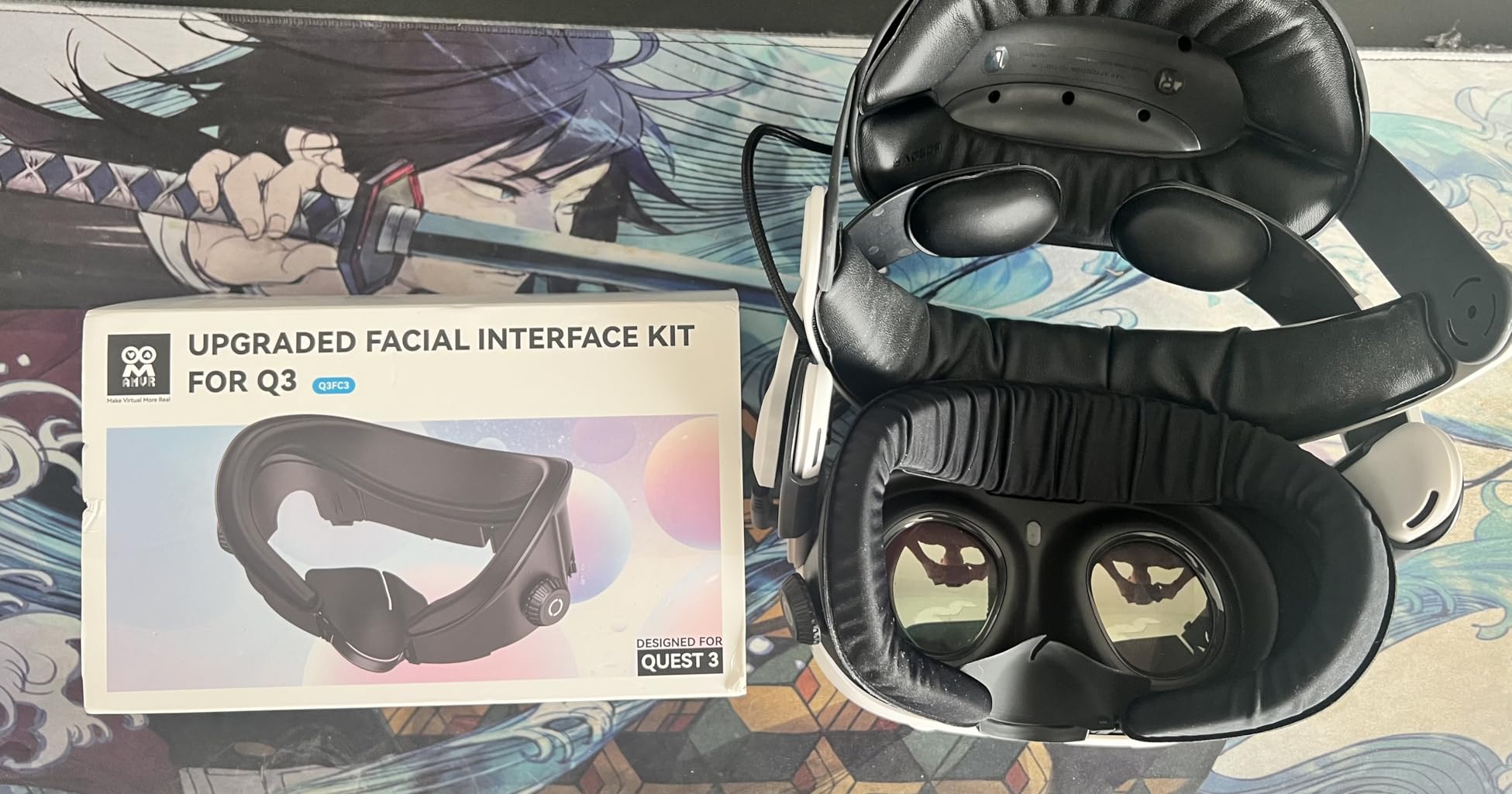
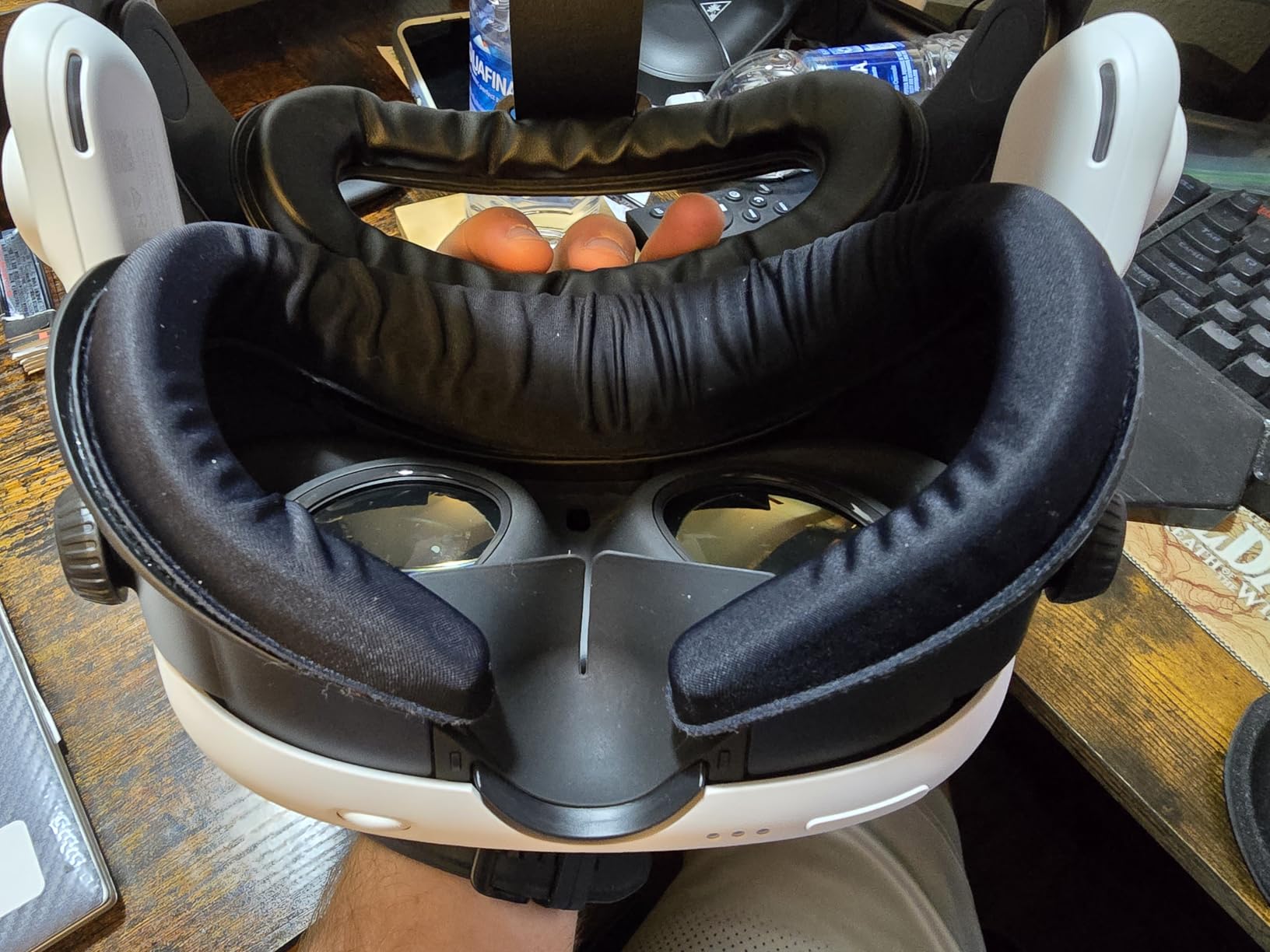
AMVR includes two different face pads: a PU leather pad for easy cleaning and an ice silk cotton pad for maximum comfort during long sessions. I switch between them depending on what I am playing. The PU leather is great for workouts since sweat wipes right off, and the ice silk pad feels luxurious for movie watching or seated games.
Installation is straightforward but takes about 5 minutes the first time. The interface snaps into the Quest 3 frame and the face pads attach via Velcro for easy swapping. The light-blocking nose guard included in the box does a good job of eliminating the gap that lets light in from below. Important note: this facial interface is NOT compatible with the Quest 3S, so double-check your headset model before ordering.
Who should buy the AMVR FC3 Facial Interface
This is ideal for Quest 3 owners who want to maximize their field of view and comfort. Glasses wearers will benefit greatly from the adjustable lens distance. If you experience lens fogging or want the option to switch between a workout-friendly pad and a comfort pad, the FC3 delivers on both counts.
Who should look elsewhere
If you own a Quest 3S, this interface will not fit your headset. Users who are perfectly happy with the stock interface and do not experience fogging or comfort issues may not see enough benefit to justify the cost. Also, if you play exclusively in a very bright room, the slight light bleed at maximum height adjustment could be noticeable.
10. Meta Quest 3 Silicone Facial Interface – Best Official Facial Pad

Meta Quest 3 Silicone Facial Interface
Genuine Meta Accessory
Soft Silicone Material
Light Blocker Design
Easy Wipe Clean
Pros
- Official Meta product with perfect compatibility
- Easy to clean and hygienic for sharing
- Durable silicone maintains shape over time
- Works with Meta Charging Dock and Carrying Case
Cons
- Premium price compared to third-party options
- Sweat can make silicone slippery during workouts
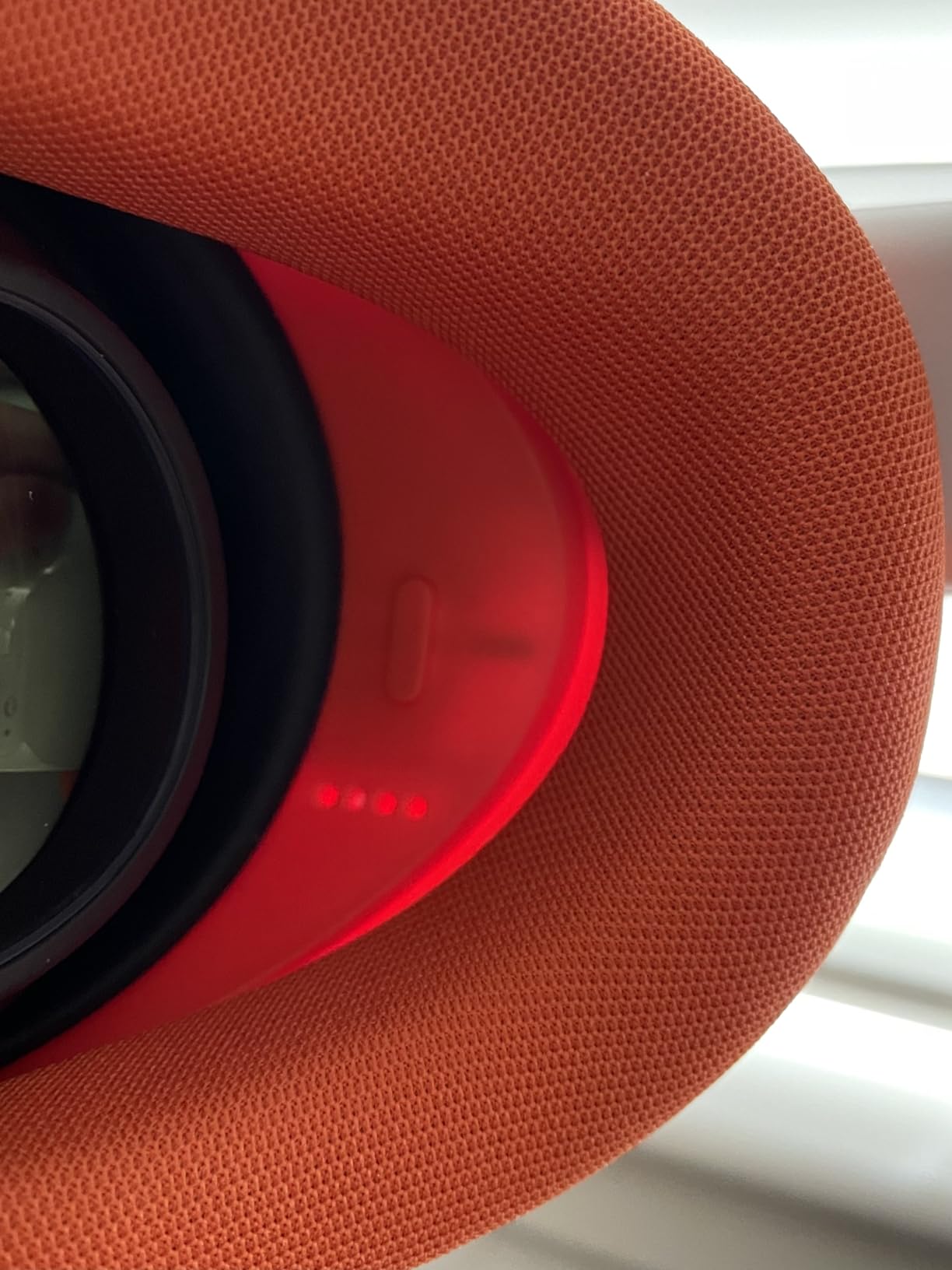
Sometimes the official product is actually the best choice, and the Meta Quest 3 Silicone Facial Interface proves it. After testing several third-party facial interfaces, I keep coming back to this one for its perfect fit, reliable compatibility, and premium feel. It is the facial interface Meta should have included with the Quest 3 in the first place.
The silicone material is cool against your skin and completely eliminates the sweat absorption problem of the stock foam pad. After a sweaty session of Supernatural or FitXR, you just wipe it down with a damp cloth and it is ready for the next person. This makes it ideal for households where multiple people share the headset.
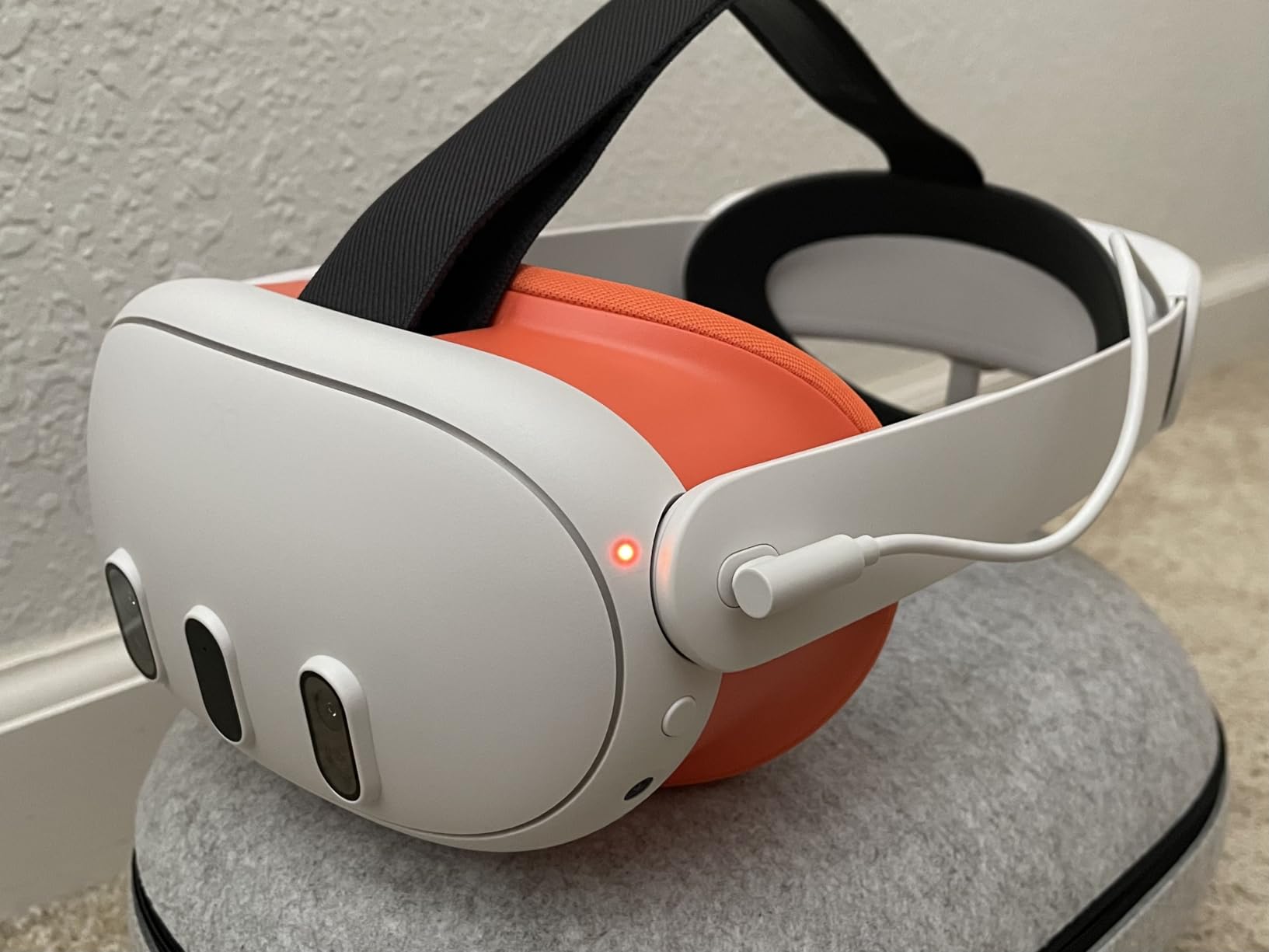
The light blocker design reduces glare from ambient light bleeding in around your face, which improves contrast and immersion. I noticed a meaningful difference in dark VR environments like The Walking Dead Saints and Sinners. The weight distribution is also more even than the stock pad, which reduces pressure points on your cheekbones.
Compatibility is where the official product really shines. It works perfectly with the Meta Quest 3 Charging Dock and the official Meta Carrying Case, which is something most third-party interfaces cannot guarantee. The one-year Meta warranty and guaranteed future firmware compatibility add peace of mind. The only real downside is the premium price tag.
Who should buy the Meta Silicone Facial Interface
This is the best choice for anyone who wants guaranteed compatibility and a hassle-free experience. It is perfect for households that share the headset since the silicone is easy to sanitize between users. If you use the official Meta Charging Dock or Carrying Case, this interface is the natural companion that ensures everything works together.
Who should look elsewhere
If you are on a budget, third-party silicone covers offer similar functionality at a lower price. Users who want adjustable lens distance or ventilation features should look at the AMVR FC3 instead. Also, if you do intense VR fitness and sweat heavily, the silicone can become slippery, so a fabric pad might work better for workout sessions.
11. YRXVW Silicone Cover Set – Best Budget Full Protection Kit

7-in-1 Silicone Cover Set for Meta/Oculus Quest 3, Not Fit Quest 3S
Complete Protection Kit
Face Cover, Shell Cover, Controller Grips
3x Tempered Glass Lens Protectors
Multiple Colors
Pros
- Complete all-in-one protection kit for Quest 3
- Includes tempered glass lens protectors
- Available in multiple colors
- Easy snap-on installation
Cons
- Does not fit Quest 3S
- Front cover may cause heat buildup
- Controller grips may interfere with magnetic chargers
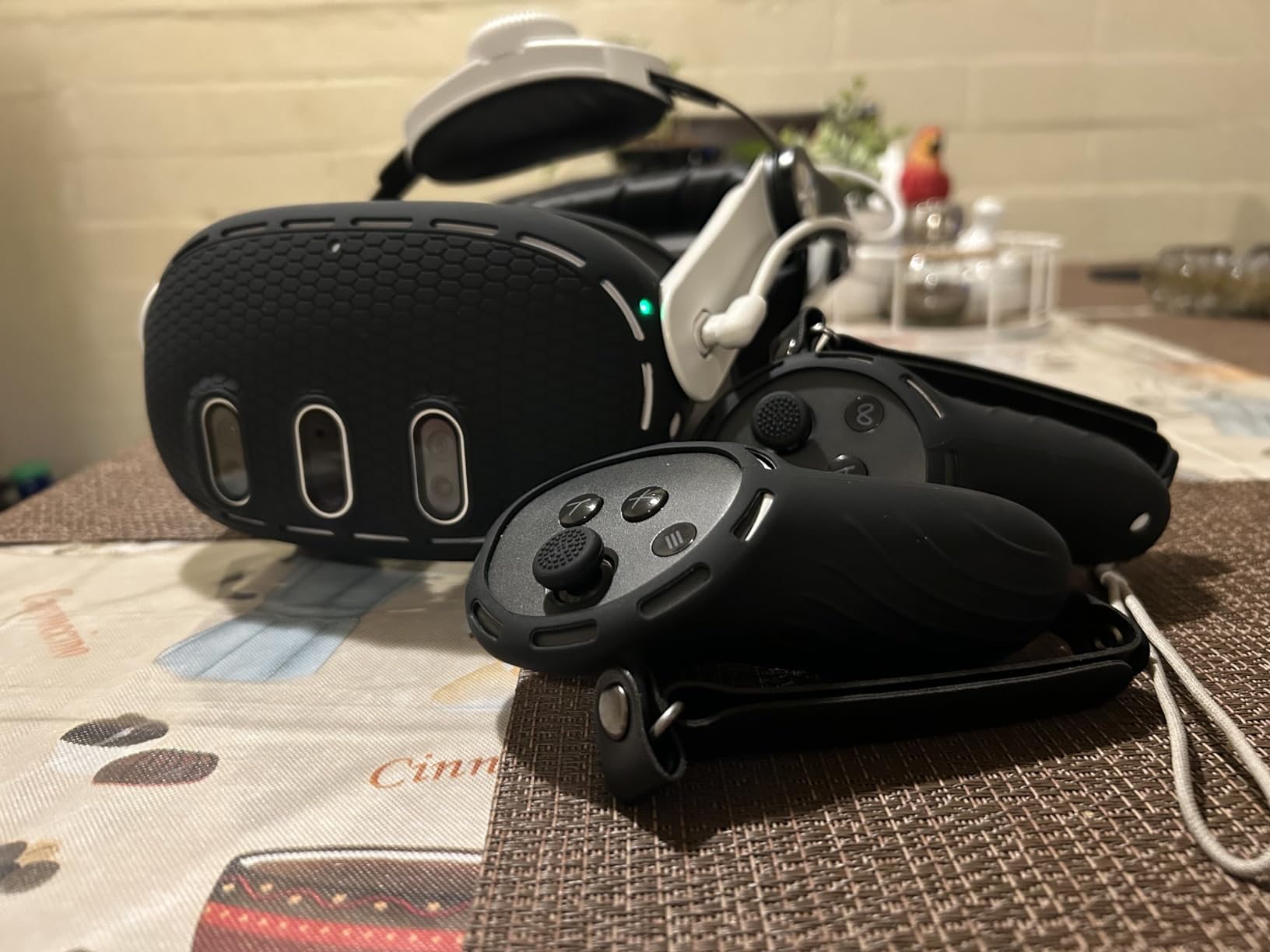
The YRXVW Silicone Cover Set is the ultimate budget bundle for Quest 3 protection. Instead of buying a face cover, shell cover, controller grips, and lens protectors separately, this kit includes everything in one box. I tested it for three weeks and found it offers solid basic protection across the board, though individual premium products do each job slightly better.
The VR silicone face cover is made from eco-friendly, washable material that snaps onto the existing facial interface. It reduces light leakage around the nose area better than I expected for the price, and it blocks the gap that sometimes lets in ambient light. The shell cover fits over the front of the headset with precise cutouts for the cameras and sensors.
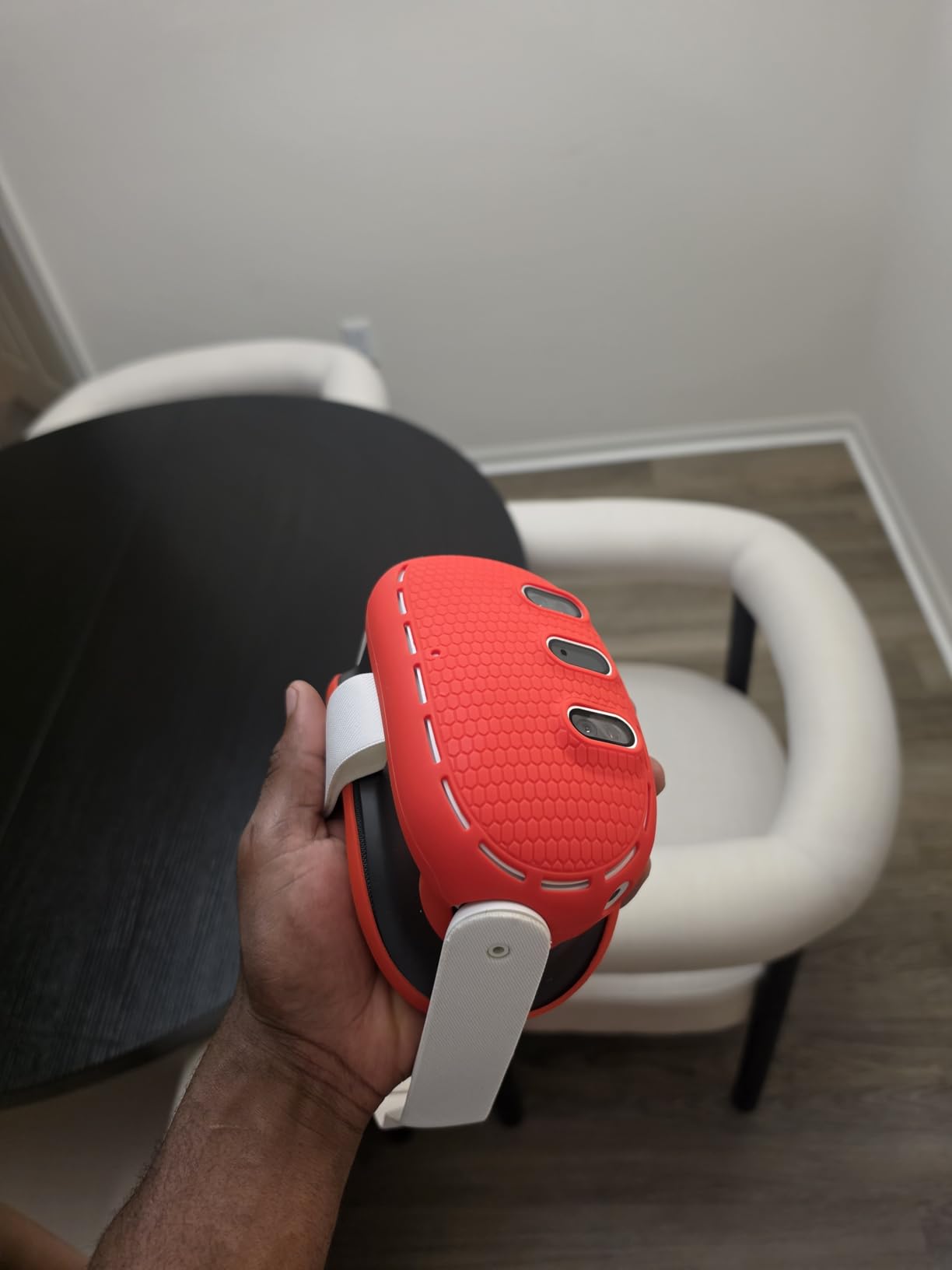
The three tempered glass lens protectors are probably the most valuable part of this kit. Quest 3 lenses are expensive to replace, and these tempered glass covers protect them from scratches without noticeably affecting visual clarity. Installation requires careful alignment to avoid bubbles, but once applied they are essentially invisible.
The controller grip covers use the same silicone material with adjustable hand straps. They offer decent grip enhancement, though they are not as refined as the dedicated AMVR grips. The cutouts for buttons and tracking LEDs are accurate, and the straps adjust to fit most hand sizes. For the price of one premium accessory, you get protection for your entire headset.
Who should buy the YRXVW Silicone Cover Set
This kit is perfect for new Quest 3 owners who want full basic protection without buying each piece separately. It is also great if you want to customize your headset with different colors. The lens protectors alone make this worth the price for most people, and everything else is a bonus.
Who should look elsewhere
If you already own some of the included items, the kit may be redundant. The individual components are not as premium as dedicated products like the AMVR grips or Meta facial interface. Also, the front shell cover may trap heat during extended sessions, which is worth noting for power users. This set does not fit Quest 3S either.
12. Krypthos Hard Carrying Case – Best Compact Travel Case

Hard Carrying Case for Meta Quest 3S/Quest 3/Quest 2/Vision Pro(Black)
EVA Hard Shell
8.8x8.4x4.5 Inches
Waterproof
Detachable Handle Strap
Pros
- Excellent impact and scratch protection
- Waterproof construction
- Compact enough for backpacks
- Includes lens cover for sun protection
Cons
- Only fits stock strap or slim head straps
- Limited space for accessories beyond basics
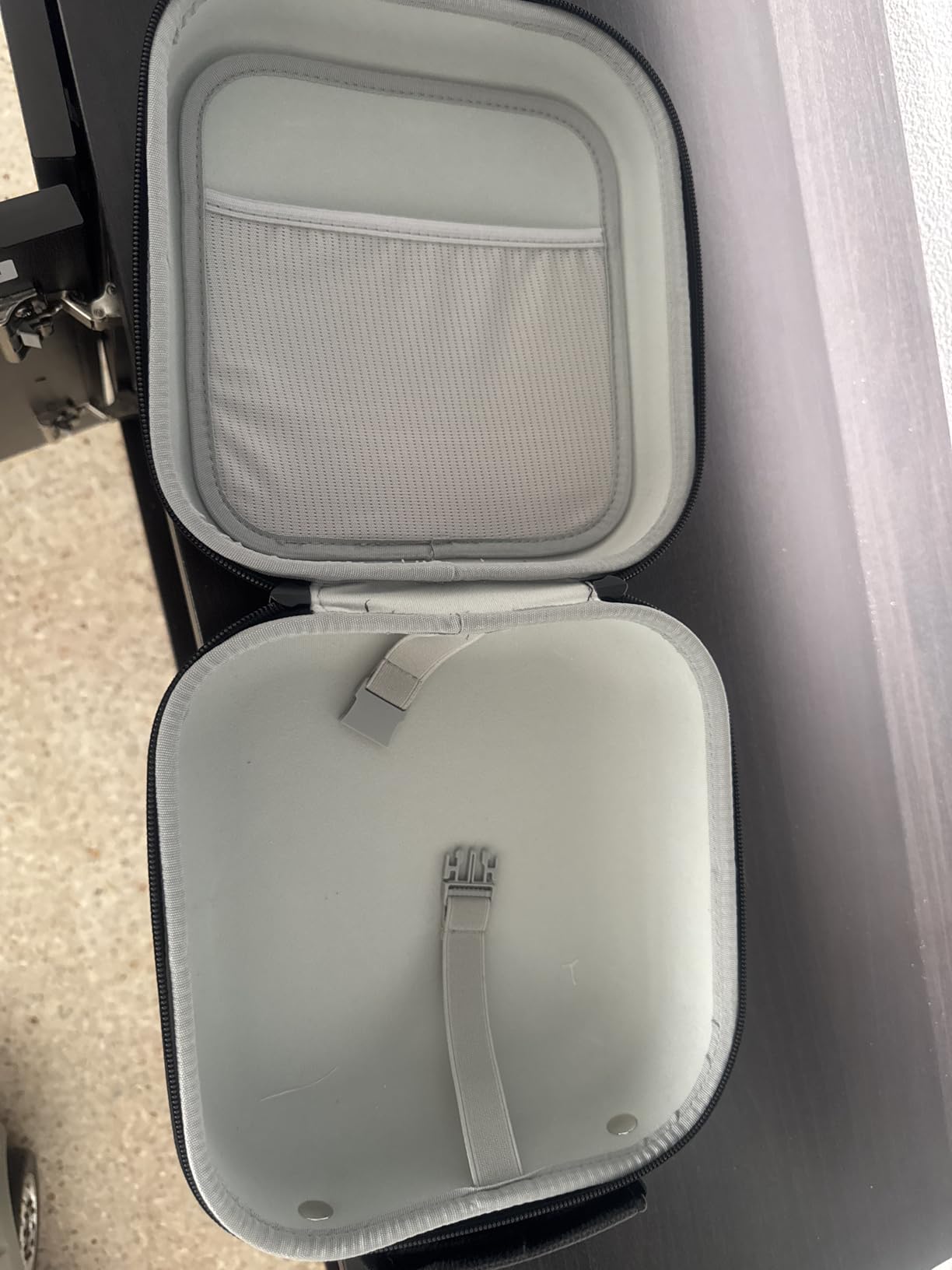
The Krypthos Hard Carrying Case is the case I grab when I want to travel light with my Quest 3. At 8.8 x 8.4 x 4.5 inches, it is noticeably more compact than the Sarlar case while still providing excellent protection. The high-density EVA shell has survived being knocked off a table and shoved into an overhead bin without any damage to my headset inside.
The waterproof exterior is a feature I did not think I needed until a water bottle leaked in my backpack during a trip. The headset was completely dry inside the case. The interior has a molded, soft lining that cradles the headset and controllers with dedicated storage for the charging cable and power adapter. A cardboard insert with elastic straps holds controllers or a charger in place.
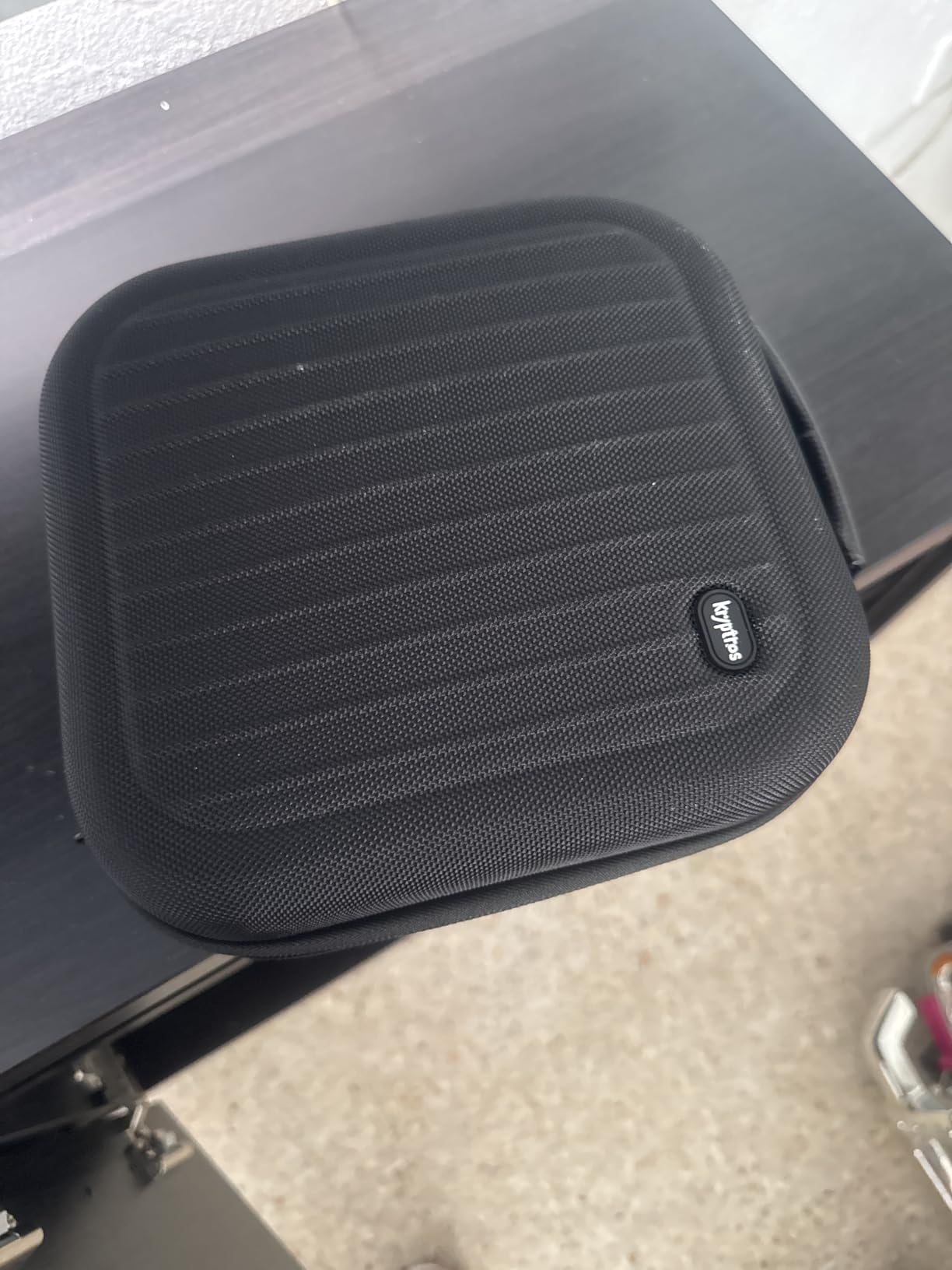
The included lens cover deserves special mention. It is a rigid cover that snaps over the Quest 3 lenses to protect them from direct sunlight exposure, which can permanently damage the LCD panels. If you have ever played VR outside or near a window, you know how quickly sun can hit the lenses. This cover gives you peace of mind when packing or displaying your headset.
The detachable handle strap can be configured as a carry handle or a shoulder strap, giving you flexibility in how you transport it. The case is slim enough to slide into most backpacks alongside a laptop, which makes it my preferred case for commute play sessions. The black colorway looks professional and the construction has held up to three months of weekly travel.
Who should buy the Krypthos Carrying Case
This case is ideal for anyone who travels frequently with their Quest 3 and wants maximum protection in a compact form factor. The waterproof construction makes it great for outdoor adventures or commuting in any weather. If you prefer a slimmer case that fits in your existing bag rather than a standalone carry case, the Krypthos is an excellent choice.
Who should look elsewhere
If you use an elite strap or large battery head strap, this case will not accommodate your setup. It is designed specifically for the stock strap or slim third-party straps. Users who need to carry extensive accessories like link cables, battery packs, and multiple grips will find the interior space limiting. In that case, the Sarlar case offers slightly more room.
Buying Guide: How to Choose the Best Meta Quest 3 Accessories
Not every accessory on this list is right for every Quest 3 owner. After testing all of these products, I want to share some practical guidance on how to build your ideal accessory setup without overspending on things you will not use.
Start with comfort and battery
The single biggest improvement you can make to your Quest 3 experience is upgrading the head strap. The stock strap works, but it concentrates all the headset weight on your face. A quality head strap like the KIWI Design K4 for pure comfort or the BOBOVR M3 Pro for battery life will transform how long you can play comfortably. I recommend starting here before anything else.
If you regularly play for more than 90 minutes, add a battery solution. You have two main options: a battery head strap like the BOBOVR S3 Pro that integrates the battery into the strap, or a separate power bank that connects via USB-C cable. Battery head straps are cleaner and more convenient, but they add weight to the strap. External power banks are cheaper and can power other devices too.
Quest 3 vs Quest 3S compatibility
This is a critical point that many buyers get wrong. The Quest 3 and Quest 3S share some accessories but not all. Both headsets use the same Touch Plus controllers, so controller grips and batteries work interchangeably. However, facial interfaces and head straps can differ between the two models. Always check compatibility before purchasing. For example, the AMVR FC3 Facial Interface explicitly does NOT work with the Quest 3S, while the BOBOVR straps support both models.
Protect your investment
A carrying case and lens protection are essential even for home users. Sun damage to Quest 3 lenses is permanent and not covered under warranty. A case keeps dust off the lenses and protects the headset from accidental drops. The Sarlar or Krypthos cases both offer excellent protection at reasonable prices. For lens protection, the tempered glass covers in the YRXVW kit are a smart preventative measure.
Controller upgrades matter
The Quest 3 Touch Plus controllers are good, but they lack the finger tracking loops of the older Quest 2 controllers. This means they can more easily slip out of your hand during active gameplay. A set of controller grips with knuckle straps, like the AMVR grips, costs very little and could save you from a broken controller. Pair them with rechargeable batteries like the CSHRUETEN pack and you eliminate the two biggest controller annoyances: dropping and dead batteries.
PCVR considerations
If you use your Quest 3 for PCVR through Oculus Link, a quality link cable like the INIU 16FT is important. While Air Link works well with a strong router, a wired connection is more stable and simultaneously charges the headset. Make sure your PC has a spare USB 3.0 port directly on the motherboard for the most reliable connection. For PCVR, having the right setup matters, and a dependable cable eliminates a common point of failure.
Budget-friendly starter bundle
If you are on a tight budget, here is the order I recommend buying accessories based on impact per dollar spent. First, grab the KIWI Design K4 head strap for immediate comfort improvement. Second, get the AMVR controller grips to protect your controllers. Third, pick up the Sarlar or Krypthos carrying case for storage and travel protection. These three items together will address the most common Quest 3 pain points without breaking the bank.
Frequently Asked Questions About Meta Quest 3 Accessories
What accessories should I get for Meta Quest 3?
The essential Meta Quest 3 accessories are a comfort head strap (KIWI Design K4 or BOBOVR M3 Pro), controller grips with knuckle straps (AMVR Controller Grips), a carrying case (Sarlar or Krypthos), and a silicone facial interface. These four items address the most common complaints about the stock experience: discomfort during long sessions, controller slippage, lens protection, and hygiene. Add a battery head strap if you play for more than 90 minutes at a time.
What accessories improve Quest 3 battery life?
The best Quest 3 battery accessories are battery head straps like the BOBOVR S3 Pro (10000mAh, adds 3-4 hours) and BOBOVR M3 Pro (5200mAh, adds ~2 hours). Both feature hot-swappable batteries so you can keep playing without stopping. Alternatively, the INIU Link Cable charges the headset during PCVR use, and any USB-C power bank can extend standalone playtime. The CSHRUETEN rechargeable battery pack solves the separate problem of controller battery life with 2400mAh AA batteries.
Are Meta Quest 3 accessories compatible with Quest 3S?
Some Meta Quest 3 accessories work with the Quest 3S and some do not. Controller accessories like grips, straps, and batteries are fully compatible since both headsets use identical Touch Plus controllers. However, facial interfaces and some head straps differ between models. Always check the product compatibility list before buying. For example, the AMVR FC3 Facial Interface explicitly states it is NOT compatible with Quest 3S, while BOBOVR straps support both models.
Do I need a battery head strap for Quest 3?
A battery head strap is not strictly necessary, but it is highly recommended if you play for more than 90 minutes per session. The Quest 3 battery typically lasts 2 to 2.5 hours on a charge. A battery head strap like the BOBOVR S3 Pro extends that to 5+ hours. If you primarily play in short 30-45 minute sessions, a non-battery comfort strap like the KIWI Design K4 is a better choice since it is lighter and less expensive.
Final Thoughts on the Best Meta Quest 3 Accessories
The Meta Quest 3 is an incredible VR headset, and the right accessories take it from good to outstanding. After testing these 12 products extensively, my top recommendation is the BOBOVR S3 Pro for users who want the best all-around battery strap, the KIWI Design K4 for pure comfort on a budget, and the AMVR Controller Grips for essential controller protection. Together, these three accessories solve the most common Quest 3 pain points and will noticeably improve your daily VR experience.
Start with the accessories that address your biggest frustrations, whether that is battery life, comfort, or controller security. You do not need to buy everything at once. Build your setup over time as you discover what matters most to your playstyle. The best Meta Quest 3 accessories are the ones you actually notice and appreciate every time you put on the headset.