
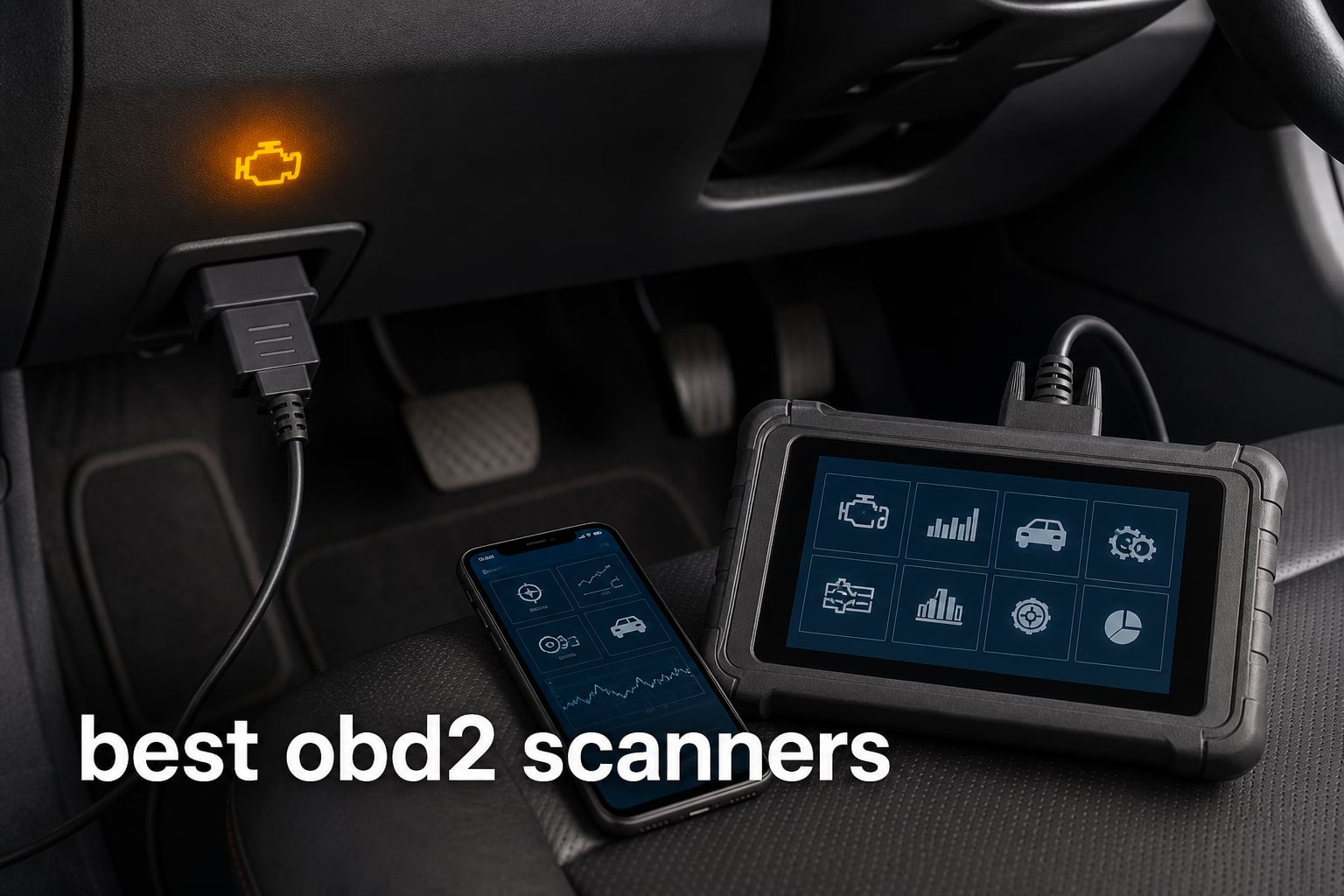
A check-engine light is a question, not a diagnosis. The best OBD2 scanners give a car owner a starting point by reading the diagnostic trouble codes stored by the vehicle computer, showing live data, and, on more capable tools, looking beyond the engine into systems such as ABS, SRS, and transmission.
An OBD-II scanner connects at the vehicle’s diagnostic port, which is often below the dashboard near the steering column. It can retrieve a code, show the conditions recorded when that code set, and report whether I/M readiness monitors are prepared for an emissions check; it cannot prove which part needs replacement without proper diagnosis.
I sorted these ten tools by the kind of question they can answer. BlueDriver Pro Next Gen is the clear fit for a phone-based, no-subscription reader with enhanced-system coverage, while THINKCAR 689BT, ANCEL DS500BT, and TOPDON VeriDiag X800 BT belong with users who need active tests, reset functions, and a dedicated tablet.
The distinction matters because a basic code reader can identify a generic powertrain DTC, while a full-system automotive diagnostic scanner may reach manufacturer-specific modules and command supported components during a test. Community discussions repeatedly warn about two traps: buying a tool that cannot access the needed module and discovering that the app reserves wanted functions behind a subscription.
Table of Contents
The top 3 OBD2 scanners are the THINKCAR 689BT, BlueDriver Pro Next Gen, and UMEIJA Bluetooth Scanner
These three picks cover a broad professional tablet, a proven phone-first enhanced code reader, and a compact entry-level option. Choose by diagnostic depth rather than by a feature list alone.
These OBD2 scanners cover basic code reading through full-system active testing in 2026
The overview makes the divide easy to see. A phone-based dongle is convenient for routine check-engine investigation and live gauges, whereas tablet and handheld tools can offer service functions, broader module coverage, or bidirectional control when a vehicle supports them.
| Product | Specifications | Action |
|---|---|---|
 THINKCAR 689BT THINKCAR 689BT |
|
View Details |
 ANCEL DS500BT ANCEL DS500BT |
|
View Details |
 TOPDON VeriDiag X800 BT TOPDON VeriDiag X800 BT |
|
View Details |
 BlueDriver Pro Next Gen BlueDriver Pro Next Gen |
|
View Details |
 BLCKTEC 440 BLCKTEC 440 |
|
View Details |
 BLCKTEC 460T BLCKTEC 460T |
|
View Details |
 TOPDON CarPal TOPDON CarPal |
|
View Details |
 UMEIJA Bluetooth Scanner UMEIJA Bluetooth Scanner |
|
View Details |
 Innova 1000 Innova 1000 |
|
View Details |
 TOPDON TopScan Lite TOPDON TopScan Lite |
|
View Details |
1. THINKCAR 689BT is the broadest dedicated-tablet choice for active testing and ECU coding
THINKCAR Bidirectional OBD2 Scanner Diagnostic Tool 689BT – All System Scan Tool with Bluetooth 5.0, 3000+ Active Tests,ECU Coding, 34+ Services, FCA, CAN-FD and DoIP, Wireless Update
8 inch Android tablet
3,000+ active tests
34+ service functions
Pros
- All-system diagnostics
- 3
- 000+ active tests
- ECU coding
- 34+ services
- 8 inch touchscreen
Cons
- Returned-unit reports in reviews
- Vehicle-specific feature coverage
I would put the 689BT first on a shortlist when the job is bigger than reading and clearing an engine code. Its listing covers all-system diagnostics for the engine, transmission, ABS, SRS, and TPMS, plus more than 3,000 active tests and 34-plus service functions.
That scope is why it suits an experienced DIYer, a multi-vehicle household, or a small repair operation that wants a professional OBD2 scanner without relying on a phone as the main display. The 8-inch Android 10 tablet and Bluetooth 5.0 connection keep the screen in hand instead of tethered under the dash.
Active tests are the deciding feature here. Where a standard OBD2 code reader reports what the ECU saw, bidirectional control can command a supported component or system so the user can observe its response before treating a stored code as a parts list.
Full-system depth is the reason to choose the 689BT
The listing includes CAN-FD and DoIP support, which matters for some newer vehicle communication systems. ECU coding is also listed, but coding support is vehicle- and function-dependent, so I would confirm a specific make, model, year, and intended procedure before buying for that task.
The screen size is a practical strength for live data PIDs, scan reports, and long repair sessions. It avoids the small-screen compromise of a dongle, although it is less pocketable than a phone-based scanner.
Vehicle-specific function checks should come before an advanced-tool purchase
The 12-month warranty and vehicle-specific fit designation deserve attention. A powerful tablet cannot make an unsupported vehicle module perform an active test, reset, or coding action.
Review data is very positive at 4.9 from 116 reviews, yet one reported concern involves receiving a used or returned device. Inspect the unit, accessories, and setup status when it arrives, then test connection and updates while the return window is open.
2. ANCEL DS500BT is a strong wireless full-system scanner with lifetime updates
ANCEL DS500BT Bidirectional Scan Tool, Full-System OBD2 Diagnostic Scanner with 3000+ Active Tests, 28+ Service Functions, Lifetime Free Updates & CAN FD
7 inch Android tablet
3,000+ active tests
28+ service functions
Pros
- Wireless Bluetooth VCI
- Full-system diagnostics
- 28+ services
- Lifetime free updates
- Shareable reports
Cons
- Functions vary by vehicle
- Seven inch screen
The ANCEL DS500BT answers the shopper who wants a dedicated scan tool but puts ongoing updates high on the list. It pairs a 7-inch Android 10 tablet with a Bluetooth 5.0 VCI and lists lifetime free updates, a meaningful distinction for buyers who dislike recurring access decisions.
Its stated capabilities include full-system diagnostics, bidirectional controls, 3,000-plus active tests, 28-plus maintenance services, and CAN-FD support. I would see it as a middle ground between a simple Bluetooth OBD2 scanner and a larger shop-oriented tablet.
The shareable diagnostic-report feature is useful when a vehicle owner wants to document findings for a mechanic or compare a scan after a repair. It does not replace a repair manual or a confirmation test, but it helps turn a vague dash warning into a record with codes and system information.
Wireless operation makes the DS500BT easier to use around a vehicle
The battery-powered tablet, case, charger, and cable listed in the box make this a self-contained package. That setup can be more comfortable than balancing a laptop or phone in the driver footwell while watching live sensor values.
For diagnosis, watch the data that relates to the code rather than staring at every graph. Freeze-frame data can show the operating conditions when a DTC was stored, while a live-data check can reveal whether a sensor reading changes plausibly after the engine is warm.
Service coverage varies by vehicle, so confirm the needed task first
ANCEL directly notes that coverage depends on the make, model, year, and system configuration. The safest pre-purchase question is specific: can this scanner run the exact ABS bleed, battery registration, throttle adaptation, or active test required for my vehicle?
The 4.6 rating comes from 1,109 reviews, offering a larger review base than several tablet competitors in this list. For a capable wireless tool with listed lifetime updates, it is one of the more balanced choices.
3. TOPDON VeriDiag X800 BT is a compact tablet for current-protocol diagnostics
TOPDON X800BT OBD2 Scanner, Bidirectional Scan Tool, 34 Reset Service
6 inch Android tablet
Active tests
34 reset services
Pros
- 34 reset services
- Full-system diagnostics
- CAN-FD support
- 33 foot Bluetooth range
- Two years free updates
Cons
- Some protocol access may need extra purchase
- Menus vary by vehicle
The VeriDiag X800 BT is the tablet I would compare first with the DS500BT if support for newer protocols matters. TOPDON lists CAN-FD plus FCA, Renault/Nissan, and SFD Gateway support, with a 6-inch HD display, 2GB RAM, 64GB storage, and Bluetooth 5.0 reaching up to 33 feet.
It also lists full-system scanning, bidirectional active testing, and 34 reset services. Those are serious capabilities in a 2.9-pound unit, though the smaller display trades some readability for a more compact case.
This model entered availability in February 2026, so its 40-review sample is much smaller than mature tools on this list. Its rating is 4.6, but I would give more weight to a vehicle-coverage check than to an early aggregate rating.
Newer protocol support is the X800 BT’s standout consideration
CAN-FD is common in discussions about newer vehicle communication, but no protocol label by itself promises access to every module or function. A secure gateway may still require authorization, and the scanner listing says some protocol access can involve an additional purchase.
The remote-assistance capability and wireless connection may help a user share what appears on the tool. That is useful for explaining a reading, although any remote helper still needs the vehicle details and code context to make sense of the result.
The compact screen suits mobile work more than dense data review
A 6-inch screen is enough for code details and individual parameter graphs. If you routinely compare several PIDs, read wiring information, or prepare reports at the vehicle, a bigger tablet such as the THINKCAR may be easier to live with.
Before choosing this TOPDON, list the reset and diagnostic modules you actually need. Its menu may change by vehicle, so the total count of services is less important than the services that apply to your car.
4. BlueDriver Pro Next Gen is the best phone-based no-subscription scanner for most owners
BlueDriver OBD2 Scanner Bluetooth, No Subscription, ABS SRS TPMS
iOS and Android
ABS SRS TPMS diagnostics
No subscription
Pros
- No subscription
- Repair reports
- Enhanced-system codes
- iPhone and Android
- Live data
Cons
- Gas vehicles 1996+ only
- Depends on phone app
BlueDriver Pro Next Gen is the simplest recommendation for a driver who wants a serious check-engine light scanner without carrying a separate display. It plugs into the vehicle, communicates with iPhone or Android through its app, and lists live data, freeze frame, smog readiness, and repair reports.
It goes beyond generic engine codes by listing enhanced diagnostics for ABS, SRS, TPMS, and transmission systems. That is why BlueDriver appears often in owner discussions: the app can translate a code search into technician-verified repair reports matched to the VIN.
The key ownership point is explicit: no subscription fee. The listing reports coverage for gas vehicles from 1996 onward and names GM, Ford, Stellantis, Toyota, Honda, Nissan, Mazda, Subaru, Hyundai, Mercedes-Benz, BMW, and VW among supported brands.
The repair-report app is BlueDriver’s main practical advantage
A code such as P0301 tells you the computer detected a cylinder-one misfire; it does not tell you whether the root cause is ignition, fuel, air, compression, or wiring. A useful repair report gives the owner better questions to ask and better starting checks to make.
The app also gives a clean way to watch live vehicle data without a handheld scanner. I would save a scan before clearing any code, because clearing can remove useful freeze-frame evidence and reset readiness monitors.
Gas-vehicle coverage and phone comfort decide whether BlueDriver fits
BlueDriver is limited to gas vehicles from 1996 onward and select light-duty trucks according to the listing. Confirm the exact vehicle before ordering, especially if the car is diesel, unusually old, or outside the named coverage.
Its 4.5 rating is based on 62,889 reviews, the largest review count here by a large margin. Buyers who want active tests, ECU coding, or a stand-alone tablet should move up to a dedicated full-system tool instead.
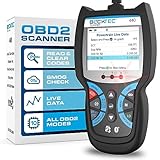
5. BLCKTEC 440 is a simple display scanner for live data and readiness checks
BLCKTEC 440 Bluetooth OBD2 Scanner Diagnostic Tool – Car Code Reader and Scanner for Car – Comes with Live Data – Battery/Charging System Test – Works for All OBD Compliant Cars 1996 & Newer
2.8 inch color screen
Live data
Battery and charging test
Pros
- Live-data graphing
- Battery test
- I/M readiness LEDs
- Plug-and-play
- Free lifetime updates
Cons
- Basic diagnostic scope
- Small 2.8 inch screen
The BLCKTEC 440 is a practical answer for someone who wants a self-contained reader but does not need active testing. Its 2.8-inch color screen, plug-and-play connection, battery and charging-system test, and color-coded I/M readiness indicators focus on routine ownership tasks.
It supports OBD-compliant vehicles from 1996 and newer and includes Bluetooth app connectivity, though the on-tool screen means a phone is not required for a basic scan. At 7.8 ounces, it is also an easy tool to keep in a glovebox or garage drawer.
This is a basic scanner compared with the bidirectional models above it. That is not a flaw if the goal is to read and clear engine-related information, check battery health, review a live data graph, and see whether readiness monitors are set.
Readiness indicators make the 440 useful before an emissions inspection
I/M readiness monitors are self-checks the vehicle runs after certain drive conditions. A green readiness result is useful information before an emissions test, while a recently cleared code can leave monitors incomplete even if the dash light is off.
Battery and charging checks are another worthwhile inclusion because low system voltage can create confusing electrical symptoms. The reading is a screening result, not a complete battery-load or alternator diagnosis.
The built-in display suits quick checks, not advanced module work
Use the 440 when convenience matters more than broad module access. It does not claim the ABS, SRS, transmission, ECU coding, or bidirectional depth that a dedicated advanced tool advertises.
The 4.4 rating from 1,138 reviews supports its role as a popular entry-level scanner. Its free lifetime updates are a welcome ownership detail for a straightforward tool.
6. BLCKTEC 460T is a corded handheld for resets and multi-stream live data
BLCKTEC 460T OBD2 Scanner Car Code Reader Engine ABS SRS Transmission Diagnostic Tool, 12 Reset Services, Oil/TPMS/EPB/BMS/SAS/DPF/Throttle Reset, ABS Bleeding, Battery Test, Auto VIN, Free Update
Engine ABS SRS scan
12+ reset functions
Four live-data streams
Pros
- Engine ABS SRS diagnostics
- 12+ resets
- AutoVIN
- Four data streams
- Lifetime updates
Cons
- Functions depend on vehicle
- USA and Canada only
The BLCKTEC 460T is for a driver who prefers buttons and a wired connection but wants more than basic OBD2 modes. It lists engine, transmission, ABS, and SRS diagnostics, 12-plus service resets, AutoVIN, AutoScan, and live-data recording, replay, and overlay of up to four streams.
That four-stream feature can make a diagnostic session more purposeful. Rather than watching a single number, a user can compare related readings such as engine speed, coolant temperature, throttle position, and a relevant sensor value while a symptom occurs.
The listed reset functions include oil, TPMS, EPB, BMS, SAS, DPF, throttle, transmission, fluid change, maintenance, and ABS bleeding. Each one remains vehicle-dependent, and a reset procedure should be treated as a guided maintenance operation rather than a cure for a mechanical defect.
Four live-data streams make the 460T better for diagnosis than a basic reader
Live data helps when the number changes in a way that relates to the fault. It is most useful alongside a service specification and a test plan, because a sensor value can look plausible while its wiring, reference voltage, or mechanical system is still faulty.
Freeze-frame data is different: it is a snapshot stored when a code set. Review that snapshot before clearing faults or beginning repairs, then compare it with live data after a repair.
Handheld operation suits repeat maintenance tasks and garage use
The listed storage case and OBD2 cable make the 460T a grab-and-go unit for routine service. Its 4.3-inch screen is more focused than a tablet but does not depend on phone battery, permissions, or a wireless pairing step.
It is specified for the USA and Canada only and has a 4.4 rating across 734 reviews. Confirm both regional coverage and the exact reset before treating it as an all-vehicle service tool.
7. TOPDON CarPal is a phone-first health-check scanner with six maintenance functions
TOPDON Carpal OBD2 Scanner Bluetooth – All System Diagnostic Tool with AI
iOS and Android
Six maintenance functions
Battery and smog checks
Pros
- All-system health check
- Six maintenance functions
- Smog check
- Battery monitoring
- 33 foot Bluetooth
Cons
- Requires current mobile OS
- App-based workflow
TOPDON CarPal is a small Bluetooth 5.0 dongle for someone who wants more guided vehicle monitoring than a generic reader normally supplies. It lists all-system diagnostics, a health check that reaches from engine to steering, real-time battery voltage, smog check, and graph, gauge, or numeric live-data views.
Its six maintenance functions are oil reset, TPMS reset, BMS reset, EPB reset, throttle adaptation, and DPF regeneration. It also lists AutoVIN, performance testing for 0-to-60 mph acceleration, a 33-foot wireless range, and support for more than 90 vehicle brands.
The AI-assisted wording should be read as a help feature, not an automatic repair decision. I would still compare the code description, live values, vehicle symptoms, and service information before following any suggested repair path.
Mobile health reports make CarPal appealing for ongoing ownership
A compact dongle works well for periodic battery checks, readiness confirmation, and capturing a code before a shop visit. The phone interface is also easier to update and carry than a dedicated scanner, provided the user likes doing diagnosis on a touchscreen.
The app requires Android 7.0 or later or iOS 11.0 or later. Check device compatibility first, since app reliability and permissions are a recurring pain point in scanner-owner discussions.
The six reset functions should be matched to actual service needs
CarPal offers a stronger maintenance list than a generic engine-code dongle. It does not claim the 3,000-plus active-test depth of the professional tablets, so shoppers who need component commands should choose a bidirectional model.
It has a 4.3 rating based on 3,502 reviews. For a driver who values a compact app-led checkup, battery monitoring, and preparation before an emissions test, its feature mix is sensible.
8. UMEIJA Bluetooth Scanner is the compact pick for basic code reading and live data
OBD2 Scanner Diagnostic Tool, Car Scanner for iOS & Android, Bluetooth 5.4
Bluetooth 5.4
Nine OBD2 protocols
Live and freeze-frame data
Pros
- Bluetooth 5.4
- Nine protocols
- Live data
- Freeze frame
- Free app
Cons
- 90 day warranty
- Basic code-reader scope
The UMEIJA Bluetooth Scanner fills the simple-reader role with Bluetooth 5.4, nine supported protocols, DTC reading, a check-engine reset function, VIN reading, emissions-readiness access, live data, and freeze-frame data. It works with Android, iOS, and Windows according to the listing.
I would choose it for an owner who needs a small tool to identify a check-engine code, record data, check monitors, and look at sensor information through the listed free app. Its stated compatibility reaches more than 96 percent of vehicle makes and models, but individual vehicle confirmation is still wise.
A scanner can clear a fault after an actual repair, but the listing correctly warns that clearing a code is not a repair itself. If the ECU sees the problem again, the warning and DTC will return.
Bluetooth 5.4 and broad app support make this scanner convenient to carry
The two-ounce unit is compact enough to take along for a used-car viewing or keep with roadside tools. Live charts can reveal trends, but they need context; a single unfamiliar value rarely identifies a defective component on its own.
For a pre-purchase scan, read pending as well as stored codes when the app allows it, inspect readiness status, and do not rely on a newly cleared dash light. A clean scan is useful evidence, not proof that a used vehicle has no problems.
The short warranty and basic scope set the UMEIJA’s boundaries
Its 90-day warranty is shorter than the one-year or two-year coverage listed by several competitors. The tool also does not list ABS, SRS, active testing, or reset-service depth, so it belongs in the generic diagnostic trouble code category.
The 4.3 rating comes from 2,239 reviews. It is a logical starting point when simple phone-based diagnostics and compact storage matter more than manufacturer-level module access.
9. Innova 1000 is a no-subscription Bluetooth scanner for engine, ABS, and SRS checks
Innova 1000 Bluetooth OBD2 Scanner for iPhone & Android – Predict Car Problems Before They Happen – No Subscriptions – Detect Check Engine, ABS, SRS Issues for Cars 1996+
iPhone and Android
Engine ABS SRS diagnostics
No subscription
Pros
- No subscriptions
- Engine ABS SRS coverage
- Real-time data
- RepairSolutions2 app
- 1996+ support
Cons
- Smaller review base
- Phone required
The Innova 1000 is a compact alternative for buyers who want an app-based scanner without a subscription. The listing covers engine, ABS, and SRS issue detection, real-time data, support for most 1996-and-newer vehicles, and compatibility with the RepairSolutions2 app.
Its stated focus on predicting vehicle problems before they happen should be understood as early-warning information from codes and data, not a promise that it can foresee every failure. The useful habit is to scan when a warning appears or symptoms start, then save the results and investigate the system involved.
Innova’s app has four million users according to the product information. A large app ecosystem can be helpful for familiar repair-language guidance, but the phone experience still depends on a compatible device, permissions, and an updated app.
ABS and SRS coverage make the Innova 1000 more useful than a generic dongle
Generic OBD-II reads are primarily associated with emissions-related powertrain information. Listed access to ABS and SRS moves the Innova 1000 toward the enhanced-diagnostics category many home mechanics want for an illuminated warning beyond the check-engine light.
Do not clear a safety-system code simply to make a light disappear. Read the code, inspect the reported system correctly, and repair the cause before using a scanner to clear memory.
No-subscription ownership is the Innova 1000’s clearest buying reason
The product information says there are no subscriptions or hidden fees. That makes its feature boundary easier to understand than tools that include core diagnostics but put advanced functions behind a later plan.
The Innova 1000 has a 4.3 rating from 439 reviews. I would choose BlueDriver over it for repair reports and its much larger review base, but Innova is a reasonable fit for its listed RepairSolutions2 integration and enhanced warning coverage.
10. TOPDON TopScan Lite is a compact bidirectional dongle with subscription limits to consider
TOPDON TopScan Lite OBD2 Scanner, Bidirectional Scan Tool, 8 Resets & AI
Bidirectional controls
Full-system scan
Eight reset functions
Pros
- Bidirectional control
- Full-system diagnostics
- Eight resets
- CAN-FD
- FCA gateway support
Cons
- Advanced features need subscription after first year
- Lower 4.0 rating
TOPDON TopScan Lite is the unusual compact option in this group because it lists bidirectional control and full-system diagnostics rather than only generic engine-code functions. Its feature set includes eight-plus resets, TopFix AI repair assistance, CAN-FD, FCA gateway support, and iOS or Android operation.
That can be a compelling mix for a DIYer who needs more than basic data but does not want a separate tablet. At 28 grams and roughly 2.75 inches long, it is easier to store than a handheld tool while still claiming active diagnostic capability.
The critical ownership detail is the listed subscription model: core diagnostics are free, while advanced features require a subscription after the first year. Buyers should decide in advance whether the tasks they expect to repeat fall in the core set or the advanced group.
Bidirectional control makes TopScan Lite different from ordinary Bluetooth readers
On a supported vehicle, an active test sends a command and watches for a response. That can help distinguish a command, circuit, or actuator issue from a fault code that only reports an abnormal condition.
This does not create universal dealer-level capability. The listing says compatibility spans more than 10,000 models, but function availability can still change according to vehicle, module, secure-gateway status, and subscription access.
The subscription detail should guide the TopScan Lite decision
It is a strong compact choice when the needed feature set is confirmed and the app workflow appeals. It is a poor fit for anyone who specifically wants a best OBD2 scanner without subscription access for every advanced function they plan to use.
Its 4.0 rating across 5,952 reviews is the lowest aggregate rating in this roundup, even though the review count is substantial. Read recent app feedback and confirm the exact feature tier before making it your main diagnostic tool.
The right OBD2 scanner depends on your vehicle, your fault, and the diagnostic depth you need
The fastest way to avoid buying the wrong tool is to start with the vehicle and the task. Record the make, model, model year, engine, fuel type, and the exact warning or maintenance procedure before comparing scanner features.
Your vehicle and the exact job should decide the scanner category
For a check-engine light, a basic reader can retrieve generic powertrain diagnostic trouble codes, clear memory after a repair, show freeze-frame data, and check readiness monitors. That is enough for many owners who want to understand a warning before deciding whether to visit a shop.
For ABS, airbag, transmission, TPMS, or body-system warnings, choose a scanner that explicitly lists those systems for your vehicle. For an electronic parking brake service, battery registration, DPF procedure, throttle relearn, or active test, verify the named function rather than assuming it is included because a tool lists many resets.
Basic readers and advanced scanners answer different questions
A basic OBD-II scanner asks, “What generic fault information did the powertrain computer store?” An enhanced scan tool can ask, “Which modules have codes, what is each module seeing, and can a supported component respond to a command?”
Bidirectional control is the biggest functional dividing line. It lets the scan tool request an action from a supported actuator or module, but it is still a diagnostic step, not a replacement for meter testing, mechanical inspection, wiring diagrams, or a service procedure.
Bluetooth and corded scanners trade portability for a dedicated interface
A Bluetooth OBD2 scanner is compact and makes graphs, reports, and code explanations easy to carry on the phone already in your pocket. The tradeoff is dependence on app quality, phone compatibility, pairing, and the company’s ongoing software approach.
A corded handheld or tablet gives you a dedicated screen and often physical controls, which can be easier during a dirty garage job. Tablet tools can also list deeper diagnostics, but their size makes them less convenient for quick roadside or used-car scans.
App access and update terms should be understood before checkout
Look for a plain statement about subscriptions, included updates, and the difference between core and advanced functions. BlueDriver Pro Next Gen and Innova 1000 state no subscription, the ANCEL DS500BT lists lifetime free updates, and TOPDON TopScan Lite states that advanced features require a subscription after the first year.
Forum feedback consistently favors tools that stay useful without unexpected app restrictions. It also highlights how a polished app can make a modest scanner more helpful than a powerful device with confusing menus.
A safe scan routine starts by saving information before clearing anything
- Park safely, put the transmission in Park or Neutral as appropriate, and follow the vehicle manual before connecting at the 16-pin OBD-II port.
- Read stored, pending, and permanent codes when the tool supports them, then save the full scan and freeze-frame information.
- Check live data only after learning what normal values and operating conditions apply to the specific vehicle.
- Repair or test the cause of the code; clear memory only after that step, then drive through the needed conditions and rescan.
Clearing codes can turn off a warning temporarily and reset I/M readiness monitors. It does not fix a fault, and it can erase evidence a technician needs, so documentation comes first.
A used-car scan works best as one part of a broader inspection
For a pre-purchase inspection, scan every accessible system, check monitor readiness, look for pending codes, and compare the data with the vehicle’s condition and service history. A seller can clear codes before a viewing, so incomplete readiness monitors deserve a question rather than an automatic verdict.
The same principle applies to a clean report: it is encouraging, but it cannot inspect wear, fluid condition, hidden collision damage, or every intermittent fault. Pair scanner findings with a road test and a qualified inspection when the purchase matters.
These OBD2 scanner questions have clear answers
What scanner do most mechanics use?
Professional mechanics usually use full-system scan tools that can access manufacturer-specific modules, read live data, perform supported active tests, and run service procedures. The exact brand varies by shop and vehicle brands served. For home use, a tool such as the THINKCAR 689BT, ANCEL DS500BT, or TOPDON VeriDiag X800 BT is closer to that broad diagnostic category than a generic engine-code reader.
What’s the difference between cheap and expensive OBD2 scanners?
Basic scanners generally read generic powertrain codes, clear codes, show freeze-frame data, and check readiness monitors. More capable scanners may add ABS, SRS, transmission, full-system access, live-data recording, service resets, ECU coding, and bidirectional control. Capability still depends on the vehicle, so confirm the specific function you need rather than choosing by feature count alone.
What is the best OBD2 scanner without a subscription?
BlueDriver Pro Next Gen is the leading phone-based choice in this roundup because its listing states no subscription and includes enhanced ABS, SRS, TPMS, and transmission diagnostics plus repair reports. Innova 1000 also states no subscriptions or hidden fees. ANCEL DS500BT lists lifetime free updates for buyers who prefer a dedicated tablet.
Does it matter what OBD2 scanner I get?
Yes. A basic reader can be enough for an engine warning and emissions-readiness check, but it may not access ABS, SRS, transmission, body, or manufacturer-specific modules. If you need a maintenance reset or bidirectional test, buy a scanner that explicitly supports the exact vehicle and procedure. An OBD2 scanner reports diagnostic information; it does not replace a repair process.
BlueDriver suits most owners, while THINKCAR and ANCEL suit deeper diagnostic work
For the best obd2 scanners in 2026, start with BlueDriver Pro Next Gen if you want reliable phone-based enhanced diagnostics without a subscription. Choose the THINKCAR 689BT for the broadest listed combination of all-system diagnostics, active testing, ECU coding, and service functions, or the ANCEL DS500BT for a wireless tablet with listed lifetime updates.
A scanner is at its best when it turns an unexplained warning into saved facts: codes, freeze-frame conditions, readiness status, and relevant live data. Match those facts to your specific vehicle and repair task, then choose the tool whose listed coverage reaches that job.