

Finding the right keyboard can completely change how you game, type, and work. I have spent the last three months testing over a dozen mechanical keyboards across different layouts, switch types, and price points. After hundreds of hours of real-world use, I narrowed it down to the 8 best keyboards under $200 that actually deliver on their promises.
The keyboard market in 2026 is packed with options that would have cost $300+ just two years ago. You can now get aluminum cases, hot-swappable switches, gasket mounting, and wireless connectivity without breaking the bank. Whether you need a gaming desk setup upgrade or just want a better typing experience, these keyboards cover every use case.
Our team evaluated each keyboard on build quality, typing feel, gaming performance, connectivity options, and overall value. We paid special attention to real-world battery life, switch quality out of the box, and whether the included software actually works well. If you are also looking into other PC accessories for gamers, this guide pairs well with our other hardware recommendations.
Table of Contents
Top 3 Picks for Best Keyboards Under $200

Best Keyboards Under $200 in 2026
| Product | Specifications | Action |
|---|---|---|
| ASUS ROG Strix Scope II 96 |
|
Check Latest Price |
 Logitech MX Keys S Logitech MX Keys S |
|
Check Latest Price |
 AULA F75 Pro AULA F75 Pro |
|
Check Latest Price |
 Logitech G413 SE Logitech G413 SE |
|
Check Latest Price |
 Cherry KC 200 MX Cherry KC 200 MX |
|
Check Latest Price |
 Redragon K686 PRO Redragon K686 PRO |
|
Check Latest Price |
 Kisnt KN85 Kisnt KN85 |
|
Check Latest Price |
 Redragon K552-KRS Redragon K552-KRS |
|
Check Latest Price |
1. ASUS ROG Strix Scope II 96 – Best Overall Gaming Keyboard Under $200
ASUS ROG Strix Scope II 96 Wireless Mechanical Gaming Keyboard – 96% Full-Size, Tri-Mode Connectivity, Hot Swappable Pre-lubed ROG NX Snow Linear Switches, PBT Keycaps, RGB, PC/Mac Support-Black
96% Layout
Tri-Mode Wireless
Hot-Swap NX Snow Switches
1500hr Battery
PBT Keycaps
Pros
- Exceptional build quality
- 1500 hours battery life
- Hot-swappable switches
- Tri-mode connectivity
- Satisfying pre-lubed linear switches
Cons
- Armoury Crate software is frustrating
- Software registration required for full features
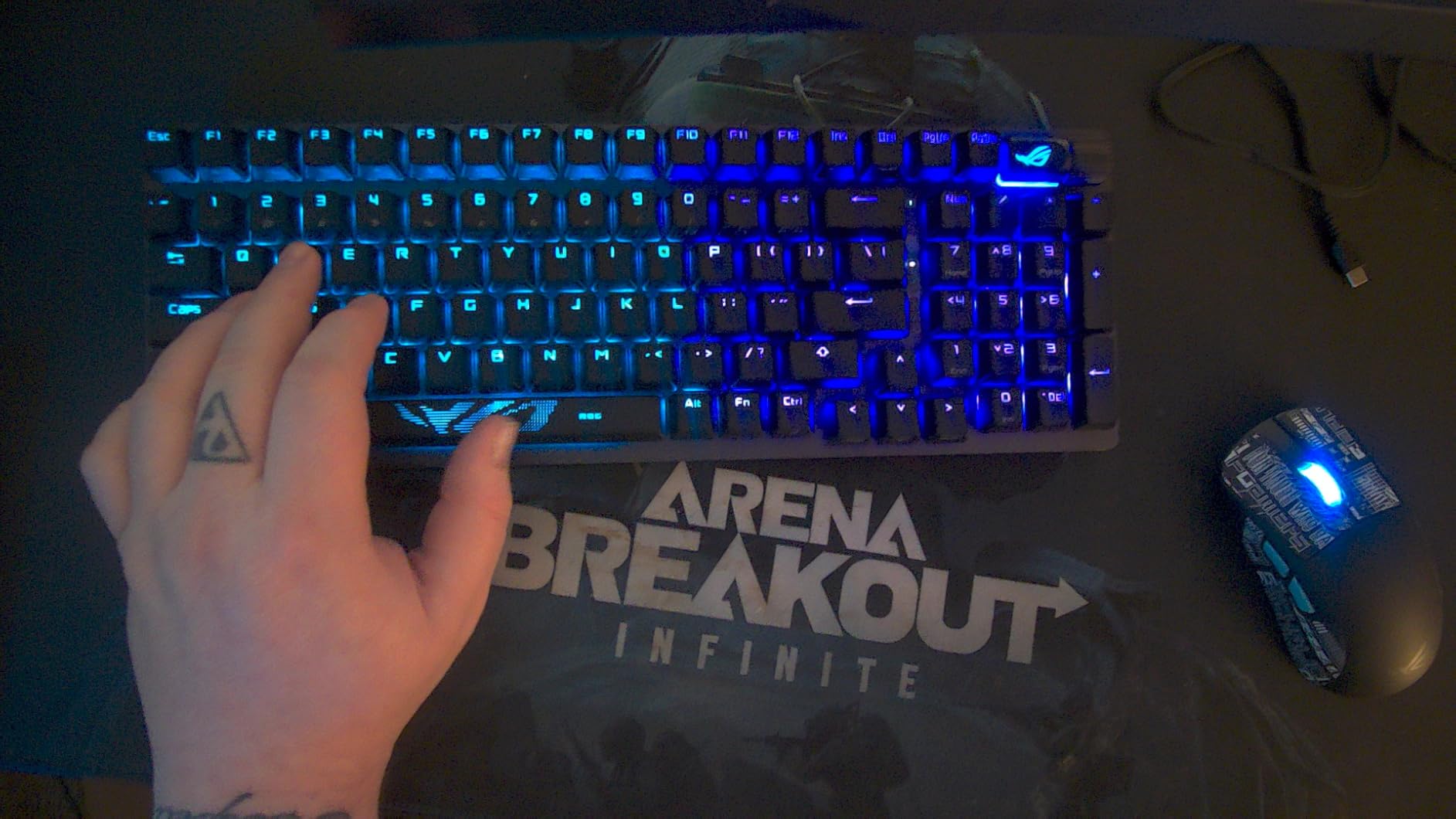
I used the ASUS ROG Strix Scope II 96 as my daily driver for about six weeks, and it quickly became my favorite gaming keyboard I have tested this year. The 96% layout is the sweet spot between having a full number pad and saving desk space. Every key you need is right there without the extra spacing of a traditional full-size board.
The pre-lubed ROG NX Snow Linear switches feel incredible straight from the box. They have a smooth, consistent keystroke with zero scratchiness. I did not feel any need to open this keyboard up and lube the switches myself, which says a lot because I am usually the first person to mod a new board.
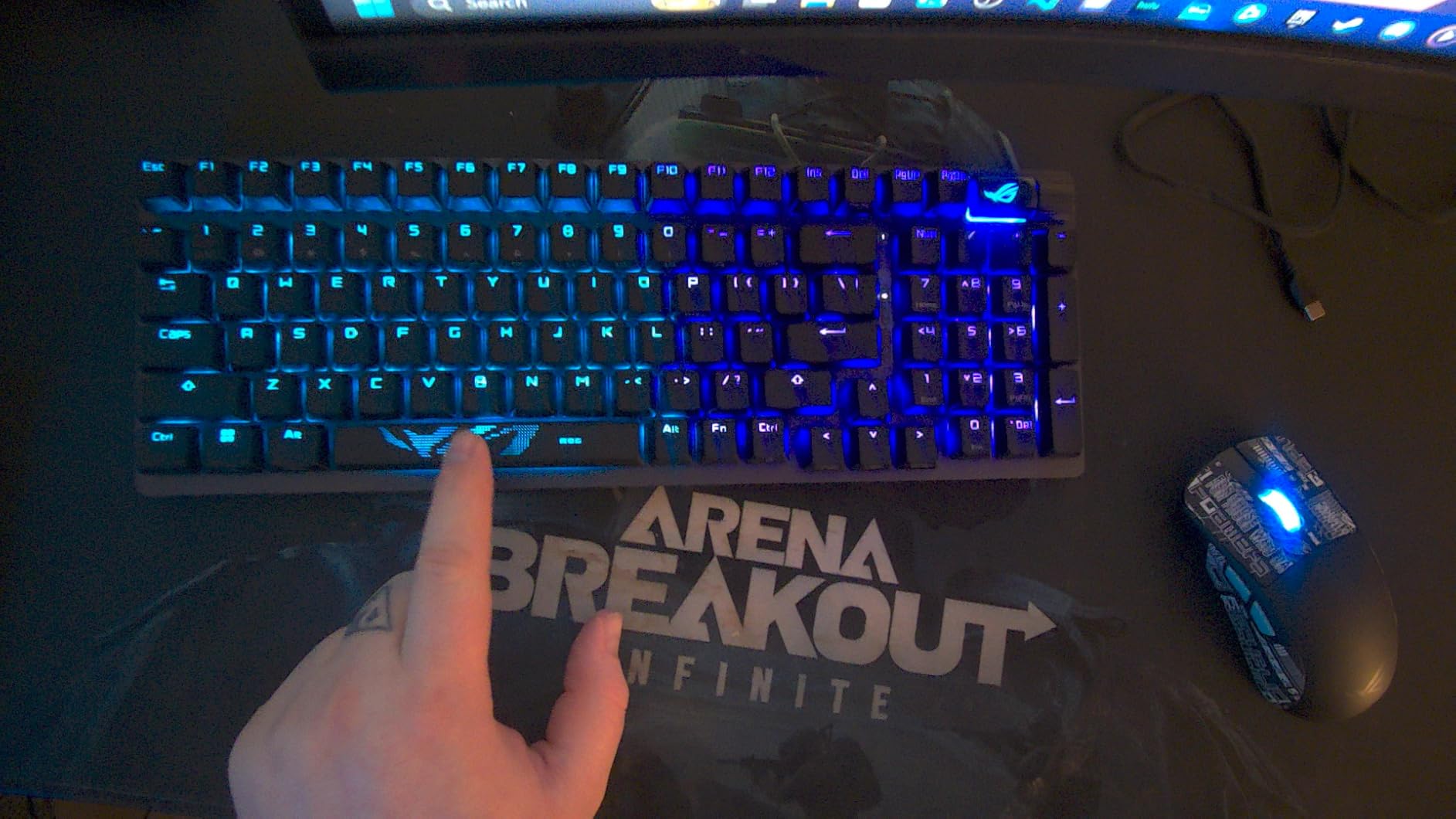
Taking a closer look at the build, ASUS packed this thing with sound-dampening foam and switch pads. The result is a deep, satisfying thock on every keypress without any hollow metallic ping. The tri-mode connectivity is also excellent. I used it in 2.4GHz mode for gaming, Bluetooth for my laptop, and USB-C wired when I wanted zero latency. Switching between devices is smooth.
The battery life is genuinely impressive. ASUS claims up to 1,500 hours in 2.4GHz mode with lighting off, and in my testing I only had to charge it once over the entire six-week period with moderate daily use. That blows away most wireless gaming keyboards I have tested.
Who should buy the ASUS ROG Strix Scope II 96
This is the keyboard I recommend for gamers who want a premium wireless experience without compromises. If you play competitive FPS titles, the tri-mode connectivity with SpeedNova wireless gives you lag-free performance, and the 96% layout keeps your numpad for when you switch to productivity work. It is also a strong pick for anyone who wants hot-swappable switches so they can experiment with different switch types down the road.
Who should skip it
The biggest drawback is the Armoury Crate software. It is clunky, requires an account registration, and multiple users report that Aura Sync flat-out does not work. If you need deep software customization or want to sync RGB across multiple ASUS devices, be prepared for some frustration. Also, if you prefer a dedicated Mac layout, this board is primarily Windows-focused.
2. Logitech MX Keys S – Best Low-Profile Productivity Keyboard
Logitech MX Keys S Wireless Keyboard Low Profile Fluid Precise – Graphite
Low-Profile
Multi-Device BT
Smart Backlight
USB-C Rechargeable
78 Keys
Pros
- Excellent build quality
- Quiet typing experience
- Multi-device Bluetooth
- Smart proximity backlight
- Long battery life
Cons
- Sealed non-replaceable battery
- No adjustable tilt feet
- Slight wake-from-sleep delay
The Logitech MX Keys S is not your typical mechanical keyboard, and that is exactly why I like it. It uses low-profile switches with spherically-dished keys that feel closer to a premium laptop keyboard than a chunky mechanical board. I used it for three weeks of writing, coding, and general productivity work, and the typing experience is buttery smooth with barely any noise.
Where this keyboard really shines is multi-device connectivity. I paired it with my desktop, work laptop, and tablet simultaneously, and switching between them with the press of a button is effortless. The Logi Options+ app lets you set up Smart Actions, which are basically macros that automate repetitive tasks. I set up a single key to open my email, browser, and chat apps all at once.
The smart backlight with the proximity sensor is one of those features you did not know you needed. The keys light up the moment your hands approach the keyboard and dim when you move away. In practice, this saves a significant amount of battery. With backlighting on, you get about 10 days of use. With it off, Logitech claims up to five months, which is outstanding for a wireless board.
Who should buy the Logitech MX Keys S
This is the best keyboard under $200 for office workers, writers, and anyone who works across multiple devices throughout the day. If you type for 8+ hours and want something quiet enough for open-office environments, the MX Keys S is hard to beat. It also works beautifully alongside the MX Master 3S mouse for a seamless productivity setup.
Who should skip it
If you are a competitive gamer looking for fast actuation and mechanical switch feedback, this is not the right pick. The low-profile switches are not hot-swappable, and there is no 2.4GHz low-latency wireless mode. Also, the sealed battery means you cannot replace it when it eventually degrades, which is a concern for long-term ownership.
3. AULA F75 Pro – Best Budget 75% Keyboard for Gaming
AULA F75 Pro Wireless Mechanical Keyboard,75% Hot Swappable Custom Keyboard with Knob,RGB Backlit,Pre-lubed Reaper Switches,Side Printed PBT Keycaps,2.4GHz/USB-C/BT5.0 Mechanical Gaming Keyboards
75% Layout
Tri-Mode
Hot-Swap
4000mAh Battery
Pre-Lubed Reaper Switches
Pros
- Premium build for the price
- Excellent creamy typing sound
- Hot-swappable switches
- Tri-mode connectivity
- Massive 4000mAh battery
Cons
- Software has mixed reviews
- Knob requires FN key for volume control
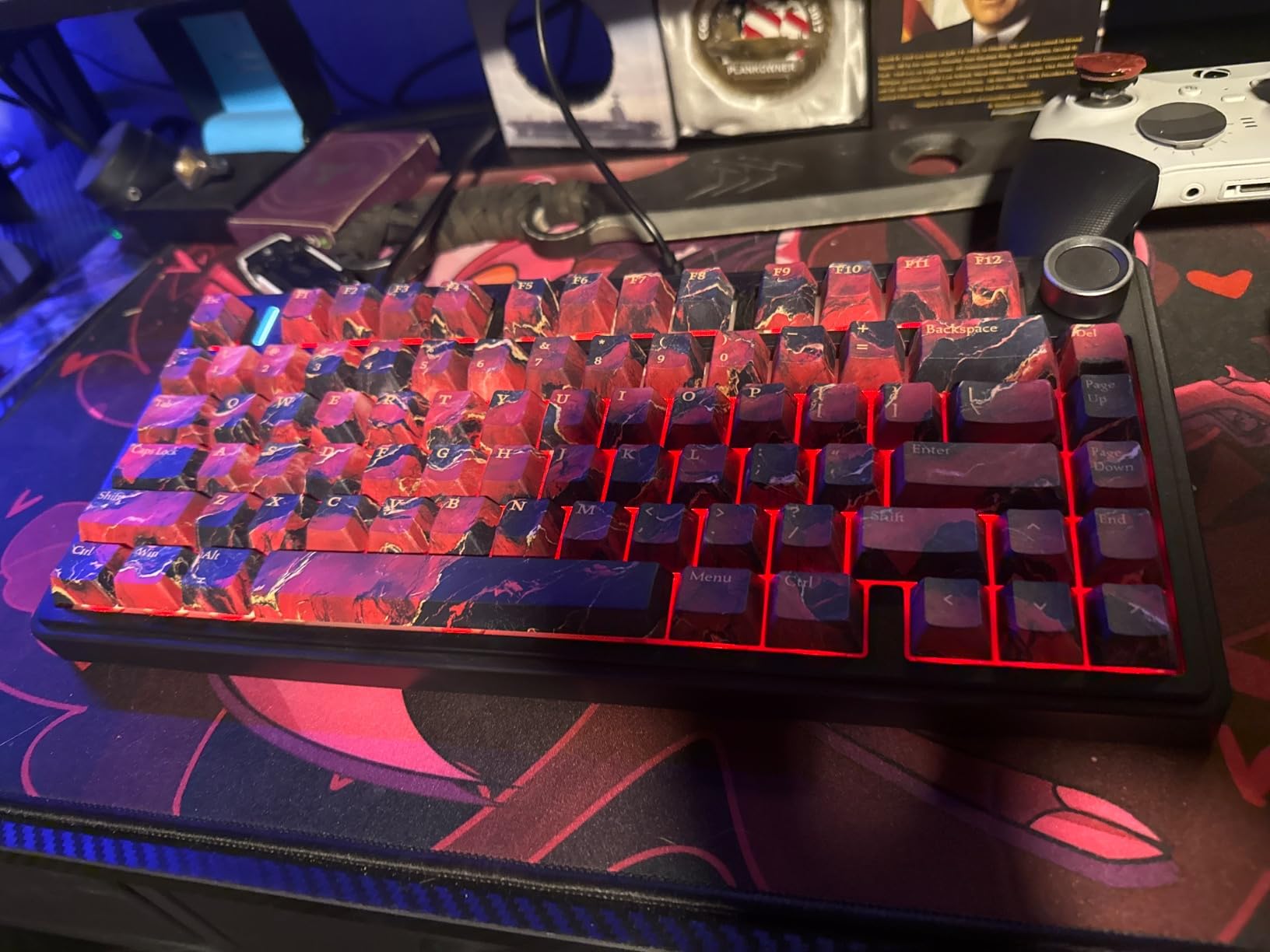
The AULA F75 Pro genuinely surprised me. For what it costs, I was not expecting this level of build quality and typing satisfaction. It currently sits at the number one spot in PC Gaming Keyboards on Amazon, and after testing it for a month, I understand why. The 75% layout with the side-printed PBT keycaps gives it a clean, minimal look that works just as well at a gaming desk as it does in a professional office.
The pre-lubed LEOBOG Reaper switches produce what the community calls a creamy or thocky sound, and I have to agree. Every keystroke sounds deep and satisfying without any metallic rattle or high-pitched ping. AULA uses five layers of sound-dampening material inside, including foam and silicone pads, and it makes a real difference. This is one of the best-sounding keyboards I have tested at any price point.
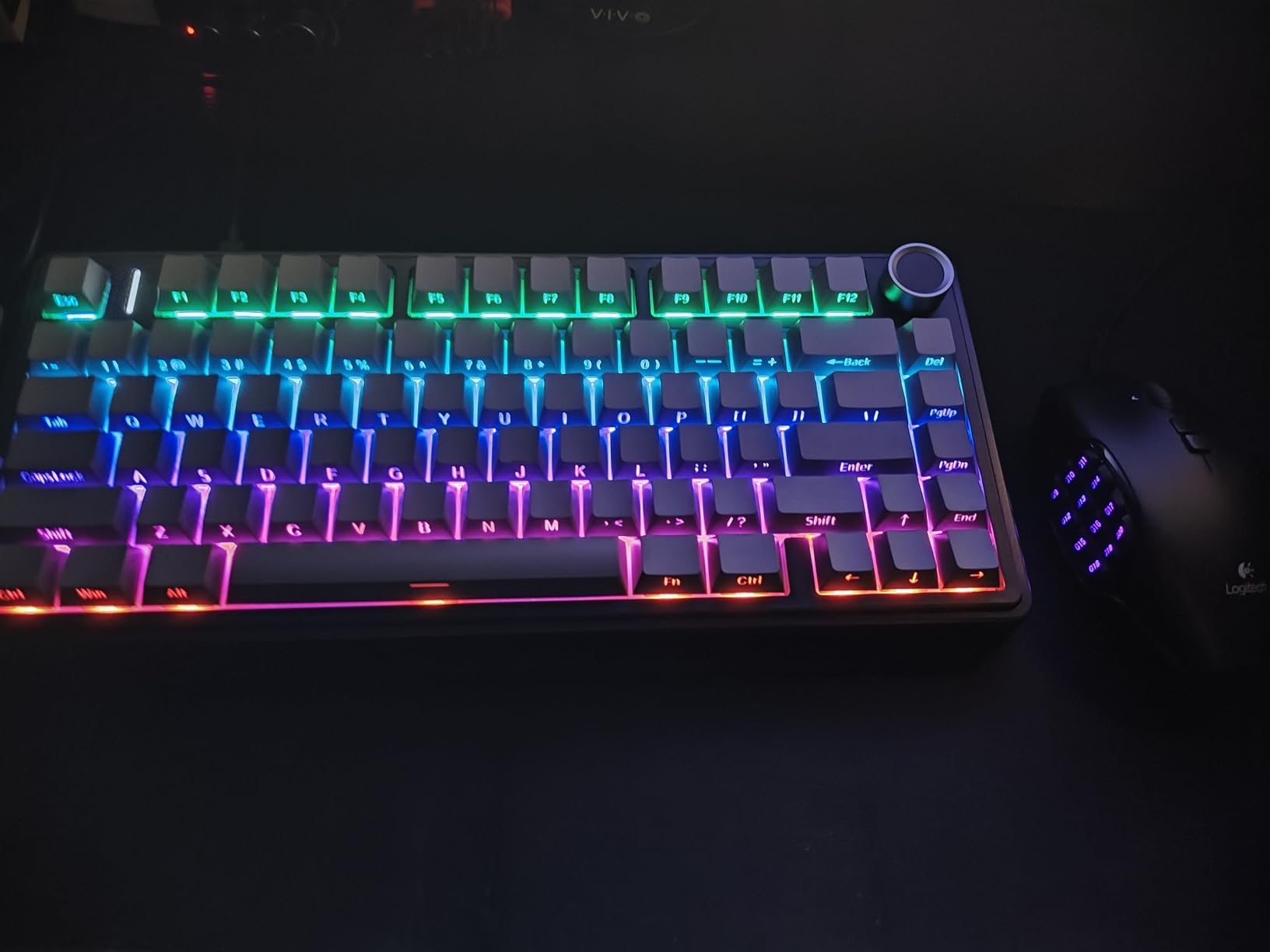
The 4000mAh battery is larger than what you find in keyboards costing twice as much. I used it daily in 2.4GHz mode with RGB on a moderate setting, and I went over two weeks before needing a charge. The tri-mode connectivity works reliably across Bluetooth, 2.4GHz, and USB-C wired. Connecting to five devices at once is also a nice touch for people who switch between work and personal machines.
The multi-function knob at the top right is handy for adjusting backlight brightness and switching between modes. Just note that volume control requires an FN key combination rather than just turning the knob, which takes some getting used to.
Who should buy the AULA F75 Pro
This is my top recommendation for anyone on a tight budget who still wants a feature-packed mechanical keyboard. The 75% layout is perfect for gaming since it saves desk space for mouse movement while keeping the function row and arrow keys. If you want hot-swap capability so you can try different switches later, this board supports both 3-pin and 5-pin switches.
Who should skip it
The only real concern is the optional software. Several users have reported mixed experiences with the driver, and some raised concerns about the software itself. The good news is you do not actually need the software for basic use. All the RGB effects and key functions work out of the box. If you need VIA or QMK compatibility for advanced key remapping, you will want to look at other options.
4. Logitech G413 SE – Best Value Full-Size Mechanical Keyboard
Logitech G413 SE Full-Size Mechanical Gaming Keyboard – Black
Full-Size
Tactile Brown Switches
Aluminum Top Plate
PBT Keycaps
White LED
Pros
- Solid aluminum construction
- Tactile switches with good bump
- Durable PBT keycaps
- Great value for money
- Good for gaming and typing
Cons
- Not hot-swappable
- Backlight resets to full brightness on boot
- No adjustable tilt feet
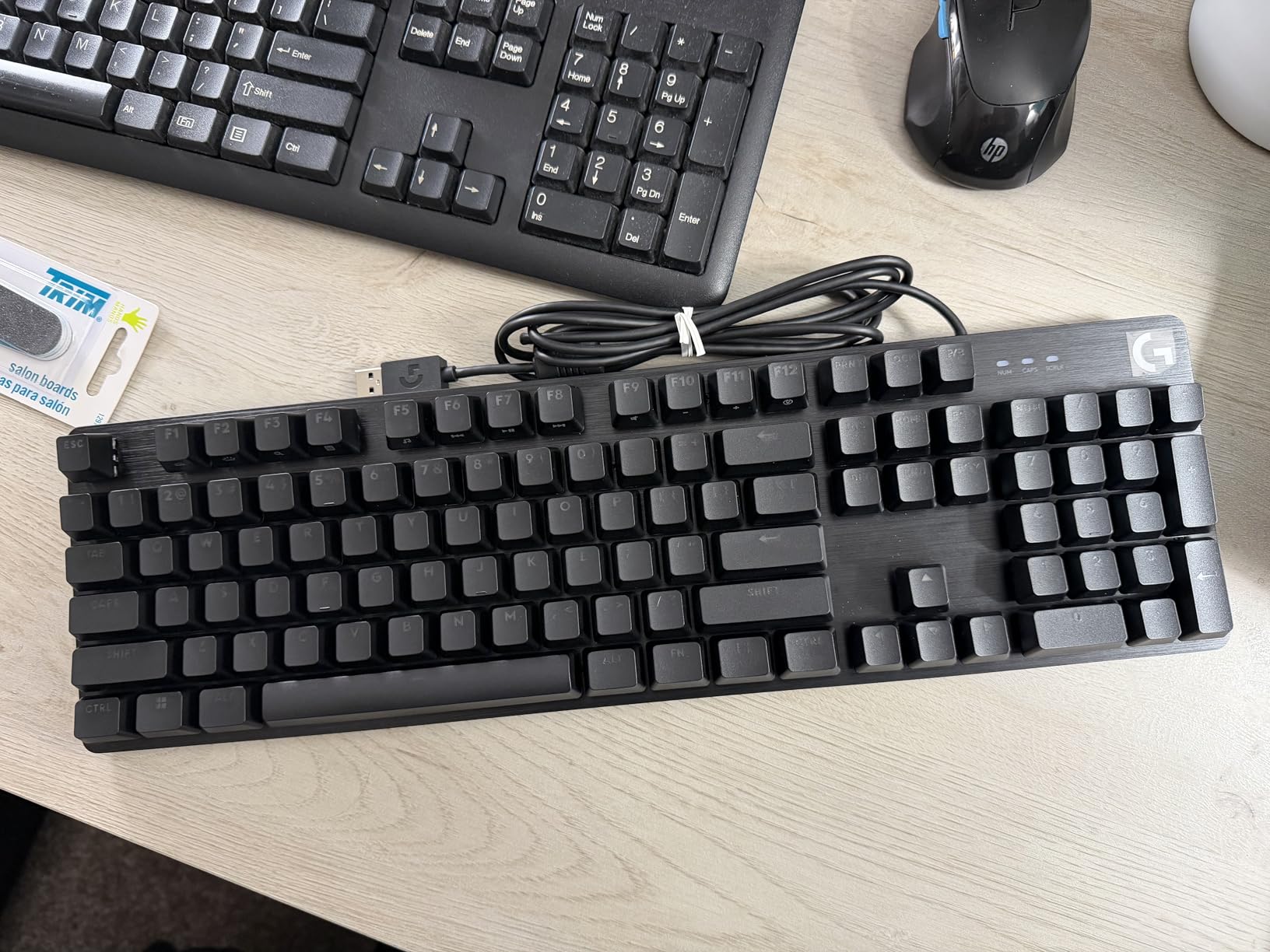
The Logitech G413 SE is proof that you do not need to spend a lot to get a keyboard with premium materials. The brushed aluminum-magnesium alloy top plate gives it a rigid, solid feel that punches well above its price tag. I typed on this keyboard for four weeks straight, and there is zero flex no matter how hard you press.
The tactile brown switches provide a noticeable bump without being clicky or loud. They strike a good balance for people who game and type in equal measure. The PBT keycaps are a nice inclusion at this price, since they resist shine and wear much better than the ABS keycaps you typically find on budget boards. After a month of heavy use, mine still looked brand new.
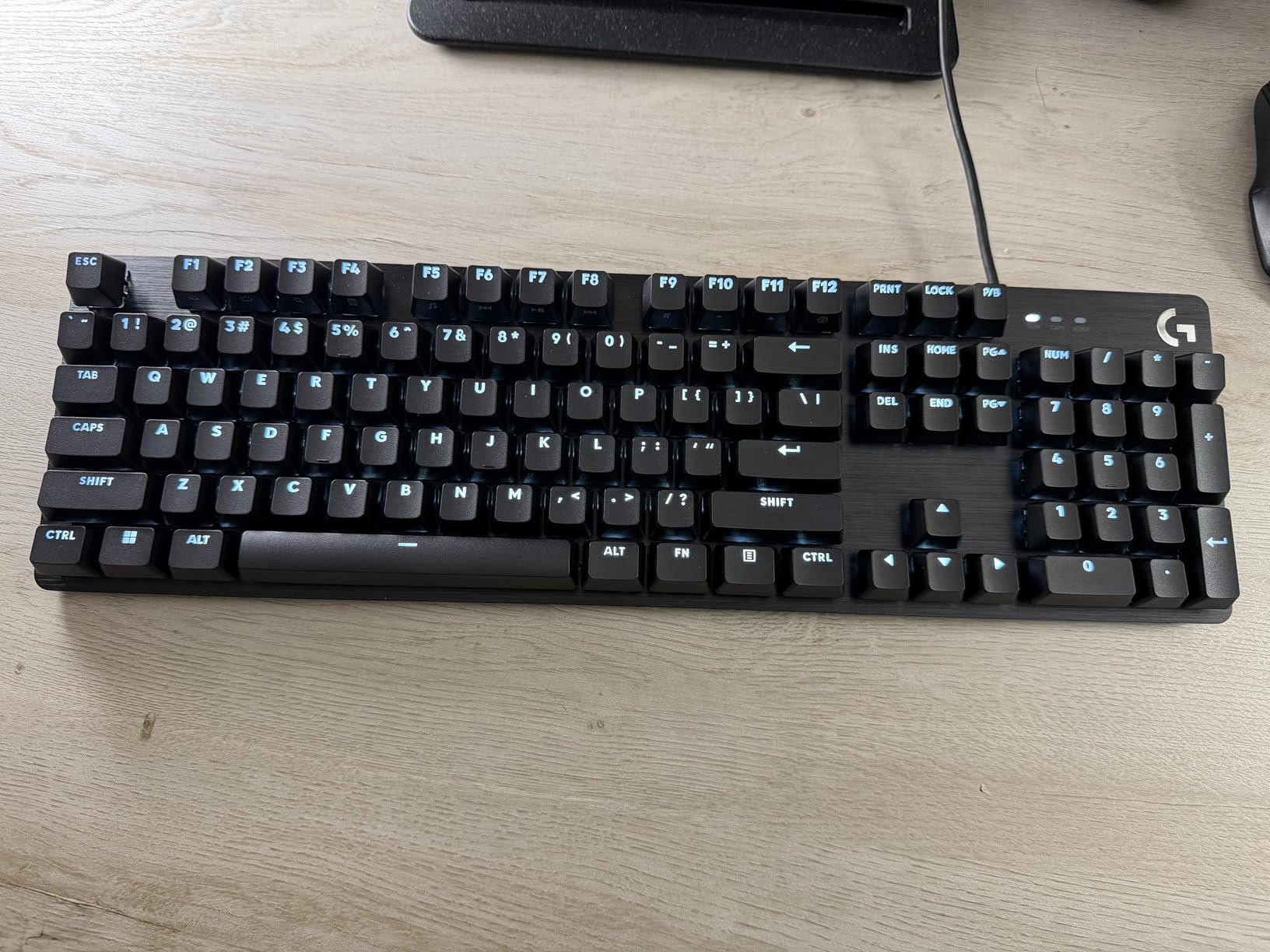
The white LED backlighting is clean and understated compared to the rainbow RGB on many gaming keyboards. It provides even illumination across all keys without being distracting. The FN key media controls for volume, play/pause, and track skip are practical additions that I used constantly.
My biggest gripe is that the backlight defaults to full brightness every time you boot your computer. You have to manually dial it down every single time, which gets annoying fast. Also, the switches are soldered in, so there is no option to swap them out later without a soldering iron.
Who should buy the Logitech G413 SE
If you want a no-nonsense full-size mechanical keyboard with solid build quality and a professional look, the G413 SE delivers. It is a strong pick for shared workspaces where loud clicky switches would annoy coworkers, and the tactile feedback makes it good for both gaming and extended typing sessions. The aluminum top plate ensures this keyboard will last for years.
Who should skip it
If hot-swappable switches are a must-have for you, look elsewhere. The G413 SE has soldered switches, so you are stuck with the stock browns unless you know how to desolder. Also, there are no wireless connectivity options. This is a USB-only wired keyboard, which is fine for a stationary desktop setup but limits flexibility if you want to use it with multiple devices.
5. Cherry KC 200 MX – Best Office Keyboard with Premium Build
Cherry KC 200 MX Wired Mechanical Office Keyboard MX2A Silent RED Switches
Full-Size
MX2A Silent Red Switches
Anodized Aluminum Plate
Wired USB-A
50M+ Keystrokes
Pros
- Premium aluminum construction
- Smooth and quiet MX2A Silent Red switches
- Durable laser-etched keycaps
- Classic full-size layout
- Excellent value for office use
Cons
- No backlighting
- No hot-swap support
- USB-A only not USB-C
- Rubber feet can slide on desks
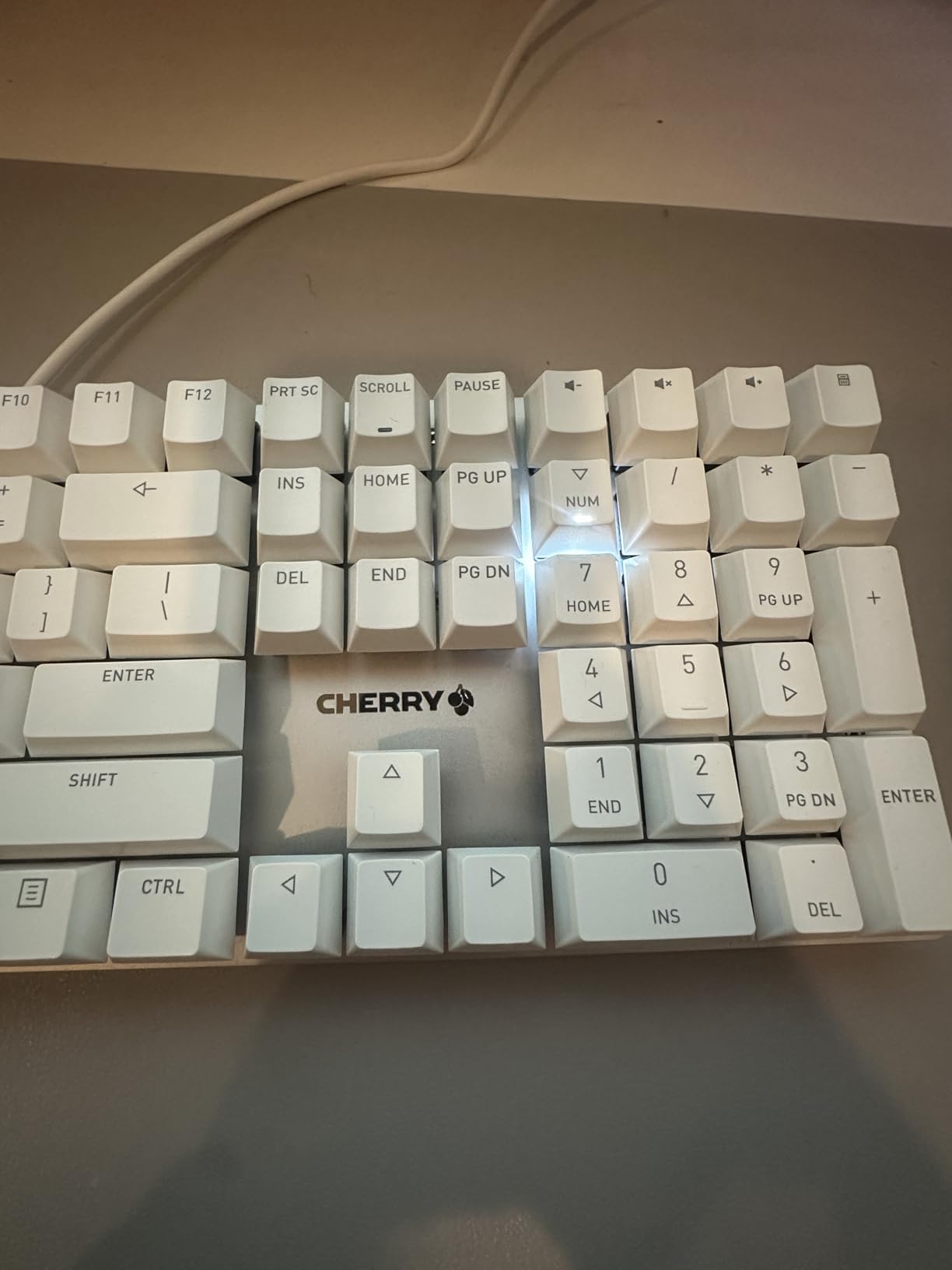
Cherry basically invented the mechanical keyboard switch, and the KC 200 MX shows they still know what they are doing. This is a straightforward, wired office keyboard with an anodized aluminum top plate that gives it a premium, professional appearance. The bronze and black colorway looks sharp on any desk.
The MX2A Silent Red switches are the latest generation from Cherry, and they are significantly smoother than the older MX Red variants. I typed on this board for three weeks in a shared office, and nobody complained about noise. These switches are genuinely silent while still providing enough feedback to know you have actuated each key. Cherry rates them for over 50 million keystrokes per key, so durability is not a concern.
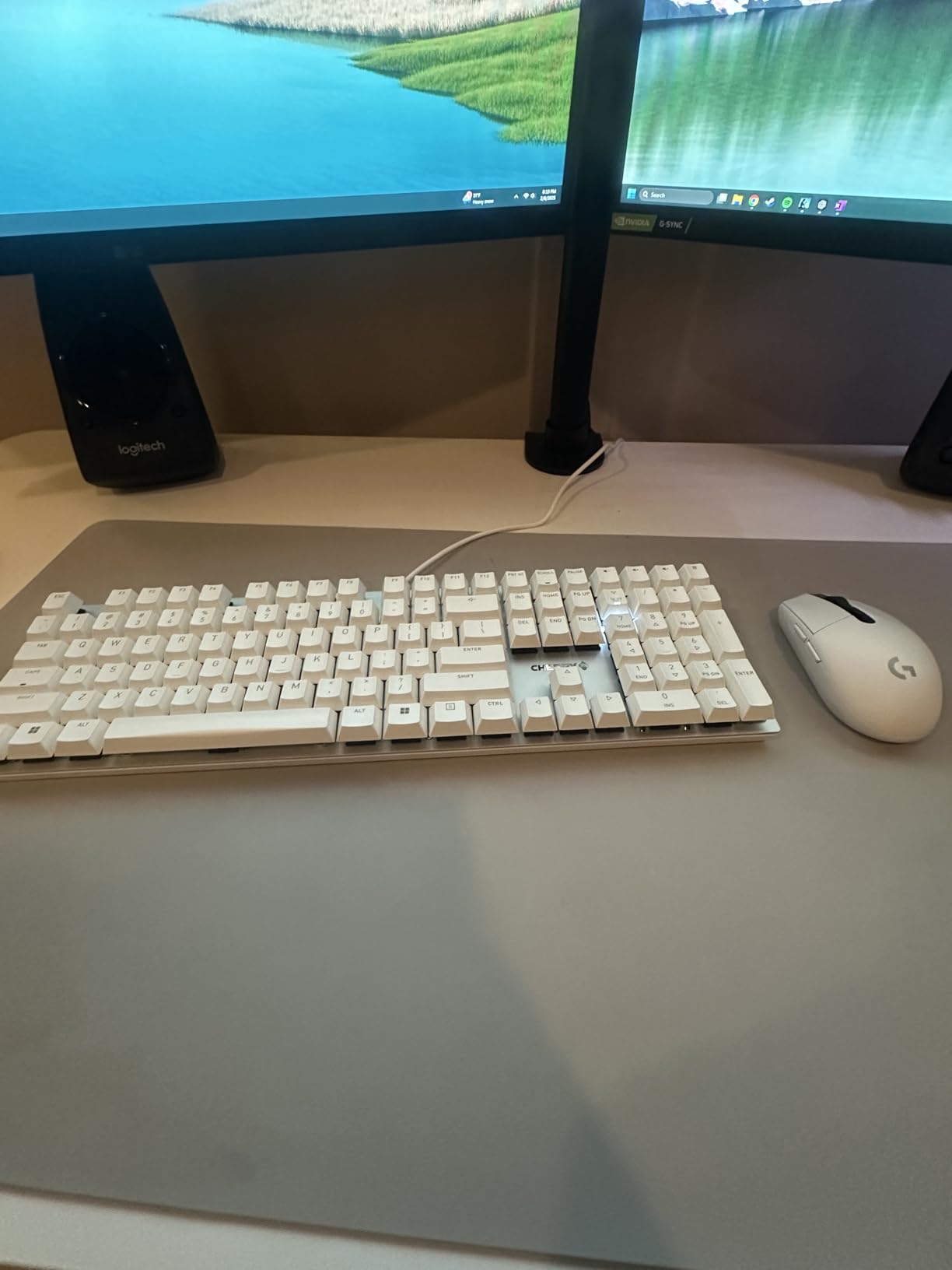
The laser-etched keycaps are designed to resist abrasion, so the legends will not fade even after years of heavy use. Cherry includes four dedicated extra keys for calculator and volume control, which are small but useful additions for a productivity-focused keyboard. The full N-key rollover and anti-ghosting ensure every keypress registers accurately, even during fast typing.
The main downsides are what this keyboard lacks rather than what it does wrong. There is no backlighting of any kind, no wireless connectivity, and no hot-swap support. The USB-A connection feels dated in 2026 when most peripherals have moved to USB-C. The rubber feet on the bottom are also surprisingly inadequate for a keyboard this well-built, and it can slide around on smoother desk surfaces.
Who should buy the Cherry KC 200 MX
This is the ideal pick for office workers and professionals who want a quiet, reliable, and premium-feeling keyboard without any gaming aesthetics. If you work in a shared space and need something that will not disturb coworkers, the MX2A Silent Red switches make this one of the quietest mechanical keyboards available. The aluminum construction and Cherry switches also mean it will last for many years.
Who should skip it
If you need wireless connectivity, RGB lighting, or the ability to swap switches, this is not the right keyboard. It is a wired-only, fixed-switch board with zero backlighting. Gamers looking for features like macro keys, dedicated media controls, or low-latency wireless should look at the ASUS or AULA options instead. The USB-A connection is also a drawback if your laptop only has USB-C ports.
6. Redragon K686 PRO – Best Wireless 98-Key Keyboard on a Budget
Redragon K686 PRO Wireless RGB Gasket Gaming Mechanical Keyboard, Easy Knob
98-Key Layout
Gasket Mount
5-Layer Dampening
Tri-Mode
Hot-Swap Red Switches
Pros
- Excellent gasket mount acoustics
- 5-layer noise dampening
- Dedicated knob control
- Tri-mode connectivity
- Great battery life
Cons
- Software needs improvement
- Keys can be loud for quiet offices
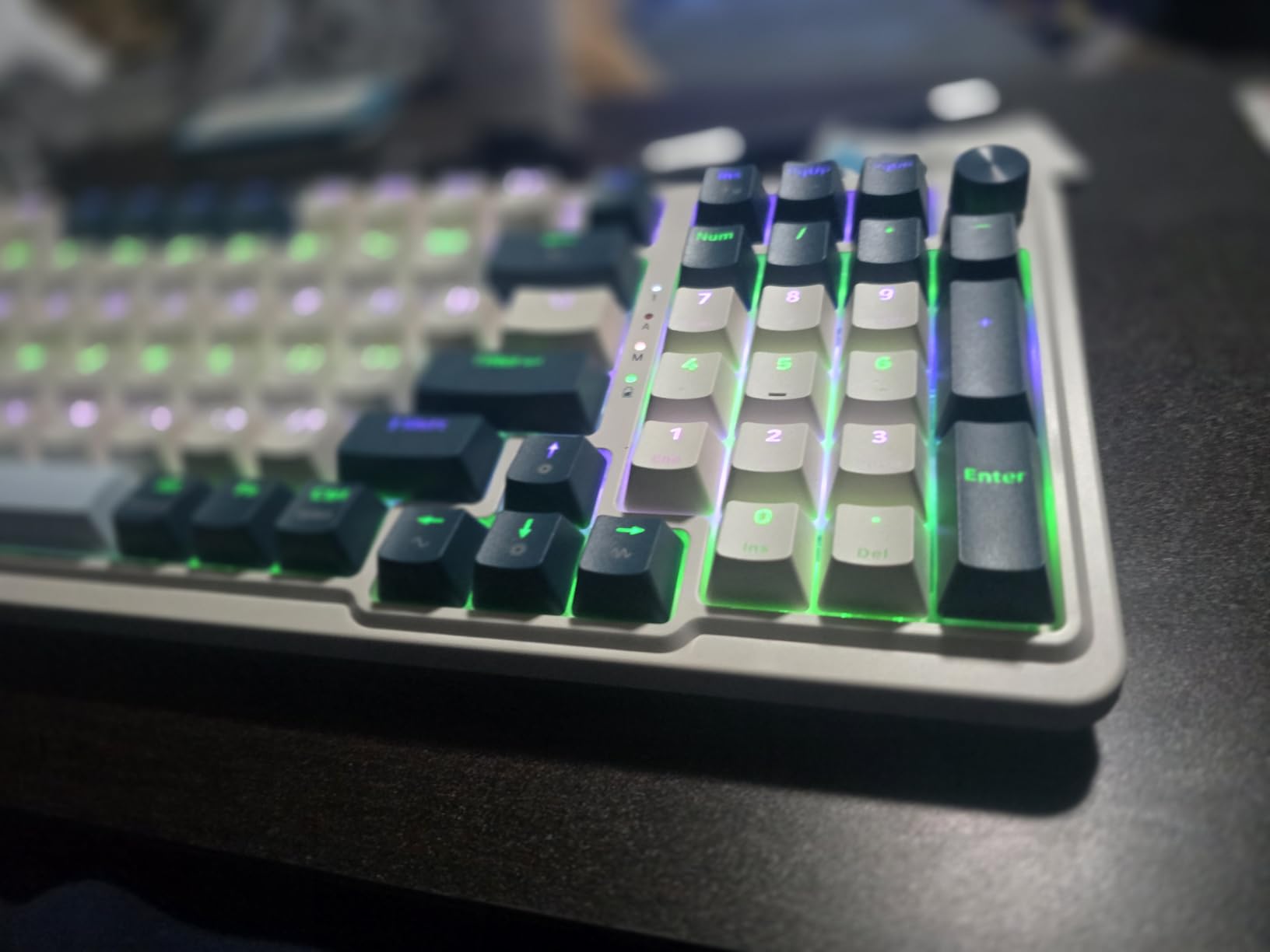
The Redragon K686 PRO brings gasket mount construction and five-layer sound dampening to a price point where most keyboards still use basic tray mount designs. That alone makes it stand out. I tested the Blue Himmel color variant for three weeks, and the gasket mount combined with all those dampening layers produces a remarkably clean, deep typing sound that rivals keyboards costing three times as much.
The 98-key layout is about 20% smaller than a full-size keyboard but retains the number pad and all essential keys. It strikes a practical balance for people who need a numpad for spreadsheet work but also want a more compact footprint for gaming. The dedicated knob in the top-right corner controls volume, backlighting, and media playback, which is a feature usually reserved for much more expensive boards.
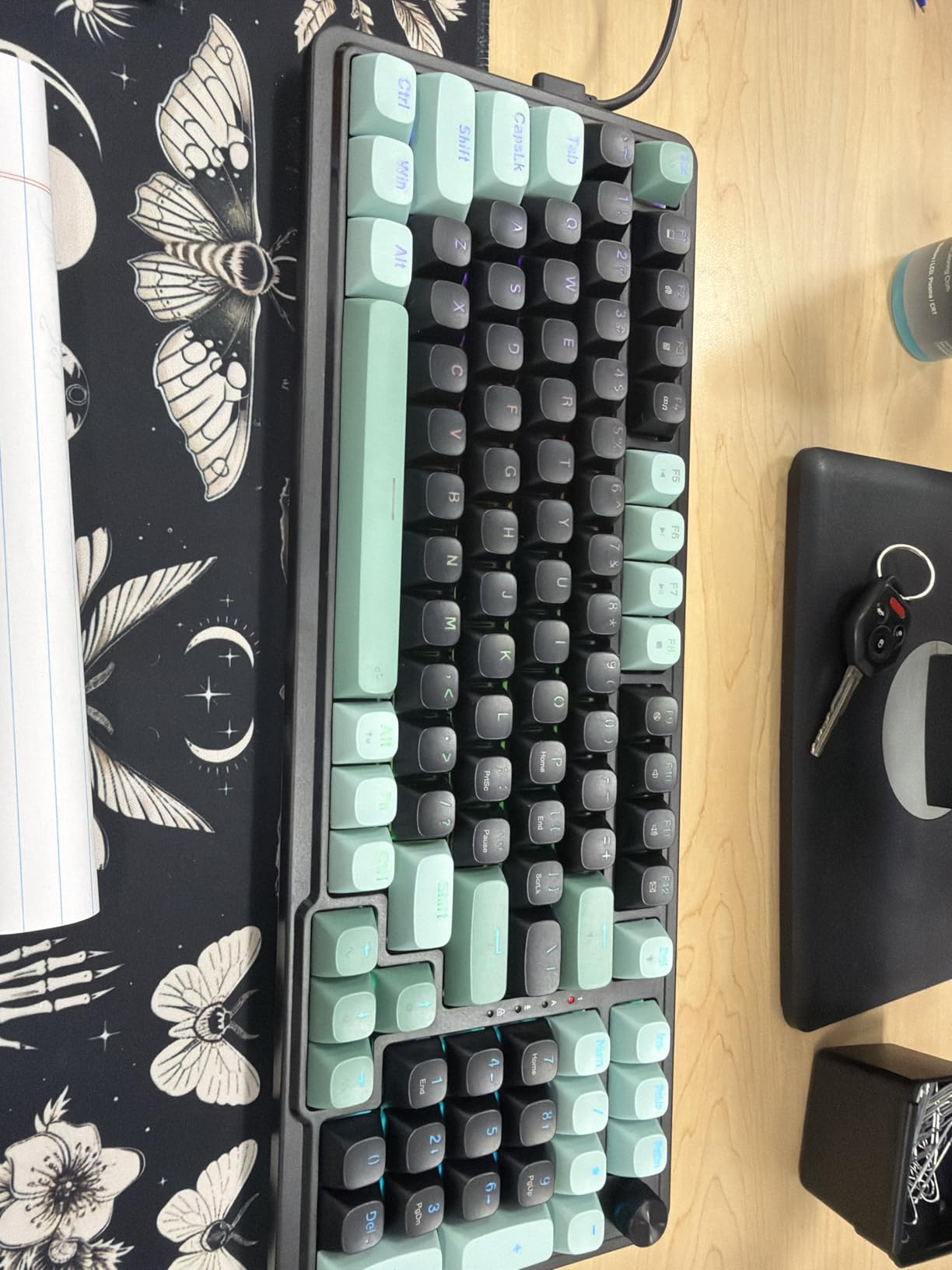
The tri-mode connectivity covers all the bases: USB-C wired, 2.4GHz wireless with a dongle, and Bluetooth. I used the 2.4GHz mode for gaming and noticed no perceptible input lag compared to wired mode. The hot-swappable sockets let you swap switches without soldering, so if the stock red linear switches are not your preference, you can pop in whatever you like.
Battery life was solid throughout my testing. I kept it in 2.4GHz mode with RGB on a low setting, and I got about a week and a half before needing to charge. With RGB off, expect significantly longer runtimes. The included software is the weakest point. It works for basic key remapping but feels unfinished compared to tools like VIA or QMK.
Who should buy the Redragon K686 PRO
If you want gasket mount quality and 98-key convenience without spending over $100, this is the keyboard to get. It is an excellent choice for gamers who need a numpad for work and want the flexibility of wireless connectivity. The five-layer dampening system gives it a sound profile that most budget boards simply cannot match.
Who should skip it
The included software is basic and lacks the depth that enthusiasts want for advanced key remapping. If you rely on QMK or VIA for your keyboard programming, this board does not support those platforms. The switches can also be on the louder side for an office environment, even with all the dampening layers inside.
7. Kisnt KN85 – Best Gasket Mount 75% Keyboard for the Price
Kisnt KN85 Wireless Mechanical Keyboard, 75% Layout, Bluetooth/2.4GHz/USB-C, Custom RGB Backlit, Hot-Swappable Linear Switch, Creamy Sound for Gaming/Typing (Retro Beige)
75% Layout
Gasket Mount
Hot-Swap
Tri-Mode
4000mAh Battery
Pre-Lubed Bsun Switches
Pros
- Excellent creamy typing sound
- Gasket mount at a low price
- Tri-mode connectivity
- Hot-swappable switches
- 4000mAh battery
Cons
- Software only works in wired or 2.4G mode
- No numpad
- Can be loud for offices
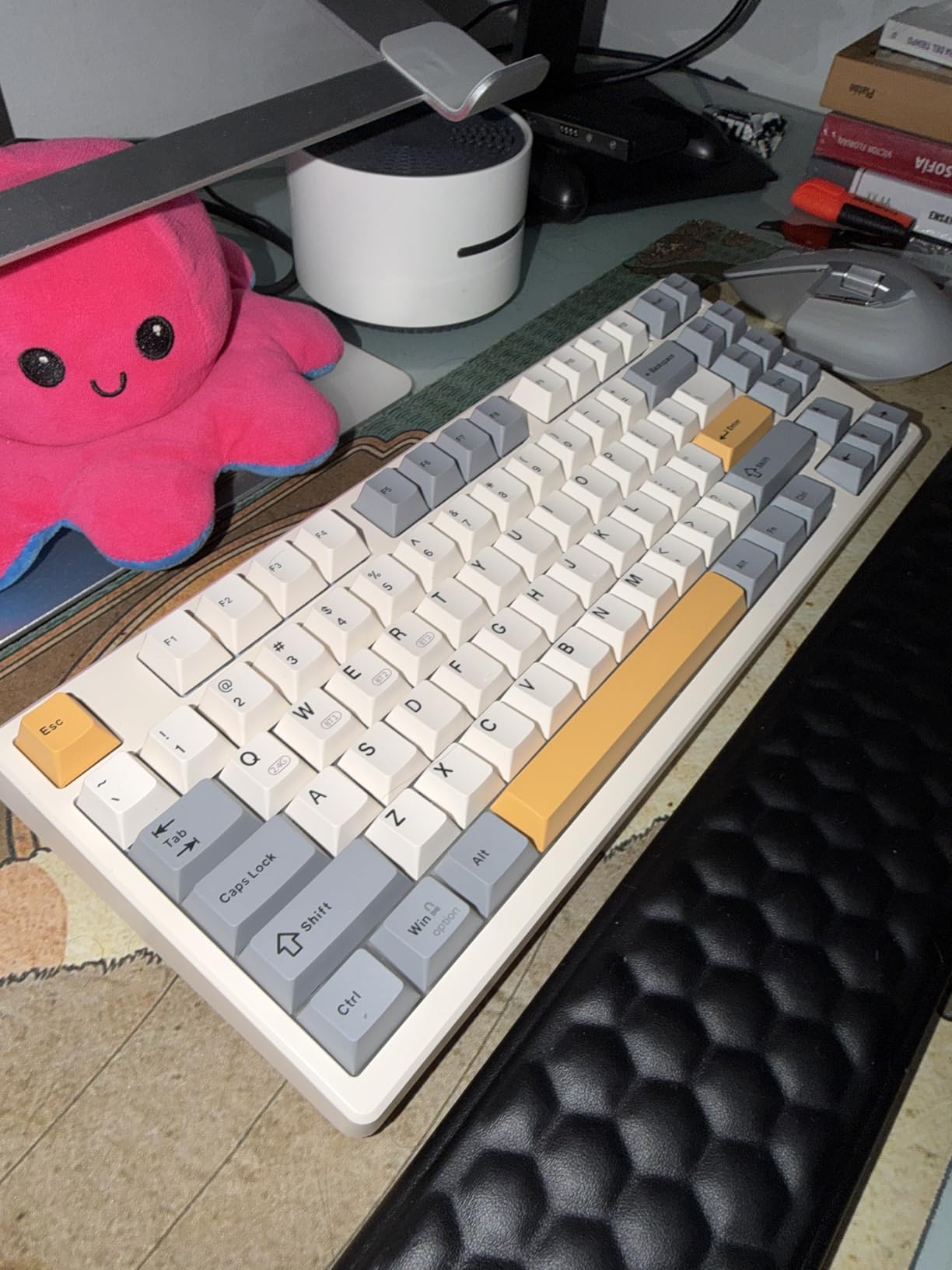
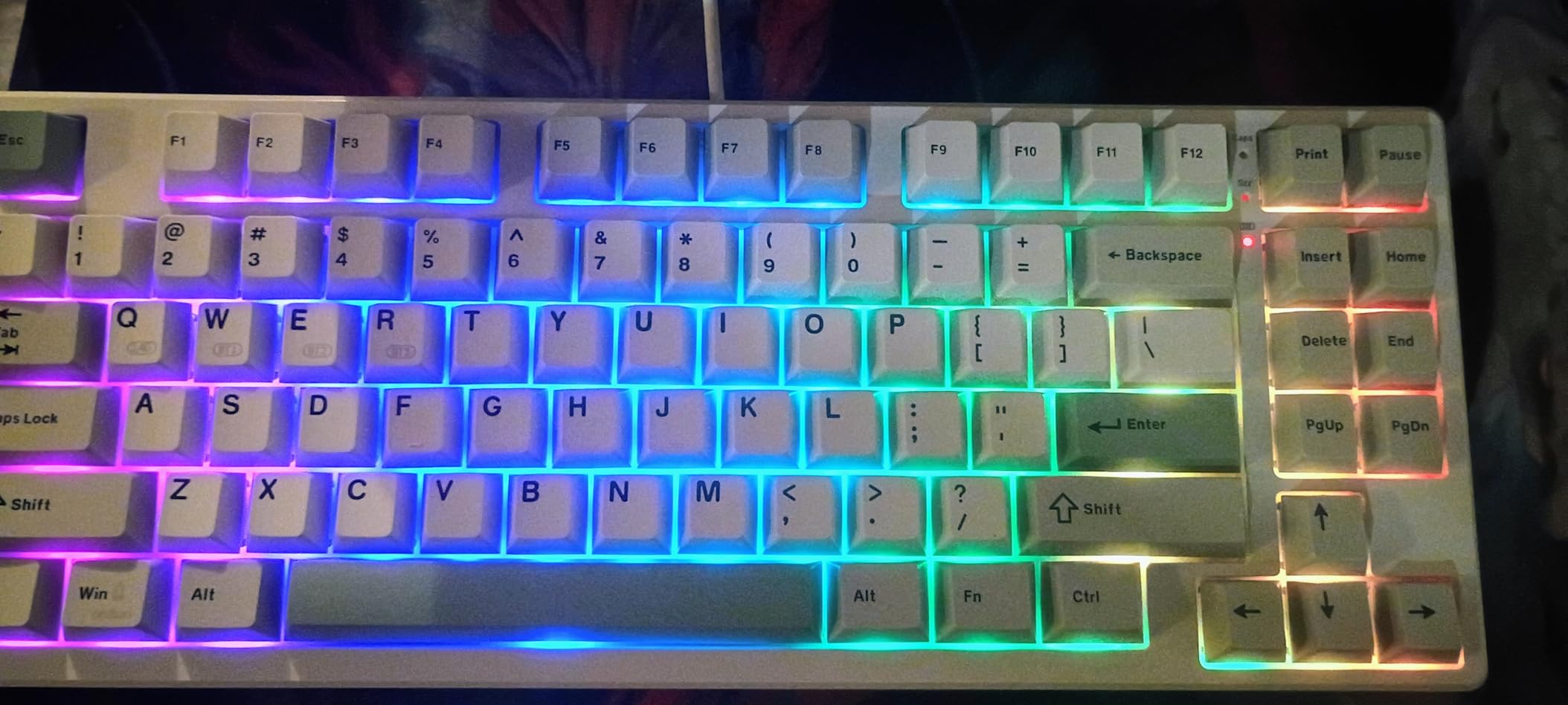
The Kisnt KN85 is one of the cheapest gasket mount keyboards you can buy, and it does not feel cheap at all. The Retro Beige colorway gives it a unique aesthetic that stands out from the typical black gaming keyboard. I used it for two weeks and was genuinely impressed by how good the typing sound is right out of the box.
The pre-lubed Bsun linear switches have a 45-50gf actuation force that feels light and responsive. Combined with the gasket mount construction and multi-layer dampening foam, every keypress produces a deep, satisfying thock. At 0.9 kilograms, it has enough weight to stay planted on your desk during intense gaming sessions without feeling overly heavy.
The tri-mode connectivity covers USB-C wired, 2.4GHz wireless, and Bluetooth 5.0. I switched between my gaming PC and work laptop throughout the day, and the transitions were seamless. The 4000mAh battery is generous for a keyboard in this price range, and I consistently got over two weeks of use between charges with moderate RGB usage.
The RGB backlighting offers 20 pre-set effects, which is plenty for most users. The PBT keycaps have a subtle texture that feels good under the fingers and resists the shine that cheap ABS keycaps develop over time. The 75% layout keeps function keys and arrow keys while ditching the numpad for a more compact footprint.
Who should buy the Kisnt KN85
If you want the gasket mount typing experience without spending a lot, the KN85 is the best entry point. The 75% layout is ideal for gamers who want more desk space for mouse movement, and the hot-swappable sockets mean you can always upgrade the switches later. It is also a great option for anyone building their first custom keyboard setup on a budget.
Who should skip it
The proprietary software only works when the keyboard is connected via USB-C or the 2.4GHz dongle. Bluetooth mode does not support software customization at all. If you need VIA or QMK for advanced key remapping, you will need to look at other options. The lack of a numpad might also be a dealbreaker for people who do heavy spreadsheet work.
8. Redragon K552-KRS – Best TKL Keyboard Under $50
Redragon Wireless Gaming Keyboard, BT/2.4Ghz Tri-Mode Mechanical Keyboard, buit-in Battery, Programmable 87 Keys TKL, LED Rainbow Backlit – K552-KRS
TKL 87-Key
Tri-Mode
Hot-Swap Red Switches
Metal Panel
19 RGB Modes
Pros
- Exceptional value for money
- Durable metal panel construction
- Hot-swappable switches
- 19 backlight modes
- Over 51k user reviews
Cons
- Software not available in Bluetooth mode
- LEDs reset after restart
- Stock keycaps are thin ABS
- No dedicated Mac layout
With over 51,000 reviews and a 4.5-star average, the Redragon K552-KRS is one of the most popular budget mechanical keyboards ever made. I tested the tri-mode wireless version for two weeks, and it is easy to see why so many people choose this board. It delivers a solid mechanical typing experience at a price that is hard to argue with.
The metal top panel gives the keyboard a rigid feel that belies its low cost. There is zero flex even under heavy typing. The hot-swappable red linear switches are smooth enough for gaming, and the fact that you can swap them out for any 3-pin switch means you can always upgrade the typing feel later. The TKL layout removes the numpad for a compact footprint that leaves plenty of room for mouse movement.

Tri-mode connectivity is a major upgrade over the original wired-only K552. You get 2.4GHz wireless, Bluetooth, and USB-C wired options. I used Bluetooth mode for everyday typing and switched to 2.4GHz for gaming, and the connection was reliable throughout testing. Being able to connect to up to five devices makes this a versatile option for multi-device setups.
The 19 RGB backlight modes with five brightness and speed levels give you plenty of customization. The metal panel construction ensures this keyboard can take a beating, which is important if you are taking it to LAN events or moving it between setups. Redragon rates the switches for 500,000 keystrokes.
Who should buy the Redragon K552-KRS
If you want the absolute cheapest way to get a wireless, hot-swappable mechanical keyboard, this is it. It is perfect for first-time mechanical keyboard buyers who want to try the format without committing a lot of money. The TKL layout is great for FPS gamers who need maximum mouse space. It is also a solid secondary keyboard for a travel or work setup.
Who should skip it
The stock ABS keycaps are thin and will develop shine relatively quickly. If you care about keycap quality, budget for a PBT keycap set to replace them. The software is also limited and does not work in Bluetooth mode at all. LED settings reset to default every time you restart your computer, which is a minor but persistent annoyance. There is also no dedicated Mac layout.
How to Choose the Best Keyboard Under $200 for Your Needs
Picking the right keyboard comes down to understanding what matters most for your setup. After testing all 8 of these keyboards, here are the key factors I recommend considering before making a decision.
Switch Types: Linear vs Tactile vs Clicky
Switches are the heart of any mechanical keyboard, and the type you choose affects everything from typing speed to noise level. Linear switches like the red switches on the AULA F75 Pro and Redragon K552-KRS provide a smooth, consistent press from top to bottom. They are the fastest for gaming because there is no bump to slow you down.
Tactile switches, like the brown switches on the Logitech G413 SE, give you a physical bump halfway through the press. This feedback helps you know when a key has actuated without bottoming out, which many typists prefer. Clicky switches have both a bump and an audible click sound, but none of the keyboards in this list use clicky switches because they tend to annoy people around you.
Layout Sizes: Finding the Right Fit
Full-size keyboards like the Cherry KC 200 MX and Logitech G413 SE include every key including the number pad. They are ideal for spreadsheet work, data entry, and anyone who uses the numpad regularly. The tradeoff is they take up more desk space.
Tenkeyless or TKL boards like the Redragon K552-KRS drop the numpad for a smaller footprint. The 75% layout on the AULA F75 Pro and Kisnt KN85 goes further by removing some navigation keys while keeping the function row and arrow keys. The 96% and 98-key layouts on the ASUS ROG Strix Scope II and Redragon K686 PRO are clever compromises that keep the numpad in a more compact form factor.
Connectivity: Wired vs Wireless
Wired keyboards offer the simplest setup with zero latency and no battery concerns. The Cherry KC 200 MX and Logitech G413 SE are wired-only options that never need charging. If you have a fixed desk setup and do not mind the cable, wired is perfectly fine.
Wireless keyboards with tri-mode connectivity give you the flexibility to switch between devices and reduce cable clutter on your gaming monitor setup. The ASUS ROG Strix Scope II 96 leads the pack with 1,500 hours of battery life. The AULA F75 Pro and Kisnt KN85 both pack 4,000mAh batteries that last weeks between charges. Look for 2.4GHz wireless with a dongle for gaming and Bluetooth for productivity.
Hot-Swap vs Soldered Switches
Hot-swappable keyboards let you pull out switches with a simple puller tool and snap in new ones without any soldering. Six of the eight keyboards on this list support hot-swap, including the AULA F75 Pro, ASUS ROG Strix Scope II 96, Redragon K686 PRO, Kisnt KN85, Redragon K552-KRS, and Redragon K686 PRO. If you think you might want to try different switches in the future, hot-swap is a feature worth having.
The Logitech G413 SE and Cherry KC 200 MX use soldered switches. You get a more secure connection, but changing switches requires a soldering iron and technical skill.
Gasket Mount vs Tray Mount
Gasket mount keyboards use rubber or silicone gaskets to suspend the plate inside the case rather than screwing it directly to the bottom. This creates a slightly flexible typing feel that many enthusiasts prefer, along with better sound dampening. The Redragon K686 PRO and Kisnt KN85 both use gasket mounting, which is impressive at their price points.
Tray mount is the more traditional approach where the plate screws directly into the case. It is simpler and still works well, but the typing feel tends to be stiffer, especially in the corners. Most budget keyboards use tray mount, and it is perfectly functional for most users.
Pairing with Your Setup
Your keyboard is just one piece of your gaming or work setup. If you are also in the market for a laptop for gaming and work, consider whether you need a portable keyboard like the Redragon K552-KRS or a full desk solution like the ASUS ROG Strix Scope II 96. The right combination of peripherals makes a real difference in your daily experience.
Frequently Asked Questions
What should I look for in a $200 keyboard?
A $200 keyboard should offer an aluminum case or premium build quality, hot-swappable switches (3-pin or 5-pin), gasket or improved mounting, QMK/VIA or per-key programmability, south-facing LEDs, PBT keycaps, and tri-mode wireless connectivity. At this price, you should also expect sound dampening foam layers and a battery of at least 3000mAh for wireless models.
Is $200 too much for a keyboard?
No, $200 is not too much for a keyboard if you type or game for several hours daily. Keyboards in the $100-200 range offer aluminum construction, gasket mounting, hot-swap sockets, and wireless connectivity that budget boards under $80 cannot match. These features improve both typing comfort and longevity, and a good keyboard often lasts 5-10 years.
What is the best mechanical keyboard under $200?
The ASUS ROG Strix Scope II 96 is the best overall mechanical keyboard under $200 for gaming, thanks to its 96% layout, tri-mode wireless with SpeedNova technology, hot-swappable pre-lubed NX Snow switches, and 1,500 hours of battery life. For productivity, the Logitech MX Keys S offers the best low-profile typing experience with multi-device Bluetooth.
What is a gasket mount keyboard?
A gasket mount keyboard suspends the switch plate inside the case using rubber or silicone gaskets instead of rigid screws. This creates a slightly flexible, cushioned typing feel that reduces harshness on bottom-out. Gasket mounting also improves sound quality by eliminating metallic ping and producing a deeper, more pleasant keystroke sound. Keyboards like the Redragon K686 PRO and Kisnt KN85 use this design.
Is red or brown switch better for gaming?
Red linear switches are generally better for gaming because they provide a smooth, consistent press with no tactile bump to slow you down. This allows for faster repeated presses and lighter actuation. Brown tactile switches have a small bump that provides feedback, which some gamers find helpful but others find distracting during fast-paced gameplay. For competitive gaming, red switches are the preferred choice.
Final Thoughts on the Best Keyboards Under $200
The best keyboards under $200 in 2026 deliver an incredible amount of value. You no longer need to spend $300 or more to get premium features like aluminum cases, gasket mounting, hot-swappable switches, and multi-device wireless connectivity. The market has gotten so competitive that even budget boards like the AULA F75 Pro and Redragon K686 PRO offer features that were exclusive to high-end customs just a couple of years ago.
For my top pick, the ASUS ROG Strix Scope II 96 takes the crown because it combines a versatile 96% layout, outstanding battery life, pre-lubed hot-swappable switches, and tri-mode wireless in a single package. The Logitech MX Keys S is the productivity champion with its low-profile comfort and multi-device workflow. And the AULA F75 Pro proves you do not need to spend much at all to get a keyboard that sounds and feels premium.
Take a close look at your own needs before choosing. Gamers should prioritize low-latency wireless and linear switches. Productivity users should look at quiet switches and multi-device Bluetooth. And anyone who likes to tinker should make sure their pick has hot-swappable sockets. Whichever keyboard you choose from this list, you are getting a genuinely good product that will serve you well for years.