
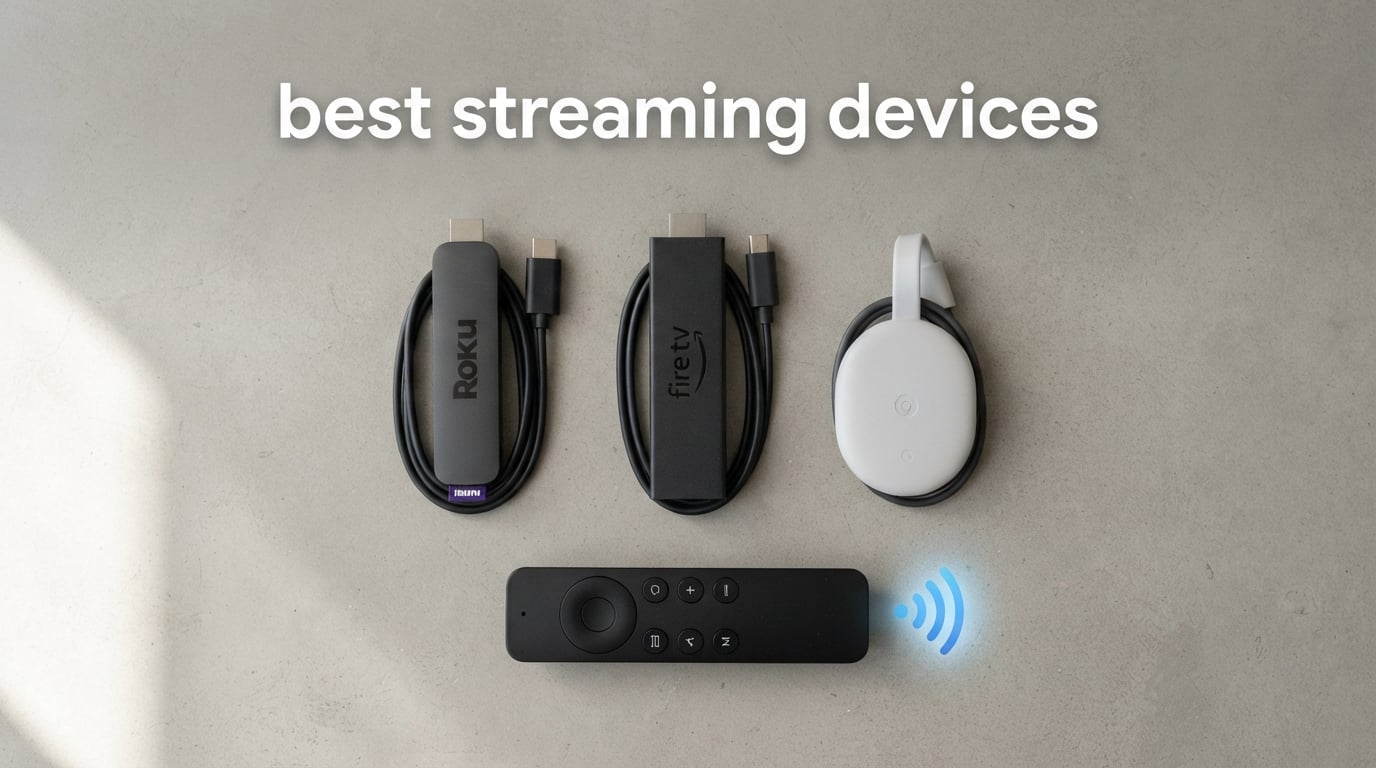
The best streaming devices give an older television a faster, better-supported way to run the services you already watch. A compact HDMI streaming player connects to your TV and internet, then handles app navigation and video decoding instead of asking a built-in smart-TV interface to do it all.
I would start with a dedicated device when a TV takes too long to open apps, loses updates, or makes it hard to find something across services. A stick can hide behind the screen and run from TV power, while a box can make room for Ethernet, extra storage, stronger smart-home controls, or a more capable remote.
For this guide, I compared the verified product details for 10 current options: resolution and HDR formats, wireless support, storage, audio claims, remote features, and connection choices. I also weighed the recurring concerns from cord-cutting and home-theater communities: home-screen advertising, local Plex or Jellyfin use, reliable Wi-Fi, and whether a device will fit a simple second-TV or travel setup.
Picture quality still begins with your display, so pair a 4K player with a capable screen; our guide to the best 4K TVs for gaming is a useful starting point if you need one. For more hardware choices beyond streaming, browse our buying guides.
Table of Contents
The three best streaming devices cover most TV setups
Here is the short answer for readers who want a clear starting point. These picks lead with broad usability, storage and smart-home flexibility, or an Ethernet-equipped Google TV box; the full list below is better if you already know you want Fire TV, a travel stick, Full HD, or a Roku box.
Roku Streaming Stick 4K: Best for a straightforward 4K stick with Dolby Vision, a long-range Wi-Fi receiver, and a compact body.
Google TV Streamer 4K: Best for a Google TV box with 32 GB storage, 4 GB RAM, Ethernet, and a smart-home home panel.
onn 4K Pro Streaming Device: Best for shoppers seeking a Google TV box with 32 GB storage, 3 GB RAM, Wi-Fi 6, and Ethernet, subject to checking the specific listing.
These are the best streaming devices in (October 2026)
The comparison below puts all 10 media streamers in one place. Use it to narrow the field by form factor and the features that are confirmed in each product listing, then read the individual notes before deciding.
| Product | Specifications | Action |
|---|---|---|
 Roku Streaming Stick 4K Roku Streaming Stick 4K |
|
Check Availability |
 Fire TV Stick 4K Plus Fire TV Stick 4K Plus |
|
Check Availability |
 Fire TV Stick 4K Max Fire TV Stick 4K Max |
|
Check Availability |
 Roku Streaming Stick Plus Roku Streaming Stick Plus |
|
Check Availability |
 Xiaomi TV Stick 4K 2nd Gen Xiaomi TV Stick 4K 2nd Gen |
|
Check Availability |
 Roku Ultra Roku Ultra |
|
Check Availability |
 Google TV Streamer 4K Google TV Streamer 4K |
|
Check Availability |
 onn 4K Pro Streaming Device onn 4K Pro Streaming Device |
|
Check Availability |
 Fire TV Stick 4K Select Fire TV Stick 4K Select |
|
Check Availability |
 Fire TV Stick HD Fire TV Stick HD |
|
Check Availability |
1. Roku Streaming Stick 4K is the easiest all-around 4K stick
Roku Streaming Stick 4K with Voice Remote – HDR10+ & Dolby Vision
4K Dolby Vision
Long-range Wi-Fi
16GB storage
Pros
- Dolby Vision picture
- Long-range Wi-Fi
- Compact stick
- Voice remote
- 16GB storage
Cons
- No smart-home compatibility
- No Ethernet port
The Roku Streaming Stick 4K is my simplest recommendation for a TV that needs a fresh interface without adding a visible box. Its 4K output reaches 2160p at 60 fps, and the listing confirms Dolby Vision, HDR10+, HEVC, AV1, and VP9 support.
The long-range Wi-Fi receiver is the detail that separates it from many basic sticks. It also has 16 GB of storage, a small 3.7-inch body, and a voice remote that controls TV power, volume, and mute, so a crowded HDMI panel stays manageable.
Roku says the home screen provides access to top apps and more than 500 free live-TV channels. Community feedback does flag increasingly prominent Roku home-screen ads, so I would choose it for ease of use rather than expecting a minimalist, ad-free front page.
With a 4.7 rating from about 99k reviews, it has a far larger feedback pool than several newer entries here. That scale does not replace a personal fit check, but it is a meaningful signal for a first streaming device for TV.
It fits viewers who want one compact remote
This is a practical fit for a living-room or bedroom TV where you want the streaming player out of sight. The stick form factor does not block neighboring HDMI ports, according to the listed benefits.
I would also favor it for a household that switches between Netflix, Hulu, Prime Video, and free live channels rather than building a complex smart-home setup.
It is less suited to wired-network and local-media specialists
There is no Ethernet port in the confirmed specifications, so a wired connection requires looking at a box-style option instead. The listing also marks it as not smart-home compatible.
For a local Plex or Jellyfin library with advanced home-theater audio needs, a streaming stick is usually not the first place I would look. Check the app and audio requirements for your own server before committing.
2. Fire TV Stick 4K Plus is the Fire TV choice for Wi-Fi 6
Amazon Fire TV Stick 4K Plus with AI-powered Fire TV Search, Wi-Fi 6, stream hundreds of thousands of movies and shows, free & live TV, find shows faster with Alexa+
4K Dolby Vision HDR10+
Wi-Fi 6
Dolby Atmos
Pros
- Wi-Fi 6 support
- Dolby Vision and HDR10+
- Dolby Atmos
- ALEXA search
- Cloud gaming support
Cons
- Amazon-focused interface
- Some services need subscriptions
The Fire TV Stick 4K Plus brings 4K Ultra HD, Wi-Fi 6, Dolby Vision, HDR10+, and Dolby Atmos into a small Fire TV stick. That is a strong confirmed format list for someone with a compatible television and sound system.
Its Alexa Voice Remote and AI-powered Fire TV Search are intended to make finding shows faster. The product listing also names Xbox Game Pass cloud gaming support, which gives it a different role from a basic video-only streamer.
I would go in with clear expectations about the Fire TV interface. Forum discussions repeatedly mention Amazon-focused promotions and forced content as a frustration, so the useful search tools need to matter more to you than a restrained home screen.
The listing has a 4.6 rating from roughly 111k reviews, giving the 4K Plus a substantial body of buyer feedback. It supports Netflix, Prime Video, Disney+, HBO Max, and more, although individual services can still require their own membership.
It fits Alexa households with a compatible 4K display
Choose this model if Alexa voice control is already part of your TV routine and your router supports Wi-Fi 6. Its Dolby Vision and HDR10+ support is helpful for a TV that accepts those formats.
Cloud-gaming support also makes sense for viewers who want to try Xbox Game Pass from the same HDMI streaming device.
It is less suited to people avoiding promotional home screens
A Fire TV device is not the cleanest answer for a viewer who is already annoyed by merchandising on a TV launcher. That concern comes up often in user discussions, even when people like the hardware speed.
I would not buy any platform only because it lists every major app. The important question is whether you like the way that platform organizes recommendations once the remote is in your hand.
3. Fire TV Stick 4K Max is the feature-heavy Fire TV stick
Amazon Fire TV Stick 4K Max (newest model), streaming device, with AI-powered Fire TV Search, supports Wi-Fi 6E, free & live TV without cable or satellite, find shows faster with Alexa+
4K Wi-Fi 6E
16GB storage
Dolby Vision Atmos
Pros
- Wi-Fi 6E
- 16GB storage
- Dolby Vision HDR10+
- Ambient Experience
- Cloud gaming
Cons
- Amazon-focused interface
- Some services need subscriptions
The Fire TV Stick 4K Max is the more capable Fire TV stick in this group on paper. It adds Wi-Fi 6E and 16 GB of storage, which Amazon describes as double the capacity of the Fire TV Stick 4K Plus.
Its listing also includes Dolby Vision, HDR10+, Dolby Atmos, AI-powered Alexa search, Xbox Game Pass cloud gaming, and Amazon Luna support. Those specifications make it a logical choice when you want a stick but do not want to give up higher-end wireless support.
The Fire TV Ambient Experience is the unusual extra: it can display art when you are not watching. I see that as a personal-preference feature, not a reason to overlook the core issue of whether you enjoy the Fire TV home screen.
About 80k reviews accompany its 4.6 rating, a healthy sample for a product with more specialized wireless hardware. I would still check your router first, because Wi-Fi 6E only helps when the rest of the network can use it.
It fits fast-wireless homes that want a stick
Wi-Fi 6E is the headline reason to choose the 4K Max over the 4K Plus. It is aimed at a home that has a compatible router and wants quick app starts, 4K streaming, and a compact setup.
The 16 GB allocation also gives frequent app downloaders more breathing room than on a lower-storage stick.
It is less suited to wired installations and neutral interfaces
Anyone planning a wired media cabinet should look for a player with a confirmed Ethernet port rather than trying to make a stick behave like a box. The product details here emphasize wireless connectivity.
The same advertising and Amazon-content concerns raised for other Fire TV models apply to the platform experience here. Faster hardware does not change that design choice.
4. Roku Streaming Stick Plus is the tidy TV-powered Roku option
Roku Streaming Stick Plus with Voice Remote – 4K & HDR10+
4K HDR
TV-powered stick
AirPlay and Google Home
Pros
- Runs from TV power
- 4K HDR
- Compact design
- Voice remote
- AirPlay support
Cons
- No Ethernet port
- Limited smart-home role
The Roku Streaming Stick Plus keeps the physical setup especially clean because the listing says it powers directly from the TV, with no extra wall cord. That makes it a natural choice for a wall-mounted set, an uncluttered bedroom, or a second display.
It provides 4K and HDR streaming, Bluetooth and Wi-Fi connectivity, plus a voice remote with TV controls. Roku also lists compatibility with Alexa, Apple AirPlay, HomeKit, Google Home, and Roku Smart Home, although the product details do not frame it as a full smart-home hub.
I like the fact that it is a 3.7-inch stick with a narrow profile. A stick that does not obstruct adjacent HDMI ports can save an annoying adapter purchase on a TV with tight side-facing connections.
Its 4.6 rating comes from about 9.3k reviews. That is enough feedback to be useful, while still much smaller than the review base behind Roku’s 4K stick above.
It fits secondary TVs and travel-minded setups
Powering from the television keeps the kit compact, which is helpful when an outlet is awkward or you want fewer visible leads. Its compact form also makes it easier to pack than a separate streaming box.
I would choose it for everyday 4K app streaming where a simple Roku remote and straightforward setup are the priorities.
It is less suited to Ethernet-first home theaters
There is no confirmed Ethernet connection in this listing, so Wi-Fi quality will shape the experience. A box with a wired port is more sensible when the router or switch is nearby.
It is also not the place to start if you need deep smart-home controls from the streaming player itself. Its listed ecosystem compatibility is useful, but that is different from a dedicated home-control panel.
5. Xiaomi TV Stick 4K 2nd Gen is the portable Google TV alternative
Xiaomi TV Stick 4K (2nd Gen) Streaming Media Player Device Google TV Cast Dolby Vision HDR10+ Atmos Dual Band Wi-Fi 6 with 360° Bluetooth Voice Remote Control
4K Dolby Vision HDR10+
Wi-Fi 6
Google TV
Pros
- Google TV interface
- Wi-Fi 6
- Dolby Vision and Atmos
- DTS:X
- Google Cast
Cons
- 8GB storage
- Small review sample
The Xiaomi TV Stick 4K 2nd Gen offers Google TV in a very light 28-gram stick. Its confirmed hardware includes a 6nm platform, a 2.5 GHz quad-core A55 CPU, 2 GB RAM, 8 GB storage, and dual-band Wi-Fi 6.
For picture and sound, the listing covers 4K output, Dolby Vision, HDR10+, Dolby Atmos, and DTS:X. It also lists AV1, VP9, H.264, and H.265 decoding, alongside Google Cast and a Bluetooth voice remote with Google Assistant.
This is an appealing media streamer for someone who prefers Google TV recommendations and casting from a phone or tablet. It has a plug-and-play form factor that is much easier to move between TVs than a larger box.
The limitation is confidence from buyer feedback: the available listing shows a 4.5 rating from only 54 reviews. I would treat its specification sheet as promising, but give its shorter review history more weight than a mature product’s record.
It fits Google TV viewers who need a light travel stick
Google Cast makes sense for a home that often sends video from Android or iOS devices to the television. The stick’s 4.2-inch length and low weight also suit a hotel or family visit where you can access a usable HDMI input.
Its broad HDR and audio-format list gives it more home-theater potential than a basic Full HD travel device.
It is less suited to large app collections
The confirmed 8 GB storage is lower than the 16 GB and 32 GB choices in this guide. That matters if you install many services, games, or region-specific apps rather than cycling through a short list.
The small review count is another reason to confirm seller details, compatibility, and return terms before treating it as a long-term default device.
6. Roku Ultra is the Roku box for Ethernet and a better remote
Roku Ultra, Ultimate Streaming Player – 4K Streaming Device for TV
4K Dolby Vision Atmos
Wi-Fi 6 and Ethernet
Backlit remote
Pros
- Ethernet port
- Wi-Fi 6
- Backlit rechargeable remote
- Bluetooth headphone mode
- Dolby Atmos
Cons
- Not a smart-home hub
- Roku home-screen ads
The Roku Ultra is for viewers who like Roku’s app-first approach but want box-level connections and remote upgrades. Its listing confirms both Wi-Fi 6 and Ethernet, as well as Bluetooth, USB, 4K output, HDR10+, Dolby Vision, and Dolby Atmos.
The included Rechargeable Voice Remote Pro has backlit buttons, USB-C charging, a lost-remote finder, and hands-free “Hey Roku” controls. Those are everyday comforts rather than headline picture specifications, but they can matter more than a benchmark after several months of use.
Roku calls this model 30% faster than any other Roku player. I would read that as a brand comparison claim, while focusing on the concrete benefits: wired networking is available, the remote is rechargeable, and Bluetooth headphone mode is listed.
It holds a 4.4 rating across about 8.4k reviews. It carries a two-year manufacturer warranty in the product details, which is a useful practical point for a fixed living-room setup.
It fits Roku fans with a wired media cabinet
The Ethernet port is the key differentiator when consistent network delivery matters more than hiding hardware behind the TV. It is a sound option for a home theater rack or a television near a router or switch.
Bluetooth headphone mode and the backlit remote also make late-night viewing and dim-room use more convenient.
It is less suited to smart-home control from the TV
The listed product details identify the Ultra as not smart-home compatible. If controlling connected devices from the television is a main goal, Google TV Streamer 4K has the clearer confirmed home-panel role.
Roku’s interface remains the bigger platform choice. Pick the Ultra for its connections and remote rather than assuming it changes the advertisement concerns discussed by Roku users.
7. Google TV Streamer 4K is the Google smart-home box
Google Streamer 4K – Fast Streaming Entertainment with Voice Search Remote, Watch Movies, Shows, Live Channels and Netflix in HDR, Smart Home Control, 32 GB Storage, Porcelain
4K Dolby Vision Atmos
32GB and 4GB RAM
Ethernet
Pros
- 32GB storage
- 4GB RAM
- Ethernet port
- Smart-home panel
- Custom remote button
Cons
- HDMI 2.1 cable separate
- Services may need subscriptions
The Google TV Streamer 4K is the clearest box-style alternative for people who want Google TV, smart-home controls, and plenty of app storage. Its listed 32 GB storage and 4 GB RAM are notably generous next to the stick options here.
Google confirms Wi-Fi and Ethernet connectivity, 4K output, Dolby Vision, Dolby Atmos, voice search, casting from Android and iOS, and a customizable remote button. The product page also says the processor is 22% faster than the prior generation.
The home panel is the feature that changes the decision for a connected home. It lets the streamer serve as more than a place to open video apps, while the remote finder removes one small but common living-room annoyance.
This product has a 4.4 rating from roughly 3.8k reviews. The listing says an HDMI 2.1 cable is required and sold separately, so check what is already connected to your television before setup day.
It fits Google households that need storage and control
I would choose this player when Google Assistant, casting, a home-control panel, and an Ethernet port all belong on the same requirements list. The extra storage is helpful for people who keep many apps installed.
It is also a tidy answer for a TV stand where a small box is fine and a stick’s hidden form is not necessary.
It is less suited to bare-minimum plug-in setups
Its box form, separate power cable, and HDMI 2.1 cable requirement make it less grab-and-go than a TV-powered stick. A simple second-room setup may not need the extra hardware.
Like other Google TV devices, it is still worth considering how you feel about recommendation-led screens and advertising placement before you make the platform your default.
8. onn 4K Pro Streaming Device is the specification-rich Google TV box
IT’S BRAZILIAN onn 4K Pro Streaming Device, Google TV with Gemini* – Ultra-Fast Streaming, Stunning 4K UHD, 32GB Storage, 3GB RAM, Dolby Vision & Atmos, Find My Remote with Backlight, Ethernet Port
4K Dolby Vision Atmos
32GB and 3GB RAM
Wi-Fi 6 Ethernet
Pros
- 32GB storage
- 3GB RAM
- Wi-Fi 6
- Ethernet port
- Backlit remote finder
Cons
- Limited review sample
- Verify the specific seller listing
The listing for the onn 4K Pro Streaming Device describes an appealing Google TV specification set: 4K Ultra HD, Dolby Vision, Dolby Atmos, 32 GB storage, 3 GB RAM, Wi-Fi 6, and Ethernet. A backlit Find My Remote is another unusually useful detail at this level.
That combination aligns with what many forum users want from an affordable Google TV box: responsive navigation, more room for apps, and a wired option when Wi-Fi is unreliable. Users also often mention custom launchers as one way to change the Google TV home-screen experience, although that is a separate setup decision.
There is an important data-quality limitation here. The analyzed listing names the product as onn 4K Pro but identifies the brand as “IT’S BRAZILIAN” and the manufacturer as ItsBrazilian, so I would verify the seller and exact product identity before ordering.
Its 4.4 rating is based on 129 reviews, a much smaller sample than the established Roku and Fire TV products. The specifications deserve attention, but the review volume and listing identity call for extra care.
It fits buyers who prioritize storage and Ethernet
32 GB storage, 3 GB RAM, Wi-Fi 6, and Ethernet answer many practical questions for a high-use streaming box. This is the configuration I would compare closely with the Google TV Streamer 4K if app capacity and a wired port matter.
The backlit remote and remote-finder feature are good fits for a dark living room where the remote regularly disappears into cushions.
It is less suited to hands-off buying decisions
The small review count and inconsistent brand information in this specific listing mean it needs more verification than the major-brand entries. Confirm the seller, included accessories, software version, and support terms before you proceed.
Do not assume a product name alone settles device identity. Checking those details is especially sensible when a box will be the center of a home theater or smart-home routine.
9. Fire TV Stick 4K Select is the straightforward current 4K Fire TV stick
Amazon Fire TV Stick 4K Select, start streaming in 4K, AI-powered search, and free & live TV, find shows faster with Alexa+
4K HDR10+
Wi-Fi 6
Alexa+ search
Pros
- 4K HDR10+
- Wi-Fi 6
- Alexa+ search
- Free live TV
- Cloud gaming support
Cons
- No Dolby Vision listed
- Some Alexa+ features may need subscriptions
The Fire TV Stick 4K Select is a current Fire TV entry for viewers who want 4K Ultra HD, HDR10+, Wi-Fi 6, Alexa+ search, and broad app access. The listing includes Prime Video, Netflix, YouTube, Disney+, Apple TV+, HBO Max, Hulu, Peacock, Paramount+, and thousands more.
It also lists free and live TV, Xbox Game Pass cloud gaming support, and Alexa smart-home control. That gives it a broad feature base for a Fire TV household without moving to the 4K Max’s Wi-Fi 6E and 16 GB storage.
One detail I would not assume is Dolby Vision, because it is not listed among the confirmed specifications for this model. Match the device to the HDR formats your television actually supports instead of treating all 4K sticks as interchangeable.
Its 4.2 rating comes from about 11.9k reviews. The rating is lower than the Fire TV 4K Plus and 4K Max in this roundup, although it still has a large enough review base to read for current owner patterns.
It fits Fire TV users who need current 4K basics
This model fits a household already comfortable with Alexa and the Fire TV app catalog. Wi-Fi 6 and HDR10+ cover the core requirements for many modern 4K TVs.
It is also a reasonable feature set for someone interested in trying cloud gaming through the TV interface.
It is less suited to Dolby Vision-focused displays
Because Dolby Vision is not confirmed on the analyzed listing, I would compare it with a Fire TV or Roku model that explicitly names Dolby Vision if that is a must-have format for your display.
It still has the Fire TV interface trade-off: service subscriptions may be separate, and the platform’s promotional presentation will not suit every viewer.
10. Fire TV Stick HD is the Full HD stick for basic TVs
Amazon Fire TV Stick HD (newest model), free & live TV, Alexa Voice Remote, powered by the TV, effortless setup, find shows faster with Alexa+
Full HD streaming
TV-powered USB-C
Alexa remote
Pros
- Full HD streaming
- TV-powered USB-C
- Bluetooth headphones
- Alexa remote
- Portable
Cons
- No 4K output
- Some services need subscriptions
The Fire TV Stick HD is the focused choice for a television that is Full HD rather than 4K. Its listing confirms Full HD streaming, Wi-Fi 6 support, an Alexa Voice Remote, Bluetooth headphone support, and direct power via USB-C from the TV.
That TV-powered design makes installation uncomplicated: connect to HDMI, connect the power lead to the television when the port supplies enough power, and use the remote for app search. The product also lists free and live TV and Alexa+ powered search.
I would not position it as an upgrade for a 4K display, because it does not output 4K. It is better understood as a compact way to update an older television, spare room, or portable screen without buying features the panel cannot show.
The product holds a 4.2 rating from about 2.1k reviews. As with the other Fire TV sticks, some services require separate subscriptions, and the platform remains a better fit for Alexa users than for people avoiding Amazon’s content emphasis.
It fits older TVs and small secondary screens
Full HD output is appropriate when the display itself is 1080p. The direct-power option, Bluetooth headphone support, and small stick design also make it easy to move between compatible TVs.
I would consider it for a guest room, a spare television, or a travel setup where 4K is not part of the requirement.
It is less suited to 4K HDR home theaters
A 4K television can accept this stick, but the player will not deliver 4K resolution. Choose one of the confirmed 4K streaming devices above if you want to use a modern 4K panel’s resolution.
It also does not change the standard Fire TV interface considerations around promotions, app memberships, and Alexa-centered controls.
The right streaming device depends on your TV, network, and interface tolerance
A streaming player is not automatically better because it has the longest feature list. Start with the television you own, the way your network reaches it, the audio gear in the room, and the interface you are willing to see every day.
A stick is best when you need a hidden, portable setup
A streaming stick plugs straight into HDMI and can often disappear behind the TV. The Roku Streaming Stick Plus and Fire TV Stick HD list TV-powered operation, which reduces cable clutter and makes them especially sensible for secondary screens.
A box takes more space but can add Ethernet, more storage, larger remotes, and a more stable place on a TV stand. The Roku Ultra and Google TV Streamer 4K are the clear examples in this list with confirmed Ethernet.
A 4K device is best when your television and services can use it
4K describes resolution, while HDR formats affect brightness and color range. HDR10 is common; HDR10+ adds dynamic metadata, and Dolby Vision is another dynamic HDR format that must be supported by both the player and television.
Do not assume that every 4K media player supports every HDR format. The Fire TV Stick 4K Select lists HDR10+ but does not confirm Dolby Vision, while the Roku Streaming Stick 4K, Fire TV 4K Plus, Fire TV 4K Max, Xiaomi stick, Roku Ultra, Google TV Streamer, and onn listing all name Dolby Vision.
An Ethernet port is best when Wi-Fi is the weak link
Wi-Fi 6 and Wi-Fi 6E are useful network capabilities, but their benefit depends on router support, distance, walls, and congestion. A wired Ethernet connection is often the more predictable solution for a fixed 4K streaming box near a network switch.
The Roku Ultra, Google TV Streamer 4K, and onn listing are the options here with confirmed Ethernet ports. If your TV is far from the router, improving placement or using a reliable wired path may help more than changing streaming platforms.
The interface is best when it helps you find shows without frustrating you
No device contains every streaming service as a single all-inclusive subscription. The major platforms collect apps and can search across supported services, but Netflix, Disney+, Hulu, Prime Video, and live-TV providers each control their own availability and membership terms.
Forum discussions make the human side clear: Fire TV users often object to Amazon-led promotions, Roku users mention ads on the home screen, and Google TV users mention recommendation and advertising clutter. Apple TV is frequently praised for a more ad-free experience, but it is not one of the verified products in this 10-device list.
Local media needs a confirmed app and audio plan
Plex and Jellyfin can turn a personal media library into a TV-friendly catalog, but a streaming device is only one part of that chain. Check that your preferred client app is available, your server can transcode when needed, and your television or receiver supports the audio path you expect.
Home-theater forums often praise Nvidia Shield TV Pro for local media and advanced audio passthrough, but it is not among the analyzed products here, so I have not ranked it. If audio is a priority, compare your player with our guides to the best home theater receivers and Dolby Atmos soundbars.
Gaming needs a stable connection more than a streaming badge
Several Fire TV listings include Xbox Game Pass cloud gaming, but cloud gaming quality depends heavily on connection stability, latency, and the service itself. A Wi-Fi label alone does not guarantee responsive play.
If gaming shares the same display and network, use the practical steps in our guide to reduce input lag in games. A wired player or well-placed router can be a more meaningful upgrade than a remote-control feature.
These direct answers settle common streaming-device questions
No: Is there a device that has all streaming services?
No single device includes every service or one universal subscription. Roku, Fire TV, and Google TV gather many app choices and may search across participating services, but each provider controls its own app availability and membership. Check the apps you watch most before choosing a platform.
Roku, Fire TV, and Google TV are the big three device platforms?
Roku, Amazon Fire TV, and Google TV are the three major streaming-device platforms represented in this guide. They differ most in home-screen design, voice assistant, casting or smart-home tools, and supported hardware. Apple TV is also a major ecosystem choice, though it is not in this verified product set.
Yes: Is there anything better than a Firestick?
Yes, depending on what you need. Roku is a simple alternative, Google TV Streamer 4K adds Ethernet, 32 GB storage, and a smart-home panel, and Roku Ultra adds Ethernet and a backlit rechargeable remote. Fire TV remains a strong option for Alexa households, Wi-Fi 6 or 6E, and listed cloud-gaming support.
Yes: Do I need a 4K streaming device?
Yes if you have a 4K television and want compatible services to play in 4K. No if your TV is Full HD or you only need a compact player for a basic second screen; the Fire TV Stick HD is made for that role. Also confirm HDR formats, because 4K alone does not mean Dolby Vision support.
The Roku Streaming Stick 4K is the best starting point for most viewers
For a balanced, uncomplicated streaming device for TV, I would begin with the Roku Streaming Stick 4K. It combines 4K, Dolby Vision, a long-range Wi-Fi receiver, 16 GB storage, and a large review history in a discreet stick.
Choose Google TV Streamer 4K when storage, Ethernet, casting, and home control lead your requirements; choose Roku Ultra for Ethernet plus Roku’s upgraded remote; and choose Fire TV only when its Alexa tools and interface suit your household. Review the comparison, match the confirmed features to your TV, and check availability before you decide in 2026.