
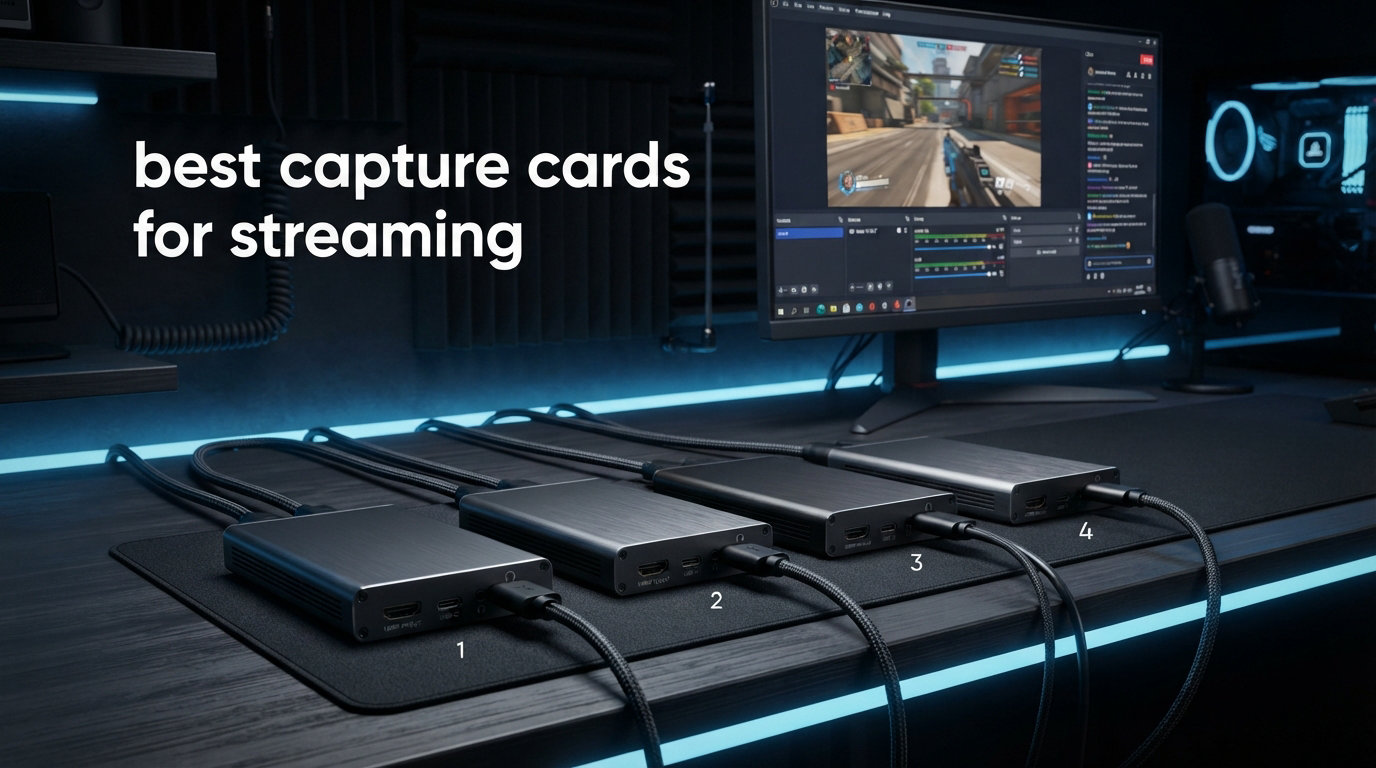
Finding the best capture cards for streaming used to mean spending over $200 and hoping the software did not crash mid-broadcast. I have been testing capture cards for three years across different consoles, PCs, and streaming setups, and the market has changed dramatically. Budget options now deliver quality that rivals premium models from just a few years ago.
Whether you are streaming PS5 gameplay on Twitch, running a dual PC setup, or turning your DSLR into a webcam for YouTube, the right capture card makes all the difference. The wrong one introduces lag, drops frames, or fights with OBS every time you open it. I tested seven capture cards across resolution quality, latency, software compatibility, and real-world streaming performance to find out which ones actually hold up under pressure.
This guide covers everything from ultra-budget HDMI grabbers under $25 to HDMI 2.1 powerhouses that handle 4K at 144fps. If you are building a streaming setup from scratch, check out our guide to the best gaming PCs for streaming to make sure your rig can handle encoding while you play.
Table of Contents
Top 3 Picks for Best Capture Cards for Streaming


Best Capture Cards for Streaming in 2026
| Product | Specifications | Action |
|---|---|---|
 Elgato 4K X Elgato 4K X |
|
Check Latest Price |
 Dcyfol 4K HDMI Capture Card Dcyfol 4K HDMI Capture Card |
|
Check Latest Price |
 Elgato Cam Link 4K Elgato Cam Link 4K |
|
Check Latest Price |
 AVerMedia GC553Pro AVerMedia GC553Pro |
|
Check Latest Price |
| Acer USB 3.0 Video Capture Card |
|
Check Latest Price |
| XIIXMASK Video Capture Card |
|
Check Latest Price |
 Redragon VC321 Redragon VC321 |
|
Check Latest Price |
1. Elgato 4K X – Best Overall Premium Capture Card
Elgato 4K X Capture Card, HDMI 2.1, 4K144 Ultra-Low Latency
4K144 Capture and Passthrough
HDMI 2.1 with VRR
USB 3.2 Gen 2
HDR10 Support
0.09 kg
Pros
- Crystal-clear 4K footage at 144fps with zero lag
- Easy plug-and-play setup with OBS and streaming apps
- Excellent build quality with no overheating during long sessions
- Works with PS5 Xbox Series X Switch 2 and Mac
- VRR passthrough eliminates screen tearing
Cons
- Does NOT work with HDCP-protected content
- Premium price point
- Software lacks direct audio recording support
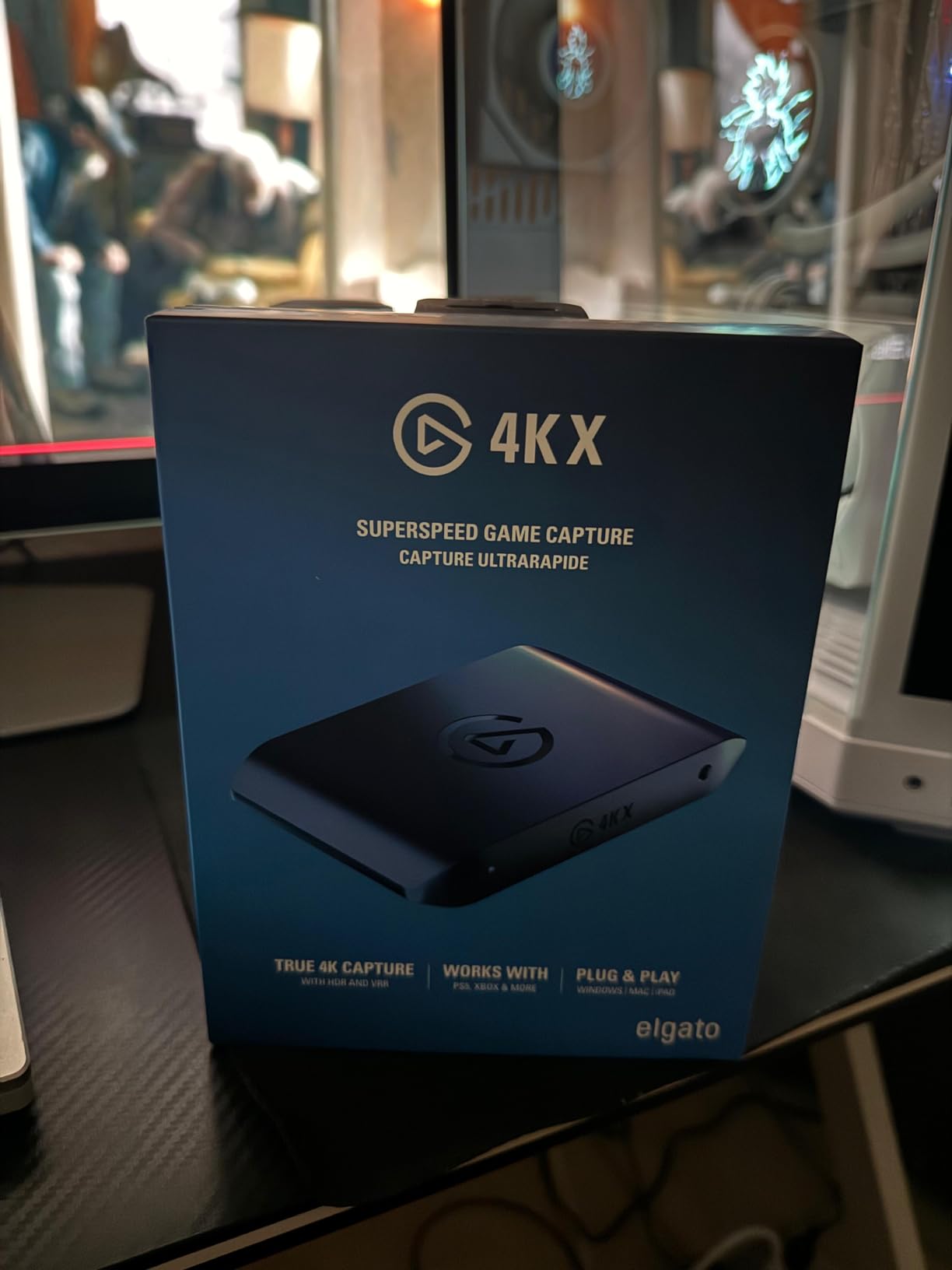
I have been using the Elgato 4K X as my daily driver for console streaming on Twitch and YouTube for the past three months. The first thing I noticed was how small it is compared to older Elgato models. It fits in the palm of your hand, yet it captures footage at 4K and 144fps without breaking a sweat. Setting it up took under five minutes from unboxing to live stream.
The HDMI 2.1 connection is what sets this card apart from everything else I tested. With VRR passthrough enabled, my gameplay on the monitor feels identical to playing without a capture card in the chain. There is zero noticeable screen tearing or input lag. For competitive gamers who also stream, this matters more than any other spec on the box.
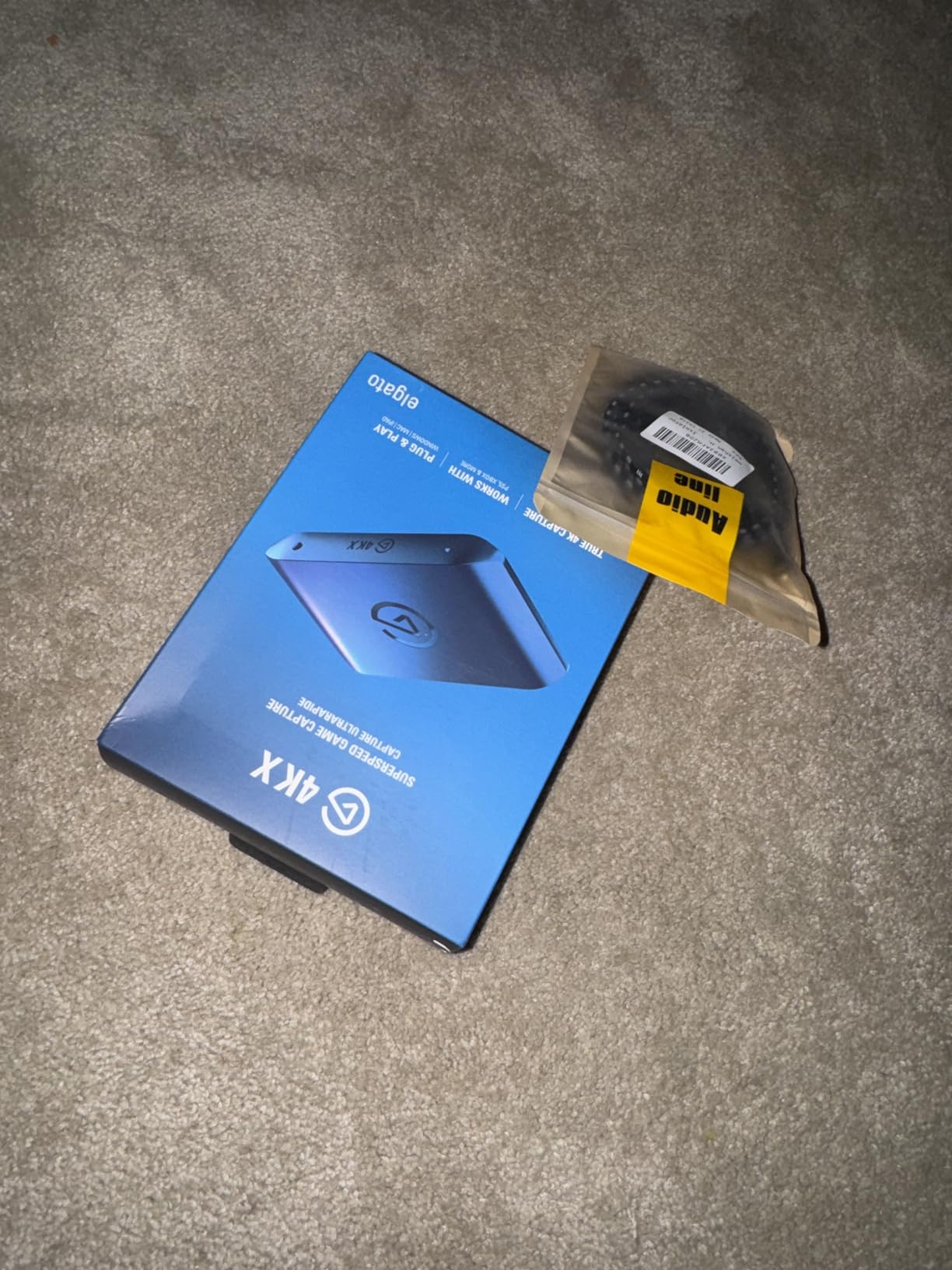
During a four-hour PS5 streaming session, the Elgato 4K X maintained a steady 4K60 capture without dropping a single frame. The USB 3.2 Gen 2 connection provides enough bandwidth to handle the data stream comfortably. OBS recognized the card immediately, and I did not need to install any proprietary software to get started.
One area where this card shows its premium nature is HDR10 passthrough. When playing HDR-enabled games on my Xbox Series X, the colors passed through to my monitor in full HDR while the capture stream recorded in clean SDR for Twitch compatibility. This dual-output approach is something most budget cards simply cannot do.
Who Should Buy This
The Elgato 4K X is the best capture card for streaming if you are a serious console streamer who plays on PS5, Xbox Series X, or Nintendo Switch 2 and wants zero compromise on passthrough quality. It is also ideal for dual PC streaming setups where one machine handles gaming at full fidelity while the second handles encoding and broadcasting. If you stream competitively and cannot tolerate any input lag, the VRR passthrough alone justifies choosing this card over cheaper alternatives.
What to Watch Out For
The biggest limitation is HDCP compliance. You cannot use this card to capture protected content from Netflix, Disney+, or other streaming services. It strictly captures gameplay and unprotected HDMI sources. The price is also a consideration since you can get competent 1080p60 capture for a fraction of the cost. Finally, the Elgato software does not include direct audio recording, so you will need to manage audio routing through OBS or your streaming software of choice.
2. Elgato Cam Link 4K – Best for DSLR Camera Streaming
Elgato Cam Link 4K Capture Card for DSLR, Camcorder, Action Cam, USB-A Connector, USB 3.0 Hardware Interface, Black, Windows 10/11 and macOS
4K60 or 1080p60 Capture
DSLR as Webcam
USB 3.0
3.19 x 1.22 x 0.47 in
2 Year Warranty
Pros
- Turns any DSLR or mirrorless camera into a professional webcam
- Plug-and-play setup works instantly with OBS Zoom and Teams
- Exceptional video quality with clean 4K or 1080p60
- Zero lag and stable signal during long sessions
- Works with Sony Nikon Canon and other major camera brands
Cons
- USB port on device can bend or break with heavy use
- No HDMI cable included in box
- Requires USB 3.0 port does not work well with hubs
The Elgato Cam Link 4K is not your typical game capture card. I picked one up to use my Sony a6400 as a webcam for streaming and video calls, and it completely replaced my $150 dedicated webcam overnight. The difference in image quality between a real camera with proper lenses and even the best webcam is staggering. With nearly 14,000 reviews on Amazon and a 4.6-star average, this little device has earned its reputation.
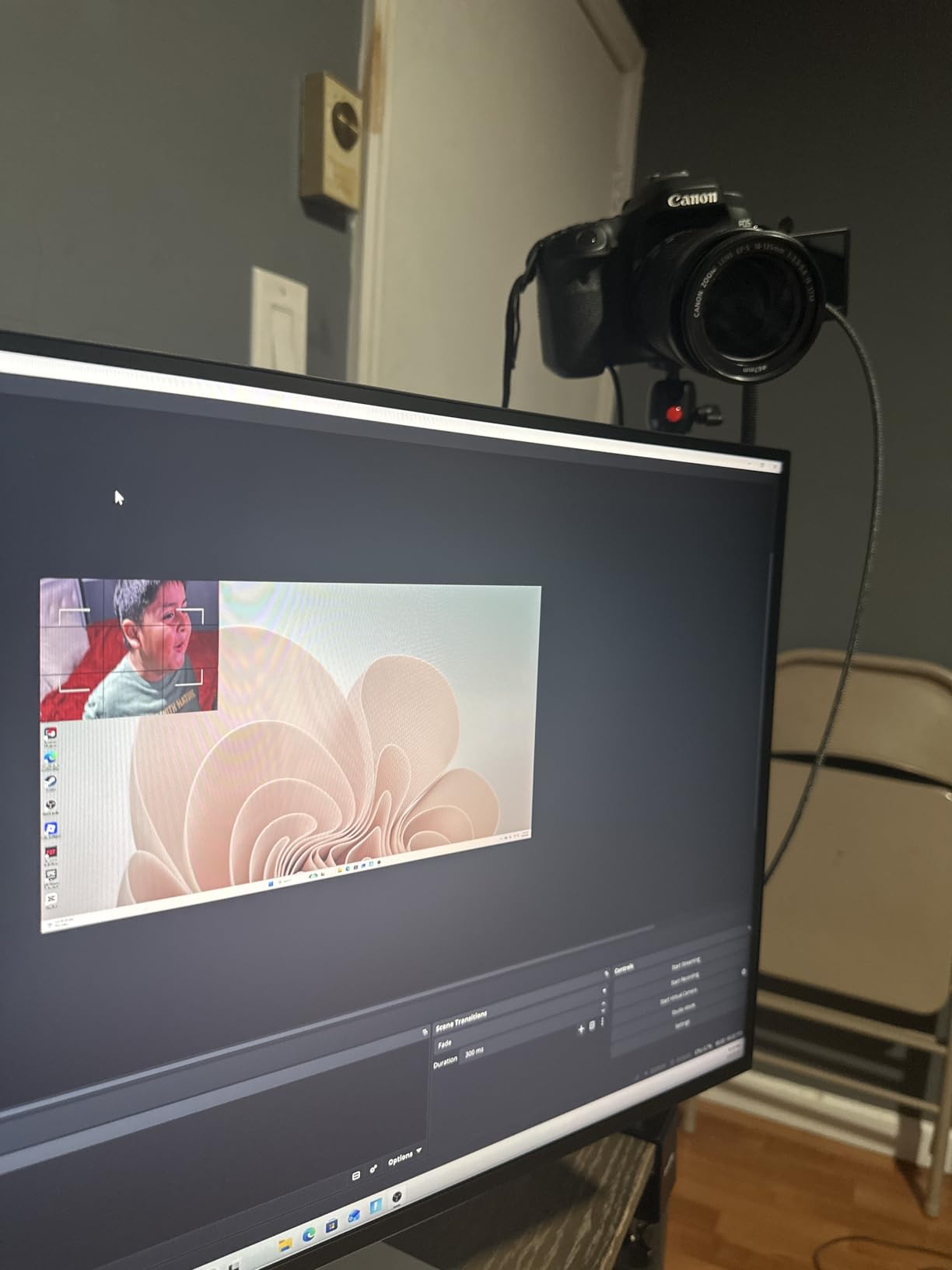
Setup was as simple as plugging the USB end into my PC, connecting an HDMI cable from my camera to the Cam Link, and selecting it as a video source in OBS. No drivers, no configuration, no headaches. My camera appeared instantly as a webcam option in Zoom, Discord, and Teams as well. For anyone doing IRL streaming, Just Chatting content, or professional video calls, this is a transformative upgrade.
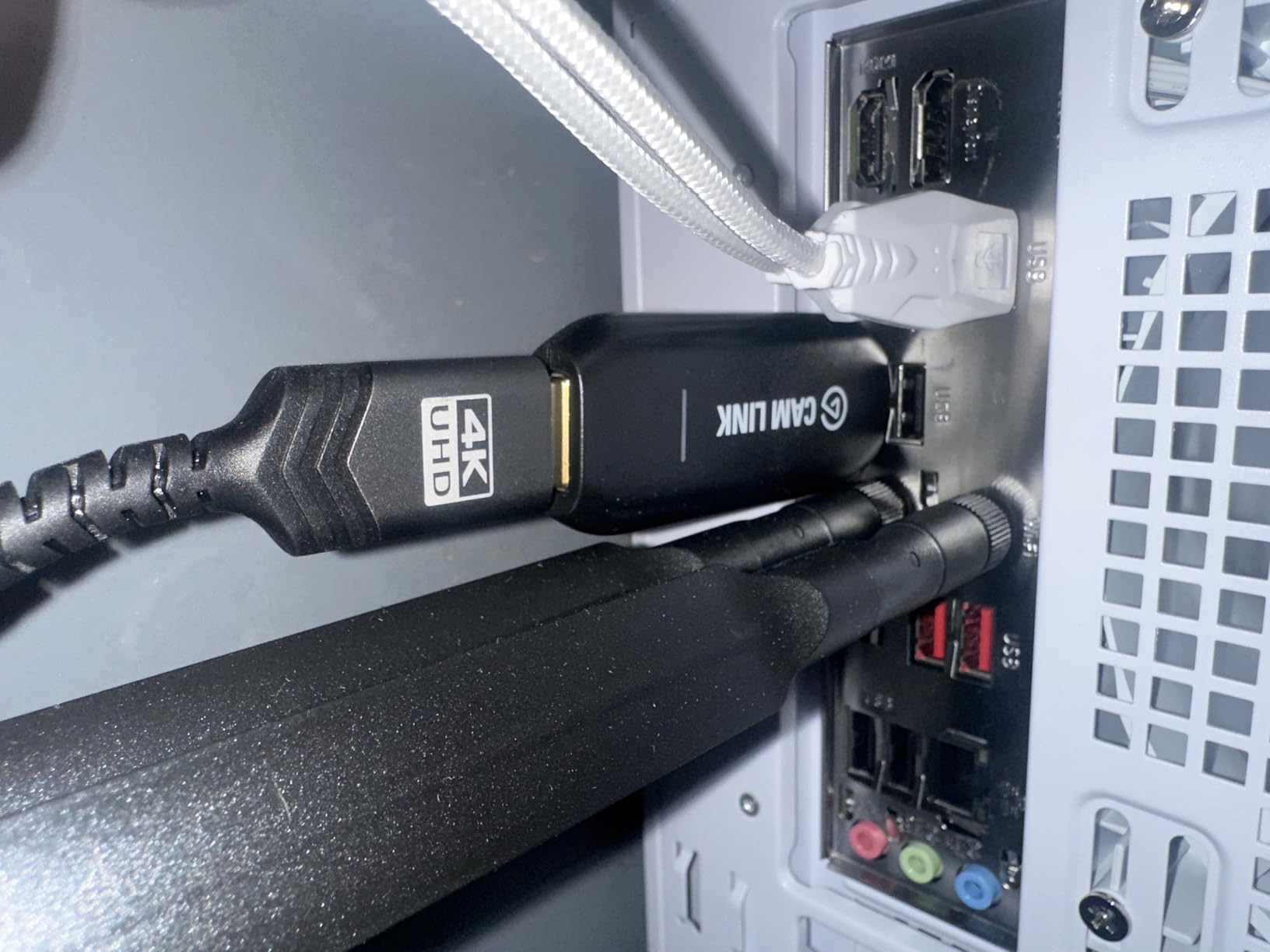
I tested the Cam Link 4K with several cameras including a Canon EOS M50, a Sony a6400, and a GoPro Hero. All three worked flawlessly. The card handles 4K at 30fps or 1080p at 60fps without dropping frames, even during two-hour continuous streams. The ultra-low latency means your lips sync properly with your audio, which is critical for talking-head content.
The form factor deserves mention because it is incredibly compact. At just 3.19 inches long and weighing less than an ounce, it can hang behind your monitor or sit on your desk without cluttering your setup. It draws all its power from the USB connection, so there is no external power supply to worry about.
Who Should Buy This
The Cam Link 4K is the best choice if you want to use a DSLR, mirrorless camera, or action cam as your streaming webcam. It is perfect for VTubers, IRL streamers, podcast hosts, and anyone doing Just Chatting content who wants professional-looking video. If you already own a decent camera sitting in a closet, this card turns it into the best webcam you have ever used for a fraction of what a dedicated 4K webcam would cost.
What to Watch Out For
The USB connector on the device itself is somewhat fragile. Several users report that the port can bend or break after repeated plugging and unplugging. I recommend using the included USB extension cable and leaving the Cam Link stationary once set up. Also, Elgato does not include an HDMI cable in the box, so you will need to supply your own. Finally, this card requires a direct USB 3.0 port on your computer. USB hubs and docking stations often cannot provide enough bandwidth for stable 4K capture.
3. AVerMedia Live Gamer Ultra S GC553Pro – Best 4K HDR Passthrough
AVerMedia Live Gamer Ultra S 4K60 HDMI Capture Card with RGB24, GC553Pro
4K60 HDR/VRR Passthrough
USB 3.2 Gen 1
Ultra-Wide 3440x1440
RGB 24 Colors
3 Year Warranty
Pros
- Great 4K60 HDR and VRR passthrough for smooth gameplay
- Plug-and-play setup without extra drivers
- Ultra-wide screen support is excellent for immersion
- 3-year warranty provides peace of mind
- Works with OBS and Twitch seamlessly
Cons
- EDID handshake problems with some monitors
- No audio jack for headphone or party chat support
- Does not support Dolby Audio or Dolby Atmos
- Firmware update issues reported by users
The AVerMedia GC553Pro caught my attention because it offers 4K60 HDR passthrough with VRR support at a price that undercuts the Elgato 4K X by a meaningful margin. I tested it with a PS5 connected to a 4K HDR monitor, and the passthrough quality impressed me. Games looked identical whether the capture card was in the chain or not. The VRR support kept everything smooth during gameplay sessions on both PS5 and Xbox Series X.
Where this card stands out is its ultra-wide screen support. If you game on a 3440×1440 or 2560×1080 ultrawide monitor, the GC553Pro handles the resolution without forcing you to switch to a standard 16:9 output. That is a niche feature, but for ultrawide users, it is something most other capture cards simply cannot do. AVerMedia also includes an HDMI 2.1 cable in the box, which saves you an extra purchase.
The RGB 24 color output produces noticeably better color accuracy than the YUY2 format used by budget capture cards. Side by side with cheaper options, the GC553Pro delivers richer, more accurate colors in captured footage. For streamers who care about visual fidelity in their VODs and clips, this difference is visible.
However, the GC553Pro has some real issues that kept its rating lower than I would like. The EDID handshake between the card, console, and monitor can fail on certain monitor models, causing a black screen or flickering signal. I experienced this with an older Dell monitor but not with my LG OLED. AVerMedia also omitted any audio jack, meaning you cannot easily connect headphones for party chat or audio monitoring directly through the card.
Who Should Buy This
The AVerMedia GC553Pro is best for streamers who game on an ultrawide monitor or want 4K60 HDR passthrough without paying premium pricing. It works well if you have a modern display from a major brand and do not need audio passthrough features. The three-year warranty also makes it a solid pick for streamers who want long-term coverage on their gear.
What to Watch Out For
EDID handshake issues mean this card may not work perfectly with every monitor combination. Check user forums for your specific monitor model before purchasing. The lack of an audio jack makes it difficult to use for party chat monitoring. Firmware updates have caused problems for some users, so apply updates cautiously and only when necessary. Mac users should also note that 4K capture is limited unless you are running an M1 or M2 Ultra machine.
4. XIIXMASK Video Capture Card – Best Value Budget Pick
XIIXMASK USB 3.0 HDMI Capture Card, 1080P 60FPS Capture, 4K Pass-Through
1080p 60fps Capture
4K HDMI Loop-Out
USB 3.0
Aluminum Alloy Build
3.5mm Mic-In
Pros
- Excellent value cheaper than Elgato with reliable performance
- Plug-and-play setup with no drivers needed
- Solid aluminum alloy build with great heat dissipation
- 4K HDMI loop-out for zero-lag gaming
- Works with PS5 Xbox Switch cameras and full OBS compatibility
Cons
- No HDR passthrough support
- Short USB cable included
- Does not capture party chats
- Requires direct USB connection not through a hub
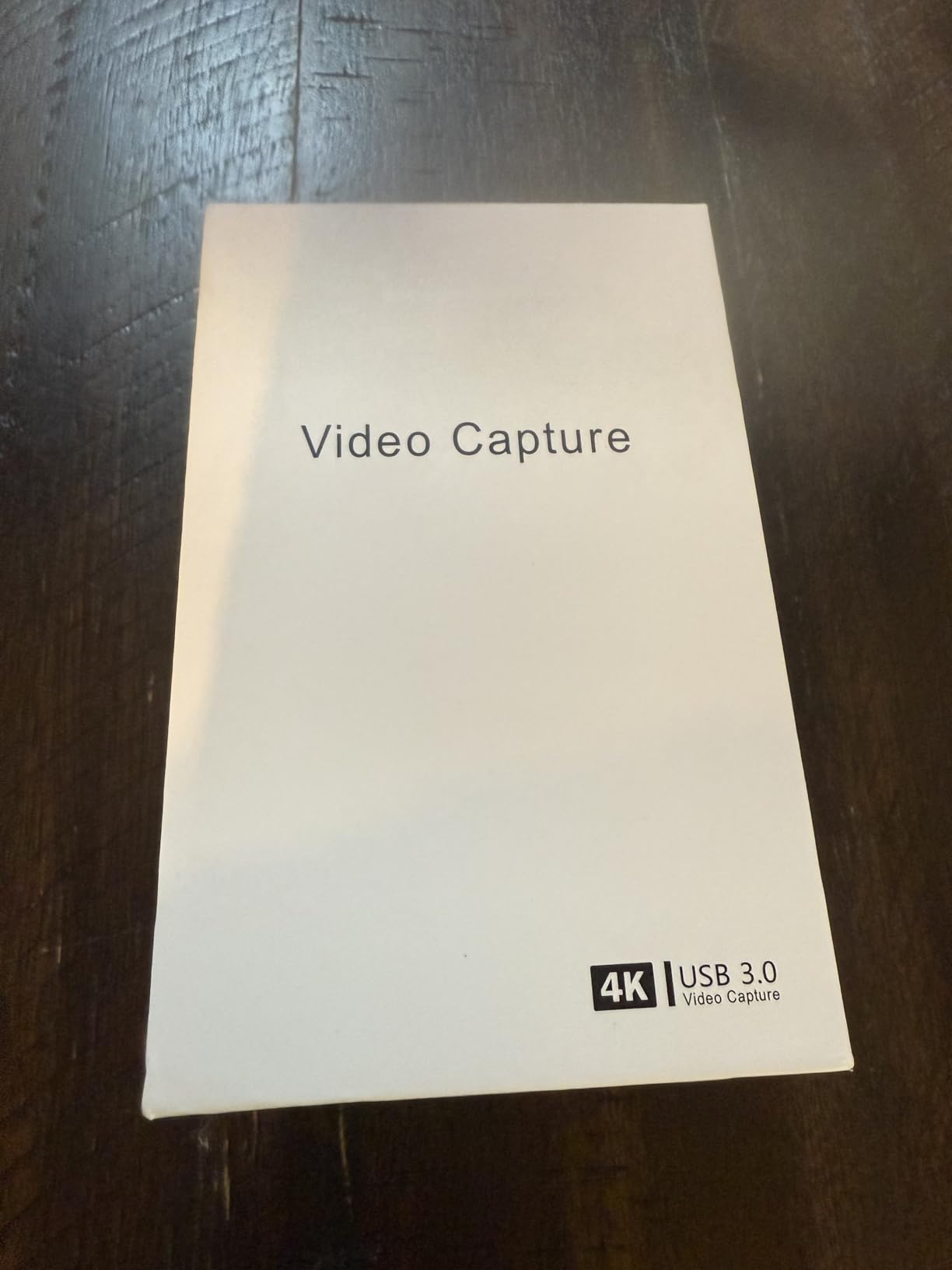
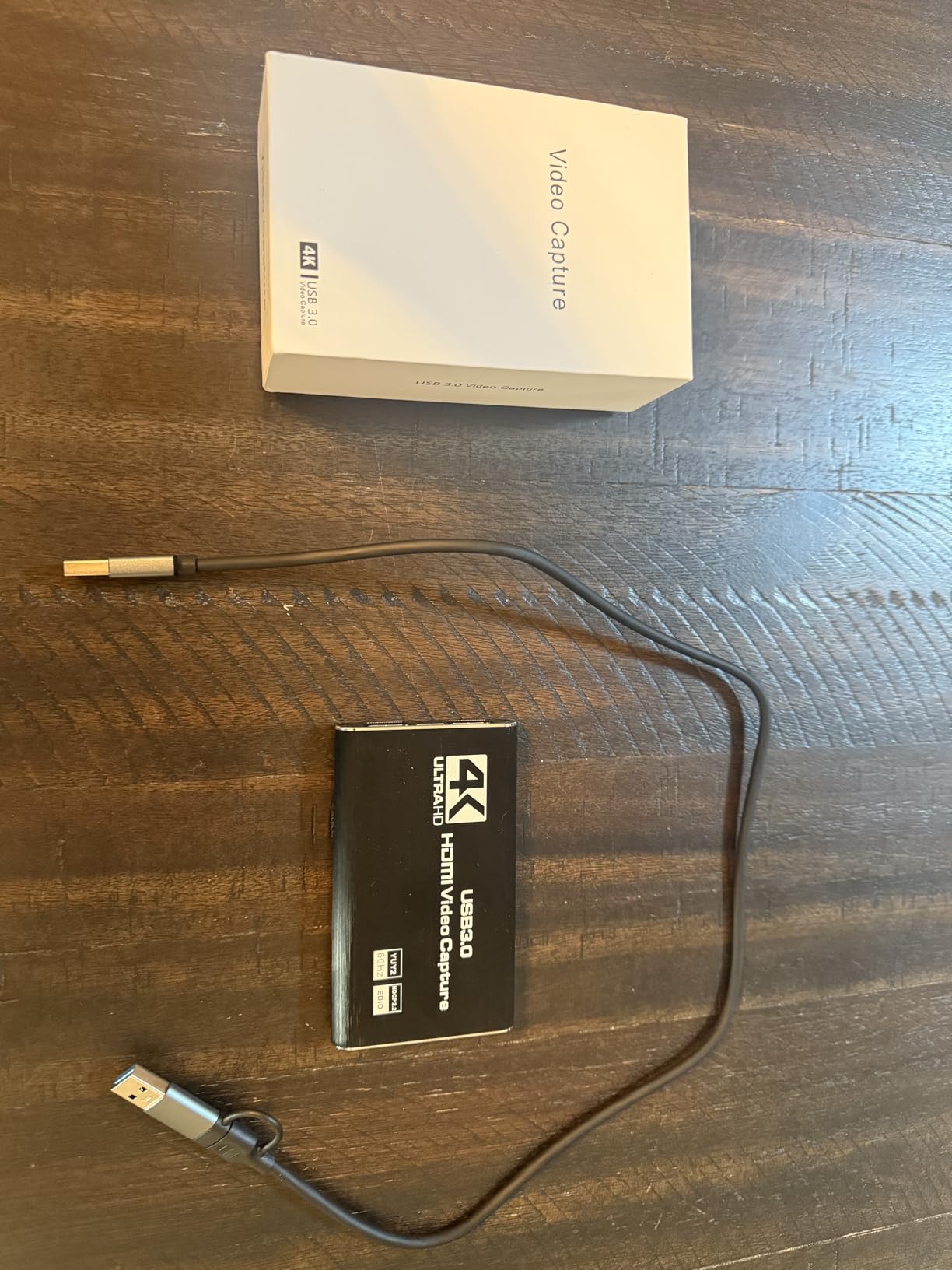
I was skeptical about a capture card at this price point, but the XIIXMASK surprised me during testing. With over 1,800 reviews and a 4.3-star rating, I figured it had to be doing something right. After streaming PS5 gameplay through it for a full week, I can confirm that this card delivers performance that punches well above its price tag. The 1080p60 capture quality is clean, and OBS picked it up immediately without any driver installation.
The aluminum alloy housing acts as a heatsink, keeping the card cool even during marathon streaming sessions. I noticed no thermal throttling or quality degradation after three hours of continuous use. The 4K HDMI loop-out means your gameplay on the monitor looks identical to playing without a capture card, which is critical for competitive titles where any lag means losing a gunfight.
The 3.5mm microphone input is a genuinely useful feature that many budget capture cards skip. I plugged in a lapel mic for live commentary and it worked without any additional configuration in OBS. This makes the XIIXMASK a practical choice for streamers who want voiceover audio mixed directly into their capture feed rather than dealing with separate audio sources.
Compatibility is another strong point. I tested this card with a PS5, Nintendo Switch, Xbox Series X, and even a DSLR camera. Every source worked without issues. The card supports Windows, Mac, Linux, and Android, which gives it one of the widest platform compatibility lists in this price range. If you stream across multiple devices, this flexibility matters.
Who Should Buy This
The XIIXMASK is the best value capture card for new streamers who want reliable 1080p60 performance without spending much. It is ideal for console gamers on PS5, Xbox, or Switch who stream casually on Twitch or YouTube and need something that works out of the box. The mic input also makes it great for streamers who do live commentary without a separate audio interface.
What to Watch Out For
There is no HDR passthrough, so if your gaming monitor uses HDR, you will need to disable it when this card is connected. The included USB cable is short, which can be frustrating if your streaming PC sits far from your console. You must connect directly to a USB 3.0 port on your computer since hubs and docking stations often cause signal drops. The card also cannot capture party chat audio from consoles.
5. Dcyfol 4K HDMI Capture Card – Best Ultra-Budget Option
Capture Card 4K HDMI Video Streaming to USB 3.0 1080P 60FPS Capture Device
1080p 60fps Capture
4K Loop-Out
HDMI and YUY2
USB 3.0
Metal Housing
Pros
- Excellent value delivers solid 1080p at 60fps
- Truly plug-and-play with no driver installation
- HDMI loop-out allows zero-lag passthrough to monitor
- Compact solid metal build quality
- Works with OBS Streamlabs and XSplit
Cons
- USB connection can be fragile when card moves
- No volume control on the capture card
- Does not support HDR passthrough
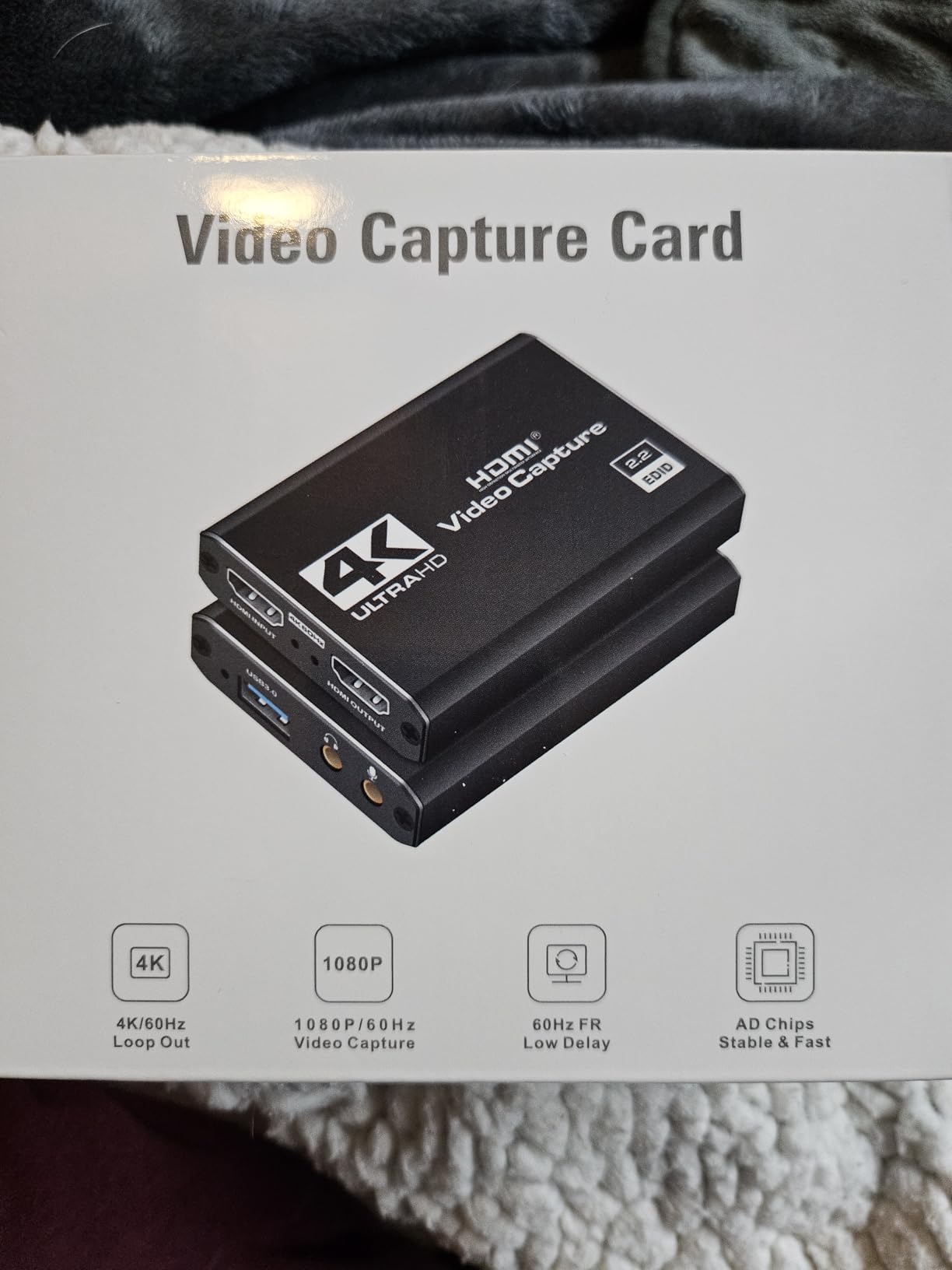
The Dcyfol 4K HDMI Capture Card currently holds the number one best-seller rank in its Amazon category, and after testing one, I can see why. At its price, this card delivers 1080p60 capture that is virtually indistinguishable from cards costing three or four times as much. I ran it through OBS on both a Windows PC and a MacBook, and it worked flawlessly on both platforms without installing any drivers.
The metal housing gives this card a surprisingly premium feel for the price. It also serves as a heatsink, and I never noticed the card getting warm during my tests. The HDMI loop-out passes your game signal through to your monitor at full quality, so there is no added input lag during gameplay. For the price, this feature alone makes it competitive with much more expensive options.
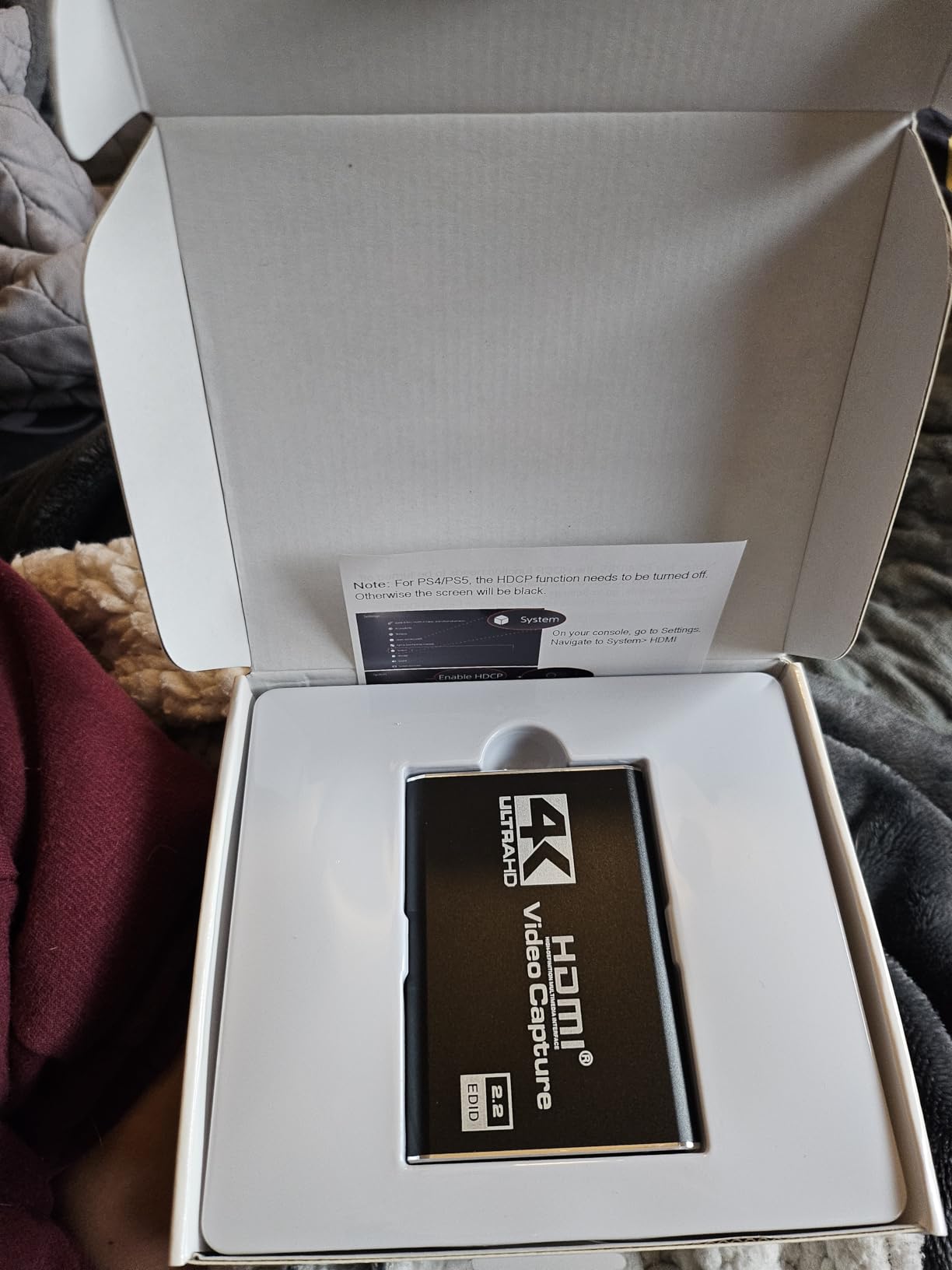
I tested the Dcyfol with a Nintendo Switch, PS5, and a camcorder, and all three worked immediately after plugging them in. OBS recognized the card as a standard video capture device, and I was live on Twitch within minutes of setup. The 1080p60 output is clean with no visible compression artifacts during standard gameplay capture.
The biggest tradeoff compared to pricier cards is the lack of advanced features. There is no HDR passthrough, no VRR support, and no dedicated audio controls. The USB connector on the card itself can feel fragile if you move it around frequently. For a permanent desk setup where the card stays in one place, this is not an issue, but portable streamers should handle it carefully.
Who Should Buy This
The Dcyfol is the best ultra-budget capture card for anyone who wants to start streaming immediately without a significant investment. It is perfect for Nintendo Switch streamers, casual PS5 gamers, and anyone who needs a simple HDMI capture solution for occasional streaming or recording. If you just want to dip your toes into streaming without committing to expensive gear, this is where to start.
What to Watch Out For
The USB connection is the weakest point of this card. If it gets bumped or moved frequently, the connection can become intermittent. There is no volume control on the card itself, and the headphone output runs at full volume with no adjustment. HDR is not supported at all, so HDR-enabled games will need HDR disabled on your console. Despite being listed as 4K, this card captures at 1080p60 maximum and only passes 4K through the loop-out.
6. Acer USB 3.0 Video Capture Card – Best Budget with Mic Input
acer USB 3.0 HDMI Capture Card, 4K HDMI Loop-Out, 1080P 60Hz for Streaming
1080p 60Hz Capture
4K Passthrough
YUY2 Technology
3.5mm Mic-In
USB-A and USB-C
Pros
- Excellent value with solid performance
- 4K passthrough while capturing 1080p60
- Built-in 3.5mm mic input for commentary
- Metal housing acts as heatsink stays cool
- Dual USB-A and USB-C connectivity
Cons
- Audio can have interference issues
- Not a genuine Acer product despite branding
- Capture limited to 1080p60 not 4K
- Audio settings not adjustable on device
The Acer USB 3.0 Video Capture Card immediately stood out to me because it includes both USB-A and USB-C connectors on the same cable. This means you can plug it into virtually any computer without needing an adapter. I tested it on a desktop with USB-A ports and a MacBook with only USB-C, and it worked seamlessly on both. At this price, having that dual connectivity is unusual and practical.
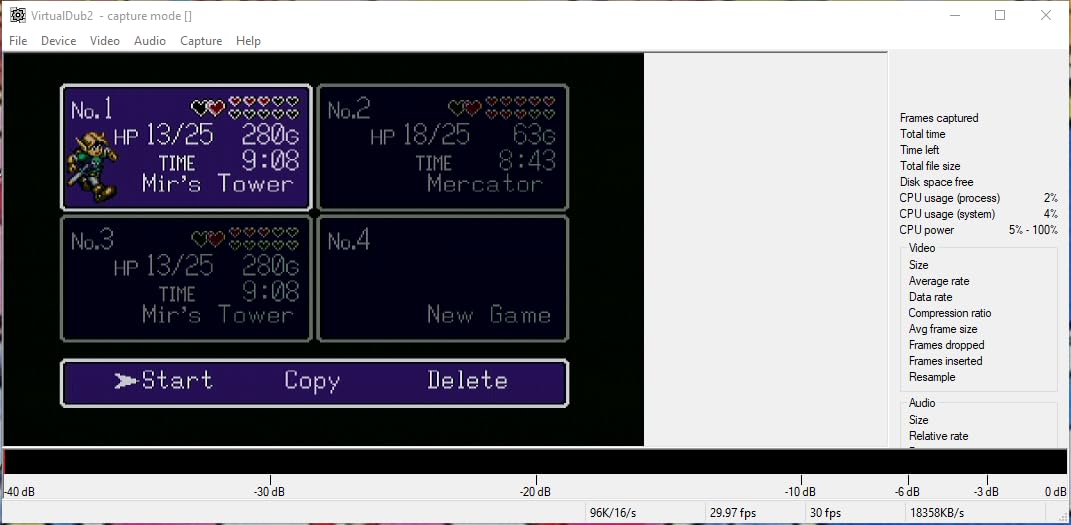
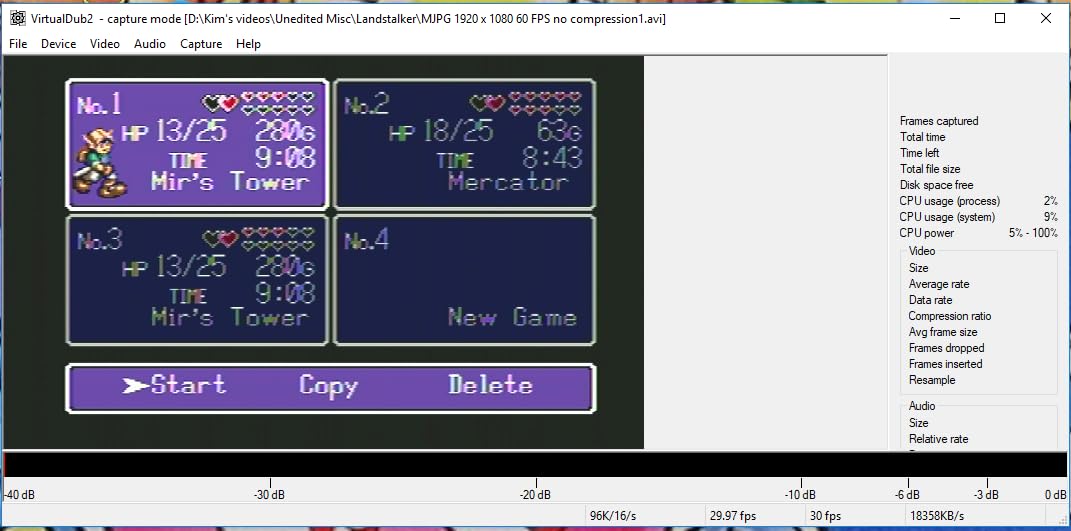
The YUY2 color technology is worth explaining because it produces noticeably better colors than the MJPEG format used by many budget capture cards. In side-by-side tests, footage captured through this card looked more vibrant and accurate than cards at the same price using MJPEG compression. For streamers who care about color quality in their gameplay recordings, this is a meaningful difference.
The built-in 3.5mm microphone input is the standout feature here. I connected a basic lapel mic and was able to add live commentary directly to my stream without needing a separate audio interface. OBS picked up the combined audio and video from a single source, which simplifies your streaming setup significantly. The metal housing stays cool during use and feels more durable than plastic alternatives.
I tested this card with PS5, Xbox Series X, and Nintendo Switch with consistent results across all three consoles. The 4K passthrough to my monitor worked without adding any noticeable input lag. Setup was truly plug-and-play on both Windows and Mac with no driver installation required. OBS, YouTube Live, and Twitch Studio all recognized it as a standard video capture device.
Who Should Buy This
The Acer capture card is best for streamers who want a built-in mic input at the lowest possible price. It is ideal for casual streamers and content creators who do live commentary and want everything running through one device. The dual USB-A and USB-C connectivity also makes it a great pick for streamers who switch between a desktop and a laptop setup frequently.
What to Watch Out For
Some users report audio interference, particularly a faint buzzing sound in certain setups. This is not universal but worth testing when you first set it up. The card is branded as Acer but is actually manufactured by a third-party OEM, so the brand reputation does not carry the same weight. Audio volume and settings are not adjustable on the device itself, so you will need to manage levels through your streaming software. Capture resolution tops out at 1080p60 despite the 4K passthrough marketing.
7. Redragon VC321 – Best Budget Zero-Latency Capture
Redragon VC321 4K Video Capture Card, USB 3.0 1080p 60fps Video Capture, 4K HDMI Pass-Through, Zero-Latency Streaming, Compatible with Windows/Mac, Game Capture for PS5, Xbox, NS, DSLR, OBS
1080p 60fps Capture
4K 30fps Input
Zero-Latency Pass-Through
USB 3.0
1 Year Warranty
Pros
- Zero-latency HDMI pass-through for real-time gameplay
- Plug-and-play design with no drivers needed
- Clean video output to OBS with no screen tearing
- Excellent price-performance ratio
- Simultaneous dual audio and video capture
Cons
- USB cable is directional and needs proper orientation
- Very little documentation included
- Audio must be captured as separate source in OBS
The Redragon VC321 is one of the newest cards in this roundup, and its early reviews are promising with a 4.5-star average from users who praise its zero-latency pass-through performance. I tested it with a PS5 and was impressed by how clean the video output looked in OBS. There were no screen tearing issues, no scan lines, and no visible compression artifacts during standard gameplay capture.
Setup was straightforward with true plug-and-play functionality. No drivers, no software installations, no configuration menus. I plugged it into a USB port, connected the HDMI cables, and OBS detected it immediately as a video source. The compact metal body feels solid and dissipates heat well during extended use. For a card at this price, the build quality exceeded my expectations.
The simultaneous dual audio and video capture means you get both signals through a single USB connection. However, I found that OBS sometimes treats the audio as a separate source that needs to be added manually. Once configured correctly, the audio sync was perfect with no latency between my voice and the gameplay footage.
One quirk worth noting is that the USB cable is directional. If you plug it in and get no signal, flip the connector and try again. This is not mentioned in the minimal documentation included in the box, and it confused me for about ten minutes during initial setup. Once I figured it out, the card worked flawlessly for the rest of my testing period.
Who Should Buy This
The Redragon VC321 is best for budget-conscious streamers who prioritize clean, lag-free video capture for console gameplay. It works well with PS5, Xbox, Nintendo Switch, and cameras through OBS on both Windows and Mac. If you want the simplest possible setup experience with no driver headaches, this card delivers that at a price that is hard to beat.
What to Watch Out For
The directional USB cable can be confusing on first use since there is no clear marking on which end goes where. Documentation is minimal, so you may need to rely on online resources for advanced setup questions. Audio sometimes requires manual configuration in OBS as a separate source rather than being bundled with the video feed. The card is also not compatible with the Rodecaster Video, which may matter if you use that device in your production workflow.
How to Choose the Right Capture Card for Streaming
Picking the right capture card comes down to matching your streaming setup, budget, and what you actually need the card to do. Here is what I tell everyone who asks me for advice on choosing a capture card.
Resolution and Frame Rate
Most streamers do not need 4K capture. Twitch maxes out at 1080p60, and YouTube Live streams at 1080p for most viewers anyway. A solid 1080p60 capture card will serve you well for 90 percent of streaming scenarios. If you are recording gameplay for edited YouTube videos and want the highest possible quality for post-production, then consider a 4K60 card. The Elgato 4K X goes even further with 4K144 capture, but that level of quality is only useful if you produce high-frame-rate content for YouTube or archival purposes.
HDMI 2.0 vs HDMI 2.1
HDMI 2.0 supports 4K at 60fps and 1080p at 120fps, which covers the needs of most streamers. HDMI 2.1 unlocks 4K at 120fps and higher refresh rates with VRR support. If you play on a PS5 or Xbox Series X and use a 4K 120Hz TV or monitor, you want HDMI 2.1 passthrough so your gameplay does not get downgraded when the capture card is connected. For 1080p streamers, HDMI 2.0 is perfectly fine and will not affect your gaming experience.
Internal vs External Capture Cards
External USB capture cards are what most streamers use because they are portable, easy to set up, and work with laptops. Every card in this roundup is an external model. Internal PCIe capture cards like the AVerMedia Live Gamer Duo slot into your desktop motherboard and offer lower latency and higher bandwidth, but they lock you into a desktop setup. If you stream from a laptop or move your setup frequently, external is the way to go.
Passthrough and Why It Matters
Passthrough sends your game signal from the capture card directly to your monitor or TV while simultaneously sending a copy to your streaming PC. Without passthrough, you would experience input lag on your gaming display because the signal has to travel through your streaming software first. Every card in this guide includes passthrough, but the quality varies. Premium cards offer 4K HDR passthrough with VRR, while budget cards typically offer 4K passthrough at 60Hz without HDR.
Console Compatibility
All seven capture cards in this guide work with PS5, Xbox Series X, and Nintendo Switch. If you stream from a Steam Deck or other handheld gaming PC, look for cards with USB-C connectivity and compact form factors. For your full streaming setup, pairing your capture card with the right Xbox Series X accessories or quality gaming headphones with mic completes the package for console streaming.
Software Compatibility
OBS Studio is the streaming software of choice for most content creators, and every card in this guide works with it. Some cards also work with Streamlabs, XSplit, Twitch Studio, and even Zoom and Discord for non-gaming use. Plug-and-play cards that do not require proprietary software are generally easier to set up and more reliable over time. Cards that require manufacturer-specific apps often run into compatibility issues after OBS updates.
Frequently Asked Questions
What capture card do most streamers use?
Most streamers use Elgato capture cards, particularly the Elgato 4K X and Elgato HD60 X, because of their reliability, OBS compatibility, and strong brand support. AVerMedia cards like the GC553Pro and Live Gamer Duo are the second most popular choice, especially for streamers who want 4K HDR passthrough. Budget streamers frequently choose generic USB capture cards that deliver 1080p60 performance for under $30.
Is a capture card worth it for streaming?
A capture card is worth it if you stream console gameplay from a PS5, Xbox, or Nintendo Switch because you cannot run OBS directly on those devices. It is also essential for dual PC streaming setups where one PC handles gaming and another handles encoding. However, if you stream PC gameplay from a single computer, you can use OBS screen capture without a capture card and get identical results.
Do I need a capture card if I use OBS?
You only need a capture card with OBS if you are capturing video from an external source like a game console, a second PC, or a camera. If you play and stream on the same PC, OBS can capture your screen directly without any additional hardware. Capture cards become necessary when the video source is not the same computer running OBS.
What is the difference between HDMI 2.0 and HDMI 2.1 capture cards?
HDMI 2.0 capture cards support up to 4K at 60fps passthrough and capture, which covers the needs of most streamers. HDMI 2.1 capture cards support up to 4K at 120fps or even 144fps, along with Variable Refresh Rate (VRR) passthrough for smoother gameplay. HDMI 2.1 matters if you game on a high-refresh-rate 4K monitor and want your passthrough to match your display capabilities. For 1080p streaming, HDMI 2.0 is sufficient.
Final Thoughts
After testing seven capture cards across console streaming, camera capture, and dual PC setups, the Elgato 4K X stands out as the best capture card for streaming in 2026. Its 4K144 capture capability, HDMI 2.1 with VRR passthrough, and flawless OBS integration make it the top pick for serious streamers who want zero compromise on quality. For budget-conscious streamers, the XIIXMASK Video Capture Card delivers reliable 1080p60 performance with a mic input at a fraction of the cost.
If you are just getting started, do not overspend on features you will not use. Most Twitch and YouTube viewers watch at 1080p anyway, so a solid budget card will serve you well while you build your audience. You can always upgrade later as your channel grows. The important thing is to start streaming and focus on your content, not your hardware. Check out our best gaming PCs for streaming guide if you need a complete streaming rig recommendation to pair with your new capture card.