
If your guitar goes straight into a laptop and the recording comes back thin, hissy and full of hum, the problem is almost never the guitar. It is the box between the instrument and the software. That box is the audio interface, and picking the wrong one is the single most common reason a home guitar recording sounds worse than it should.
We spent weeks moving between these boxes during a home session, plugging the same guitar into each one, tracking DI takes, reamping them, and running amp sims at low buffer sizes. What follows is the result of that testing, the best audio interfaces for guitar recording right now, ranked from the simplest entry point to the most guitar-specific tool in the group.
Every pick below is judged on the things that actually change a guitar recording: a real Hi-Z instrument input, enough gain headroom for a humbucking guitar with the coils wide open, converters quiet enough to sit under a distorted amp sim, and monitoring that stays out of your way. We also weighed the things buyers complain about most in practice, like driver stability on Windows and whether the bundled software is useful or just noise. For more general studio gear, start with our general audio interface guide, then come back here for the guitar-specific picks.
Table of Contents
What Is the Best Audio Interface for Guitar Recording?
The best audio interface for guitar recording is the Focusrite Scarlett Solo 4th Gen, because it pairs a genuine Hi-Z instrument input with 120dB of dynamic range, 24-bit/192kHz conversion and a headphone amp strong enough to track through an amp sim without breaking ears.
That is the short answer, but a single box rarely fits everyone, so the picks are grouped by what you actually plan to record:
Best overall: Focusrite Scarlett Solo 4th Gen, a clean one-guitar-plus-vocal workflow in the group.
Best value step up: Behringer UMC202HD, two Midas-designed preamps and 192kHz conversion in a metal chassis.
Most guitar-specific: IK Multimedia AXE I/O One, with a Z-Tone impedance circuit and an active/passive pickup switch.
Best for pedalboard and amp sims: Arturia MiniFuse 1, with a very low noise floor and three inputs.
Best for a band: Audient iD14 MKII, two Class-A console preamps plus ADAT expansion to ten channels.
Two inputs is the practical minimum for guitar recording. One input for the guitar is fine on day one, and painful by month three, because you cannot lay down a vocal or a second overdub until you replace the box.
We have written the full decision logic in the home studio interface guide too, but the short version is: buy two inputs, skip one only if you are certain you will never record anything but a single guitar track.
Top 3 Picks for Best Audio Interfaces for Guitar Recording (October 2026)

EBest Audio Interfaces for Guitar Recording in 2026
| Product | Specifications | Action |
|---|---|---|
| Focusrite Scarlett Solo 4th Gen |
|
Check Latest Price |
 Behringer UMC22 Behringer UMC22 |
|
Check Latest Price |
 Behringer UMC202HD Behringer UMC202HD |
|
Check Latest Price |
 M-Audio M-Track Duo M-Audio M-Track Duo |
|
Check Latest Price |
 PreSonus AudioBox 96 PreSonus AudioBox 96 |
|
Check Latest Price |
 Audient iD14 MKII Audient iD14 MKII |
|
Check Latest Price |
 Audient EVO 4 Audient EVO 4 |
|
Check Latest Price |
 MOTU M2 MOTU M2 |
|
Check Latest Price |
 IK Multimedia AXE I/O One IK Multimedia AXE I/O One |
|
Check Latest Price |
 M-Audio M-Track Solo M-Audio M-Track Solo |
|
Check Latest Price |
 Arturia MiniFuse 1 Arturia MiniFuse 1 |
|
Check Latest Price |
 IK Multimedia iRig 2 IK Multimedia iRig 2 |
|
Check Latest Price |
1. Focusrite Scarlett Solo 4th Gen: The Best Guitar Interface Overall
Focusrite Scarlett Solo 4th Gen USB-C Audio Interface
1 XLR preamp with 69dB gain
1 Hi-Z instrument input
24-bit/192kHz
120dB dynamic range
Pros
- 120dB dynamic range from Focusrite flagship converters
- One-tap Auto Gain and Clip Safe management
- Strong and clean headphone amp for amp sim tracking
- Compact desktop footprint with clear gain LEDs
Cons
- Only one input so guitar and mic cannot be recorded together
- No MIDI or digital I/O for expansion
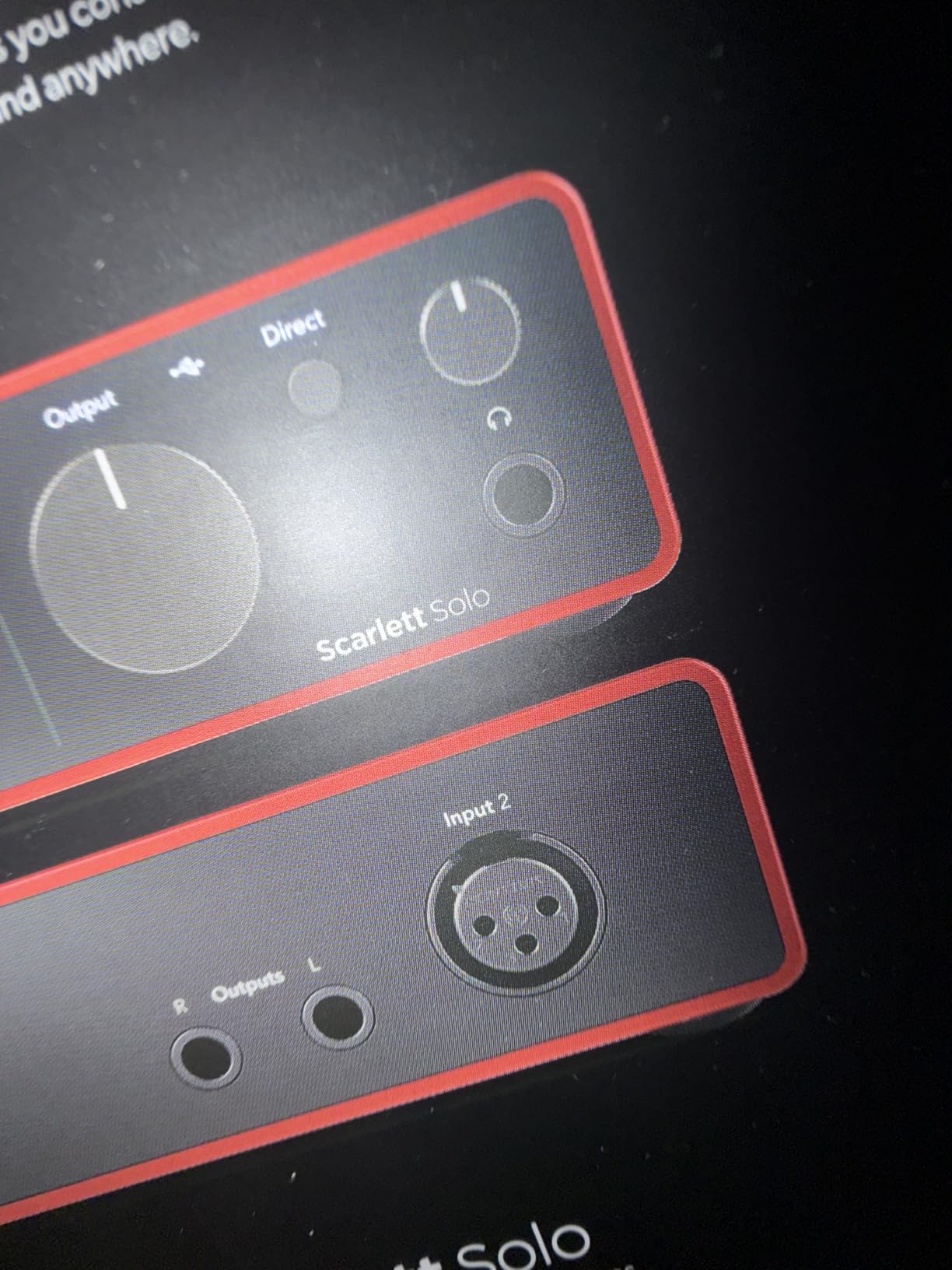
The Scarlett Solo 4th Gen is the one I kept reaching for during the test. One jack is a combo XLR and one is a proper 1/4 inch Hi-Z instrument input, which means a guitar plugs straight in with no adapter, no DI box and no hum from a passive pickup seeing a line-level input.
Tracking a DI through it, the noise floor stayed well under the amp sim I was running, and the Auto Gain and Clip Safe features stopped me from clipping take after take without opening a plugin. That convenience matters more than it sounds when you are the only engineer in the room.
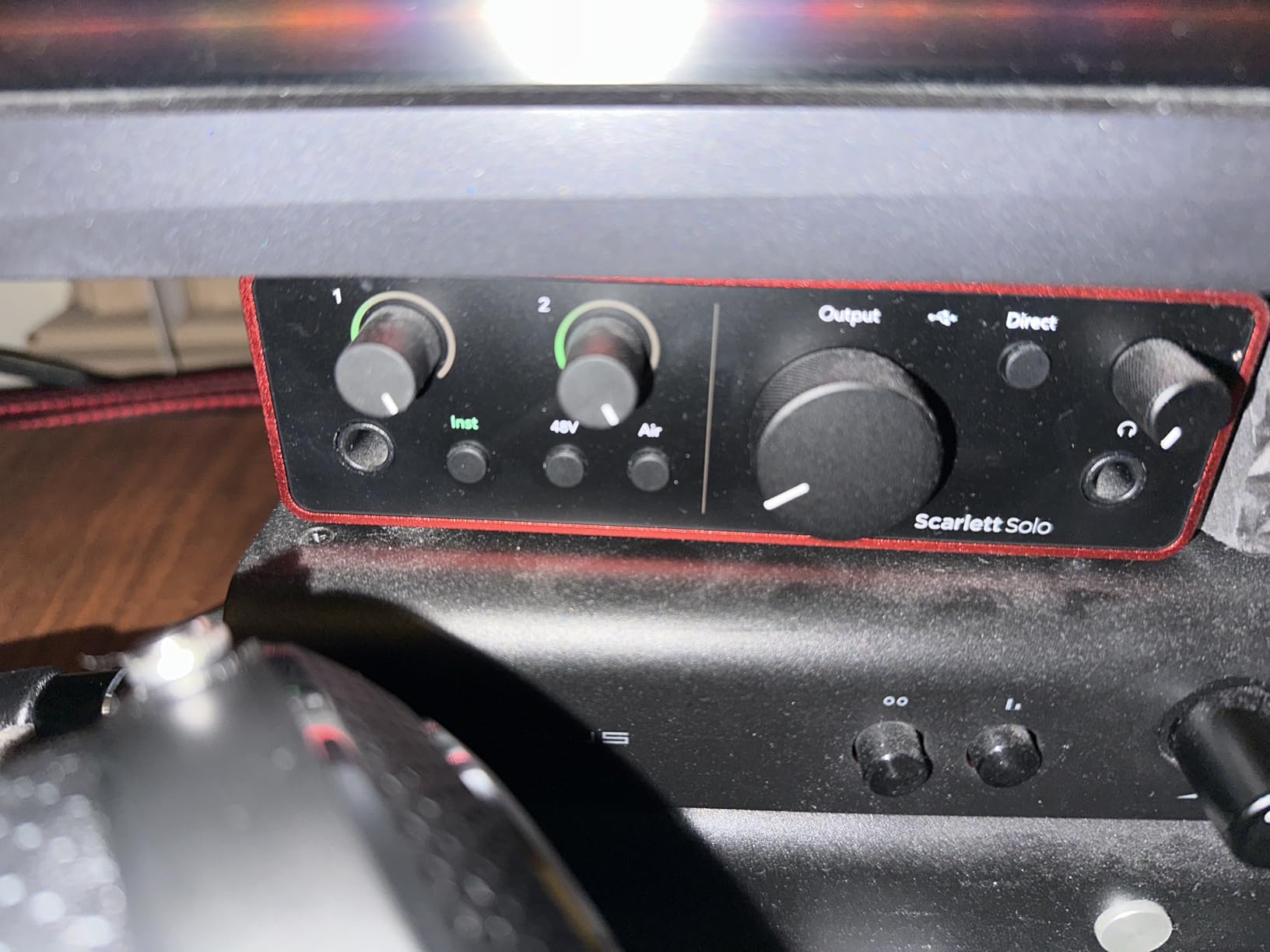
Where it really earns its place is the headphone amp. It drives closed-back monitoring headphones hard enough that you can run an amp sim at a usable level without reaching for an external amp, which makes this the practical pick for low-latency overdubbing. Air mode adds presence and harmonic drive to guitars the same way it does to vocals, and the difference is easy to hear on a clean DI.
There is one structural limitation and it is not fixable with software. With a single input, you cannot record your guitar and a vocal at the same time, and you cannot capture a mic and a DI together. Owners who want both will be replacing this box within a year, which is why the two-input options below deserve a look before you commit.
Some Windows users also report low gain levels with the bundled drivers when pairing dynamic microphones, which is worth testing with your own setup.
Best For: One Guitar, Clean DI Tracking, Amp Sim Overdubs
A player working alone with one electric guitar, recording clean DI tracks and shaping tone with software, gets the most out of this unit. The converters are the same family Focusrite uses in much larger consoles, so the headroom is genuinely there when a humbucker’s output is pushed hard.
It also travels well. The body is small enough to sit beside a laptop, and it runs off USB power, so a jam session in someone else’s studio needs no mains socket.
Worst For: Anyone Recording Guitar and Vocals Together
The single input is a hard stop for a guitar and vocal overdub, and it cannot be patched around without a second box or a splitter that will degrade the signal. If you sing and play, the two-input picks further down will serve you far better for the extra cost.
2. Behringer UMC22: A Simple Two-Input Starter
Behringer UMC22 Audiophile 2×2, 48 kHz USB Audio Interface with Midas Mic Preamplifier | For Recording Microphones and Instruments
Midas-designed preamp
Front combo jack plus 1/4 inch instrument input
Direct monitor select
96kHz max
Pros
- Very low entry cost for a two-input interface
- Midas-designed preamp delivers clean recordings
- Front instrument input makes guitar tracking simple
- Works with virtually all major DAWs
Cons
- 48kHz native audio resolution
- 96kHz maximum sample rate
- Plastic chassis feels basic
The UMC22 is where most guitarists should start, and the reason is the front panel rather than the electronics. The combo jack takes XLR, 1/4 inch TRS and 1/4 inch TS, so a microphone and a guitar can sit side by side on the front of the box, and the Direct Monitor select gives you zero-latency monitoring without extra software.
With more than twelve thousand reviews behind it, the UMC22 has an enormous amount of real-world feedback, and the pattern is consistent: the Midas-designed preamp is clean enough for demos and home recordings.
Guitarists on forums regularly describe anything with at least one usable instrument input as a floor, and this sits just above that floor.
Be aware of what you are giving up. The headline spec is 48 kHz native with a 96 kHz ceiling, which is a real limit if you ever want to record at high resolution for mastering, and the plastic chassis feels noticeably cheaper in the hand than the metal units here. It is also USB bus-powered, so it cannot supply phantom power to a bus-powered studio condenser.
Best For: A First Interface Under a Guitar Amp or Pedalboard
Anyone playing electric guitar through pedals into a laptop for demos, covers or rehearsal clips gets an easy win here. The Direct Monitor switch means you can hear your pedalboard without latency while recording, and the single instrument input sits front and centre for fast patching.
It also lives comfortably on a stand-mounted shelf setup, which matters when you are not yet sure how much of the interface world you need to understand.
Worst For: Any Recording You Want to Print at High Resolution
The 48 kHz native figure and 96 kHz ceiling rule this box out of any serious mixing or mastering work, and the 1/4 inch headphone amp is nothing special for critical listening. If your plan involves a condenser mic on acoustic guitar with plenty of gain, you will run out of headroom before you run out of budget.
3. Behringer UMC202HD: Best Value Two-Input Interface
Behringer UMC202HD Audiophile 2×2, 24-Bit/192 kHz USB Audio Interface with Midas Mic Preamplifiers | For Recording Microphones and Instruments
Two Midas-designed preamps
24-bit/192kHz conversion
Phantom power
Metal chassis
Pros
- Two Midas-designed preamps in a step-up build
- 24-bit/192kHz conversion
- Impact-resistant metal chassis
- Direct monitor for zero-latency tracking
Cons
- Bus-powered only so it cannot power bus-powered condensers
- Basic control surface with no talkback
- Not the most compact desktop footprint
If the UMC22 is the floor, the UMC202HD is the sensible floor-plus-one. Both mic inputs use Midas-designed preamplifiers, the conversion runs to 24-bit/192kHz rather than 48 kHz, and the whole thing is built in an impact-resistant metal chassis that feels a step above the plastic competition.
For a guitarist, the practical difference is the instrument input on the front and a Direct Monitor select for live tracking. Record a guitar DI, put a pedal on the input, hit record while playing, and the monitoring is immediate. Phantom power is there for the day you add a condenser mic on acoustic guitar.
It is class-compliant enough that Pro Tools, Ableton Live and Cubase all see it without hunting for drivers, which removes the most common installation headache. The trade-off is that bus power means no phantom power to a bus-powered condenser microphone, and there is no talkback or advanced monitoring mix to help with a live room.
Best For: A Player Recording Electric Guitar and Vocals on a Real Budget
This is the one I suggest to friends who want a guitar interface, a vocal mic and future headroom without spending serious money. Two preamps means guitar and vocal can be captured at the same time, and 192kHz conversion keeps the door open for future work.
The metal build also ages better than plastic, which matters if the unit lives on a desk for years.
Worst For: Studio Recordings Led by Condenser Microphones
The bus-power limitation is the one to remember. A condenser microphone that draws power from the interface will not work, so you need a mic with its own supply or an external power source. The control surface is also plain, with no talkback for checking a live vocal take.
4. M-Audio M-Track Duo: Best for Guitar and Podcast Work
M-AUDIO M-Track Duo USB Audio Interface
Two combo XLR, line and instrument inputs
48kHz audio resolution
USB/Direct switch
Bus powered
Pros
- Two inputs at a very low price for tracking mic and guitar together
- Clean low-noise circuits with no hiss at high gain
- Zero-latency direct monitoring
- Plug-and-play on Mac Windows and Linux
Cons
- Gain pots have an uneven taper so levels jump from silent to too loud
- All-plastic chassis slides around when cables move
- Phantom power circuit is under-driven with some condenser microphones
The M-Track Duo is one of the few budget boxes that gives you two genuine combo inputs, and the combo design means each one accepts a microphone or a guitar without adapters. That flexibility is why it keeps showing up in recommendations for players who also talk, sing or stream.
The reviews describe the preamps as clean and low-noise, with no hiss at high gain, and that matched what I heard on DI takes. The USB/Direct switch gives proper zero-latency monitoring, and the box worked immediately on Mac, Windows and Linux with no driver installation.
Two complaints come up again and again, and both are real. The gain pots have an uneven taper that jumps from off to far too loud, which makes recording a quiet acoustic take fiddly until you learn to work around it.
The chassis is light all-plastic, so it slides when you move a cable, and the foam feet do not grip a desk well. The phantom power circuit is also under-driven with some condenser microphones, which matters if acoustic guitar is on your list.
Best For: Guitarists Who Also Record Voice
Two combo inputs let you capture a guitar DI on one and a vocal on the other in a single pass, at a very low outlay. Reviewers rate the circuits as transparent and hiss-free, which is a good baseline for amp sim work.
The bundled Ableton Live Lite and MPC Beats are enough to start producing in immediately.
Worst For: Precise Gain Staging or Delicate Acoustic Miking
The jumpy gain taper makes it frustrating to set a quiet source properly, and the under-driven phantom power will disappoint anyone who starts adding condenser microphones on acoustic guitar. The build also feels disposable next to the metal units here.
5. PreSonus AudioBox 96: The Budget Pick With MIDI I/O
PreSonus AudioBox 96 25th Anniversary USB Audio Interface
2 Class-A mic preamps
2 high-headroom instrument inputs
MIDI input and output
24-bit/96kHz
Pros
- Class-A preamps give a clean usable sound at a low price
- Two high-headroom instrument inputs for guitar and bass
- MIDI input and output is a rare bonus at this price
- Bus-powered so it is portable
Cons
- Ceiling of 24-bit/96kHz rather than 192kHz
- Preamp gain is limited for studio condenser microphones
- Software requires registration and digital delivery
The AudioBox 96 stands out for one reason: MIDI. A MIDI input and output at a budget level changes what you can do with the box, because MIDI controllers, pedal switchers and outboard gear stop being a problem you solve with adapters.
For guitar specifically, the two high-headroom instrument inputs are the headline. The Class-A preamps are described by owners as clean and usable, and the mixer control blends the inputs with playback for zero-latency monitoring, which is exactly what you want when tracking a pedalboard through a guitar amp.
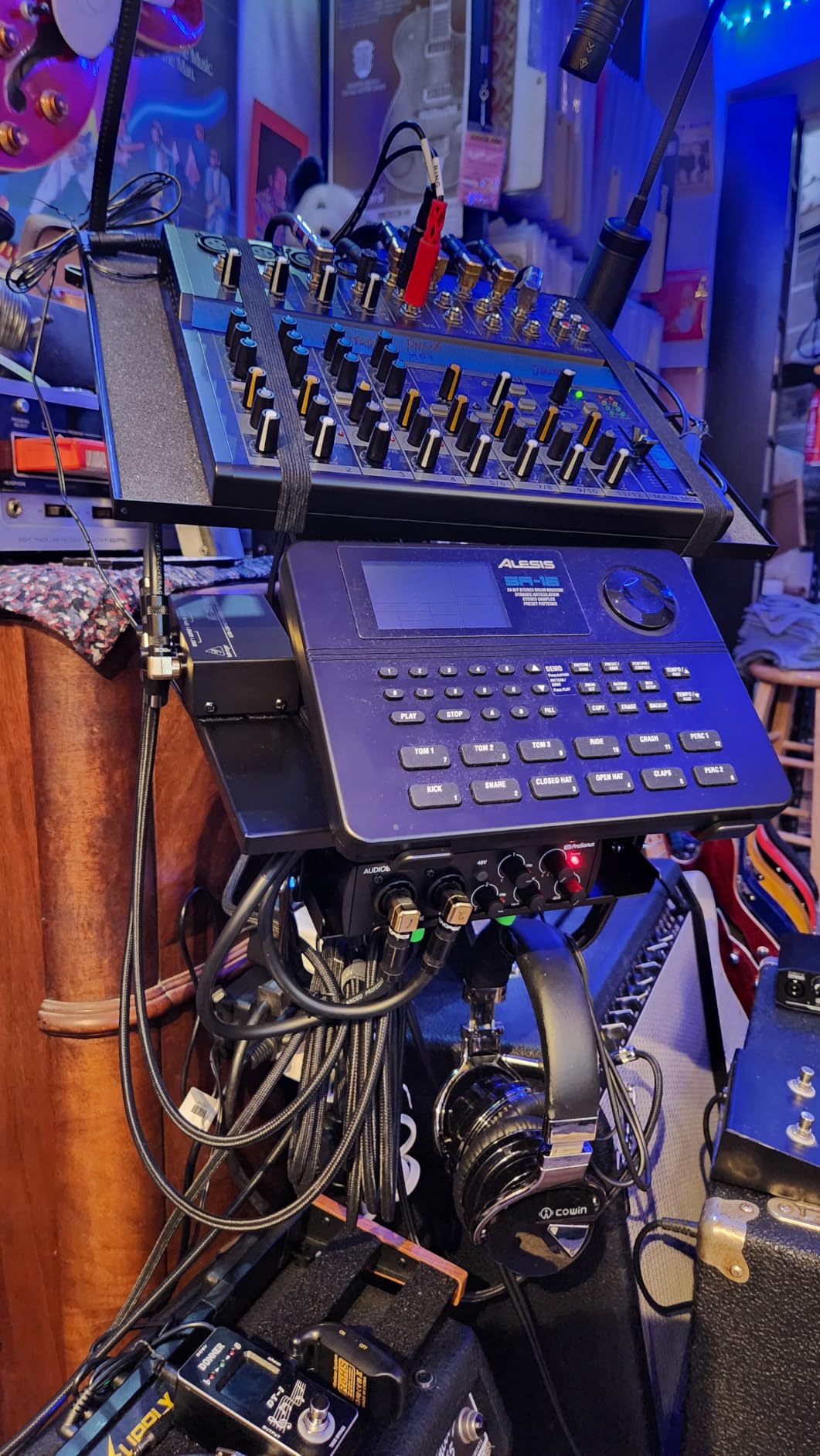
The weaknesses are consistent in the reviews. The ceiling is 24-bit/96kHz, the preamp gain is limited for studio condenser microphones, and a meaningful share of ratings sit in the three-star and one-star bands, usually tied to software that requires registration and digital delivery. If acoustic guitar with a condenser mic is your main plan, the gain ceiling is a real problem rather than a minor one.
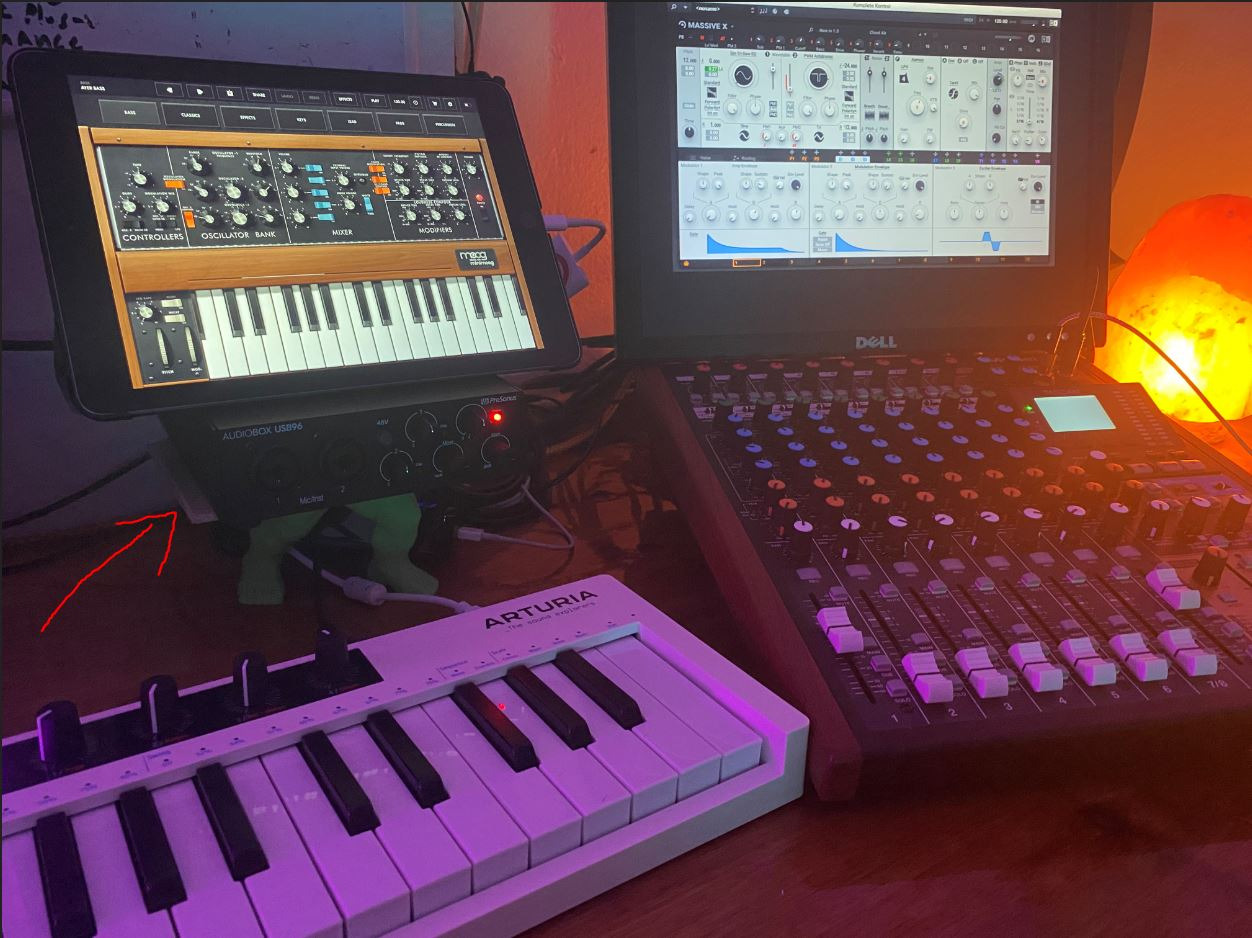
Best For: Guitarists With Pedals, Controllers and MIDI Gear
If your signal chain includes a MIDI controller or a pedalboard switcher, no other box in this price bracket includes those ports. The bus-powered design also makes it the easiest to move between a home desk and a rehearsal room.
Studio One Artist and a large plug-in suite are bundled, which is a workable starting DAW for most players.
Worst For: Acoustic Guitar With Condenser Microphones
The limited preamp gain and the underpowered phantom power side mean a quiet condenser microphone will struggle, and 96kHz is not enough for high-resolution work. Owners who grow past a simple guitar and vocal setup tend to move up quickly.
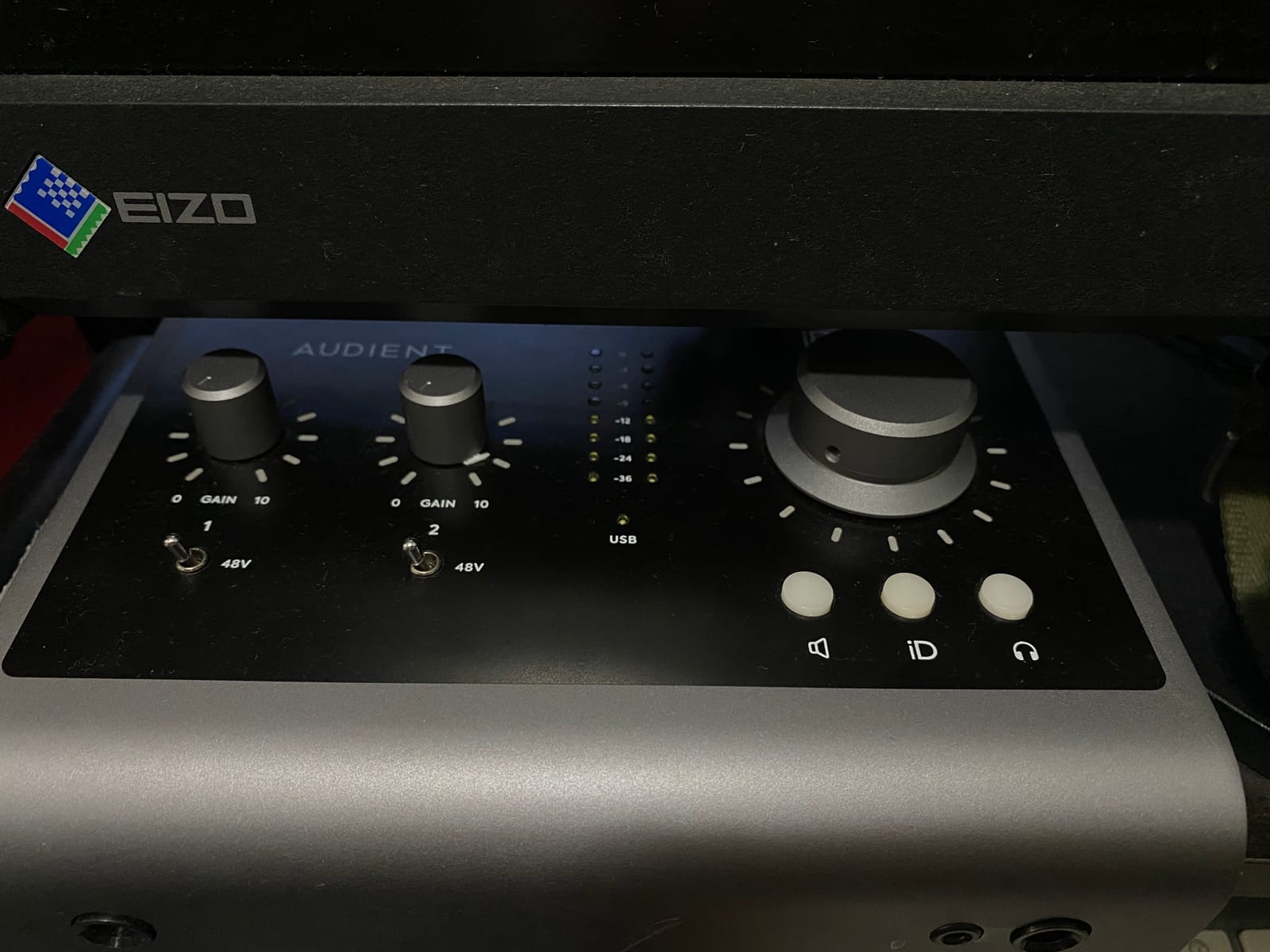
6. Audient iD14 MKII: Console Preamps and a JFET Guitar Path
Audient Audio Interface iD14 MKII, 2 Class-A Microphone Preamps (High Performance USB Audio Interface, USB-C Connector, Monitor Mix and Monitor Panning Function, 2 Headphone Outputs), Black
2 Class-A console preamps
JFET instrument input
ADAT expansion to 10 channels
Two headphone outputs
Pros
- Audient console Class-A preamps sound distinctly musical and detailed
- JFET instrument input suits amp and pedal tracking
- All-metal chassis feels premium
- ADAT input expands the interface to ten channels
Cons
- Only two microphone preamps for the outlay
- Bundled software is mostly older and less capable entries
- Menu-driven controls are less immediate than physical knobs
The iD14 MKII is the one I recommend to players who care about how a DI sounds before any plugin touches it. The two Class-A preamps come from Audient’s ASP8024 HE console, and the JFET instrument input gives the guitar path a character guitarists describe as classic and amp-like rather than sterile.
Two independent headphone outputs make it genuinely useful for a duo, a co-writer or a band rehearsal, where two people need to hear the same thing. The all-metal desktop housing is stable and durable, and the USB-C connection brings an improved power supply compared with the original iD14.
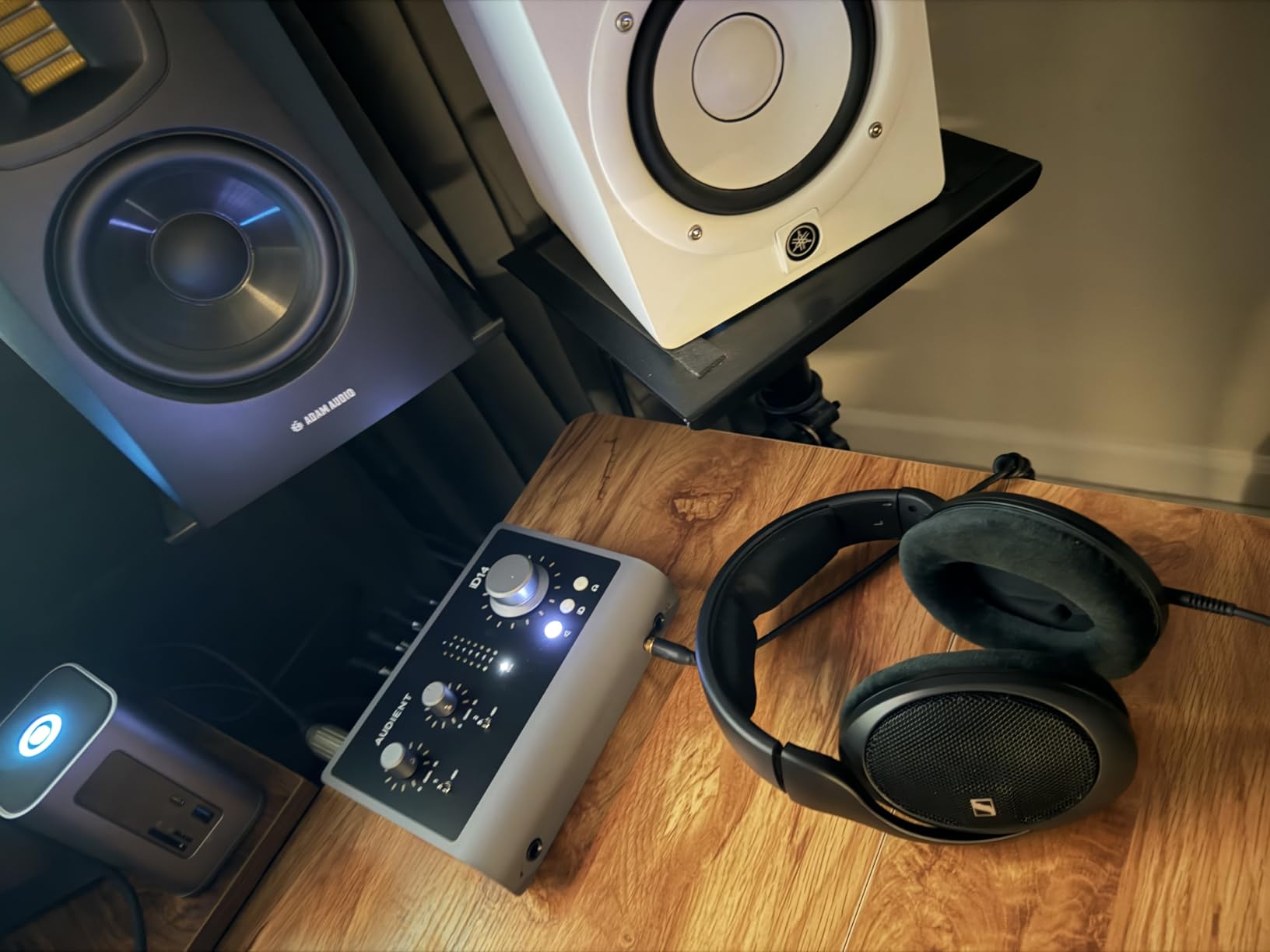
The ADAT optical input is the sleeper feature. Plug in an eight-channel optical converter and the interface expands to ten channels, which is the cheapest upgrade path on this list for anyone heading toward full band recording. The catch is that outboard converters of that kind add cost, so it only makes sense if you are already committed to that route.
Be realistic about what the money buys. Two preamps is not a lot for the outlay, and the bundled software is mostly older and less capable entries that guitarists rarely open. The controls are menu-driven, which is less immediate than turning a physical knob, and this is not the cheapest route to the same Audient preamp character.
Best For: Players Who Chase Tone and Small Ensembles
A guitarist who records DI and wants the preamp itself to contribute, or a duo who both need to monitor, gets real value here. The JFET instrument path is widely recommended for amp and pedal tracking, and the metal build survives a rehearsal room.
It also covers the most common forum request for larger channel counts without a full rack unit.
Worst For: Someone Who Wants Physical Controls and Big Bundles
Two preamps at this level is a limited number, and the menu-driven interface slows down gain staging compared with a unit covered in knobs. If your main draw is the software bundle rather than the sound, this is not the box.
7. Audient EVO 4: Best for Guitar and Vocal on One Budget Box
Audient EVO 4 USB Audio Interface
2 EVO preamps with 58dB gain
JFET instrument input
AKM 24-bit/96kHz converters
Smart Gain
Pros
- Audient preamp and JFET instrument input give a musical guitar sound
- Smart Gain and Smart Touch simplify gain staging
- Compact metal chassis with a 3-year warranty
- Loopback makes streaming and podcast capture easy
Cons
- No MIDI or digital I/O to expand the format
- Touch controls are not usable by feel alone
- Bundled plug-in package is Windows-only out of the box
The EVO 4 puts an Audient character instrument path into a much smaller, simpler box than the iD14. The JFET instrument input is the part guitarists care about, and combined with the EVO preamps and AKM converters running to 24-bit/96kHz, the DI recordings come out with a noticeably musical tone.
Smart Gain and the touch control surface take the guesswork out of setting levels, which is genuinely helpful for a first serious recording setup. The loopback function captures system audio for streaming and podcasting, and the loopback reviews describe the internal mixer as making it straightforward to blend a return with the direct signal.
The honest limitation is scope. There is no MIDI and no digital I/O, so you cannot expand the format later, and with two inputs a mic-plus-guitar session needs an extra box. Touch controls are not usable by feel alone, so if you record in a dim room you will be looking at it more than you would like.
The bundled plug-in package also only runs on Windows out of the box, which is frustrating for Mac users.
Best For: One Guitar and One Vocal, Small and Portable
The combination of a JFET guitar input, a proper mic preamp and a compact metal chassis makes this the most compact two-input Audient option here. It is light and portable, and the 3-year warranty adds confidence for a first home studio purchase.
For players moving between a laptop and a rehearsal space, that footprint matters more than it first appears.
Worst For: Anyone Who Needs to Expand Later
No MIDI, no digital I/O and only two inputs make this a closed box. If you already know you will add a keyboard, a second guitar or a mic to a pedalboard, the three-input alternatives cost little more and save a later upgrade.
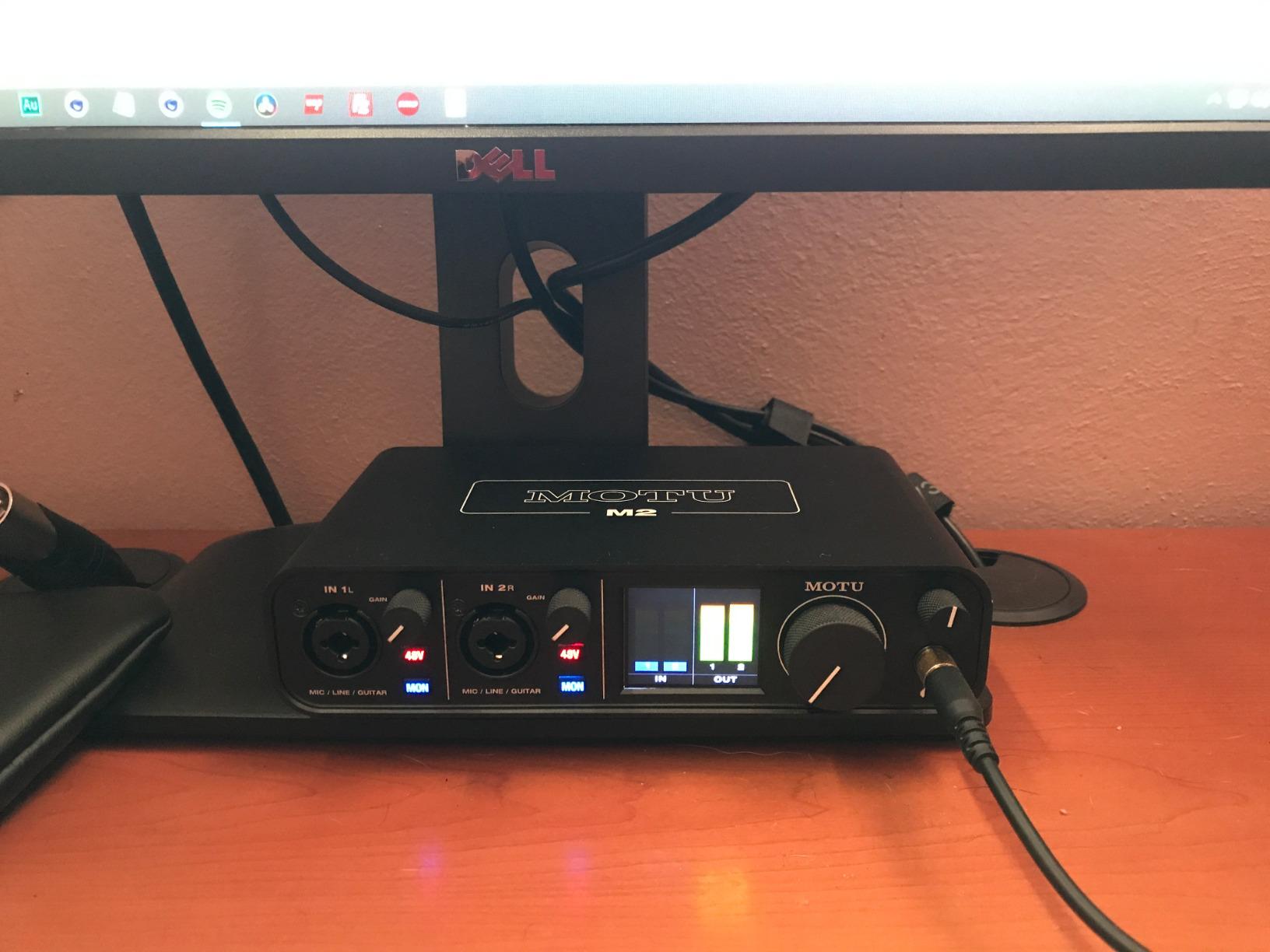
8. MOTU M2: Transparent Converters for Reamping and Amp Sims
MOTU M2 USB-C Audio Interface
2-in/2-out USB-C interface
24-bit/192kHz conversion
Hardware monitoring
Two preamps
Pros
- Excellent transparent converters at 24-bit/192kHz
- Two preamps record mic and guitar at the same time
- Hardware monitoring keeps tracking latency low
- Metal chassis and a large easy-to-read display
Cons
- Input gain is not adjustable in hardware and is set in the MOTU driver
- Headphone output is fixed with no onboard level control
- Lacks MIDI and digital I/O
The MOTU M2 is a converter-first interface, and that is exactly what a guitar recording needs. The 24-bit/192kHz conversion is described by owners as transparent rather than coloured, which matters enormously when you are capturing a DI and planning to reamp it through a pedal and amp later, where any unwanted colour in the capture stage gets baked in permanently.
Two real preamps mean you can record a mic and a guitar at the same time, and hardware monitoring keeps tracking latency low enough to play along.
Forum contributors running guitar amps into interfaces specifically report no problems with low buffer sizes and low latency on this unit.

Control is the compromise. Input gain is not adjustable in hardware, it is set inside the MOTU driver, so there is no physical gain knob under your fingers during a take. The headphone output is fixed with no onboard level control, which means monitoring rides on the software. It also has no MIDI and no digital I/O, and it costs more than comparable two-input competitors.
Best For: Reamping, Amp Sims and Clean DI Capture
If your plan is to capture a DI, then reamp it through pedals or a real amplifier, the transparent conversion here is the reason to pick it. Guitarists running Neural DSP style amp sims benefit from the hardware monitoring, and the metal chassis and readable display feel professional on a desk.
More than six gigabytes of bundled samples and loops add value on top.
Worst For: Players Who Want to Adjust Gain by Hand
Without a hardware gain control, every level change happens in software, which can feel disconnected when you are playing. The fixed headphone level is a similar annoyance, and there is no MIDI or digital expansion if your setup grows.
9. IK Multimedia AXE I/O One: The Most Guitar-Specific Interface Here
IK Multimedia AXE I/O One – Professional USB Audio Interface with Z-TONE advanced guitar tone shaping, AmpliTube and TONEX software included, high-resolution recording studio equipment
Z-Tone impedance circuit
Active/passive pickup switch
JFET instrument stage
24-bit/192kHz DAC
Pros
- Z-Tone impedance control and the active/passive switch are rare tone-shaping tools
- Bundled AmpliTube 5 SE and TONEX SE for amp sim work
- Low latency with a usable onboard mixer
- Works with PC Mac and iPad
Cons
- Bundled software is SE-tier only with models locked behind paid upgrades
- Plastic housing feels cheap for the price
- Appreciable latency on Windows compared with Mac or iPad
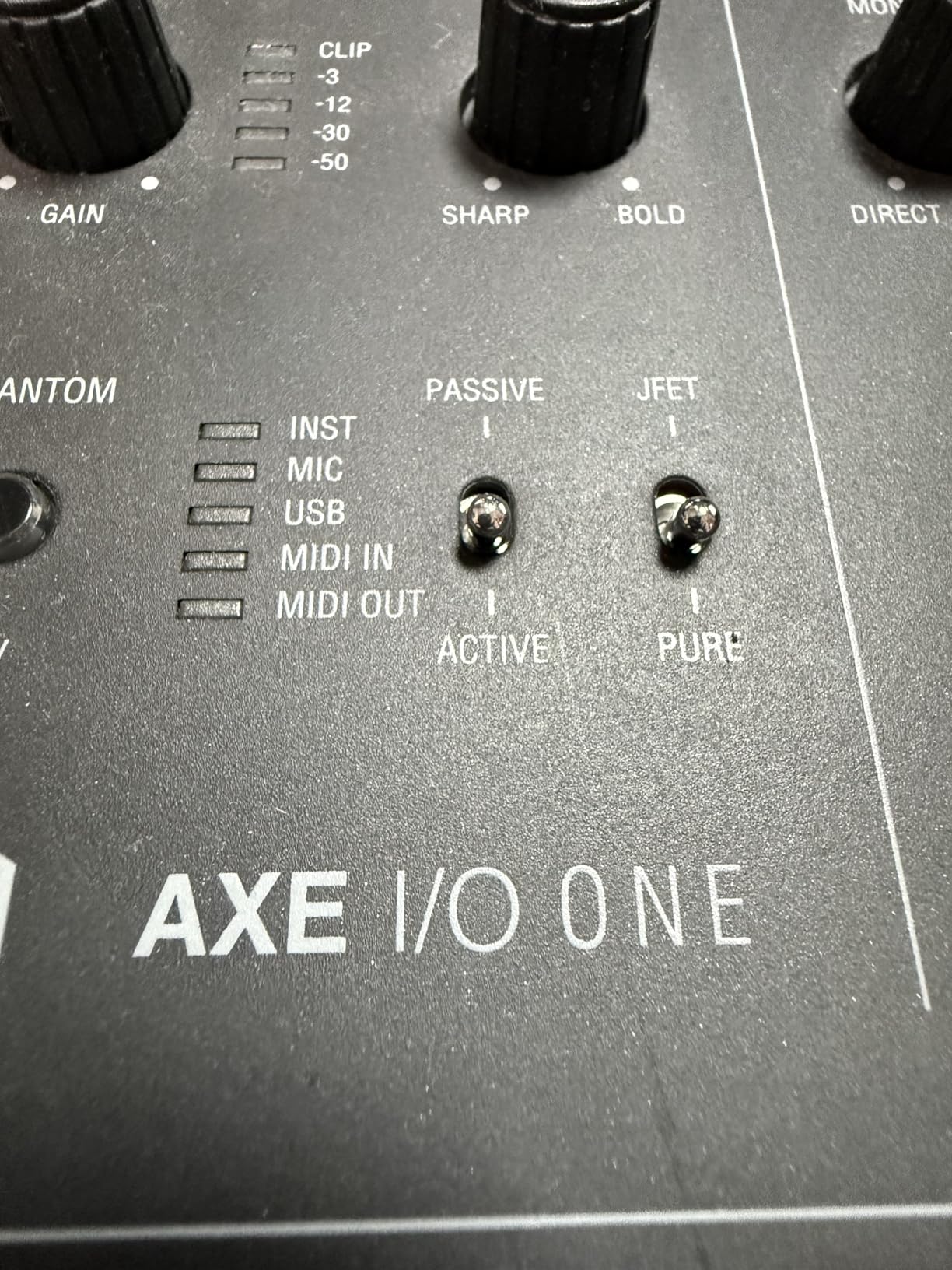
No other interface in this group is built around the guitar specifically. The AXE I/O One has a Z-Tone impedance-adapting circuit, a switch to select active or passive pickups, and a JFET-optimised instrument stage. Guitarists consistently single this box out as a guitar-specific option with real tone tools built in.
That Z-Tone control is not a gimmick. It changes how the circuit loads the pickup, and with a passive single-coil it can tame harshness that you would otherwise reach for a guitar cable or a mod to fix. The 24-bit/192kHz DAC converters and the combo XLR preamp and Hi-Z instrument input mean the same box handles a mic and a guitar.
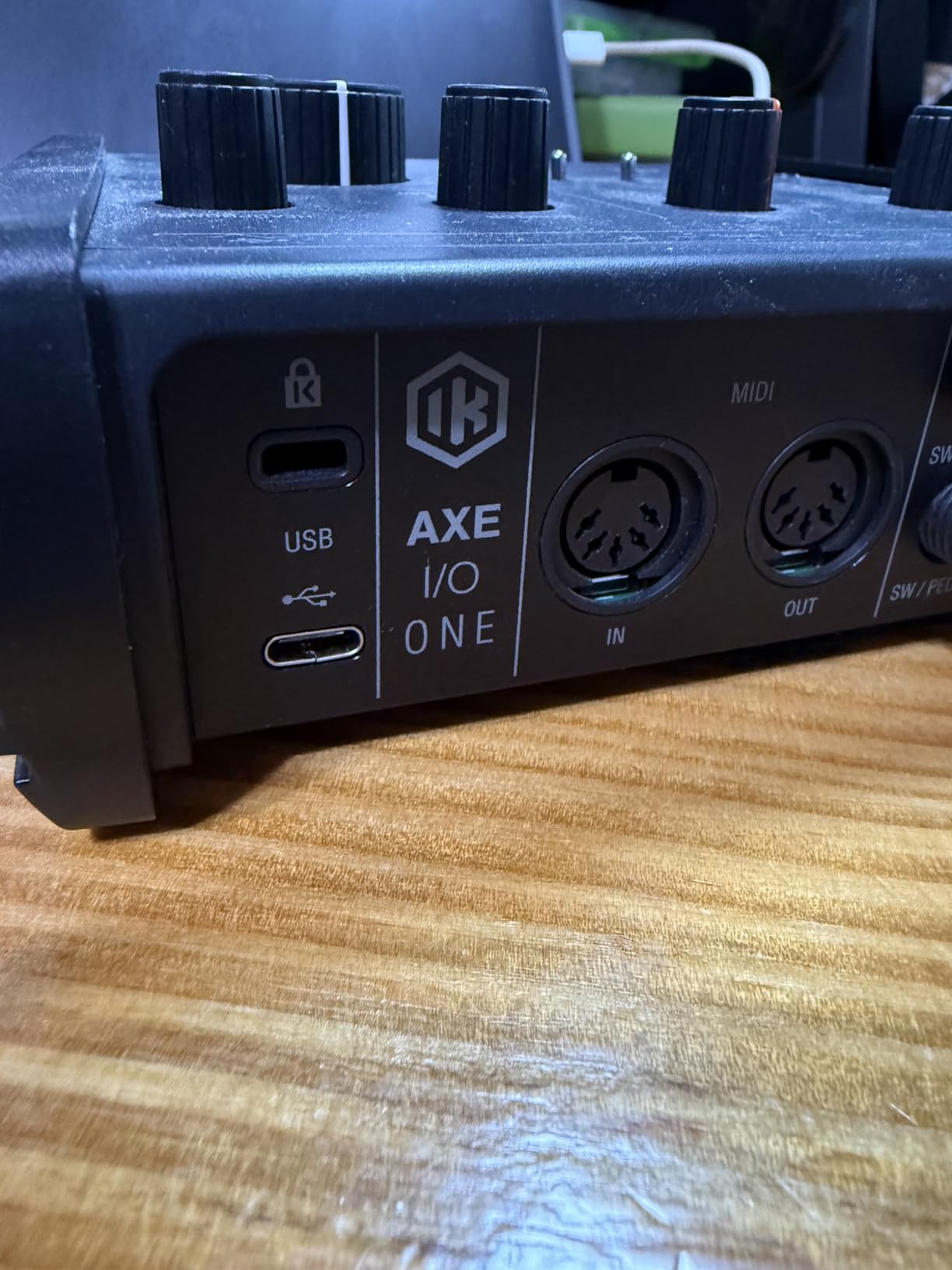
The onboard mixer blends the direct signal with the DAW return at no latency, which is what makes playing along comfortable. AmpliTube 5 SE and TONEX SE come bundled, giving you a large library of modelled amps to track with immediately, and the box works with PC, Mac and iPad.
Two caveats. The bundled software is SE-tier, with many models locked behind paid upgrades, so treat the software as a starting point rather than a permanent library. And owners report appreciable latency on Windows compared with Mac or iPad, which is a real consideration if you track at small buffer sizes.
Best For: Amp Sim Tracking with a Passive Guitar
A player who wants to shape how the interface loads their pickup, rather than fixing tone later in software, gets something genuinely different here. The passive/active switch and Z-Tone control make this the most guitar-literate box in the group.
It is also the shortest path to a usable guitar-plus-mic setup with modelled amps already installed.
Worst For: Players Who Want the Full Amp Model Library
SE-tier software means many of the best-sounding models sit behind further purchases, and Z-Tone does not function with active pickups, which rules it out for many modern electrics and extended-range instruments. Windows latency is the other reason to check before committing.
10. M-Audio M-Track Solo: A Driver-Free Single-Input Practice Box
M-AUDIO M-Track Solo USB Audio Interface
1 combo XLR and line input plus instrument input
48kHz resolution
USB/Direct switch
Class-compliant
Pros
- Very low cost with a genuinely useful feature set
- USB class-compliant so it works on Mac
- Windows and Linux with no driver install
- Zero-latency direct monitoring
- Compact and fully USB powered
Cons
- Only one XLR input so multi-track recording is not possible
- Gain pot has a jumpy taper from too quiet to too loud
- 48kHz maximum resolution and an all-plastic chassis
The M-Track Solo is a genuinely class-compliant box at the low end of the market, and that word matters more than it sounds. Because it needs no driver installation, it appears in your DAW the moment you plug it in, on Mac, Windows or Linux, which removes the single most common reason a cheap interface gets returned.
It has one combo XLR and line input with phantom power, one line and instrument input, a USB/Direct switch for zero-latency monitoring, and a 1/8 inch headphone output. For a single electric guitar tracked as DI and monitored in headphones, that is enough hardware, and the zero-latency direct monitoring is the part reviewers praise most.
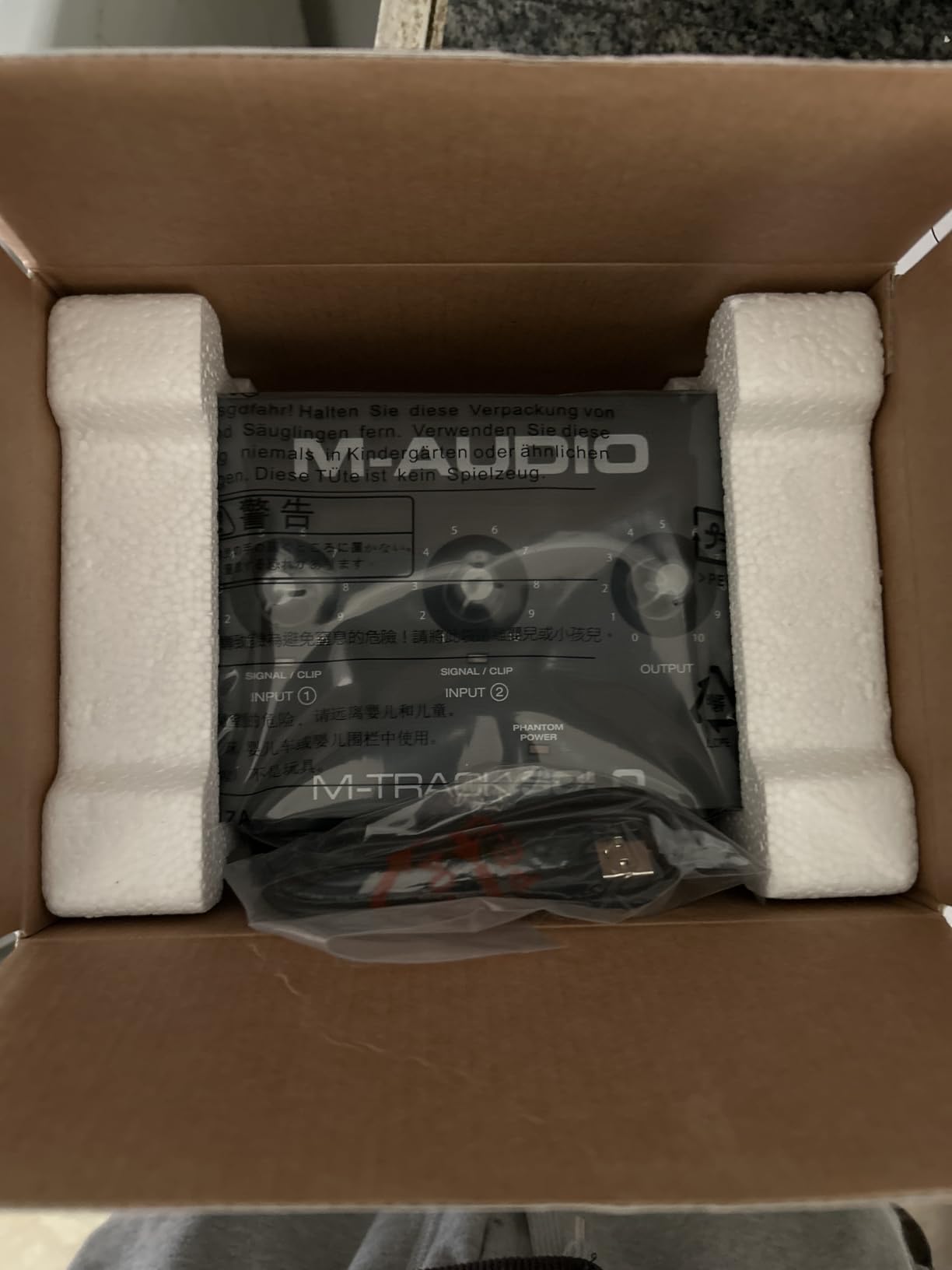
The limits are clear. One XLR input means no multi-track recording at all, which is the mistake most beginners make here and the reason we rank it tenth despite the low cost. The gain pot has a jumpy taper, the 1/4 inch line input is mono only so a stereo source needs a splitter, and it uses USB Type-B rather than USB-C.
Maximum resolution is 48kHz, and the chassis is all plastic.
Best For: One Guitar, Immediate Setup, No Driver Hassle
A player who wants to record guitar ideas today, on any computer, without touching a driver installer, gets exactly what this promises. It is compact, fully USB powered and easy to keep in a guitar case for practice sessions away from home.
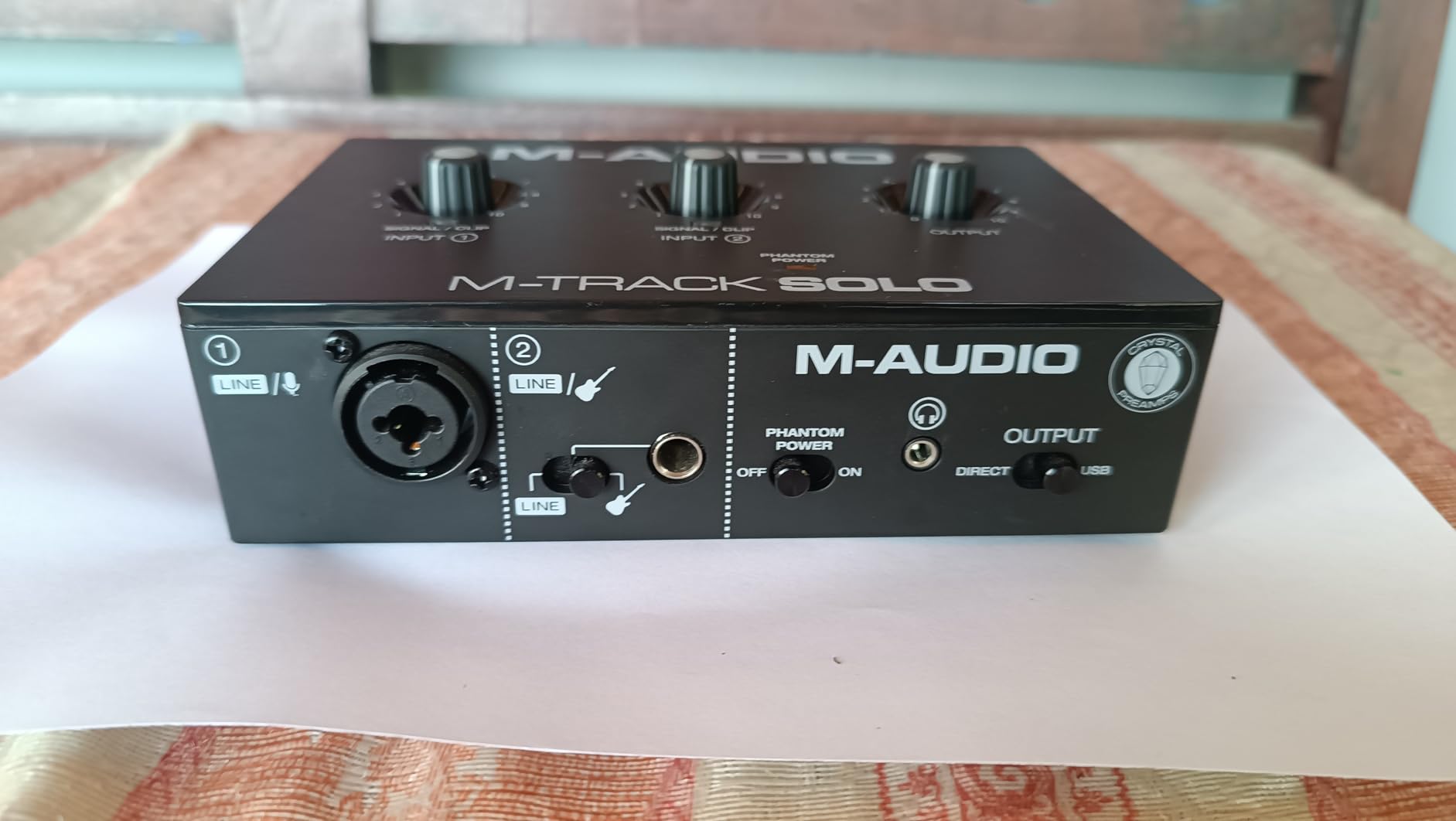
Reviewers consistently call it an inexpensive first interface for guitar, vocals and podcasting.
Worst For: Anyone Planning to Record More Than One Thing at Once
Single XLR input is a hard stop for guitar plus vocal, and the mono line input rules out stereo sources without a splitter. For anyone with a real recording plan, the small step up to a two-input box is worth making immediately.
11. Arturia MiniFuse 1: Three Inputs, MIDI and a Very Low Noise Floor
Arturia MiniFuse USB Audio & MIDI Interface, MiniFuse 1
1 combo XLR input plus 2 TRS instrument/line inputs
MIDI in and out
Loopback
5-year warranty
Pros
- Very low noise floor and transparent uncolored recording
- Metal case with solid-feeling knobs
- Three inputs capture a mic
- guitar and a second source together
- MIDI in and out plus a rear USB hub for controllers
Cons
- Driver installation requires a reboot before the interface appears in DAWs
- Headphone output is not ideal for small in-ear monitors
- No hardware MIDI merge or digital I/O
The MiniFuse 1 is the pick I keep coming back to for pedalboard recording, and the reason is the noise floor. Owners describe it as very low noise with transparent, uncoloured recordings, and that is precisely the characteristic you want when the amp sim is doing the tone work and the interface must stay out of the way.
Three inputs give you more room than most of this list. One combo XLR mic and instrument and line input, plus two TRS instrument and line inputs, means a mic, a guitar DI and a second source can be captured together. MIDI in and out covers controllers, and the rear USB hub supplies power to a controller that has no MIDI port of its own.
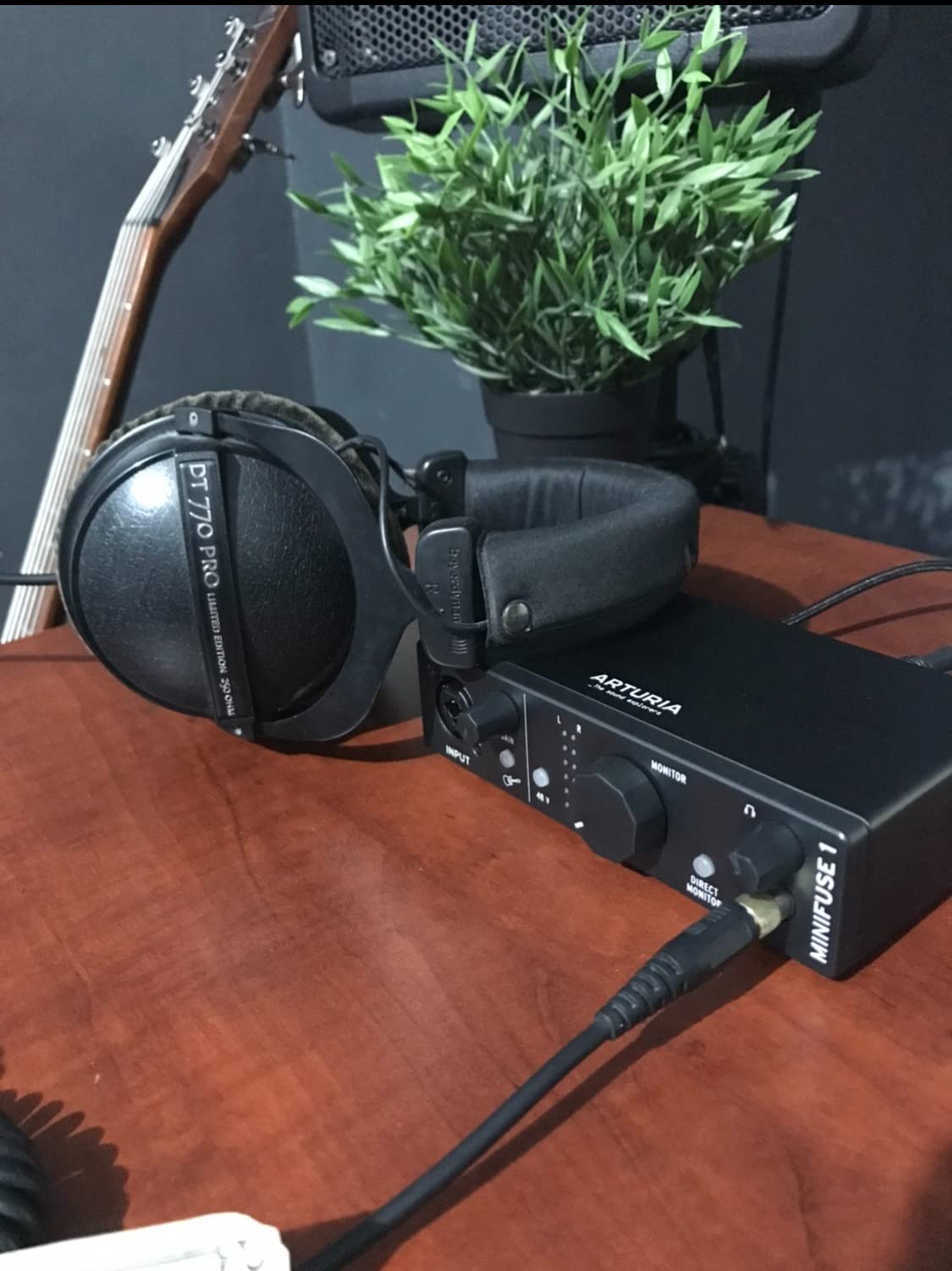
Build is above the price bracket, with a metal case, rubber feet and a 5-year warranty backed by more than 200 reliability tests. Loopback captures in-app or in-game audio, and the bundle includes Ableton Live Lite, Analog Lab Intro and Guitar Rig 6 LE, which covers the amp sim side nicely.
Setup is the one wrinkle. Driver installation requires a device reboot before the interface appears in your DAWs, and you must register the unit with Arturia before driver updates become available. The headphone output is also not ideal for small in-ear monitors, and there is no hardware MIDI merge or digital I/O.
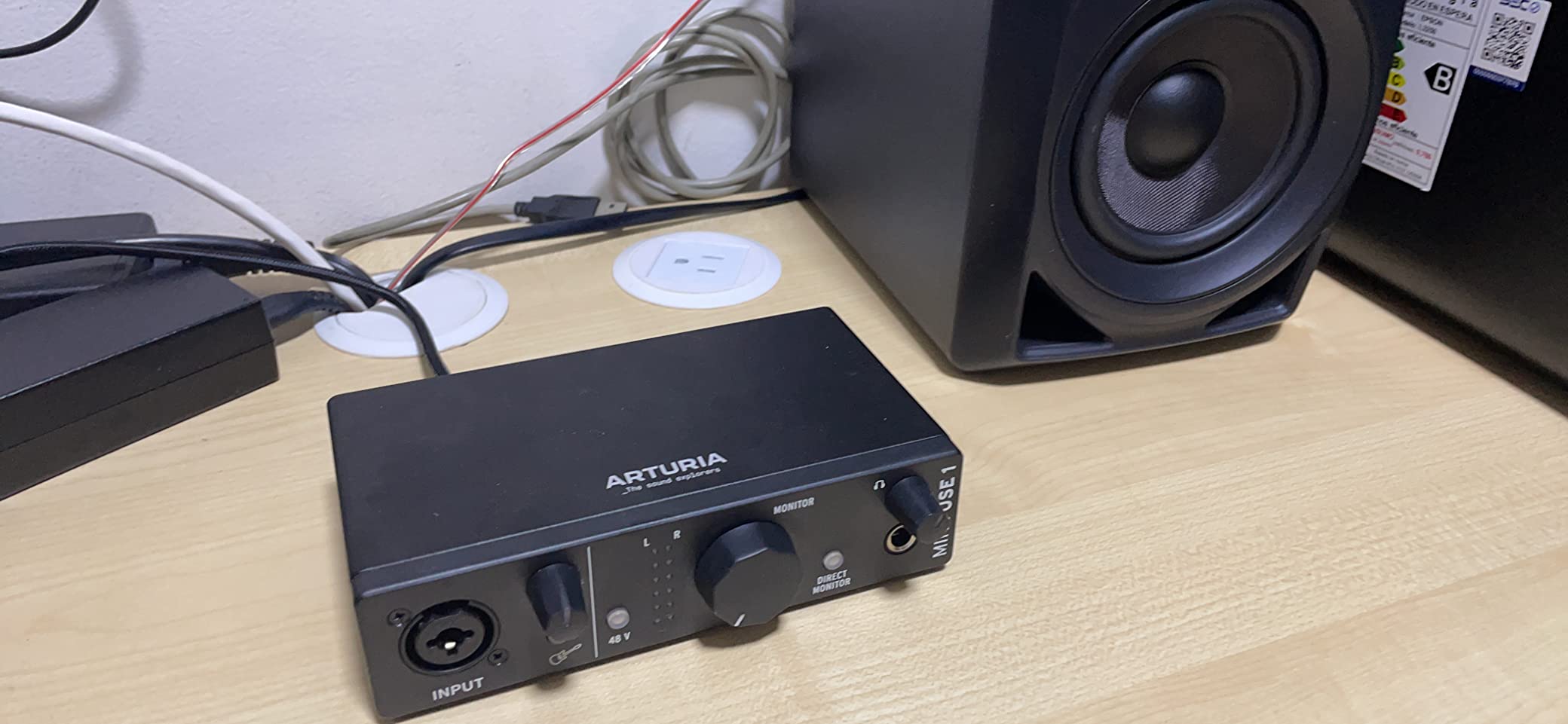
Best For: Amp Sim Tracking, Pedalboards and Three Sources
Three inputs plus MIDI at this level is unusual, and the very low noise floor suits anyone running software amps on an acoustic or electric guitar DI. Loopback adds streaming and content capture without extra hardware, and the metal case and 5-year warranty suggest it will still be around when a first interface usually gets replaced.
Worst For: Plug-and-Play Setups and In-Ear Monitoring
The mandatory reboot after driver installation will frustrate anyone who wants to be recording within five minutes of opening the box, and registration is required before updates. If you monitor on small in-ear monitors, look for a unit with a stronger headphone stage.
12. IK Multimedia iRig 2: Best for Mobile Guitar Practice
IK Multimedia iRig 2 portable guitar audio interface, lightweight audio adapter for iPhone and iPad with instrument input and headphone/amplfier outs
1/4 inch instrument input
Adjustable gain dial
1/4 inch amp output
Analog thru switch
Pros
- Extremely small and light so it fits in a guitar case
- Plug-and-play with no power supply or drivers
- 100 percent analog thru path makes it useful as a tuner
- 1/4 inch output connects straight to a practice amp
Cons
- Audio quality is aimed at phone and tablet practice rather than recording
- No balanced connections or phantom power or mic preamp
- Newer iPhones and iPads require a USB-C or Lightning adapter
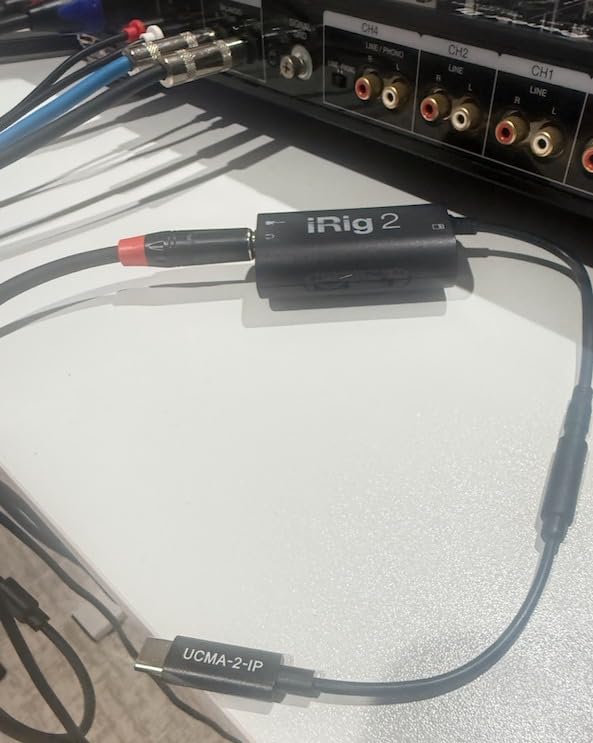
The iRig 2 is not a studio interface, and pretending otherwise would be a mistake. At just over three ounces and with a 1/4 inch instrument input, an adjustable gain dial and a 1/4 inch output for a practice amp, it is a mobile practice tool for an iPhone or iPad, and it has been the default choice for that job for years.
What makes it useful is the 100 percent analog thru path. Flip the switch and the signal bypasses the app entirely, so it doubles as a tuner or a recording device without any digital processing. It pairs with the free AmpliTube CS app for iOS, and a guitar tuner in your pocket is still worth having.
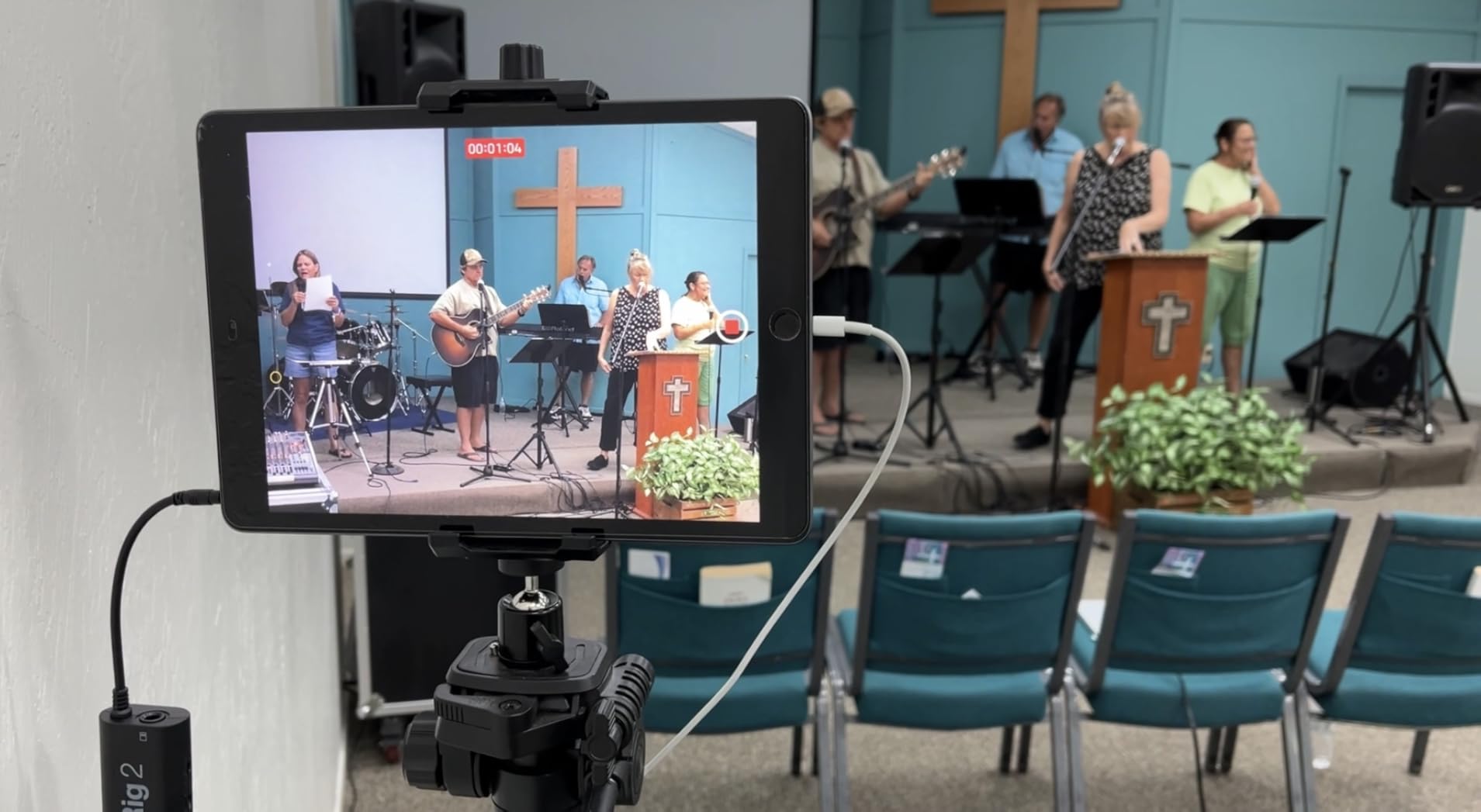
The limits are fundamental rather than a matter of taste. It is a single mono input with no balanced connections, no phantom power and no microphone preamp, and the audio quality is aimed at practice rather than studio recording. Latency depends entirely on the host device and app, and newer iPhones and iPads need a USB-C or Lightning to 3.5mm adapter before any of this works.
Best For: Practice, Backing Tracks and Travel
A guitarist who wants an amp and effects on a phone, a tuner with an analog signal path, and something that lives in a guitar case at short notice gets a tool that does one job well. Owners rate the small size and instant setup as the main reasons to own one.
It also makes a cheap backup box for a rehearsal room where a USB port is the only connection.
Worst For: Any Recording You Intend to Keep
Mono-only input, no microphone preamp and phone-dependent latency make this the wrong tool for guitar and vocal work, reamping or anything you will mix. Treat it as a practice companion, not a home studio interface.
How to Choose an Audio Interface for Guitar Recording
Choose by input count first, then by the guitar-specific features you will actually use. Everything else, including converter class and bundled software, matters far less than forum discussion suggests.
How many inputs do you need? One input covers a single guitar DI. Two inputs is the practical minimum, because guitar and vocal overdubs are the most common second thing a player records, and buying one box is cheaper than buying two. Three inputs cover a mic, a guitar and a second source, which is where pedalboard recording starts to matter. Four inputs or an ADAT input cover a small band.
What is a Hi-Z input, and why does guitar need one? Hi-Z means the input presents a high impedance to the instrument, roughly a million ohms on many of the boxes here, which matches what a guitar pickup expects. Plug a passive single-coil guitar into a line-level input and you get hum, thin output and a distorted sense of tone before you record a single note. If the interface has a jack labelled instrument, Hi-Z or DI, use that one for guitar.
Do converter and preamp quality actually change guitar tone? Less than people claim, and this is worth addressing directly because the argument comes up constantly in forums.
The prevailing view on r/Guitar is that expensive preamps and interfaces make a minimal difference these days, and that is largely true for clean DI guitar, where an amp sim supplies the tone.
Converter quality matters most in three specific cases: reamping, where a permanently captured DI carries every flaw forward; acoustic guitar through a condenser microphone, where the noise floor is audible; and quiet passive pickups, where headroom matters.
If you are tracking a distorted DI with a software amp and never reamping it, spend on the guitar and the amp sim instead.
How much latency is acceptable when tracking guitar? Below 8ms round-trip is effectively inaudible, under 10ms is comfortable, and below 25ms is hard to detect while playing.
Latency scales with buffer size: 64 to 128 samples is the usual tracking range, 256 samples is fine for rehearsal takes, and 512 samples or more will feel sluggish.
Windows drivers are the most common source of trouble, and forum users running guitar amps into interfaces report the fewest problems after moving to units with dependable low-buffer-size behaviour.
DI, mic the cabinet, or amp sim? Direct input gives you a clean, reampable, noise-free signal and the most editing flexibility.
Microphone the speaker cabinet captures your actual amplifier and pedal chain, which no sim fully replaces, but it adds room noise and limits your takes to one performance. Amp sims are instant, repeatable and free of noise, at the cost of depending on how good your modelling software is.
Many players record a DI and an amp mic at the same time and choose later, which is a good argument for two inputs.
Bus-powered or externally powered? Bus-powered boxes are portable and need no mains socket, which is ideal for laptop and rehearsal work. The limitation is phantom power: bus-powered condenser microphones will not work with a bus-powered interface. If acoustic guitar through a condenser microphone is part of the plan, buy a self-powered microphone or an interface with its own supply.
What is direct monitoring, and should you use it? Direct monitoring routes the analog input signal straight to your headphones before it ever reaches the software, so you hear zero delay. Use it for tracking and playing along. It is not a substitute for monitoring the processed return when you want to hear reverb or an amp sim, so many players blend the two, which is what the internal mixers on the MOTU M2 and the AXE I/O One are for.
How should you set the interface up? Install the driver, set the buffer size before opening your DAW, confirm the sample rate matches your session, and plug headphones in before you start.
Then record two seconds of silence and check the noise floor. If it hisses, move the interface away from your amp, use a shielded cable and confirm you are on the instrument input.
For tracking an amp in the same room, a ground loop hum is the usual culprit.
Is a Focusrite Scarlett still the right pick? Yes for the Solo, because the instrument input, converters and headphone amp are strong and the build is solid.
The stronger alternatives for guitar are the Audient iD14 MKII for console preamp character and expansion, the MOTU M2 for transparent conversion and reamping, and the IK AXE I/O One for guitar-specific tone control.
Pick those when your workflow needs more than one input or a specific instrument circuit.
Do you even need an interface? If you record one guitar into a laptop with no intention of adding anything, onboard audio plus a cheap DI can produce a usable demo.
The moment you want a vocal, an amp sim at low latency, or anything you will mix properly, onboard audio becomes the bottleneck: flat, noisy and without a Hi-Z input. For most players moving past practice, an interface is the first real upgrade.
Frequently Asked Questions
What is the best audio interface for guitar recording?
The Focusrite Scarlett Solo 4th Gen is the best overall pick, with a true Hi-Z instrument input, 120dB of dynamic range, 24-bit/192kHz conversion and a headphone amp strong enough for amp sim tracking. Add one caveat: it has a single input, so if you plan to record guitar and vocals together, choose a two-input model such as the Audient EVO 4, MOTU M2 or Behringer UMC202HD instead.
Do I need an audio interface to record guitar on a laptop?
For rough demos, onboard laptop audio plus a direct injection box will do. For anything you plan to mix, play back through headphones, or run through an amp sim, an interface matters because onboard audio has no Hi-Z instrument input, no real gain control and a noisy floor. The jump in clarity usually comes from the interface, not from a better guitar cable.
How many inputs do I need to record guitar and vocals?
Two inputs is the practical minimum, because a guitar and a vocal overdub is the most common second recording a player makes. One input suits a single guitar DI only. Three inputs cover a mic, a guitar DI and a second source at once, which is the sweet spot for pedalboard recording, and four inputs or an ADAT input cover small bands.
What is a Hi-Z input and why does guitar need one?
A Hi-Z input presents a high impedance to the instrument, usually around a million ohms, which is what a guitar pickup expects to see. Plugging a passive single-coil guitar into a line-level input produces hum, a thin signal and hum you cannot remove later. If the interface has a jack marked instrument, Hi-Z or DI, use that for guitar.
How much latency is acceptable when tracking guitar?
Below 8ms round-trip is effectively inaudible, under 10ms is comfortable while playing, and below 25ms is hard to detect. Latency scales with buffer size, so track at 64 or 128 samples and use 256 samples for rehearsal takes. If latency spikes or crackles appear at low buffer sizes, the driver is usually the cause, particularly on Windows.
Is there a better audio interface than a Focusrite Scarlett?
For guitar specifically, three alternatives stand out. The Audient iD14 MKII offers console Class-A preamps, a JFET instrument input and ADAT expansion to ten channels. The MOTU M2 gives transparent 24-bit/192kHz conversion, which is the better choice for reamping. The IK Multimedia AXE I/O One adds a Z-Tone impedance circuit and a passive/active pickup switch for tone shaping.
Does converter and preamp quality actually change my guitar tone?
For clean DI guitar with an amp sim and no reamping, barely. Converter quality matters in three cases: reamping, where a captured DI keeps every flaw permanently; acoustic guitar with a condenser microphone, where the noise floor is audible; and quiet passive pickups that need gain headroom. Spending on the guitar and the amp sim model usually beats spending on a more expensive interface.
Which interface works best for pedalboard and amp sim recording?
Look for a very low noise floor, a proper Hi-Z instrument input and hardware or internal-mix direct monitoring. The Arturia MiniFuse 1 offers three inputs, a low noise floor and a rear USB hub, the MOTU M2 has hardware monitoring with transparent 24-bit/192kHz conversion, and the IK AXE I/O One ships with AmpliTube and TONEX software for amp sim work out of the box.
Final Verdict: Which Guitar Interface Should You Buy?
Buy the Focusrite Scarlett Solo 4th Gen if you record one electric guitar today and want the cleanest, most low-friction starting point available in 2026. It has the Hi-Z input guitar needs, converters with real headroom, and a headphone amp that handles amp sim tracking without an external box.
If you sing as well as you play, skip to a two-input model: the Audient EVO 4 for a musical JFET guitar path, the MOTU M2 for transparent conversion and reamping, or the Behringer UMC202HD for the most hardware per unit spent. For pedalboard work and a very low noise floor, the Arturia MiniFuse 1 adds a third input and MIDI. And if you want the interface itself to shape how your pickup loads, the IK AXE I/O One is the only guitar-specific box in the group.
Whichever you choose, remember the two rules that matter more than any specification: plug the guitar into the Hi-Z input, and use two inputs if you ever plan to add a vocal.