
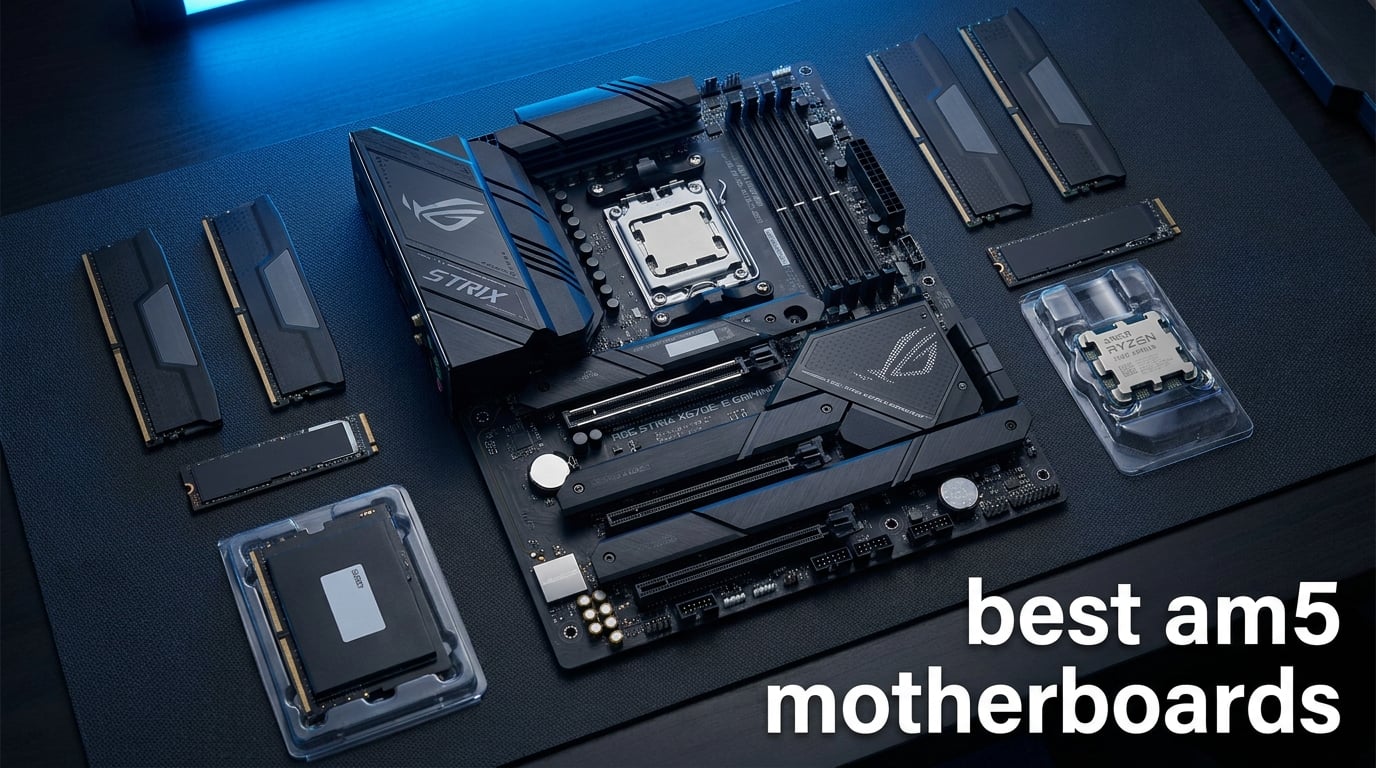
The best AM5 motherboards give a Ryzen 7000, 8000, or 9000 processor a stable DDR5 foundation without making you buy features your build will never touch. My short answer for most gaming PCs is the ASUS ROG Strix B850-A Gaming WiFi, while the GIGABYTE X870 AORUS Elite WIFI7 is the stronger fit when dual USB4 and four M.2 slots matter more.
AM5 is AMD’s LGA 1718 desktop socket. It requires DDR5 rather than DDR4, brings PCIe 5.0 into the mix, and AMD has stated platform support runs through at least 2029, making it a sensible starting point for a new AMD build in 2026.
I ranked these boards from the supplied specifications and listed buyer feedback, not from assumed performance claims. For a processor match, see our best X3D CPUs for gaming guide; a 7800X3D or 9800X3D does not need an extreme board, but it does benefit from clean power delivery, useful storage expansion, and a straightforward BIOS.
One practical warning comes up repeatedly in community discussion: AM5 memory tuning is strongest with one matched two-DIMM kit. EXPO can expose wake-from-sleep or restart problems on some systems, and four populated memory slots put more strain on the memory controller, so validate memory on the board’s support list and update BIOS before blaming the hardware.
The top 3 picks answer the most common AM5 builds 2026
The ASUS ROG Strix B850-A is my all-round choice for a feature-rich ATX gaming machine. The GIGABYTE B850 AORUS Elite WIFI7 is the value-forward alternative with a five-year manufacturer warranty, while the ASRock B850M-X R2.0 makes the compact, two-DIMM route easy to understand.
The best AM5 motherboards in 2026 cover every sensible build size October
Every pick below accepts AM5 processors and DDR5 memory, but connectivity, storage, networking, and power design vary sharply. Start with your case and CPU, then choose the chipset and expansion level that fit the machine you will actually assemble.
| Product | Specifications | Action |
|---|---|---|
 ASUS ROG Strix B850-A ASUS ROG Strix B850-A |
|
Check Availability |
 GIGABYTE B850 AORUS Elite GIGABYTE B850 AORUS Elite |
|
Check Availability |
 ASUS ROG Strix X870-A ASUS ROG Strix X870-A |
|
Check Availability |
 GIGABYTE X870 AORUS Elite GIGABYTE X870 AORUS Elite |
|
Check Availability |
 MSI MAG B850 Tomahawk MAX MSI MAG B850 Tomahawk MAX |
|
Check Availability |
 ASUS TUF GAMING B850-E ASUS TUF GAMING B850-E |
|
Check Availability |
 GIGABYTE B650 AORUS Elite AX GIGABYTE B650 AORUS Elite AX |
|
Check Availability |
 ASUS ROG Strix X870E-E ASUS ROG Strix X870E-E |
|
Check Availability |
 MSI MPG X870E Carbon MSI MPG X870E Carbon |
|
Check Availability |
 ASRock B850M-X R2.0 ASRock B850M-X R2.0 |
|
Check Availability |
1. The ASUS ROG Strix B850-A is the balanced gaming pick
Pros
- 14+2+2 80A power stages
- Four M.2 slots
- WiFi 7 and 2.5G LAN
- USB 20Gbps Type-C
Cons
- ATX form factor
- Two SATA ports
- DDR5 only
The ASUS ROG Strix B850-A is the most rounded B850 motherboard in this group. Its 14+2+2 power-stage design is rated at 80A per stage, and it supports up to 192GB of DDR5 across four slots, giving a Ryzen 7 gaming build room to grow without forcing a premium-chipset purchase.
Four M.2 slots, PCIe 5.0, WiFi 7, 2.5G LAN, and a USB 20Gbps Type-C connection cover the connections I expect from a current ATX board. Its 4.7 rating from 394 listed reviews is also the highest rating among these selections.
The large heatsinks and thermal pads are meaningful here because VRM temperature matters most during sustained CPU loads. The 8+8-pin ProCool power input and 14.1 by 10.7 inch footprint mean this is a standard ATX-case choice, not one for a compact enclosure.
The ASUS ROG Strix B850-A suits a modern gaming build with several drives
Choose it if you want a clean match for a Ryzen 7-class chip, WiFi 7, and four M.2 positions without stepping to X870. It is also a good fit if 2.5Gb Ethernet is part of your home network plan.
The ASUS ROG Strix B850-A is less suitable for SATA-heavy storage plans
There are only two SATA ports in the supplied specifications. Builders reusing several 2.5-inch or 3.5-inch drives should choose a board with more SATA connections instead.
2. The GIGABYTE B850 AORUS Elite WIFI7 is the value-focused ATX choice
Pros
- 14+2+2 power design
- WiFi 7 and 2.5GbE
- EZ-Latch design
- Five-year warranty
Cons
- Three M.2 slots
- ATX form factor
- DDR5 only
GIGABYTE’s B850 AORUS Elite WIFI7 has the essential ingredients for an AMD AM5 gaming system: a 14+2+2 power design, PCIe 5.0 support, DDR5 across four DIMMs, WiFi 7, and 2.5GbE LAN. It carries a 4.6 rating from 409 listed reviews and a five-year manufacturer warranty.
I would put its EZ-Latch system high on the practical-feature list. Tool-free access can make installing an M.2 drive or changing a graphics card much less annoying than it sounds when you are working around a large air cooler.
The board lists three M.2 slots and four SATA ports. That split favors a mixed storage build with a couple of NVMe drives plus existing SATA storage, rather than an all-NVMe workstation packed with scratch drives.
The GIGABYTE B850 AORUS Elite WIFI7 fits builders who value warranty coverage
The listed five-year manufacturer warranty stands out among this group. It pairs well with a Ryzen 7000, 8000, or 9000 processor when dependable networking and a conventional ATX layout are the priority.
The GIGABYTE B850 AORUS Elite WIFI7 is not for four-NVMe expansion
Its three M.2 slots are enough for most gaming machines, but a build that needs a fourth onboard NVMe position should look to the ASUS B850-A or either X870 AORUS option.
3. The ASUS ROG Strix X870-A is the USB4 and overclocking-oriented option
Pros
- 16+2+2 90A power stages
- USB4 support
- Four M.2 slots
- Dynamic OC Switcher
Cons
- ATX form factor
- Two SATA ports
- DDR5 only
The ASUS ROG Strix X870-A steps up to a 16+2+2 power solution rated at 90A per stage. That is real headroom for a Ryzen 9 build, especially when long rendering or compiling sessions ask more of the board than short gaming bursts.
USB4, WiFi 7, PCIe 5.0, and four M.2 slots make the connectivity story clear. Its listed review base is substantial too: 690 reviews at a 4.5 average.
ASUS includes Dynamic OC Switcher, Core Flex, AI Overclocking, and AI Cooling II. Those tools may help an experienced tuner organize experiments, but I would still start with current BIOS defaults, confirm stability, and make one change at a time.
The ASUS ROG Strix X870-A fits creators who connect fast external storage
USB4 is the deciding feature for someone who works with compatible fast external devices. Four M.2 slots and strong power delivery also give a content-creation build useful internal expansion.
The ASUS ROG Strix X870-A is not the simplest storage board for legacy drives
The supplied details list two SATA ports. That is enough for a modest archive drive setup, but it is not a natural match for a case full of older SATA disks.
4. The GIGABYTE X870 AORUS Elite WIFI7 is the best connectivity-first X870 pick
GIGABYTE X870 AORUS Elite WIFI7 AMD AM5 LGA 1718 Motherboard, ATX, DDR5, 4X M.2, PCIe 5.0, USB4, WIFI7, 2.5GbE LAN, EZ-Latch, 5-Year Warranty
X870
16+2+2
Dual USB4
4 M.2
Pros
- Dual USB4 ports
- Four M.2 slots
- 16+2+2 power design
- WiFi 7 and 2.5GbE
Cons
- ATX form factor
- DDR5 only
- Four SATA ports
The GIGABYTE X870 AORUS Elite WIFI7 earns its spot because it combines a 16+2+2 power design with dual USB4, front and rear USB-C, four M.2 slots, WiFi 7, and 2.5GbE. That is a very complete I/O set for a high-performance AM5 ATX build.
It supports up to 256GB of DDR5 across four DIMMs, lists EXPO support, and is rated 4.5 from 442 listed reviews. The VRM and M.2 Thermal Guard hardware is relevant for sustained workloads and multiple installed SSDs.
Its specified memory clock reaches 8200 MHz, but that is an overclocking ceiling rather than a promise every CPU and kit will reach. I would buy a validated two-stick kit and treat EXPO stability as a system-level check.
The GIGABYTE X870 AORUS Elite WIFI7 fits USB4-centric desk setups
Dual USB4 is its clearest advantage over the B850 boards here. Pick it for a workstation or gaming desk that needs fast external connections as well as several internal NVMe drives.
The GIGABYTE X870 AORUS Elite WIFI7 is not necessary for a basic single-drive PC
If your build has one SSD, ordinary USB needs, and wired networking, a B850 board can be the more sensible feature match. The extra I/O only matters when you will connect it.
5. The MSI MAG B850 Tomahawk MAX WiFi is the feature-dense gaming workhorse
Pros
- 5G LAN and WiFi 7
- Two Gen5 M.2 slots
- USB 20G Type-C
- Strong thermal hardware
Cons
- ATX form factor
- Four SATA ports
- DDR5 only
The MSI MAG B850 Tomahawk MAX WiFi is a particularly capable B850 motherboard for a fast gaming machine. Its 14 Duet Rail 80A SPS power system, extended heatsink, and 7W/mK MOSFET pads put the focus on sustained power delivery rather than cosmetic extras.
The networking is unusually strong for this class: WiFi 7, Bluetooth 5.4, and 5G LAN. It also lists a PCIe 5.0 x16 Steel Armor II graphics slot, two Gen5 x4 M.2 slots, two additional Gen4 M.2 slots, and USB 20G Type-C.
That storage layout is valuable if you expect to move from one high-speed drive to several drives over the life of the PC. The board supports DDR5 memory overclocking to 8400+ MT/s, but a stable daily profile matters more than chasing the highest number.
The MSI MAG B850 Tomahawk MAX WiFi suits fast wired gaming networks
Its 5G LAN is the standout if your router, switch, and local storage can take advantage of it. It also makes sense for a Ryzen 9800X3D system where the builder wants current storage options without an X870 chipset.
The MSI MAG B850 Tomahawk MAX WiFi is not for builders needing many SATA drives
Four SATA ports are reasonable, but not unusually generous. The board is designed around M.2 expansion, so a legacy-drive-heavy media server calls for a different layout.
6. The ASUS TUF GAMING B850-E WIFI is the straightforward entry ATX board
Pros
- BIOS FlashBack
- PCIe 5.0 x16
- 2.5Gb Ethernet
- Front USB 20Gbps Type-C
Cons
- WiFi 6E rather than WiFi 7
- Three M.2 slots
- DDR5 only
The ASUS TUF GAMING B850-E WIFI gives an AM5 ATX build a practical set of essentials: 8+2+1 80A DrMOS stages, an eight-layer PCB, a PCIe 5.0 x16 slot, and three M.2 slots. It supports Ryzen 7000, 8000, and 9000 desktop processors with up to 256GB of DDR5.
WiFi 6E and 2.5Gb Ethernet remain capable everyday connectivity, even though this board does not list WiFi 7. The front USB 20Gbps Type-C header and rear USB 10Gbps Type-C port are more relevant to many cases and peripherals than a long list of theoretical extras.
ASUS BIOS FlashBack is a major practical feature. It can update BIOS from a USB drive without a CPU or memory installed, which can be useful when a board needs firmware for a newer compatible processor.
The ASUS TUF GAMING B850-E WIFI fits an uncomplicated ATX gaming PC
This board is a good match when you want current AM5 platform support, a Gen5 M.2 route, and sensible wired networking. Its listed 4.5 rating comes from 75 reviews, so the feedback sample is smaller than the older B650 AORUS Elite AX.
The ASUS TUF GAMING B850-E WIFI is not for buyers who require WiFi 7
The board specifies WiFi 6E. Choose one of the WiFi 7 models above if that newer wireless standard is a non-negotiable part of the build.
7. The GIGABYTE B650 AORUS Elite AX is the established AM5 value alternative
Pros
- 1
- 542 listed reviews
- 14+2+1 power phases
- PCIe 5.0 NVMe M.2
- Five-year warranty
Cons
- 128GB memory maximum
- WiFi 6E rather than WiFi 7
- ATX form factor
The GIGABYTE B650 AORUS Elite AX is proof that a B650 motherboard can still be a smart AM5 choice. It supports Ryzen 7000, 8000, and 9000 CPUs, carries a twin 14+2+1 70A power-stage design, and provides a PCIe 5.0 NVMe x4 M.2 slot.
It has the broadest listed feedback sample in this roundup: 1,542 reviews at a 4.4 average. Its five-year warranty, WiFi 6E, 2.5GbE, front and rear USB-C 3.2 Gen 2, and covered MOSFET heatsinks give it a well-established baseline feature set.
The key limit is its 128GB maximum memory capacity. That is ample for a typical gaming PC, but it is a meaningful ceiling for memory-intensive creative work compared with the 192GB or 256GB boards above.
The GIGABYTE B650 AORUS Elite AX fits gamers who want proven feature balance
Pick it for a Ryzen 7 build with one Gen5 storage drive, wired 2.5GbE, and WiFi 6E. It is also a reasonable way to compare AM4 vs AM5 platforms if you want modern memory and a longer-lived socket; our guide can help you compare AM4 vs AM5 platforms.
The GIGABYTE B650 AORUS Elite AX is less suited to high-capacity memory work
Its 128GB listed maximum is the limitation to keep in view. Builders planning very large DDR5 capacity should choose a board that specifies 192GB or 256GB support.
8. The ASUS ROG Strix X870E-E is the expansion-heavy enthusiast board
Pros
- 18+2+2 110A power solution
- Three Gen5 M.2 slots
- Dual USB4
- WiFi 7 and 5Gb Ethernet
Cons
- ATX form factor
- Six SATA ports
- DDR5 only
The ASUS ROG Strix X870E-E is the most expansion-oriented ASUS pick in this list. Its 18+2+2 power solution is rated at 110A per stage, it has three PCIe 5.0 M.2 slots plus two PCIe 4.0 M.2 slots, and it adds dual USB4 Type-C ports.
Networking is also unusually strong, with WiFi 7 and Realtek 5Gb Ethernet. That combination is useful for a workstation accessing fast local storage, and it pairs naturally with the processors in our best workstation CPUs guide.
Q-Release Slim and M.2 Q-Latch are small build-quality details that reduce friction during component swaps. The board also lists Dynamic OC Switcher, Core Flex, Asynchronous Clock, and PBO Enhancement for enthusiasts who understand the thermal and stability tradeoffs.
The ASUS ROG Strix X870E-E fits multi-drive Ryzen 9 workstations
Five total M.2 slots, dual USB4, and 5GbE make sense for demanding local projects, multiple fast drives, or heavy peripheral use. It supports up to 192GB of DDR5 across four slots.
The ASUS ROG Strix X870E-E is not a compact-build motherboard
It is an ATX board measuring 14.4 by 11.1 inches. Check case clearance and cable routing before treating its expansion capacity as an automatic win.
9. The MSI MPG X870E Carbon WiFi is the premium network-and-thermal choice
Pros
- WiFi 7 and Bluetooth 5.4
- Dual LAN
- Heavy MOSFET heatsink
- EZ PCIe Release
Cons
- Four SATA ports
- ATX form factor
- DDR5 only
The MSI MPG X870E Carbon WiFi is for a builder who wants premium cooling hardware and flexible networking. Its heavy plated MOSFET heatsink, heat-pipe, 7W/mK MOSFET pads, and onboard M.2 Shield Frozr target heat control around the power stages and storage.
It lists WiFi 7, Bluetooth 5.4, and dual LAN for separate intranet and internet connections. The network pairing can matter in a workstation or advanced home setup, though most gaming PCs will be perfectly served by one solid wired connection.
MSI specifies Lightning Gen 5 PCIe 5.0 with up to 128GB/s bandwidth and an EZ PCIe Release button. Memory support reaches 256GB of DDR5, and the board has a 4.4 rating from 343 listed reviews.
The MSI MPG X870E Carbon WiFi fits networked creative and enthusiast builds
Choose it when dual LAN has a clear job, such as separating a fast local network from internet traffic. The thermal hardware and 256GB DDR5 support also suit sustained multicore workloads.
The MSI MPG X870E Carbon WiFi is not ideal for a SATA-rich archive system
The specifications list four SATA ports. That will work for a handful of drives, but expansion here is centered on current high-speed storage rather than a large SATA collection.
10. The ASRock B850M-X R2.0 is the compact Micro-ATX AM5 starter
ASRock B850M-X R2.0 Micro-ATX AM5 Motherboard, AMD Ryzen 9000/8000/7000 Support, DDR5 8200+ OC, PCIe 5.0, 2.5G LAN, 6+1+1 Power Phase, BIOS Flashback
B850
Micro-ATX
2 DIMMs
Gen5 M.2
Pros
- Micro-ATX layout
- PCIe 5.0 x16
- Gen5 M.2
- 2.5G LAN and WiFi 6E
Cons
- Two DIMM slots
- 128GB memory maximum
- 6+1+1 power architecture
The ASRock B850M-X R2.0 is the right answer when case size and a straightforward AM5 Micro-ATX build matter most. It offers a PCIe 5.0 x16 slot, one Blazing M.2 Gen5 x4 slot, a second Hyper M.2 Gen4 x4 slot, WiFi 6E, Bluetooth, and 2.5G LAN.
Its two DDR5 DIMM slots support up to 128GB and list overclocking support up to 8200+. Two slots remove the temptation to start with four memory modules, which can simplify an AM5 build, but they also limit future memory expansion.
The 6+1+1 Dr.MOS power architecture is less ambitious than the full-size boards above. I would pair it with a processor whose power needs match a compact value build rather than choosing it specifically for heavy manual overclocking.
The ASRock B850M-X R2.0 fits compact two-DIMM gaming builds
This is the Micro-ATX choice for a small case with a single modern graphics card, a Gen5 boot drive, and two matched DDR5 modules. It supports Ryzen 7000, 8000, and 9000 processors.
The ASRock B850M-X R2.0 is not for maximum RAM or storage expansion
There are only two DIMM slots and two M.2 slots. Builders who need 192GB or 256GB of memory, or more than two onboard NVMe drives, should move to an ATX design.
The buying guide starts with chipset and case size
Choose B850 for a mainstream gaming or productivity build that needs current AM5 features without every premium I/O option. Choose X870 when USB4 and expanded connectivity are important, then choose X870E when the board’s extra lanes, storage layout, power delivery, or networking directly support your work.
ATX gives the easiest cable routing and the most room for M.2 slots, DIMMs, headers, and expansion. Micro-ATX reduces case size while retaining a practical graphics-card layout; this list has no Mini-ITX board, so a truly tiny AM5 system needs a different shortlist.
The right VRM depends on your CPU load rather than the chipset name
VRM means voltage-regulator module: the circuitry that turns power from the supply into the low, stable voltage the CPU needs. More phases and higher per-stage ratings can help during long high-load work, but a Ryzen 7 gaming machine does not automatically need the largest number on a specification sheet.
For example, the 8+2+1 80A design on the TUF board can suit a conventional build, while the 16+2+2 and 18+2+2 designs on the X870 and X870E choices are aimed at heavier power demands. Look for covered heatsinks and decent airflow too, because VRM cooling is part of the result.
The memory plan should begin with two matched DDR5 modules
AM5 supports DDR5 only; DDR4 does not fit. A matched two-stick kit is the low-friction starting point, and EXPO is the AMD memory profile that applies validated frequency, timings, and voltage settings when the platform behaves properly.
Community reports flag four-stick and high-density memory configurations as more likely to need reduced speeds or manual troubleshooting. That is not a defect unique to one product in this roundup, but it is a good reason to check the board’s current memory support list, run a current BIOS, and test sleep, restart, and memory stability after enabling EXPO.
The storage and USB count should reflect the peripherals you already own
Count the drives you need now and the drives you expect to add. The ASUS ROG Strix X870E-E provides five M.2 positions, while the ASRock B850M-X R2.0 provides two; neither answer is better outside its intended build.
USB4 is worth selecting for compatible high-bandwidth external devices, not simply because it is newer. The GIGABYTE X870 AORUS Elite WIFI7 has dual USB4, the ASUS ROG Strix X870-A has USB4, and the X870E-E also has dual USB4; other choices keep the focus on USB Type-C at 20Gbps or 10Gbps.
The BIOS and stability routine prevents many first-build headaches
Update firmware using the maker’s documented process before chasing memory overclocks. BIOS FlashBack on the ASUS TUF B850-E can update BIOS without a CPU or memory installed, while GIGABYTE lists Q-Flash on the B650 AORUS Elite AX; these are recovery-friendly features, not replacements for reading instructions.
Forum reports also mention sleep, wake, and restart trouble with EXPO on some AM5 combinations, plus cases where a BIOS update changes behavior. I would record stable settings, test the PC at defaults, enable EXPO next, and only then adjust PBO or other tuning settings; strong debug LEDs or an error display can save a lot of time during that process.
The most reliable AM5 motherboard is the one that matches validated parts
Reliability comes from a current BIOS, a compatible two-DIMM DDR5 kit, adequate case airflow, and power delivery appropriate for the CPU. Among these picks, the GIGABYTE B850 AORUS Elite WIFI7 combines a 14+2+2 design, thermal protection, 2.5GbE, WiFi 7, and a listed five-year warranty, making it a strong reliability-minded choice.
The FAQ gives direct AM5 motherboard answers
What is the most reliable AM5 motherboard?
The most reliable AM5 motherboard is one paired with a validated DDR5 kit, a current BIOS, good case airflow, and a CPU it can power comfortably. The GIGABYTE B850 AORUS Elite WIFI7 is a strong option here because it lists a 14+2+2 power design, VRM thermal protection, WiFi 7, 2.5GbE, and a five-year manufacturer warranty.
Why does AM5 have issues with 4 sticks of RAM?
Four DDR5 modules place a larger electrical load on the CPU memory controller than a two-module kit. That can reduce the stable memory speed or make EXPO tuning less straightforward, so begin with a matched two-DIMM kit and check the motherboard memory support list.
What is the longevity of the AM5 chipset?
AMD has stated that AM5 platform support runs through at least 2029. That does not mean every future processor feature will appear on every board, but it gives AM5 a longer upgrade argument than a platform near the end of its socket life.
What is BIOS FlashBack?
BIOS FlashBack is a feature that updates motherboard firmware from a USB drive without a CPU or memory installed. It can help when a compatible new processor needs newer firmware before the system can boot.
Does DDR4 RAM work with AM5 motherboards?
No. AM5 motherboards use DDR5 memory, and DDR4 modules are physically and electrically incompatible with their memory slots.
The best final choice is the board that leaves room for your real upgrades
For most people choosing among the best AM5 motherboards, the ASUS ROG Strix B850-A Gaming WiFi is the balanced starting point. The GIGABYTE X870 AORUS Elite WIFI7 is my connectivity-led recommendation, the MSI MAG B850 Tomahawk MAX WiFi is excellent for fast wired gaming networks, and the ASRock B850M-X R2.0 is the compact Micro-ATX route.
Match the board to the CPU, case, memory plan, drives, and external devices you already have in mind. Add a compatible cooler from our best CPU coolers for AM5 guide, update BIOS carefully, and you will have an AM5 PC that is ready for 2026 and later upgrades.