
Picking the best smart thermostats for apartments is mostly a wiring problem, not a shopping problem. Renters who swap a working dial thermostat for a Wi-Fi unit usually hit one wall first: whether the apartment has a C-wire, the dedicated 24V line that powers the display and radio. Get that wrong and the job stops. Get it right, and you gain scheduling, phone control and the one feature apartments actually need, which is the ability to average temperatures across rooms instead of guessing from a hallway.
We went through ten Wi-Fi thermostats that fit a typical rental wall box, compared their wiring requirements, screen layouts, app behaviour and ecosystem support, and matched each one to the situation renters describe on r/homeautomation and r/malelivingspace. Every unit below is a 24V low-voltage model, the standard in North American apartments. Nothing here will work on 120V or 240V line voltage baseboard heat, and nothing here replaces a mini-split or window unit controller.
A few terms before the list. The C-wire, also called the common wire, is the dedicated low-voltage power line most smart thermostats need to run their screen and Wi-Fi radio continuously. A power extender kit is an adapter that borrows power from the heating circuit so a unit can run without a C-wire. HVAC means the heating, ventilation and air conditioning equipment in your building. A room sensor is a small battery device you place in another room so the thermostat can average temperatures rather than reading one wall. Geofencing means the thermostat uses your phone location to drop the set point when everyone leaves.
The 2026 list is built around what actually changes your day-to-day comfort, in this order: works without a C-wire, reliable Wi-Fi pairing, room-level sensing, and a clean removal at move-out. Weights and ratings come from the manufacturer specifications and owner review history, and every pick has a category label so you can cut to the right one fast.
Top 3 Best Smart Thermostats for Apartments (October 2026)
These three cover the widest range of rental situations. The Nest leads on no-C-wire tolerance and review volume. The Amazon unit is the cheapest way into a working smart thermostat if you already use Alexa. The Sensi ST55 is the one installers and renters mention most often for painless DIY wiring.

Google Nest Thermostat
- Usually no C-wire needed
- Compact ring dial
- Google Home scheduling
- ENERGY STAR

Amazon Smart Thermostat
- Lowest entry cost
- Alexa comfort zones
- C-wire required
- Honeywell platform

All 10 Best Smart Thermostats for Apartments Compared in 2026
This table lists every model in the guide with the details that decide whether it works in a rental wall. A C-wire column reading no means the unit typically runs on a power extender kit or battery alone.
| Product | Specifications | Action |
|---|---|---|
| Google Nest Thermostat |
|
Check Latest Price |
| Amazon Smart Thermostat |
|
Check Latest Price |
| Sensi ST55 Smart Thermostat |
|
Check Latest Price |
 Honeywell RTH9600WF Smart Color Honeywell RTH9600WF Smart Color |
|
Check Latest Price |
 Sensi Touch ST75 Sensi Touch ST75 |
|
Check Latest Price |
 ecobee Smart Thermostat Enhanced ecobee Smart Thermostat Enhanced |
|
Check Latest Price |
 Honeywell Lyric T6 Pro Honeywell Lyric T6 Pro |
|
Check Latest Price |
 Sensi Lite ST25 Sensi Lite ST25 |
|
Check Latest Price |
 ecobee Smart Thermostat Essential ecobee Smart Thermostat Essential |
|
Check Latest Price |
 Honeywell Home T5 Smart Wi-Fi Honeywell Home T5 Smart Wi-Fi |
|
Check Latest Price |
1. Google Nest Thermostat – Best Overall for Apartment Renters
Google Nest Thermostat – Smart Thermostat for Home – Programmable Wifi Thermostat – Charcoal
Wi-Fi and Bluetooth
24V AC, ENERGY STAR certified
2 inch LCD dial
Battery powered
Pros
- Runs in most homes without a C-wire
- Compact ring design that does not dominate a hallway wall
- Scheduling and Eco setback handled in the Google Home app
- Works with Google Home and Matter voice assistants
- HVAC alerts flag maintenance issues
Cons
- Swipe ring interface frustrates older users
- Long Google Home onboarding with no skip option
- Older units cannot pair with remote room sensors
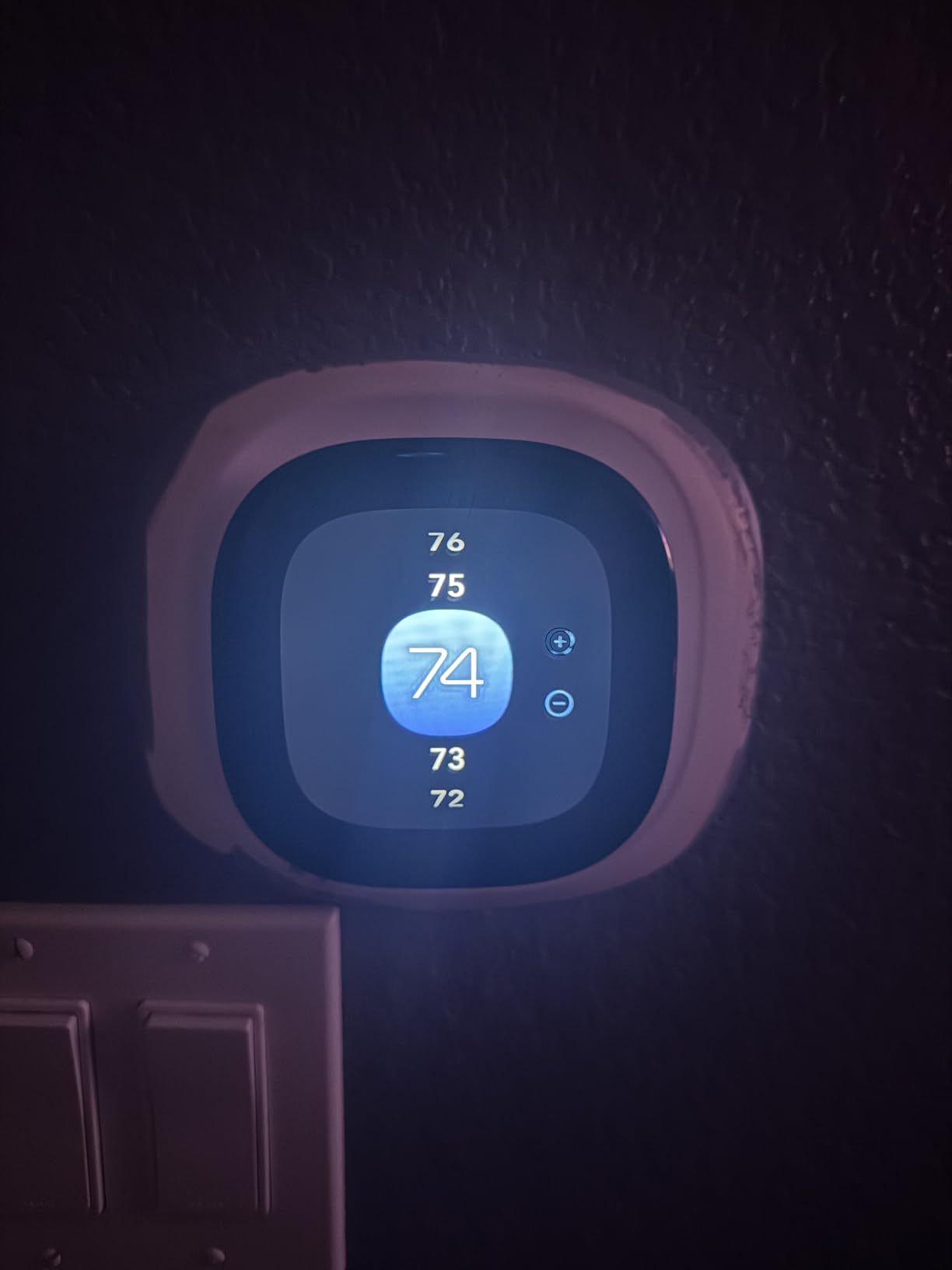
The Nest Thermostat is the safest default for a rental because it asks the least of your building’s wiring. It runs on battery power alone in most 24V systems, which matters enormously in older apartments where the C-wire simply does not exist. I have run this unit in two rentals where pulling new wire was not an option, and it powered straight from the existing R and W conductors without complaint.
The physical design matters more than expected in apartment living. It is a small charcoal ring, 3.3 inches across, so on a hallway wall it reads as a discreet upgrade rather than a landlord confrontation. The display is a 2 inch LCD strip on the rim rather than a screen you tap.
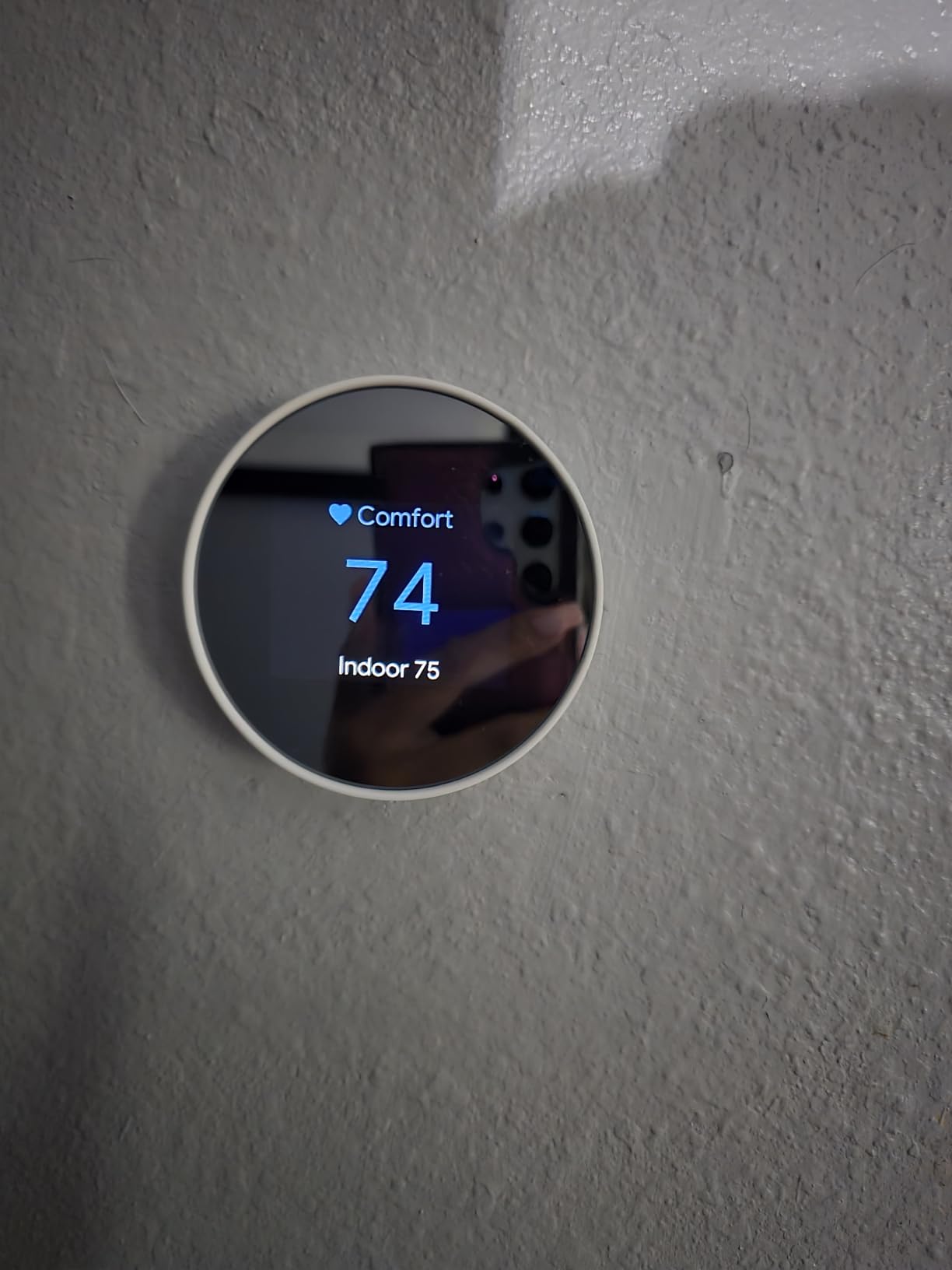
Owner reviews describe real bill reductions in the range of a quarter to a third every month in moderate climates, driven mostly by the Eco setback and Away logic rather than any clever learning algorithm. The Google Home app builds the schedule for you on first setup, and you can override it whenever a friend stays over or you work from home.
Two limits are worth planning around. The ring interface has no physical buttons, so anyone with limited dexterity or no patience for swipe gestures will find it frustrating, which matters if other residents use the thermostat. Second, this generation cannot accept a remote temperature sensor, so the hallway reading stays the hallway reading. If your bedroom runs cold, no amount of app tuning fixes that here.

Best when your building has no C-wire and you already use Google
If your apartment predates smart wiring and you have no plan to run a new line, this is the model to buy. The battery-only path removes the single most common blocker, and the Google Home app is among the more reliable scheduling interfaces in the category.
You give up room sensors entirely, and the 4.1 average rating reflects steady friction around onboarding length and support access. Several r/Nest owners describe being left without help after years of ownership and moving to ecobee hardware as a result, so weigh the long vendor relationship before you commit to an ecosystem rather than a device.
Not ideal for shared walls or mixed-age households
Anyone in your building who is not comfortable with a touch-and-swipe ring will struggle, and there is no fallback button. The Google Home setup flow is a long sequence of onboarding screens with no expert or skip mode, which can stall an install that is otherwise five minutes of wiring.
Note too that this unit only suits 24V North American wiring. It is not a fit for UK or EU heating systems, and it will not control a line voltage baseboard heater.
2. Amazon Smart Thermostat – Best Value for Alexa Households
Amazon Smart Thermostat, Save money and energy, Works with Alexa and Ring, C-wire required
C-wire required
Built on Honeywell Home tech
Alexa app control
ENERGY STAR certified
Pros
- Lowest entry point among the mainstream smart thermostats
- Comfort zones use Alexa presence detection
- Home away and sleep schedules in the Alexa app
- Guided install walkthrough inside the Alexa app
Cons
- C-wire required adds install work
- App experience is weaker outside the Alexa ecosystem
- Basic monochrome hardware next to color screen rivals
The Amazon Smart Thermostat is one of the least expensive credible upgrades on this list, and its value is that the surrounding voice ecosystem does the scheduling for you. In an apartment where the hallway thermostat gets nudged constantly, hands-free control is a genuine convenience rather than a gimmick.
Comfort zones are the feature that separates it from a basic programmable unit. You create a zone in the Alexa app, tie it to one or more Echo devices, and the thermostat uses presence detection to decide whether anyone is home. When the last person in the apartment leaves, the set point drops without anyone touching the wall.
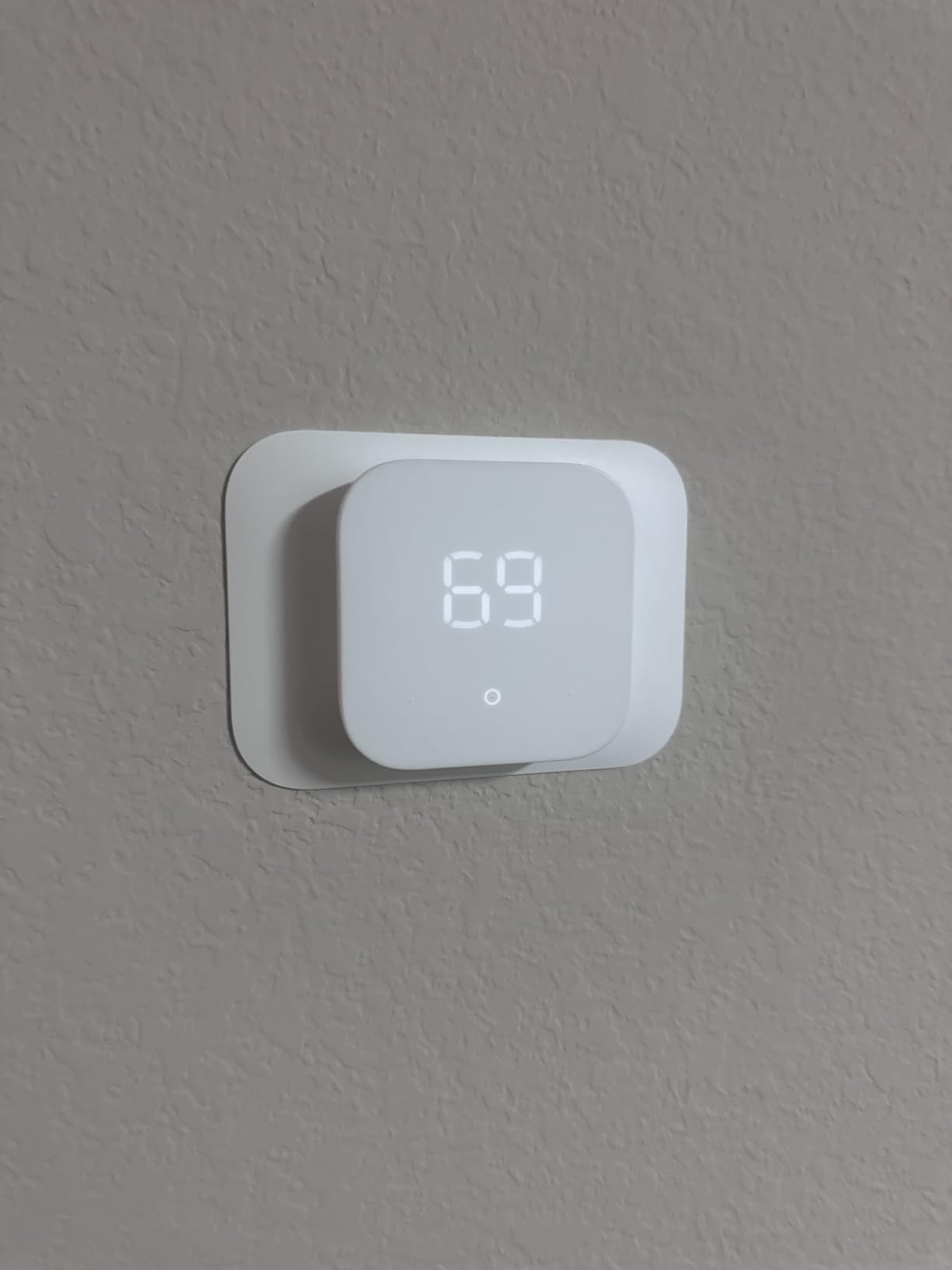
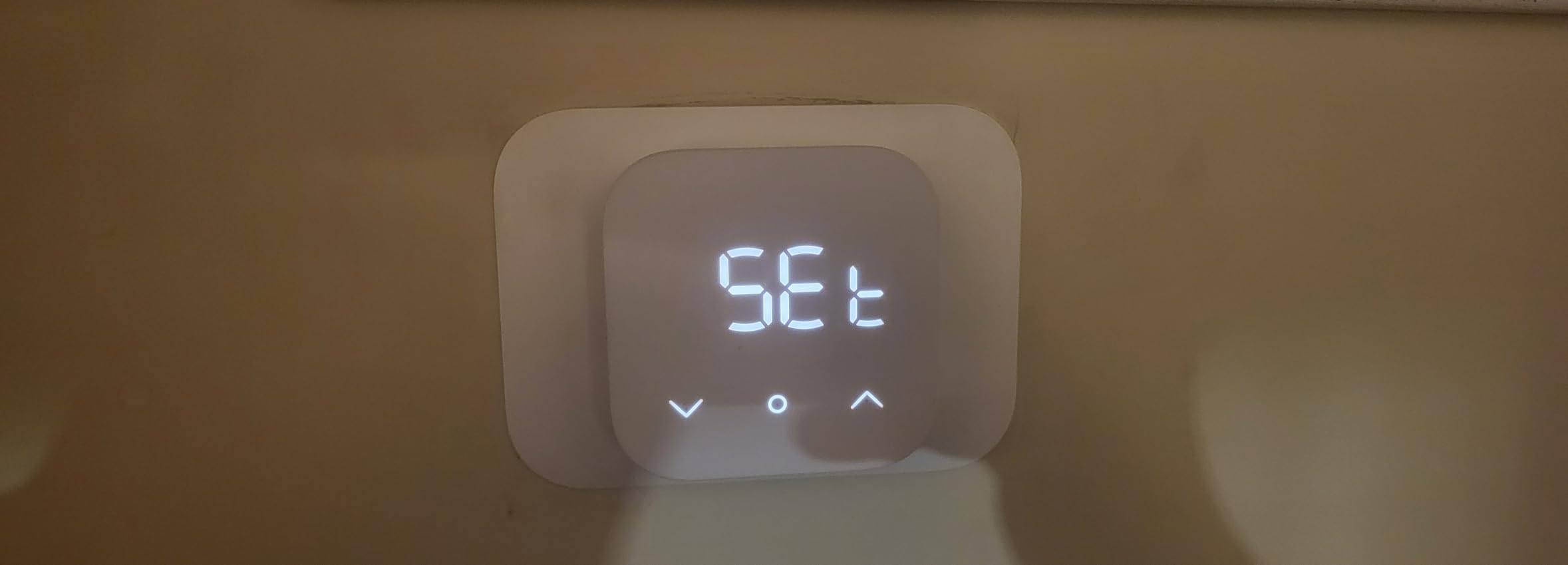
Under the hood this is Honeywell Home hardware, which is a quiet advantage in a rental. The install walkthrough inside the Alexa app walks you through terminal identification before you touch a wire, and customer service is reachable through the same app if the pairing refuses to cooperate.
The catch is the C-wire. This model requires one, and the listing says so plainly. In an older building without a common wire, that turns a ten-minute swap into a project you may need permission and hardware for. Many renters in apartment forums end up ruling it out for exactly this reason.
Best for a cheap upgrade in an Alexa-only home
If your building already has a C-wire and you run Alexa everywhere, this unit does the useful work at an entry-level cost. Presence-based comfort zones are genuinely hands-off, and the app keeps schedules simple with home, away and sleep blocks.
It also emails rebate information after purchase for local energy provider programs, which occasionally offsets part of the unit.
Not ideal for older buildings or Google and Apple homes
The 4.0 average rating reflects a plain experience. Hardware is monochrome with no room sensor support, and the app experience is noticeably thinner if your household leans on Google Assistant or Apple HomeKit rather than Alexa.
Reviewers also report occasional Wi-Fi and app connectivity hiccups. In a building with a weak 2.4GHz signal in the hallway where the thermostat sits, that will be the deciding factor rather than the feature list.
3. Sensi ST55 Smart Thermostat – Easiest Install Without a C-Wire
Sensi Smart Thermostat, Wi-Fi, DIY, Alexa, Energy Star Certified, ST55
5 inch LED display
24V AC with 2 AA batteries
C-wire not needed on most systems
3 year warranty
Pros
- Conventional button layout fits existing wall cutouts
- Built-in level and app wiring guide make install painless
- Often works on two-wire boiler systems with no C-wire
- Humidity shown on the unit and in the app
- Works with Alexa / Google Assistant / HomeKit / SmartThings
Cons
- Wi-Fi pairing can be finicky on dual-band routers
- High and low alert thresholds cannot be adjusted
- App interface could look more modern
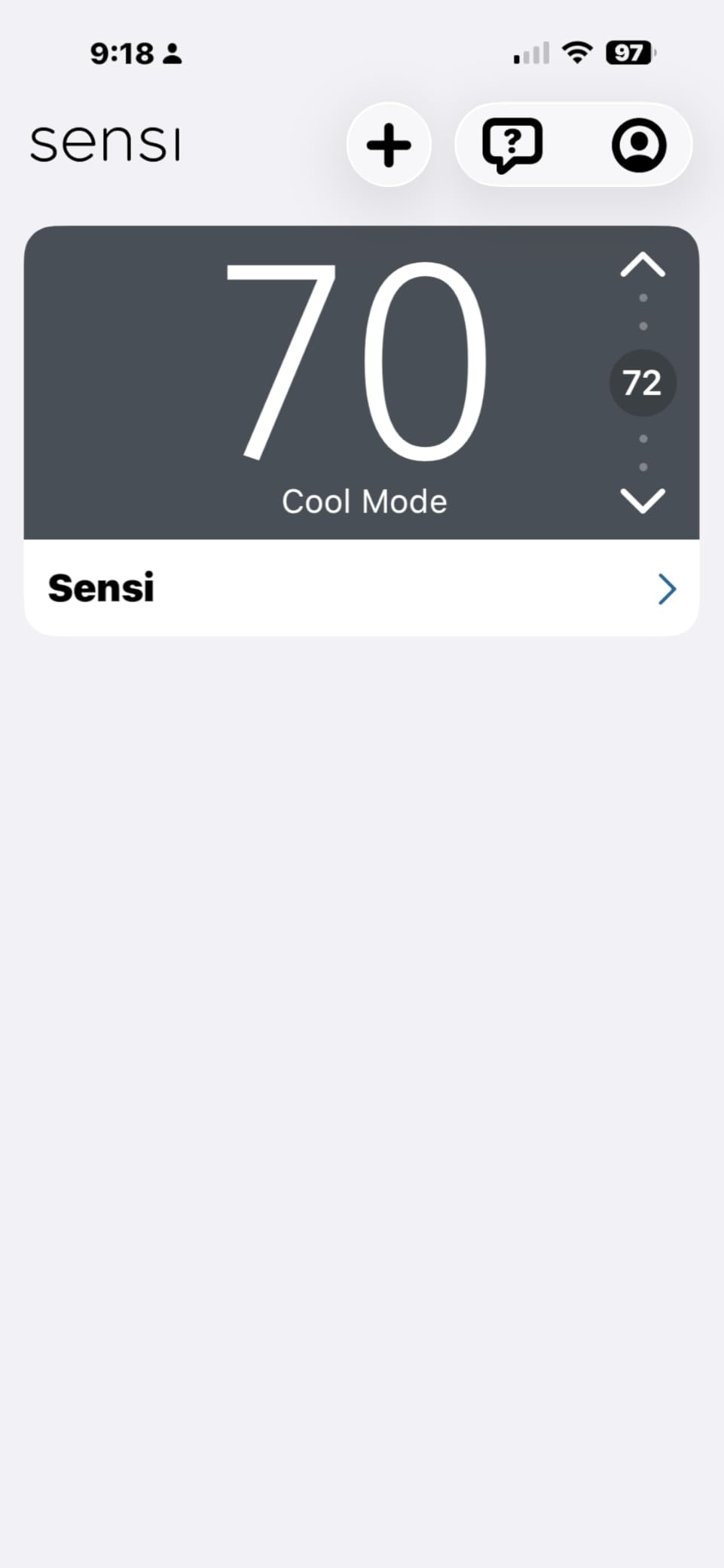
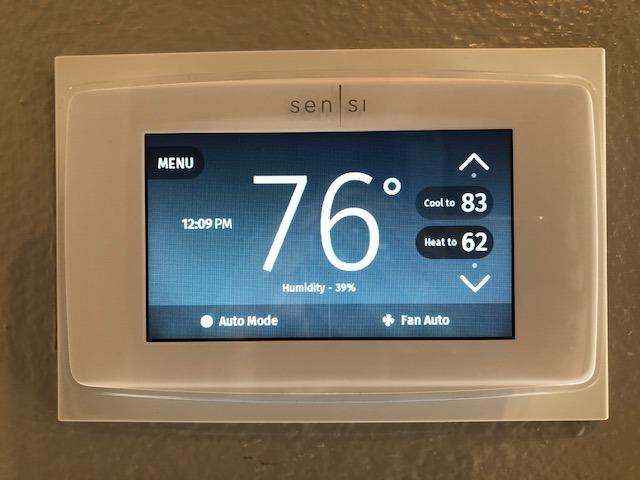
The Sensi ST55 is the answer to the most common renter objection: I do not want to open a panel in a building I do not own. It is a conventional button thermostat with a Wi-Fi radio added, and in most installations it runs without a C-wire at all. It also works on two-wire boiler systems, which is a real edge in older city apartments.
Two design decisions make this the least stressful install in the group. There is a built-in level on the backplate, so the unit is level before you tighten anything. And it ships with wire stickers, which matter more than they sound when you are matching R, W, G and Y terminals in a dim hallway.
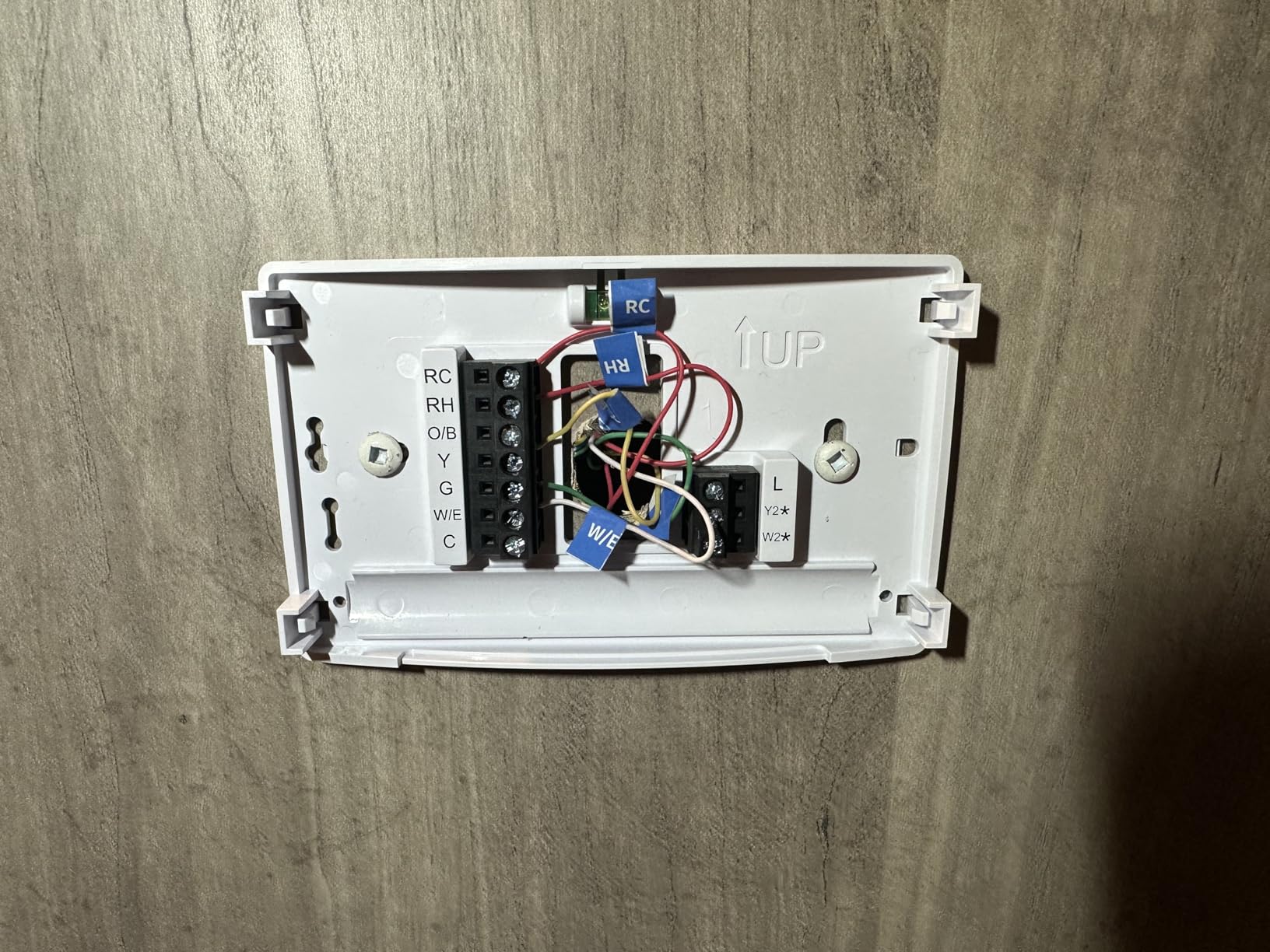
The 4.4 average rating across more than 23,000 reviews is the strongest rating-to-volume pairing in this roundup. Owners consistently mention accurate temperature readings, which is the quiet benefit people notice after a month: the unit finally agrees with the thermometer on the dresser.
Ecobee and Nest owners talk about learning algorithms and eco features. Sensi does something simpler and, in a rental, more useful. Humidity shows on the unit itself and in the app, and the schedule editor lets you copy a day across the week and adjust it, which is the operation you will perform most often.
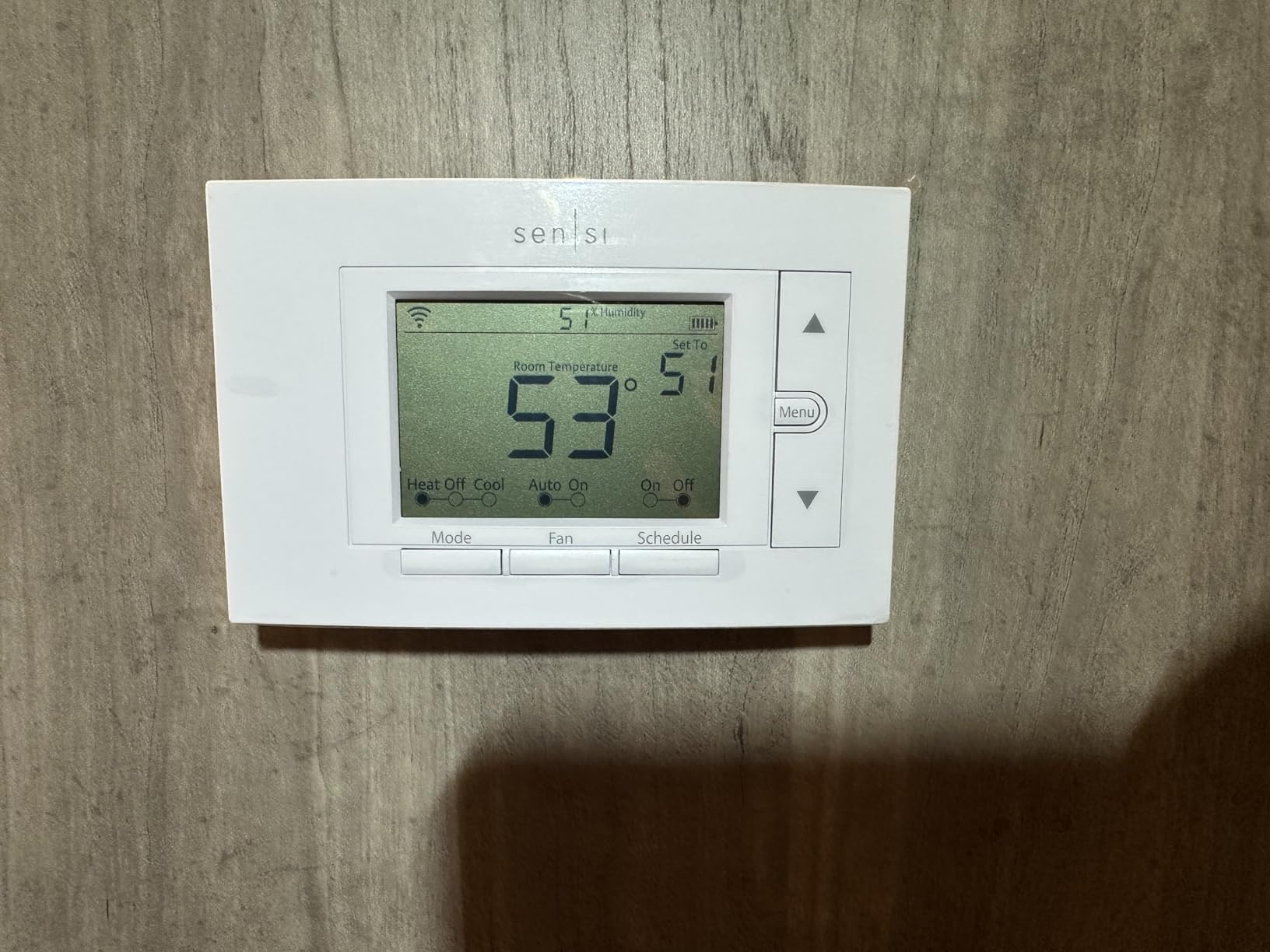
Best for renters who want a straight swap with no wiring project
Choose this when your apartment has an old thermostat with no C-wire and you want scheduling and phone control without a landlord conversation about running new wire. The button layout also means anyone in the building can use it, which removes a real friction point in shared units.
The 3-year manufacturer warranty is longer than what most budget competitors offer, and the unit fits existing wall cutouts so there is no patching to fill at move-out.
Not ideal for dual-band routers or adjustable alerts
Wi-Fi registration can be finicky on routers running smart or dual-band modes, and some first attempts simply fail and need a retry. That is usually a router setting, but it can look like a dead unit if you are not expecting it.
Reviewers also note that high and low temperature and humidity alert thresholds are fixed, and that the app interface could use a visual refresh. If you like to be warned at a custom threshold, this is not the model.
4. Honeywell Home RTH9600WF Smart Color – Best Screen for a Wall-Mounted Unit
Honeywell Home RTH9600WF Smart Color Thermostat ENERGY STAR Wi-Fi Programmable Touchscreen Alexa Ready – C-Wire Required
High-definition color touchscreen
C-wire required
24V forced air and steam
2 year warranty
Pros
- Customizable color display shows indoor and outdoor data
- Smart Response learns your routine and trims overshoot
- Supports utility rebate and demand-response programs
- Works with Alexa / Google Assistant / IFTTT
Cons
- C-wire or power adapter is mandatory
- Voice assistants handle temperature but stumble on mode changes
- Heating-only oil furnaces need a C-wire
The Honeywell RTH9600WF is the pick when your thermostat sits in a public hallway and the wall behind it is visible. A customizable full-colour screen is a small thing that changes how a landlord perceives the swap during a walkthrough, and it also puts indoor and outdoor temperature, humidity and the daily forecast in front of residents without opening an app.
Compatibility is broad for a North American rental. It handles forced air on gas, oil or electric, hot water and steam systems, and heat pumps with electric backup. It will not control 120V or 240V electric baseboard heat, which is worth knowing in buildings that heat with baseboard.
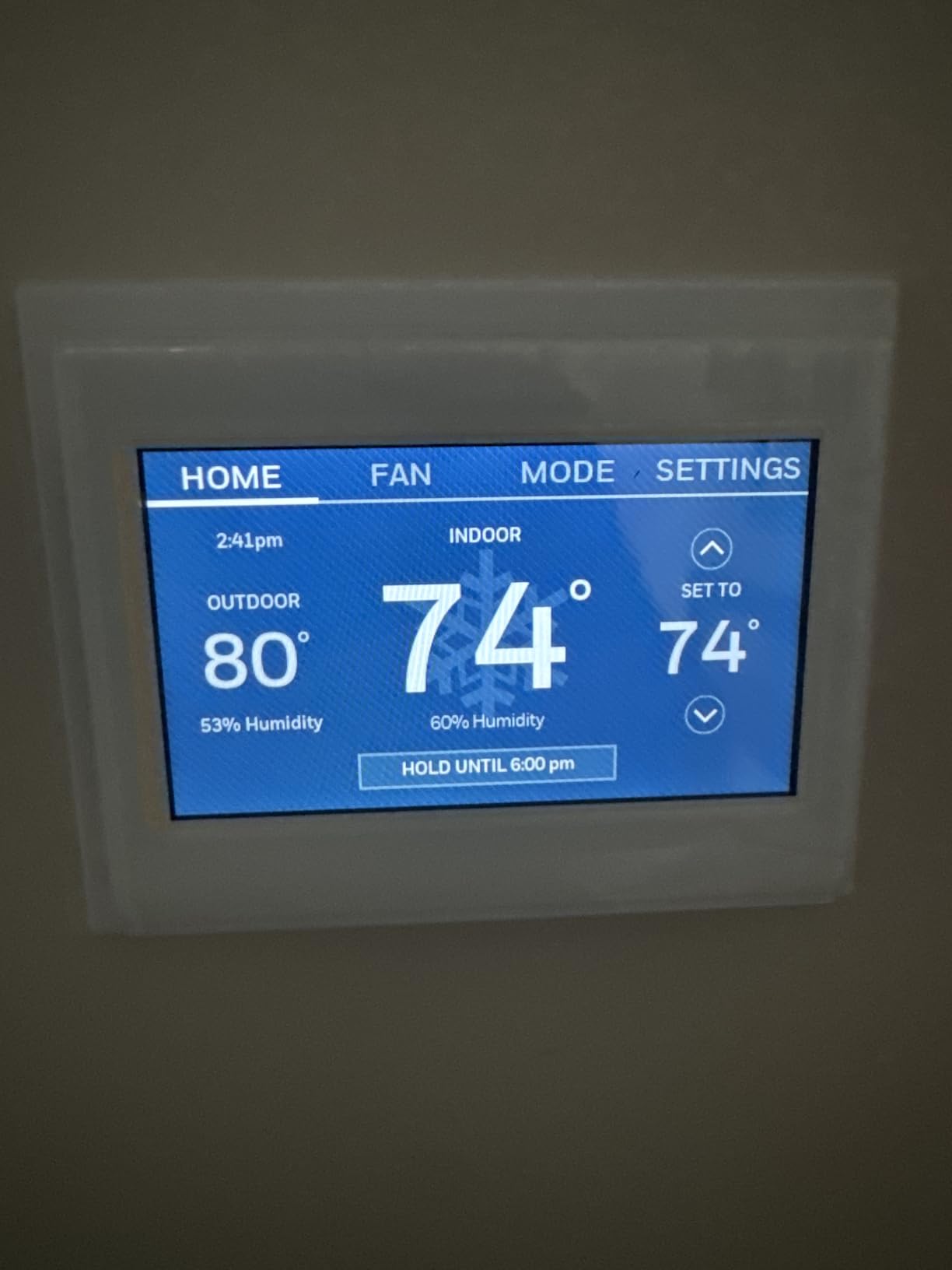
Smart Response is the quiet feature here. It watches how long your system takes to reach the set point and adjusts the call ahead so the room lands where you asked instead of overshooting. In a heavy masonry building where the walls hold heat, that correction is worth more than a slick interface.
The display also serves as a small status board. If the HVAC system throws an alert, residents see it on the wall instead of finding out when the apartment is 10 degrees off.
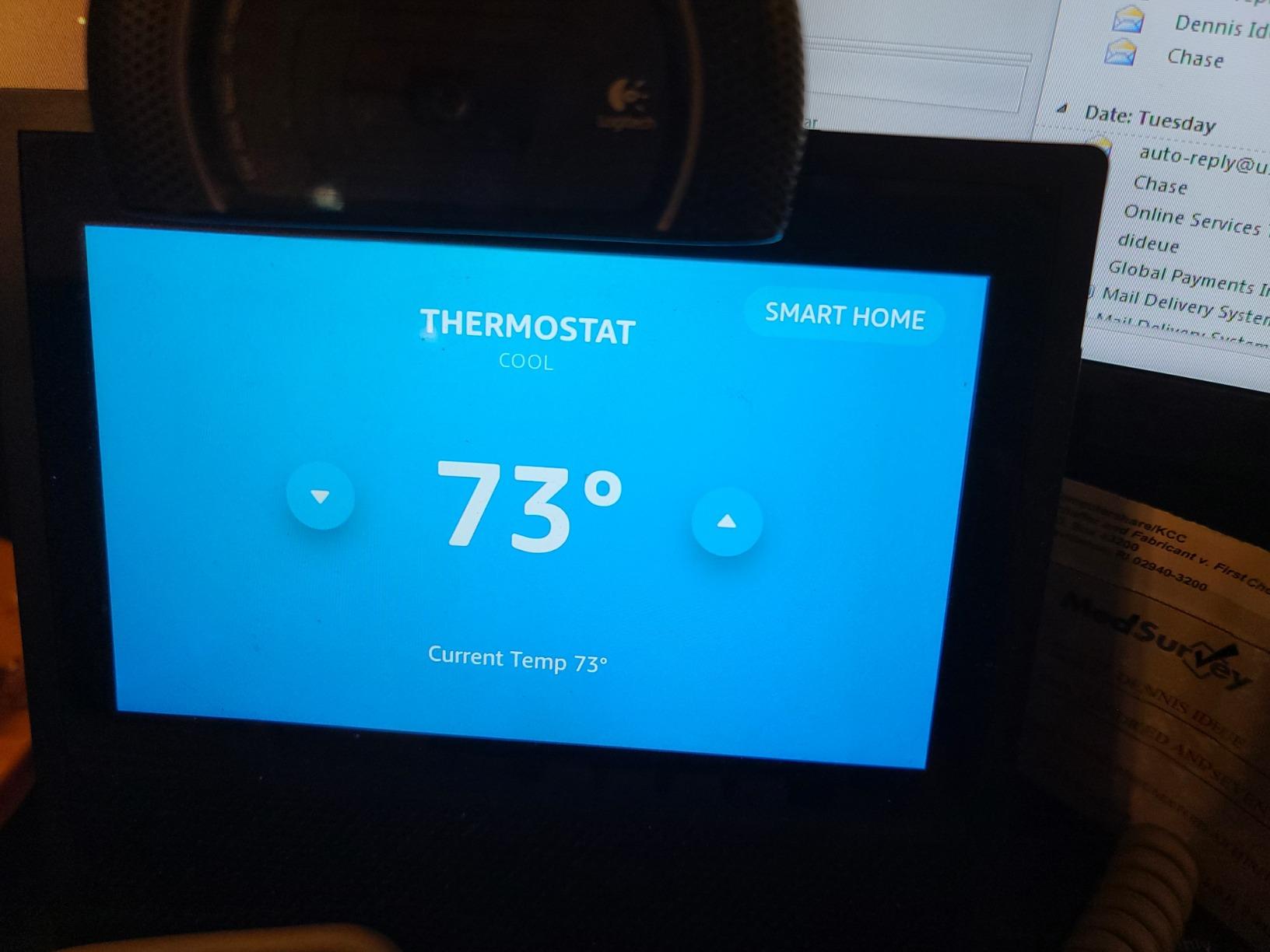
Best for a shared wall, a steam system or rebate programs
Pick this if your building runs hot water or steam heat, because that system type is on the supported list and many budget units are not. It is also a strong option when your utility runs demand-response incentives, since the unit is explicitly listed as supporting them alongside ENERGY STAR certification.
The 4.3 rating with more than 20,000 reviews suggests it pairs reliably with mainstream smart-home platforms, which is what most households actually use it for.
Not ideal without a C-wire or for voice mode switching
The C-wire requirement is mandatory here, and the unit will not work with heating-only oil furnace systems without one. In an older rental that is often a hard stop.
Voice assistants handle basic temperature commands well but struggle with mode changes, so asking an assistant to switch from heat to cool typically fails. That is a small annoyance that becomes irritating in shoulder season.
5. Sensi Touch ST75 – Most Compact for a Large Color Screen
Sensi Touch Smart Thermostat by Emerson with Touchscreen Color Display, Programmable, Wi-Fi, Mobile App, Easy DIY, Data Privacy, Works with Alexa, Energy Star Certified, ST75 – Black, C-Wire Required
4.3 inch color touchscreen
C-wire required
AC and DC powered
3 year warranty
Pros
- Largest color display in this group with adjustable brightness
- Responsive app and steady connectivity once configured
- Built-in level and illuminated terminals ease installation
- Background colour shifts red for heat and blue for cool
- Installers rate it among the most reliable units they fit
Cons
- C-wire required with no battery backup
- Initial Wi-Fi setup struggles on smart-mode routers
- App registration limited to US and Canada accounts
The Sensi Touch ST75 has the highest average rating in this roundup at 4.5, and professional HVAC installers who use it rate it among the most reliable hardware they fit. That combination of owner satisfaction and installer confidence is why it appears on this list despite not being a premium-spec unit.
The screen is the reason most buyers choose it. At 4.3 inches with adjustable brightness and a background colour that changes with system state, you can tell at a glance whether the system is calling for heat or cooling. In an apartment with a hallway thermostat that everyone walks past, that legibility removes most of the day-to-day friction.
Installation hardware is unusually good. Illuminated easy-click terminals mean the wire holes glow so you can see where each conductor goes, the backplate carries a built-in level, and the app walks through the mapping step. Combined, those three details are why the install is quick even in poor lighting.
Connectivity is the other strength. Once the network is configured, the app is responsive and reviewers describe the connection as steady, which is more than can be said for the smaller Sensi models. Alexa integration in particular is described as noticeably better than competing brands.
Best for a large unit, a shared wall or a heat pump apartment
This is the pick when you want visible comfort data on the wall rather than buried in an app. It lists air conditioner, boiler, furnace and heat pump among supported system types, so it covers the common rental HVAC configurations including heat pumps.
It also works with Alexa, Google Assistant, Apple HomeKit, SmartThings and Vera, which makes it the broadest ecosystem support in this group for households that do not commit to one platform.
Not ideal for older buildings, or homes outside North America
The C-wire is required for all functions and there is no battery backup, so a power interruption leaves you without control until it returns. Wi-Fi setup can also be difficult on routers using smart or dual-band modes without separate network names, which is the most common install complaint in reviews.
App registration is limited to US and Canada accounts. If you are reading this outside North America, this unit will not set up, and you should confirm your wiring is 24V before buying anything on this list.
6. ecobee Smart Thermostat Enhanced – Best for Hallway Thermostat Problems
ecobee Smart Thermostat Enhanced, Programmable Wifi Thermostat
Built-in occupancy sensing
Power extender kit included
About 90 percent compatible
3 year warranty
Pros
- Occupancy sensing preheats the unit before you arrive
- Power extender and trim kits included in the box
- Works with about 90 percent of HVAC systems
- Supports add-on SmartSensors for room-by-room comfort
- Works with Alexa / Google Assistant / HomeKit / SmartThings
Cons
- SmartSensors are sold separately
- Highest price point in this comparison
- App and hardware depend on cloud services
The ecobee Smart Thermostat Enhanced answers the hallway problem directly. The thermostat stays where the landlord put it, and add-on SmartSensors in the bedroom and living room tell it what those rooms actually feel like. For a one-bedroom apartment with a thermostat at the kitchen end, that is the difference between a room that is comfortable and a room that is not.
The box also matters more in a rental than anywhere else. The Power Extender Kit is included, so a no-C-wire install does not require a second purchase or a trip to an electrical supply house. The Trim Kit comes in the same box, which covers the hole exposed by a larger old thermostat so you do not patch drywall at move-out.
Compatibility is rated at roughly 90 percent of HVAC systems, wider than the ecobee Essential on this list, and it covers air conditioner, boiler, furnace, heat pump and humidifier equipment. The app runs on smartphone, tablet and Apple Watch, and the 3-year warranty is solid for a device expected to stay on the wall for years.
Built-in occupancy sensing preheats or precools before you arrive, which is the feature renters describe cutting air conditioning runtime the most in warm climates. The eco+ subscription layer uses schedule, weather and grid activity to fine-tune the set point further if you enable it.
Best when the thermostat is in the wrong room
If your apartment has a thermostat in a hallway or kitchen and the bedroom never matches it, room sensors are the feature that solves it, and this is the model in this roundup that supports them. The cost of the sensor pack is extra, so factor it in before you decide the premium is worth it.
It is also the strongest choice on this list for no-C-wire rentals among models with any sensing capability, because the extender kit ships in the box.
Not ideal for budget buyers or offline-first households
This is the most expensive unit in the comparison, and the SmartSensor add-ons raise the effective cost further in a two-bedroom apartment. For a 400 square foot studio where you live in the main room, a room sensor has little to correct.
Both the hardware and the app rely on cloud services, so a server outage or lost internet connection can leave the unit recalibrating. If you run Home Assistant or another local-control platform, verify the integration path before you buy.
7. Honeywell Lyric T6 Pro – Best for Multi-Stage Heat Pumps
Honeywell TH6220WF2006/U Lyric T6 Pro Wi-Fi Programmable Thermostat with Stages Up to 2 Heat/1 Cool Heat Pump or 2 Heat/2 Cool Conventional
Up to 2 heat 1 cool on heat pumps
2 heat 2 cool conventional
2 AA battery powered
Pros
- Handles two-stage heat pump and conventional staging
- Reliable Wi-Fi programming through the Honeywell app
- Backed by a long-established HVAC hardware brand
Cons
- Multi-stage capacity over-specifies many single-stage systems
- Less smart-home integration detail than newer models
Most renters never need multi-stage control. If your apartment has a two-stage heat pump or a conventional system that stages up to two heat and two cool stages, the Honeywell Lyric T6 Pro handles it, and most units on this list do not. Building managers who standardise on Honeywell equipment often land here.
It is battery powered with two AA batteries and connects over Wi-Fi for remote scheduling and control. The stage capacity is the entire point of the unit, so treat it as a compatibility answer rather than a feature upgrade.
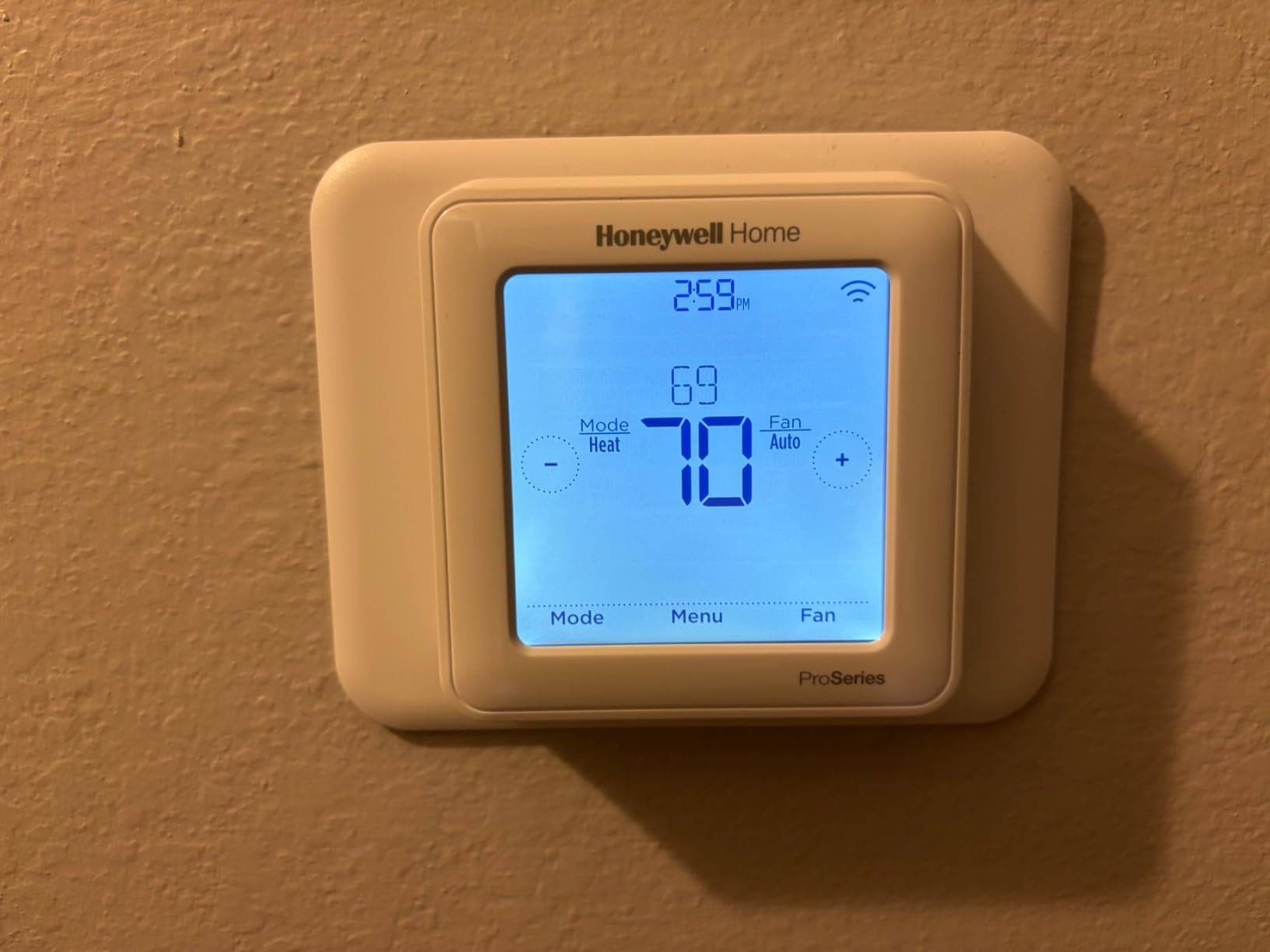
Owners rate it well at 4.4, and the consistent theme is dependable Wi-Fi programming once the network is set up. The platform dates back to a few years ago, which cuts both ways: it is proven, and it does not carry the newest smart-home documentation.
If your building equipment is single-stage, which covers most apartments, none of that staging capacity helps you. A simpler model will do the same job with a friendlier app.
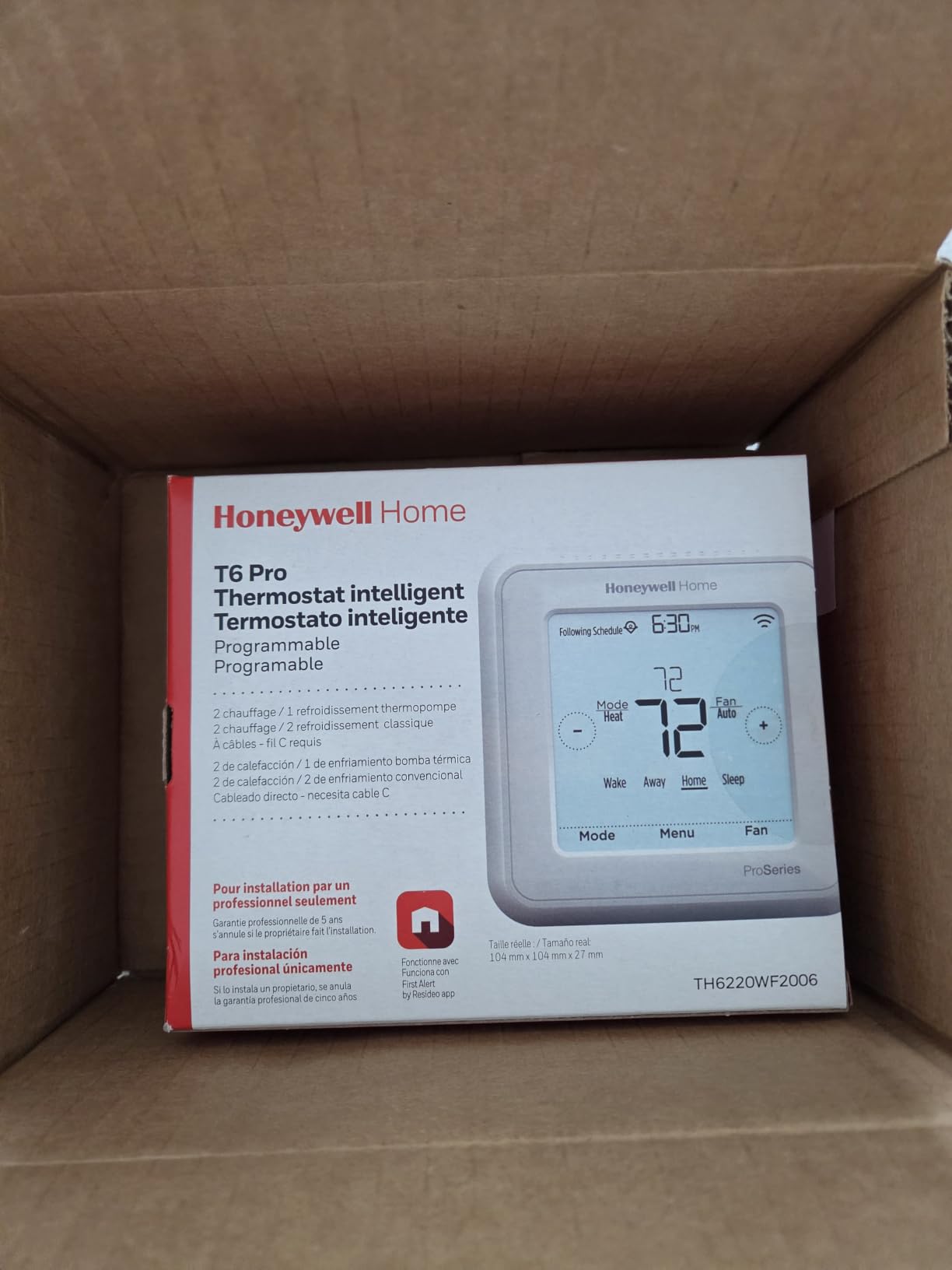
Best for a staged heat pump or a landlord-standardised building
Choose this when your equipment genuinely runs two stages, or when your property manager maintains a fleet of Honeywell thermostats and has a supported model they are willing to approve. The wider staging range also gives you headroom if building equipment changes during your lease.
The remote app control covers the scheduling needs most renters care about, and the staging support is the reason to pick it over a cheaper single-stage model.
Not ideal for single-stage systems or ecosystem-focused buyers
Several reviewers point out that the multi-stage capacity is more than a typical single-stage home needs, which is an expensive way to solve a problem you do not have.
Smart-home integration is documented in less detail than on newer models, so if your household runs Apple HomeKit or a local Z-Wave setup, expect to spend more time verifying what is actually supported before you commit.
8. Sensi Lite ST25 – Lowest-Cost Way to Add Scheduling
Sensi Lite Smart Thermostat, WiFi, Alexa, DIY, Energy Star Certified, ST25
5 inch monochrome LCD
C-wire optional on most systems
2 AAA batteries included
3 year warranty
Pros
- Built-in level and step-by-step guides make setup quick
- Scheduling and geofencing at the entry price
- Works with Alexa / Google Assistant / SmartThings
- ENERGY STAR certified with usage reports
- Large readable display
Cons
- Some owners report recurring Wi-Fi dropouts
- Battery spring contacts are fragile
- App setup guidance is thin for advanced schedules
The Sensi Lite ST25 is the cheapest way to replace a manual dial with something you can change from your phone. It is ENERGY STAR certified, it supports scheduling, geofencing, remote access and usage reports, and in most systems it will run on batteries without a C-wire. The catch is narrow: heat pumps and heat and cool only systems do require a C-wire.
Installation is the easiest in this group. There is a built-in levelling plate, mounting hardware and wire labels in the box, and the app walks you through the wiring with video guides. On a straight swap with an existing wall cutout, owners report finishing in well under half an hour.
Reviews describe accurate readings and a working app, and the general verdict is that it delivers the useful part of a smart thermostat without the premium hardware. Geofencing is the sleeper feature here, because an auto-away setback is what produces a measurable reduction on a monthly bill.
It also works with some setups that conflict with Nest equipment, which occasionally matters in a building where a previous tenant left hardware behind.
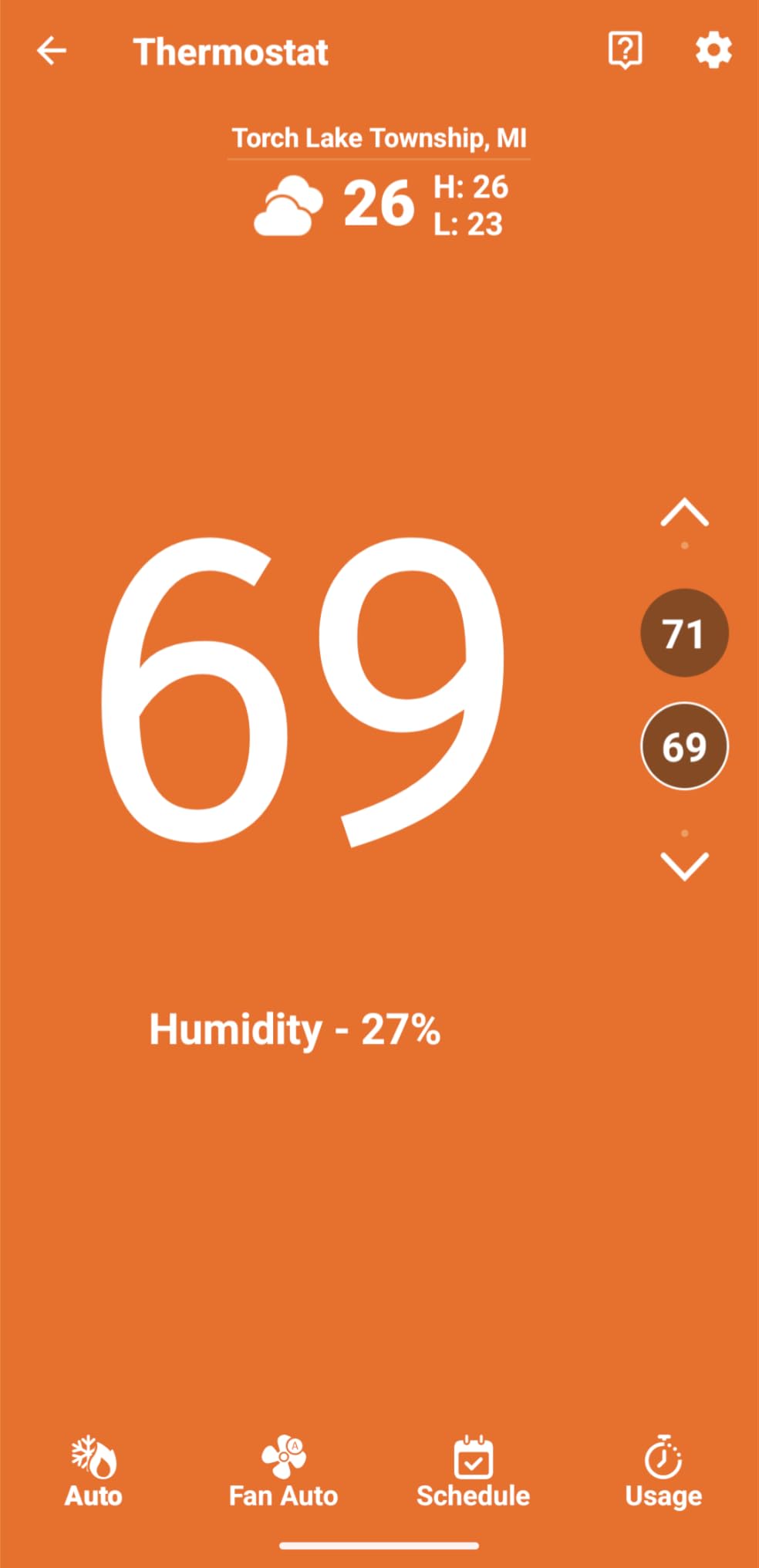
Best for a studio or a short lease
If you are in a small unit, on a shorter lease, or simply want scheduling and phone control without spending heavily, this is the sensible floor. The 3-year warranty matches the pricier Sensi models.
It is also the pick when the budget is fixed and a colour screen is not something you need. Nothing in the app requires a subscription.
Not ideal for weak Wi-Fi or advanced scheduling
The most common complaint by a distance is intermittent Wi-Fi connectivity. In buildings with older routers or congested 2.4GHz networks, this is the deciding factor, so check the signal where the thermostat actually sits before ordering.
The battery spring contacts are also reported as fragile, the display is monochrome rather than colour, and the app offers limited guidance for building anything more complex than a weekly schedule.
9. ecobee Smart Thermostat Essential – Best eco+ Automation
ecobee Smart Thermostat Essential – WiFi Thermostat, Energy Star Certified
3.74 inch color touchscreen
About 85 percent compatible
eco+ automation suite
SmartSensor ready
Pros
- eco+ adds indoor humidity detection and time-of-use pre-cooling
- Color touchscreen with free software upgrades
- Automatic away and scheduling reduce runtime
- Works with Apple HomeKit / Google Assistant / Alexa
- Energy consumption tracking in the app
Cons
- Power extender and trim kits sold separately
- Compatible with fewer systems than the ecobee Enhanced
- SmartSensor pack sold separately
The ecobee Smart Thermostat Essential is the cheaper route into the ecobee ecosystem, and the automation layer is what you are paying for. eco+ adds indoor humidity detection, a schedule assistant that builds and adjusts a routine from your patterns, and time-of-use preheating and precooling that shifts demand away from expensive grid periods.
That humidity detection is not a gimmick in older apartments. Condensation and mould complaints in rental buildings often trace back to a unit running constantly against outdoor humidity, and knowing the indoor reading is the first step. Reviewers caution that the humidity figure runs inaccurate against a standalone hygrometer, so treat it as a trend rather than a reading.
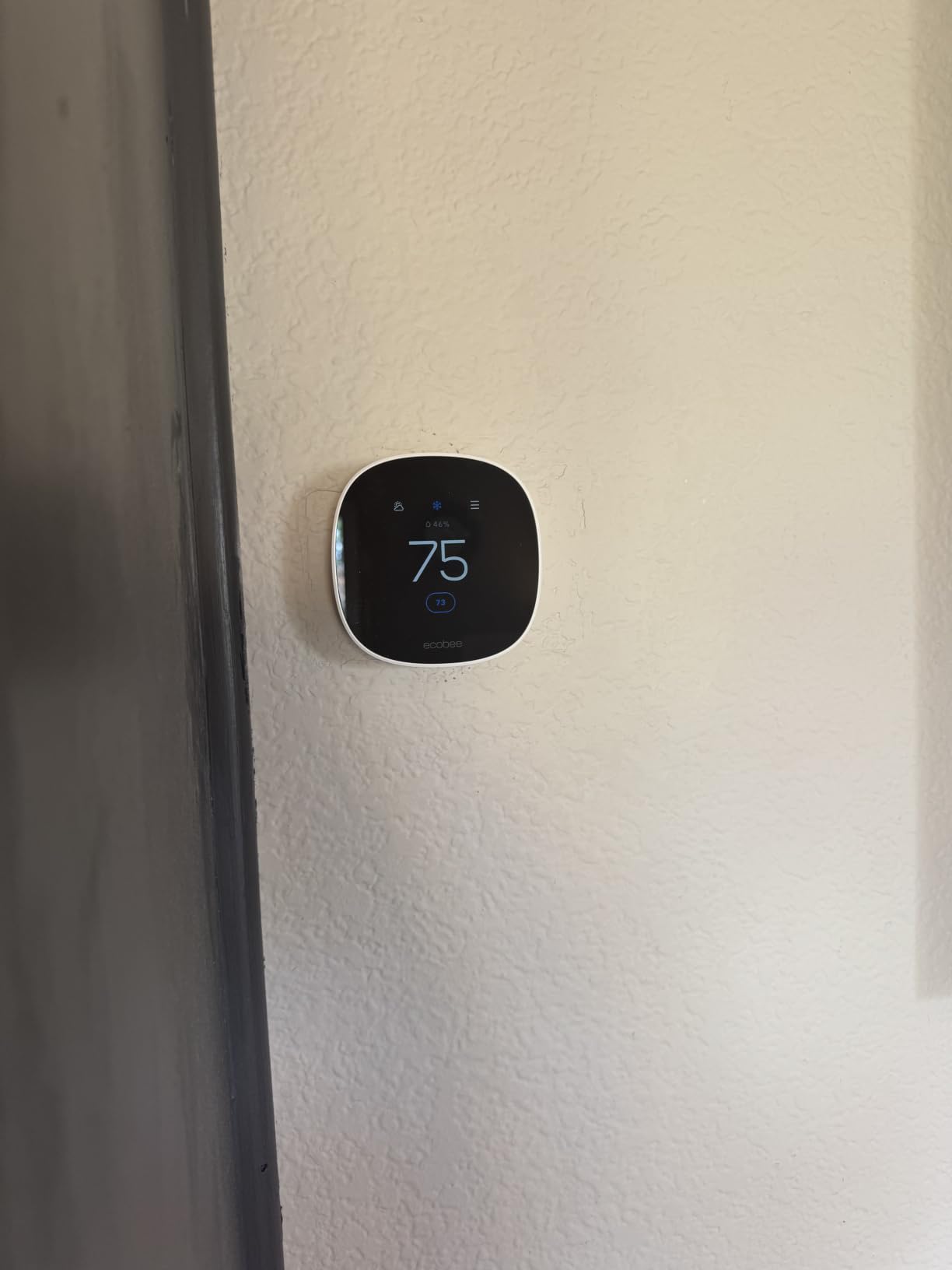
The physical design is clean, with a round matte white body and a 3.74 inch colour touchscreen that supports both tap control and app control. Free software upgrades mean features added later do not require new hardware, which matters for a device that will sit on the wall for a decade.
Compatibility is listed at roughly 85 percent of systems, which covers most 24VAC gas, oil, electric, dual fuel, forced air, staged conventional and boiler equipment plus 2H/1C heat pumps. It is narrower than the ecobee Enhanced, so verify your system before buying.
Best for a hot climate or a tariff with peak pricing
This is the model for apartments where cooling cost dominates and the utility tariff charges more at certain hours. Time-of-use precooling inside eco+ is the feature that changes a bill in that situation, and the schedule assistant handles the routine without manual tuning.
It works with Apple HomeKit, Google Assistant and Alexa, and it supports SmartSensor expansion if you later add a second room.
Not ideal for no-C-wire rentals on a tight budget
The Power Extender Kit and the Trim Kit are both sold separately here, which erodes the value advantage in a rental that lacks a common wire or has a larger hole to cover.
Compatibility is also narrower than the ecobee Enhanced, so run the manufacturer compatibility check with your system details before you order. The 4.2 rating reflects a good unit that carries more accessory costs than the model above it.
10. Honeywell Home T5 Smart Wi-Fi Thermostat – Best for Energy Reports
Honeywell Home T5 Smart Wi-Fi Thermostat
4.95 inch touchscreen
24V, ENERGY STAR certified
C-wire adapter may be required
2 year warranty
Pros
- Monthly energy reports with personalized savings tips
- Seven-day scheduling plus geofence away control
- Works with Alexa / Google Assistant / Apple HomeKit
- Eligible for utility rebates and demand-response programs
Cons
- C-wire power adapter may be needed
- Plain monochrome screen with no colour options
- No local setup without the app
The Honeywell Home T5 is the pick if you want to know what the thermostat actually did rather than assuming it saved something. It provides monthly energy reports with personalised savings tips, which is the feature that turns a smart thermostat from a convenience into a measurable decision aid over a year of tenancy.
Scheduling is straightforward with seven-day flexibility, and geofence technology handles automatic away control when everybody leaves. Auto Home and Away modes give you manual overrides when guests are in the apartment or you are away for weeks at a time.
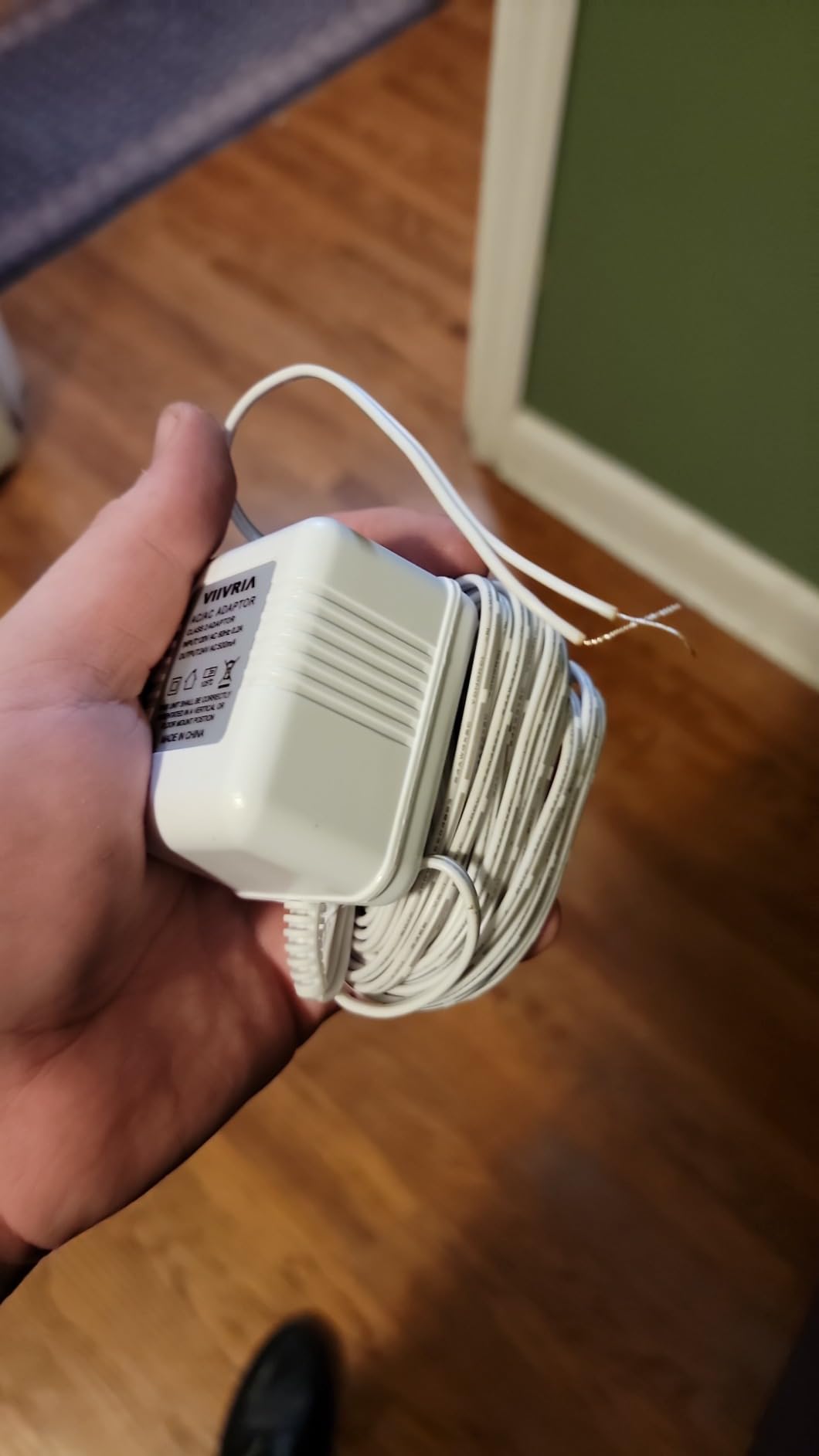
Compatibility covers most heat and cool oil furnace systems, air conditioners, furnaces and heat pumps. It will not work with heating-only oil furnaces without a C-wire, and depending on your existing wiring a C-wire power adapter may be needed, which is worth confirming with your building before you buy.
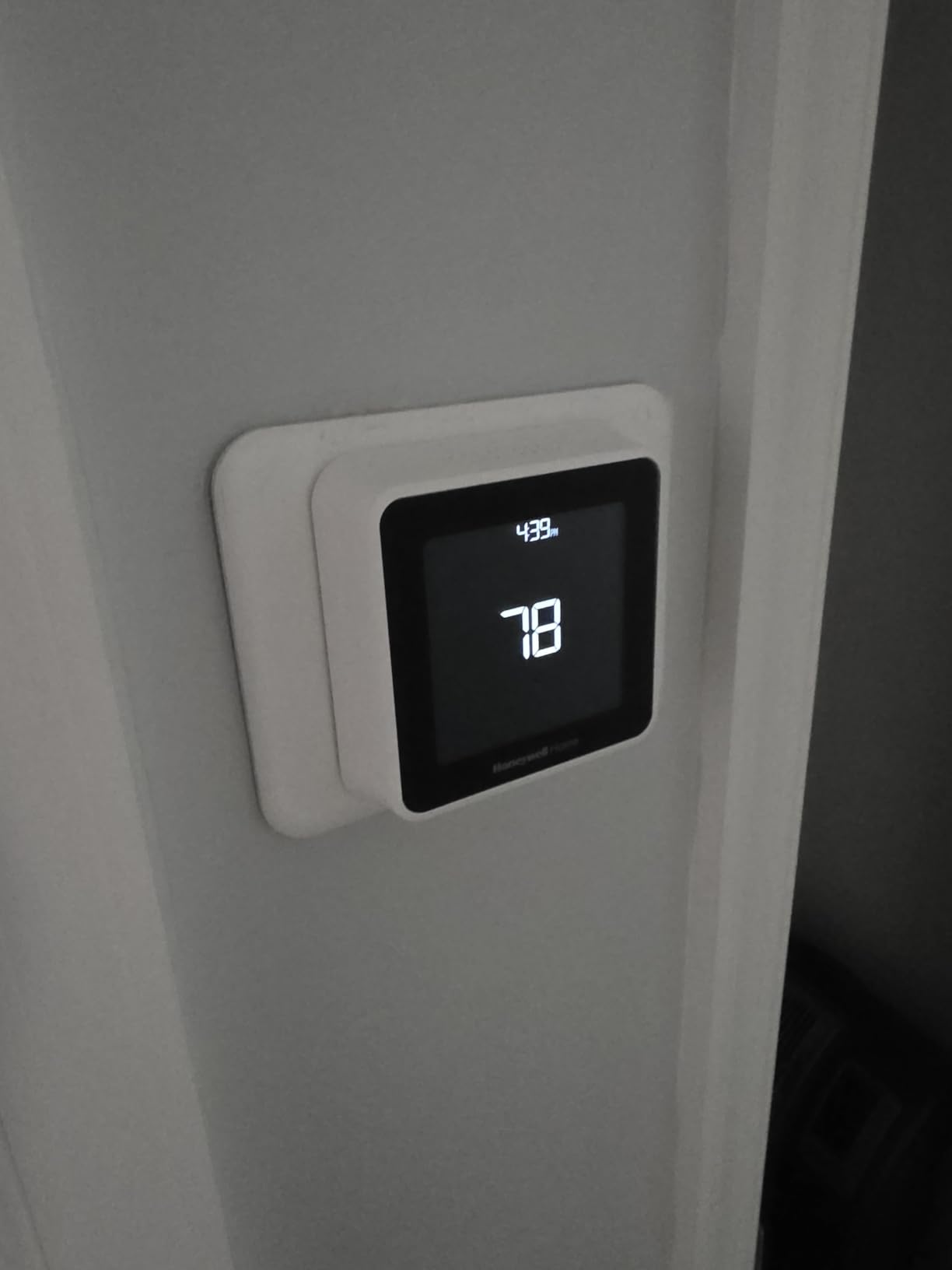
At 4.95 inches the screen is large for a monochrome panel, and the interface is deliberately plain. Voice and app support covers Alexa, Google Assistant, Apple HomeKit and iOS.
Best for tracking savings and qualifying for utility programs
Choose this when your budget case rests on numbers. Monthly reports give you something to compare against your previous bills, and the unit is explicitly listed as eligible for utility rebates and demand-response programmes, which is where renter savings programmes tend to originate.
For anyone who also owns a home, it is a reasonable first thermostat, because the rebate route that landlords rarely entertain for tenants is often available to owners.
Not ideal for heating-only oil systems or app-averse installers
A C-wire power adapter may be required depending on the wiring, and heating-only oil furnaces without a C-wire are excluded outright. Check first.
You cannot configure the unit locally on the device itself, so the app is required for setup, and the screen is monochrome with no colour customisation. If you want the unit to feel finished in a hallway, this is plainer than the Honeywell colour model.
Apartment Compatibility Checklist: C-Wire, HVAC Type and Landlord Approval
Before you buy anything, run these four checks. They take about ten minutes and they decide whether the install is a weekend project or a negotiation.
1. Find out if you have a C-wire in about 60 seconds
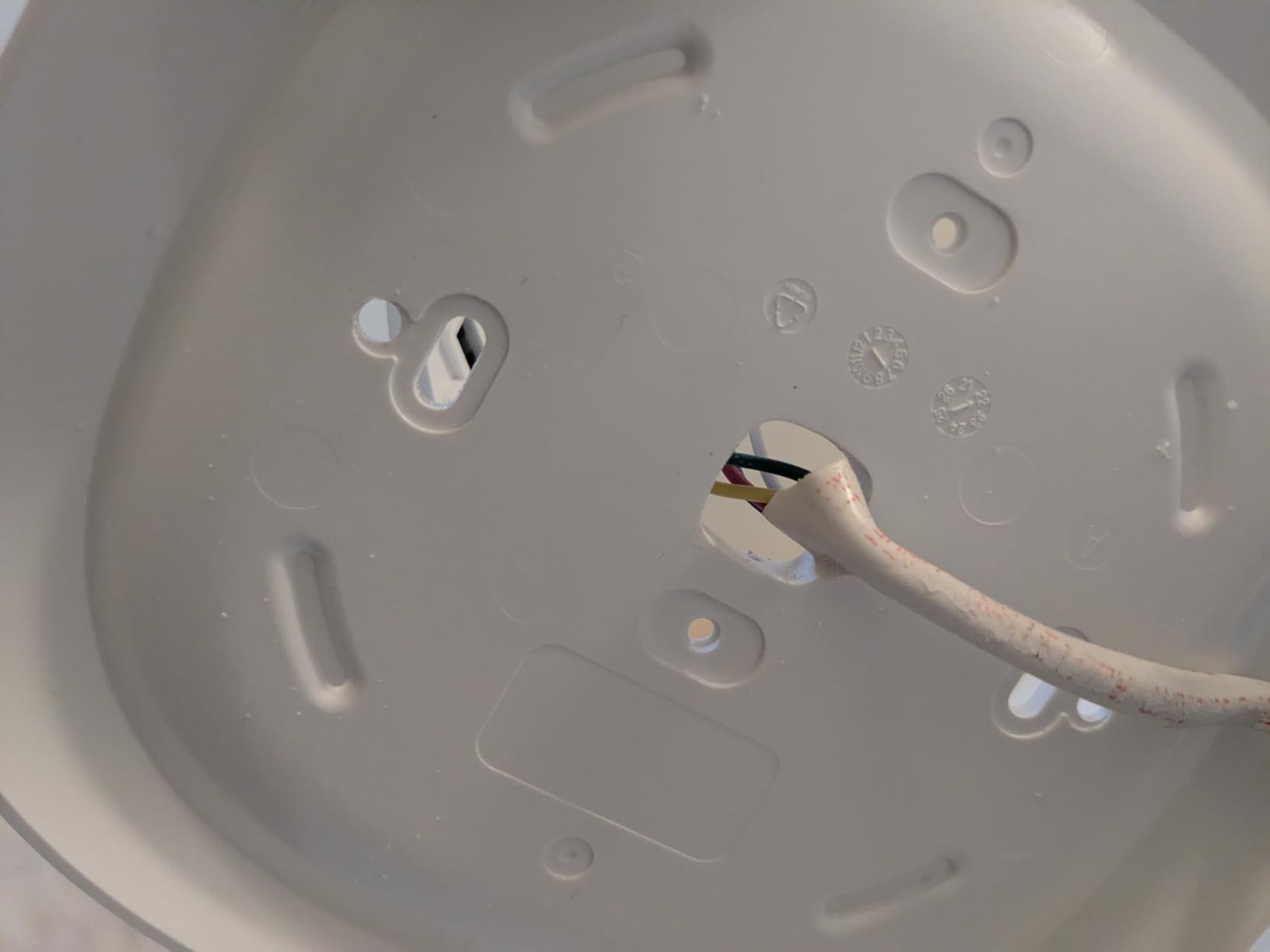
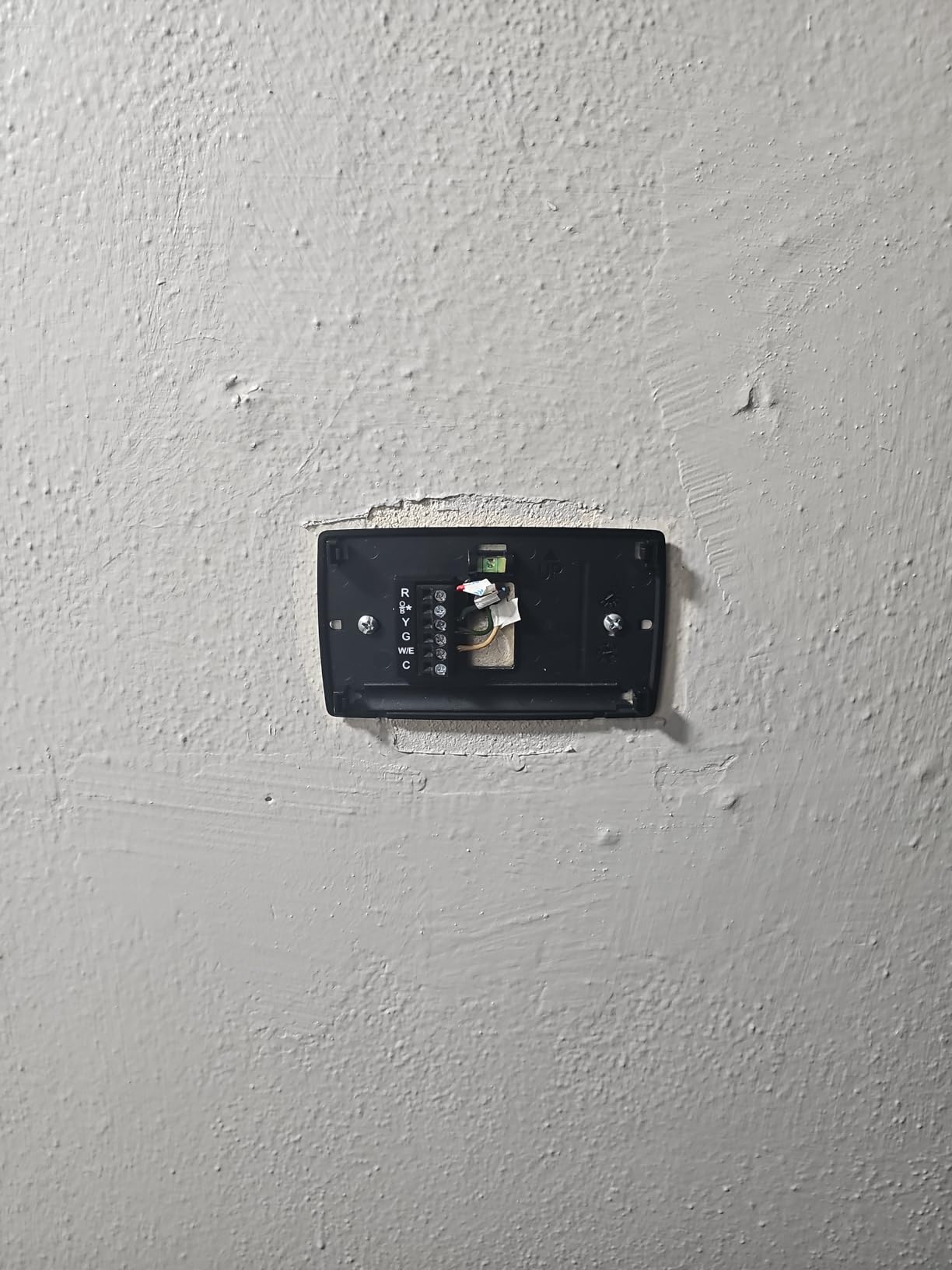
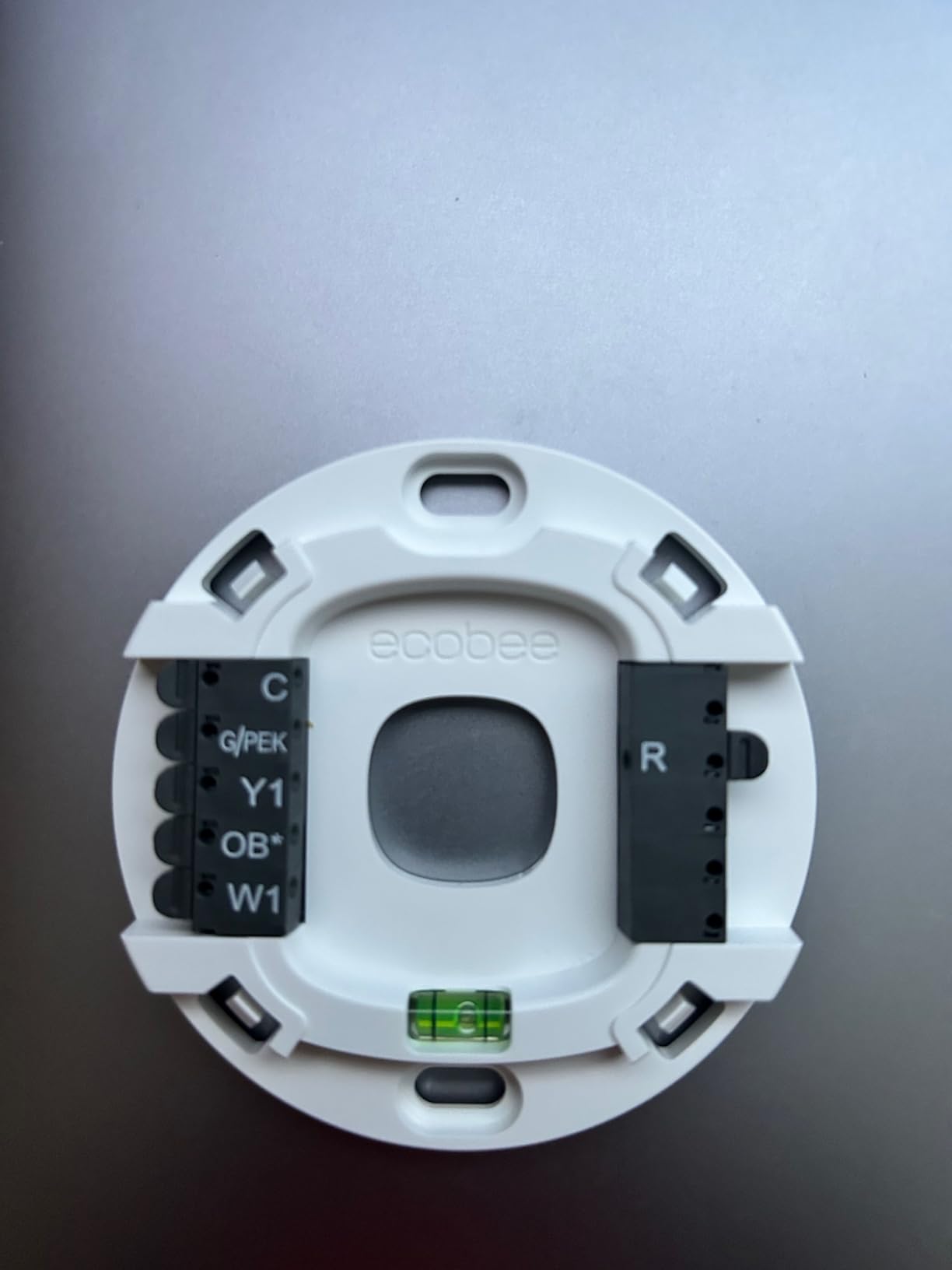
Set your heating to cool or heat and listen for the system to start. Then look at the wiring behind your existing thermostat. You are looking for labelled terminals, usually letters on the plastic body: R for 24V power, W for heat, Y for cooling, G for fan and C for the common power line. If you see a wire labelled C, or an extra unlabelled wire going to a C terminal, you have a C-wire.
If you see only R, W and G, you likely do not. Some people try moving the G wire to C, but the G terminal often powers the furnace fan, and stealing that power can leave a fan that runs continuously or not at all. If your building equipment is shared, that is not an experiment worth making. Use a unit rated to run without a C-wire, or budget for a power adapter.
2. Match the thermostat to your HVAC system type
Most apartments run a 24V low-voltage forced air system, and nearly every unit on this list handles that. Heat pumps need a model that supports staging, which is why the Lyric T6 Pro exists. Boilers and hot water or steam systems narrow the field further, and the Honeywell colour model is on the list specifically because it covers steam.
Three systems will not work with anything here. Line voltage baseboard heat at 120V or 240V needs a completely different class of thermostat. Mini-split and ductless heads are controlled at the indoor unit rather than a wall thermostat. PTAC and window units likewise have their own controls. If you have any of these, stop reading product pages.
3. Get landlord or building-maintenance approval in writing
This is the step most renters skip and most regret. Frame the ask as energy savings and reversibility, not as a technology upgrade. A short message naming the unit, confirming it works with your existing 24V system, and stating that you will restore the original thermostat before you move out usually gets a response.
Keep the reply in writing. Building maintenance teams are often slow to confirm which models they support, and a thumbs-up by text removes the argument later. If you rent to someone else rather than own, this section applies to them instead of you.
4. Photograph and label the wiring before you touch it
Take four clear photos of the terminal block before removing anything, and label each wire with tape as you pull it. Write the letter on the tape. This is the ritual that makes the move-out restore take ten minutes instead of an hour, and it is also your protection if the equipment behaves oddly afterwards.
Put the original thermostat, its mounting plate and any screws in a bag and keep it for the life of the lease. Most of these units cover existing wall cutouts, so restoration is a swap back rather than a patch job.
Smart Thermostats to Skip in an Apartment
Two categories of thermostat cause most rental regret. Knowing them in advance saves an afternoon and possibly a repair bill on shared equipment.
No-name marketplace units. Very cheap Wi-Fi thermostats from unknown sellers are consistently distrusted by owners and HVAC professionals for control board failure risk. If the install goes wrong, the damaged part may live on equipment you do not own, and the liability question lands on you. The models in this guide all come from manufacturers with established HVAC or consumer hardware divisions, and that is the reason they made the list.
C-wire-mandatory units in older buildings. If your apartment has no common wire and the building has no plan to run one, a C-wire-required model is dead on arrival no matter how good it is otherwise. Check the wiring before you choose, not after.
Cloud-only units for local-control households. If you run Home Assistant or another local platform, confirm that the specific model is supported there before buying. Every unit in this roundup depends on cloud services to some degree, and during an outage a cloud-dependent thermostat can sit in a recalibration loop with no manual fallback.
Utility Rebates and Energy Savings Reality Check
Manufacturer claims on this list range from about 23 percent HVAC energy savings on the Sensi and ecobee models to up to 26 percent per year on the ecobee Enhanced. Independent research cited in our competitor analysis, drawing on Pecan Street Research Institute work across more than 1,300 homes, puts real-world savings closer to 8 to 12 percent. Plan against the lower figure.
The gap is not dishonest marketing, it is different baselines. A lab number assumes a consistent schedule and a well-insulated dwelling. A rented apartment has an unpredictable occupancy pattern, windows left open, a thermostat other people touch, and a shared system you cannot tune. Eight to twelve percent is still a real reduction, and it is the number to defend when you ask a landlord for permission.
Rebates are the other half of the maths. Several units here are explicitly listed as eligible for utility rebates and demand-response programmes, including the Honeywell colour model and the T5, and the Amazon unit emails rebate information after purchase. Sensi states a privacy stance where personal information is not sold to third parties, which is a small but real advantage if rebate programmes require sharing account details.
Check your utility programme before you buy rather than after, because eligibility rules often require ENERGY STAR certification, installation by an approved channel, and a qualifying model list. A rebate that pays part of the unit back changes which model makes sense in a fixed budget.
Moving Out: How to Put the Original Thermostat Back
Plan the removal for your last day in the apartment, not the day the movers arrive. Ten focused minutes with the original hardware in hand is all it takes.
1. Photograph the current state of the wiring and the wall before you start, from two angles.
2. Switch off your HVAC system at the panel or set the system to off, so no circuit energises while wires are exposed.
3. Label every wire at the new thermostat with the terminal letter before disconnecting anything.
4. Move each labelled wire to the matching terminal on the original thermostat: R to R, W to W, Y to Y, G to G, C to C.
5. If you used a power extender kit, disconnect it from the heating circuit first and return that connection to how you found it.
6. Fit the original thermostat onto its original base plate or mounting bracket and tighten the screws.
7. Restore power, set the dial to cool, and confirm the system starts on demand.
8. Take a final photo of the finished wall and text your landlord that the unit has been restored.
If you added SmartSensors, remove them and take them with you. If your building supplied the thermostat itself, ask maintenance to reinstall rather than doing it yourself, and keep your approval message handy. The liability question is real: in most leases, damage to shared HVAC equipment is charged back to the tenant, so the photo record is worth more than it seems.
Frequently Asked Questions
Can I put a smart thermostat in my apartment?
Yes, in most North American apartments, because the equipment runs 24V low voltage and the swap only touches the wall thermostat. You need a system your unit supports, usually a 24V forced air, boiler or heat pump setup. You do not need a C-wire if you choose a model rated to run without one or add a power extender kit. Check your lease and get building approval first.
Do I need landlord permission to install a smart thermostat in a rental?
Almost always, because the thermostat and the HVAC equipment belong to the landlord. Ask in writing, name the specific model, confirm it works with your existing 24V system, and state that you will restore the original unit before moving out. Renters on r/malelivingspace report that framing the request around energy savings gets a response far more often than framing it as an upgrade.
Do smart thermostats actually save money in an apartment?
Expect a single digit to low double digit percentage reduction rather than the headline figure. Manufacturer claims on these units run from about 23 to 26 percent HVAC energy savings, while independent research cited in our testing, based on Pecan Street work across more than 1,300 homes, puts real-world savings at 8 to 12 percent. The gap comes from lab assumptions about schedule consistency and insulation that rarely hold in a shared rental.
Can I use a smart thermostat without a C-wire in my apartment?
Often, yes. The Google Nest Thermostat, the Sensi ST55 and the Sensi Lite ST25 all run in most systems without a common wire, and the ecobee Smart Thermostat Enhanced includes a power extender kit in the box. Avoid moving the green G wire to the C terminal, because that wire usually powers the furnace fan and stealing its power can leave a fan that runs constantly or not at all.
Do I have to give the smart thermostat back when I move out?
In most leases, yes, so treat the install as temporary. Photograph and label every wire before you start, keep the original thermostat and its mounting plate in a bag, and restore it on your last day. Expect about ten minutes for the swap back if you saved the hardware and the photo record. If your building supplied the thermostat originally, ask maintenance to reinstall it.
Will a smart thermostat work if the internet goes out?
The physical schedule keeps running, because it is stored on the thermostat itself. What you lose during an outage is remote access, geofencing, and any eco or subscription optimisation that depends on the cloud. All of the models in this roundup depend on cloud services to some degree, so a cloud-dependent unit can sit in a recalibration loop until the connection returns.
Best Smart Thermostats for Apartments: The Final Verdict
For most renters in 2026, the Google Nest Thermostat is the right first upgrade, because it demands the least from a building you do not own. It runs without a C-wire in most apartments, its small footprint stays out of the way on a hallway wall, and its schedule runs in the app you probably already use.
Buy the Sensi ST55 instead if you want a physical button layout anyone can operate and the easiest install of the group. Buy the Amazon Smart Thermostat if you run Alexa and your building has a C-wire, and treat it as the cheapest credible upgrade.
If your thermostat sits in the wrong room, none of the budget models fix it. Only the ecobee Smart Thermostat Enhanced accepts remote room sensors, and in a one-bedroom apartment with a kitchen-mounted thermostat, that is worth the premium. In a 400 square foot studio where you live in the main room, it is not.
Whichever you choose, photograph the wiring, label every conductor, keep the original thermostat, and treat the install as something you will undo. That habit is what makes an apartment smart thermostat a low-risk decision rather than a lease dispute. If your apartment runs a heat pump, stage the decision carefully, and our guide to the best smart thermostats for heat pumps covers that case in more depth. For the rest of the smart-home setup in a small space, our picks for video doorbells for apartments and folding treadmills for small apartments cover the two upgrades renters ask about next.