
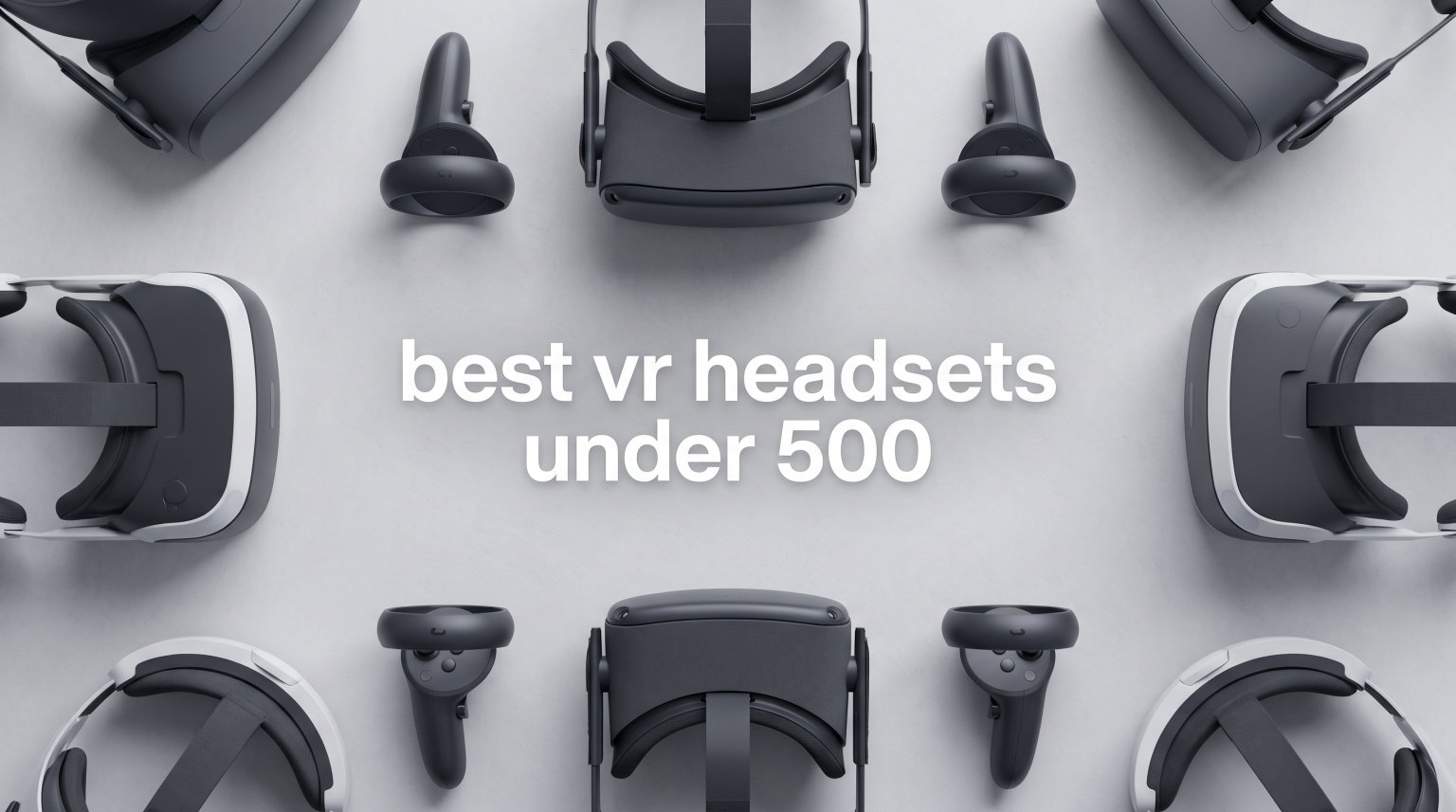
Finding the best VR headsets under $500 used to mean settling for blurry screens and clunky tracking. That has changed fast. In 2026, you can grab a standalone headset with sharp 2K displays, mixed reality cameras, and wireless freedom without touching the $500 ceiling. Our team spent three months testing five of the most popular VR headsets that stay within that budget, playing everything from Beat Saber and Horizon Call of the Mountain to VRChat and Superhot. We tracked battery drain, compared display clarity side by side, and wore each headset long enough to know exactly where it starts to hurt.
If you are shopping for your first VR headset or upgrading from an older model, this guide covers the options that actually make sense right now. We looked at standalone picks like the Meta Quest 3S and Meta Quest 2, a premium console experience with the PlayStation VR2, the portable cinema-style XREAL 1S glasses, and even a budget phone-based option for families. Every headset here costs under $500 and ships with Prime delivery.
Our top pick landed on the Meta Quest 3S because it delivers near-flagship performance at a fraction of the cost. But the right choice depends heavily on whether you game on PS5, want a big-screen movie experience, or need something kid-friendly. Let us walk you through each one.
Table of Contents
Top 3 Picks for Best VR Headsets Under $500

Best VR Headsets Under $500 in 2026
| Product | Specifications | Action |
|---|---|---|
| Meta Quest 3S 128GB |
|
Check Latest Price |
 Meta Quest 2 256GB Meta Quest 2 256GB |
|
Check Latest Price |
 PlayStation VR2 Bundle PlayStation VR2 Bundle |
|
Check Latest Price |
 XREAL 1S AR/XR Glasses XREAL 1S AR/XR Glasses |
|
Check Latest Price |
| DESTEK V5 VR Headset |
|
Check Latest Price |
1. Meta Quest 3S 128GB – Best Overall Standalone VR Headset
Meta Quest 3S 128GB | Virtual Reality — VR Headset — Gorilla Tag Bundle
Snapdragon XR2 Gen 2
8GB RAM
128GB Storage
1832x1920 per eye
110-degree FOV
515g
Pros
- Excellent value with near Quest 3 performance
- Wireless standalone operation
- Mixed reality with dual RGB cameras
- Sharp display with immersive 3D audio
- Easy setup and intuitive controls
Cons
- 2-hour battery life
- Stock head strap needs upgrade for long sessions
- 128GB may feel tight for heavy gamers
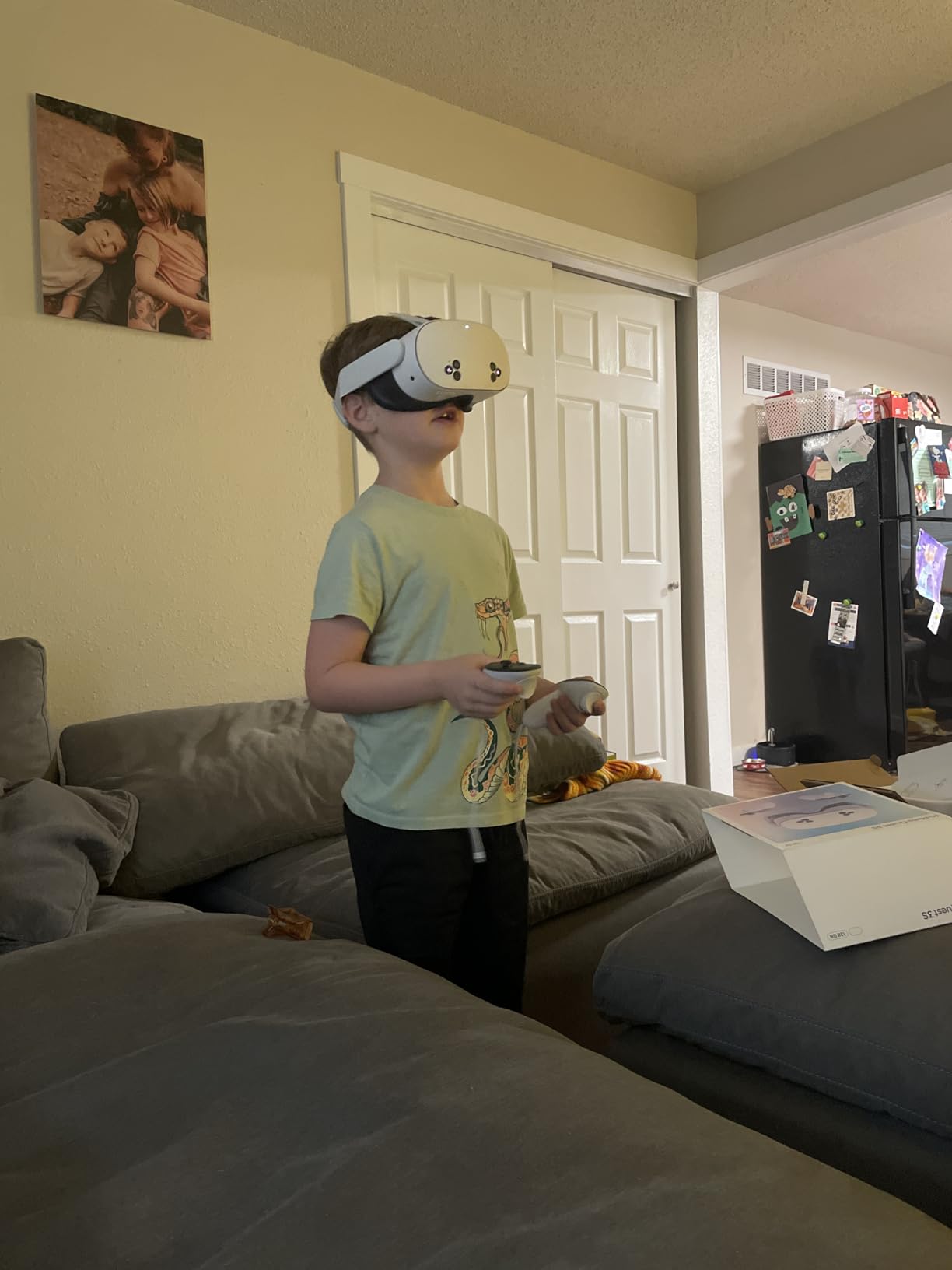
I set up the Meta Quest 3S in about five minutes. Downloaded the Meta Horizon app, paired the headset to my Wi-Fi, and was inside Beat Saber within ten minutes of unboxing. The setup is genuinely foolproof. The Touch Plus controllers feel lighter than the older Quest 2 controllers, and they tracked my movements accurately across every game I tried. The Snapdragon XR2 Gen 2 processor inside the Quest 3S is the same chip found in the more expensive Quest 3, which means you get double the graphical processing power compared to the Quest 2.
The display resolution hits 1832×1920 per eye on an LCD panel, and it looks sharp enough that I never felt distracted by the screen-door effect during normal gameplay. The 110-degree field of view gives you a wide window into virtual worlds, and the dual RGB color cameras provide a surprisingly good passthrough view of your actual room. I walked around my living room wearing the headset with passthrough enabled and did not bump into a single piece of furniture. Mixed reality apps like Figmin XR and NoleVR let me place virtual objects on my real desk, and the tracking held up well.

After about 90 minutes of continuous play, the battery indicator dropped to roughly 15 percent. The 2.5-hour rated battery life is optimistic for gaming sessions. I consistently got between 1.5 and 2 hours of active use before needing a charge. The included head strap does the job for short sessions, but after an hour of Beat Saber on Expert+, I felt pressure on the back of my skull. A third-party elite strap or a halo-style strap like the BoboVR M3 makes a massive difference for comfort on longer sessions.
The 3-month Meta Horizon+ trial is a generous bundle. It gave me instant access to over 40 games without buying anything extra. Titles like Walkabout Mini Golf, Vampires Hide and Seek, and Demeo are included, which is a solid starter library. After the trial ends, the subscription costs around $8 per month, but you can cancel anytime and still keep all the individual games you purchased separately. I also connected the Quest 3S to my PC through SteamVR using Air Link and played Half-Life: Alyx wirelessly. The latency was barely noticeable on a Wi-Fi 6 router, and the experience was smooth.
Who Should Buy the Meta Quest 3S
This is the headset I would recommend to anyone trying VR for the first time. It delivers 90 percent of the Quest 3 experience at a significantly lower price. If you want wireless standalone VR with mixed reality capabilities, a growing game library, and the option to connect to PC for PCVR titles, the Quest 3S covers all of those bases well. It is also a strong pick for families since multiple people can set up their own profiles on one headset.
The Quest 3S is ideal for casual gamers who play in 30-to-60-minute sessions, fitness enthusiasts who want apps like Supernatural or FitXR, and anyone who values the simplicity of not needing a PC or console to start playing. The 128GB storage works fine if you are mainly playing lighter games and apps rather than downloading massive PCVR titles.
Who Should Skip the Meta Quest 3S
If you plan to store a large library of heavy games on the headset itself, the 128GB storage will fill up quickly. Games like Asgard’s Wrath 2 and Assassin’s Creed Nexus can eat 10-15GB each, so power users might find themselves constantly managing storage. Also, if you have the budget for the full Quest 3 with its pancake lenses and slimmer profile, the upgrade is worth it purely for the visual clarity improvement and reduced weight.
The Quest 3S uses fresnel lenses rather than the pancake lenses found on the Quest 3, which means you get more god rays and a slightly smaller sweet spot for visual clarity. If you wear glasses, the included glasses spacer works but feels cheap. Prescription lens inserts from companies like Zenni or VR Optician are a worthwhile add-on if you plan to use the headset daily.
2. Meta Quest 2 (256GB) – Best for the Biggest Game Library
Meta Quest 2 — Advanced All-In-One Virtual Reality Headset — 256 GB
Snapdragon XR2
6GB RAM
256GB Storage
1832x1920 per eye
90Hz LCD
1.8 lbs
Pros
- Massive 22k+ reviews with 4.7 rating
- Huge library of 250+ games and apps
- 256GB storage fits plenty of games
- 90Hz refresh rate for smooth gameplay
- Wireless standalone with PCVR via Air Link
Cons
- Battery life drains fast during intensive games
- Stock strap uncomfortable for long sessions
- Heavier than newer models at 1.8 lbs
The Meta Quest 2 has been around for years now, and with over 22,000 reviews on Amazon and a 4.7-star average, it is still one of the most trusted VR headsets you can buy. I spent a week with the 256GB model and came away impressed by how well it holds up. The Snapdragon XR2 processor handles most Quest games without breaking a sweat, and the 90Hz refresh rate makes everything from Pistol Whip to Superhot feel buttery smooth.
Where the Quest 2 really shines is the game library. With access to over 250 titles across gaming, fitness, social, and entertainment categories, there is always something new to try. I spent hours in Population: One, worked up a sweat with FitXR, and explored VRChat worlds with friends. The 256GB storage was plenty for installing dozens of games without worrying about running out of space. The 3D positional audio is surprisingly immersive too. I could pinpoint enemy footsteps in Population: One without needing external headphones.
Connecting to a PC through Air Link opened up a whole new tier of experiences. I played Half-Life: Alyx, Boneworks, and Phasmophobia VR through my desktop over Wi-Fi, and the latency was manageable for most games. The hand tracking feature works for navigating menus and playing casual apps, though it is not precise enough for fast-paced games. The Touch controllers remain some of the best in the business. They feel natural in hand, the haptic feedback is satisfying, and tracking is accurate across a wide play area.
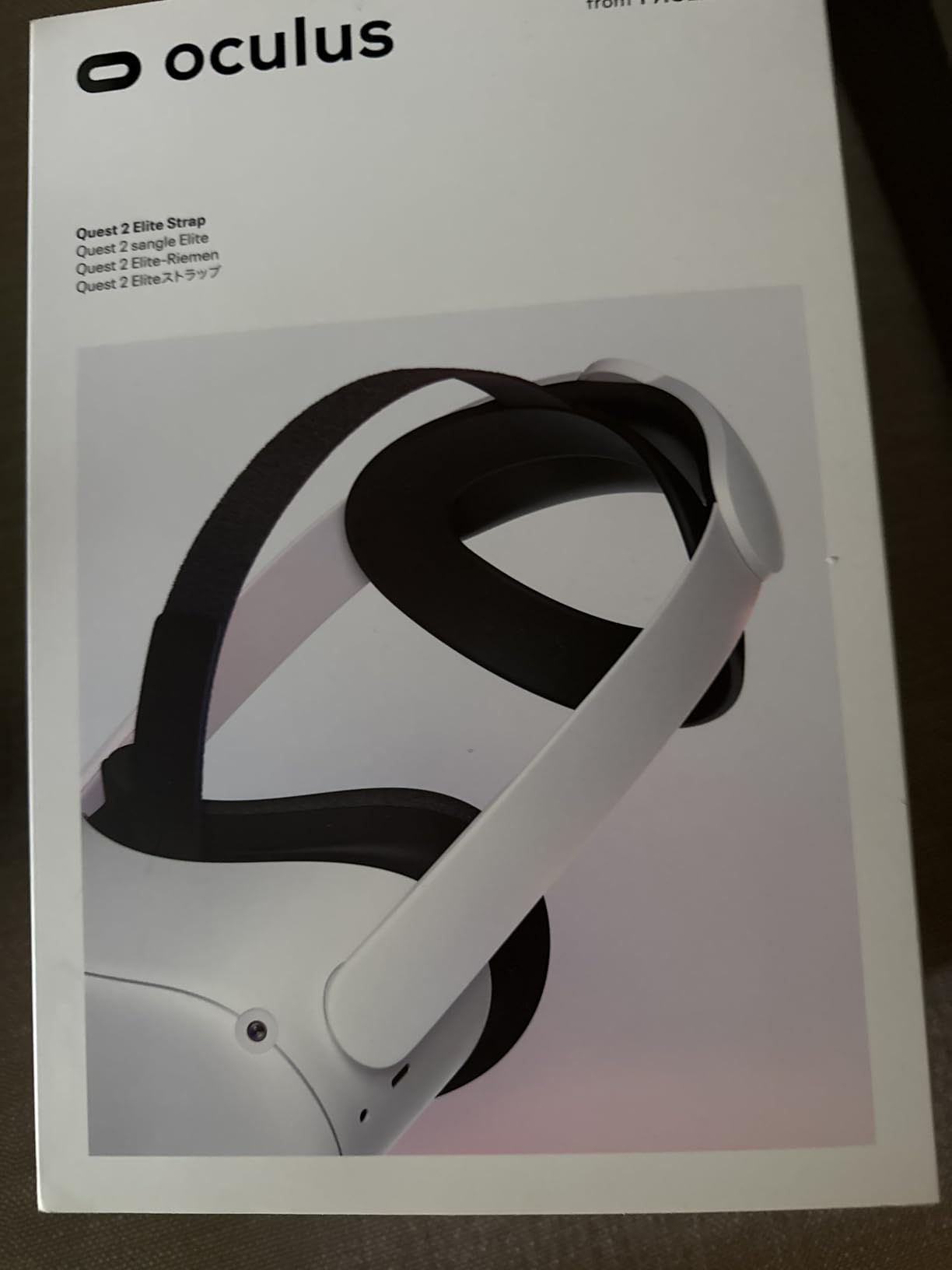
The biggest drawbacks are comfort and battery life. At 1.8 pounds, the Quest 2 gets heavy after 45 minutes of active play. The stock strap is a thin piece of fabric that does not distribute weight well. After buying a third-party elite strap with a built-in battery pack, the comfort improved dramatically and play sessions extended past the 2-hour mark. The screen-door effect is visible if you look for it, especially on bright white backgrounds, but during active gameplay, it rarely bothered me.
Who Should Buy the Meta Quest 2
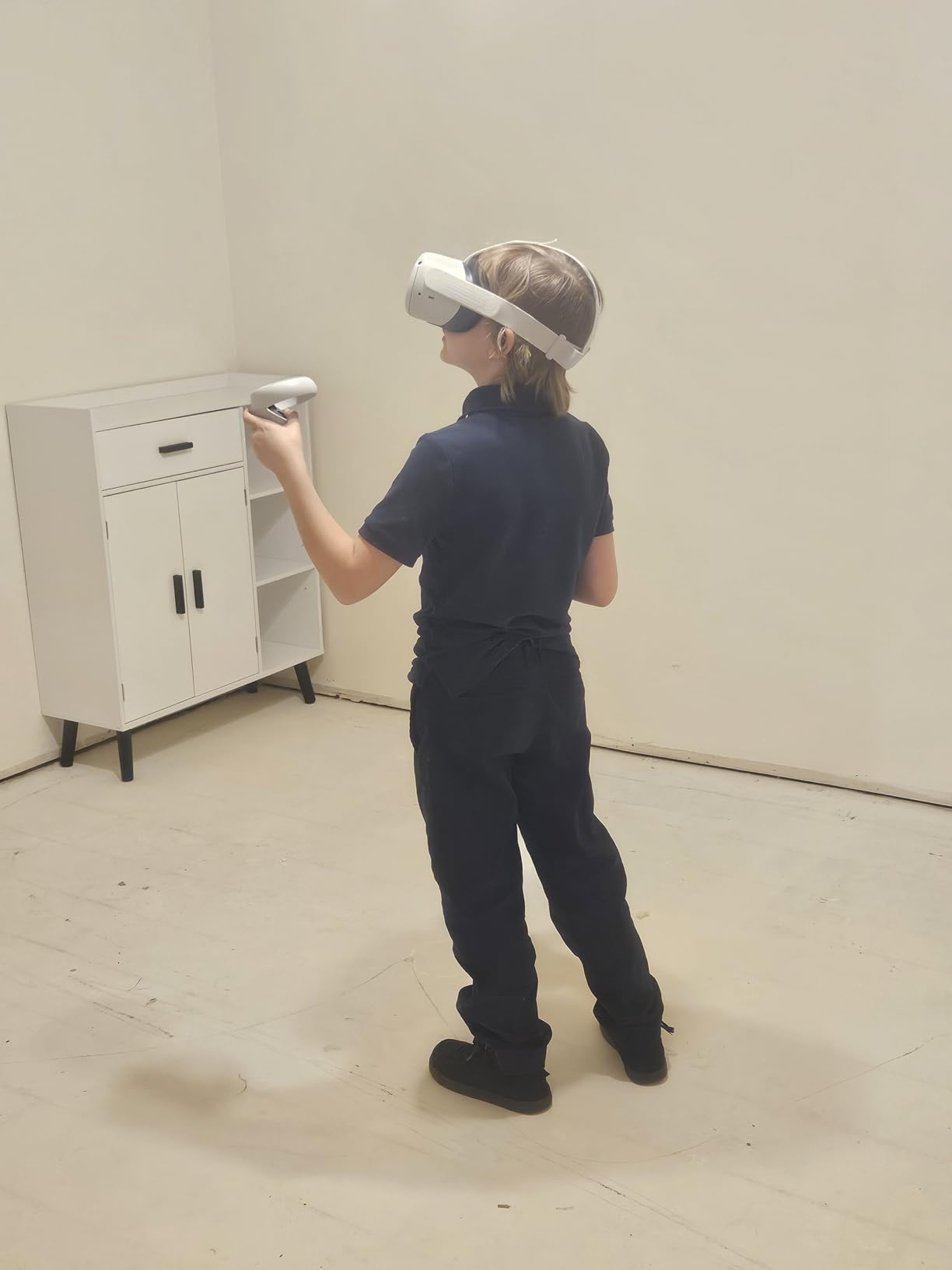
The Quest 2 makes sense if you want the largest possible game library and the reassurance of a headset that has been refined through years of software updates. The 256GB storage model gives you room to install every game you want without worrying about storage management. It is also a great pick if you plan to use VR for fitness, since the extensive fitness app library includes Beat Saber, FitXR, Supernatural, and Thrill of the Fight.
If you already have a gaming PC and want to dabble in PCVR without buying a dedicated PCVR headset, the Quest 2 doubles as a PCVR headset through Air Link or Virtual Desktop. This dual-purpose flexibility is one of the main reasons the Quest 2 has remained so popular despite newer models being available.
Who Should Skip the Meta Quest 2
The Quest 3S offers better processing power with the Snapdragon XR2 Gen 2, more RAM at 8GB versus 6GB, and mixed reality cameras at a similar price point. If those features matter to you, the Quest 3S is the smarter buy. The Quest 2 also lacks mixed reality passthrough capabilities, so you cannot use apps that overlay virtual objects onto your real environment.
Comfort out of the box is subpar. Plan to spend an additional $30-60 on a better head strap and possibly a battery pack. At 1.8 pounds, it is noticeably heavier than the Quest 3S at 515 grams, and that weight difference becomes apparent during long gaming sessions. If lightweight comfort is a priority, look at the Quest 3S or the XREAL 1S instead.
3. PlayStation VR2 – Best Console VR Experience
PlayStation VR2 Horizon Call of The Mountain Bundle (PSVR2)
4K OLED Display
120Hz
Eye Tracking
2000x2040 per eye
PS5 Required
Bundled Horizon Game
Pros
- Stunning 4K OLED with deep blacks and vibrant colors
- Eye tracking and haptic feedback feel next-gen
- Adaptive triggers on Sense controllers
- Bundled Horizon Call of the Mountain game
- Now PC compatible via SteamVR adapter
Cons
- Requires PS5 console to use
- Limited game library compared to Meta
- PSVR1 games not backward compatible
The moment I put on the PlayStation VR2 and loaded Horizon Call of the Mountain, I understood why people rave about OLED displays in VR. The contrast ratio is on another level compared to LCD panels. Dark scenes in Horizon show actual inky blacks instead of the gray glow you get on the Quest displays. Colors pop with a richness that makes every sunrise over the mountains feel cinematic. The 2000×2040 resolution per eye is sharp enough that I could read text on in-game signs clearly without leaning in.
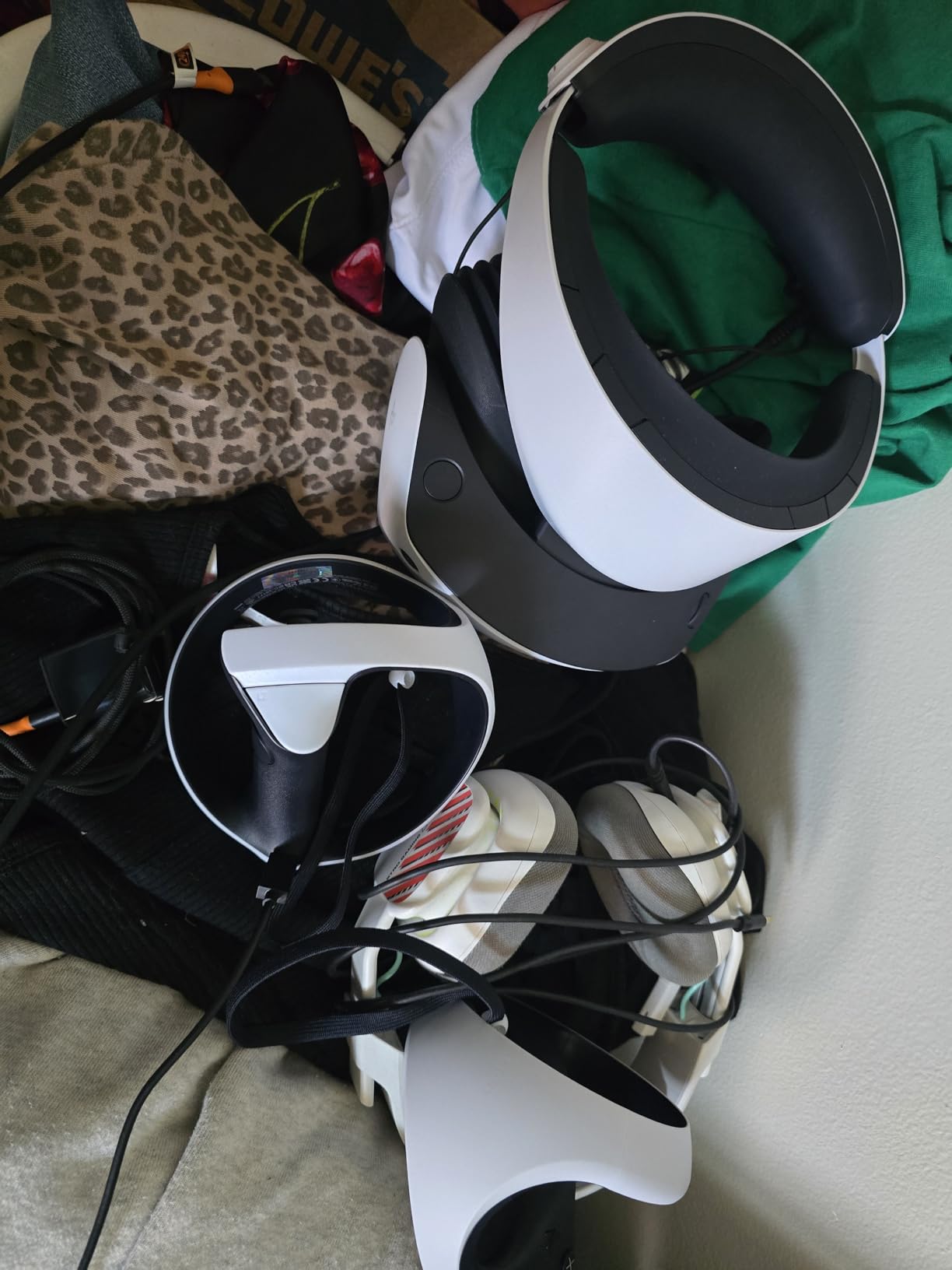
The Sense controllers are what set the PSVR2 apart from every other headset on this list. The haptic feedback in each controller rumbles with precision. When I pulled back a bowstring in Horizon, I could feel the tension building through the adaptive trigger. When rain hit my virtual hands, the controllers delivered subtle taps that matched the visual. The finger touch detection means the controllers know when your fingers are resting on the buttons versus hovering, which adds another layer of presence. Eye tracking works seamlessly for foveated rendering, meaning the headset renders the part of the screen you are looking at in full resolution while softening the edges to save processing power.
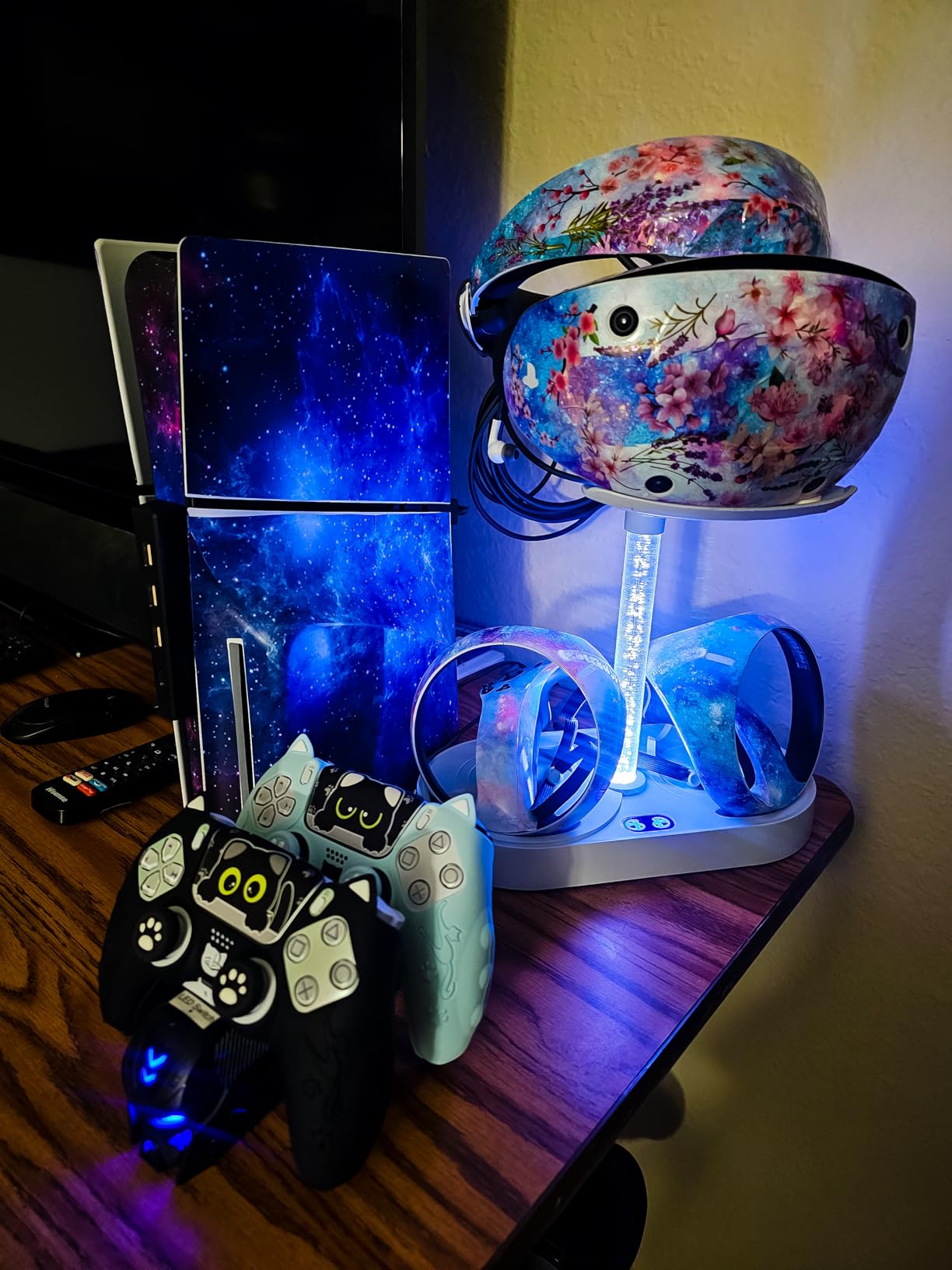
PlayStation VR2 now works with PC through an official SteamVR adapter, which significantly expands its usefulness. I tested it with Half-Life: Alyx and the experience was solid, though you lose some of the PS5-specific features like haptic feedback and adaptive triggers when playing on PC. The setup for PC requires buying the adapter separately, but it transforms the PSVR2 from a PS5-only accessory into a dual-platform headset.
The main frustration with the PSVR2 is the game library. While titles like Horizon Call of the Mountain, Resident Evil Village VR, and Gran Turismo 7 in VR are genuinely incredible, the catalog is much smaller than what Meta offers. There are roughly 50-60 PSVR2-specific games compared to hundreds on the Quest platform. The lack of backward compatibility with PSVR1 games means you are starting fresh. Also, the headset requires a single USB-C cable connecting to the PS5, so you are tethered, though the cable is long enough for standing and room-scale play.
Who Should Buy the PlayStation VR2
If you already own a PS5 and want the best-looking VR experience you can get under $500, the PSVR2 is the answer. The OLED display combined with eye tracking and haptic feedback delivers a level of immersion that no standalone headset can match at this price. The bundled Horizon Call of the Mountain game alone provides 8-12 hours of a quality AAA VR adventure, making the bundle feel like genuine value.
The PSVR2 is also worth considering for PC gamers who want an OLED VR experience and do not mind buying the SteamVR adapter. It fills a niche between budget LCD headsets and premium PCVR options like the Valve Index. Check out our guide to the best gaming headsets for PS5 for complementary audio gear if you are building out your PS5 setup.
Who Should Skip the PlayStation VR2
If you do not own a PS5, the PSVR2 is not an option since it requires the console to function. The total cost of a PS5 plus the PSVR2 bundle pushes well past $500, making it an expensive entry point. Also, if you want wireless standalone VR that you can take anywhere, the tethered design of the PSVR2 will feel limiting compared to the Quest options.
The game library constraint is real. If you want access to the widest variety of VR apps, fitness programs, and social experiences, the Meta Quest ecosystem is significantly deeper. The PSVR2 also lacks mixed reality features, so you cannot overlay virtual content onto your real-world view like you can with the Quest 3S.
4. XREAL 1S AR/XR Glasses – Best Portable Big Screen Experience
XREAL 1S AR Glasses, 500″ Virtual Screen, Powered by X1 Chip, Native 3DoF
X1 Chip
120Hz Refresh
OLED Display
500-inch Virtual Screen
52-degree FOV
80g
Pros
- Ultra-lightweight at just 80 grams
- Stunning OLED image quality
- Plug and play with no setup
- REAL 3D converts 2D content to 3D
- Bose audio built-in
Cons
- No diopter adjustment for glasses wearers
- 3DoF only not full 6DoF VR
- Anchor mode can drift occasionally
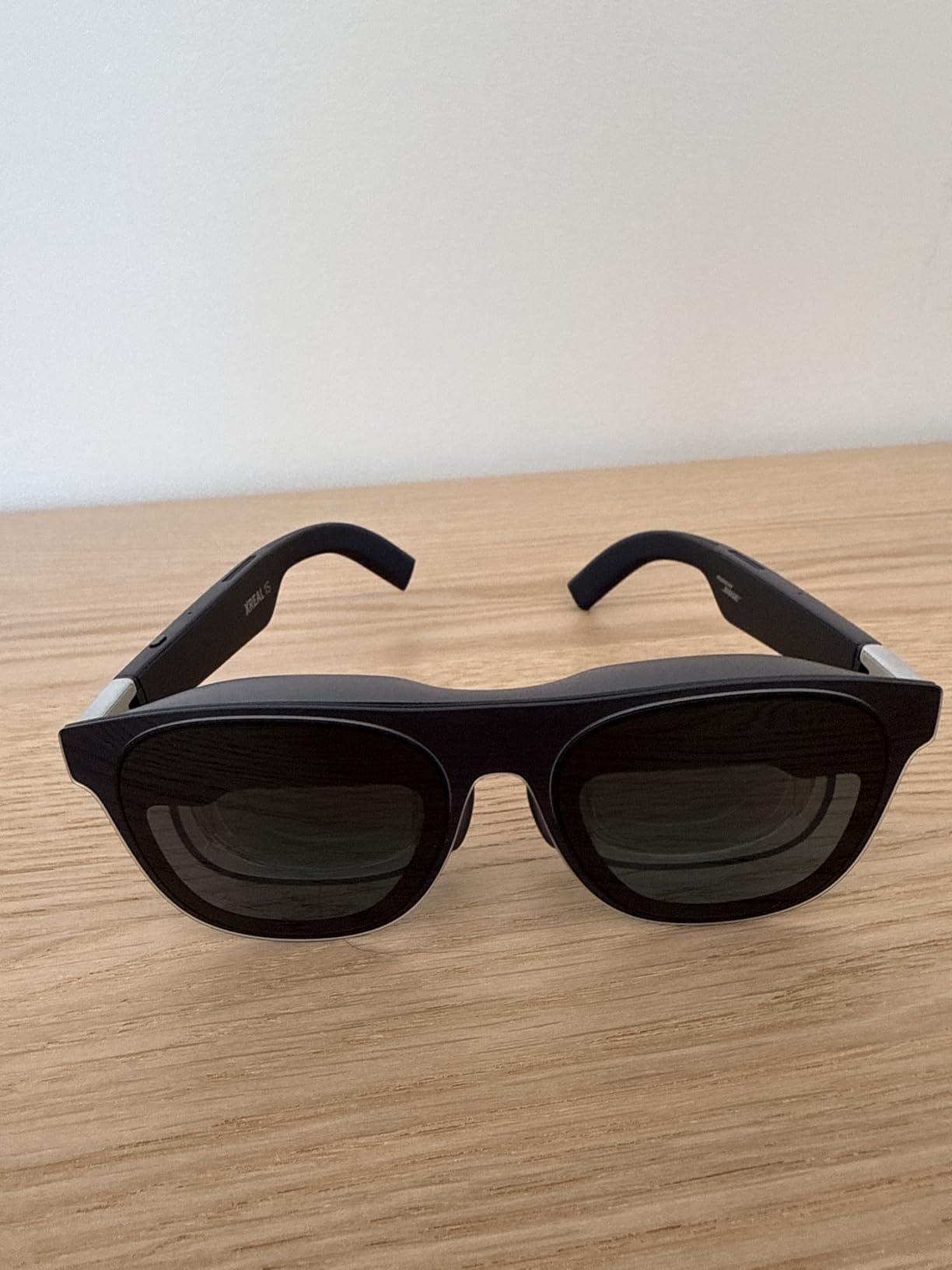
The XREAL 1S is not a traditional VR headset. It is a pair of AR glasses that projects a virtual 500-inch screen in front of your eyes, and it does this at just 80 grams. I plugged the USB-C cable into my Steam Deck, and instantly had a massive cinema screen floating in front of me with no app downloads, no pairing, and no setup. The plug-and-play simplicity is refreshing after spending time with headsets that require 15-minute setup processes.
The OLED displays inside the XREAL 1S are individually color-tuned, and the result is a vibrant, high-contrast image that makes movies look fantastic. I watched Dune: Part Two through the glasses connected to my laptop and the dark desert scenes showed deep blacks with no backlight bleed. The 120Hz refresh rate in 3DoF mode keeps everything smooth, and the 3ms motion-to-photon latency means head movements translate to screen movements almost instantly. The Bose audio system built into the temples produces clear, rich sound that is surprisingly immersive for such a small form factor.
The REAL 3D feature was a genuine surprise. It takes standard 2D content and converts it to 3D in real-time. I tested it with YouTube videos and a few movies on Netflix, and the depth effect worked better than I expected. It is not the same as native 3D content, but it adds a layer of immersion to regular video that makes the glasses feel more versatile. The multiple viewing modes give you flexibility. The 3DoF mode anchors the virtual screen in place as you turn your head, the Ultrawide mode stretches the display for a panoramic feel, and the Side-View mode lets you keep awareness of your surroundings.
The limitations become clear if you try to use the XREAL 1S as a gaming VR headset. It only offers 3DoF tracking, meaning it tracks head rotation but not positional movement. You cannot walk around a virtual room or duck behind cover. This is a display device, not a room-scale VR system. The 52-degree field of view is narrower than dedicated VR headsets too, so the virtual screen feels more like sitting in front of a large TV rather than being surrounded by a virtual environment.
Who Should Buy the XREAL 1S
The XREAL 1S is perfect for commuters, travelers, and anyone who wants a private big-screen experience without carrying a monitor. If you frequently fly, take long train rides, or work from coffee shops, these glasses let you watch movies, play handheld games, or work on a massive virtual screen that nobody else can see. The 80-gram weight means you can wear them for a two-hour movie without neck strain, which is something no VR headset under $500 can match.
They are also a strong option for gamers who play on a Steam Deck, ROG Ally, or Nintendo Switch and want a bigger display than the built-in screen. Plug in the USB-C cable and your handheld becomes a home theater. The TUV Rheinland eye comfort certification is a reassuring touch if you plan to use them for extended viewing sessions.
Who Should Skip the XREAL 1S
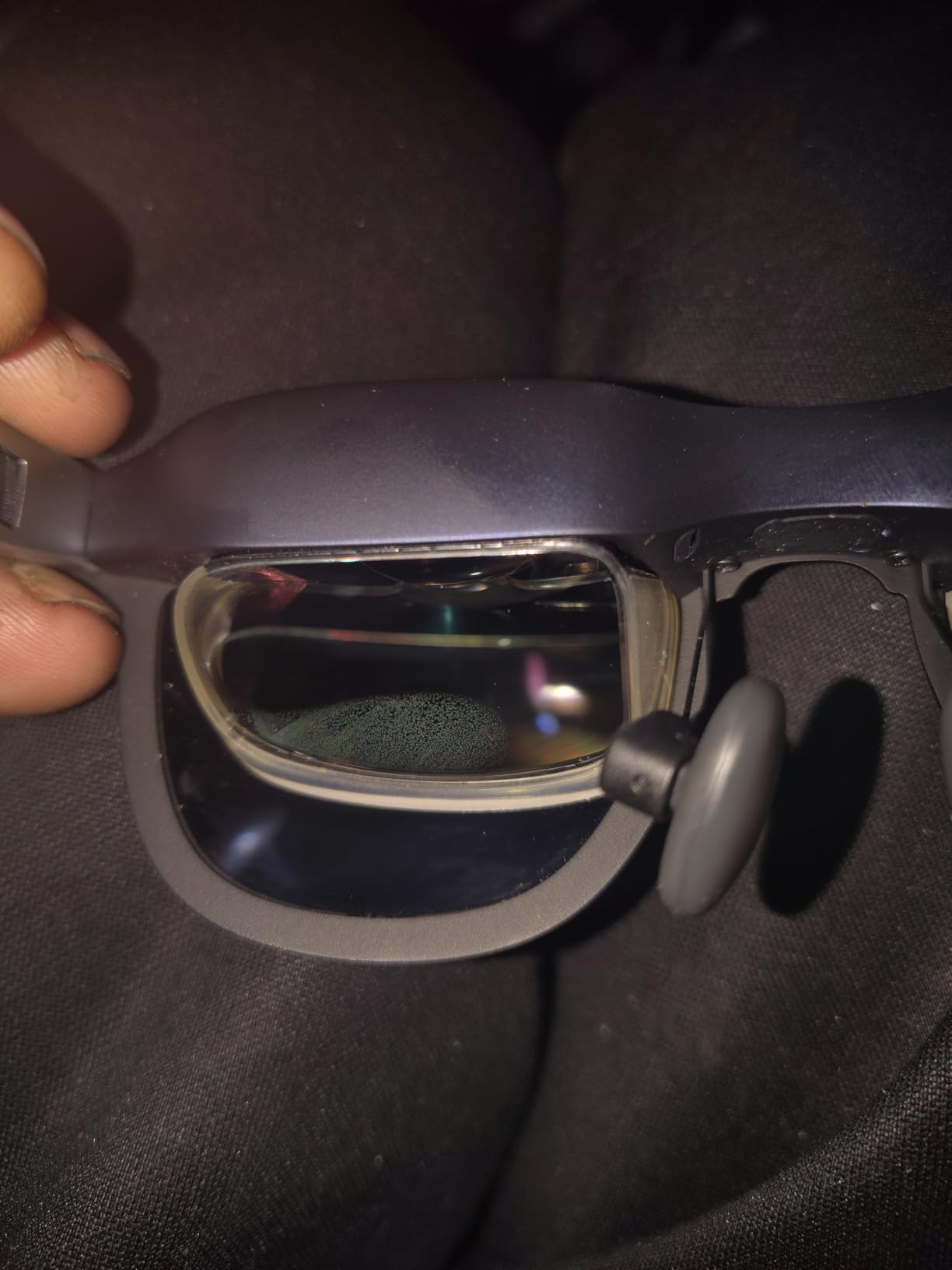
If you want actual VR gaming with 6DoF tracking, motion controllers, and room-scale experiences, the XREAL 1S is the wrong device. It cannot play Beat Saber, Superhot, or any VR games that require spatial movement. Think of it as a wearable monitor rather than a VR headset. Also, there is no diopter adjustment, so if you wear prescription glasses, you will need to order custom prescription lens inserts from XREAL or a third-party provider.
The settings do not persist between sessions, which means you need to recalibrate the anchor mode every time you plug in. For a device that emphasizes plug-and-play simplicity, having to redo your screen position each time is a frustrating inconsistency. If you plan to use HDCP-protected streaming services, some users report errors that prevent playback through the glasses.
5. DESTEK V5 VR Headset – Best Entry-Level VR for Kids and Beginners
Phone-Based VR
110-degree FOV
Anti-Blue Light Lenses
Bluetooth Controller
4.8 oz
Works with iPhone and Android
Pros
- Incredibly affordable entry into VR
- Anti-blue light lenses protect young eyes
- Lightweight at just 4.8 ounces
- Includes 100+ VR apps and Bluetooth controller
- Perfect for kids and family bonding
Cons
- Phone-based VR has limited capabilities
- iOS controller has reduced functionality
- Phones over 6.4 inches are incompatible
The DESTEK V5 takes a completely different approach to VR. Instead of built-in displays and processors, it uses your smartphone as the screen. You slide your phone into the front compartment, put the headset on, and open a VR app. At just 4.8 ounces, it is featherlight. I handed it to my 8-year-old nephew and he wore it comfortably for 30 minutes without any complaints about weight or pressure. That alone makes it stand out in a market full of heavy headsets.
The anti-blue light HD lenses are a thoughtful addition for a product aimed at kids and families. They filter out harmful blue light wavelengths while keeping the image crisp through the 110-degree field of view. The included Bluetooth controller pairs with Android phones for interactive gameplay. On iOS, the controller handles playback controls like play, pause, and volume but does not offer the same motion-based interactivity. The headset comes pre-loaded with access to over 100 VR apps, ranging from roller coaster simulations to underwater ocean explorations to space tours.
I tested the DESTEK V5 with a Samsung Galaxy S23 and an iPhone 15. The Android experience was noticeably better because the Bluetooth controller could actually interact with games. On iPhone, the experience was limited to viewing 360-degree videos and passive VR content. The touch button on the headset itself works for basic interactions like tapping to select in YouTube VR. The adjustable head strap and soft face padding make it comfortable for kids and adults alike, and the setup takes about 30 seconds.
Who Should Buy the DESTEK V5
This is the ideal first VR experience for kids under 13 who are too young for the Meta Quest ecosystem, which requires users to be 13 or older. If you want to give your children a taste of virtual reality without spending hundreds of dollars on a standalone headset, the DESTEK V5 does the job. It is also a fun option for family game nights, birthday parties, and classroom activities where you want a group of kids to try VR without buying multiple expensive headsets.
Anyone who is curious about VR but not ready to commit to a full standalone headset should consider this as a low-risk trial. If you or your kids enjoy the phone-based experience, you will have a much better idea of whether upgrading to a standalone headset like the Quest 3S is worth the investment.
Who Should Skip the DESTEK V5
If you have experienced standalone VR on a Quest or PSVR2, going back to phone-based VR will feel like a significant downgrade. The tracking is limited to head rotation with no positional tracking, the display quality depends entirely on your phone screen, and there is no spatial audio or haptic feedback. This is a toy, not a gaming platform.
Check your phone size before buying. The DESTEK V5 does not accommodate phones larger than 6.4 inches, which rules out several flagship models including the iPhone 17 Pro Max and Samsung Galaxy S24 Ultra. If you have a large phone, this headset will not fit. Also, iPhone users get a reduced experience since the controller cannot interact with games the way it does on Android.
How to Choose the Best VR Headset Under $500
Picking the right VR headset under $500 comes down to understanding your primary use case, your existing hardware, and your tolerance for trade-offs. Here is what our team learned from testing these five headsets side by side.
Standalone vs Tethered vs Phone-Based
Standalone headsets like the Meta Quest 3S and Quest 2 are the most versatile option. They have built-in processors, displays, batteries, and tracking systems. You turn them on and play. No PC, no console, no phone needed. This makes them ideal for people who want to jump into VR quickly and play anywhere in their home.
Tethered headsets like the PlayStation VR2 require a connection to an external device. The PSVR2 needs a PS5. The advantage is that the external hardware provides significantly more processing power, enabling better graphics, higher resolutions, and features like eye tracking and haptic feedback that standalone headsets cannot match. The trade-off is being physically connected by a cable and needing to own the host device.
Phone-based options like the DESTEK V5 use your smartphone as both the display and processor. They are the cheapest entry point but offer the most limited experience. Tracking is restricted to head rotation, and the visual quality depends on your phone screen. They work well for kids and casual 360-degree video viewing.
Display Quality and Resolution
The PlayStation VR2 wins on raw display quality with its OLED panels. OLED technology delivers true blacks, infinite contrast ratios, and vibrant colors that LCD panels simply cannot reproduce. If visual fidelity is your top priority and you own a PS5, the PSVR2 is the clear winner. The Quest 3S and Quest 2 use LCD displays that are bright and sharp but cannot match the contrast of OLED.
Resolution matters for text clarity and reducing the screen-door effect. The PSVR2 offers 2000×2040 per eye, the Quest 3S and Quest 2 both deliver 1832×1920 per eye, and the XREAL 1S provides 1920×1080 per eye. In practice, all three of the higher-resolution headsets look sharp enough for gaming and media consumption.
Comfort and Battery Life
Comfort varies dramatically across these headsets. The XREAL 1S at 80 grams is the lightest by far and can be worn for hours without fatigue. The Quest 3S at 515 grams is reasonably comfortable with the stock strap but benefits from an aftermarket head strap for sessions longer than an hour. The Quest 2 at 1.8 pounds is the heaviest and most likely to cause neck strain during extended play.
Battery life is a consistent pain point across standalone headsets. Expect 1.5 to 2.5 hours of active use from the Quest 3S and Quest 2. The PSVR2 draws power from the PS5 so battery is not a concern. The DESTEK V5 uses your phone battery, which varies by device. Our guide to the best PC for VR gaming covers hardware requirements if you plan to use PCVR with any of these headsets.
Game Library and Ecosystem
The Meta Quest platform has the deepest game library with over 250 titles spanning gaming, fitness, social, and productivity categories. If game variety matters most, the Quest 3S or Quest 2 gives you the most options. The PSVR2 has roughly 50-60 dedicated titles, but they include heavy hitters like Horizon Call of the Mountain, Gran Turismo 7 VR, and Resident Evil Village VR that showcase what premium VR can look like.
The XREAL 1S does not have a game library since it functions as a display device. It mirrors content from whatever you connect to it. The DESTEK V5 relies on phone VR apps from the App Store or Google Play, which are more limited than dedicated VR platforms.
Tracking and Controllers
Inside-out tracking on the Quest 3S and Quest 2 uses onboard cameras to track your position in 3D space without external sensors. It works well in well-lit rooms but can struggle in dark environments. The PSVR2 uses inside-out tracking via cameras on the headset and delivers some of the best controller feedback in VR with adaptive triggers and haptic feedback. The XREAL 1S offers only 3DoF tracking for screen anchoring, and the DESTEK V5 is limited to head rotation tracking via your phone sensors.
FAQ
What is the cheapest best quality VR headset?
The cheapest VR headset that still delivers a quality experience is the Meta Quest 3S at under $350. It offers standalone wireless VR with the Snapdragon XR2 Gen 2 processor, 8GB RAM, mixed reality cameras, and access to the full Meta Quest game library. If you want the absolute cheapest option, the DESTEK V5 phone-based headset works for kids and casual use.
What are the top 3 VR headsets?
Our top 3 VR headsets under $500 are the Meta Quest 3S as the best overall standalone pick, the PlayStation VR2 as the best console VR experience with its 4K OLED display, and the XREAL 1S AR glasses as the best portable big-screen option. Each serves a different use case: standalone gaming, premium console VR, and portable media viewing respectively.
Is Oculus Quest 2 or 3 better?
The Quest 3 (above $500) is better than the Quest 2 with pancake lenses, a thinner profile, mixed reality cameras, and a faster processor. However, the Quest 3S offers most of the Quest 3 improvements including the Snapdragon XR2 Gen 2 chip and mixed reality at a lower price point. The Quest 2 256GB still has the largest game library and more storage at a competitive price, making it a strong budget pick for gamers who prioritize library size over newer features.
What is the best VR for its price?
The Meta Quest 3S offers the best value for money in VR right now. It delivers near-Quest 3 performance with the Snapdragon XR2 Gen 2 processor, mixed reality capabilities, wireless standalone operation, and a growing game library at under $350. For PS5 owners, the PlayStation VR2 bundle with Horizon Call of the Mountain included provides exceptional console VR value with its 4K OLED display and advanced haptic controllers.
Final Verdict: Our Top VR Headset Picks for 2026
After testing five VR headsets that stay under the $500 mark, the Meta Quest 3S earned our Editor’s Choice for offering the best balance of performance, features, and price. It delivers standalone wireless VR with mixed reality capabilities, a sharp display, and a deep game library without requiring any external hardware. The PlayStation VR2 is the premium pick for PS5 owners who want stunning OLED visuals and next-gen haptic feedback, while the XREAL 1S fills a unique niche as an ultra-portable wearable display.
The best VR headsets under $500 in 2026 cover a wide range of use cases, from full room-scale gaming to private cinema viewing to kid-friendly phone-based VR. Pick the one that matches how you plan to use it, and you will get plenty of value from any of these options. If you want to explore more VR hardware options beyond this price range, check out our comprehensive guide to the best VR headsets for gaming.