
Audio quality can make or break a stream faster than any video upgrade. I learned this the hard way when my first Twitch broadcast sounded like I was broadcasting from inside a tin can. Viewers stuck around for about 30 seconds before bouncing. That experience sent me down a deep rabbit hole of testing USB microphones, and after comparing dozens of options over the past two years, I have narrowed down the absolute best USB microphones for streaming in 2026.
USB microphones have become the go-to choice for streamers because they deliver professional-grade audio without the complexity of XLR setups or external audio interfaces. You plug them in, adjust a few settings, and your voice sounds broadcast-ready. Whether you are streaming on Twitch, recording YouTube videos, hosting a podcast, or just want cleaner Discord audio, the right USB mic transforms your entire content quality. If you are also in the market for a great pair of gaming headphones with a microphone, we have a full guide for that too.
In this guide, I break down 12 top-rated USB microphones across every price range, from budget-friendly picks under $50 to premium broadcast-grade options. Each microphone was evaluated on sound quality, noise rejection, build quality, software features, and real-world streaming performance. I also looked at how well each mic handles the specific challenges streamers face: keyboard clicks, background fan noise, and the need for quick mute controls mid-broadcast. And if you are building a full streaming setup, our guide to the best gaming PCs for streaming pairs perfectly with any of these microphones.
Table of Contents
Top 3 Picks for Best USB Microphones for Streaming

Shure MV6 Dynamic USB Mic
- Dynamic Capsule
- Real-time Denoiser
- Tap-to-Mute
- USB-C
- Headphone Monitoring


FIFINE AmpliGame AM8
- USB/XLR Dual Mode
- Dynamic Capsule
- RGB Lighting
- Headphone Jack
- Desktop Stand
These three microphones represent the best of what is available for streamers right now. The Shure MV6 takes our top spot because its dynamic capsule rejects background noise like nothing else at this price point. The HyperX QuadCast 2 S delivers incredible versatility with four polar patterns and stunning RGB lighting. And the FIFINE AM8 proves you do not need to spend a fortune to get a serious streaming microphone with both USB and XLR connectivity.
Best USB Microphones for Streaming in 2026
| Product | Specifications | Action |
|---|---|---|
| Shure MV6 Dynamic USB Mic |
|
Check Latest Price |
| HyperX QuadCast 2 S |
|
Check Latest Price |
| FIFINE AmpliGame AM8 |
|
Check Latest Price |
 Elgato Wave:3 Elgato Wave:3 |
|
Check Latest Price |
 Rode PodMic USB Rode PodMic USB |
|
Check Latest Price |
 Blue Yeti USB Microphone Blue Yeti USB Microphone |
|
Check Latest Price |
 Rode NT-USB Mini Rode NT-USB Mini |
|
Check Latest Price |
 Audio-Technica AT2020USB-X Audio-Technica AT2020USB-X |
|
Check Latest Price |
 HyperX SoloCast HyperX SoloCast |
|
Check Latest Price |
 MAONO GamerWave DGM20S MAONO GamerWave DGM20S |
|
Check Latest Price |
 FIFINE AmpliGame A6T FIFINE AmpliGame A6T |
|
Check Latest Price |
 Razer Seiren V3 Mini Razer Seiren V3 Mini |
|
Check Latest Price |
1. Shure MV6 – Dynamic USB Mic with Superior Noise Isolation
Shure MV6 USB Microphone for Gaming, Streaming & Recording (Gen 1)
Dynamic Capsule
Cardioid Pattern
USB-C
Real-time Denoiser
3.5mm Headphone Monitoring
Pros
- Superior noise isolation for untreated rooms
- Broadcast-quality sound clarity
- Plug-and-play USB-C setup
- Real-time denoiser filters background noise
- Headphone monitoring without latency
Cons
- Only one cardioid pickup pattern
- Included USB-C cable is short
The Shure MV6 became my daily driver mic for streaming about six months ago, and I have not looked back since. Coming from Shure, a brand trusted by professional broadcasters worldwide, this dynamic USB microphone delivers audio that sounds like it belongs on a proper radio show. The first time I fired up OBS with the MV6, my chat immediately noticed the upgrade. My voice had warmth, depth, and presence that my previous condenser mic never achieved.
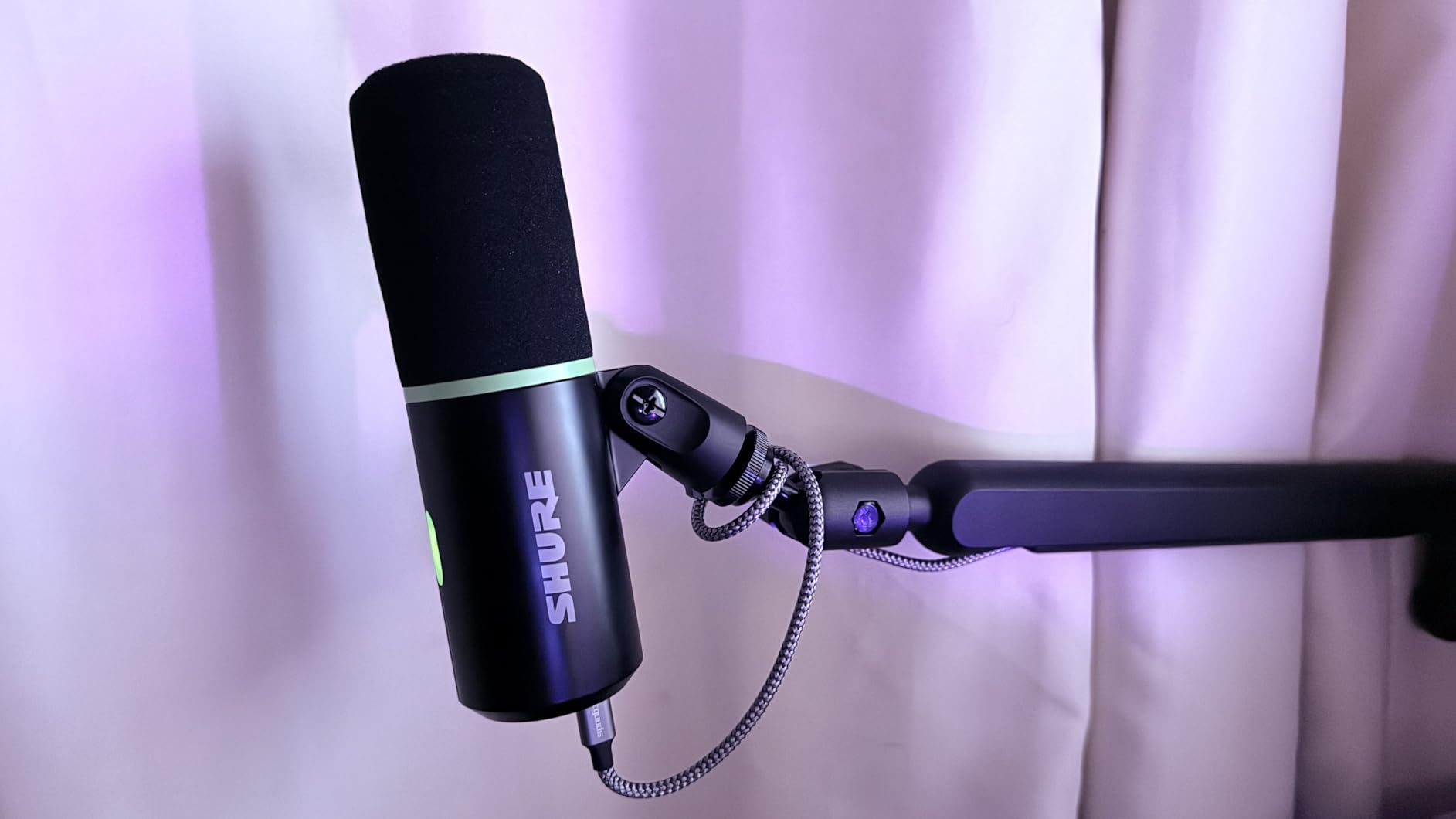
What sets the MV6 apart for streaming is the real-time denoiser technology. I stream from a room with a loud PC fan and mechanical keyboard, both of which used to bleed into my audio constantly. The MV6’s dynamic capsule combined with the built-in DSP noise reduction cuts nearly all of it out. I can type during intense gaming moments and my viewers hear clean voice audio without the clatter. The tap-to-mute function is responsive and gives a satisfying visual confirmation through the LED ring, so I never have to wonder if I accidentally left the mic hot.
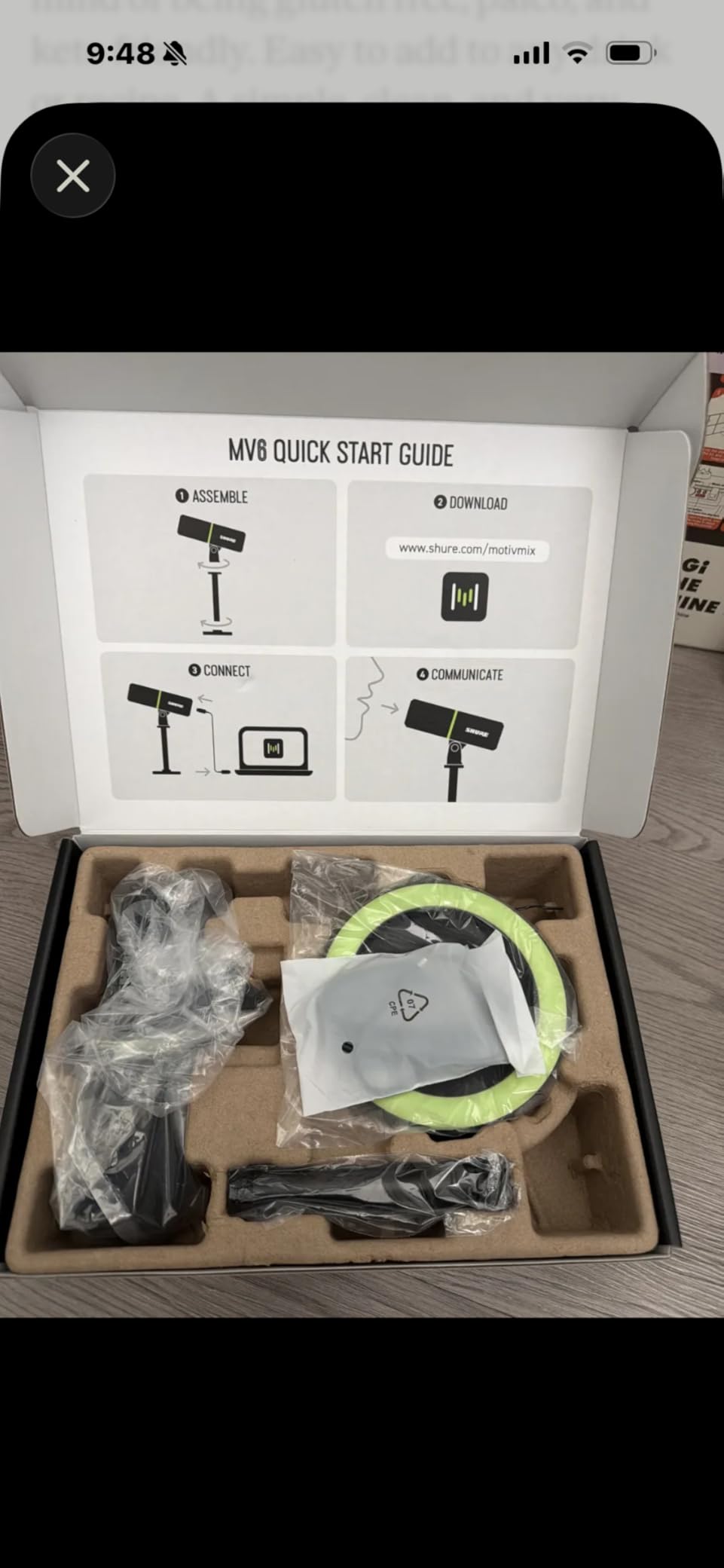
Setting up the MV6 is genuinely plug-and-play. I connected the USB-C cable, selected the mic in OBS, and was streaming within two minutes. The MOTIV Mix companion app lets you adjust the monitor mix and apply additional processing, but honestly the default tuning is so good that most streamers will not need to tweak much. The 3.5mm headphone jack on the bottom provides zero-latency monitoring, which is essential when you want to hear exactly what your audience hears without the delay of software monitoring.
The only real trade-off is that this is strictly a cardioid microphone with one polar pattern. If you ever want to record interviews with two people facing each other, you would need a different mic. The included USB-C cable is also shorter than I would like at about 6 feet, so you may need an extension cable for boom arm setups that reach above your monitor.
Who Should Buy the Shure MV6
The Shure MV6 is ideal for solo streamers who want broadcast-quality audio without dealing with background noise. If you stream from a room with no acoustic treatment, have a loud gaming PC, or use a mechanical keyboard, the MV6’s dynamic capsule will reject that noise far better than any condenser alternative. It is also the best choice if you value simplicity: plug it in and it sounds great immediately.
Content creators who stream on multiple platforms simultaneously will appreciate the consistent audio quality across OBS, Streamlabs, and direct console capture. The MV6 handles loud vocal moments without distorting, making it great for variety streamers who go from calm commentary to excited shoutcasting.
Who Should Skip It
If you plan to record podcasts with multiple people around one mic, the single cardioid pattern limits you. Streamers who already have a treated room with low ambient noise might not benefit as much from the dynamic capsule’s noise rejection. And if you need multiple polar patterns for versatility between streaming and music recording, consider the Blue Yeti or HyperX QuadCast 2 S instead.
2. HyperX QuadCast 2 S – RGB USB Mic with Four Polar Patterns
HyperX QuadCast 2 S – USB Microphone, with RGB Lighting, Streaming and Podcasting, with On-Board Controls, LED Lighting, Removable Shock Mount, PC, Mac, USB-C – Black
Condenser Capsule
4 Polar Patterns
100+ RGB LEDs
USB-C
Tap-to-Mute Sensor
Pros
- Crystal clear sound with natural tone
- Stunning customizable RGB with 100+ LEDs
- Four selectable polar patterns
- Responsive tap-to-mute sensor
- Multifunction knob for on-board control
Cons
- Very sensitive to background noise in untreated rooms
- NGENUITY software limited to lighting only
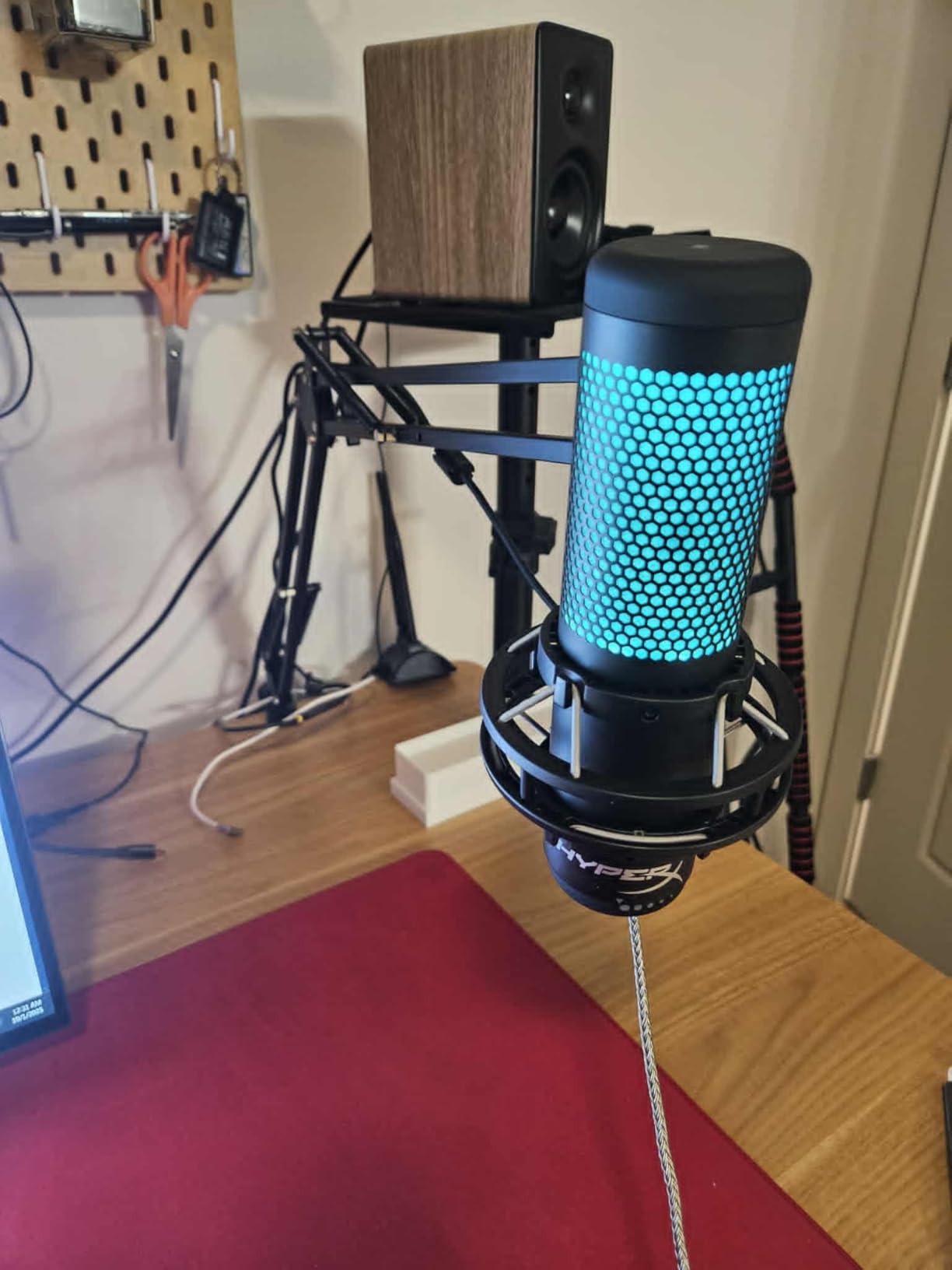
The HyperX QuadCast 2 S is the microphone I recommend most often when friends ask what to buy for streaming. It hits that sweet spot where sound quality, build quality, and features all come together at a fair price. I tested this mic over a two-week streaming period and consistently received compliments on how natural and clear my voice sounded. The condenser capsule captures detail that makes you sound present and engaging without any harshness.
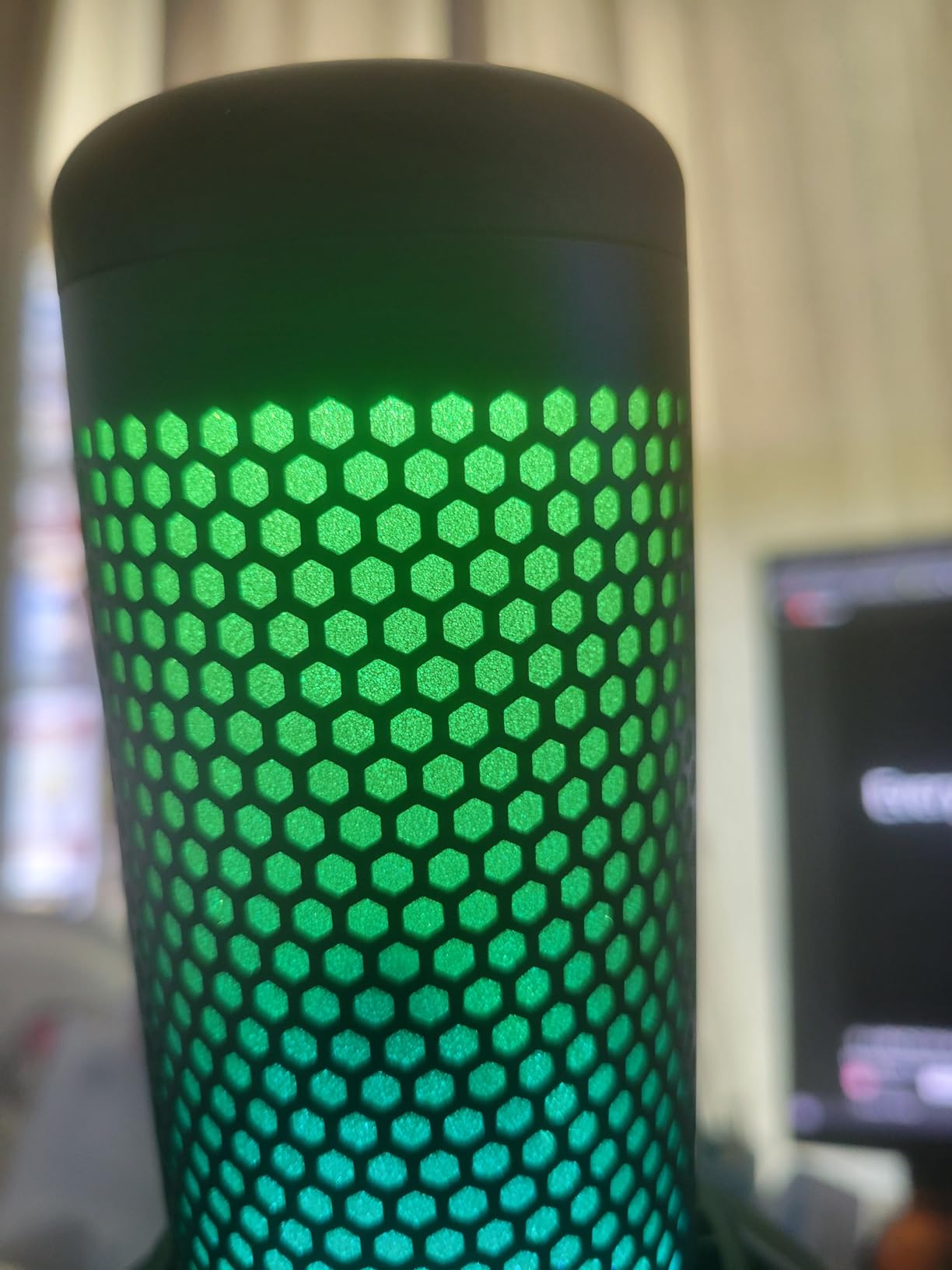
One of the standout features for streamers is the multifunction dial on the front. You can use it to adjust mic gain, headphone volume, monitor mix, and cycle through the four polar patterns without touching any software. The tap-to-mute sensor on top is instant and reliable, with a clear LED indicator that turns red when muted so you never accidentally broadcast something private. And the RGB lighting with over 100 individually addressable LEDs looks incredible on camera. Viewers regularly comment on how good my setup looks with the QuadCast glowing on my desk.
The four polar patterns give you genuine versatility. Cardioid mode is perfect for solo streaming. Omnidirectional captures sound from all directions if you want to pick up room audio. Bidirectional records front and back for face-to-face interviews. Stereo mode creates a wider soundscape for ASMR or music content. Having all four options in one microphone means you can adapt your setup without buying additional gear.
The main drawback is sensitivity to background noise. As a condenser microphone, the QuadCast 2 S picks up more ambient sound than a dynamic mic like the Shure MV6. If your room has loud fans, open windows, or hard surfaces that echo, you will notice it in your audio. The NGENUITY software also disappoints a bit, as it only controls the RGB lighting and offers no audio processing features. You will need to handle noise gates and EQ in OBS or third-party software.
Who Should Buy the HyperX QuadCast 2 S
The QuadCast 2 S is perfect for streamers who want a visually striking microphone that delivers excellent audio across multiple use cases. If you stream different types of content (gaming, podcasting, music, ASMR), the four polar patterns make this one of the most versatile USB mics available. It is also ideal for creators who care about the aesthetic of their setup, since the RGB lighting is genuinely impressive on camera.
Streamers with relatively quiet rooms will get the best results from this condenser capsule. If you have already addressed basic room acoustics or stream from a dedicated space, the QuadCast 2 S will reward you with detailed, professional-sounding audio.
Who Should Skip It
If your streaming environment is noisy with lots of background sounds, the condenser capsule will pick up more than you want. Streamers on a tight budget who just need basic clean audio might find simpler options like the HyperX SoloCast more practical. And those who want built-in software audio processing should look at the Elgato Wave:3 with Wave Link instead.
3. FIFINE AmpliGame AM8 – Dual USB/XLR Dynamic Mic with RGB
FIFINE AmpliGame AM8 USB/XLR Dynamic Microphone for Gaming Streaming
Dynamic Capsule
USB/XLR Dual Mode
Cardioid Pattern
RGB Lighting
Headphone Jack
Pros
- Excellent value rivaling mics twice the price
- USB and XLR connectivity for future upgrades
- Clear balanced audio for streaming and podcasting
- Multiple RGB color options and modes
- Built-in headphone monitoring with volume control
Cons
- Can pick up background noise without room treatment
- Mechanical keyboard clicks may bleed through
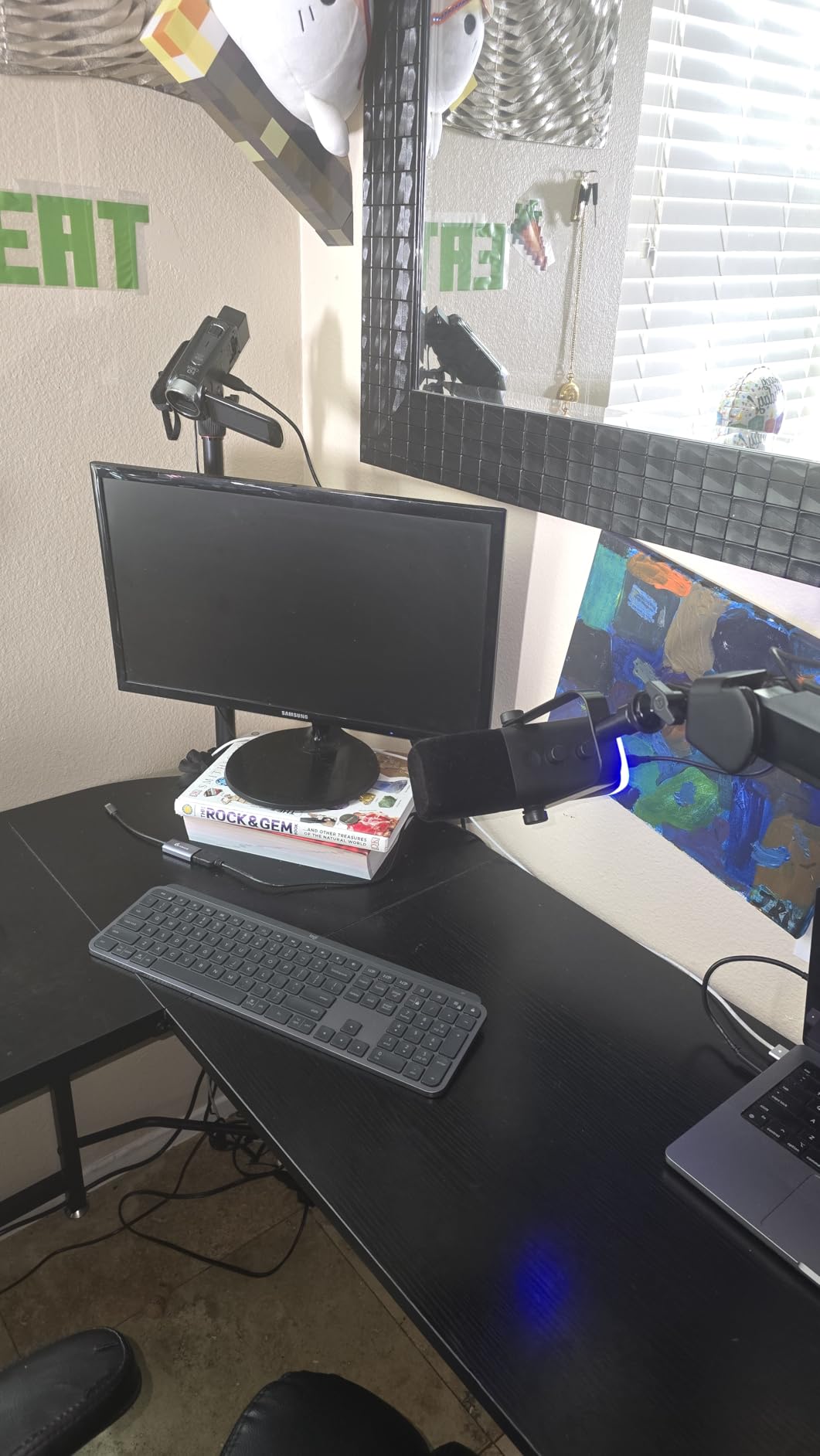
The FIFINE AmpliGame AM8 shocked me the first time I used it. For a microphone at this price, the audio quality borders on absurd. I A/B tested it against microphones costing three times as much, and the AM8 held its own in blind listening tests with friends. The dynamic capsule delivers a warm, broadcast-like tone that sounds professional on stream without any post-processing. This is the mic I always recommend to people just starting out on Twitch or YouTube.
The dual USB/XLR connectivity is a feature I did not expect at this price point. You can start with the simple USB connection for plug-and-play streaming, and when you are ready to upgrade to a professional audio interface down the road, the XLR output is ready and waiting. This future-proofs your investment in a way that pure USB mics cannot match. The RGB lighting adds personality to your setup without being over the top, and the tap-to-mute function with its LED indicator works reliably during live broadcasts.
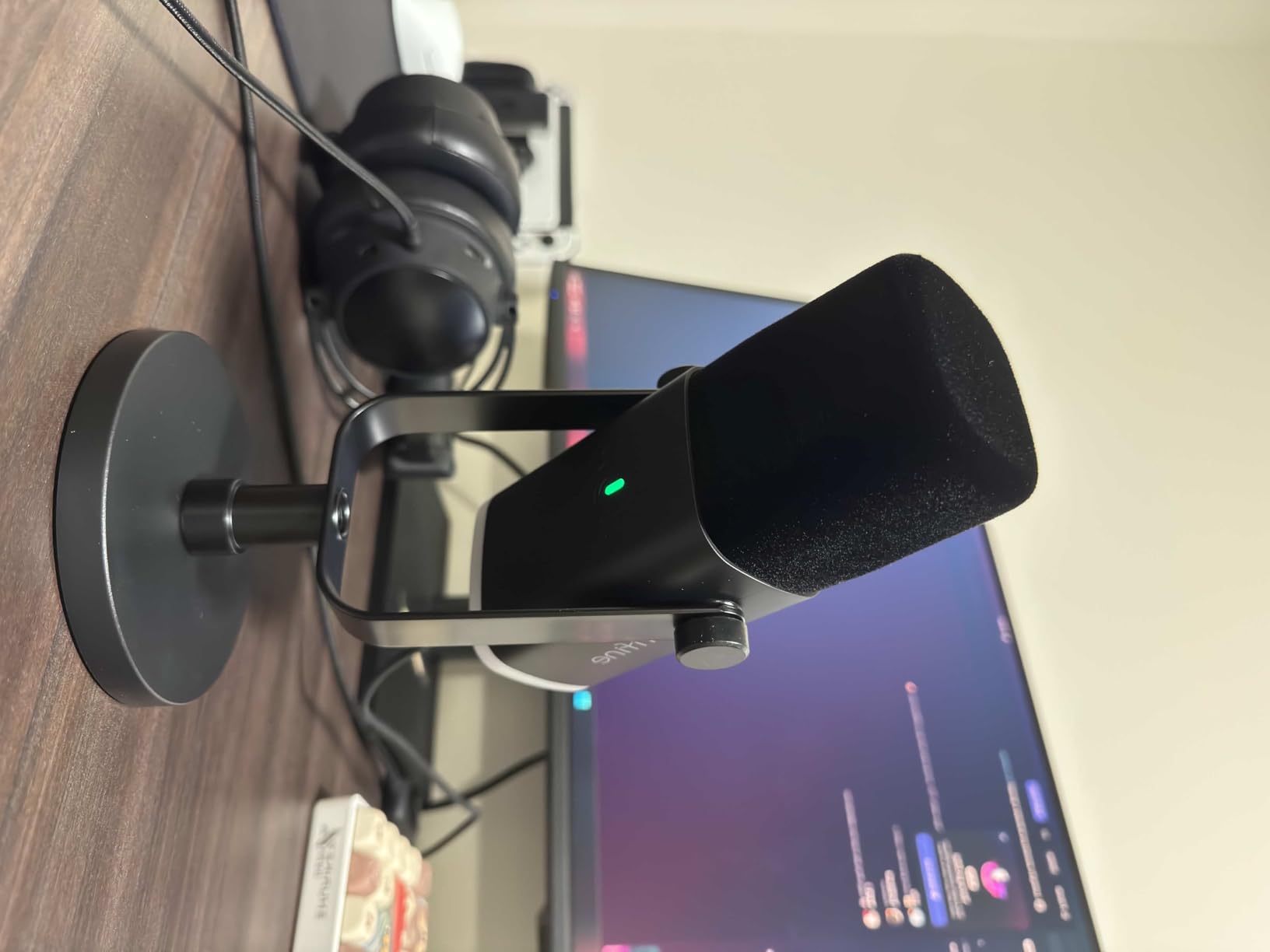
The headphone jack with dedicated volume control on the mic body is a feature many budget mics skip. Being able to monitor your audio in real-time without latency makes a real difference when you are adjusting your levels mid-stream. The included desktop stand is sturdy enough for casual use, though I would recommend pairing this mic with a boom arm for optimal positioning close to your mouth.
At this price, some compromises are expected. The AM8 can pick up background noise if your room is completely untreated, and mechanical keyboard clicks do occasionally bleed through during quiet moments. Using a noise gate in OBS solves most of these issues. The build quality is solid but uses more plastic than premium alternatives, which is understandable given the price. Despite these minor trade-offs, the AM8 delivers remarkable value that punches well above its weight class.
Who Should Buy the FIFINE AM8
Beginner streamers on a budget will find the AM8 to be the best entry point into quality streaming audio. The dual USB/XLR connectivity makes it especially appealing for anyone who plans to upgrade their audio setup over time. You can start simple with USB today and move to an XLR interface later without replacing the microphone. It is also a strong choice for content creators who stream on multiple platforms and need reliable plug-and-play performance.
Anyone transitioning from a gaming headset mic to a dedicated desktop microphone will notice an immediate and dramatic improvement in audio quality with the AM8. The dynamic capsule naturally rejects more background noise than condenser alternatives at similar prices.
Who Should Skip It
If you need multiple polar patterns for different recording scenarios, the AM8 only offers cardioid. Streamers who want premium build materials like all-metal construction might prefer the Rode PodMic USB. And those who want integrated software with advanced audio processing should consider the Elgato Wave:3 or Shure MV6 instead.
4. Elgato Wave:3 – Premium Condenser with Clipguard Anti-Distortion
Elgato Wave:3 USB Condenser Microphone for Streaming
Condenser Capsule
Cardioid Pattern
24-bit/96kHz
Clipguard Technology
USB-C
Pros
- Clipguard prevents distortion on loud moments
- Wave Link software controls multiple audio sources
- 24-bit broadcast audio quality
- Premium build with Apple-level aesthetics
- Touch-sensitive mute button
Cons
- Limited to cardioid pattern only
- Accessories like pop filter and shock mount are sold separately
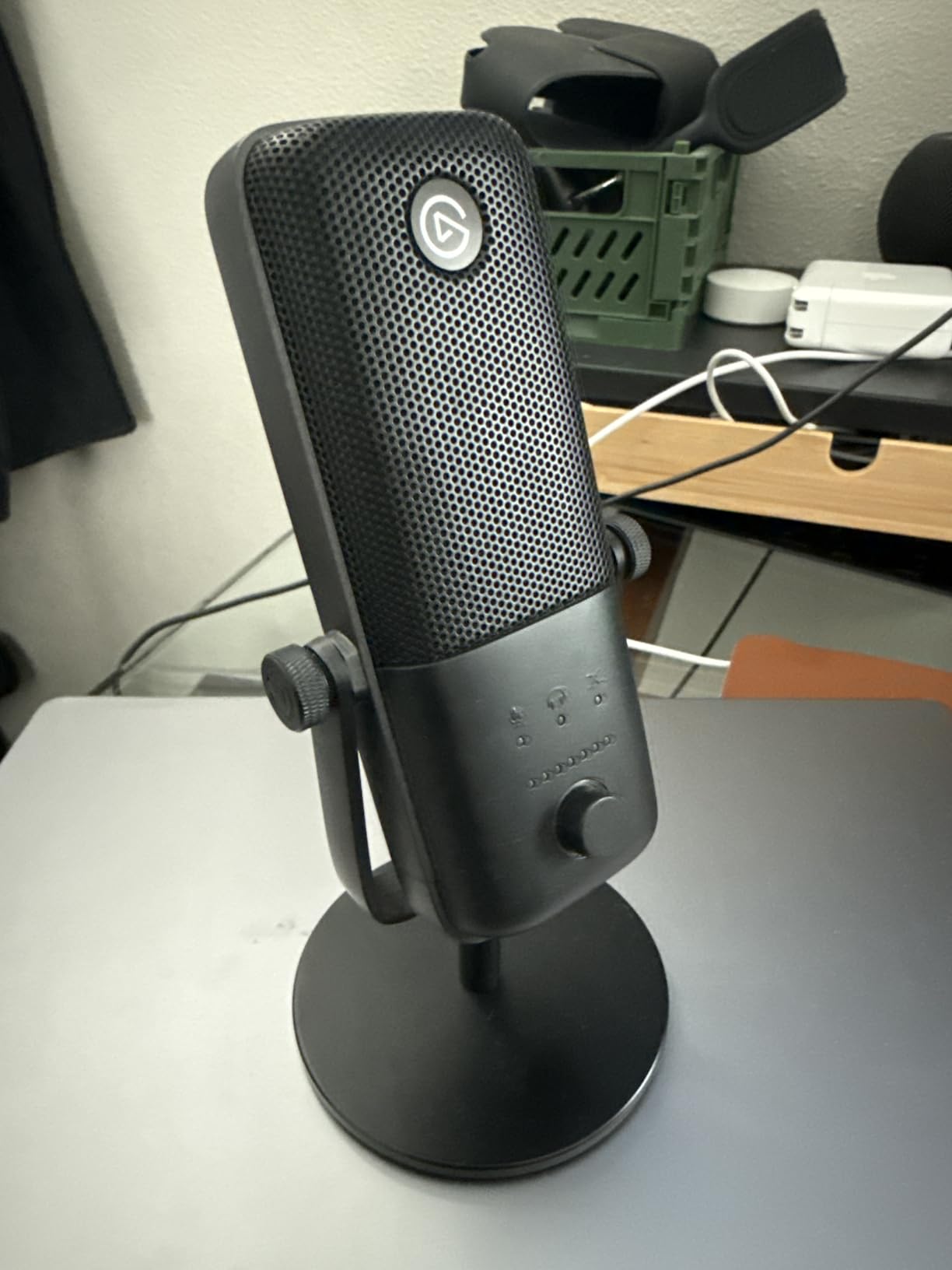
The Elgato Wave:3 is purpose-built for streaming, and it shows in every design decision. Elgato built their reputation on streaming hardware, and the Wave:3 feels like a microphone designed by people who actually stream for a living. I used this mic as my primary streaming microphone for three months, and the standout feature is easily Clipguard. This proprietary technology prevents audio distortion when you get excited and raise your voice during intense gaming moments. No more clipping when you shout during a clutch play.
The Wave Link software is arguably the best audio management tool available for streamers. It lets you control the Wave:3 and up to eight other audio sources simultaneously. You can create separate audio mixes for your stream, your headphones, and your VOD recordings. This level of control usually requires expensive external hardware, but Elgato includes it free with the Wave:3. Setting up separate Discord, game, and microphone volume levels takes minutes and saves hours of audio editing later.
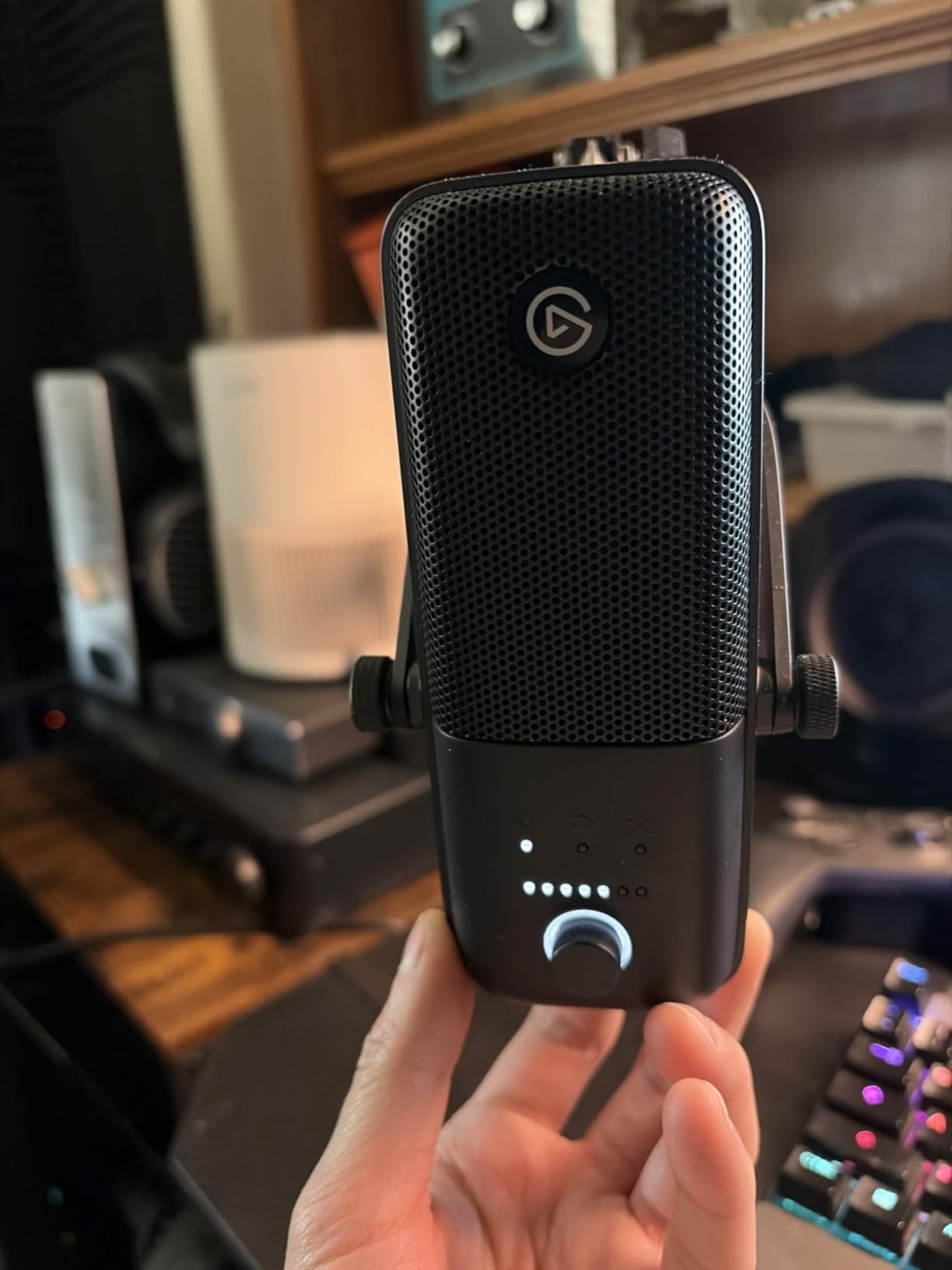
Audio quality from the condenser capsule is excellent, with 24-bit/96kHz resolution that captures your voice with genuine broadcast clarity. The cardioid pattern focuses on your voice while rejecting sound from behind the mic. The build quality matches the premium price tag, with a matte finish and solid construction that looks right at home next to other Elgato products on a professional streaming desk.
The main downsides are the single cardioid pattern and the expensive accessories. A proper pop filter and shock mount will cost extra, which pushes the total investment higher than the base price suggests. The Wave Link software also has a learning curve. It took me about an hour of watching tutorials to set up my audio routing properly, but once configured, it runs flawlessly.
Who Should Buy the Elgato Wave:3
Streamers who already use Elgato products like the Stream Deck will find the Wave:3 fits naturally into their existing ecosystem. The Wave Link software alone is worth the investment if you manage multiple audio sources during broadcasts. Content creators who frequently get loud and animated on stream will benefit most from Clipguard, which prevents those embarrassing distorted moments that ruin otherwise great content.
Multi-platform streamers who need separate audio routing for different outputs will find the Wave Link software indispensable. If you stream to Twitch while recording a YouTube version simultaneously, the ability to create custom audio mixes is a game-changer.
Who Should Skip It
Streamers on a strict budget can get similar core audio quality from the FIFINE AM8 at a lower price. If you need multiple polar patterns, the HyperX QuadCast 2 S offers more versatility. And those who stream from noisy environments will get better noise rejection from a dynamic microphone like the Shure MV6.
5. Rode PodMic USB – Broadcast Dynamic Mic with XLR and USB
RØDE PodMic USB Dynamic Broadcast Microphone, XLR + USB-C
Dynamic Capsule
USB/XLR Dual Mode
APHEX Processing
Internal Shock Mount
All-Metal Build
Pros
- Studio-quality broadcast sound
- USB and XLR for maximum versatility
- APHEX processing via Rode Central app
- Internal shock mount reduces vibrations
- Zero-latency headphone monitoring
Cons
- Heavy at 2 lbs requires quality boom arm
- Some users report occasional disconnects
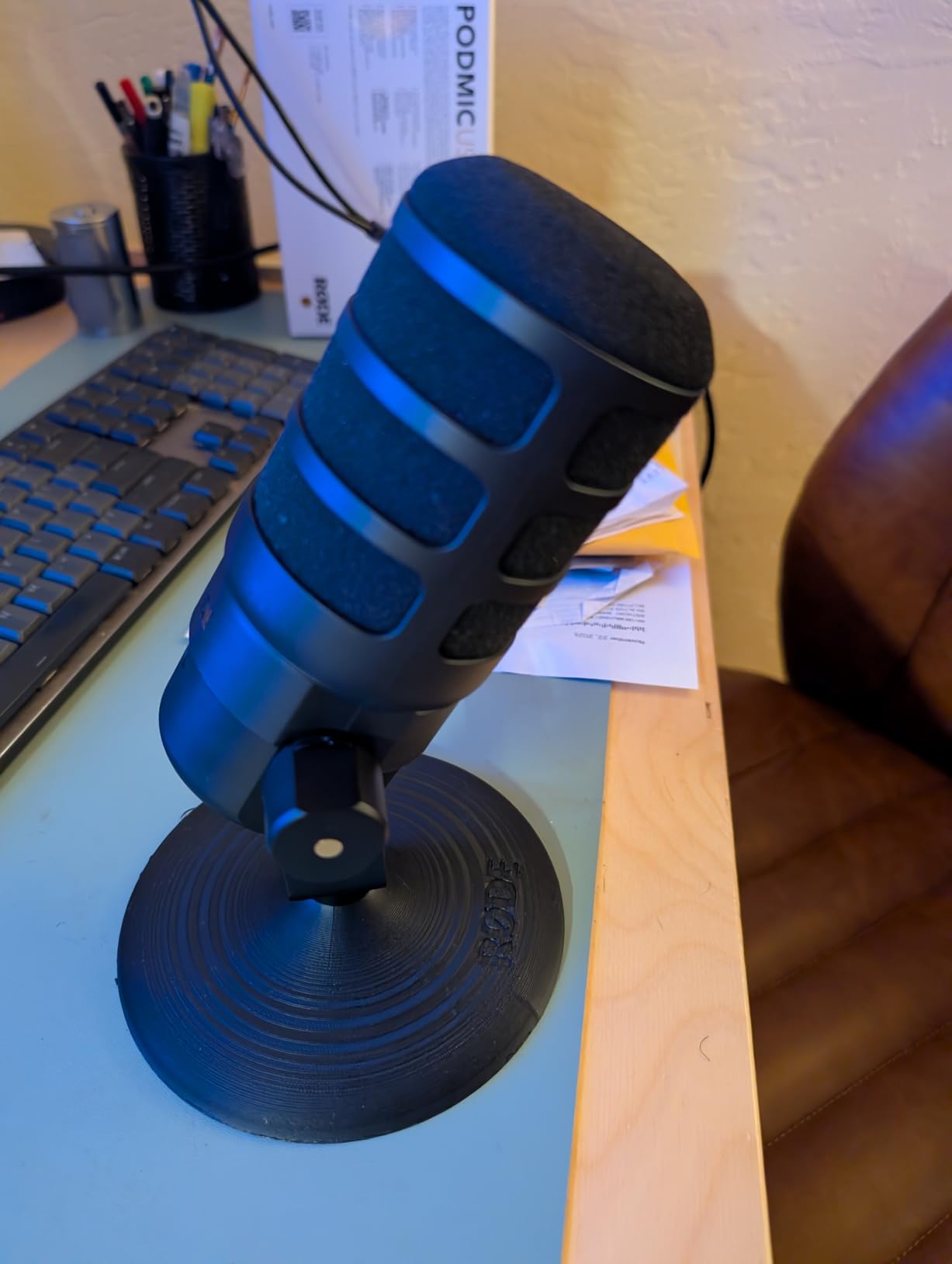
The Rode PodMic USB brings genuine broadcast pedigree to the streaming world. This is based on the same platform that professional podcasters have trusted for years, now with USB connectivity added alongside the traditional XLR output. The first time I spoke into this mic, I understood why radio professionals love it. The dynamic capsule produces a rich, warm tone with a proximity effect that gives your voice authority and presence on stream.
The dual USB/XLR connectivity means this mic grows with you. Start with the USB connection for simple streaming, and graduate to XLR with an audio interface when you want access to advanced preamps and processing chains. The built-in APHEX processing through the Rode Central app adds professional effects like the Aural Exciter for high-end sparkle and Big Bottom for low-end warmth. These are the same processors used in professional broadcast studios, now available in a desktop streaming microphone.
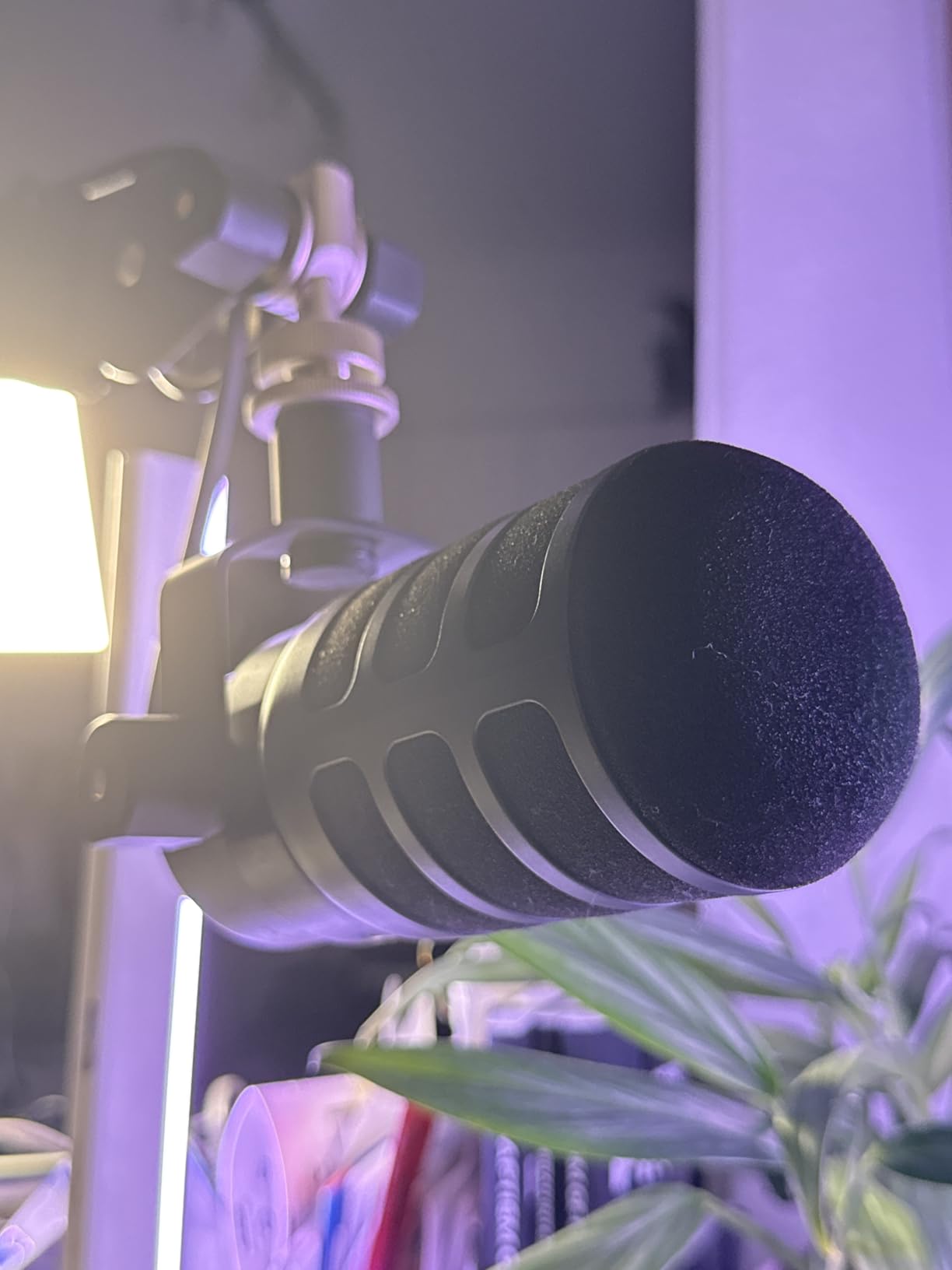
The internal shock mount is a welcome feature that reduces desk bumps and vibrations from traveling through the mic stand. The all-metal construction feels like it could survive a decade of daily streaming without issue. The headphone port on the bottom provides zero-latency monitoring with a dedicated volume dial, so you can always hear exactly what your audience hears.
At roughly 2 pounds, this is one of the heavier USB microphones available. You will want a quality boom arm rated to handle the weight, as the included stand works but limits positioning flexibility. A small number of users have reported occasional disconnection issues with the USB mode, which is worth noting if you plan to use it primarily over USB. Rode has addressed most of these through firmware updates.
Who Should Buy the Rode PodMic USB
Streamers who want to sound like professional broadcasters will find the PodMic USB delivers that radio-quality tone. The dual connectivity makes it perfect for creators who plan to upgrade to an XLR setup eventually but want to start with the simplicity of USB now. Podcasters who also stream will appreciate the APHEX processing and broadcast-grade sound quality.
Content creators who value durability will appreciate the all-metal construction. This microphone is built to last years of daily use without degradation in performance or appearance.
Who Should Skip It
Streamers who want RGB lighting or a visually striking desk presence should look elsewhere, as the PodMic USB has a utilitarian broadcast aesthetic. Budget-conscious buyers can get 80 percent of the audio quality from the FIFINE AM8 at a much lower price. And if you do not plan to use the XLR output, the Shure MV6 offers similar dynamic capsule quality with a lighter build and lower price.
6. Blue Yeti – Legendary Multi-Pattern Condenser with Blue VO!CE
Logitech Creators Blue Yeti USB Microphone for PC, Mac, Gaming, Recording, Streaming, Podcasting, Studio and Computer Condenser Mic with Blue VO!CE effects, 4 Pickup Patterns, Plug and Play – Blackout
3-Capsule Array
4 Polar Patterns
Blue VO!CE Software
Headphone Monitoring
Onboard Controls
Pros
- Versatile with four pickup patterns
- Blue VO!CE software adds great effects
- Crystal clear professional sound
- Easy plug-and-play setup
- Solid premium build quality
Cons
- Very sensitive to room noise in untreated spaces
- Uses micro-USB instead of USB-C
The Blue Yeti is arguably the most iconic streaming microphone in existence. With over 56,000 reviews on Amazon and a 4.6-star rating, it has earned its place as one of the most popular USB microphones ever made. I used the Yeti for over a year before upgrading, and it remains a solid choice for streamers who want versatility and proven reliability. The custom three-capsule array delivers clear, powerful sound that has defined what thousands of streamers sound like to their audiences.
The four pickup patterns are where the Yeti separates itself from most competitors. Cardioid mode for solo streaming, omnidirectional for round-table discussions, bidirectional for two-person face-to-face recording, and stereo for immersive audio capture. This flexibility means one microphone handles almost every recording scenario you can throw at it. The Blue VO!CE software adds real-time voice effects, noise reduction, and equalization presets that can dramatically improve your streaming audio with minimal effort.
Onboard controls on the front of the microphone let you adjust headphone volume, mic gain, and instantly switch between pickup patterns. The mute button is easy to reach mid-stream, and the headphone output provides zero-latency monitoring. The build quality is substantial, with a heavy base and solid construction that feels like a professional piece of audio equipment.
The main drawback is the microphone’s sensitivity. As a condenser mic with a three-capsule array, the Yeti picks up everything in your room. If you have mechanical keyboards, loud PC fans, or echo from hard surfaces, your stream audience will hear it all. Using a noise gate and proper gain management in OBS is essential. The micro-USB connection also feels dated compared to the USB-C ports on newer competitors, which is a minor but annoying design choice in 2026.
Who Should Buy the Blue Yeti
Streamers who want maximum versatility from a single microphone will love the four pickup patterns. Content creators who produce multiple types of content, from solo gaming streams to group podcasts and interviews, will find the Yeti handles all of these scenarios well. The massive community and wealth of setup tutorials available online make it an approachable choice for beginners.
The Blue VO!CE software adds genuine value with its voice effects and processing presets. If you want to experiment with different vocal tones and effects on stream without buying additional software, the Yeti includes everything you need.
Who Should Skip It
Streamers in noisy, untreated rooms will struggle with the Yeti’s sensitivity to background noise. If you only need a single cardioid pattern for solo streaming, there are better options that reject noise more effectively. The lack of USB-C might also annoy anyone building a modern desk setup with USB-C cables everywhere.
7. Rode NT-USB Mini – Studio Condenser with Free DSP Software
RØDE NT-USB Mini Studio-Quality USB Condenser Microphone
Studio Condenser Capsule
Cardioid Pattern
RODE Connect DSP
Built-in Pop Filter
USB-C
Pros
- Exceptional build quality feels indestructible
- Crystal clear studio-quality sound
- Free RODE Connect software with DSP
- Compact and portable design
- Excellent headphone amplifier
Cons
- Limited to cardioid pattern only
- Stock stand sits very low
- No mute button on the microphone
The Rode NT-USB Mini packs studio-grade audio into a compact package that fits comfortably on any desk. I tested this mic for podcast recording and gaming streams, and the sound quality consistently impressed me. The condenser capsule captures your voice with a clarity and detail that sounds like it came from a proper recording studio. Rode’s reputation for professional audio equipment is well-earned, and the NT-USB Mini brings that quality to a consumer-friendly price point.
The included RODE Connect software is one of the best free audio tools available for streamers. It provides a noise gate, compressor, and APHEX effects including the Aural Exciter and Big Bottom processors. These are the same audio tools used in professional broadcast studios. Having them available for free with the NT-USB Mini adds tremendous value, especially for streamers who want polished audio without investing in expensive third-party processing software.
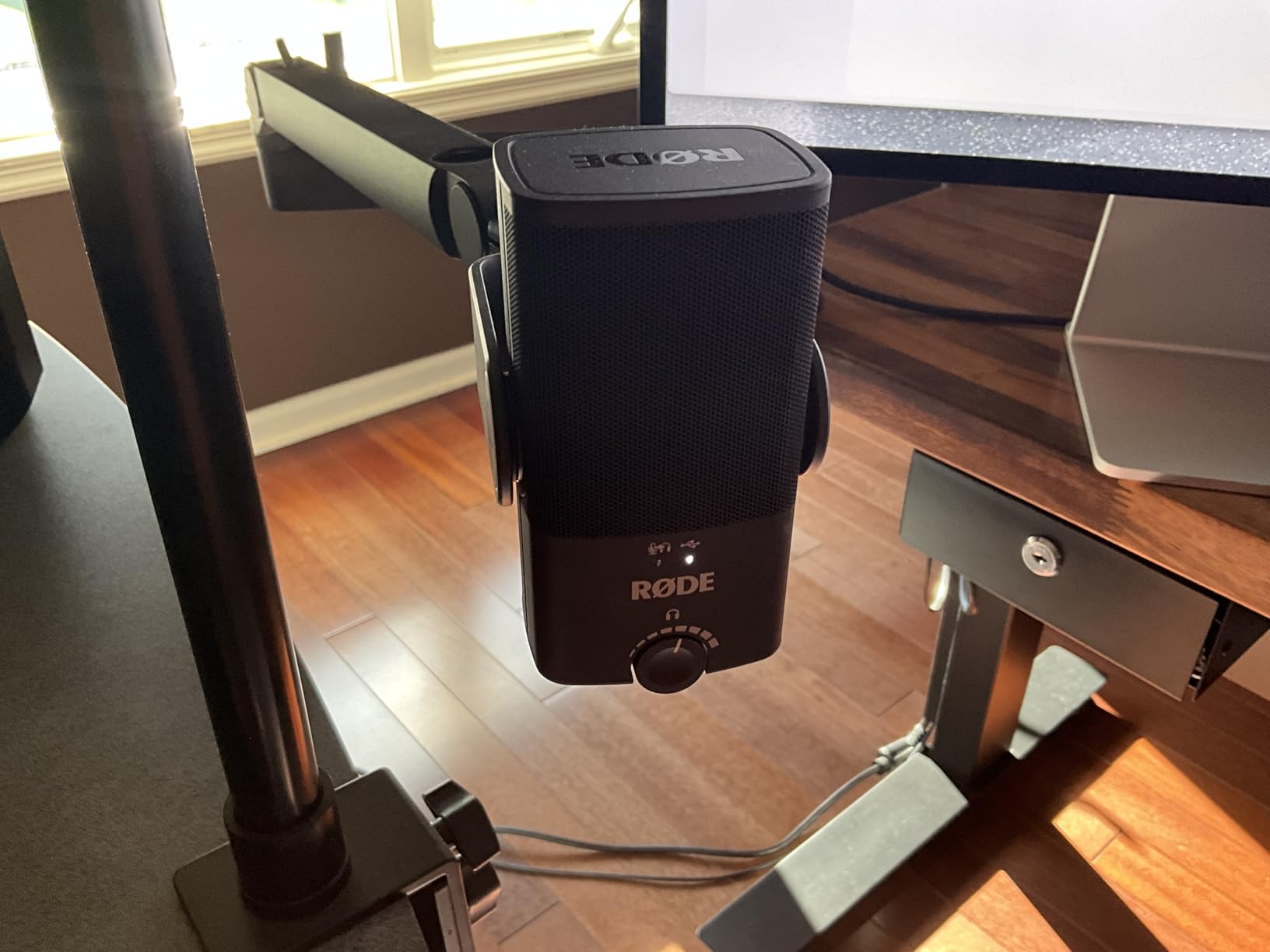
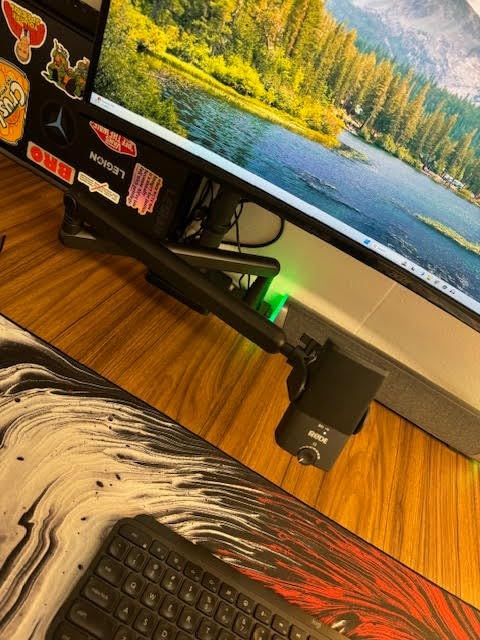
The built-in pop filter is a nice touch that reduces plosives without requiring an external accessory. The all-metal construction feels premium and durable, like something that will last for years of daily streaming. The USB-C connection is modern and reliable. The headphone amplifier is surprisingly powerful for a mic at this size, delivering clean monitoring audio at comfortable volumes.
The biggest frustration with the NT-USB Mini is the lack of a hardware mute button. During streams, you need to mute through software, which takes longer and risks broadcasting something you did not intend to share. The stock stand also sits very low on the desk, which means the mic ends up too far from your mouth for optimal sound. Pairing this mic with a boom arm is almost mandatory for good streaming audio.
Who Should Buy the Rode NT-USB Mini
Streamers who want studio-quality audio in a compact form factor will find the NT-USB Mini delivers professional results without dominating their desk space. The free RODE Connect software makes it especially appealing for creators who want advanced audio processing without spending extra on software. Podcasters who also stream will appreciate the APHEX effects that add polish to vocal recordings.
The portability of this mic makes it great for streamers who travel or move their setup regularly. It packs easily into a backpack and sets up in seconds at a new location.
Who Should Skip It
The absence of a hardware mute button is a dealbreaker for some streamers who need to mute quickly and reliably during live broadcasts. If you need multiple polar patterns, the Blue Yeti or HyperX QuadCast 2 S offer more options. And streamers who do not want to buy a separate boom arm will find the included stand too short for optimal positioning.
8. Audio-Technica AT2020USB-X – Cardioid Condenser with 24-bit/96kHz
Audio-Technica AT2020USB-X Cardioid Condenser USB Microphone
Cardioid Condenser
24-bit/96kHz AD Converter
Capacitive Mute
Headphone Jack
LED Indicator Ring
Pros
- Superb audio quality for the price
- Simple plug-and-play with no extra software
- Built-in headphone jack for direct monitoring
- Capacitive mute button is silent and fast
- High-res 24-bit/96kHz recording
Cons
- Picks up background noise at high gain levels
- Audio can saturate if positioned too close to mouth
The Audio-Technica AT2020USB-X carries the legacy of one of the most respected microphones in recording history. The original AT2020 has been a studio staple for decades, and the USB-X version brings that same audio DNA to streamers who want professional sound without the complexity. When I first tested this mic, the smooth frequency response and extended detail in the high frequencies immediately stood out. Vocals sound natural and present without any of the harshness that plagues cheaper condenser mics.
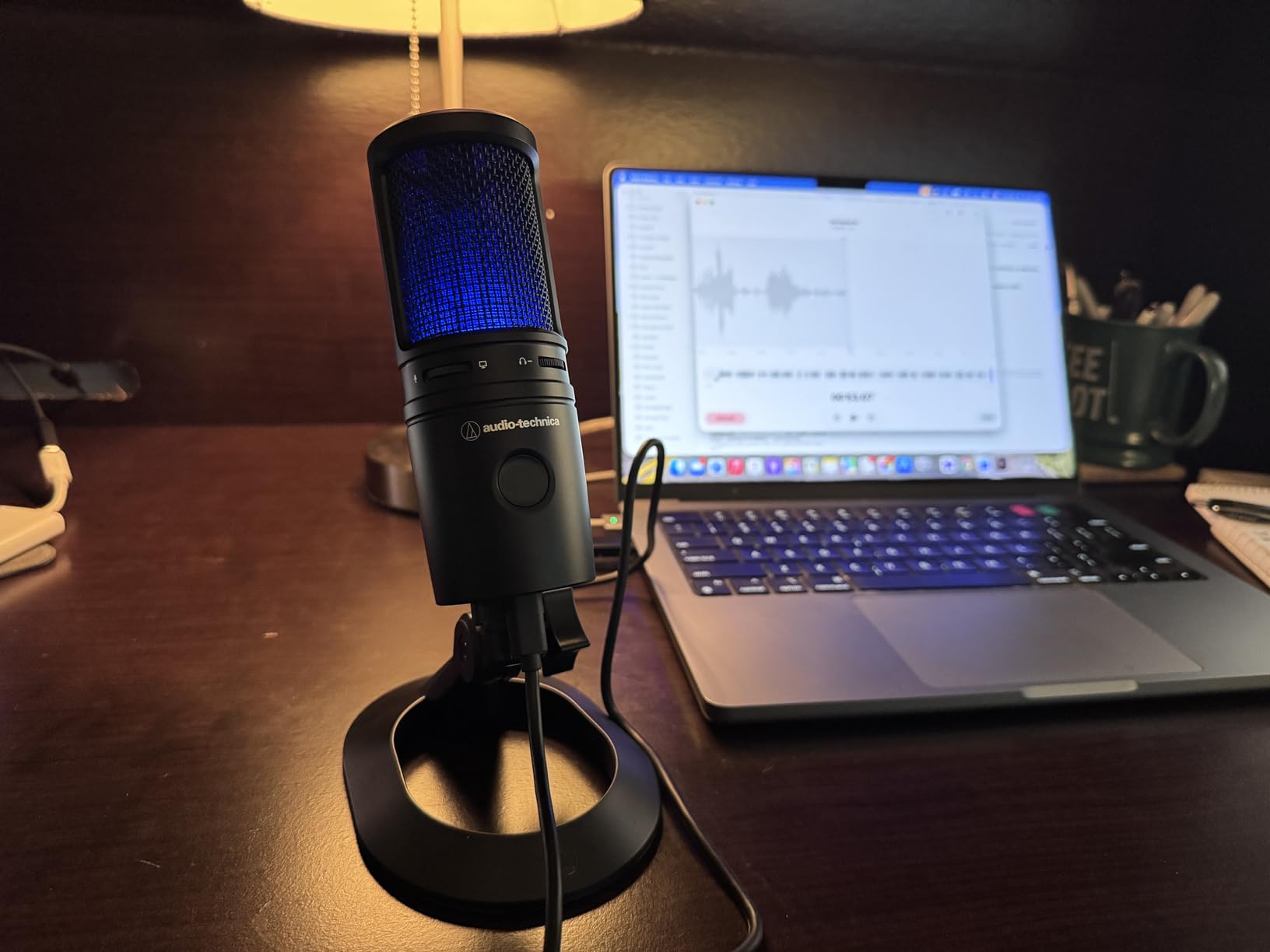
The high-resolution 24-bit/96kHz analog-to-digital converter captures audio at a quality level that exceeds what most streaming platforms can reproduce. This headroom means your audio will sound as good as possible on any platform, whether you are streaming on Twitch at standard quality or recording high-fidelity voiceovers for YouTube videos. The capacitive mute button on the front is a thoughtful design choice. Unlike physical buttons that produce an audible click, this touch-sensitive mute activates silently, so your stream audio stays clean even when muting.
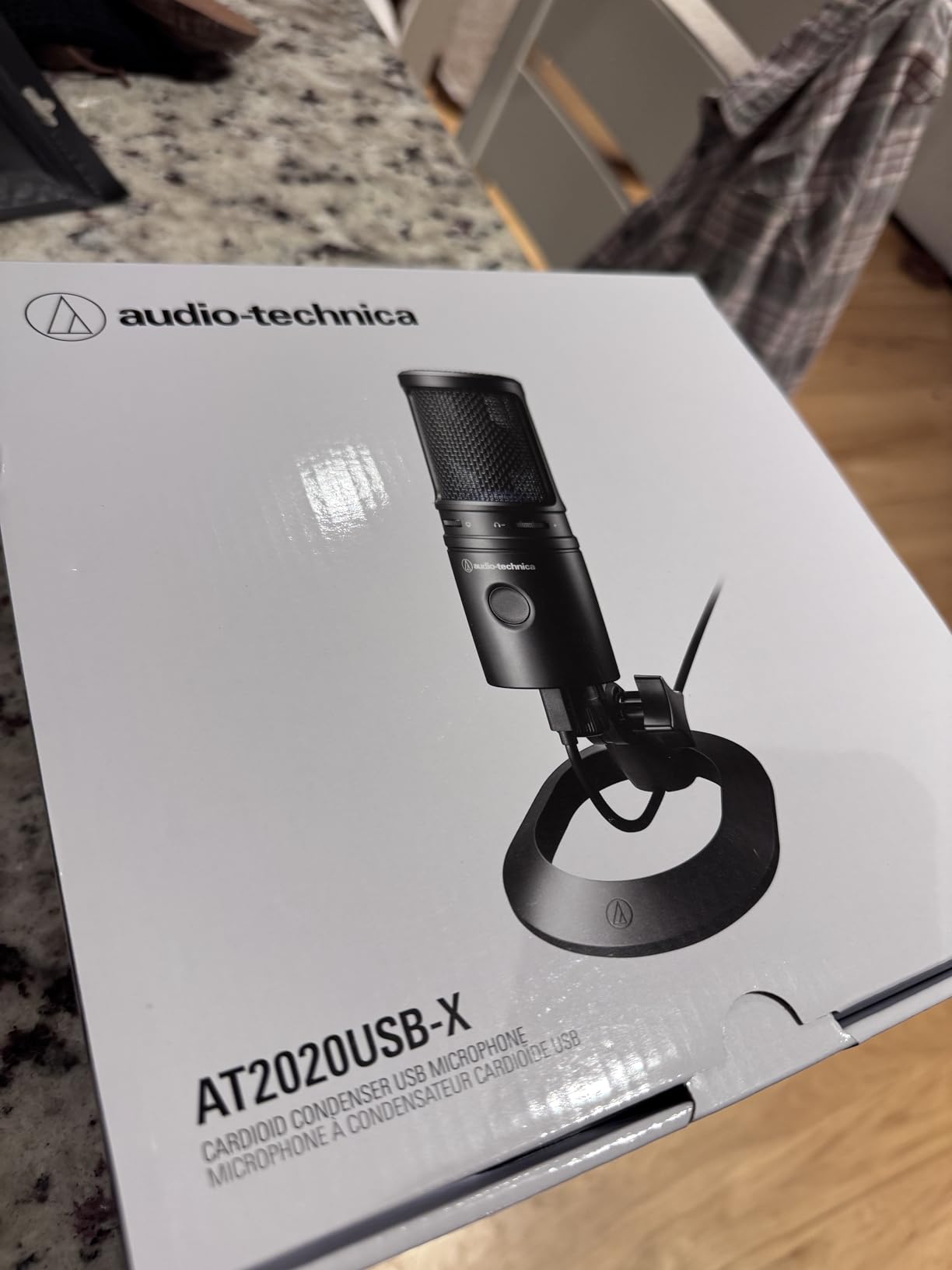
Setup is truly plug-and-play with no drivers or companion software required. You connect the mic, select it in your streaming software, and start broadcasting. The LED indicator ring glows blue when the mic is active and red when muted, providing clear visual feedback at a glance. The headphone jack on the bottom delivers clean monitoring audio directly from the microphone with no perceptible latency.
Like most condenser microphones, the AT2020USB-X picks up more room noise than dynamic alternatives. If your gain is set high or the mic is positioned too close to your mouth, you may notice some saturation and background bleed. Finding the right gain level and physical distance takes some experimentation. A noise gate in OBS combined with proper gain staging resolves most of these issues, but it requires more setup effort than dynamic mics that naturally reject background sound.
Who Should Buy the AT2020USB-X
Streamers who appreciate clean, natural sound reproduction will find the AT2020USB-X delivers studio-quality audio at a competitive price. The plug-and-play simplicity appeals to creators who do not want to deal with companion apps or complex software setup. It is also an excellent choice for content creators who record voiceovers or narrations alongside their streaming work, since the 24-bit/96kHz resolution captures detail that holds up in post-production.
Anyone who values the Audio-Technica brand reputation and wants a microphone backed by decades of professional audio heritage will feel confident with this purchase.
Who Should Skip It
Streamers in untreated rooms with lots of background noise should consider the Shure MV6 or FIFINE AM8 instead for better noise rejection. If you want RGB lighting or visual flair on your desk, this mic has a plain professional aesthetic. Those who need multiple polar patterns should look at the Blue Yeti or HyperX QuadCast 2 S.
9. HyperX SoloCast – Hi-Res Condenser with Tap-to-Mute Sensor
HyperX SoloCast – USB Condenser Gaming Microphone, for PC, PS4, PS5 and Mac, Tap-to-Mute Sensor, Cardioid Polar Pattern, great for Streaming, Podcasts, Twitch, YouTube, Discord,Black
Condenser Capsule
Cardioid Pattern
24-bit/96kHz Hi-Res
USB-C
Tap-to-Mute Sensor
Pros
- Hi-Res 24-bit/96kHz studio-quality recording
- Exceptional value for the audio quality
- Tap-to-mute sensor with clear LED indicator
- Plug-and-play USB-C with no drivers needed
- Flexible adjustable desktop stand
Cons
- Picks up desk vibrations through included stand
- No built-in pop filter or shock mount
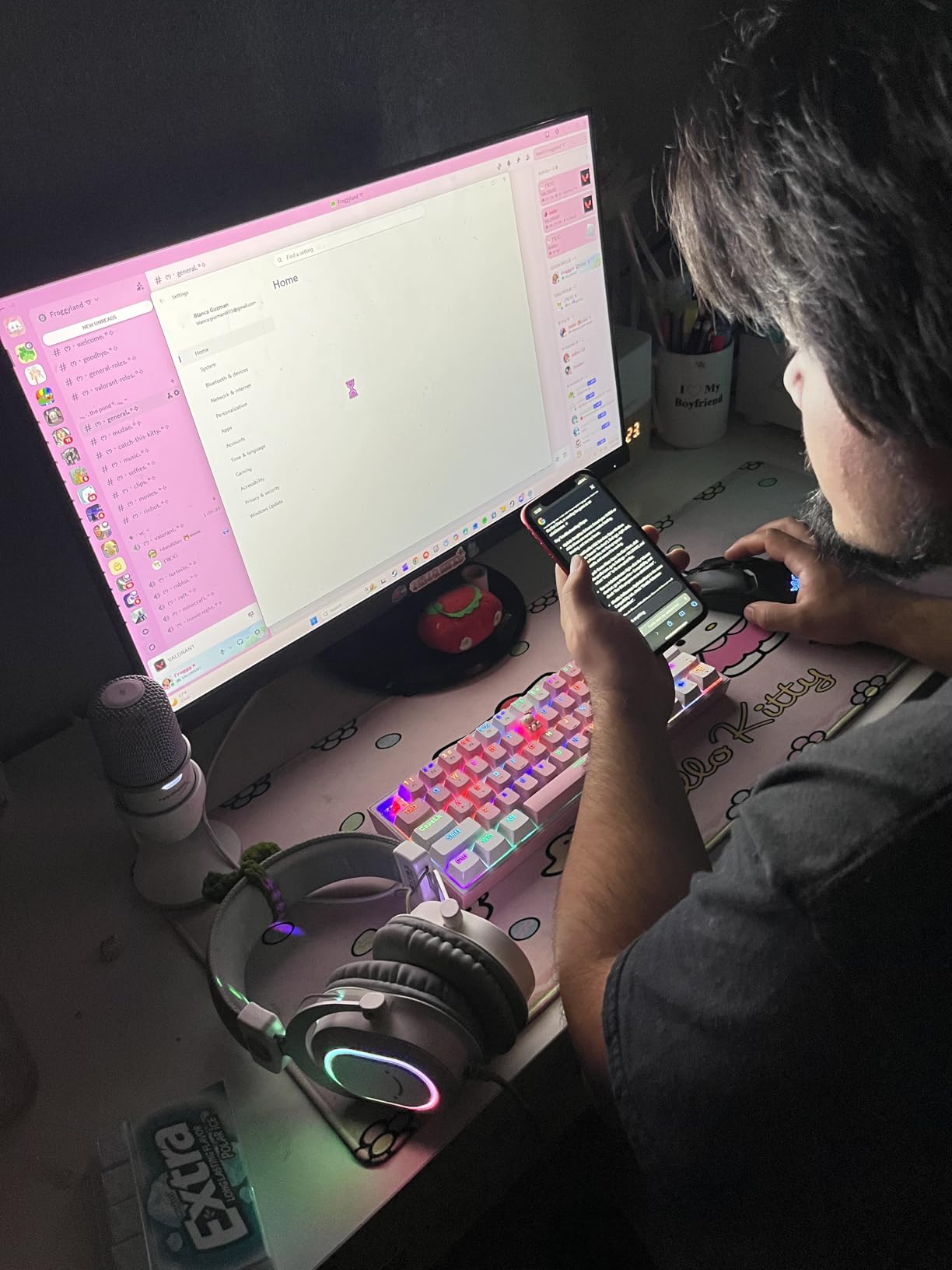
The HyperX SoloCast is proof that you do not need to spend a lot to get genuinely good streaming audio. As the number one top-rated computer microphone on Amazon with over 22,000 reviews, this mic has earned its reputation through consistent performance at an accessible price. I tested the SoloCast alongside microphones costing twice as much, and the audio quality holds up surprisingly well for basic streaming and voice chat.
The 24-bit/96kHz recording capability matches the resolution of much more expensive microphones. Your voice comes through with clarity and detail that sounds professional on stream without any harsh artifacts. The tap-to-mute sensor on top is quick and reliable, with a red LED ring that clearly indicates when the mic is muted. The adjustable desktop stand swivels to support different angles, which helps with positioning the mic closer to your mouth for better audio capture.
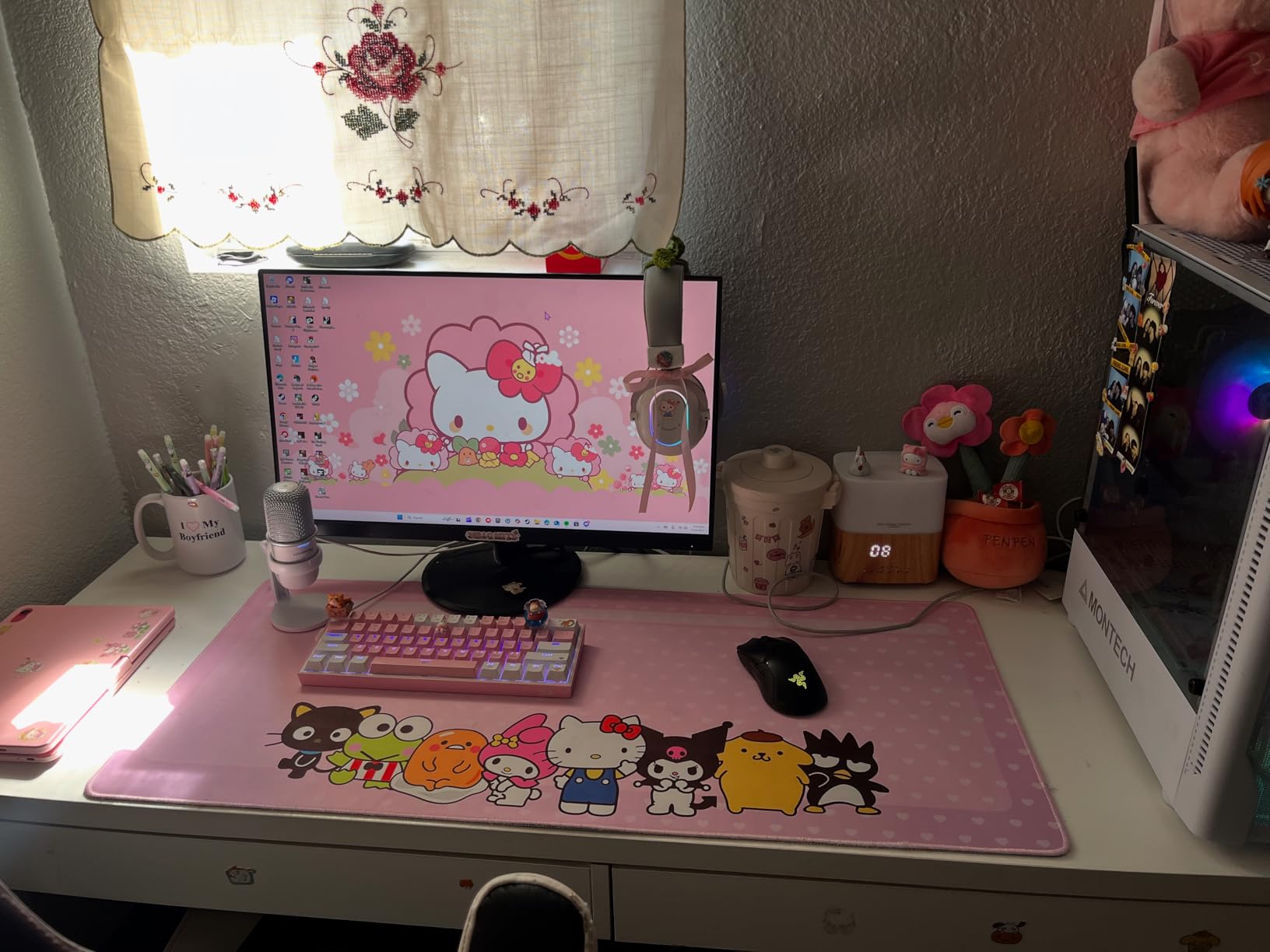
Setup could not be simpler. Plug in the USB-C cable, select the SoloCast in your streaming software, and you are live. There are no drivers to install, no software to configure, and no complicated settings to manage. This makes it one of the most beginner-friendly streaming microphones available. The compact size also means it takes up minimal desk space, which is a real advantage for streamers with crowded setups.
The trade-offs at this price are mostly about missing accessories. There is no built-in pop filter, so plosive sounds like “p” and “b” can cause audio spikes without an external filter. The included stand transmits desk vibrations directly to the capsule, so tapping your desk or bumping the mic will be audible. Adding a boom arm and pop filter solves both issues but adds to the total cost. For the price, these are reasonable compromises that most budget streamers will accept.
Who Should Buy the HyperX SoloCast
First-time streamers who want a significant audio upgrade from a headset mic without spending much will find the SoloCast delivers exactly that. The plug-and-play simplicity makes it ideal for anyone who wants to start streaming immediately without dealing with software configuration. It is also a strong choice as a backup microphone or secondary mic for a second computer setup.
Streamers who prioritize desk space will appreciate the SoloCast’s compact footprint. It delivers quality audio while taking up less room than almost any other desktop microphone.
Who Should Skip It
Streamers who want accessories like a pop filter, shock mount, or boom arm included in the box should look at the MAONO DGM20S or FIFINE A6T which bundle these extras. If you need RGB lighting for your streaming aesthetic, the SoloCast has none. And those who stream from noisy environments will benefit more from a dynamic microphone.
10. MAONO GamerWave DGM20S – Noise Cancellation Condenser with Full Boom Arm Kit
MAONO DGM20S USB Gaming Microphone for PC, Noise Reduction Condenser Mic
Condenser Capsule
Cardioid Pattern
Noise Cancellation
Full Boom Arm Kit
RGB Lighting
Pros
- One-click noise cancellation reduces background noise
- Complete kit with boom arm
- shock mount
- and pop filter
- Tap-to-mute and gain controls on the mic body
- Zero-latency headphone monitoring
- Clear professional sound quality
Cons
- Boom arm may hold mic at a slight angle
- Arm stand can feel flimsy during adjustments
The MAONO GamerWave DGM20S stands out because it comes as a complete streaming microphone package. Most USB mics at this price make you buy the boom arm, shock mount, and pop filter separately, but MAONO includes everything in the box. When I unboxed the DGM20S, I had a fully functional streaming setup ready to go in under ten minutes. The all-in-one approach makes this one of the best values for new streamers who need a complete solution without shopping for accessories.
The one-click noise cancellation is a feature I did not expect to work this well at this price. With a single button press, the mic activates DSP processing that noticeably reduces background noise from fans, air conditioning, and general room ambience. It is not as effective as the noise rejection from a dynamic capsule, but it meaningfully improves audio in untreated rooms. The tap-to-mute sensor on top and physical gain control dial give you real-time control over your audio without reaching for software settings.
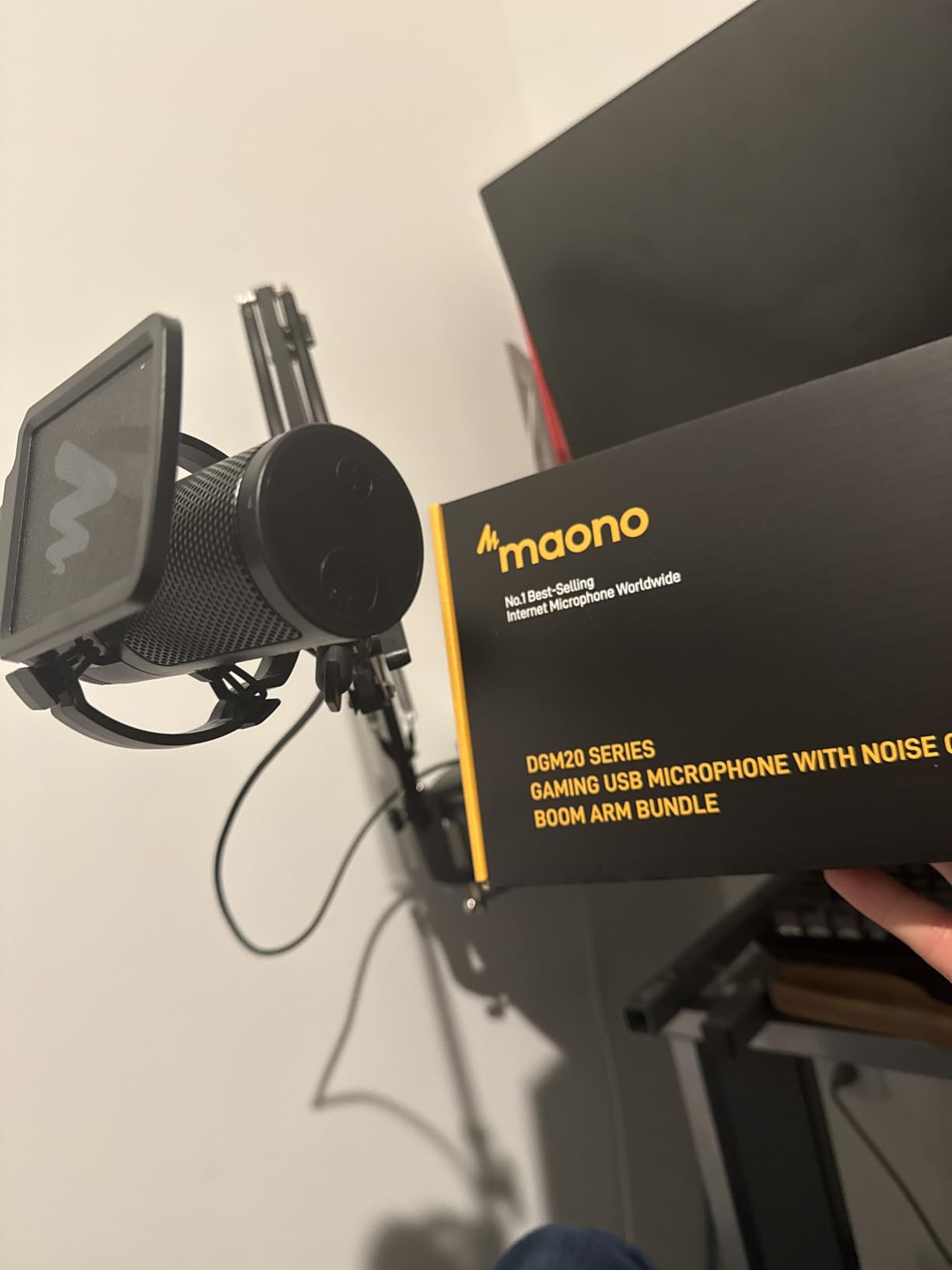
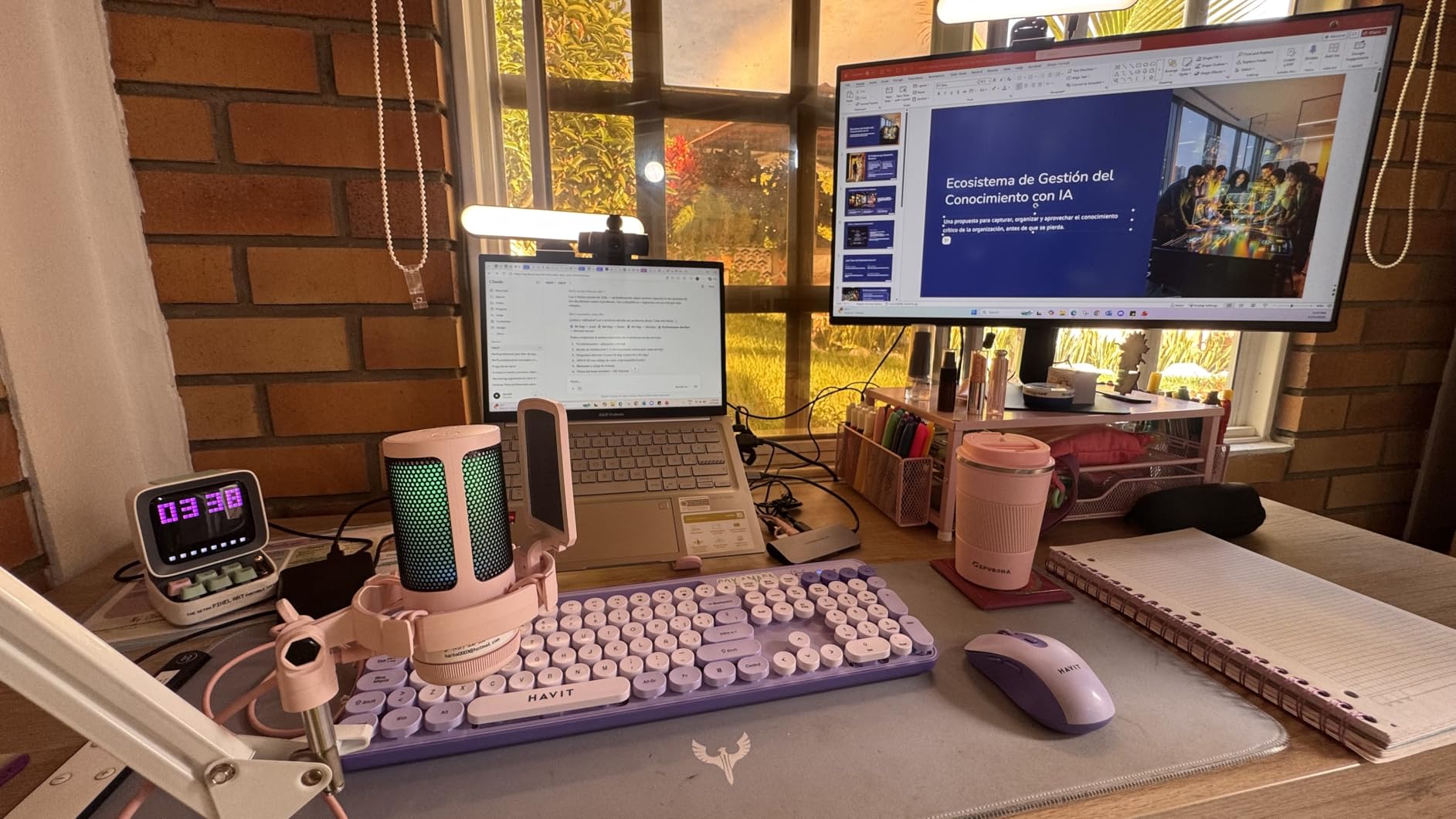
The condenser capsule delivers clear, professional-sounding audio that works well for streaming, podcasting, and voice recording. The RGB lighting adds visual flair to your setup with nine customizable color modes. The headphone jack provides zero-latency monitoring, which is essential for hearing your audio as your audience hears it. At this price, the combination of noise cancellation, complete accessories, and decent audio quality is hard to beat.
The boom arm is functional but not the highest quality. It tends to hold the microphone at a slight angle that requires adjustment, and the joints can feel somewhat loose when repositioning. For streamers who rarely adjust their mic position once set up, this is not a major issue. But if you are someone who constantly moves your mic throughout a stream, the arm may frustrate you. Replacing it with a higher-quality boom arm is always an option down the road.
Who Should Buy the MAONO DGM20S
New streamers who want everything in one box will love the DGM20S. The included boom arm, shock mount, and pop filter mean you have a complete streaming audio setup from day one without any additional purchases. The noise cancellation feature makes it particularly appealing for streamers in shared spaces or rooms with moderate background noise.
Content creators on a tight budget who need a full accessory package will find this to be one of the most cost-effective complete solutions available. The RGB lighting also adds stream-friendly visual appeal.
Who Should Skip It
Streamers who already own a quality boom arm might prefer the FIFINE AM8 or HyperX SoloCast for better standalone audio quality. If you want premium build quality throughout, the included arm and accessories feel budget-grade compared to buying higher-quality components separately. Those in very noisy environments should still opt for a dynamic microphone like the Shure MV6.
11. FIFINE AmpliGame A6T – RGB Condenser with Boom Arm and Pop Filter
FIFINE AmpliGame A6T USB Gaming Microphone Kit, Condenser Mic for Streaming
Condenser Capsule
Cardioid Pattern
RGB Gradient Lighting
Boom Arm Included
Pop Filter and Shock Mount
Pros
- Complete bundle with boom arm
- pop filter
- and shock mount
- Two-tone gradient RGB lighting looks great on camera
- Touch-sensitive mute button on top
- Cardioid condenser delivers warm vocal tone
- 180-degree rotation for flexible positioning
Cons
- Material can feel somewhat cheap despite sturdy appearance
- Background noise pickup without software noise reduction
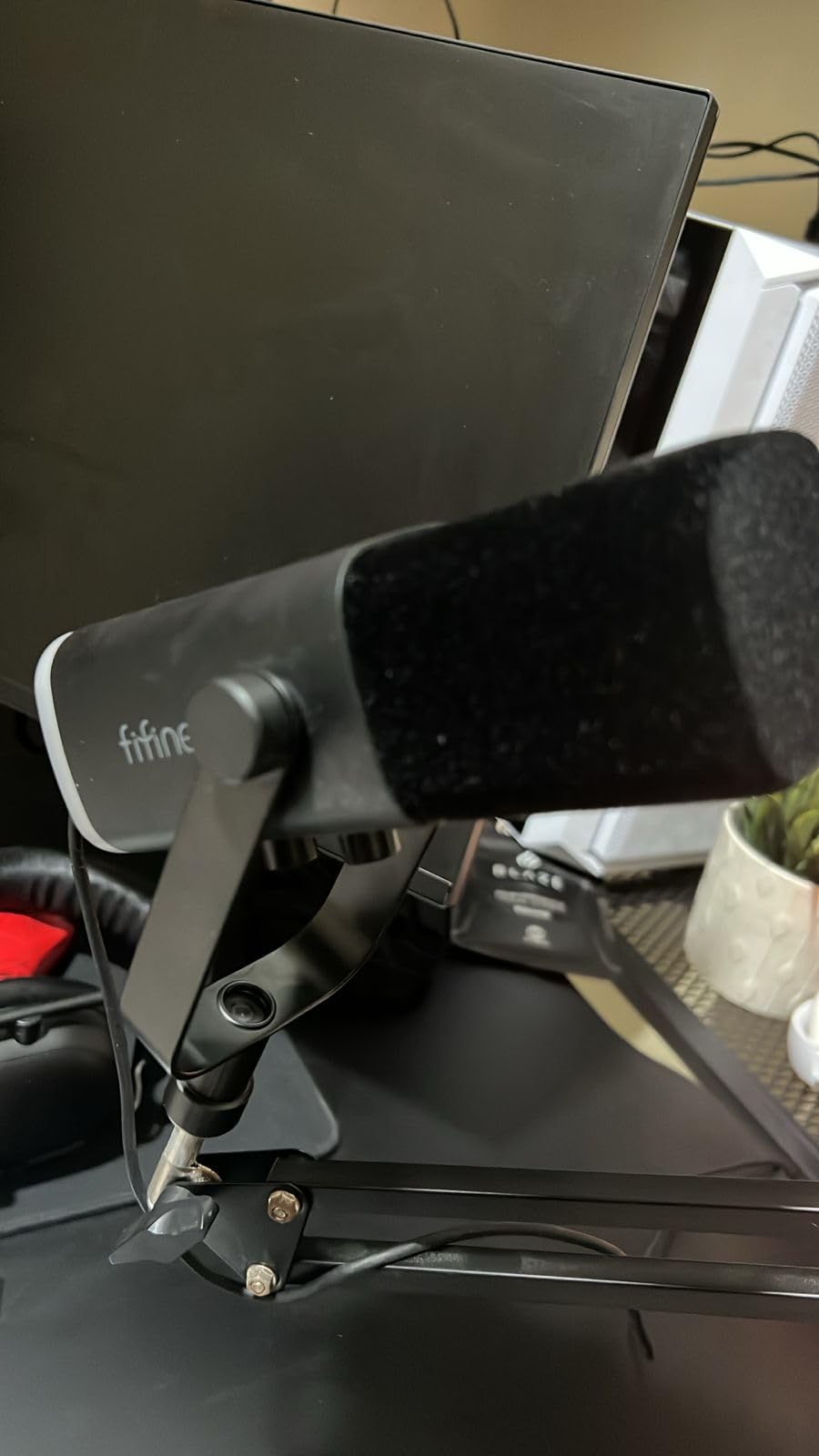
The FIFINE AmpliGame A6T is another strong all-in-one package from FIFINE that gives new streamers everything they need to get started. Like the MAONO DGM20S, the A6T includes a boom arm, shock mount, and pop filter right in the box. I tested both side by side, and the A6T has a slight edge in aesthetic appeal thanks to the two-tone automatic gradient RGB lighting. If your stream setup is visible on camera, this mic adds genuine visual personality without being overwhelming.
The cardioid condenser capsule produces a warm, pleasant vocal tone that works well for streaming commentary and casual podcasting. The touch-sensitive mute button on top responds instantly and silently, so you can mute mid-stream without any audible click. The boom arm rotates 180 degrees, giving you flexibility to position the mic exactly where you need it. For streamers who share their setup space or need to move the mic between positions, this range of motion is helpful.
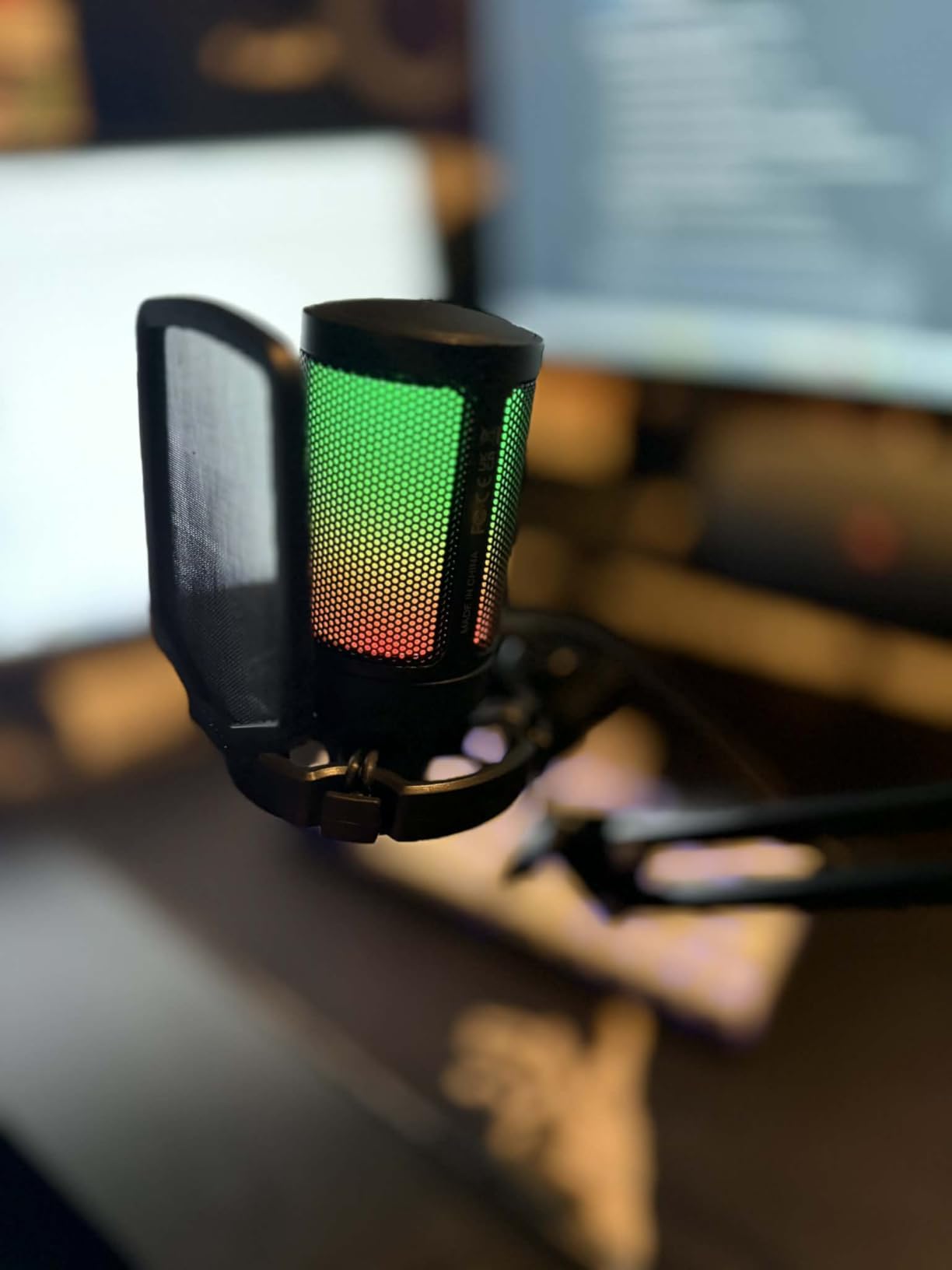
The shock mount does a decent job of isolating the capsule from desk bumps and vibrations. The pop filter handles most plosive sounds effectively, though extreme p-pops at close range may still bleed through. At this price point, FIFINE has managed to deliver a remarkably complete package that covers all the essentials a new streamer needs.
The build quality is where the budget price shows itself. The materials feel lighter and less premium than more expensive alternatives. The plastic components and finish are functional but do not have the solid feel of a Rode or Shure microphone. Additionally, the condenser capsule picks up background noise readily, so using a noise gate in OBS or other streaming software is essentially mandatory unless you have a very quiet room.
Who Should Buy the FIFINE A6T
Beginner streamers who want a visually appealing, complete microphone package will find the A6T delivers strong value. The RGB gradient lighting makes your setup look polished on camera without spending extra on aesthetic accessories. It is a great choice for creators who want to match their mic’s lighting with their keyboard and other RGB peripherals.
The included boom arm and accessories make this a true plug-and-play streaming solution. You get everything needed for professional-looking and professional-sounding streams in a single purchase.
Who Should Skip It
Streamers who prioritize build quality and long-term durability should invest in a metal-body microphone like the Rode NT-USB Mini. If your streaming room is noisy, the condenser capsule will require significant noise gate tuning to sound clean. Those who want a dynamic capsule for natural noise rejection should consider the FIFINE AM8 instead at a similar price.
12. Razer Seiren V3 Mini – Ultra Compact Supercardioid for Small Desks
Razer Seiren V3 Mini USB Microphone, Supercardioid Condenser Mic, Black
Condenser Capsule
Supercardioid Pattern
Tap-to-Mute Sensor
Built-in Shock Absorber
Ultra Compact
Pros
- Supercardioid pattern rejects more background than standard cardioid
- Compact size saves valuable desk space
- Tap-to-mute sensor with LED status indicator
- Built-in shock absorber dampens vibrations
- Plug-and-play with no drivers required
Cons
- Short USB cable may need replacement for some setups
- Not compatible with Xbox consoles
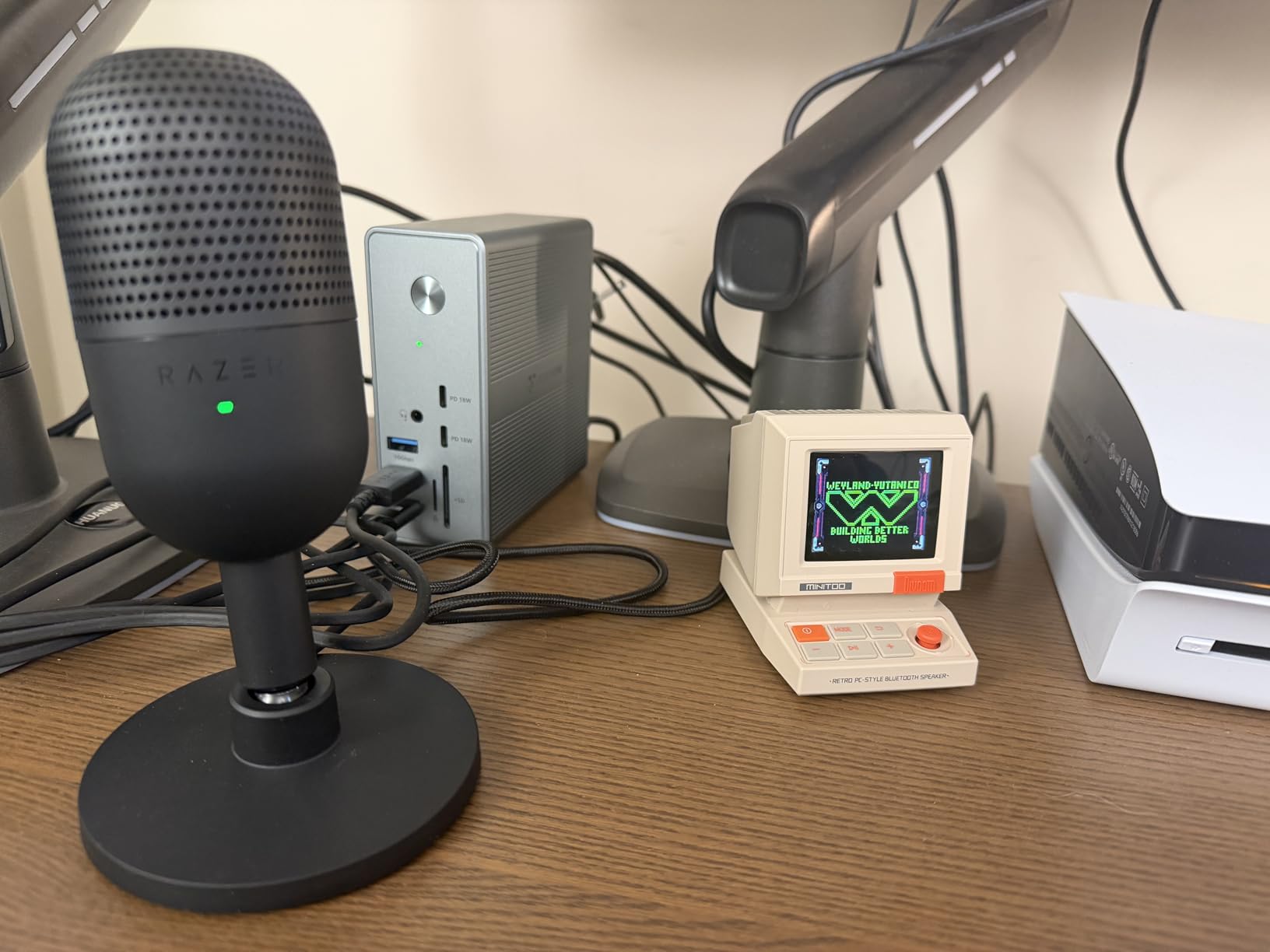
The Razer Seiren V3 Mini proves that good streaming audio does not require a large microphone dominating your desk. This ultra-compact condenser mic takes up minimal space while delivering surprisingly capable audio quality. I tested it during gaming sessions where desk real estate was at a premium, and the small footprint was genuinely appreciated. If your streaming setup already has a keyboard, mouse, controller, monitor, and camera fighting for space, the Seiren V3 Mini fits in without adding clutter.
The supercardioid pickup pattern is tighter than the standard cardioid found on most streaming mics. This means it focuses more narrowly on sound coming from directly in front while rejecting more noise from the sides. For streamers who sit directly in front of their mic and want to minimize keyboard and mouse sounds bleeding into their audio, the supercardioid pattern offers a real advantage over standard cardioid designs. The built-in shock absorber is another thoughtful inclusion that dampens vibrations from desk bumps and accidental knocks.
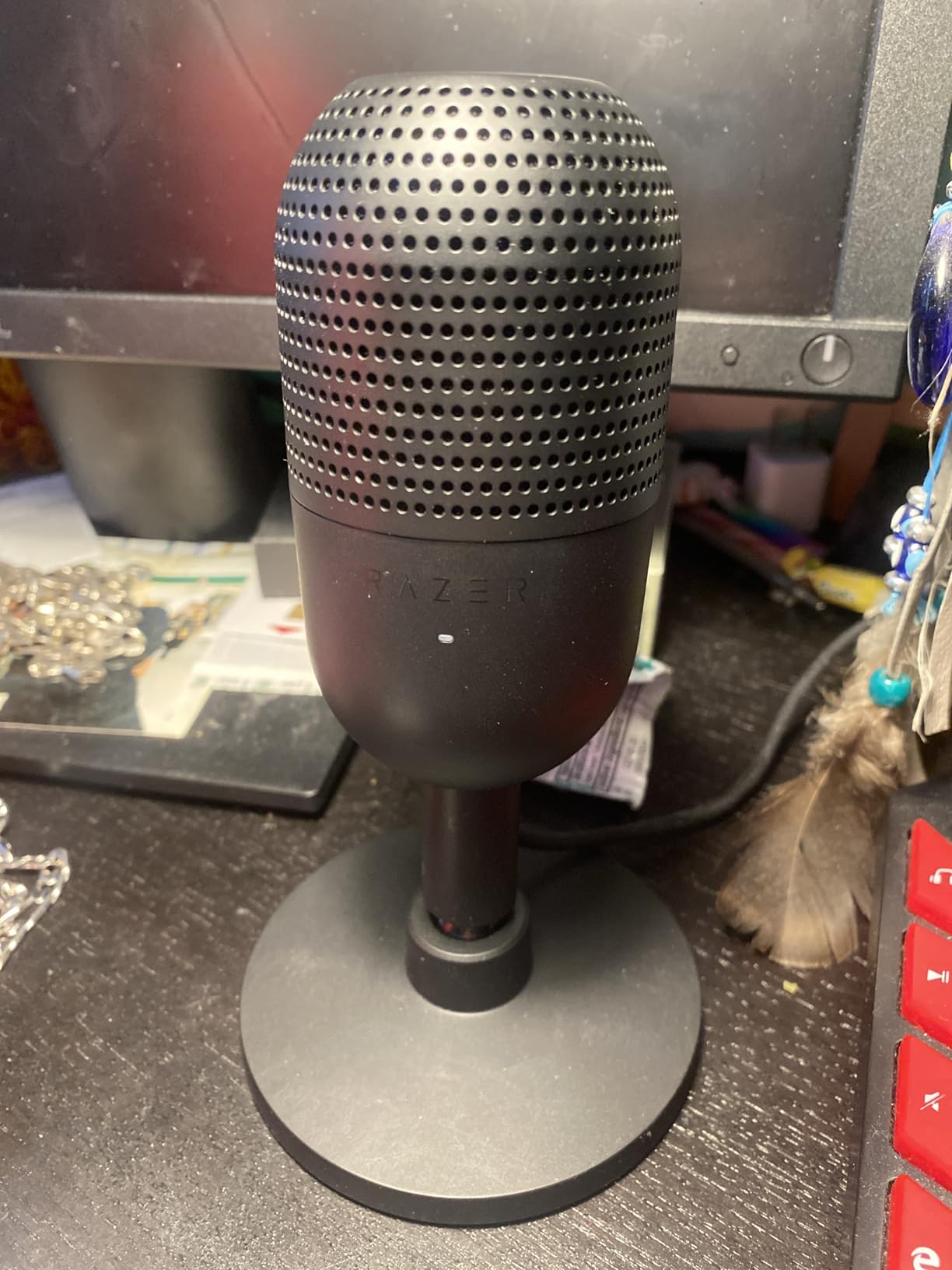
The tap-to-mute sensor on top works smoothly with a clear LED indicator that shows your mute status at a glance. The plug-and-play setup means you connect the USB cable and start streaming with zero configuration. For Razer ecosystem users, the Seiren V3 Mini integrates with Synapse for lighting synchronization with other Razer peripherals.
The included USB cable is noticeably short, which limits placement options especially if your PC tower sits under the desk. You may need to buy a longer cable or USB extension for boom arm setups. Also, this microphone is not compatible with Xbox consoles, which is a limitation worth noting if you plan to stream from an Xbox. PS4 and PS5 users will have no issues.
Who Should Buy the Razer Seiren V3 Mini
Streamers with limited desk space will find the Seiren V3 Mini to be one of the most capable compact microphones available. The supercardioid pattern makes it especially suitable for gamers who sit close to their mic and want to minimize peripheral noise pickup. Razer ecosystem users will appreciate the Synapse integration for synchronized lighting across all their peripherals.
Content creators who travel with their streaming setup will benefit from the small size and lightweight design. It packs easily and sets up quickly at any location.
Who Should Skip It
Xbox streamers should look elsewhere since this mic is not compatible with Xbox consoles. If you need a headphone jack for direct monitoring, the Seiren V3 Mini does not include one. Streamers who want RGB lighting will need to step up to a larger microphone, as the Mini keeps visual features minimal to maintain its compact size.
Buying Guide: How to Choose the Best USB Microphone for Streaming
Choosing the right USB microphone for streaming comes down to understanding your specific environment, budget, and what type of content you create. I have tested these mics in real streaming conditions, and here are the key factors that actually matter when making your decision.
Dynamic vs Condenser: Which Is Better for Streaming?
This is the single most important decision for streamers. Dynamic microphones like the Shure MV6, Rode PodMic USB, and FIFINE AM8 have a tighter pickup pattern that naturally rejects background noise. If you stream from a room with a loud PC, mechanical keyboard, or no acoustic treatment, a dynamic mic will give you cleaner audio with less effort. The trade-off is that you need to position them closer to your mouth, typically 2 to 6 inches away.
Condenser microphones like the Blue Yeti, HyperX QuadCast 2 S, and Elgato Wave:3 are more sensitive and capture more detail. They sound fantastic in quiet, treated rooms but pick up everything in noisy environments. Condensers can be positioned further from your mouth, typically 6 to 12 inches, which some streamers find more comfortable. For most streamers, especially beginners, I recommend starting with a dynamic mic unless you have a quiet room with basic acoustic treatment.
Polar Patterns Explained for Streamers
The polar pattern determines where the microphone picks up sound. Cardioid is the most common and best for solo streaming because it captures sound from the front while rejecting noise from the sides and rear. Supercardioid, found on the Razer Seiren V3 Mini, is even more focused and rejects more side noise. Omnidirectional picks up sound from all directions, which is useful for group recordings but terrible for solo streaming in noisy rooms. Bidirectional records front and back simultaneously for two-person interviews. Most streamers only need cardioid, but having multiple patterns available adds versatility for different content types.
USB vs XLR: Why USB Is the Right Choice for Most Streamers
USB microphones have built-in analog-to-digital converters that send audio directly to your computer. XLR microphones require an external audio interface, which adds cost and complexity. For streaming, USB delivers audio quality that is indistinguishable from XLR for your audience. The main advantage of XLR is the ability to upgrade individual components over time and use professional-grade preamps. If you are just starting or running a straightforward streaming setup, USB is the practical choice. Mics with both USB and XLR like the FIFINE AM8 and Rode PodMic USB give you the best of both worlds.
Keyboard Noise Reduction Tips for Streamers
Keyboard noise is the number one audio complaint among streamers, especially those using mechanical keyboards. A dynamic microphone positioned off-axis from your keyboard will naturally reject most of those sounds. Position your mic above and slightly to the side of your mouth, angled so the keyboard is in the rejection zone of the polar pattern. Using a boom arm to get the mic close to your mouth lets you lower the gain, which reduces all background pickup. Software tools like a noise gate in OBS, RTX Voice for NVIDIA GPU owners, or AMD Noise Suppression can clean up remaining keyboard sounds. O-rings on your keyboard switches also help dampen the bottom-out impact noise that travels through your desk.
Console Compatibility Notes
If you plan to stream from a console, compatibility is important. The PS4 and PS5 support most USB microphones natively through their USB ports. The Xbox, however, does not support USB microphones for game audio or voice chat. Xbox streamers must use an authorized headset or the official Xbox stereo headset adapter. If you plan to stream from both PC and console, check the compatibility list carefully before buying. The HyperX SoloCast and MAONO DGM20S are among the mics that support PS4 and PS5 out of the box.
Building a complete streaming setup goes beyond just the microphone. Our guide to putting together a complete gaming streaming setup under $1000 covers everything from PCs to monitors. You might also consider wireless headphones with a microphone for streaming as a backup audio option or for off-camera monitoring.
FAQ
Is a USB mic good for streaming?
Yes, USB microphones are excellent for streaming. They offer plug-and-play convenience, built-in analog-to-digital converters, and audio quality that rivals professional XLR setups at a fraction of the cost. USB mics like the Shure MV6 and Elgato Wave:3 deliver broadcast-quality sound with no extra equipment needed, making them the go-to choice for Twitch and YouTube streamers in 2026.
What microphone do most streamers use?
Most popular streamers use either the Shure SM7B (XLR) or USB alternatives like the Shure MV6, Elgato Wave:3, and HyperX QuadCast. The Blue Yeti remains one of the most widely used USB microphones among beginner and intermediate streamers due to its versatility and four pickup patterns. For noisy streaming environments, dynamic USB mics like the Shure MV6 and Rode PodMic USB are the top choices.
What is the best quality USB mic?
The Shure MV6 delivers the best overall quality for streaming with its dynamic capsule, real-time denoiser, and broadcast-grade sound. For studio recording and music production, the Rode PodMic USB with APHEX processing and the Audio-Technica AT2020USB-X with 24-bit/96kHz resolution are top contenders. The Elgato Wave:3 stands out with Clipguard anti-distortion technology and the powerful Wave Link software.
What is the 3 to 1 rule in micing?
The 3 to 1 rule states that the distance between two microphones should be at least three times the distance from each microphone to its sound source. For streaming with a single USB microphone, this rule is less relevant, but it becomes important if you use multiple mics for co-streaming or podcast setups. Following this rule prevents phase cancellation and ensures clean, clear audio from each source.
Final Verdict: Which USB Microphone Should You Buy for Streaming?
After testing 12 microphones across dozens of streaming sessions, my top recommendation for most streamers is the Shure MV6. Its dynamic capsule delivers broadcast-quality audio while naturally rejecting the keyboard clicks and PC fan noise that plague most streaming setups. At a competitive price for a Shure product, the MV6 offers the best balance of sound quality, noise rejection, and ease of use for streaming in 2026.
For streamers who want versatility and visual appeal, the HyperX QuadCast 2 S is my pick for best overall value. The four polar patterns handle every recording scenario, the RGB lighting looks incredible on camera, and the audio quality consistently impresses. On a tight budget, the FIFINE AmpliGame AM8 delivers audio quality that rivals microphones costing twice as much, with the added bonus of USB and XLR dual connectivity for future upgrades.
The best USB microphones for streaming are the ones that match your specific needs. If you stream in a noisy room, go dynamic with the Shure MV6 or FIFINE AM8. If you want a visually striking setup with maximum flexibility, the HyperX QuadCast 2 S or Blue Yeti are your best bets. And if software integration and multi-source audio routing matter most, the Elgato Wave:3 with Wave Link is purpose-built for the job. Pick the one that fits your environment and content style, and your viewers will thank you every time you go live.