
The best Intel Core Ultra 7 processors for a new desktop are the Core Ultra 7 265KF, Core Ultra 7 265, and Core Ultra 7 265F. All three listings in this guide use a 20-core layout with 8 Performance cores and 12 Efficient cores, but their graphics requirements, cooling situation, and clock ceilings make them fit very different PC builds.
I narrowed this article to the three standalone desktop CPUs that were actually available in the product research, rather than padding the list with a laptop. That matters: a processor decision starts with the parts already on your desk, especially your graphics card, Intel 800-series motherboard plan, DDR5 memory, case airflow, and cooler.
My short answer is simple. Pick the 265KF when you already own a discrete GPU and want the listed 5.5 GHz maximum clock; pick the regular 265 if an included Laminar RM2 cooler and a lower-power starting point suit the build; pick the 265F only when its no-graphics design and separate-cooler requirement are already accounted for.
Core Ultra is Intel’s newer desktop naming family, so shoppers often compare it with a familiar Core i7 label and expect an automatic one-for-one answer. The more useful approach is to compare the actual core mix, platform requirements, supported features, and the tasks you run; our CPU buying guides can help if you are still deciding on the wider build.
None of these three products is a complete PC. A KF or F model needs a discrete graphics card to display an image, and the processor alone does not settle motherboard BIOS support, RAM kit stability, storage, or cooling clearance. I call those out throughout the guide because community discussions repeatedly point to BIOS updates, platform longevity, and unexpected load power as the details that can turn an easy build into a frustrating weekend.
Table of Contents
The Top 3 Picks Answer Which Core Ultra 7 Fits Your Build
The Core Ultra 7 265KF is my editor’s choice because it has the highest listed maximum clock of the three at 5.5 GHz, the same 20-core 8P+12E arrangement, and the strongest review sample in this set. Its tradeoff is non-negotiable: it requires discrete graphics, so it makes sense only for a system that already includes a GPU.
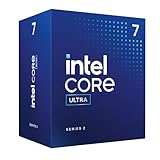
The Core Ultra 7 265 is the practical pick for a builder who wants the included Intel Laminar RM2 cooler and support listed for DDR5 and PCIe 5.0 and 4.0. The 265F is the narrower alternative: it also requires discrete graphics and does not include a thermal solution, but it carries the same 20-core configuration and a listed 5.3 GHz maximum clock.
The Best Intel Core Ultra 7 Processors in 2026 Are These Three Desktop Listings
The comparison below puts the important purchase facts in one place: clock ceiling, core arrangement, included cooling, and whether a graphics card is mandatory. It does not attempt to turn minor listing differences into benchmark claims, because the available product data does not supply controlled performance testing for these exact retail listings.
| Product | Specifications | Action |
|---|---|---|
 Intel Core Ultra 7 265KF Intel Core Ultra 7 265KF |
|
Check Latest Price |
 Intel Core Ultra 7 265 Intel Core Ultra 7 265 |
|
Check Latest Price |
 Intel Core Ultra 7 265F Intel Core Ultra 7 265F |
|
Check Latest Price |
Every model here is listed with 20 cores split into 8 P-cores and 12 E-cores. That similarity is good news for a buyer deciding between them: first decide whether you need onboard display output and whether you have a cooler, then use the clock ceiling and package details to break the tie.
The research also records Intel 800-series chipset compatibility for all three listings. Confirm the exact board model, its installed BIOS version, memory qualified-vendor list, and the processor support page before ordering; forum users have reported that BIOS updates can be part of the setup on some boards.
1. The Intel Core Ultra 7 265KF Is the Best Choice for a Dedicated-GPU Build
Intel Core Ultra 7 Desktop Processor 265KF – 20 cores (8 P-cores + 12 E-cores) up to 5.5 GHz
20 cores 8P plus 12E
Up to 5.5 GHz
36 MB cache
Pros
- 20-core hybrid layout
- 5.5 GHz maximum clock
- 36 MB cache
- Intel 800-series support
- three-year warranty
Cons
- Discrete graphics required
- Cooler is not listed as included
The Core Ultra 7 265KF is the clearest recommendation for a desktop that already has a capable graphics card. Its listing pairs 20 cores, arranged as 8 P-cores plus 12 E-cores, with a maximum clock frequency of 5.5 GHz and 36 MB of installed cache, which is the highest stated clock ceiling in this three-CPU group.
I would start with this model for a gaming-and-work PC where the GPU is fixed in the plan. The KF suffix is the warning label and the advantage at once: there is no integrated GPU to fall back on, so the build must include a working discrete card and its video outputs.
The retailer data gives this chip a 4.7 out of 5 average from 519 reviews, far more feedback than either of the other listings. Its rating distribution reports 90% five-star reviews, which is a useful confidence signal, though customer ratings cannot replace testing with your specific motherboard, cooler, memory, and graphics card.
The product details list a 125-watt figure and a three-year manufacturer warranty. That power figure tells me to budget the build around cooling and case airflow rather than treating this as a drop-in choice for a compact case with a small cooler.
The technical listing identifies the socket as LGA 1851 and says it is compatible with Intel 800-series chipset-based motherboards. Before buying, I would verify both details against Intel and the exact motherboard maker’s support page, then update the BIOS before installing the operating system if the board documentation calls for it.
For daily use, the hybrid core approach is the main practical point. The performance cores are designed for demanding foreground work while the efficiency cores can handle lighter and background workloads, so a build can remain responsive while a compile, export, game launcher, browser, or backup job is running.
I would not promise a fixed frame-rate gain from that layout because frame rates change with the game, resolution, GPU, drivers, memory settings, and scene. What the listing does support is that this is the 265KF configuration with 20 total cores and a 5.5 GHz stated maximum, making it the performance-focused option among the products covered here.
It is also a credible processor for mixed workloads such as code compilation, video editing, 3D work, and general productivity. The product data supports the core count, clock figure, cache, and chipset class; it does not provide a controlled render-time or compile-time result, so I would treat online benchmark charts from other sources as separate evidence rather than blend them into this listing review.
A Discrete GPU Is Required Before the 265KF Can Be a Sensible Purchase
The 265KF requires a dedicated graphics card. That is not merely a gaming preference: without a discrete GPU, the system has no processor-integrated graphics path listed for basic display output, troubleshooting at the monitor, or a temporary build before the graphics card arrives.
If you already have a GPU, the missing integrated graphics may be irrelevant. If this is a first build, I would plan the graphics card, display cable routing, power connectors, and GPU clearance before settling on the processor, because a missing graphics card stops the rest of the build from being useful.
A dedicated GPU setup also changes how I think about diagnosis. Keep the motherboard manual nearby, learn its debug-light meanings, and connect the display to the graphics card rather than a motherboard video port when using a no-iGPU processor.
A Strong Cooler and Current BIOS Matter More Than a Paper Spec List
The listing does not say that a thermal solution is included with the 265KF. Choose a cooler that supports the board’s socket mounting system, fits the case, clears the selected DDR5 modules, and has airflow to move heat out rather than circulate it around the socket area.
Community discussions flag both BIOS compatibility and higher-than-expected power under load as concerns worth taking seriously. I would inspect the motherboard vendor’s CPU support page, install the recommended firmware version, use sensible power settings, and watch temperatures during the first sustained game, render, or compilation rather than assuming every automatic setting is ideal.
This is also where a board’s power-delivery design matters. I would not select a motherboard only because it has the correct chipset; look for clear processor support, current firmware, the storage and USB connections you need, and enough cooling around the power components for your intended case.
2. The Intel Core Ultra 7 265 Is the Most Straightforward Cooler-Included Option
Intel® Core™ Ultra 7 Desktop Processor 265 20 Cores (8 P-cores +12 E-cores) up to 5.3 GHz
20 cores 8P plus 12E
Up to 5.3 GHz
Laminar RM2 included
Pros
- 20-core hybrid layout
- Includes Laminar RM2 cooler
- DDR5 and PCIe support
- Intel 800-series support
- three-year warranty
Cons
- 5.3 GHz listed maximum
- Power figures differ within listing
The Core Ultra 7 265 is the one I would inspect first when a simpler parts list matters more than chasing the highest listed clock number. It has the same 20 cores with 8 P-cores and 12 E-cores as the 265KF, lists a maximum frequency of 5.3 GHz, and includes an Intel Laminar RM2 cooler.
An included cooler does not mean every case, workload, or noise preference will be covered perfectly, but it removes one compatibility task from the initial shopping list. That can be especially helpful for a first desktop build, a practical office machine, or a system intended for steady productivity work rather than tuning every part.
The listing says the 265 supports PCIe 5.0 and 4.0 and DDR5. Those are platform capabilities, not a promise that any specific memory kit will run at its advertised profile, so I would select a DDR5 kit from the motherboard vendor’s compatibility list where possible and update board firmware before enabling memory overclock profiles.
This processor has a 4.7 out of 5 average rating from 32 reviews. The sample is much smaller than the 265KF’s 519 reviews, so I would treat the strong average as encouraging but not read too much into a direct comparison of review scores alone.
One detail needs transparent handling. The product details list 50 watts, while a feature line says 65W processor base power consumption; those figures conflict inside the supplied listing data. I would verify Intel’s official specifications and the seller’s current page before choosing a power supply or cooler around a single number.
That discrepancy does not make the 265 a bad choice. It means the sensible builder plans for the actual whole system, including graphics card if used, storage, fans, USB-powered accessories, and load behavior, instead of treating one listing field as a complete power budget.
The listing names Intel 800-series motherboards as compatible and gives an LGA 1852 socket entry. Because the other research and product listing information uses LGA 1851 terminology for this desktop family, I would not order a board on that one field alone; consult Intel’s CPU compatibility documentation and the motherboard maker’s support list for the exact model.
I see the regular 265 as a good fit for people who want a current desktop processor with strong multi-application capacity and a more complete retail package. It still needs thoughtful component selection, but the included cooler makes it less bare-bones than the two graphics-card-only variants in this guide.
The Included Laminar RM2 Cooler Makes the 265 Easier to Plan Around
The Intel Laminar RM2 is listed as included, so it is the only reviewed product that arrives with a named cooling solution. That is meaningful for a builder who wants a known starting point, though a quieter or more demanding long-duration workload can still justify researching an aftermarket option later.
Check the case’s intake and exhaust configuration even when using the included cooler. Good airflow depends on a clear path through the chassis, sensible fan placement, and cables that do not obstruct the cooler or the graphics card, not only on the cooler attached to the CPU.
I would also retain the cooler’s packaging and mounting hardware until the system is stable. It makes troubleshooting and future changes less stressful, particularly if you discover a RAM-clearance issue or decide the first thermal setup does not match your noise goals.
DDR5 and Board Compatibility Should Be Confirmed Before the Parts Arrive
The 265 is listed for Intel 800-series motherboards and DDR5, so motherboard selection is part of the processor purchase rather than an afterthought. Match the board’s form factor to the case, count the M.2 slots and USB headers you need, and check whether its rear connections suit your display, network, and peripheral plans.
For a mini-ITX build, the smaller board and case make cooler height, GPU thickness, fan layout, and power-supply cable length much more sensitive. The included cooler can simplify that plan, but I would still check its dimensions against the chosen compact case rather than relying on a generic fit claim.
Forum reports also mention some MSI board setups needing BIOS updates. That does not single out every MSI board or imply a universal fault; it is a reminder to read the support notes for the precise board, see whether BIOS Flashback is available, and have the firmware file ready before the build day.
3. The Intel Core Ultra 7 265F Is for Builders Who Already Have Cooling and Graphics
Intel® Core™ Ultra 7 Desktop Processor 265F 20 cores (8 P-cores + 12 E-cores) up to 5.3 GHz
20 cores 8P plus 12E
Up to 5.3 GHz
36 MB cache
Pros
- 20-core hybrid layout
- 5.3 GHz maximum clock
- 36 MB cache
- PCIe 5.0 and 4.0 support
- three-year warranty
Cons
- Discrete graphics required
- No thermal solution included
- Smaller review sample
The Core Ultra 7 265F is a specialized pick for a builder who has already chosen both a discrete graphics card and an aftermarket cooling solution. Its listing gives it 20 cores in the same 8 P-core plus 12 E-core layout, a maximum clock frequency of 5.3 GHz, 36 MB cache, and PCIe 5.0 and 4.0 support.
The F suffix should make the buying decision easier, not harder. This processor requires discrete graphics and the listing says no thermal solution is included, so it is not the model I would recommend for a first-timer still assembling a parts list from scratch.
If those two requirements are already satisfied, it can be a sensible way to keep the CPU choice focused on processing resources rather than display output or bundled cooling. The product data also cites Turbo Boost Max Technology 3.0 and Intel 800-series chipset-based motherboard compatibility.
The 265F’s 4.2 out of 5 average comes from 16 reviews. Its listing has a notably smaller feedback base than the other two CPUs, and the rating distribution includes more three-star and one-star feedback, so I would give extra attention to the current seller details, warranty coverage, board support, and return terms before checkout.
The technical details state a 65-watt figure and a three-year limited warranty. A lower listed wattage than the 265KF’s 125-watt product detail may fit a more restrained system plan, but the lack of a cooler means the thermal decision still belongs to you.
I would choose cooling based on the real workload, not only a wattage label. A PC doing short browser and office bursts behaves differently from one doing long video exports, code builds, simulation work, or extended gaming, and the case can make the same cooler sound and perform very differently.
The 265F is also the listing with reported limited availability at the time of research. Availability changes, so I would not make a build plan depend on one retailer’s stock message; have a compatible alternative in mind and verify that any substitute has the same graphics and cooler requirements.
For a dedicated-GPU desktop, this chip keeps the decision focused. It is not the broadest recommendation here, but it is a logical candidate when you want the 20-core hybrid configuration, have proper cooling in hand, and do not need integrated graphics for setup or diagnosis.
An Aftermarket Cooler Is Required for the 265F Build Plan
The listing explicitly says no thermal solution is included. Put a compatible cooler on the shopping list at the same time as the CPU, then verify socket support, cooler height, memory clearance, and the case’s airflow layout before finalizing the order.
Do not mistake “fits the socket” for “fits the build.” A tall tower cooler may conflict with a narrow case panel, while a liquid cooler needs radiator mounting space and a fan configuration that does not compete with the graphics card for fresh air.
I would install monitoring software after the first boot and observe temperatures and fan behavior during the actual tasks the computer will run. That first check is more useful than guessing from another builder’s case, ambient temperature, or fan curve.
A Smaller Review Sample Calls for More Compatibility Checking
Sixteen reviews are enough to show that buyers have received and used the product, but they are not a large enough pool for me to draw sweeping reliability conclusions. The 4.2 average is lower than the two 4.7-rated alternatives, and the source notes a larger share of three-star and one-star ratings.
That is why this model deserves a methodical pre-purchase check: verify the seller, read the current listing’s package contents, confirm the board’s CPU support and BIOS version, and make sure the separate GPU is compatible with the power supply and case. These steps are good practice for every CPU, but they matter more when the package excludes two components needed for a functioning system.
If you want a CPU that can show a display before a graphics card is installed or before a GPU issue is solved, skip this F model. A no-iGPU processor is a fine choice when planned for, but it removes a useful diagnostic path from a home build.
The Right Core Ultra 7 Choice Starts With Your Existing Parts and Workload
The key decision is not which suffix sounds fastest; it is which CPU matches the rest of the computer. The 265KF is the best fit for a builder with a discrete GPU who wants the group’s 5.5 GHz listed maximum, the 265 is the more packaged option with the included Laminar RM2, and the 265F suits a build that already has both a GPU and cooling covered.
All three use the 20-core 8P+12E configuration presented in the product data. That hybrid design assigns demanding foreground work to Performance cores and can place lighter tasks on Efficient cores, a practical arrangement for people who keep many programs open while gaming, creating, coding, or working.
The K, KF, and F Suffixes Tell You What the Parts List Must Include
A K-family processor is commonly treated as the performance-oriented option, while the suffix letters on these exact listings carry more immediate shopping consequences. KF and F models in this guide require discrete graphics, and the 265F listing also says it has no thermal solution included.
The supplied research discusses K, KF, F, and T variants broadly, but only the 265KF, 265, and 265F are valid products in this article. Do not assume a 265T package or a 265K configuration has been reviewed here simply because those names appear in wider search discussions; this roundup covers only the three confirmed desktop listings.
For a first-time builder, suffix clarity can save the most trouble. Write down the CPU, GPU, cooler, motherboard, RAM, storage, power supply, case, and operating system as separate line items, then mark which components are included and which still need to be purchased.
An Intel 800-Series Motherboard and DDR5 Plan Come Before Checkout
The listings point to Intel 800-series chipset-based motherboard compatibility, and the 265 listing also names DDR5 support. Check the exact board manufacturer page for CPU support, BIOS version, memory support information, storage lanes, rear I/O, front-panel headers, network options, and physical dimensions.
The raw product fields are not completely consistent: the 265KF lists LGA 1851, while the 265 listing carries an LGA 1852 entry. Treat that as a reason to verify official compatibility documentation, not as a reason to guess at a socket or buy a board based on a marketplace field alone.
Forum discussions point out that some builders encounter BIOS compatibility issues, including reports involving MSI boards. The practical response is calm preparation: choose a board with a clearly documented update procedure, download the latest approved BIOS to a USB drive if needed, and read the manual before mounting the processor.
Cooling and Power Capacity Should Match Sustained Work Rather Than Short Bursts
Cooling is the main build difference across this group. The 265 includes the Intel Laminar RM2 cooler, the 265F explicitly has no thermal solution, and the 265KF listing does not name an included cooler, so both of the latter choices should be treated as requiring a separate cooling decision.
Choose a power supply for the complete machine, not for the CPU in isolation. The graphics card is usually a major part of that calculation, while pumps, fans, multiple drives, USB accessories, and future upgrades also add demand; use the component makers’ current specifications and leave appropriate capacity for the system you intend to assemble.
Community feedback says casual use can draw much less power than heavy load, while sustained work can be higher than expected. That is believable as a planning concern, but it is not a substitute for measured results from your finished PC; monitor temperatures, clocks, and stability after assembly and adjust fan curves or power settings if needed.
Gaming Performance Depends More on the GPU and Game Than the Product Name Alone
Core Ultra 7 is a reasonable class to consider for a gaming processor, especially when you also use the PC for other tasks. But gaming results are shaped by the graphics card, game engine, screen resolution, visual settings, memory configuration, drivers, and whether the game is CPU-limited or GPU-limited.
That is why I would pair the 265KF or 265F with a planned discrete GPU and judge the combination against the games you actually play. Community reports mention satisfactory general use and casual games such as CS2, yet a personal report is not a universal FPS forecast for every hardware combination.
If your priority is gaming above all else, compare these desktop options with specialized alternatives before committing to a platform. Our guides to the best X3D CPUs for gaming and best Ryzen 7 9700X CPUs provide useful next comparisons without pretending that one processor wins every title or graphics setting.
Productivity Work Benefits From the 20-Core Hybrid Layout but Still Needs Memory and Storage
For productivity, the common 20-core arrangement is the shared strength of this lineup. Video editing, 3D work, software development, multitasking, and background processing can all benefit from a CPU with room for active work and concurrent tasks, though each application has its own mix of CPU, GPU, RAM, and storage needs.
A video editor should consider the graphics card and fast project storage beside the processor. A developer should consider RAM capacity, source-tree storage speed, and the tools used for compilation; a 3D artist should consider whether the renderer is more dependent on CPU or GPU resources.
For a machine that spends most of its day on professional applications, I would also compare platform connectivity, storage expansion, warranty, and the size of the cooling solution. Readers planning a heavier multi-drive or professional setup can continue with our best CPUs for workstation guide.
The NPU Is Useful Only When Your Software Has Work for It
Core Ultra’s NPU, or neural processing unit, is designed for supported AI-related work. The useful way to view it is as a dedicated accelerator that can handle compatible workloads without asking the CPU or discrete GPU to do every part of the task.
Do not buy any of these processors solely on the assumption that every AI application will suddenly run locally or faster. Application support, model size, memory capacity, operating system features, drivers, and GPU acceleration determine the result, and the supplied listings do not state application-specific NPU performance figures.
For AI-curious buyers, the NPU is a reason to check your software’s requirements rather than a reason to skip compatibility planning. If your work is primarily local GPU compute, the graphics card and its memory may still be the first specifications to investigate.
The LGA 1851 Upgrade Path Deserves a Clear-Eyed Platform Decision
Forum discussions raise a concern that the LGA 1851 platform may have a limited upgrade path. That is a reasonable consideration for anyone who routinely swaps CPUs without replacing a motherboard, though future support policies should be confirmed from Intel and board makers rather than assumed from a forum post.
The practical question is how long you expect to keep this complete system. If you are building for several years of current work and play, today’s CPU, board features, DDR5 capacity, storage expansion, and graphics card may matter more than a hypothetical future socket upgrade.
If frequent CPU-only upgrades are central to your plan, compare platforms before buying. You may also want to read about best AM4 Ryzen CPUs as a separate ecosystem option, while remembering that the right answer depends on the parts and workloads you already own.
The Most Common Questions Have Direct Core Ultra 7 Answers
Which Intel Core Ultra 7 is best?
The Intel Core Ultra 7 265KF is the best overall choice among the three confirmed desktop listings when you already have a discrete graphics card. It combines 20 cores split into 8 P-cores and 12 E-cores with the group’s highest listed maximum clock of 5.5 GHz and a 4.7 average from 519 reviews. Choose the regular 265 instead when the included Laminar RM2 cooler is more useful to your build.
Which is the best Intel ultra processor?
The best Intel Ultra processor depends on the PC you are building. In this desktop Core Ultra 7 group, the 265KF is the performance-focused pick for a dedicated-GPU system, the 265 is the more complete cooler-included package, and the 265F is for builders who already have a GPU and separate cooler. Compare higher-tier options only if your workload and total system plan call for them.
Is Intel Ultra 7 or Ultra 9 better?
Intel Ultra 9 is the higher tier, but higher tier is not automatically better for every build. A Core Ultra 7 can be the better fit when its core layout, cooling needs, motherboard plan, and graphics configuration meet your workload without adding unnecessary capability. Compare the exact processor specifications and the full parts list rather than choosing by the tier name alone.
Is the Intel Ultra 7 better than the i7?
Core Ultra 7 and Core i7 are naming families, so neither label alone proves one processor is better. Compare the specific model’s cores, clocks, cache, power behavior, graphics configuration, motherboard support, and the applications you use. Core Ultra 7 desktop products bring Intel’s newer hybrid-core branding, but a model-by-model comparison is the reliable way to choose.
The Final Recommendation Is to Buy the CPU That Completes Your Build
For the best Intel Core Ultra 7 processors in 2026, I would choose the 265KF for a planned dedicated-GPU system that prioritizes the group’s 5.5 GHz listed maximum clock. I would choose the 265 for an easier first parts list because it includes the Laminar RM2 cooler, while the 265F belongs in a build where both a discrete GPU and a compatible cooler are already ready.
All three confirmed products give you the same listed 20-core 8P+12E layout, so the final decision should come down to real build constraints rather than a vague tier label. Verify the current motherboard support page, BIOS procedure, DDR5 compatibility, cooler fit, and graphics-card plan before you buy.
If you are weighing the higher tier too, compare these choices with our best Intel Core Ultra 9 CPUs guide. A few minutes spent matching the CPU to the full system is far more useful than choosing on a suffix or a review score alone.