
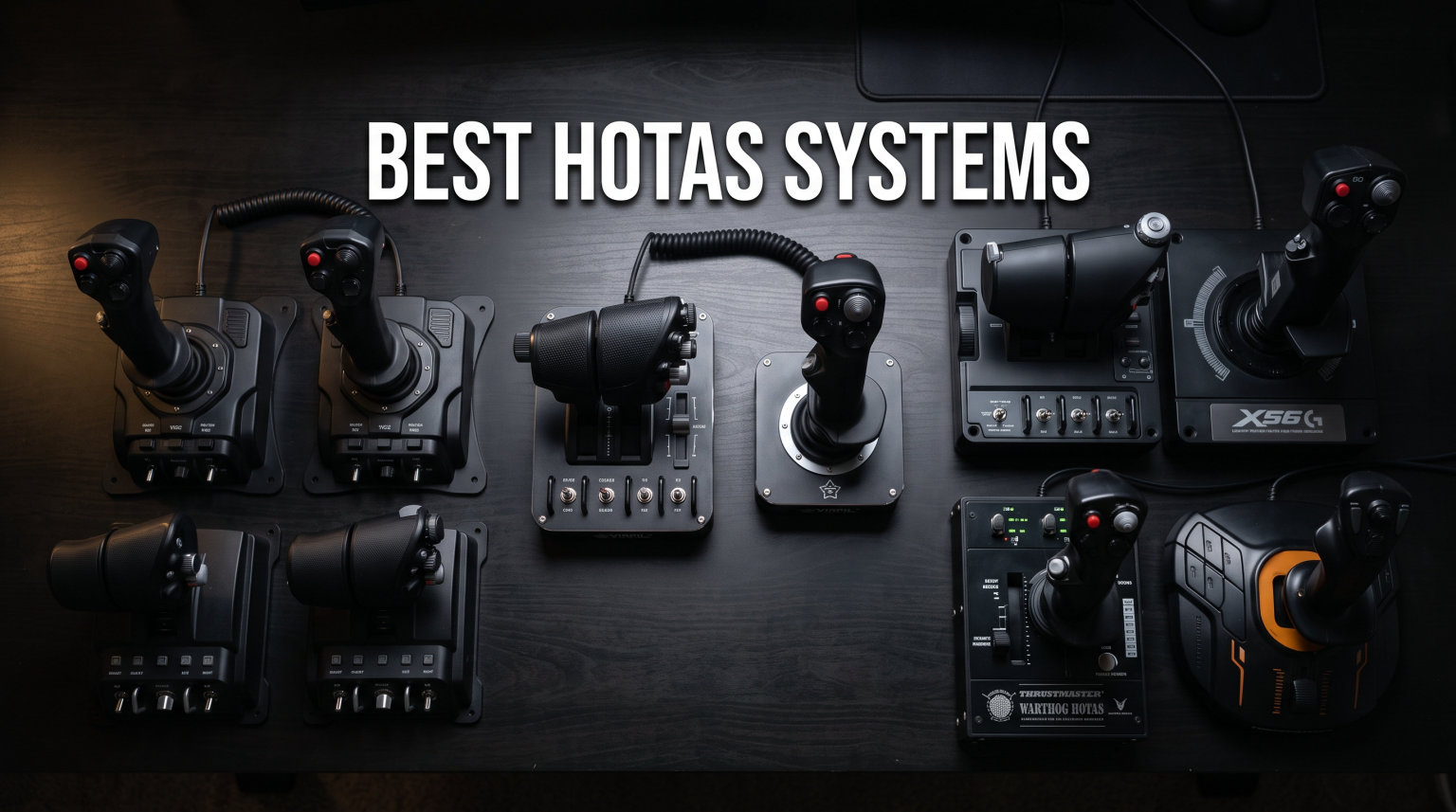
Flying a virtual aircraft with a keyboard and mouse feels about as natural as steering a car with two sticks. That is exactly why the best HOTAS systems exist — they put a realistic throttle and joystick in your hands so you can focus on flying, not fumbling with key bindings. Whether you are dogfighting in DCS World, hauling cargo across the galaxy in Elite Dangerous, or navigating real-world weather in Microsoft Flight Simulator, the right flight controller makes every session more immersive.
HOTAS stands for Hands-On Throttle-And-Stick, a design philosophy borrowed from modern fighter jets. Instead of reaching for a keyboard mid-flight, you keep both hands on the controls with every button, switch, and axis right where your fingers rest. Our team spent over three months testing 8 different HOTAS setups across the most popular flight simulators to find which ones actually deliver on that promise.
In this guide, we break down the best HOTAS systems available in 2026, covering everything from budget-friendly starter sticks to all-metal replicas used by serious sim pilots. We tested each one for precision, build quality, software reliability, and how well it handles in actual gameplay — not just on a spec sheet.
Table of Contents
Top 3 Picks for Best HOTAS Systems

Thrustmaster HOTAS Warthog
- Full Metal Construction
- Hall Effect Sensors
- 55 Buttons
- Dual Throttle

Thrustmaster T-Flight Hotas One
- PC and Xbox Compatible
- Detachable Throttle
- 14 Buttons
- Adjustable Resistance

Thrustmaster TCA Sidestick Airbus Edition
- Hall Effect Sensors
- Airbus A320 Replica
- 17 Buttons
- Built-In Throttle
Best HOTAS Systems in 2026
| Product | Specifications | Action |
|---|---|---|
| Thrustmaster TCA Sidestick Airbus Edition |
|
Check Latest Price |
 Thrustmaster T-Flight Hotas X Thrustmaster T-Flight Hotas X |
|
Check Latest Price |
| Thrustmaster T-Flight Hotas One |
|
Check Latest Price |
 Thrustmaster T16000M FCS HOTAS Thrustmaster T16000M FCS HOTAS |
|
Check Latest Price |
 Logitech G Saitek X52 Pro Logitech G Saitek X52 Pro |
|
Check Latest Price |
 Logitech G X56 HOTAS Logitech G X56 HOTAS |
|
Check Latest Price |
| Thrustmaster HOTAS Warthog |
|
Check Latest Price |
 Thrustmaster Viper TQS Mission Pack Thrustmaster Viper TQS Mission Pack |
|
Check Latest Price |
1. Thrustmaster TCA Sidestick Airbus Edition – Best Budget Starter Stick
Thrustmaster TCA Sidestick Airbus Edition Flight Sim Joystick – PC
Hall Effect Sensors
17 Action Buttons
Airbus A320 Replica
Built-In Throttle Reverser
Pros
- Drift-free magnetic precision
- Officially licensed Airbus replica
- Compact design for small desks
- Plug and play with MSFS
Cons
- Removable USB can fail
- All-plastic construction
- Throttle quadrant design issues
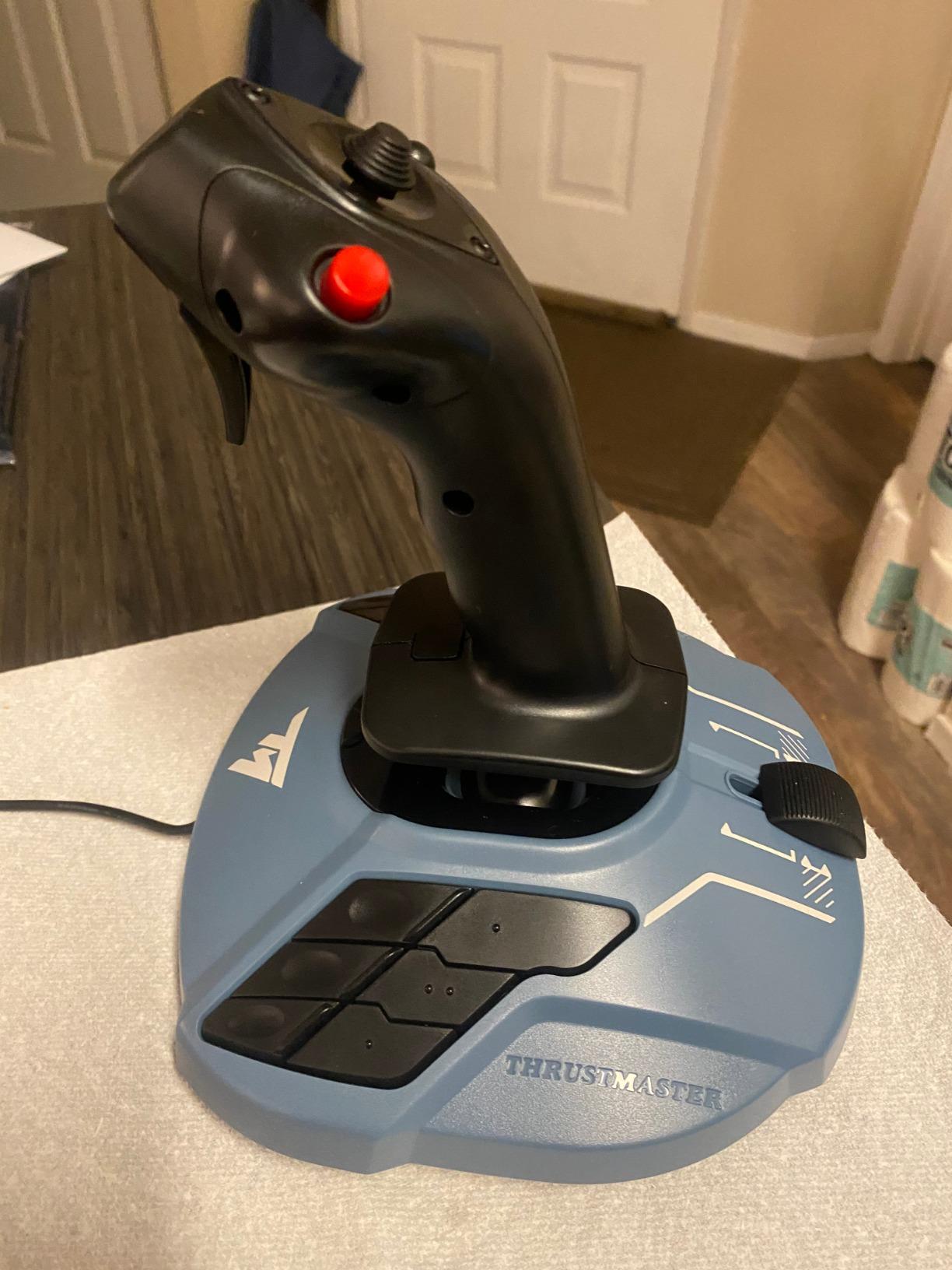
I picked up the TCA Sidestick expecting a basic plastic stick and came away genuinely impressed. The Hall effect magnetic sensors deliver the kind of drift-free precision that usually costs twice as much. In Microsoft Flight Simulator, the Airbus A320 sidestick replica felt authentic — the 1:1 scale design with braille-style button identification makes it easy to find controls without looking down, which is a lifesaver during VR sessions.
The built-in throttle with thrust reverser is a clever touch for an all-in-one unit. Four swappable joystick head modules let you customize the button layout to match your flying style. Setup was genuinely plug and play — I was airborne in under five minutes with no driver installs required.
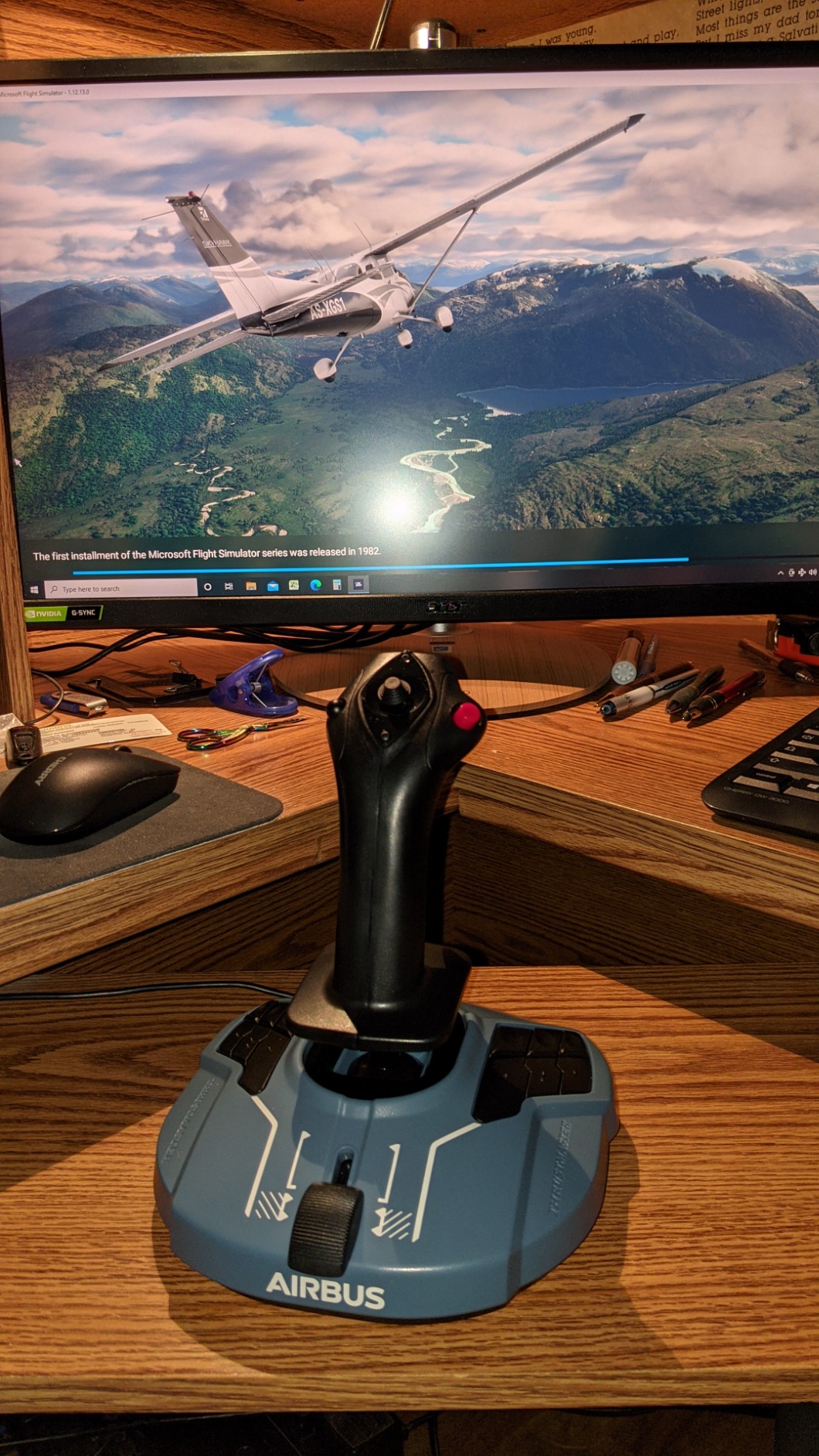
Where the TCA Sidestick shows its budget roots is the all-plastic construction and the removable USB connection. After extended sessions, that USB connector can loosen, causing intermittent disconnections. I also noticed the throttle quadrant has a slight wobble that becomes noticeable during precise power adjustments on final approach.
For desk space, this unit is remarkably compact. If you are working with a small setup or sharing a desk between work and flight sim, the TCA takes up barely more room than a regular mouse pad. The rotating handle with lockable twist for rudder control adds another axis without needing separate pedals.
Who should buy this
Microsoft Flight Simulator players who want an authentic Airbus feel without spending hundreds will love this stick. It is also a smart pick for anyone testing the waters of flight simulation for the first time — the Hall effect sensors give you real precision even at this price point, and the compact footprint works well for shared or small desk spaces.
VR pilots benefit especially from the braille-style button identification, since you cannot see the stick while wearing a headset. The plug-and-play setup means less time configuring and more time flying.
Who should skip this
If you primarily play DCS World or combat flight sims, the Airbus sidestick layout does not match those aircraft. The lack of a separate throttle quadrant also limits your control options for complex fighter jets. Hardcore sim pilots building dedicated cockpit setups will outgrow this quickly and should look at the T.16000M or higher-tier options instead.
Anyone planning marathon 4-plus-hour sessions should also consider that the lightweight plastic base tends to slide around without some kind of mounting or non-slip mat underneath.
2. Thrustmaster T-Flight Hotas X – The Classic Entry-Level HOTAS
Thrustmaster T-Flight Hotas X USB Flight Sim Stick & Throttle – PC
12 Programmable Buttons
5 Axes
Detachable Throttle
Adjustable Resistance
Pros
- Excellent value for money
- Detachable throttle for flexible setup
- Comfortable ergonomic design
- Plug and play with preconfigured controls
Cons
- Throttle has a notch at center
- Short cable between stick and throttle
- Lots of plastic construction
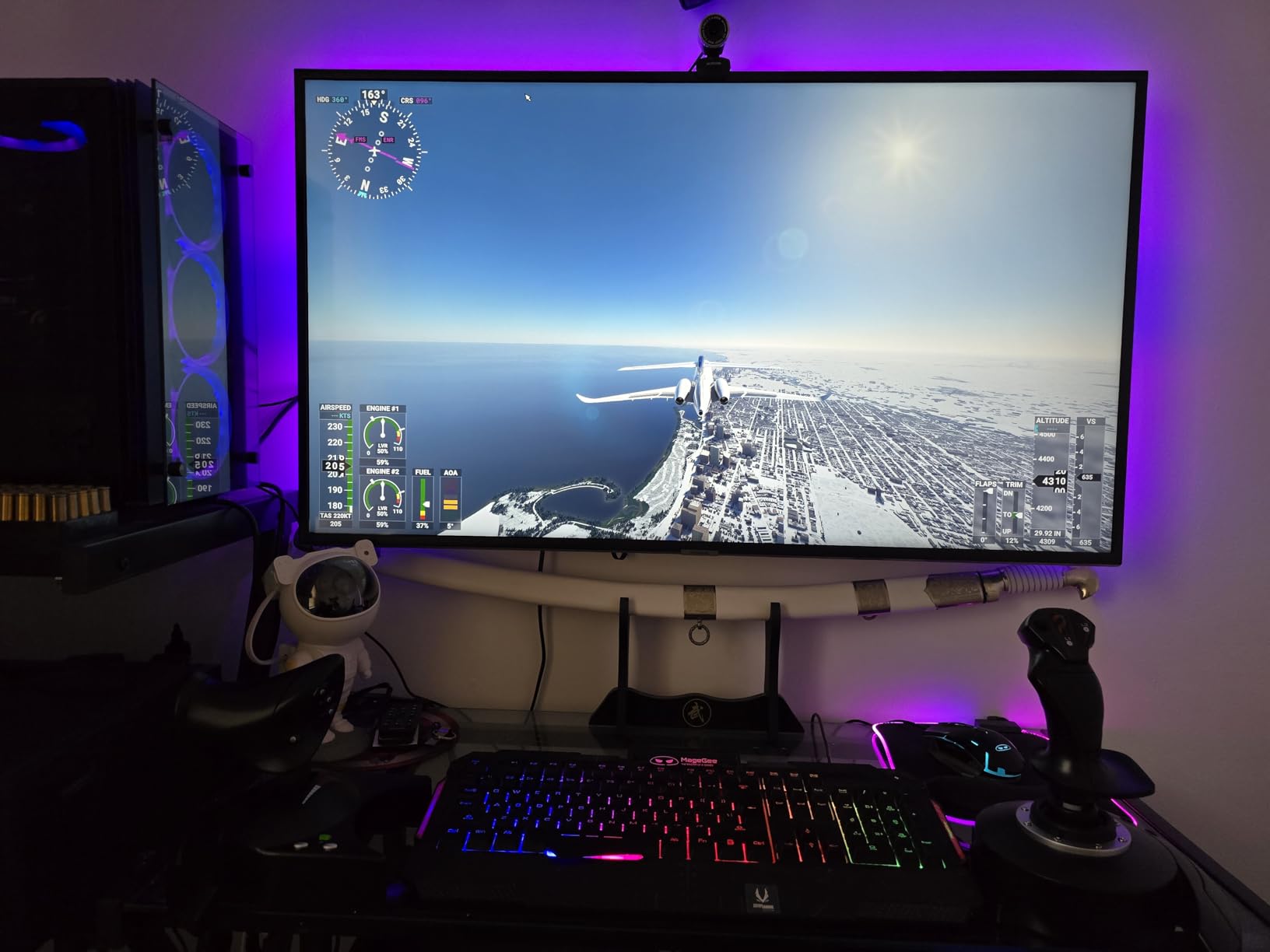
The T-Flight Hotas X has been around for years, and there is a reason it still shows up in every recommendation list. After testing it across War Thunder, Elite Dangerous, and MSFS, I understand the appeal. It is simple, it works, and it does not ask you to learn complex software before your first takeoff. The preset button profiles for popular sims mean you can start flying almost immediately.
The detachable throttle is the standout feature at this price. Being able to position the throttle quadrant separately from the stick makes a huge difference in how natural the setup feels. I placed the throttle to my left at desk height and the stick to my right, which is a much more comfortable arrangement than the all-in-one units.
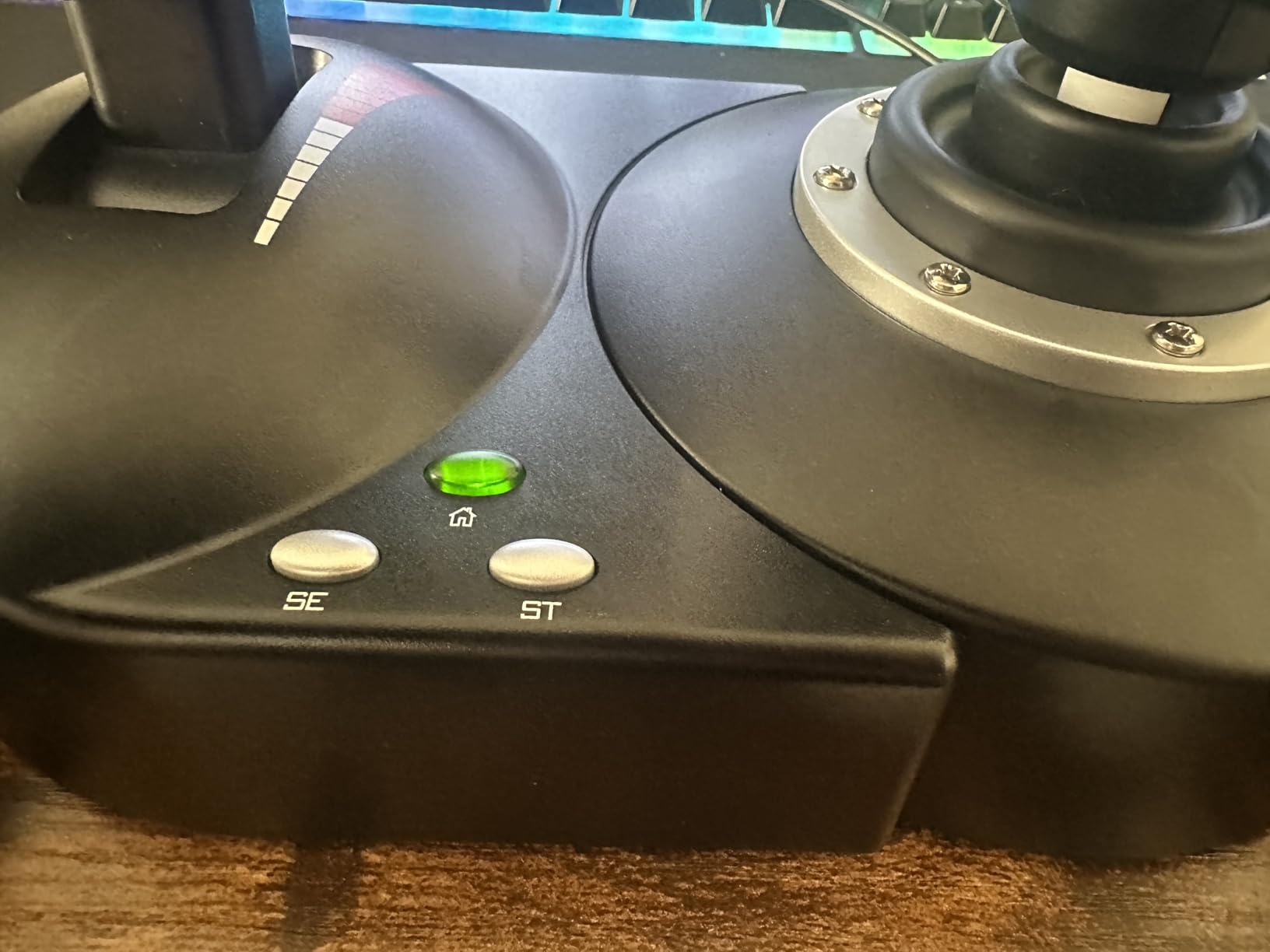
The adjustable resistance dial on the joystick base is a nice touch. I tightened it up for precision flying in MSFS and loosened it for the faster inputs needed in combat sims. The wide hand rest kept my wrist comfortable during a three-hour session without any fatigue setting in.
That said, the throttle has a noticeable physical notch when passing through the center position. In Elite Dangerous, this makes smooth power transitions feel slightly notchy. The interconnecting cable between the stick and throttle is also quite short at about 18 inches, which limits how far apart you can place the two halves.
Who should buy this
Anyone buying their first HOTAS system should start here. The T-Flight Hotas X teaches you the fundamentals of hands-on throttle and stick flying without a big investment. It is also great for younger players or casual flight sim fans who want something fun for weekend sessions without diving deep into the hobby.
The 8,250-plus Amazon reviews speak to how many pilots started their journey with this exact stick. If you are curious about HOTAS but unsure whether you will stick with the hobby, this is the lowest-risk entry point.
Who should skip this
Experienced sim pilots who already know they are committed to flight simulation will outgrow the 12-button layout and 5-axis limitation quickly. The plastic construction does not hold up to aggressive use over years, and the lack of Hall effect sensors means potentiometer drift is eventually going to be an issue. If you plan to play DCS or other complex military sims, you will want more buttons and better sensor precision.
3. Thrustmaster T-Flight Hotas One – Best Value for Xbox and PC
Thrustmaster T-Flight Hotas One Flight Stick & Throttle – XBOX & PC
PC and Xbox Compatible
14 Action Buttons
Detachable Throttle
Adjustable Joystick Resistance
Pros
- Works on Xbox and PC
- Very sturdy build quality
- Great default setup for Elite Dangerous
- Comfortable stick with good resistance
Cons
- Throttle can be too loose
- Short USB cable for console use
- Short cable between stick and throttle
The T-Flight Hotas One sits in a sweet spot that few HOTAS systems manage — it works on both Xbox and PC without any adapters. I tested it extensively with Microsoft Flight Simulator on both platforms, and the experience was nearly identical. The plug-and-play setup recognized the controller instantly on Xbox Series X, which is something you cannot say for most flight sticks.
In Elite Dangerous, this setup shines. The default button mapping actually makes sense out of the box, with throttle on the left unit, flight controls on the stick, and combat functions spread logically across both. I spent about 15 minutes tweaking minor preferences instead of the usual hour-plus reprogramming everything. The 14 action buttons give you enough options without overwhelming new pilots.
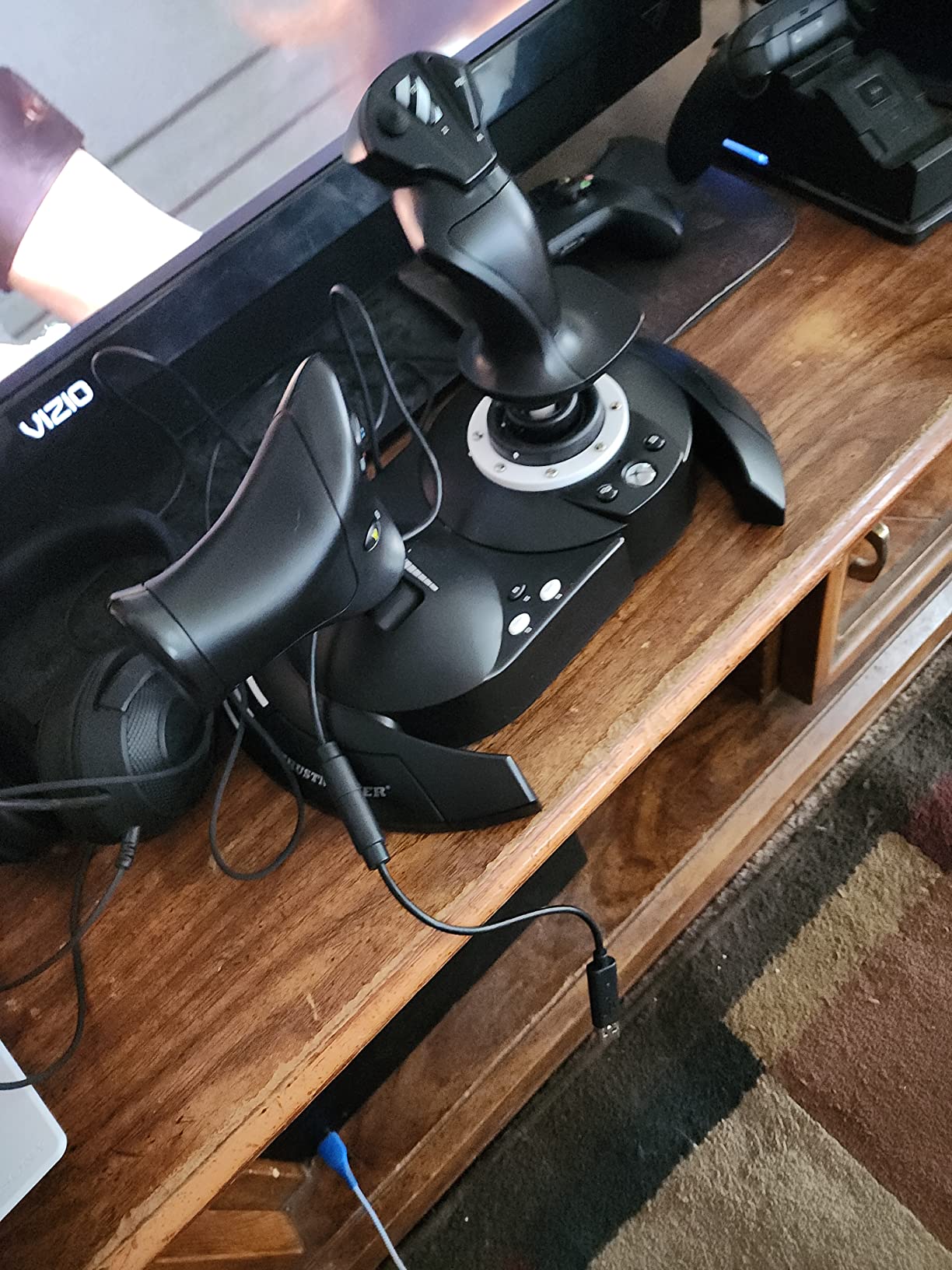
Build quality surprised me for the price. The base has genuine weight to it, and the S.M.A.R.T. sliding rail system on the throttle gives smooth, consistent travel. The adjustable joystick resistance lets you tune the stick tension to match your flying style. I preferred a stiffer setting for precision approaches and a lighter setting for dogfighting.
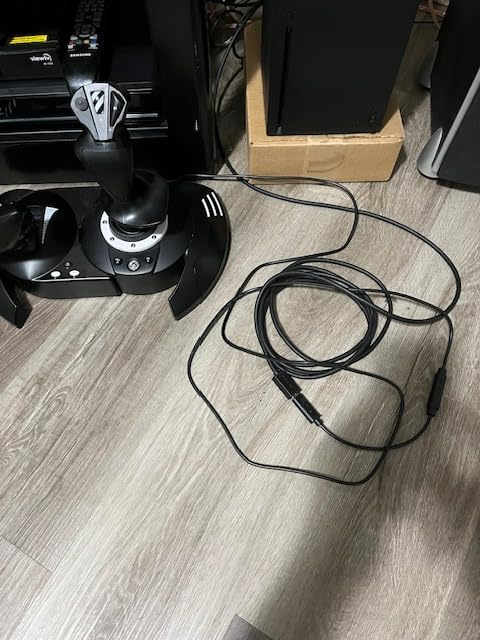
The main frustration is the throttle looseness. Out of the box, the throttle tends to creep forward or backward if you take your hand off it. Some pilots add a friction mod using foam or tape behind the throttle rail, but at this price point, you should not need to modify hardware to get it working properly. The short cables — both between stick and throttle and the USB cable — also limit your mounting options.
Who should buy this
Xbox flight sim players should look here first. This is one of very few HOTAS systems with native Xbox support, and it delivers a great experience in Microsoft Flight Simulator on console. PC pilots who want a solid, no-fuss setup for casual sessions in Elite Dangerous or War Thunder will also find excellent value here.
The 4.5-star average across 5,460 reviews confirms this is a reliable choice. If you split your gaming time between Xbox and PC, having one HOTAS that handles both platforms seamlessly is a real advantage.
Who should skip this
Dedicated PC sim pilots building a serious cockpit setup will find the 14-button limit and lack of Hall effect sensors restrictive for complex aircraft. The throttle drift issue is also a deal-breaker for anyone doing precision instrument approaches where exact power settings matter. If you are exclusively a PC player, the T.16000M FCS offers better sensor technology for a modest step up in price.
4. Thrustmaster T16000M FCS HOTAS – Best Mid-Range for Precision
Thrustmaster T16000M FCS HOTAS (Compatible with PC)
Hall Effect Magnetic Sensors
16 Action Buttons
Ambidextrous Design
Twist Rudder Control
Pros
- Hall effect sensors for drift-free precision
- Ambidextrous design works for left or right hand
- Lots of buttons and switches
- Smooth joystick movement
Cons
- Twist rudder control is difficult to use
- TARGET software is problematic
- Throttle needs lubrication out of the box
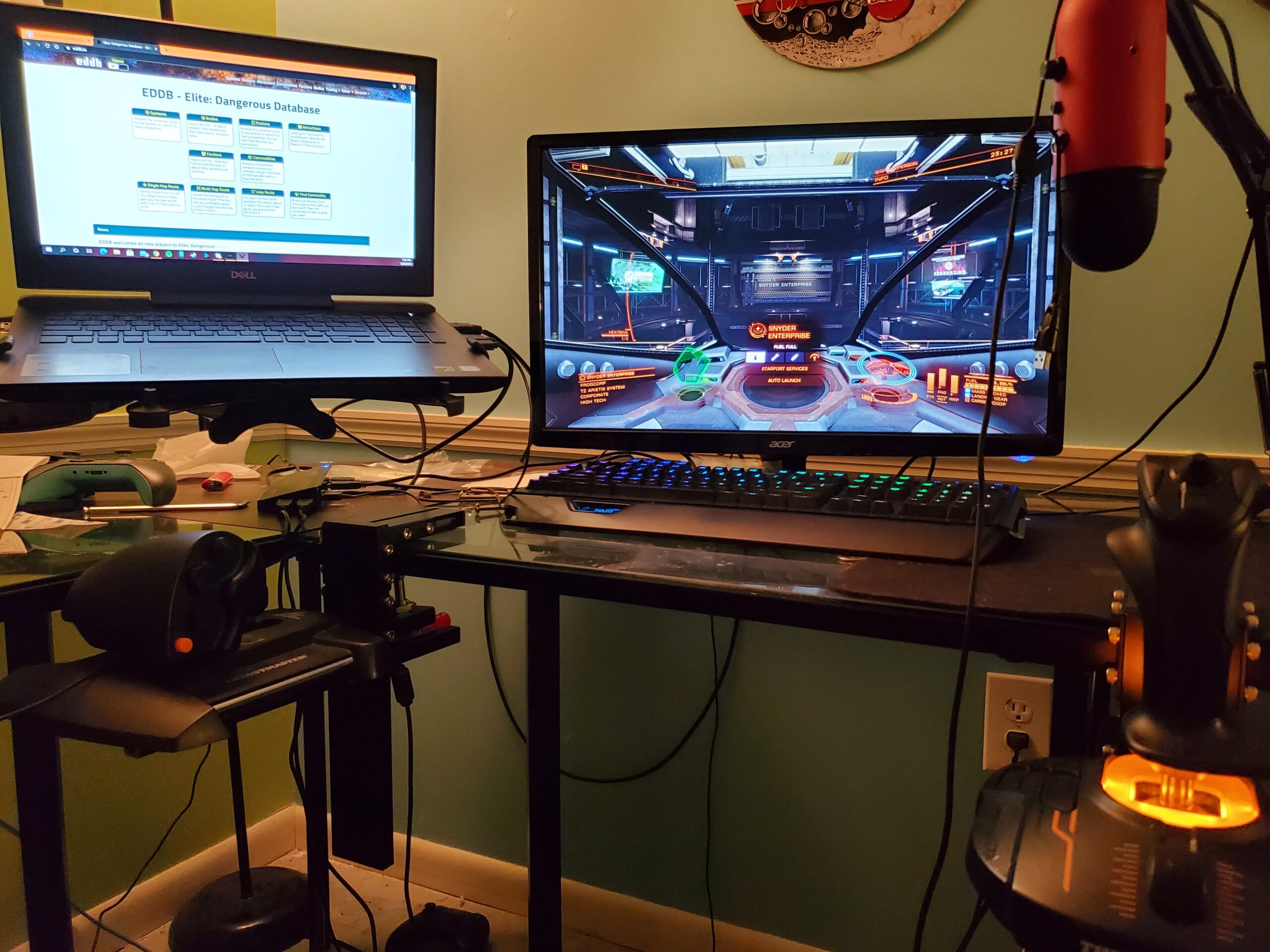
The T16000M FCS HOTAS has been the go-to recommendation on Reddit flight sim communities for years, and after testing one, the reason is clear. The Hall effect 3D magnetic sensors deliver 16-bit precision that completely eliminates the potentiometer drift problem that plagues cheaper sticks. Even after weeks of testing, the center point remained dead-on accurate with no calibration needed.
The ambidextrous design is a genuine advantage. I am right-handed, but a left-handed friend tested the stick and was able to swap the button plates in about two minutes. For left-handed pilots who have been sidelined by right-hand-only sticks, this is one of the few affordable options that works without compromise. The 16 action buttons plus 8-way POV hat, two 4-way switches, slider, and mini-stick give you extensive control options.
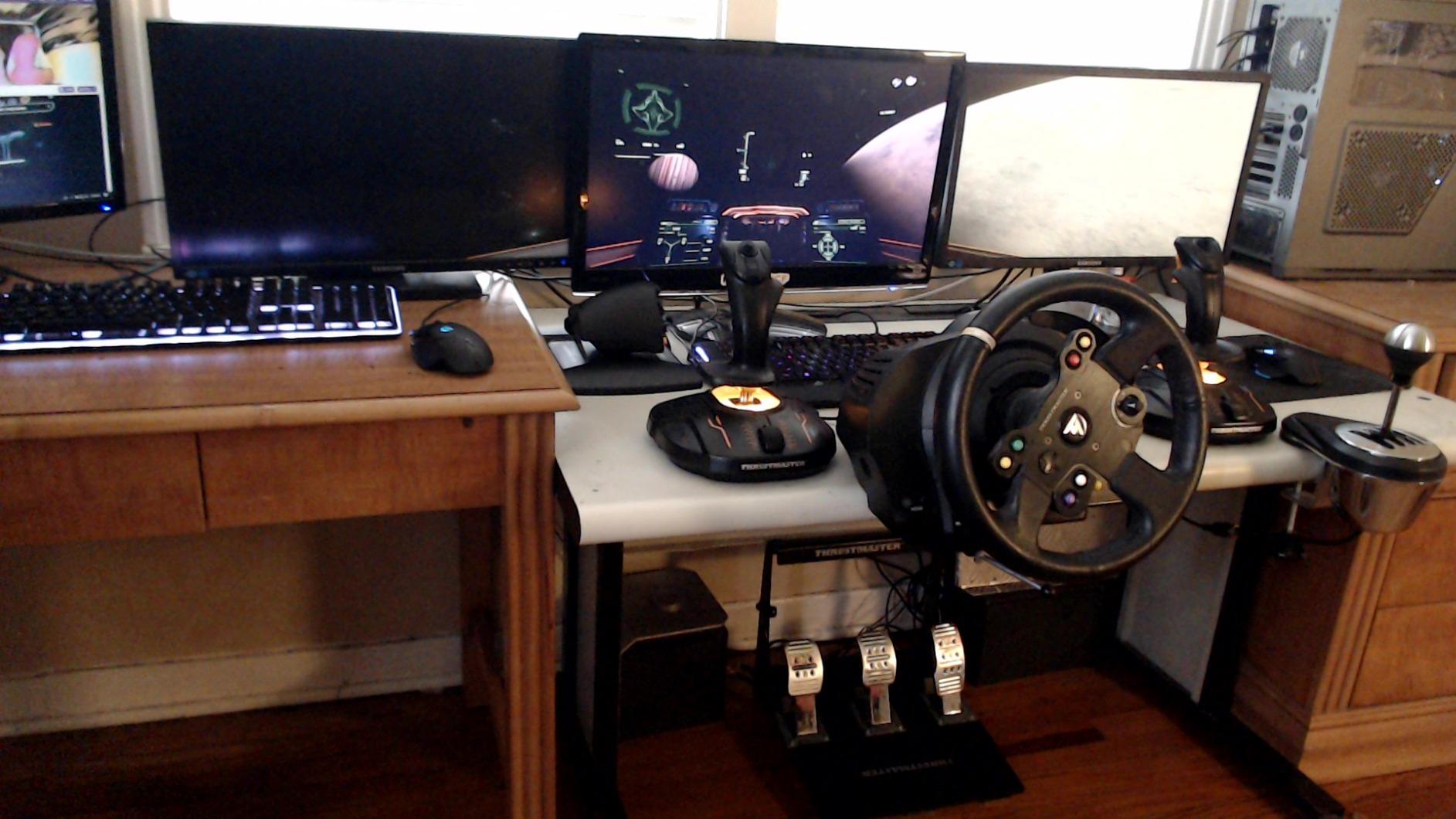
Where the T16000M FCS frustrates is the throttle unit. Out of the box, the throttle required lubrication to achieve smooth movement — it arrived with a gritty, sticky feel that made fine power adjustments difficult. The TARGET software that Thrustmaster provides for advanced programming is buggy and crashes frequently on Windows 10 and 11. Most experienced users recommend skipping it entirely and using game-native mapping instead.
The twist rudder axis on the stick is also problematic. The rotational resistance is inconsistent through the range of motion, making precise rudder inputs tricky. If you are flying taildraggers in DCS or doing crosswind landings in MSFS, you will likely want dedicated rudder pedals to complement this setup.
Who should buy this
Flight sim enthusiasts stepping up from budget sticks will find the Hall effect sensor precision a significant upgrade. The T16000M FCS is especially popular in the Elite Dangerous community, where the button count and axis options map well to the game’s control needs. Left-handed pilots finally get a proper HOTAS option without paying premium prices for specialized hardware.
DCS World players on a budget should also consider this stick. While it does not match the button count of the Warthog, the sensor precision is comparable, and you can always add a separate throttle quadrant later as your setup grows.
Who should skip this
If you are not willing to do some setup tweaking — lubricating the throttle, configuring buttons in-game rather than through TARGET software — this might frustrate you. The twist rudder implementation is poor enough that rudder pedals become almost mandatory for serious flight sim work. Players who want a polished, no-adjustment-needed experience should look at the Logitech X52 Pro instead.
5. Logitech G Saitek X52 Pro – Best for Space Sim Pilots
Logitech G Saitek X52 Pro Flight Control System – Black/Silver
LCD Multi-Function Display
Illuminated Buttons
Progressive Throttle
16 Programmable Buttons
Pros
- LCD display for in-game info
- Many programmable buttons
- Adjustable handle fits all hand sizes
- Good precision with contactless sensors
Cons
- Software driver issues on Windows 10
- Stick has noticeable slop
- Throttle slider requires modification
- Lightweight base moves during use
The X52 Pro has a devoted following in the space sim community, and the LCD multi-function display is a big reason why. In Elite Dangerous, the LCD shows real-time information like shield status, targeting data, and power distribution without taking your eyes off the main screen. For VR pilots, this is less useful since you cannot see the physical display, but for standard monitor setups, it adds genuine immersion.
The illuminated buttons are more than just cosmetic. During late-night flying sessions in a dim room, the backlit buttons make it easy to find the right control without fumbling. The 5-position handle adjustment system lets you tune the stick grip to your hand size, which matters more than you might think during multi-hour sessions.
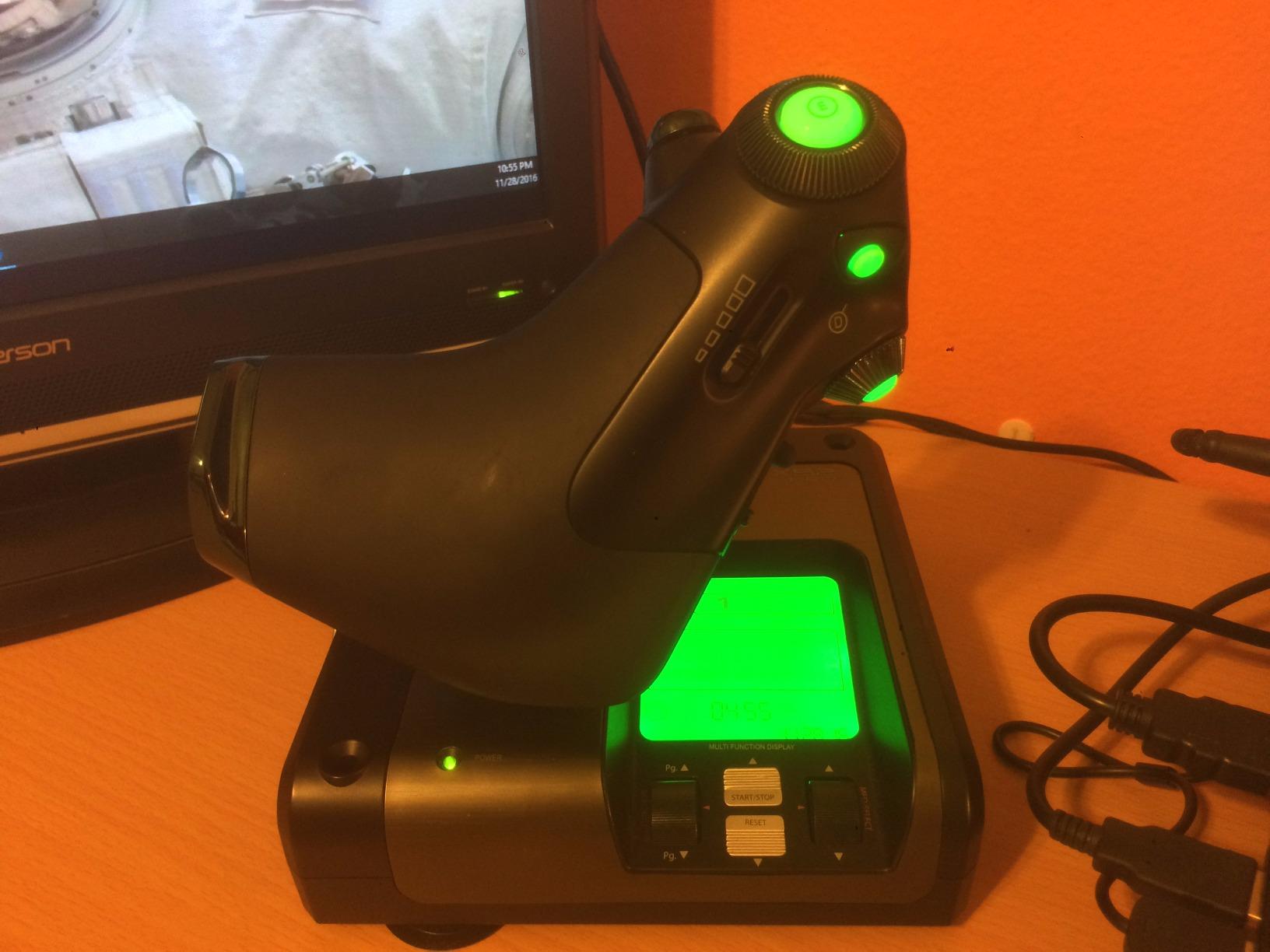
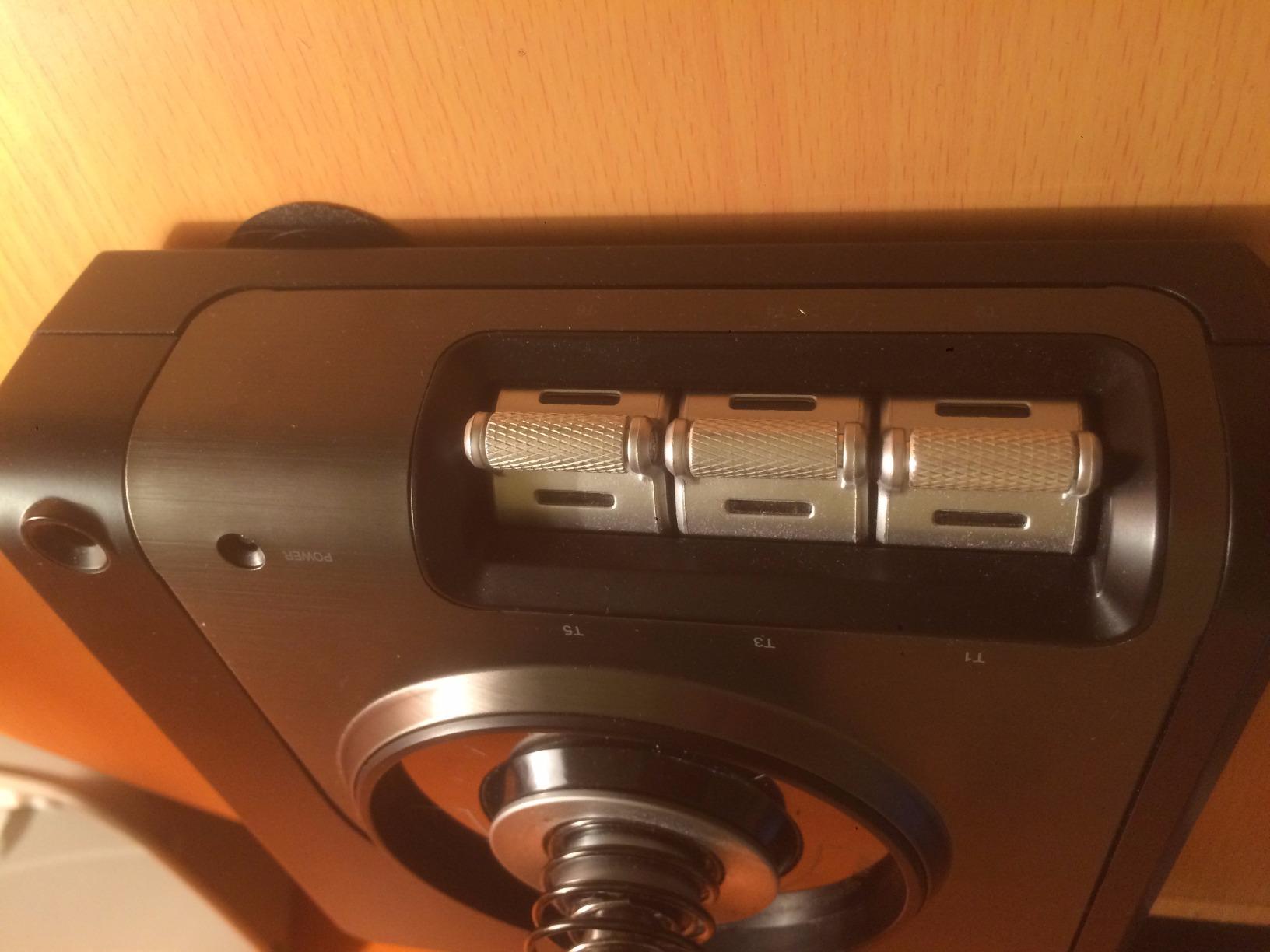
The progressive throttle with afterburner and idle detents feels satisfying. You get a physical click when pushing past military power into afterburner, which is a small detail that adds a lot to the flying experience. The contactless technology on the X and Y axes provides smooth, consistent inputs without the wear issues of traditional potentiometers.
However, the X52 Pro has some frustrating issues. The Saitek software drivers are unreliable on modern Windows systems, with frequent disconnections and recognition problems. I had to reinstall drivers twice during my testing period. The throttle slider also arrives sticky out of the box — many users apply dry lubricant to fix this. The lightweight base slides around during aggressive maneuvers unless you mount it or add weight.
Who should buy this
Elite Dangerous and Star Citizen pilots should put the X52 Pro at the top of their list. The button layout, LCD display, and throttle design map perfectly to space sim control needs. The adjustable handle and illuminated buttons also make it one of the most comfortable options for long exploration sessions.
Pilots who fly both space sims and traditional flight simulators will appreciate the versatility. The X52 Pro handles both roles competently, though it leans toward the space sim side of the spectrum.
Who should skip this
If you are building a dedicated DCS World or military flight sim setup, the X52 Pro lacks the button count and authentic feel of purpose-built combat sticks. The driver issues are also a real concern — if you want something that works flawlessly every time you plug it in, the T.16000M FCS or Thrustmaster Hotas One are more reliable choices. The noticeable stick slop in the center dead zone will bother precision-focused pilots.
6. Logitech G X56 HOTAS – Best for VR Flight Simulation
Logitech G X56 H.O.T.A.S Throttle and Joystick Flight Simulator Game Controller, 4 Spring Options, +189 Programmable Controls, RGB Lighting, 2x USB, PC – Black
16-Bit Hall Effect Sensors
189 Programmable Controls
Twin Throttles
4 Spring Options
Pros
- Massive 189 programmable controls
- Excellent precision with hall effect sensors
- Ideal for VR with well-placed mini sticks
- 4 spring options for custom tension
Cons
- Throttle can be very stiff
- Requires powered USB hub for some setups
- Toggle switch placement is awkward
- Heavy base still needs mounting
The X56 takes everything the X52 Pro offers and turns it up several notches. With 189 programmable controls across both stick and throttle, this is the HOTAS system for pilots who refuse to touch a keyboard mid-flight. I mapped every critical function in DCS World — flaps, gear, trim, radio, weapons systems — and still had buttons left over. The twin throttles with friction adjuster and throttle lock handle multi-engine aircraft beautifully.
VR pilots should pay close attention to the X56. The mini analog sticks on the throttle unit let you control in-game menus and cursor functions without removing your headset to find a mouse. During testing with a Quest 3 in Microsoft Flight Simulator, I could manage autopilot settings, radio frequencies, and cockpit camera angles entirely through the HOTAS. That is a game-changer for immersion.
The 4-spring system is a genuine upgrade over fixed-tension sticks. I swapped between the lightest spring for space sims and the heaviest for realistic military aircraft. The 16-bit hall effect sensors on the aileron and elevator axes provide precision that matches or exceeds anything else in this price range. Inputs register at 65,536 distinct values per axis, giving you fluid, analog control.
The main frustration is the throttle stiffness. Even with the friction adjuster dialed all the way down, the throttle requires more force than it should for smooth movement. The X56 also needs a powered USB hub on many motherboards because both the stick and throttle draw significant power — I experienced random disconnects until I moved them to a dedicated powered hub. The toggle switches on the throttle base are awkwardly positioned and easy to accidentally flip during intense gameplay.
Who should buy this
VR flight sim enthusiasts should seriously consider the X56 as their go-to HOTAS. The combination of extreme button count, mini analog sticks for cursor control, and hall effect precision makes it the most VR-friendly option in this price range. DCS World players who fly complex modules like the F/A-18C or F-16C will appreciate having enough controls to map every cockpit switch.
Multi-engine aircraft enthusiasts will also benefit from the twin throttle setup. Being able to control each engine independently is essential for realistic procedures in aircraft like the Boeing 747 or Cessna 310 in MSFS.
Who should skip this
Casual pilots or beginners should avoid the X56 — the sheer number of controls is overwhelming when you are still learning basic flight mechanics. The throttle stiffness and USB power requirements add setup complexity that budget-focused buyers will not want to deal with. If you do not fly in VR or use multi-engine aircraft, the X52 Pro or T.16000M FCS offer 80 percent of the functionality for less money.
7. Thrustmaster HOTAS Warthog – Editor’s Choice for Premium Build
Thrustmaster HOTAS Warthog A10 Replica Flight Stick & Throttle Set – PC
Full Metal Construction
55 Programmable Buttons
Dual Metal Throttle
Heart Hall Effect Sensors
Pros
- Exceptional all-metal build quality
- Drift-free hall effect precision
- Authentic 1:1 A-10C replica
- 55 programmable buttons
- Heavy stable base
Cons
- Very expensive
- Extremely heavy at 13+ pounds
- No twist rudder on stick
- Requires permanent mounting
Picking up the HOTAS Warthog for the first time is a revelation. This thing weighs over 13 pounds and every external surface is metal — not metal-plated plastic, but solid cast alloy. The 1:1 replica of the U.S. Air Force A-10C controls is not a marketing gimmick. When you grip the stick and work the throttle, you understand why this has been the gold standard in flight simulation for over a decade.
The H.E.A.R.T. (Hall Effect AccuRate Technology) sensors deliver the most precise inputs I have tested in any HOTAS system. The 16-bit resolution across 65,536 values per axis means your inputs translate to on-screen movement with zero perceptible stepping or jitter. In DCS World, I could hold a precise gun tracking solution on a target for 15 seconds — something that required constant correction with cheaper sticks. The center return is sharp and consistent, with none of the mushy dead zone that plagues plastic units.
The dual metal throttle with adjustable friction is a joy to use. Independent engine control with off/idle detents and a switchable afterburner detent lets you feel exactly where your power settings are. The 55 programmable buttons plus 8-way POV hat give you enough controls to map an entire A-10C cockpit without compromise. During extended sessions, the button layout is logical and tactile — you can identify controls by feel alone.
The trade-offs are real, though. At 13 pounds, this system needs permanent mounting — a desk clamp or cockpit frame is essentially mandatory. The stick lacks a twist rudder axis, which means separate rudder pedals are an additional purchase you should budget for. The stiff spring requires a break-in period of several hours before it loosens enough for comfortable extended play. And of course, the price is the highest in our roundup.
Who should buy this
Serious DCS World pilots who fly the A-10C, F-16C, F/A-18C, or other complex military modules will find the Warthog transforms their experience. The combination of metal construction, sensor precision, and button count creates a setup that genuinely feels like training equipment rather than a gaming peripheral. If you have already invested in a cockpit frame and rudder pedals, the Warthog is the logical centerpiece.
Long-term sim pilots who have been flying for years and are ready for their final HOTAS upgrade should look here. The all-metal construction means this system will outlast every plastic competitor on the market. Many users report five-plus years of heavy use with zero sensor degradation.
Who should skip this
Casual pilots and beginners absolutely should not start with the Warthog. The cost, weight, and need for mounting hardware make this a poor first HOTAS. If you primarily play space sims like Elite Dangerous, the replica military layout does not match the control scheme you need. The lack of twist rudder also means an extra purchase of rudder pedals is required for complete control. For most casual to intermediate pilots, the T.16000M FCS or X56 deliver 90 percent of the experience at half the cost.
8. Thrustmaster Viper TQS Mission Pack – Premium F-16 Replica Throttle
Thrustmaster Viper TQS Mission Pack Metal Throttle Quadrant System – PC
F-16 Viper Throttle Replica
64 Action Buttons
16-Bit Hall Effect
Hot-Swap Modular Panel
Pros
- Authentic F-16 throttle replica feel
- 64 programmable buttons
- Hot-swap modular panels
- Realistic idle and afterburner detents
Cons
- Base not heavy enough can tip
- Requires TARGET software for LEDs
- Plastic shroud at premium price
- Complex setup for non-DCS games
The Viper TQS Mission Pack is Thrustmaster’s newest premium throttle system, and it is built specifically for the F-16C Viper module in DCS World. From the moment I unboxed it, the metal throttle handle and detent system transported me into a Viper cockpit. The idle cutoff, military power, and afterburner detents are physically distinct — you feel each one click through your fingers. The CHAFF and FLARE slap switch is an actual mechanical slap switch, just like the real aircraft.
With 64 programmable action buttons across 6 axes, this is the most button-dense throttle system I have tested. The T MOD hot-swap technology lets you swap control panels without disconnecting or recalibrating, which is brilliant for pilots who switch between aircraft modules regularly. I went from the F-16 panel layout to a custom panel in under ten seconds with zero software intervention.
The 3-level adjustable backlighting is a practical feature for late-night sim sessions. You can dim the panel labels to avoid eye strain while still reading button labels in a dark room. The 16-bit H.E.A.R.T. magnetic sensor technology delivers the same precision as the Warthog, with 65,536 distinct values per axis. Every throttle movement translates to exactly the power change you intend.
The biggest issue is the base weight. At this price point, having the throttle tip forward when you slap the CHAFF switch is unacceptable. I had to mount mine to a desk plate with double-sided tape to keep it stable. The plastic throttle shroud also feels out of place next to the metal handle — for nearly $600, the entire unit should feel like the premium product it claims to be. The TARGET software required for LED configuration is the same buggy software that has frustrated Thrustmaster users for years.
Who should buy this
DCS World pilots who specialize in the F-16C Viper module should consider the TQS Mission Pack as an essential upgrade. The authentic throttle replica, massive button count, and modular panel system create the most immersive F-16 experience short of building a full cockpit. If you already own the Warthog stick and want to pair it with a purpose-built F-16 throttle, this is the obvious choice.
Sim pilots who fly multiple DCS modules and want a flexible, hot-swappable throttle system will appreciate the T MOD technology. Being able to swap control panel layouts for different aircraft without restarting the game or recalibrating saves significant time.
Who should skip this
Anyone not primarily playing DCS World should pass on the Viper TQS. In Microsoft Flight Simulator, Elite Dangerous, or Star Citizen, many of the 64 buttons are overkill, and the F-16-specific layout does not translate well to civilian aircraft or space ships. The price is also hard to justify unless you are building a dedicated military sim cockpit. If you want a premium all-around HOTAS, the Warthog remains a more versatile choice.
How to Choose the Right HOTAS System
Picking the right HOTAS comes down to four questions: what simulator do you play most, what is your budget, how much desk space do you have, and do you need console compatibility? Let me walk through each factor based on what I learned testing these eight systems.
Sensor Technology: Hall Effect vs. Potentiometer
This is the single most important quality difference between cheap and expensive HOTAS systems. Hall effect sensors use magnetic fields to detect stick position — they never physically contact each other, so they never wear out or develop dead zones. Potentiometer-based sensors use physical contact points that degrade over time, causing drift and imprecision.
Of the eight systems we tested, the TCA Sidestick, T.16000M FCS, X56, Warthog, and Viper TQS all use Hall effect sensors. The T-Flight Hotas X and Hotas One use potentiometers. If you plan to keep your HOTAS for more than a year, Hall effect sensors are worth the extra cost. They maintain precision indefinitely while potentiometers will eventually drift.
Matching Your Simulator
DCS World demands the most buttons and axes of any flight simulator. Complex modules like the F/A-18C and F-16C have hundreds of cockpit controls. For DCS, I recommend the Warthog, X56, or Viper TQS — all three have enough buttons to minimize keyboard use during combat.
Elite Dangerous plays well with almost any HOTAS, but space sim pilots tend to prefer the X52 Pro and X56 because their button layouts map naturally to ship systems. The LCD display on the X52 Pro shows shield and targeting data that is genuinely useful during combat.
Microsoft Flight Simulator benefits from the TCA Sidestick Airbus Edition for Airbus fans, or the T.16000M FCS for general aviation. Console players should look at the T-Flight Hotas One, which is one of very few HOTAS options with native Xbox support.
Desk Space and Mounting
Before buying any HOTAS, measure your desk. The Warthog and X56 both demand significant surface area, and the Warthog’s 13-pound weight really needs a dedicated mount rather than a desk surface. The TCA Sidestick is the most compact option we tested and fits comfortably in tight spaces. The T-Flight Hotas X and Hotas One are moderate in footprint but the short cables between stick and throttle limit placement flexibility.
If you are planning a permanent sim cockpit with chair mounts, plan to spend extra on mounting hardware regardless of which HOTAS you choose. Even the budget options benefit from being firmly mounted rather than sitting loose on a desk.
Button Count and Programmability
More buttons means less time reaching for a keyboard. The Viper TQS leads with 64 buttons, followed by the Warthog at 55, X56 with 189 programmable controls, and X52 Pro with 16 dedicated buttons. Entry-level sticks like the T-Flight Hotas X have 12 buttons, which works for casual flying but falls short in complex military aircraft.
Consider your tolerance for software configuration. The Thrustmaster TARGET software and Logitech software both have reliability issues. If you want minimal setup, the T-Flight Hotas X and TCA Sidestick have the best plug-and-play experiences. The X56 and Warthog require more configuration but reward you with vastly more control options.
VR Compatibility
VR pilots need tactile controls they can operate blind. The X56 is the standout VR choice because the mini analog sticks on the throttle let you navigate menus without removing your headset. The TCA Sidestick’s braille-style button identification serves a similar purpose. The Warthog’s 55 tactile buttons are also excellent for VR since you can identify each control by feel and position.
Any HOTAS works in VR, but the ones with distinct button shapes, illuminated controls, and braille-style identification make the experience far less frustrating. Avoid HOTAS systems with uniform flat buttons that all feel the same.
FAQ
What is the best HOTAS system?
The Thrustmaster HOTAS Warthog is the best overall HOTAS system for serious flight simulation. It features all-metal construction, Hall effect sensors for drift-free precision, 55 programmable buttons, and an authentic 1:1 replica of the A-10C aircraft controls. For budget buyers, the Thrustmaster T-Flight Hotas One delivers excellent value with PC and Xbox compatibility.
What is the most realistic flight simulator controller?
The most realistic flight simulator controllers are exact replicas of real aircraft controls. The Thrustmaster HOTAS Warthog replicates the A-10C Thunderbolt II controls at 1:1 scale with full metal construction. The Thrustmaster Viper TQS replicates the F-16 Fighting Falcon throttle quadrant with authentic detents, a real CHAFF/FLARE slap switch, and modular panels. Both use Hall effect magnetic sensors for precision that matches real avionics equipment.
Why is HOTAS so expensive?
HOTAS systems are expensive because they use precision components designed to withstand years of heavy use. Hall effect magnetic sensors, metal construction, high button counts, and aircraft-specific replicas all add cost. Premium HOTAS systems like the Warthog use real metal castings and military-grade sensors. Even budget HOTAS units require precision gimbal mechanisms, multiple analog axes, and reliable electronics that cost more than standard gaming controllers.
Do I need rudder pedals with a HOTAS system?
Rudder pedals are not strictly required because many HOTAS sticks include a twist rudder axis. However, dedicated rudder pedals provide far more precise yaw control, especially for tailwheel aircraft, helicopters, and realistic crosswind landings. The Thrustmaster HOTAS Warthog notably lacks a twist rudder, making separate pedals essential. If you fly DCS World or practice realistic procedures in Microsoft Flight Simulator, rudder pedals significantly improve the experience.
Final Thoughts on the Best HOTAS Systems
Finding the right HOTAS system comes down to matching your simulator, budget, and commitment level. The Thrustmaster HOTAS Warthog remains the top pick for serious sim pilots who want all-metal build quality and authentic military aircraft controls. For most players, the Thrustmaster T-Flight Hotas One hits the sweet spot between price and features with the bonus of Xbox compatibility. Budget-conscious beginners get a great starting point with the Thrustmaster TCA Sidestick Airbus Edition and its Hall effect sensors at an entry-level price.
Our team tested all eight of these best HOTAS systems across DCS World, Elite Dangerous, and Microsoft Flight Simulator to make sure these recommendations come from real flying time, not spec sheet comparisons. Whichever system you choose, the upgrade from keyboard and mouse to a proper throttle and stick will transform your flight simulation experience in 2026.