
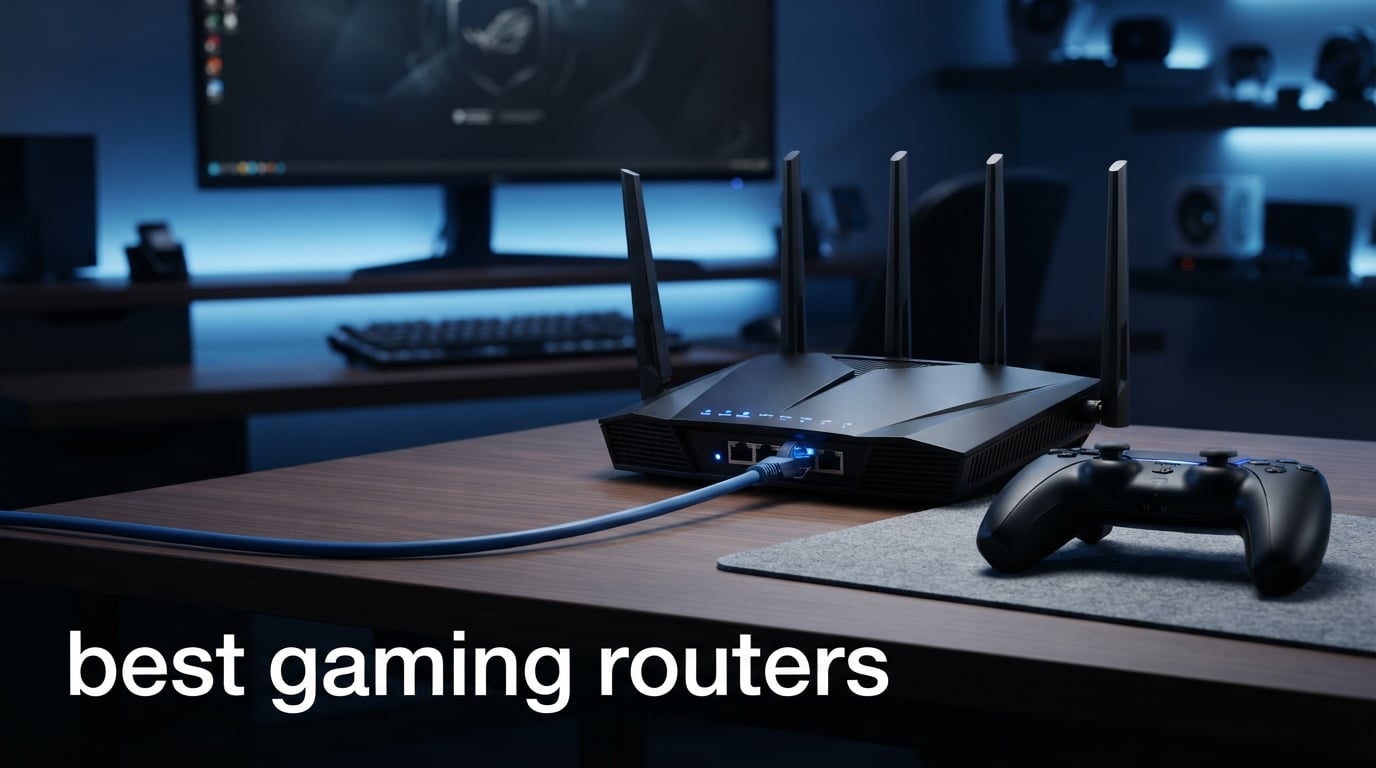
A gaming router can make online play feel steadier when your home network is busy, but it cannot rewrite the distance between you and a game server. For the best gaming routers in 2026, I look first at the connection you can actually use: a wired Ethernet port for a PC or console, a clean 6 GHz band for compatible wireless gear, and traffic controls that stop a stream or download from crowding out a match.
That distinction matters because community discussions get one major point right: Ethernet is still the better latency connection when you can run a cable. A low latency router is most helpful when local congestion, weak coverage, limited ports, or an older Wi-Fi standard is the weak link; it is not a magic ping-reduction button. I compared the supplied specifications, ratings, review counts, wireless bands, wired ports, security options, and expansion paths rather than claiming lab results that are not in the product data.
This guide covers ten routers from GL.iNet, TP-Link, and ASUS, from focused Wi-Fi 6 hardware to quad-band Wi-Fi 7 machines. You can also browse our gaming buying guides or pair a network upgrade with one of the best gaming PCs under $2000. My short answer is simple: match the router to your client devices, square footage, and Ethernet needs before paying attention to RGB, labels, or headline wireless speeds.
Table of Contents
The top 3 picks cover most gaming setups
The GL.iNet Flint 3 is my all-around Wi-Fi 7 pick for homes that need several 2.5G wired connections and serious VPN features. The TP-Link Archer BE400 is the cleaner route for a mainstream dual-band Wi-Fi 7 setup, while the ASUS ROG Rapture GT-BE98 Pro is aimed at an unusually dense multi-gig wired network.

For a gaming router for PS5 or Xbox, the first decision is less exotic: count the free LAN ports and use one for the console. Wi-Fi 7, Multi-Link Operation, and a gaming dashboard can be useful additions, but a stable wired path normally beats a more elaborate wireless setup.
The best gaming routers in 2026 at a glance
This comparison collects every router in the guide. The speed figures are manufacturer-listed link-rate claims, not a promise of your internet speed or in-game ping, so read the port and band details beside them.
| Product | Specifications | Action |
|---|---|---|
 GL.iNet GL-MT6000 Flint 2 GL.iNet GL-MT6000 Flint 2 |
|
View on Amazon |
 TP-Link Archer BE670 TP-Link Archer BE670 |
|
View on Amazon |
 TP-Link Archer BE400 TP-Link Archer BE400 |
|
View on Amazon |
 GL.iNet Flint 3 GL.iNet Flint 3 |
|
View on Amazon |
 TP-Link Archer AXE75 TP-Link Archer AXE75 |
|
View on Amazon |
| ASUS ROG Rapture GT-BE98 Pro |
|
View on Amazon |
 TP-Link Archer GE400 TP-Link Archer GE400 |
|
View on Amazon |
 ASUS TUF Gaming BE6500 ASUS TUF Gaming BE6500 |
|
View on Amazon |
 TP-Link Archer GE650 TP-Link Archer GE650 |
|
View on Amazon |
 TP-Link Archer GE800 TP-Link Archer GE800 |
|
View on Amazon |
My ranking gives extra weight to port flexibility, wireless bands, network controls, and how much customer feedback is available. A newer Wi-Fi 7 router with a small review sample can still be a strong match, but I call out that smaller evidence base where it affects confidence.
1. GL.iNet Flint 2 is the Wi-Fi 6 choice for VPN-heavy homes
GL.iNet GL-MT6000 Flint 2 Wi-Fi 6 Gaming Router Dual 2.5G Ports
Wi-Fi 6
2 x 2.5G ports
WireGuard up to 900Mbps
Pros
- Two 2.5G ports
- Fast WireGuard support
- AdGuard Home
- 100+ device support
- Two-year warranty
Cons
- Wi-Fi 6 rather than Wi-Fi 7
- Firmware update may be needed
The Flint 2 is the outlier here because it stays with Wi-Fi 6, yet its network layout is still very serious. It has two 2.5G Ethernet ports and four 1G ports, so I would look at it first for a wired desktop, a console, a NAS, or a multi-WAN setup where port roles matter more than a 6 GHz wireless band.
GL.iNet lists 8-stream Wi-Fi 6, up to 6 Gbps wireless throughput, 1 GB of RAM, WPA3 security, and capacity for more than 100 devices. Its 4.6 rating from 2,835 reviews is the strongest broad customer-feedback signal in this group, although the supplied feedback also says a firmware update may be needed for the best result.
This router fits people who use a VPN every day
WireGuard is listed at up to 900 Mbps and OpenVPN at up to 880 Mbps, which makes the Flint 2 more interesting than a typical Wi-Fi 6 router for a household that routes traffic through a VPN. Those are VPN throughput figures, not a promise for every service or connection, but they give a meaningful starting point for a gamer who also works remotely.
I also like that GL.iNet includes AdGuard Home support rather than treating the router only as a radio. If you need a gaming network that also handles ad filtering, many connected devices, and an always-on VPN, this is a more purposeful fit than a router chosen only for a large wireless number on the box.
This router works best when wired gear matters more than 6 GHz
A PC or console connected to one of the 2.5G ports avoids Wi-Fi interference altogether. That is the direction I would take for ranked multiplayer play, while leaving Wi-Fi for phones, handhelds, smart TVs, and the rest of the home.
The limitation is clear: Wi-Fi 6 does not include the 6 GHz band or Wi-Fi 7 features such as Multi-Link Operation. If you already own Wi-Fi 7 laptops, phones, or a recent wireless VR headset, one of the later tri-band models gives those clients more room to work.
2. TP-Link Archer BE670 is the tri-band Wi-Fi 7 choice for broad coverage
TP-Link Archer BE12000 Tri-Band Wi-Fi 7 Router (Archer BE670)
Tri-Band Wi-Fi 7
10G and 2.5G ports
Up to 3,000 sq ft
Pros
- 6GHz Wi-Fi 7 band
- 10G WAN LAN port
- 2.5G WAN LAN port
- EasyMesh support
- HomeShield
Cons
- Smaller 81-review sample
- No gaming-specific port listed
The Archer BE670 combines the parts I look for in a gaming router Wi-Fi 7 upgrade: tri-band coverage, a 6 GHz band, a 10G WAN/LAN port, and a separate 2.5G WAN/LAN port. TP-Link rates its coverage up to 3,000 square feet and support up to 128 devices, making it a sensible candidate for a busy family network rather than a single-room game station.
Its listed BE12000 design divides capacity across 6 GHz, 5 GHz, and 2.4 GHz, with up to 5,765 Mbps on each of the two higher bands. Those link-rate figures are not game performance measurements, but the extra band can help isolate compatible clients from older wireless devices that fill a shared 5 GHz channel.
This router is strongest for a mixed wired and wireless household
The 10G port is useful only if it has a matching role in your network, such as a fast internet handoff, a multi-gig switch, or a capable wired PC. The separate 2.5G port gives more freedom than a router that offers one fast port and forces every other wired device back to 1G.
Multi-Link Operation is also listed, so compatible Wi-Fi 7 clients can use it to improve connection stability across bands. I would still cable a console where possible, but this is the kind of router I would consider for wireless gaming laptops and newer phones spread around a larger house.
This router suits homes that may add mesh coverage later
EasyMesh compatibility is important when a single router cannot reach a back bedroom, loft, or detached workspace cleanly. Adding coverage is often more productive than replacing a capable router simply because one room has a weak signal.
The caution is the review sample: the supplied record shows a 4.5 rating from 81 reviews. That is encouraging but much thinner than the feedback attached to the Flint 2, Archer BE400, or Archer AXE75, so I would update its firmware early and test return-period coverage in every room.
For a wireless setup beside a desktop replacement, see our picks for gaming laptops. A laptop with Wi-Fi 7 can take fuller advantage of this router than a client limited to an older Wi-Fi generation.
3. TP-Link Archer BE400 is the straightforward dual-band Wi-Fi 7 pick
TP-Link BE6500 Dual-Band WiFi 7 Router (BE400)
Wi-Fi 7
Dual 2.5Gbps ports
Up to 2,400 sq ft
Pros
- Dual 2.5Gbps ports
- MLO support
- Quad-core CPU
- EasyMesh
- VPN client and server
Cons
- No 6GHz band
- Dual-band design
The Archer BE400 is a practical route to Wi-Fi 7 for a gamer who does not need a 6 GHz band. TP-Link lists a dual-band, 6-stream design up to 6.5 Gbps, two 2.5Gbps ports, a quad-core CPU, USB 3.0, and coverage up to 2,400 square feet.
Its 4.4 rating comes from 1,248 reviews, which gives it a much broader feedback base than several newer gaming-styled choices. The product listing identifies 90-device support, HomeShield, EasyMesh, and VPN client and server functions, so it is not a stripped-down router despite the simpler band layout.
This router is right when your gaming devices use 5 GHz or Ethernet
If your PC, PS5, Xbox, handheld, and phone do not support 6 GHz, the missing third band is less important than it sounds. A wired gaming device can use a 2.5Gbps port, while Wi-Fi clients can use the 5 GHz band and its listed 5,764 Mbps maximum link rate.
Multi-Link Operation is included for supported Wi-Fi 7 clients, which may help them keep a steadier connection under changing wireless conditions. I would not select it only for MLO, though, because its benefit depends on compatible client hardware and the environment around your home.
This router makes sense for a home that may grow room by room
EasyMesh support gives the BE400 a practical upgrade route if the router’s stated 2,400-square-foot range does not match your walls or floor plan. Router coverage claims are not guarantees, especially through dense materials, so mesh support is a useful fallback rather than a minor checkbox.
The dual-band layout is the trade-off. A household with many active 5 GHz clients, a Wi-Fi 7 laptop, and a wireless VR setup may gain more separation from the Archer BE670, Flint 3, or Archer GE650.
4. GL.iNet Flint 3 is the five-port 2.5G Wi-Fi 7 networking pick
GL.iNet GL-BE9300 Flint 3 Tri-Band Wi-Fi 7 Router 5 x 2.5G VPN Router
Tri-Band Wi-Fi 7
5 x 2.5G ports
6GHz and VPN support
Pros
- Five 2.5G ports
- Tri-band 6GHz
- WireGuard and OpenVPN
- AdGuard Home
- 1GB RAM
Cons
- Firmware update may be needed
- Limited smart-home compatibility
The Flint 3 is my editor’s choice because the five 2.5G ports solve a real home-network problem without requiring extra hardware: several important wired devices can run at multi-gig speeds at the same time. GL.iNet also lists tri-band Wi-Fi 7, a 6 GHz band, Multi-Link Operation, 1 GB of RAM, and up to 2,000 square feet of coverage.
This is the product I would put in front of someone with a gaming PC, console, NAS, and multi-gig internet handoff all competing for wired ports. Its 4.4 rating from 928 reviews offers a solid feedback sample, while the review notes still flag that a firmware update may be needed for the strongest performance.
This router fits a multi-gig wired game room
Five 2.5G ports are unusually flexible. They let you wire a desktop and console, feed a switch or storage device, and keep a high-speed WAN connection without immediately deciding which device gets the one fast jack.
That design is more meaningful for gaming than a huge aggregate Wi-Fi number if the key machines sit close enough to a cable. It also leaves wireless capacity for guests, phones, TVs, and handheld systems instead of making every device fight for the same radio path.
This router is a strong match for privacy and network-control users
GL.iNet lists WireGuard and OpenVPN at up to 680 Mbps, AdGuard Home support, and parental controls with Bark support. Those tools make sense for a home where network policy matters alongside online matches, though a VPN can add routing overhead depending on the endpoint and service.
The stated tri-band total is up to 9 Gbps, with 4K QAM and MLO in the feature list. I would treat that as useful wireless headroom for compatible clients, not as a reason to expect a different ping floor to a remote multiplayer server.
5. TP-Link Archer AXE75 is the proven Wi-Fi 6E alternative
TP-Link AXE5400 Tri-Band WiFi 6E Router, 2025 PCMag Editors’ Choice
Tri-Band Wi-Fi 6E
6GHz band
2.5Gbps WAN port
Pros
- Tri-band 6GHz
- 2.5Gbps WAN
- OneMesh
- VPN support
- WPA3 security
Cons
- Wi-Fi 6E rather than Wi-Fi 7
- LAN ports listed at 1G
The Archer AXE75 is a reminder that a Wi-Fi 6E gaming router can still be the sensible answer. It brings a 6 GHz band, tri-band Wi-Fi up to 5,400 Mbps, a 2.5Gbps WAN port, 160 MHz channel support, OneMesh, WPA3, and VPN server and client support without making Wi-Fi 7 a requirement.
Its 4.3 rating from 5,349 reviews is the largest review pool in this list. That does not prove it is right for every floor plan, but it gives this model a deeper body of customer feedback than a newly released platform with only a few dozen ratings.
This router is enough for compatible 6 GHz clients
The 6 GHz band is the main attraction because it can give compatible Wi-Fi 6E devices a cleaner route than crowded 5 GHz airspace. A gaming laptop, phone, or VR device must support 6E to use it; older gear will connect over 5 GHz or 2.4 GHz instead.
TP-Link lists 2,402 Mbps on 6 GHz, 2,402 Mbps on 5 GHz, and 574 Mbps on 2.4 GHz. These are radio link rates, and real results change with distance and interference, but the dedicated higher band can be more helpful than headline speed for a busy apartment or house.
This router works best when one fast WAN port is sufficient
The fast port is identified as a 2.5Gbps WAN port, while the product details list 1G LAN bandwidth. That means I would check your intended wiring carefully: it can accept a fast internet handoff, but it is not the same kind of multi-gig LAN layout found on the Flint 3, TUF BE6500, or ROG GT-BE98 Pro.
OneMesh is a practical plus for coverage expansion, and the router includes a dual-core CPU with 512 MB of RAM. For a household whose clients top out at Wi-Fi 6E or older standards, those fundamentals can matter more than buying a Wi-Fi 7 label they cannot yet use.
6. ASUS ROG Rapture GT-BE98 Pro is the quad-band multi-gig flagship
ASUS ROG Rapture GT-BE98 Pro WiFi 7 Gaming Router – Quad-Band, 30Gbps, Mesh
Quad-Band Wi-Fi 7
Dual 10G and quad 2.5G
Game Acceleration
Pros
- Quad-band Wi-Fi 7
- Dual 10G ports
- Four 2.5G ports
- Triple-Level Game Acceleration
- 2GB RAM
Cons
- Large physical footprint
- Complex capacity exceeds many homes
The ROG Rapture GT-BE98 Pro is designed for the gamer whose network has become a small project: multiple multi-gig wired devices, many active wireless clients, and a real need for separate bands. ASUS lists quad-band Wi-Fi 7 up to 30 Gbps, eight external antennas, 2 GB of RAM, dual 10G ports, and four 2.5G ports.
It also lists 320 MHz channels in 6 GHz, 4096-QAM, Multi-Link Operation, and Triple-Level Game Acceleration. Those are a substantial set of options, but my honest read is that the router’s port count is its clearest reason to choose it; a lightly connected home is unlikely to use every part of this design.
This router is for demanding wired networks with a 10G plan
Two 10G ports plus four 2.5G ports can handle a fast WAN, a multi-gig switch, a high-end PC, storage, and more without the usual fast-port bottleneck. That is useful if your local network moves large game captures or files, not only if you play online games.
The seven total ports and 4.4-pound chassis signal a desk-or-shelf network hub rather than a small apartment router. Before choosing it, I would map every wired device and confirm that your modem, switch, cables, and client adapters can actually link above 1G.
This router gives advanced users more gaming controls to explore
ASUS calls its feature set Triple-Level Game Acceleration, and the device supports Multi-Link Operation for Wi-Fi 7 clients. Gaming controls can help prioritize traffic in your own network, especially when someone starts a large upload during a match, but they cannot correct a poor ISP route or an overloaded game server.
The supplied customer data shows a 4.3 rating from 557 reviews, with 75% five-star and 11% one-star ratings. That mix supports looking at current firmware and your own network needs rather than assuming the biggest specification sheet is automatically the right answer.
7. TP-Link Archer GE400 is the dedicated-port gaming control pick
TP-Link Dual-Band BE6500 WiFi 7 Gaming Router 6.5 Gbps (Archer GE400)
Wi-Fi 7
Dedicated gaming port
WTFast and QoS
Pros
- Dedicated gaming port
- Game traffic prioritization
- WTFast acceleration
- EasyMesh
- Game panel
Cons
- No 6GHz band
- Limited 57-review sample
The Archer GE400 puts its gaming identity into features that are easy to understand: a dedicated gaming port, game traffic prioritization through QoS, WTFast game acceleration, and a game-panel dashboard. It is a dual-band BE6500 Wi-Fi 7 router with a 2.5G port, three 1G ports, six antennas, and stated coverage up to 2,600 square feet.
I would see this as a focused choice for someone who wants a gaming port and a simple control panel without needing a 6 GHz radio. The 4.3 rating is based on 57 reviews, so that is a small sample; the customer summary says people appreciate the gaming features and the overall proposition, while the dual-band limit is a recurring concern.
This router makes console prioritization easy to understand
Connect a PS5 or Xbox to the dedicated gaming port, then use the router’s QoS tools to give game traffic priority when the rest of the household is active. That is a sensible local-network tactic for multiplayer gaming, even though it will not reduce latency caused outside your home.
Its 5 GHz band is listed at 5,765 Mbps and 2.4 GHz at 688 Mbps, with MLO also included. For a console in the same room, a cable remains my preference; for a wireless laptop, the router’s Wi-Fi 7 support and traffic controls are useful features to have.
This router suits a gaming setup that also streams and chats
QoS is most useful when several tasks compete at once: a game, a 4K stream, voice chat, cloud sync, and a download. It gives the router rules for handling congestion, which is more grounded than expecting a special router to improve every match regardless of what is using the connection.
A good headset is another part of clear team play, so our list of best gaming headsets is a useful companion. The GE400 does not include a 6 GHz band, which is the reason to move up to a tri-band model if you own compatible wireless equipment.
8. ASUS TUF Gaming BE6500 is the four-port 2.5G wired option
ASUS TUF Gaming BE6500 WiFi 7 Router – Dual-Band, Up to 6.5 Gbps Wireless, Game Accelerator, Multi-Link Operation (MLO), (x4) 2.5GbE Ports, Mesh + VPN Compatible, & Subscription-Free Network Security
Wi-Fi 7
Quad 2.5G ports
Gaming port and Open NAT
Pros
- Four 2.5G ports
- One-tap prioritization
- Dedicated gaming port
- MLO
- Mesh and VPN support
Cons
- No 6GHz band
- Small 34-review sample
The ASUS TUF Gaming BE6500 takes a different approach to a multi-gig home: four 2.5G ports in a dual-band Wi-Fi 7 router. ASUS specifies one WAN and three LAN ports at 2.5G, plus a dedicated gaming port, 4096-QAM, MLO, one-tap mobile game packet prioritization, and Open NAT for port forwarding.
That port arrangement is appealing if a gaming PC, console, and wired access point or switch all need faster-than-gigabit links. The supplied record reports a 4.2 rating from 34 reviews, which is far too small a base for me to treat as a settled reliability verdict, even though the port selection is unusually good.
This router fits a console and PC that both need 2.5G Ethernet
One 2.5G WAN and three 2.5G LAN ports give a clear layout for multi-gig internet plus several local clients. A gaming PC can use one port, a console another, and the third can connect to a switch or local storage without forcing the network through a single fast jack.
The dedicated gaming port gives ASUS a simple place to attach the machine that matters most during a match. In practice, wired consistency comes from the full path—cables, modem, ISP connection, and router settings—so I would not interpret the label as an automatic performance switch.
This router is best for users who want simple ASUS controls
One-tap mobile game prioritization and Open NAT are aimed at reducing setup friction. Open NAT can make port forwarding easier to manage, while QoS-style prioritization can stop other traffic from taking over a busy home connection.
The absence of a 6 GHz band remains the key compromise. It is well suited to wired-first gaming homes, but a wireless VR user or anyone with many recent 6 GHz-capable devices should compare it with the Archer BE670, Flint 3, or Archer GE650.
9. TP-Link Archer GE650 is the tri-band gaming-band Wi-Fi 7 choice
TP-Link Tri-Band BE11000 Wi-Fi 7 Gaming Router (Archer GE650)
Tri-Band Wi-Fi 7
5G and 2.5G ports
Dedicated gaming band
Pros
- Tri-band 6GHz
- 5G WAN and LAN ports
- 320MHz channels
- WTFast
- EasyMesh
Cons
- 4.1 rating
- Some reliability concerns in reviews
The Archer GE650 has a more targeted wireless layout than the dual-band gaming models. TP-Link lists BE11000 tri-band Wi-Fi 7, a 6 GHz band with 320 MHz channels, a dedicated 5 GHz gaming band, MLO, and a wired arrangement of one 5G WAN port, one 5G LAN port, and three 2.5G LAN ports.
That is a strong specification for a home where a few wireless gaming clients and a few wired machines all need room. The result needs a qualification: its 4.1 rating from 188 reviews is lower than most routers here, and the supplied review summary calls out some reliability concerns along with positive feedback on the dedicated gaming band.
This router separates gaming traffic from older wireless devices
A dedicated 5 GHz gaming band is useful in principle because it can keep a game-focused client group away from devices that only need a general household connection. The 6 GHz band creates another lane for compatible Wi-Fi 6E and Wi-Fi 7 clients, while 2.4 GHz remains available for longer-range or older equipment.
TP-Link lists up to 5,764 Mbps on 6 GHz, 4,320 Mbps on 5 GHz, and 574 Mbps on 2.4 GHz. These numbers describe the radios, not a guarantee through walls, so placement in an open, central location still matters more than decorative styling.
This router suits multi-gig users willing to monitor firmware
A 5G WAN port and 5G LAN port are a useful middle ground between 2.5G and 10G networking. Three extra 2.5G LAN ports make it possible to build a capable wired gaming zone without immediately adding a switch.
The customer review mix is why I would treat firmware updates and early stability checks as part of setup. Community feedback consistently puts stability ahead of special gaming modes, and a router that needs frequent restarts is a poor match for long online sessions no matter how advanced its band layout looks.
10. TP-Link Archer GE800 is the highest-capacity option with a clear caution
TP-Link Tri-Band BE19000 Wi-Fi 7 Gaming Router (Archer GE800)
Tri-Band Wi-Fi 7
Dual 10G plus four 2.5G
19 Gbps total
Pros
- Dual 10G ports
- Four 2.5G ports
- 12 streams
- 2GB RAM
- Real-time game panel
Cons
- 3.7 rating
- Large 26 percent one-star share
- Reported reliability concerns
The Archer GE800 has the biggest raw network specification in this comparison: tri-band BE19000 Wi-Fi 7, 12 streams, eight antennas, two 10G ports, four 2.5G ports, a quad-core processor, and 2 GB of RAM. TP-Link lists up to 19 Gbps across its three bands, MLO, 320 MHz channels, a real-time gaming panel, USB 3.0, and Game Acceleration.
I cannot ignore the feedback signal, though. It has a 3.7 rating from 306 reviews, and the supplied breakdown says 58% five-star ratings alongside 26% one-star ratings; that is a much more divided record than the other high-capacity routers in this guide.
This router has room for a very fast local network
Two 10G ports and four 2.5G ports are enough to connect a high-speed internet handoff, a switch, a gaming PC, storage, and other fixed devices with little port pressure. If your home network transfers large files or runs several data-heavy tasks while gaming, that layout is the central appeal.
The 12-stream, tri-band design and 2 GB of RAM also make technical sense for a large number of active clients. Still, those specifications only help if the rest of the network can use them, so I would inventory client adapters, Ethernet cabling, modem capability, and actual coverage needs before considering it.
This router requires more caution than its specification sheet suggests
The supplied review insight describes high performance but flags reliability concerns, and the 26% one-star share makes that hard to dismiss. I would not select a router for competitive play without a clear plan for firmware updates, placement tests, and checking whether it remains stable during normal household traffic.
The GE800 can be a fit for someone whose network truly needs dual 10G connectivity and extensive 2.5G ports. For most homes, the Flint 3, ROG GT-BE98 Pro, TUF BE6500, or Archer BE670 may offer a better match simply because they solve the relevant wired or wireless problem with fewer extreme requirements.
The right gaming router depends on your connection bottleneck
A gaming router is worth considering when local network congestion is causing stutter, when Wi-Fi coverage is poor where you play, or when you need more capable Ethernet ports. If your PC or console is already wired to a stable router and your connection is otherwise idle, a gaming-branded model may not change your base latency at all.
That is the honest answer behind forum skepticism about special gaming features. QoS and traffic prioritization can improve what happens inside your home when several people are active, but they cannot shorten the route to a game server or fix an ISP problem; start by identifying the problem before replacing hardware.
Ethernet is the best first upgrade for competitive play
For a PS5, Xbox, desktop PC, or docked handheld, a direct Ethernet cable is usually the most dependable way to avoid radio interference. A 1G connection is already ample for gameplay itself; 2.5G and 10G ports matter more for fast local transfers, multiple wired devices, or a multi-gig internet service.
If a cable is impossible, place the router centrally and openly, not in a cabinet or behind a TV. Then use 5 GHz or 6 GHz on a compatible client, avoid crowded channels where your router permits it, and test the actual room where you play rather than relying on stated coverage alone.
Wi-Fi 7 is useful when your clients can use its new features
Wi-Fi 7, also called 802.11be, adds features such as Multi-Link Operation, 320 MHz channels in 6 GHz on supported models, and 4K QAM. These can increase capacity and connection resilience for compatible devices, especially in a household with several active newer phones, PCs, and streaming devices.
Wi-Fi 6E remains a good choice when your important wireless devices support 6 GHz but not Wi-Fi 7. The Archer AXE75 shows why: a tri-band Wi-Fi 6E layout can put a compatible gaming laptop on 6 GHz, leaving 5 GHz for other devices, without needing the newest generation everywhere.
Tri-band routing gives busy homes more ways to separate devices
Dual-band routers use 2.4 GHz and 5 GHz, while tri-band units here add 6 GHz. The third band can be valuable for a gaming laptop, VR headset, or recent phone that supports it, because older 2.4 GHz-only smart devices cannot join that band and add contention.
Quad-band hardware such as the ROG GT-BE98 Pro adds still more radio capacity, but it makes sense only for an unusually active home. I would select bands based on client support and room layout, not assume that more bands make a single wired console play differently.
QoS helps by managing local traffic rather than changing server distance
Quality of Service gives a router rules for handling traffic when demand exceeds available bandwidth. A QoS gaming router can prioritize a console, PC, or game application while another person streams video, uploads files, or starts a download.
Dedicated gaming ports, mobile game prioritization, WTFast support, and game dashboards are different takes on that local-control idea. They can be useful, but stability, current firmware, and a well-placed router are more important foundations than a dashboard alone.
Console players should count ports and verify NAT options
A gaming router for Xbox or PS5 should have a free LAN port near your setup, with a cable run that is realistic for your room. If two consoles and a PC share the network, models with several 2.5G ports such as the Flint 3, TUF BE6500, ROG GT-BE98 Pro, GE650, and GE800 reduce the need to choose a single priority device.
Open NAT and straightforward port-forwarding tools can reduce setup friction for games that need inbound connections. Do not open ports blindly, though; follow the console and game publisher’s directions, keep router software current, and use the router’s security features such as WPA3 where your clients support them.
Mesh support matters when the problem is coverage rather than speed
EasyMesh and OneMesh support give you a path to add coverage nodes instead of accepting a weak room. The Archer BE670, BE400, AXE75, GE400, and GE650 list mesh compatibility, while the TUF BE6500 lists mesh support as well.
For the best result, use a wired backhaul between mesh points where your home allows it. A wireless mesh hop can improve coverage but adds another radio link, so a single well-placed router or an Ethernet-fed access point may be better for the room where you play.
Firmware and security are part of gaming stability
Set up a new router, update it from the manufacturer, change the administrator password, and use WPA3 when your client devices support it. The Flint 2 and Flint 3 records specifically note that a firmware update may be needed for best performance, while the review data for the GE650 and GE800 makes early stability checking especially sensible.
Network setup belongs in the same broader PC planning conversation as your processor and graphics hardware. If you are refreshing an older desktop alongside the router, our guide to the best gaming AM4 CPUs can help you evaluate the rest of that system.
The answers to common gaming-router questions are straightforward
What is the best gaming router for most users?
The GL.iNet Flint 3 is the best all-around choice in this list for many homes because it combines tri-band Wi-Fi 7, a 6 GHz band, five 2.5G ports, VPN support, and a 4.4 rating from 928 reviews. Choose the TP-Link Archer BE400 instead if a dual-band Wi-Fi 7 router and two 2.5G ports cover your actual devices.
Are gaming routers worth it?
Gaming routers are worth it when local congestion, weak Wi-Fi, limited Ethernet ports, or an older router is affecting play. QoS and traffic controls can prioritize game traffic at home, but no router can lower the baseline delay created by a distant game server or a poor ISP route.
What router do pro gamers use?
There is no one router used by every pro gamer. Competitive players usually prioritize a stable wired Ethernet connection, dependable firmware, and enough LAN ports; models with multi-gig ports and QoS are useful only when the rest of the network can benefit from them.
Do you need a gaming router for gaming?
You do not need a gaming router just to play games online. A standard stable router and Ethernet cable are enough for many players, while gaming-focused routing is more helpful in busy homes where streaming, downloads, and several devices create local traffic contention.
What is the difference between a gaming router and a regular router?
A gaming router usually adds QoS controls, a dedicated gaming port, game dashboards, and sometimes multi-gig Ethernet or Wi-Fi 7 features. A regular router can still be excellent for games if it has stable firmware, suitable coverage, and enough bandwidth and ports for your setup.
The best choice is the router that fixes your actual network limit
For most homes, I would start with the GL.iNet Flint 3 because five 2.5G ports, tri-band Wi-Fi 7, a 6 GHz band, and VPN tools cover a wide mix of gaming and household needs. The Archer BE400 is a capable simpler Wi-Fi 7 route, while the ROG Rapture GT-BE98 Pro, Archer GE800, and similar high-capacity models make sense only when a multi-gig wired network truly calls for their port layouts.
The best gaming routers in 2026 are not automatically the ones with the largest total speed figure. Pick Ethernet first for your main gaming device, then choose Wi-Fi generation, bands, ports, mesh support, and traffic controls around the people and hardware that share your home network.