
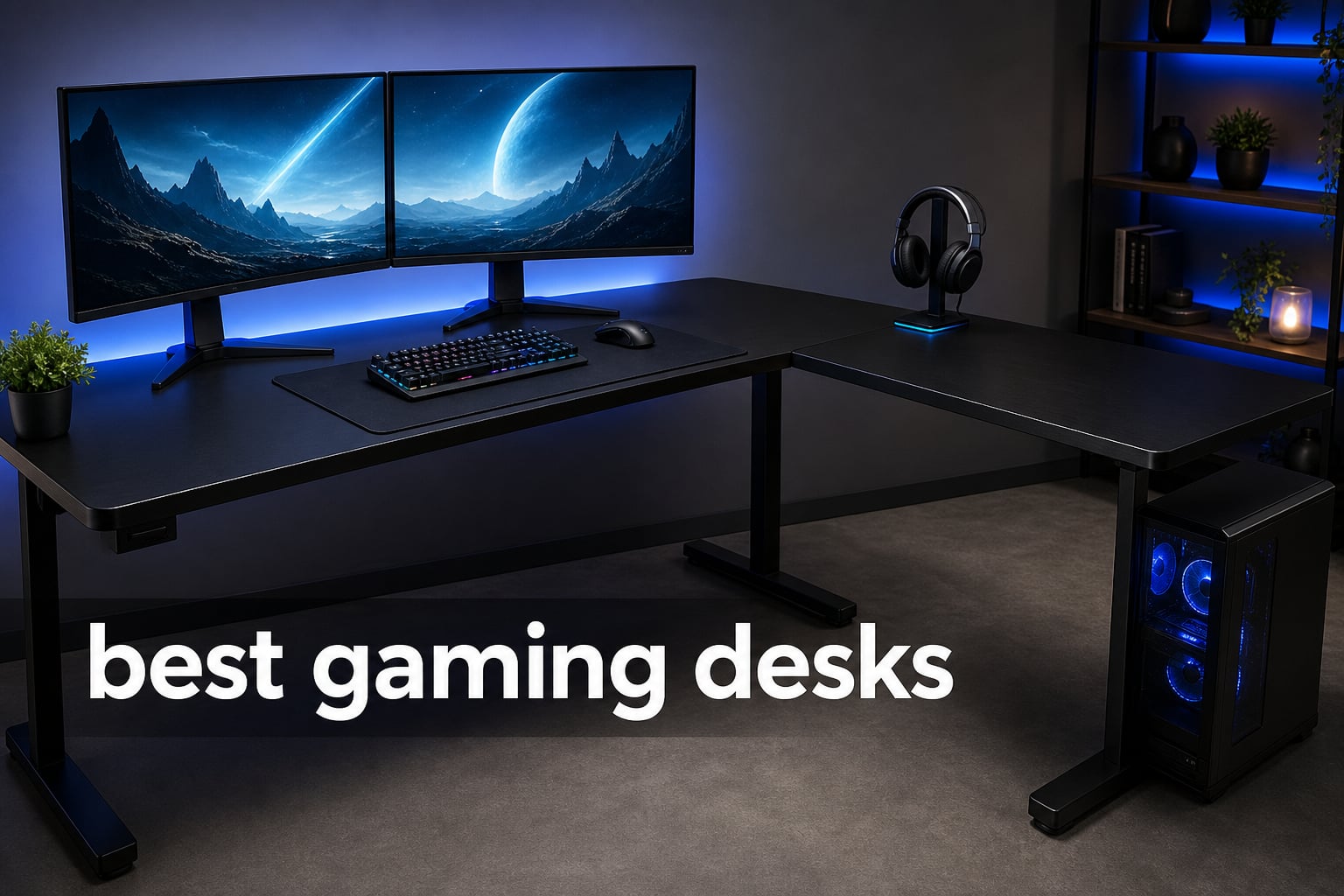
The best gaming desks give your PC, monitors, controls, and cables a stable home without taking over the room. For 2026, our clearest all-round choice is the SEDETA L Shaped Gaming Desk because its reversible corner layout combines a 67-inch working span with shelves, a keyboard tray, a pegboard, lighting, and a built-in charging strip.
A gaming desk is a computer desk built around the way a battlestation grows: heavier screens, more cables, accessories within reach, and a need for comfortable monitor placement. I look past decorative RGB desk features first and focus on usable depth, frame design, storage, stated load limits, and whether the footprint actually fits the room.
This guide covers ten real, currently listed desks across fixed-height, L-shaped, and electric standing desk designs. Match the desk to a supportive seat with our guide to gaming chairs, then see how the desk fits into a complete gaming setup under $1000.
Ratings and review counts below come from the available product data, while every feature callout comes from the listed specifications or review summaries. I have not treated a high rating as proof that a desk suits every room; a 71-inch surface and a compact 40-inch workstation solve very different problems.
Table of Contents
The top 3 gaming desks cover most setups
Start with these three if you want the fast answer. They separate the most common needs: a full corner station, a sit-to-stand gaming table, and a compact L-shaped desk for a smaller room.
- SEDETA L Shaped Gaming Desk: the best overall corner-station choice for integrated storage, power, lighting, and room-layout flexibility.
- Veken 55 Inch Electric Standing Gaming Desk: the practical electric option for gamers who want saved sitting and standing positions.
- Bestier 42 Inch L-Shaped Gaming Desk: the compact pick for a corner setup with power, Type-C charging, shelves, and an LED strip.

SEDETA L Shaped Gaming Desk
- 67 inch reversible L shape
- 4 outlets and 2 USB ports
- pegboard and shelves

Bestier 42 Inch L-Shaped Desk
- compact corner footprint
- AC USB and Type-C power
- reversible shelves
The best gaming desks in 2026 are easier to compare side by side
Use this overview to narrow the field by desk type, footprint, and standout function before reading the full notes. The comparison focuses on published specs rather than claims that every feature matters equally to every player.
| Product | Specifications | Action |
|---|---|---|
| SEDETA L Shaped Gaming Desk |
|
View on Amazon |
| Veken 55 Inch Standing Desk |
|
View on Amazon |
| Bestier 42 Inch L-Shaped Desk |
|
View on Amazon |
 ODK 66 Inch L-Shaped Desk ODK 66 Inch L-Shaped Desk |
|
View on Amazon |
 AODK 55 Inch Gaming Desk AODK 55 Inch Gaming Desk |
|
View on Amazon |
 FEZIBO 71 x 37 Standing Desk FEZIBO 71 x 37 Standing Desk |
|
View on Amazon |
 GTPLAYER 55 Inch Gaming Desk GTPLAYER 55 Inch Gaming Desk |
|
View on Amazon |
 HLDIRECT 40 Inch Gaming Desk HLDIRECT 40 Inch Gaming Desk |
|
View on Amazon |
 Casaottima 48 Inch Gaming Desk Casaottima 48 Inch Gaming Desk |
|
View on Amazon |
 Furologee 51 Inch Gaming Desk Furologee 51 Inch Gaming Desk |
|
View on Amazon |
1. The SEDETA L Shaped Gaming Desk is the best all-round corner station
SEDETA 67″ L Shaped Gaming Desk with Pegboard LED Lights and Power Outlet
67 inch L shape
4 outlets and 2 USB ports
pegboard and shelves
Pros
- Reversible L layout
- Integrated power and USB
- Extensive storage
- Keyboard tray
- RGB lighting
Cons
- 76 lb desk
- Two people recommended
The SEDETA is my first pick for a player who wants one desk to handle screens, a tower, charging, and everyday clutter. Its 19.7 by 67 by 57-inch dimensions create a long L-shaped station, and the listed layout can hold up to three monitors.
The reversible design matters more than it sounds. You can place the return on the side that follows the wall, window, or door instead of forcing the whole gaming station to work around the desk.
Its published power setup has four outlets and two USB ports, while the pegboard, two-tier shelves, top hutch, storage bag, headphone hook, and keyboard tray reduce the number of add-ons a corner setup needs. The RGB system lists 60,000 colors, 29 flashing modes, and music sync, so it is a better fit for someone who actually wants lighting control rather than a single fixed accent.
I would plan the build before opening the boxes. At 76 pounds, with two people recommended for assembly and no included tools, this is not the choice for a quick solo move between rooms.
The best fit is a multi-monitor corner setup that needs storage
This desk makes the most sense when your equipment would otherwise spill onto separate shelves or drawers. The long L footprint gives a PC gaming setup room to separate a keyboard-and-mouse area from a monitor, console, or charging area.
Its 4.7 rating from 1,261 reviews supports the impression that the mix of utility and layout flexibility lands well with buyers. I would still measure the usable wall lengths rather than relying on the diagonal working-surface figure.
The main trade-off is a deeper assembly and moving commitment
The storage-heavy frame asks for more assembly attention than a plain rectangular gaming table. Set aside floor space for the parts, have a second person available, and gather the listed hammer, hex key, screwdriver, and wrench in advance.
If you only use a single monitor and need a desk that moves often, the extra hutch and shelves can become more furniture than you need. Gamers who want even more corner-specific options can compare our best L-shaped gaming desks before committing.
2. The Veken 55 Inch Electric Standing Gaming Desk is the practical sit-to-stand pick
Veken 55 Inch Large Electric Standing Desk, Gaming Table, Black
55 inch top
28.3 to 46.5 inch electric lift
154 lb stated capacity
Pros
- Electric height adjustment
- Memory presets
- Quiet motor
- Cable management
- Stable at full height
Cons
- Two-board top
- Two people advised
The Veken is the straightforward answer if you want to alternate sitting and standing without turning your room into a large office workstation. Its 55.12 by 23.64-inch desktop is broad enough for a conventional monitor-and-peripherals arrangement, while the motor adjusts from 28.3 to 46.5 inches.
I like the stated memory presets because repeatable height matters more than a long adjustment range on its own. Once your chair, elbow position, and monitor height feel right, a saved setting removes the small daily hassle of finding it again.
The data lists a quiet motor below 52 dB, cable management, a cable clip, two headphone hooks, and a stated 154-pound maximum recommendation. Those details point it toward a tidy single- or dual-monitor station rather than a desk covered in unmounted heavy equipment.
Its two-board desktop is the detail I would inspect closely during assembly. Align the sections carefully and place a full desk mat across the top if you prefer a more visually continuous mouse and keyboard surface.
The strongest use is a shared work-and-play desk
This is a good gaming desk for someone who studies or works at the same station, then wants a standing option for a longer session. The fixed dimensions are less imposing than the giant standing desks in this list, which helps in bedrooms and multipurpose rooms.
With a 4.6 rating from 1,964 reviews, the Veken has a sizable feedback base for an electric desk. The review summary specifically points to smooth adjustment, stability at full height, and an assembly window of about 10 to 30 minutes with two people.
The better alternative is a wider desk for deep multi-monitor rigs
A 23.64-inch depth is workable, but it leaves less front-to-back space than the FEZIBO’s 37-inch surface. I would not crowd this desk with a very deep display, speakers, a large PC tower, and a full-size microphone boom without mapping the footprint first.
Choose a fixed-height desk if you never expect to stand; it removes a motor from the decision and can direct more of the footprint toward storage. Choose this Veken when position changes are a real part of how you play and work.
3. The Bestier 42 Inch L-Shaped Gaming Desk is the smartest compact corner choice
Bestier 42-Inch L-Shaped Computer Desk with Charging & LED, Black
42 inch corner desk
AC USB and Type-C power
LED strip and shelves
Pros
- Compact L footprint
- Type-C charging
- Reversible shelves
- Monitor shelf
- Hooks
Cons
- Assembly takes planning
- No customization
The Bestier gives a small room a real corner gaming station instead of a narrow straight desk pushed into an unused angle. At 32.28 by 41.93 by 35.91 inches and 32.63 pounds, it is substantially easier to place than the large L-shaped models here.
The published power strip includes two AC outlets, one USB port, and one Type-C port. I see that as a meaningful convenience for a controller, phone, wireless headset, or desk light, particularly when the wall outlet is hidden behind the desk.
It also has reversible side shelves, four shelves in total, an under-shelf LED strip, a headphone and backpack hook, and a shelf that can work as a monitor stand or display surface. The carbon-fiber top and metal frame give the desk its gaming-furniture look without adding a bulky hutch.
The compact footprint does not cancel the need to build carefully. The product data says assembly is required and recommends two adults, a useful warning for renters who assume a smaller desk automatically means a fast build.
The best room is a bedroom or study with an empty corner
Put this desk on a corner wall when you need room for a monitor, keyboard, and core peripherals but cannot spare a broad 55- or 66-inch rectangle. The reversible shelf placement lets the storage side follow the room rather than block the route through it.
Its 4.6 rating from 3,121 reviews is the largest review base in this roundup. I would take that as a useful signal for its compact format, not as a reason to skip measuring the corner and the chair clearance.
The limiting factor is the smaller working surface
This is not the desk I would choose for a wide three-monitor array, a racing wheel, and a full streaming rig at the same time. The SEDETA or ODK offers more expansion space when the equipment list is already long.
Keep the upper shelf’s role deliberate: either raise the primary monitor or use it as a side display shelf. Trying to stack too many objects there can make the compact station feel visually crowded.
4. The ODK 66 Inch L-Shaped Gaming Desk gives large corner setups more surface
ODK 66″ Large L Shaped Gaming Desk with Power Outlet & LED, Black
66 inch L shape
3 outlets and 2 USB ports
four-tier storage
Pros
- Large center span
- Full monitor stand
- Power and USB
- Reversible layout
- Four-tier storage
Cons
- No tools included
- No drawer storage
The ODK is the L-shaped option I would shortlist for a broad monitor layout that also needs shelving below the desktop. It measures 18.9 by 66.14 by 34.92 inches, and the product description calls out a 36-inch center length rather than the more typical 26-inch center span.
That central space changes the day-to-day feel of a corner setup. It gives the keyboard, mouse, and chair a more natural working zone while the side sections take a tower, a second screen, or accessories.
ODK lists three standard outlets, two USB ports, a full monitor stand, a CPU stand, an adjustable shelf, and four-tier storage. Its LED system offers ten colors and ten modes with a memory function, which helps if you do not want to reset lighting after every power cycle.
The stated maximum weight recommendation is 150 pounds. I would use that number as a planning limit for the complete load rather than thinking only about the heaviest single item, especially if the desktop will carry multiple screens.
The right use is a wide corner battlestation with organized equipment
A player using two or more displays can use the monitor stand for a raised screen position while keeping the lower desktop area clearer. The storage tiers are useful when the room has no separate cabinet for a tower, games, controllers, or school supplies.
Its 4.7 rating from 954 reviews and the published emphasis on desktop room make it a strong alternative to a separate desk-and-shelf combination. I would place the CPU stand where it has airflow and does not make cable routing awkward.
The key preparation is bringing your own assembly tools
The manufacturer does not include assembly tools, so gather what the instructions require before scheduling the build. This is a simple practical point, but forum discussions repeatedly flag assembly friction as a reason desk projects go badly.
If enclosed drawers are more important than open shelving, look to the Casaottima or Furologee instead. Their storage is more suited to hiding smaller items, while the ODK favors accessible display and equipment space.
5. The AODK 55 Inch Gaming Desk balances a straight layout with a drawer
AODK Gaming Desk with LED Lights, 55 Inch Computer Desk with Drawers, Reversible Small Desk with Monitor Stand & Headphone Hook for Home Office, Black
55 inch top
fabric drawer and monitor stand
USB outlet and LED lights
Pros
- Fabric drawer
- Reversible monitor stand
- Included tools
- USB outlet
- Compact depth
Cons
- One drawer only
- Limited depth
The AODK suits a player who wants a conventional 55-inch computer desk but does not want a bare tabletop and an exposed tangle of accessories. Its 19.69 by 55.12 by 29.92-inch dimensions stay relatively shallow, making it a workable fit along a bedroom wall.
The monitor stand is reversible, so you can assemble it on either side, and the fabric drawer gives controllers, cables, notebooks, or handheld accessories a place to disappear. I find that one closed storage zone can make a simpler setup feel much calmer than an open shelf packed with small objects.
The desk includes a built-in outlet and USB port, a headphone hook, and LED lighting with ten static colors and ten dynamic modes. It also lists included assembly tools and a three-position height arrangement for the monitor stand rather than for the desk itself.
Do not confuse the monitor stand’s adjustment with electric sit-to-stand capability. The desk remains a fixed-height rectangular workstation, which is fine when your chair and screen placement are already settled.
The practical choice is a tidy single-monitor or console station
The 55-inch width gives you more side-to-side room than the compact desks without demanding a corner. I would use the raised shelf for a monitor and reserve the lower surface for peripherals, a console, or a charging area.
The 4.7 rating from 1,097 reviews is encouraging, and the review summary highlights the drawer, lighting, and space-saving design. Its listed 37.5-pound weight also makes it less intimidating to reposition than the largest desks here.
The desk works less well when depth is your first requirement
At just under 20 inches deep, this model is less forgiving for a large monitor stand placed far from the wall. Measure the display’s base and leave room for a keyboard plus a comfortable wrist position before selecting it.
Gamers who prefer adjustable working height should move to the Veken or FEZIBO. Those models add an electric lift, while the AODK spends its feature set on storage, monitor placement, charging, and lighting.
6. The FEZIBO 71 x 37 Inch Electric Standing Desk is the large-surface standing choice
FEZIBO 71 x 37 Inch Large Electric Standing Desk 1″ Thick Desktop, Black
71 x 37 inch top
28.3 to 46.5 inch lift
220 lb stated capacity
Pros
- Extra-deep workspace
- Three memory presets
- 220 lb capacity
- USB-C charging
- Cable management
Cons
- Two packages
- No drawers
The FEZIBO is the desk for a gamer who needs a genuinely large standing surface rather than a standard desk with a motor attached. The 71 by 37-inch top offers far more front-to-back room than the other standing option, and it moves electrically from 28.3 to 46.5 inches.
I would favor that depth for a multi-monitor computer desk, a large desk mat, speakers, and a microphone arm because each item can sit with some breathing room. The published 220-pound capacity also gives a heavy setup a much higher stated limit than the Veken’s 154 pounds.
FEZIBO lists a dual crossbeam claimed to provide 150 percent more stability, a one-inch thick FSC-certified desktop, three memory presets, cable management, and an 18W USB-C PD 3.0 port. The motor is listed below 50 dB, another useful detail if you share a room or take calls from the same desk.
The trade-off is physical scale. The desktop and frame arrive in two separate packages, so I would make delivery space and assembly room part of the plan rather than treating them as afterthoughts.
The best setup is a deep multi-monitor gaming and creator station
A 37-inch desktop depth is the standout specification here. It helps keep displays at a sensible distance while leaving working room for a keyboard, audio gear, a drawing tablet, or a controller dock.
With a 4.7 rating from 201 reviews, this has a smaller feedback pool than several compact desks in the guide. I would weigh the listed dimensions and capacity most heavily because those are the traits that make this model distinct.
The main compromise is that storage must be added separately
There are no drawers, a hutch, or included shelves. That is a benefit if you want a clean under-desk area, but it means a storage plan needs a rolling cabinet, a wall shelf, or a separate organizer.
Check the room depth as carefully as the wall width. A 37-inch desk projects much farther into the room than a typical 19- to 24-inch computer desk, and that affects chair travel and walking space.
7. The GTPLAYER 55 Inch Gaming Desk favors a simple high-capacity fixed-height setup
GTPLAYER 55 Inch Gaming Desk with LED Lights, Large Computer Desk with Mouse Pad for Home Office, T-Shaped Carbon Fibre Surface PC Game Workstations with Headphone Hook
55 inch top
300 lb stated capacity
mouse pad and headphone hook
Pros
- 300 lb stated capacity
- Built-in mouse pad
- Carbon fiber surface
- LED lighting
- Lightweight frame
Cons
- Tools not included
- Fixed height
The GTPLAYER is a stripped-back gaming table for someone who wants a broad surface and a high published load recommendation without a shelf tower or drawer bank. It measures 23.62 by 55.11 by 29.52 inches and lists a stated 300-pound capacity.
The 14.7-pound item weight is unusually light beside that stated capacity, so I would assemble it on a level floor and distribute equipment across the surface rather than piling everything onto one edge. Its T-shaped form, metal frame, and carbon-fiber finish keep the visual design focused on the main desktop.
The desk includes a built-in mouse pad, LED lighting, a headphone hook, and a stated one-year warranty. The all-in-one pad is attractive for a clean PC gaming setup, though I would consider whether you prefer the freedom to replace or wash a separate desk mat.
Tools are not included for assembly. That is not a deal-breaker, but it is another reason to prepare before delivery instead of discovering a missing tool halfway through the build.
The strongest match is a clean fixed-height desktop with heavy gear
This is the right shape for players who already own storage elsewhere and want the desk surface to do one job well. The 55-inch width can suit a monitor, keyboard, mouse area, and a compact tower or console arrangement.
Its 4.6 rating from 1,893 reviews gives the model a broad feedback base. I would treat the stated 300-pound limit as a framework for sensible load planning, not a reason to ignore mounting instructions or frame stability.
The missing storage matters for accessory-heavy stations
There are no listed drawers, charging outlets, or shelves, so cables and small gear need their own homes. Add a cable tray below and use the headphone hook as intended to keep the surface from becoming a drop zone.
If built-in charging and storage are your priorities, the Furologee or SEDETA is a more complete starting point. Choose the GTPLAYER when simplicity, top surface, and the stated load capacity matter most.
8. The HLDIRECT 40 Inch Gaming Desk is the compact fixed-height small-room answer
HLDIRECT 40 Inch A-Shaped Gaming Desk with Carbon Fiber Surface, Black
40 inch top
200 lb stated capacity
curved edge and cable grommets
Pros
- Compact footprint
- Curved ergonomic edge
- 200 lb capacity
- Cupholder and hook
- Tools included
Cons
- Fixed height
- Not for wide rigs
The HLDIRECT is the desk I would choose when wall space is the hard limit and a 55-inch top simply will not fit. Its 19.7 by 40 by 29.1-inch footprint is compact, but the A-shaped steel structure still carries a stated 200-pound load capacity.
The curved tabletop is its most useful comfort detail. It brings the front edge around the player slightly, and rounded corners reduce the sharp-edge issue that can matter in a tight bedroom or shared space.
It lists an FSC-certified wood desktop with a carbon-fiber wood surface, 1.1 mm steel frame, double-side cable grommets, a headphone hook, a cupholder, and included assembly tools. The stated assembly time is about 30 minutes, which makes it one of the more approachable builds in this group.
I would not expect a 40-inch surface to behave like a multi-monitor production desk. Its strength is putting the essentials in a stable, organized position without asking for a large room.
The right buyer has one main display and limited room
This model works well for a dorm, bedroom, or a small study corner where the desk must leave space for a bed, storage, and a chair. The accessories make it feel more purpose-built than a plain writing desk of the same width.
The 4.6 rating from 1,535 reviews backs up the appeal of its compact format, curved top, and frame design. I would still measure the monitor base because depth, not just width, determines whether the keyboard area feels comfortable.
The constraint is that upgrades can outgrow the surface
A second large display, wide speakers, a wheel, and a streaming microphone can overwhelm this desk quickly. Start with a clean single-display arrangement and add wall-mounted or under-desk storage before trying to stack the desktop.
If your room has a usable corner, the Bestier makes better use of that angle. If it does not, this straight 40-inch desk is a cleaner route than forcing an L-shaped model into a narrow passage.
9. The Casaottima 48 Inch Gaming Desk is the storage-first compact workstation
Casaottima 48 Inch Gaming Desk with Shelves & 3 Drawers & LED Light & Hutch
48 inch top
three fabric drawers and hutch
monitor stand and USB
Pros
- Three fabric drawers
- Useful hutch
- Monitor stand
- USB ports
- Compact 48 inch size
Cons
- Limited workspace
- Two people recommended
The Casaottima makes the case for putting storage above and below the main gaming surface rather than expanding the desktop across the room. Its 47.24 by 18.9 by 59.65-inch dimensions combine a 48-inch desk with a hutch, a monitor stand, and three fabric drawers.
I would pick this model for a mixed study-and-gaming room where papers, controllers, chargers, and notebooks need assigned locations. The enclosed drawer approach is better for visual calm than leaving every small item on open shelves.
The listing includes USB ports, LED lights, a carbon-fiber black finish, two shelves, and a reversible design. The monitor stand can improve screen placement while the hutch creates a place for decor or less-used gear, provided it does not block your preferred monitor position.
Its 18.9-inch depth is the factor to check before anything else. It is compact front to back, which helps a smaller room but calls for a thoughtful display choice and disciplined desktop layout.
The best use is a small room that needs desk storage built in
This is a sensible option when a separate drawer unit would create a cluttered route around the chair. Three fabric drawers can divide accessories by type, and the hutch makes the vertical space work harder.
The Casaottima has a 4.7 rating from 364 reviews, and its review summary highlights the drawers, monitor stand, and USB charging. I would see it as an organization-first desk rather than the widest gaming platform in the roundup.
The monitor plan determines whether the shallow desktop feels comfortable
Use the monitor stand as a deliberate part of the setup rather than an extra shelf. A display on its own stand plus a large keyboard can consume a shallow surface faster than expected.
Assembly is required and two people are recommended. Lay out the drawers, hutch pieces, and monitor stand components in the order of the instructions so the finished desk does not need to be partially disassembled for a missed panel.
10. The Furologee 51 Inch Gaming Desk combines charging, files, and flexible storage
Furologee 51″ Gaming Desk with Power Outlets & LED Lights, Reversible Computer Desk with File Cabinet & Monitor Stand for Home Office, Large Work Table with Storage Shelves & Drawer, Black
51 inch top
3 outlets and 2 USB ports
file cabinet and monitor stand
Pros
- Built-in charging
- File cabinet
- Reversible shelves
- Monitor stand
- Adjustable feet
Cons
- Assembly required
- Shallow 18.9 inch depth
The Furologee is the best fit here for someone whose gaming desk also has to manage documents and chargers. Its 51.2 by 18.9 by 34.5-inch rectangular layout includes a fabric file cabinet, monitor stand, open shelf, drawer, and two adjustable shelves.
The power unit has three outlets and two USB ports, which is enough to centralize a few low-clutter charging tasks. I would route the power cables immediately during assembly, because adding them after the shelves and cabinet are full makes cable management harder than it needs to be.
Its RGB lighting lists 20 colors, 22 modes, and five brightness levels. The shelves can be installed on either side, and eight adjustable feet help the desk sit more securely on an uneven floor.
The file cabinet accepts letter, A4, and legal-size files according to the product data. That makes this a strong hybrid workstation for a gamer who shares the desk with school or office paperwork.
The best fit is a compact gaming desk that must also organize work
Choose the Furologee when closed document storage is as important as controller storage. The long monitor stand can lift a screen while the cabinet and drawer keep a work surface clearer for play.
Its 4.6 rating from 1,228 reviews reflects a substantial buyer base, and the review summary calls out the charging, lighting, monitor stand, and reversible storage. I would use the adjustable feet before loading the desktop so the frame starts level.
The limitation is the same shallow depth found on several storage desks
An 18.9-inch depth is efficient for a wall-based room layout, but it gives a large monitor stand and keyboard less separation. Confirm the screen base dimensions and the amount of mouse movement you want before choosing it.
If your priority is a sprawling open desktop, the FEZIBO is the better direction. If your priority is keeping documents, cables, and small equipment from taking over the top, the Furologee uses its vertical storage well.
The right gaming desk starts with the room and the equipment
Choose the desk shape after measuring the room, the chair’s travel path, and the equipment already on hand. A desk that looks large in a product image can still be too shallow for a monitor base or too deep for the available walkway.
The correct desktop size leaves room in front of the monitor
For a single-display PC setup, width matters, but depth often decides comfort. A desk near 19 inches deep can work with careful placement; a surface in the 23- to 24-inch range gives more keyboard room; the FEZIBO’s 37-inch depth is built for players who need much more front-to-back space.
I start by measuring the display base, keyboard, mouse travel, speakers, controller dock, and the gap I want in front of the screen. Then I compare that plan to the actual desktop depth, not just the largest width number in a listing.
The stated load limit should cover the entire setup
Heavy gaming PCs, multiple monitors, monitor arms, speakers, and a console add up. Use the manufacturer’s stated maximum recommendation as a ceiling for the combined equipment, and distribute weight close to the frame rather than at the far edge of a desktop.
Forum users consistently complain that cheap desks feel unstable under heavy PCs. A steel frame, crossbeam design, level feet, and sensible placement are more important for confidence than lighting or a carbon-fiber pattern.
The best standing desk has a range that matches your seated and standing posture
Electric height adjustment makes sense if you will actually change positions during work, gaming, or study. The Veken and FEZIBO both list a 28.3- to 46.5-inch range, but their footprints and stated capacities differ substantially.
Memory presets are worth having because they make the transition repeatable. Set a seated position with relaxed shoulders and a standing position that does not force your wrists upward, then keep monitor height in the plan rather than only changing the desk height.
The cleanest cable plan uses power placement before accessories arrive
Built-in outlets, USB ports, cable grommets, and trays can reduce clutter, but none of them replaces a routing plan. Keep power cables separated from small signal cables where possible, leave slack for a standing desk’s travel, and label chargers that look identical.
If the desk has no built-in cable management, add an under-desk tray and adhesive clips after checking where the frame, drawers, and knees need room. Pairing a tidy desk with one of our wireless gaming mice can also remove one constantly moving cable from the surface.
The best storage approach keeps daily gear within reach and rare gear away
Drawers and file cabinets suit chargers, handhelds, paperwork, and spare cables; open shelves suit a PC tower only when airflow and cable routes remain clear. Pegboards and hooks are useful for headphones and controllers that otherwise end up on the desktop.
Think through monitor location before filling a hutch or upper shelf with display items. For a screen upgrade, compare desk depth and arm compatibility against the stand sizes in our guide to 4K gaming monitors.
The easiest assembly starts before the delivery day
Clear a floor area larger than the final desk, check whether tools are included, and identify where the finished desk will sit before tightening everything. Large L-shaped and storage-heavy desks often benefit from two people, while even compact models can be awkward to square up alone.
Build near the intended room when the desk is heavy, then level the feet before installing the PC and displays. I also recommend taking a photo of cable connections before a move or major rearrangement, because reconnecting a complex gaming station from memory is needlessly frustrating.
The plain-desk alternative works when you want the surface more than the extras
Community discussions often mention IKEA-style desk combinations as a sensible starting point for a simple setup. That route can work when you need a basic tabletop and are happy to add your own cable tray, monitor arm, and storage.
A dedicated gaming desk makes more sense when integrated charging, a keyboard tray, a monitor shelf, hooks, lighting, or a standing mechanism solves a real need. I would not buy extra features simply because they are labeled for gaming; buy the layout that keeps your screen, hands, and equipment where they belong.
The common gaming desk questions have practical answers
What desk do most pro gamers use?
Most pro gamers use a stable desk sized for their specific monitor, keyboard, mouse, and PC arrangement rather than one universal model. A broad fixed-height desk or a height-adjustable desk can work; the priorities are a solid frame, enough depth for screen distance, and reliable cable control.
What are good gaming desk brands?
Good gaming desk brands are the ones whose published dimensions, load recommendations, storage layout, and assembly requirements fit your setup. In this guide, SEDETA, Veken, Bestier, ODK, AODK, FEZIBO, GTPLAYER, HLDIRECT, Casaottima, and Furologee each serve different space and feature needs.
What desks do gamers use?
Gamers use rectangular computer desks, L-shaped corner desks, and electric sit-to-stand desks. The right category depends on room shape, monitor count, need for storage, and whether changing between seated and standing positions is useful in daily play or work.
Which gaming desktop is best?
The best gaming desktop is the one with enough width and depth for your equipment, a frame and stated capacity suited to the full load, and storage or cable routing that fits your habits. For a feature-rich corner setup, the SEDETA is the strongest all-round choice in this list.
The best gaming desk for most players is the SEDETA
The SEDETA is the best gaming desks all-round recommendation because its reversible 67-inch corner layout combines a broad surface with power, storage, a keyboard tray, and lighting. Pick the Veken when electric height changes are the priority, the Bestier when room is scarce, and the FEZIBO when a deep standing surface is non-negotiable.
Measure first, choose features second, and build the desk around the equipment you use every day. That approach will make your 2026 gaming station more comfortable and easier to keep organized than chasing the longest feature list.