
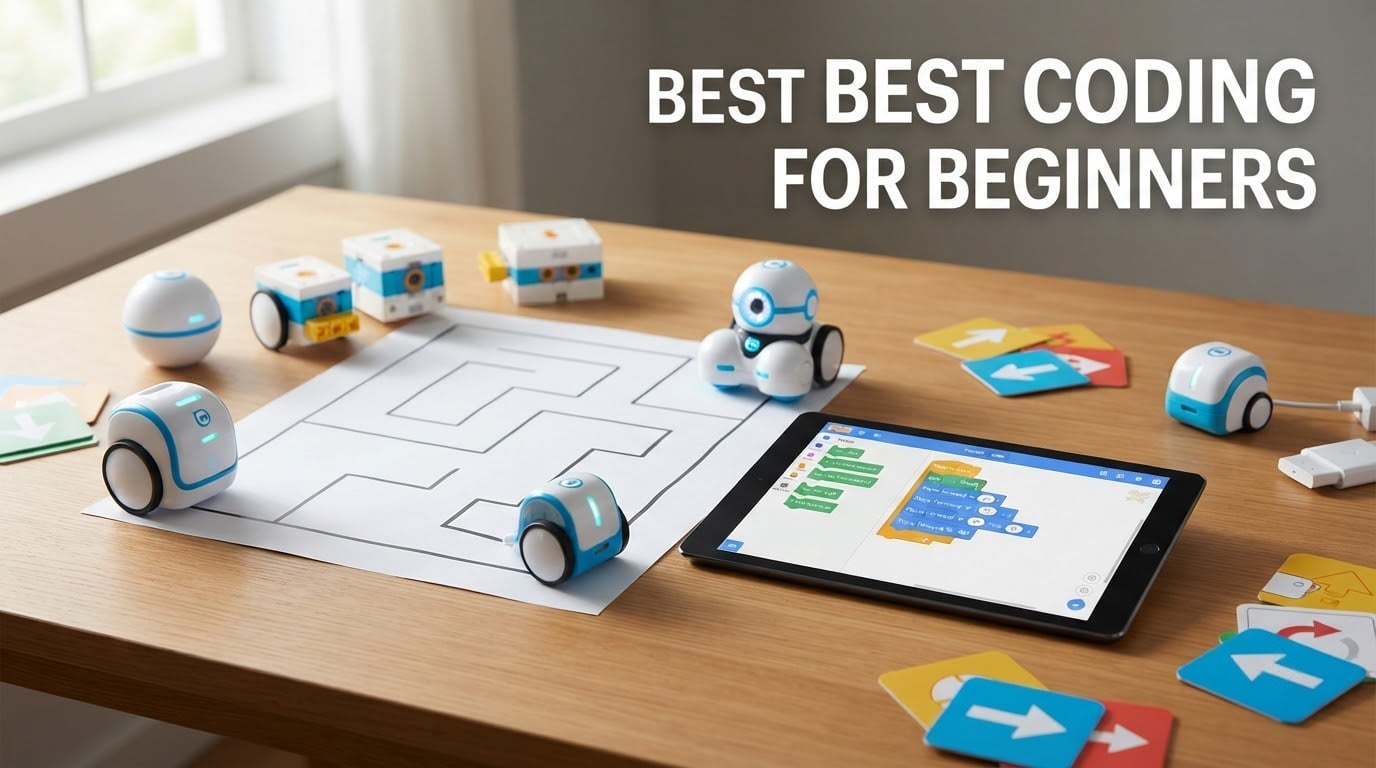
Short answer: the Sphero Mini is the best coding robot for beginners overall, the Learning Resources Code & Go Robot Mouse is the right first robot for a child aged four to six, and the Learning Resources Botley activity set is the pick if you want a genuinely screen-free option. For a child who is already eight and reading fluently, the Makeblock mBot is the strongest bridge from blocks to real code.
A coding robot is a physical toy or kit that a child programs so it moves, speaks, senses its surroundings or completes a challenge. Most of them work by dragging command blocks together in a tablet app, sending the program to the robot over Bluetooth, and watching it execute the instructions physically. Because a mistake shows up as a wrong turn rather than an error message, beginners pick up debugging instinct faster than they do from software alone.
That is the theory. The reality is messier, and it is where most buying guides fall over. Age mismatch is the single most common failure parents report, a kit that is too easy produces boredom within a month and a kit that is too hard produces abandonment within a week. In the parent and educator forums behind this roundup, the recurring complaints are almost never about features. They are about assembly eating a whole Saturday, the child outgrowing a blocks-only toy in eight months, and the parent quietly becoming the programmer.
So we organized all twelve picks by age band instead of by rank, and we made screen-time honesty a required field. Some of these robots need a tablet for every minute of play. Three of them never touch a screen at all. Those are very different purchases and the spec sheet does not tell you which is which. We researched all 2026 updates, cross-checked every rating and review count against the current listing, and pulled the pain points parents actually describe. Every product here has a stated downside, because a roundup with no negatives is just an advertisement.
If you are also building a first coding habit away from hardware, our guide to the best pixel art games for beginners is a good parallel track. And if the goal is a family competition rather than a first programming project, our best table tennis robot picks are a different but equally nerdy rabbit hole. If you would rather wait a year and buy one bigger thing, start with a beginner telescope instead and come back to robots when the child is ready for assembly.
Top 3 Picks for Best Coding Robots for Beginners (October 2026)

Sphero Mini
- Draw
- block or JavaScript coding
- Bluetooth to two free apps
- 1 hour play per charge

Makeblock mBot
- Scratch blocks to Arduino
- Builds in about 15 minutes
- 100+ expansion modules

Botley Activity Set
- No phone or tablet needed
- Object detection and looping
- 40 coding cards included
Those three cover the most common situations. Sphero Mini wins on the sheer number of ways a child can approach it, mBot wins on the clearest path from blocks to real programming, and Botley wins if a tablet is not part of the deal.
Best Coding Robot in This Roundup at a Glance in 2026
| Product | Specifications | Action |
|---|---|---|
| Sphero Mini |
|
Check Latest Price |
 Teach Tech Mech-5 Teach Tech Mech-5 |
|
Check Latest Price |
 ELEGOO UNO R3 Robot Car ELEGOO UNO R3 Robot Car |
|
Check Latest Price |
| Makeblock mBot |
|
Check Latest Price |
 Code and Go Robot Mouse Code and Go Robot Mouse |
|
Check Latest Price |
 Artie 3000 Artie 3000 |
|
Check Latest Price |
 Wonder Workshop Dash Wonder Workshop Dash |
|
Check Latest Price |
| Botley Activity Set |
|
Check Latest Price |
 Coding Critters Ranger and Zip Coding Critters Ranger and Zip |
|
Check Latest Price |
 Makeblock mBot2 Makeblock mBot2 |
|
Check Latest Price |
 Ruko 1088 Smart Robot Ruko 1088 Smart Robot |
|
Check Latest Price |
 Kids First Coding and Robotics Kids First Coding and Robotics |
|
Check Latest Price |
Quick age-band match
Ages 4 to 6: Code and Go Robot Mouse, Coding Critters, or Thames & Kosmos Kids First Coding. All three are screen-free, which is the whole point at this age.
Ages 6 to 8: Botley if you want zero screens, Dash if you are happy to hand over a tablet, and Botley again for siblings because one robot cannot be shared.
Ages 8 to 10: Sphero Mini or the original mBot. Both have a real ladder from blocks toward text-based code, which is where most eight-year-olds start to get bored with plastic arrow buttons.
Ages 11 to 13: mBot2 if you want Python on the roadmap, Artie 3000 if the child is artistic, or Mech-5 if they would rather build something mechanical than program on a screen.
Ages 13 and up: The ELEGOO UNO R3 is the only kit here with genuine electronics content and Arduino-level programming, and the manufacturer rates it for twelve and over.
1. Sphero Mini – The Best Coding Robot for Beginners Overall
Sphero Mini (Blue) – Coding Robot Ball – Educational Coding and Gaming for Kids and Teens – Bluetooth Connectivity – Interactive and Fun Learning Experience for Ages 8+
Ages 8+
1 hour playtime
0.11 kg
Draw, blocks or JavaScript
Pros
- Genuine pocket-sized entry point into robotics
- Three coding pathways including JavaScript
- Doubles as a handheld game controller
- Gyroscope and accelerometer built in
- Works over Bluetooth with free apps
Cons
- Only about 1 hour of play time per charge
- Programming needs a compatible phone or tablet
- Small size suits flat floors only
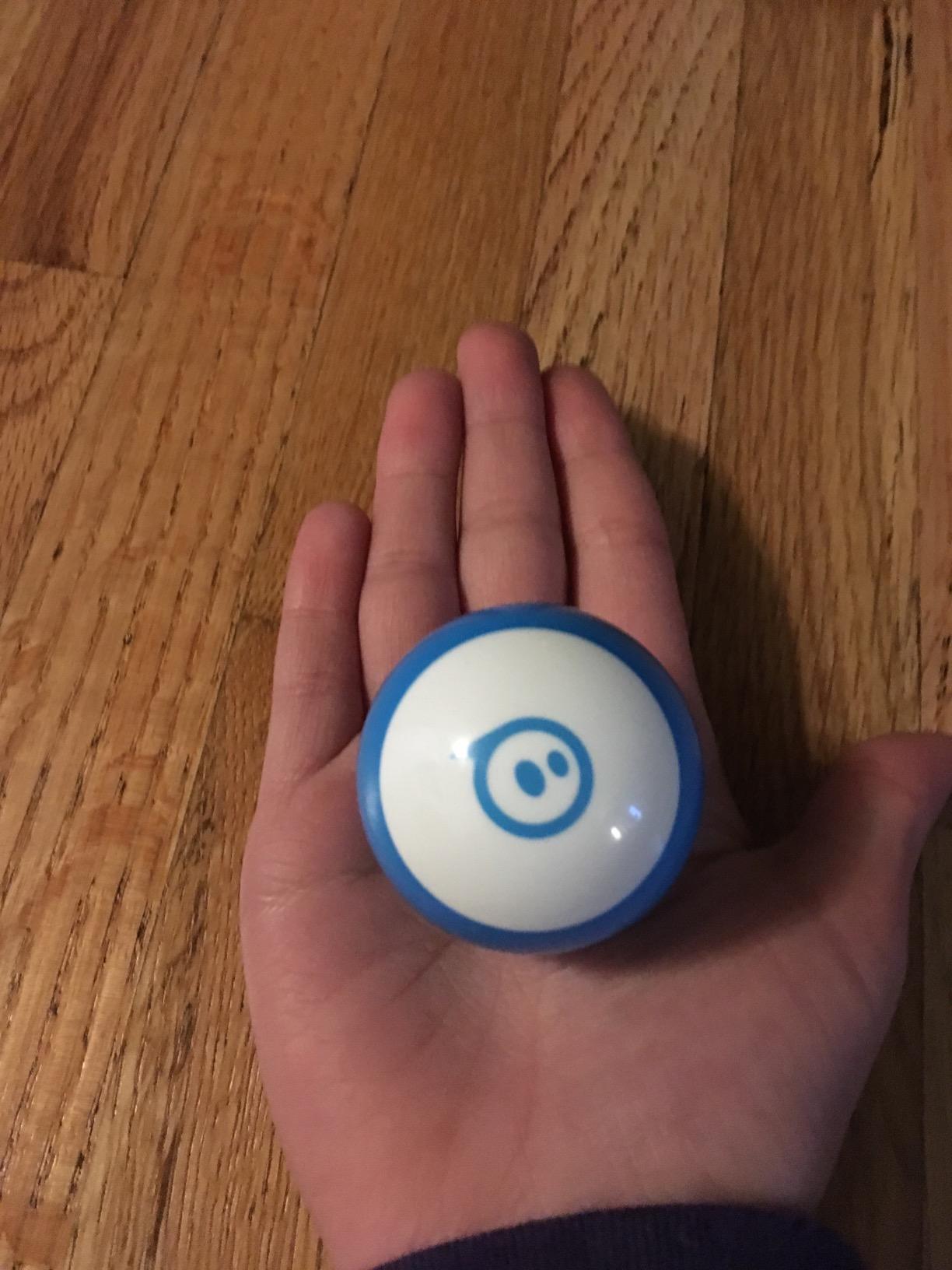
The Sphero Mini is a robot the size of a ping pong ball, and that single design decision explains why it works so well as a first robot. It is cheap enough that a first collision is not a tragedy, small enough to run anywhere a phone battery can, and simple enough that a child can program it in the first ten minutes without an adult sitting over their shoulder.
What makes it our top pick is not the hardware, it is the three entry points. The free Sphero Edu app lets a beginner draw a path on the screen with a finger, so there is no syntax at all on day one. The same app then offers drag-and-drop blocks for control flow, and above that sits real JavaScript for a child who is ready. Nobody in our research suggested the first two modes are throwaway, which is rare in this category.

There is a second app, Sphero Play, that turns the Mini into a joystick, a slingshot or a tilt-controlled rover, with three arcade games. That is not coding, but it matters more than it sounds. A child who will not touch a program until they have crashed the thing into a wall a few times is far more likely to eventually write one. Three traffic cones and six bowling pins ship in the box to support exactly that.
The honest limit is battery life. The rechargeable battery gives about one hour of play per charge, which sounds stingy until you realise the Mini is designed to be programmed in short bursts rather than marinated in. It also has no wheel or obstacle sensing, so a child cannot write a maze solver. And because the ball rolls, it only performs on flat surfaces, which rules it out for thick carpet.
Who the Sphero Mini suits
It suits a child aged eight or older who is a natural tinkerer, or any younger child with an older sibling or parent who will read the instructions out loud. The draw-to-code mode is genuinely pre-reader friendly, which widens the useful age range below the manufacturer’s eight-year label.
It also suits a family that wants one device rather than two apps with different learning goals. Sphero Edu and Sphero Play share the same Bluetooth connection and the same free price tag, and there is no paid tier or subscription anywhere in the chain. That matters for total cost of ownership in a way that reviewers rarely mention.
Who should skip the Sphero Mini
Skip it if your child has no access to a phone or tablet, since every programming mode depends on one. It is a screen-first product with a very good case for why that can still be the right amount of screen time, but it is not a screen-free toy.
Also skip it if the child is under about seven and working alone. The physics are forgiving but the workflow assumes someone can read and translate an on-screen instruction into a tap. Hand it to a confident eight-year-old or a patient adult and the same objection disappears.
2. Teach Tech Mech-5 – The Best Budget Coding Robot With No Screen
TEACH TECH Mech-5 STEM Coding Robot Building Kit for Kids Ages 10+
Ages 10+
16 oz
9 inch
Snap-on mechanical coding wheel
Pros
- Completely screen-free
- No app or device ever needed
- Performs throwing lifting kicking and drawing
- Real build-it-yourself STEM project
- Runs on standard AAA batteries
Cons
- Manufacturer rates it for ages 10 and up
- Assembly takes multiple hours
- Logic is limited to fixed mechanical motions
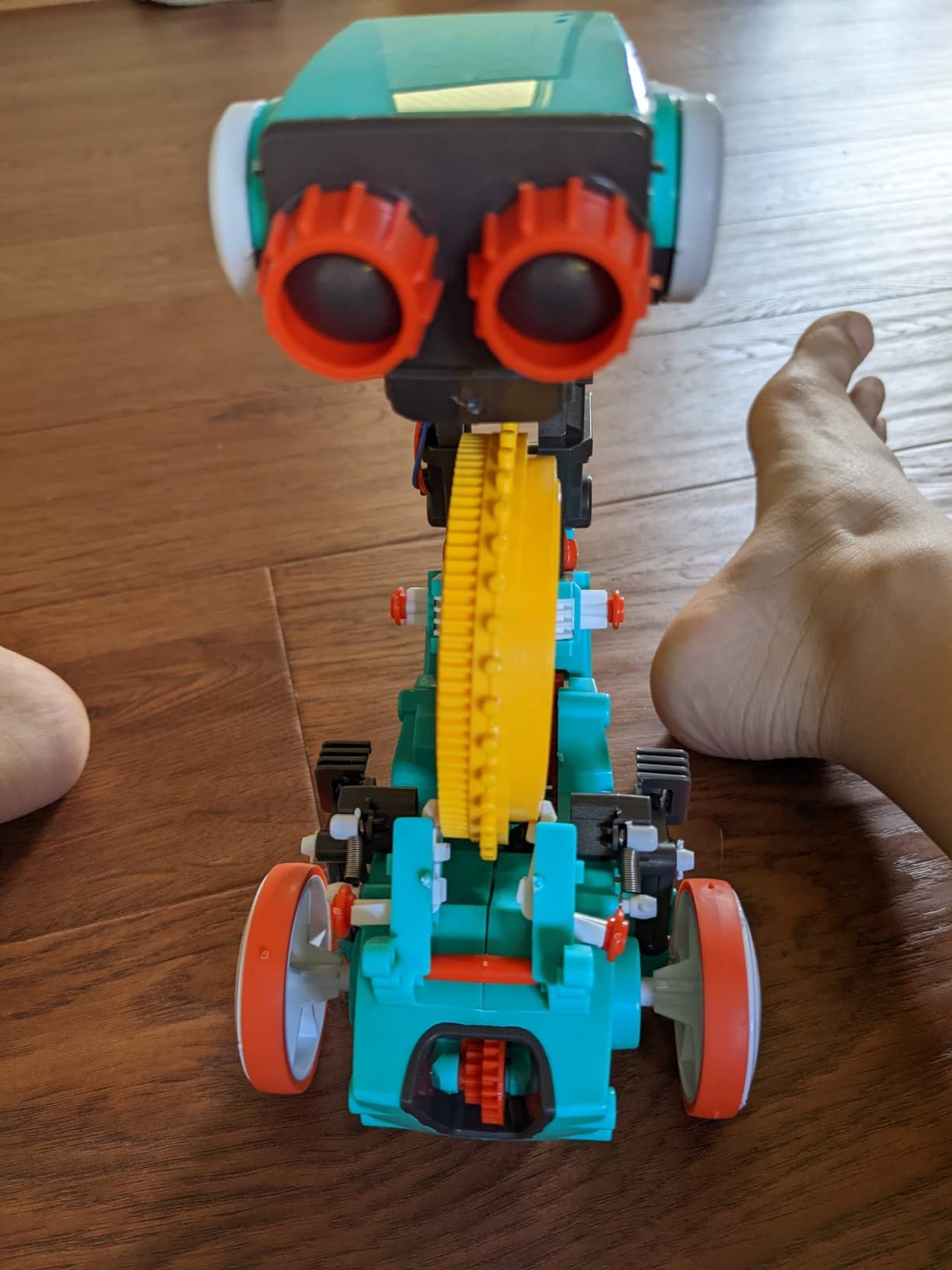
The Mech-5 answers a question most roundups dodge: what does a coding robot look like with no app at all? The answer is a mechanical coding wheel on the robot’s back that accepts physical snap-on buttons, one per movement instruction. You build a sequence of buttons, press the trigger, and the robot performs those actions in order.
It is a strange and rather charming design, and it is the most purely mechanical entry on this list. The robot can throw, lift, kick and draw, so a program produces visible output on paper rather than just movement. Reviewers consistently single out the satisfaction of a child who has never seen a code editor and still gets a working program on the first try.
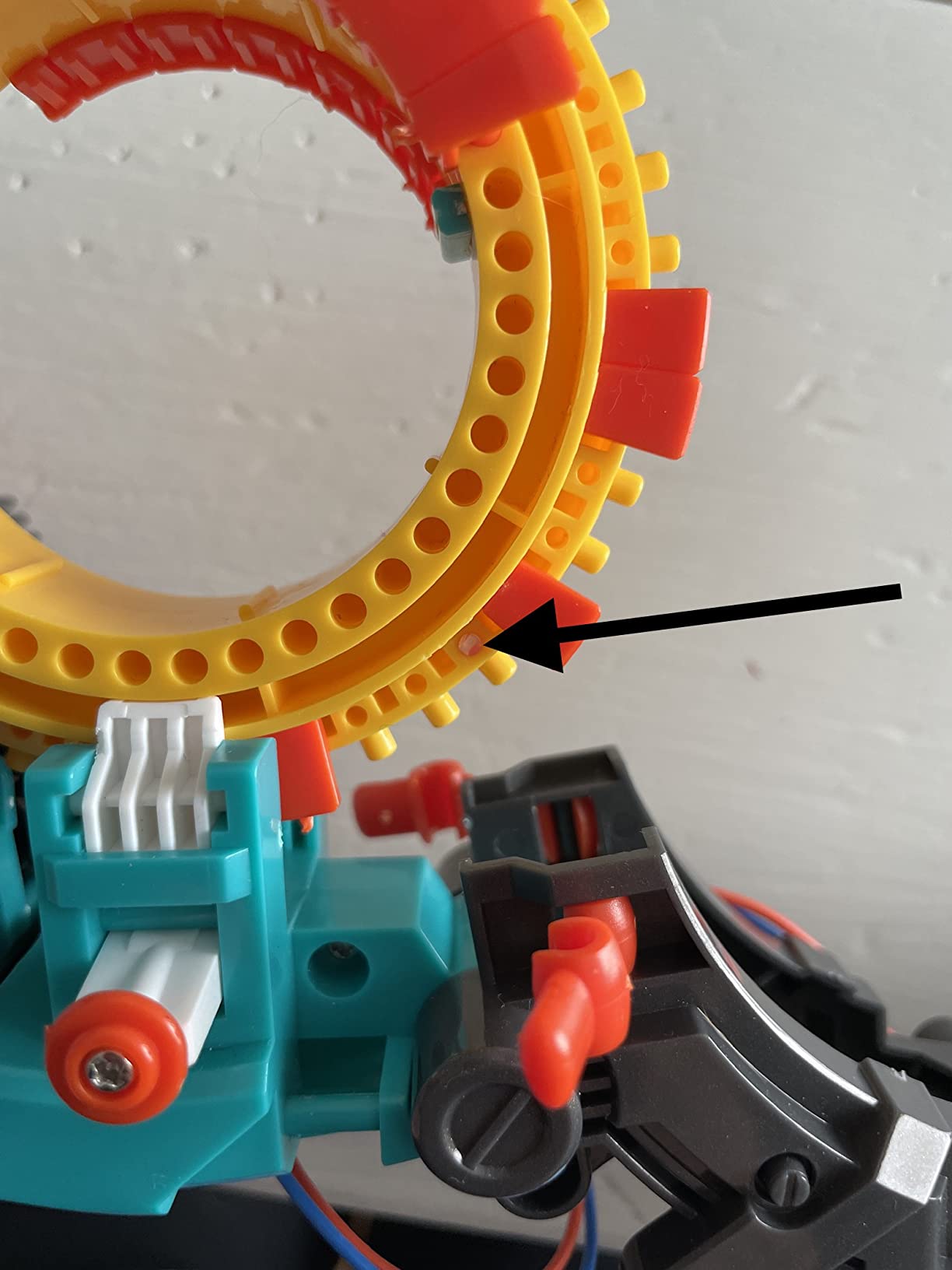
What it teaches is narrower than it looks. The instruction set is a fixed vocabulary of physical motions rather than an open programming language, so there are no conditions, variables or loops in the modern sense. It teaches sequencing and the idea that order matters, which is exactly the foundation, but it will not extend into text code later.
The build is the honest trade-off. The manufacturer calls it an in-depth STEM building project and tells buyers to expect multiple hours. Parents report the same thing, which means the weekend afternoon disappears and you need an adult nearby with the instruction manual. It is also a snap-circuit style kit, so it belongs to a family of kits that grow with the child rather than a single-use toy.
Who the Mech-5 suits
It suits a child who hates screens, or a family with a strict device limit in the early years. Because the programming medium is physical, it is unusually good for a child who finds typing or reading dense text frustrating, and it needs no reading skill at all to operate once the buttons are understood.
It also suits a family that enjoys building together. The assembly is the activity on day one and the program is the activity on day two, which is a different and often more durable rhythm than unboxing an already-finished robot.
Who should skip the Mech-5
Skip it for a child under ten, because the manufacturer rates it for ages ten and up and younger builders need an adult at the manual for the entire build. If the build is finished by a parent and handed over, the child has lost the part that made it worth buying.
Skip it if you expect the robot to grow into real programming. There is no text mode and no third-party ecosystem behind it, so treat it as a complete early-years experience rather than a stepping stone. A child who loves the build will need a different platform next.
3. ELEGOO UNO R3 Smart Robot Car – The Best Coding Robot for Teens and Older Teens
ELEGOO UNO R3 Smart Robot Car Kit V4 with Camera, Compatible with Arduino
Ages 12+
1.23 kg
8 x 7 x 6 inch
Arduino IDE programmable
Pros
- Labelled parts bags and printed manual
- FPV camera plus Wi-Fi
- Pre-flashed so it drives immediately
- Keyed connectors reduce wiring errors
- 2000 mAh rechargeable battery
Cons
- Only one expansion connector
- Acrylic panels show dust and prints
- Camera mount angle sits high
- Battery power switch does not function
This is the oldest-skewing kit in the roundup, with a manufacturer recommendation of twelve and up, and it is the only one that takes a beginner all the way to writing firmware-level code. The UNO R3 controller board is a standard Arduino platform, and the camera module runs on an ESP32-WROVER with its own Wi-Fi, which means a determined teenager can go from a driving script to an internet-connected sensor project without changing platforms.
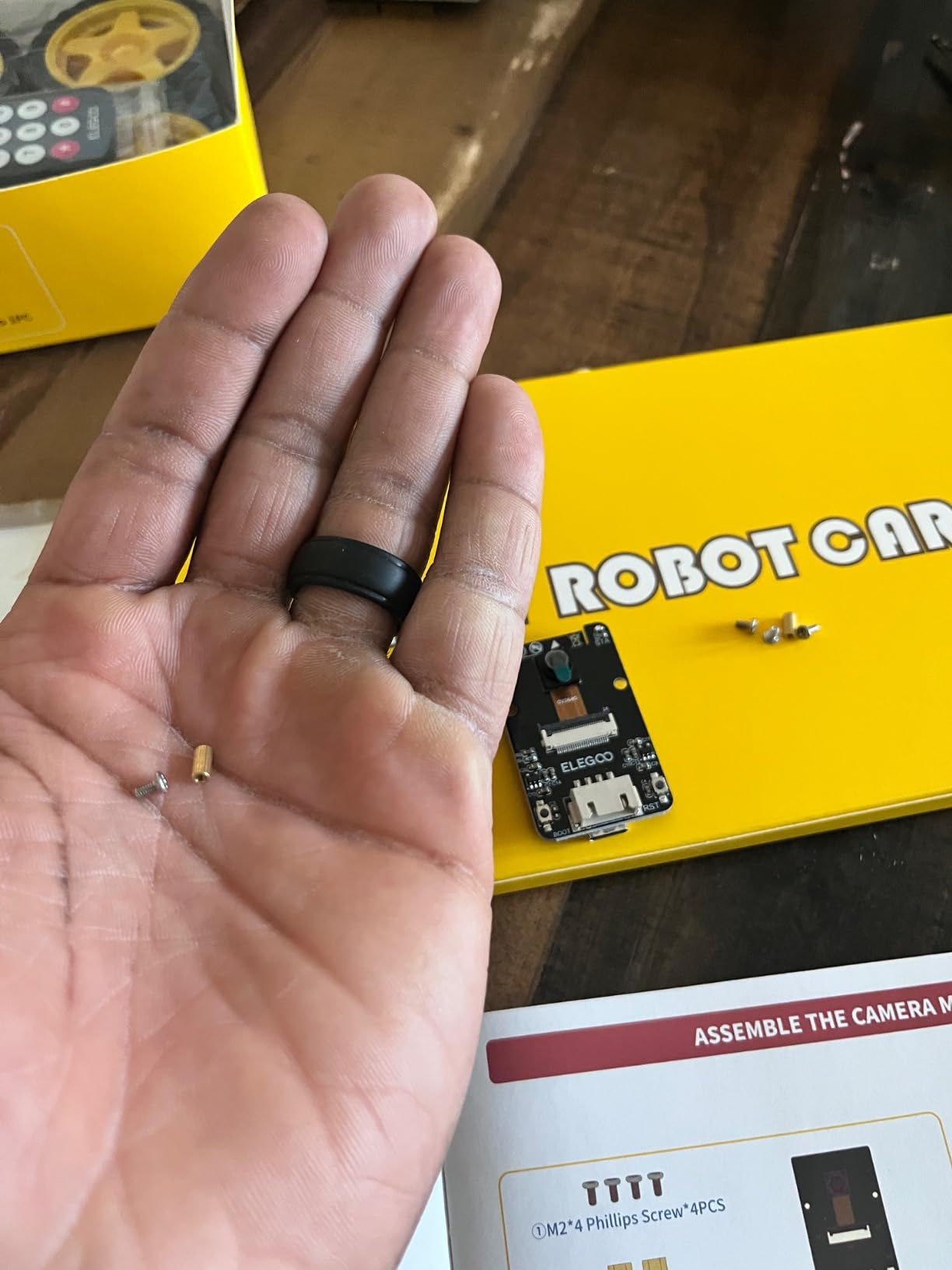
What surprised us most was the documentation. Reviewers describe labelled parts bags, a printed manual and roughly a gigabyte of tutorial material as the best in the category, and that is not a small thing. Beginner robotics kits usually lose parents at the wiring stage, and the keyed XH2.54 connectors are a specific, sensible fix for that failure point.
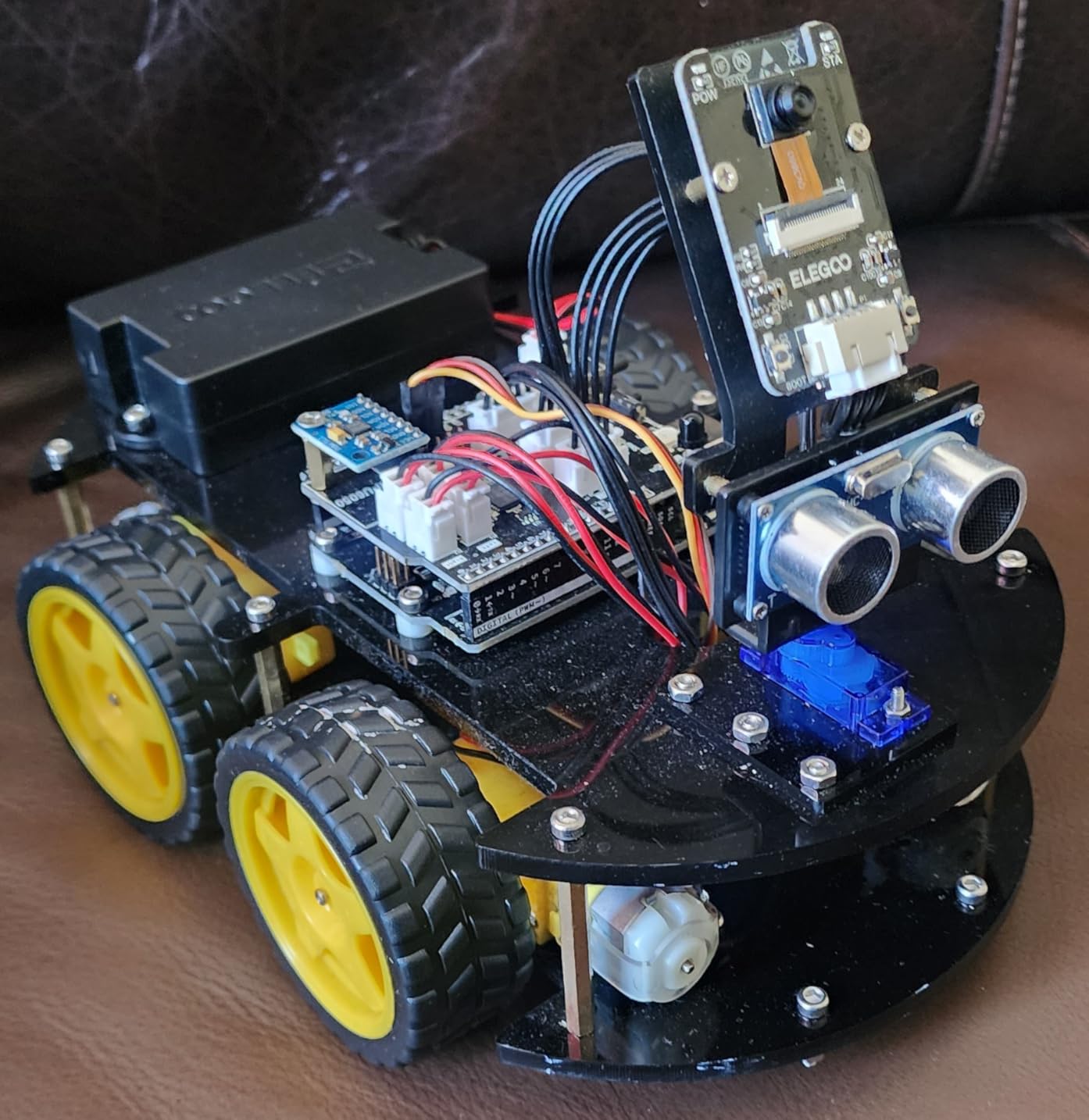
The board arrives pre-programmed, so the car drives the moment assembly finishes. That single detail changes the first-session experience completely, because a child who sees the robot move on day one has a reason to keep going. From there the example source code and tutorials walk through movement, sensors and control logic, and the line-tracking and ultrasonic obstacle-avoidance sensors work out of the box.
It is not a gentle first robot. Exposed electronics, a 2000 mAh lithium pack and a half-year manufacturer warranty all signal that this is equipment rather than a toy. The acrylic panels show fingerprints and dust, the camera mount angle is high enough that obstacles directly in front are awkward to see, and the battery power switch does nothing, so you cut power by unplugging. The single expansion connector also makes adding sensors harder than on the earlier version.
Who the ELEGOO UNO R3 suits
It suits a child aged twelve or older who is already motivated, or an adult beginner who wants a real hardware platform rather than a themed toy. The Arduino compatibility is the point: any Arduino tutorial written for a board, the wiring diagrams generalise to this car.
It also suits a family that wants a shared project. Building it together over a few weekends and then modifying the example code is a genuine engineering exercise, and the FPV camera gives you something visually impressive to show for it. The dual microcontroller setup is unusual at this level and makes IoT projects genuinely possible.
Who should skip the ELEGOO UNO R3
Skip it for a child under twelve, or for any child who wants a ready-to-play robot. There is no beginner mode and no guided app, so a younger user will be sitting in front of a wiring diagram and an IDE with no scaffolding. The manufacturer’s own guidance is adult assistance for first-time builders.
Skip it if the goal is quick, low-friction fun. The build takes real time, the wiring is exposed, and a first dropped screwdriver can mean a broken sensor. Nothing about this kit is padded, which is exactly the appeal and exactly the risk.
4. Makeblock mBot – The Best Coding Robot for Ages 8 to 12
Makeblock mBot STEM Coding Toys Robotics for Kids Ages 8-12
Ages 8-12
0.93 kg
Builds in about 15 minutes
Metal chassis
Pros
- Most owners build it in 15 minutes or less
- Metal chassis beats plastic rivals
- Clean path from Scratch to Arduino
- Works as a remote car on unboxing
- 100+ modules and 500+ parts
- No paid subscription
Cons
- Batteries not included for robot or remote
- Some parts need tools not in the box
- Programming play needs a screen
The mBot is the answer to the question parents ask most often on these forums: can a beginner actually build it? The manufacturer says about fifteen minutes, and the large body of owner reports agrees. That is a genuinely unusual claim in a category where multi-hour assembly is normal, and it is why this kit so often becomes the first robot a child owns.
The second thing it gets right is the learning ladder. mBlock uses Scratch-style blocks, which many children will meet at school, and the same platform can hand over to the Arduino IDE for C++ once blocks stop being interesting. The forums describe this transition as the moment families decide whether to keep investing in a platform, and the mBot is designed so the answer can be yes.
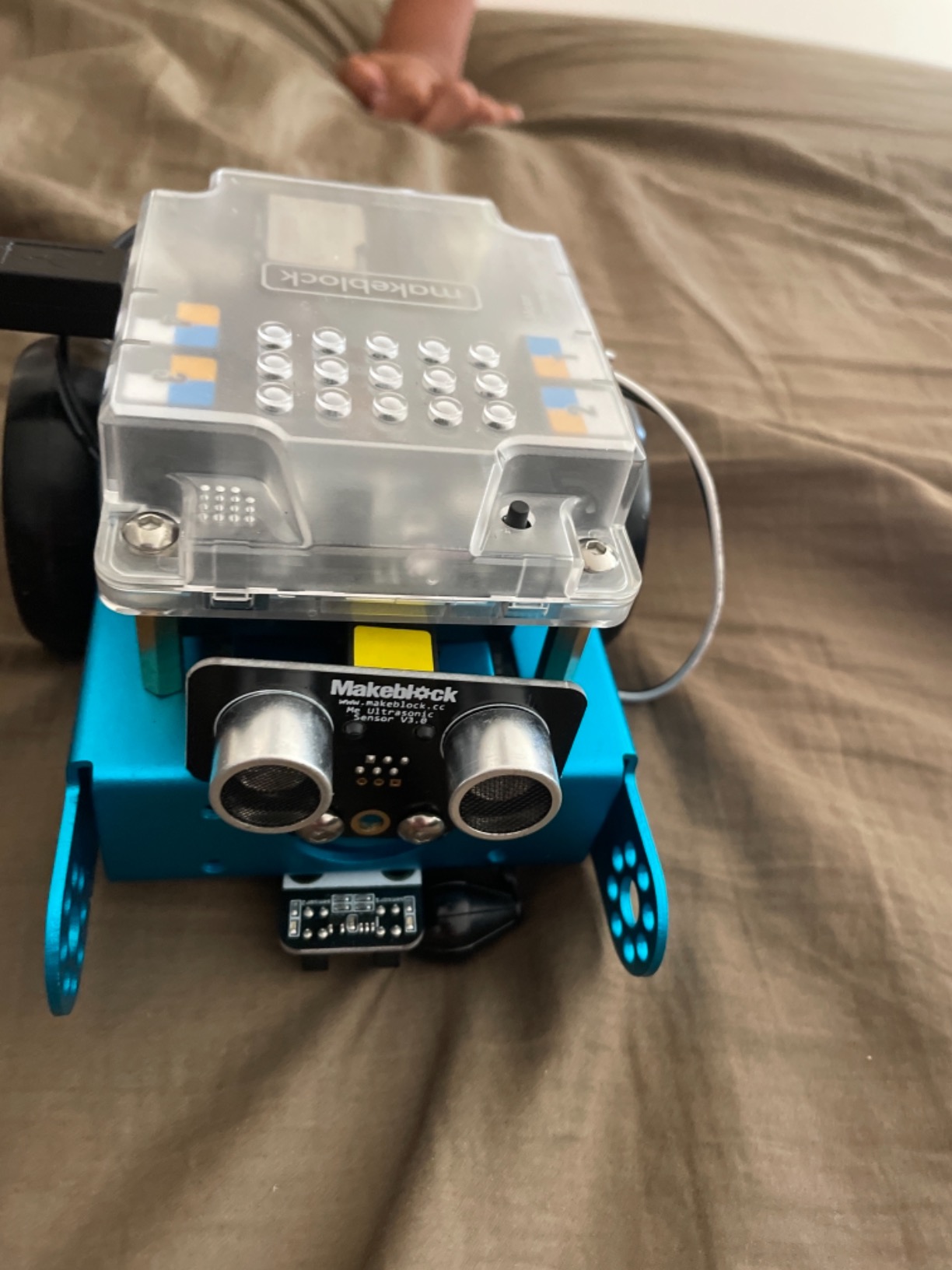
It also does something clever on unboxing. Pre-loaded line-following and obstacle-avoidance modes turn it into a working remote-control car immediately, so the child has a functioning toy before they have written anything. Four coding cards and bundled lesson materials then give self-guided projects for once the drive mode stops being enough.
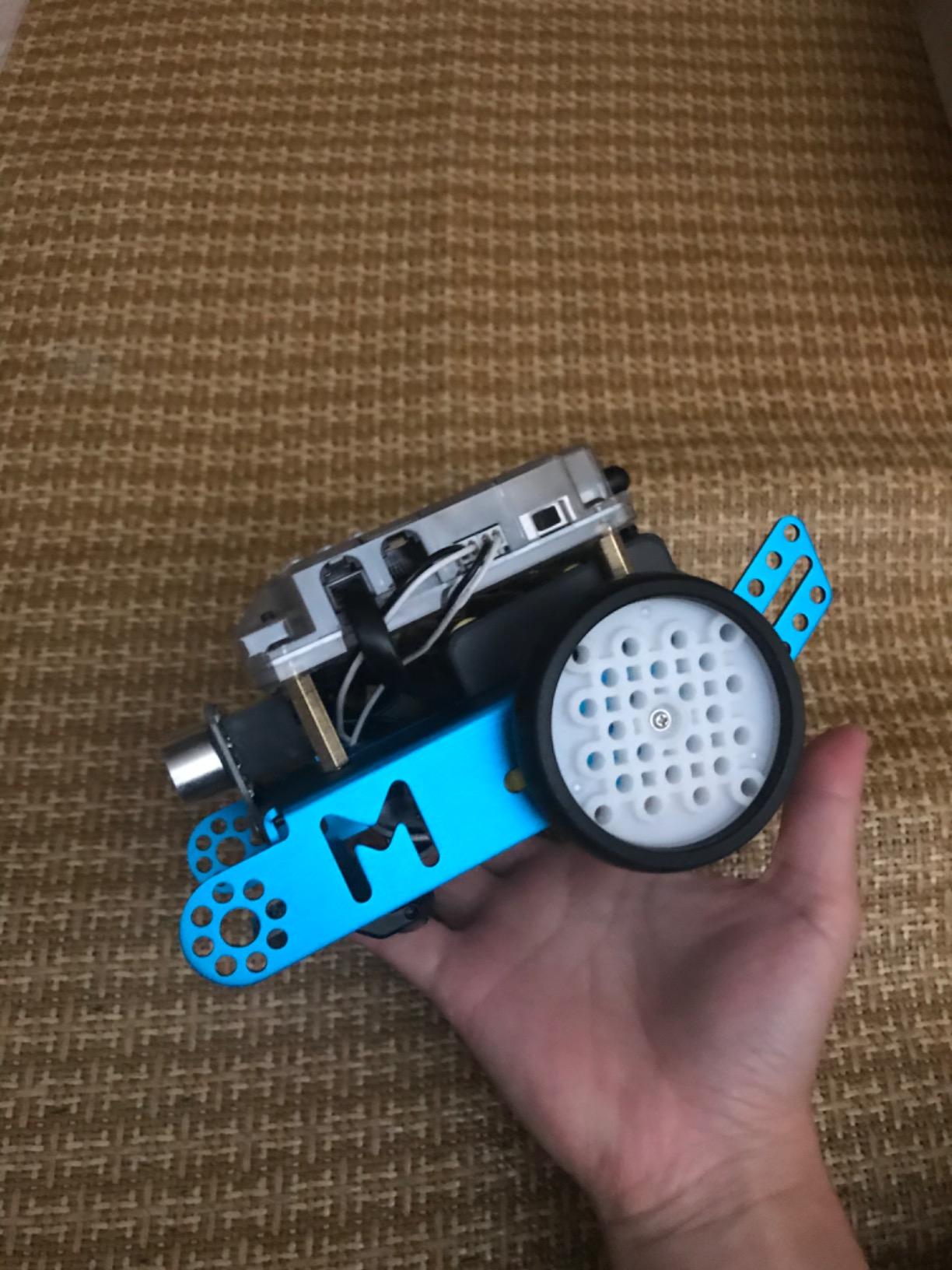
The chassis is metal rather than plastic, and reviewers notice immediately, particularly in the context of drop resistance with a younger child. The open-source system expands to more than 100 electronic modules and 500+ parts, and it accepts LEGO-compatible bricks, so a child who loves building has somewhere to go. Three free Makeblock apps cover remote control, programming games and coding, and none of them require a subscription.
Who the mBot suits
It suits the classic first-robot buyer: a child aged eight to twelve who is ready for a screen and not yet ready for a keyboard. The fifteen-minute build means the first session is spent coding rather than assembling, which is the correct priority for a beginner.
It also suits a family planning ahead. The expansion ecosystem is large enough that a child can stay with this platform for years, and the Scratch-to-Arduino path means the toy does not become a dead end at age eleven. Budget for a pack of AA batteries on day one.
Who should skip the mBot
Skip it if screen-free matters, because every programming mode needs the app. This is a screen-first robot that happens to be a good one, not a compromise.
Skip it if your child is under eight or over about thirteen. Below eight, the sheer number of modes and a metal frame that needs careful assembly add friction. Above thirteen, the block-first design will feel like a downgrade once the child wants to write real code, and the mBot2 is the version made for that step.
5. Learning Resources Code and Go Robot Mouse – The Best Coding Robot for Ages 4 to 6
Learning Resources Code & Go Robot Mouse Activity Set
Ages 4+
3.9 lb
12 x 16 x 4 inch
Screen-free button programming
Pros
- Completely screen-free
- 30 coding cards for planning
- Directional buttons work for pre-readers
- Large maze and wall accessory set
- Durable for classroom rotations
Cons
- Only forward back turn and stop commands
- No loops or conditions
- 3 AAA batteries not included
- Loses alignment on uneven surfaces
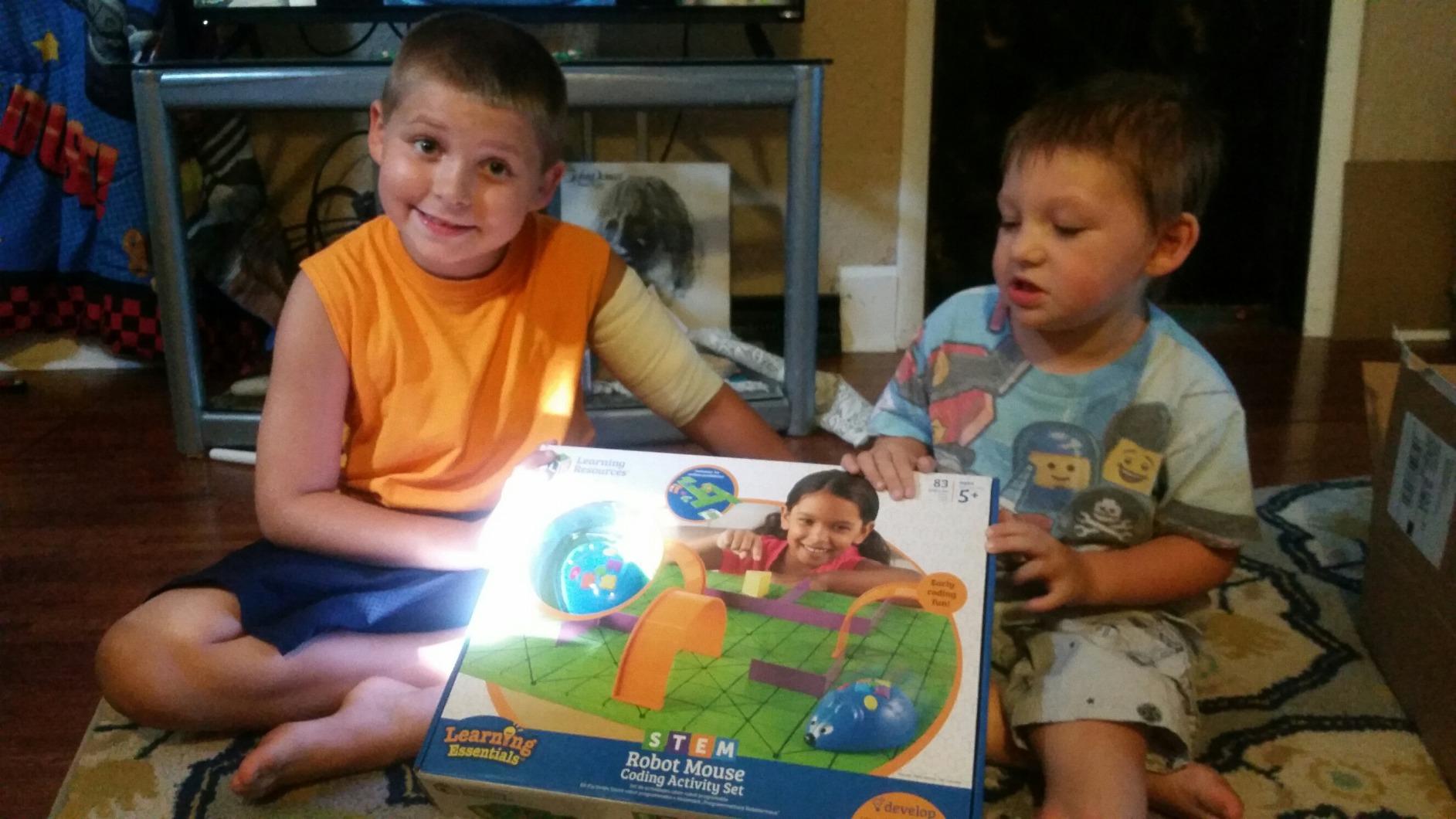
Colby the Robot Mouse is the smallest and youngest-skewing pick here, rated for four and up, and the design is quietly excellent. There is no screen, no app and no reading required. You press directional buttons on the mouse’s back to enter a sequence, hit go, and the mouse drives it exactly as given, wrong turns included.
The piece that makes it work is the coding cards. Thirty double-sided cards correspond to the button sequence, so a child lays a physical route on the table first, then presses it in. That gap between planning and executing is where sequencing actually gets learned, and it is a far better use of a four-year-old’s attention than a screen full of draggable shapes.
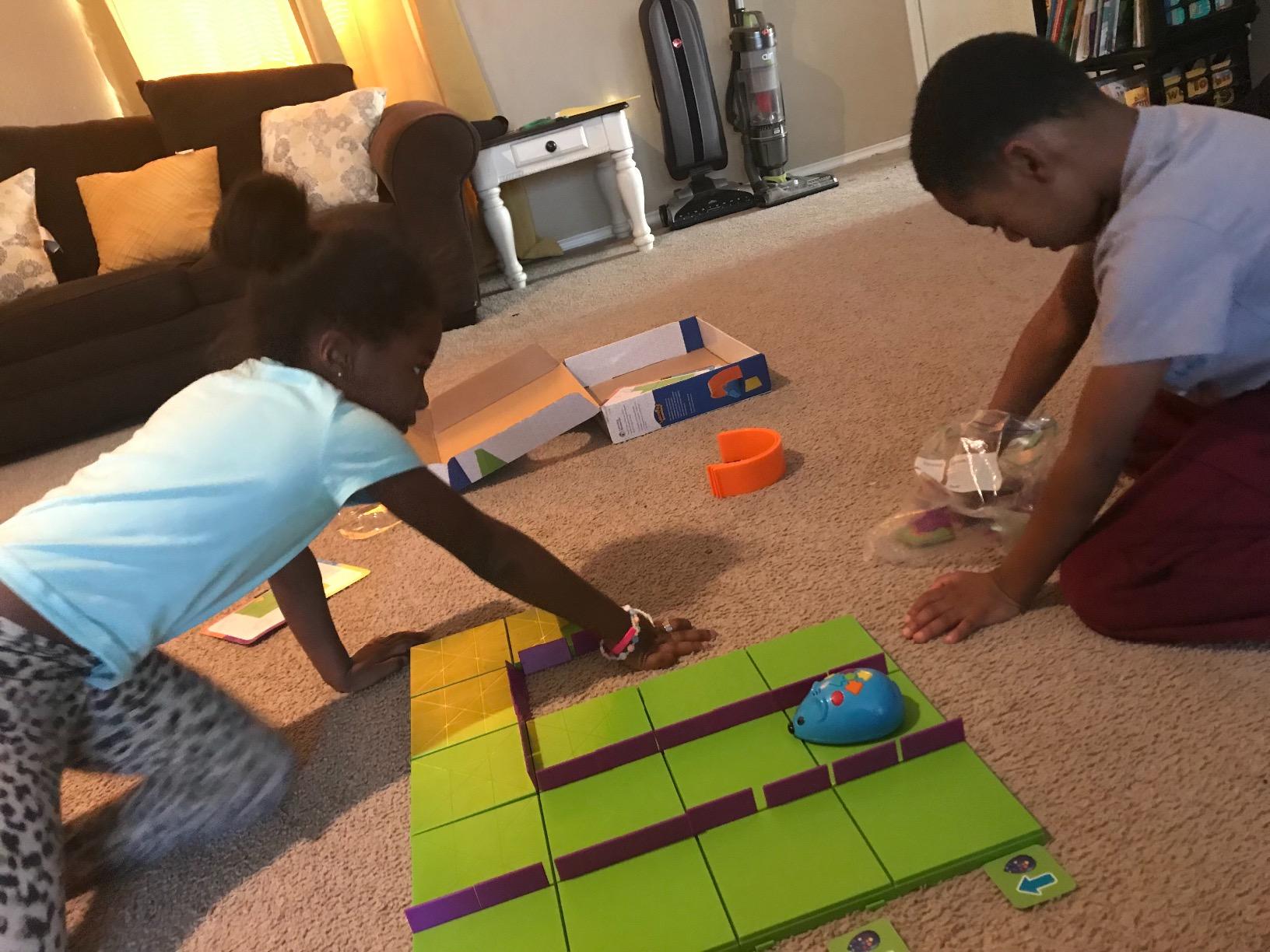
The accessory set is unusually generous for the size. Sixteen maze grid tiles build a 20 by 20 inch board, and 22 walls, 3 tunnels, a cheese wedge and 10 double-sided activity cards support repeatable structured exercises. Teachers use it for classroom rotations, and that repeatability is the design goal rather than an accident.
The ceiling is low, and honestly labelled. Commands are forward, backward, turn and stop. There are no loops, no conditions and no functions, so a child who works through the activity cards will exhaust them in a few sessions. Reviewers report it holds a preschooler for a good while, and they are equally clear that it does not scale past early elementary.
Who the Code and Go Mouse suits
It suits a preschooler or kindergartner, and a parent who wants a first taste of computational thinking with zero screen time. Because the toy is a mouse rather than an abstract robot, it feels like a pet to a young child, which lowers the barrier to sitting down and experimenting.
It also suits a classroom, a co-op or a home with several children of the same age. The maze board and cards produce the same repeatable activity for every child, and reviewers describe the plastic build as holding up to regular use. Buying one per child matters more here than for other picks, because they cannot share a single mouse.
Who should skip the Code and Go Mouse
Skip it for a child over about seven. With five commands and no way to see or edit a program, the concept ceiling arrives fast, and a seven-year-old will often conclude that coding is just pressing arrows.
Skip it if the wheels meeting textured carpet is likely in your home, because the mouse loses alignment on uneven surfaces and a route that planned correctly will not execute correctly. Flat laminate or a smooth table is where this toy works as designed.
6. Educational Insights Artie 3000 – The Best Coding Robot for Drawing and Art
Educational Insights Artie 3000 the Coding & Drawing Robot
Ages 7-12
15.84 oz
5.51 x 6.1 inch
Four coding languages
Pros
- Visible drawing output from the code
- Four languages from Blockly to Python
- Works with no internet connection
- Built-in tutorials and activity cards
- Encourages fine motor skills
Cons
- Lowest average rating in this roundup
- Line alignment drifts over time
- Markers jam and run dry
- Needs recalibrating often
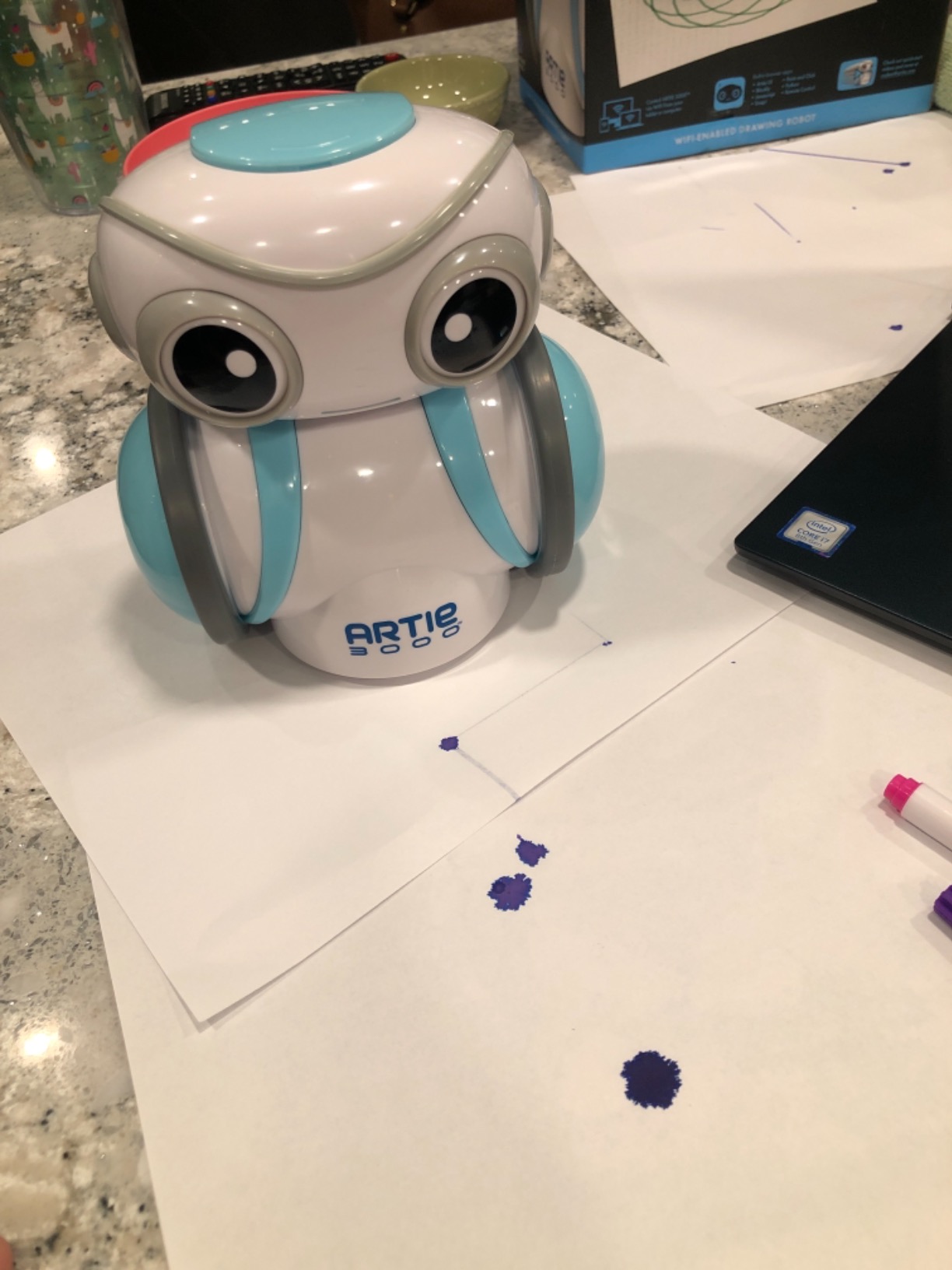
The Artie 3000 does something no other robot in this roundup does: it holds a pen and draws what you programmed. A child codes a shape, a pattern or a set of coordinates, and the robot physically produces it on paper. For a child who is artistic, that feedback loop is far more motivating than watching a machine drive around a floor.
It is also one of the more genuinely scalable options. It programs in Blockly, Snap!, JavaScript and Python, so there is a real ladder here rather than a single mode. The connection design is worth calling out: the robot runs its own password-protected Wi-Fi hotspot, which means no internet connection, no app store download and no account, just a Wi-Fi-enabled tablet or laptop joining the network.
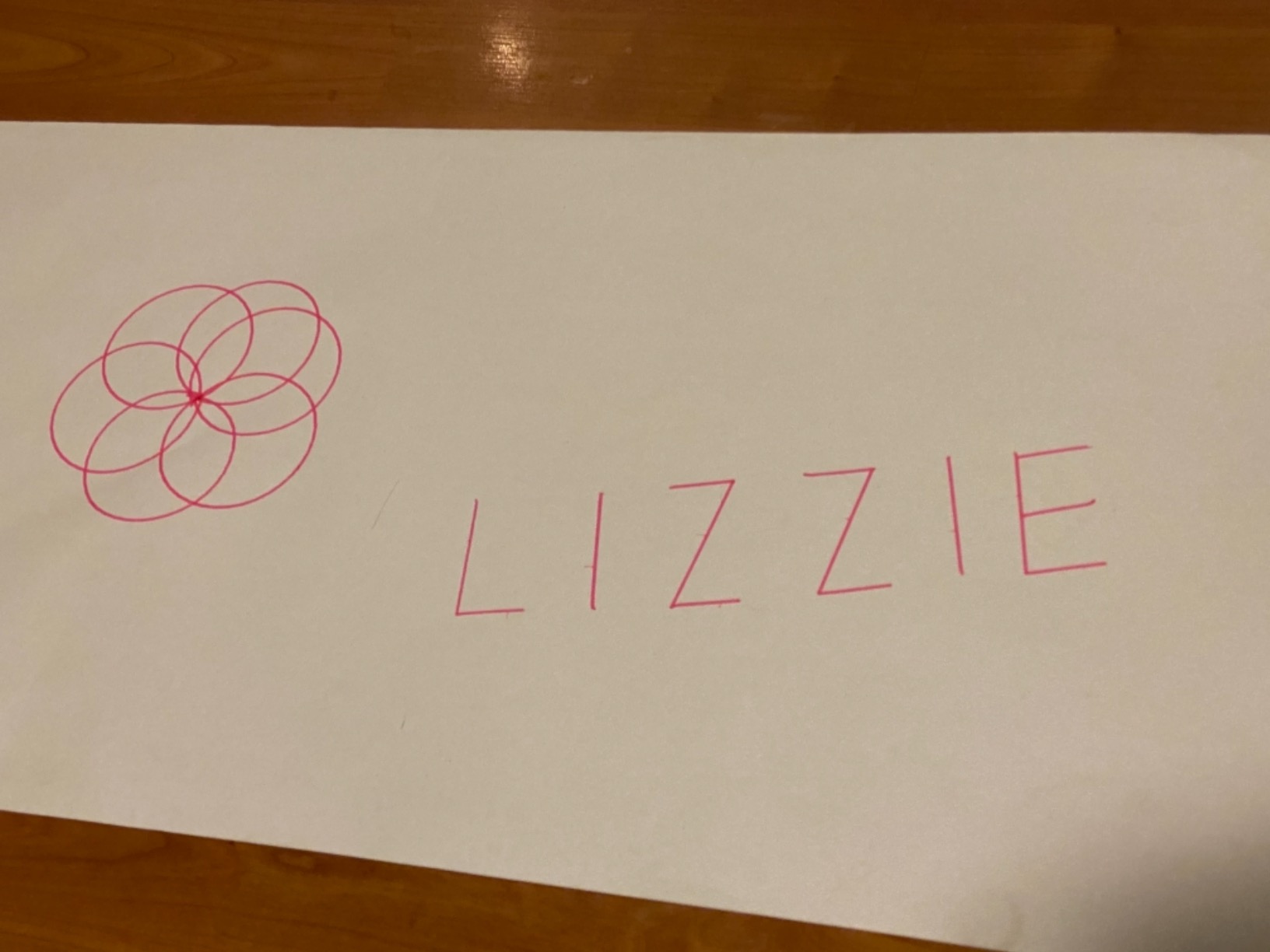
Reviews also mention four washable markers, a quick start guide and activity cards in the box, plus built-in tutorials, so there is enough material to keep going after the first hour without buying anything. The educational framing is tabletop, single player, indoor, and the manufacturer rates it for seven to twelve.
It is also the weakest-rated product here, at 4.1 stars from 2,546 reviews, and the reason is specific rather than general. Wheel and pen alignment drift over time, so drawings that were accurate in week one are noticeably off by week six unless the robot is recalibrated. Markers jam or run dry, connection setup can be finicky for some users, and the 4 AA batteries are not included.
Who the Artie 3000 suits
It suits a child who draws, paints or enjoys pattern work, and a parent who wants a creative output rather than a driving exercise. The four-language path is a genuine asset if the child is around ten and starting to ask about real code.
It also suits families with unreliable internet or a deliberate no-cloud stance. The self-hosted Wi-Fi hotspot means the robot works on a plane, in a cabin or on a restricted school network, and no data leaves the device. That is a genuine advantage over app-store-dependent rivals.
Who should skip the Artie 3000
Skip it if precision output matters to you. The alignment drift is the most repeated complaint in the reviews, and it does not self-correct. A child who is frustrated by inaccurate drawings may conclude the robot is broken when the mechanism is merely worn.
Skip it for a child who only wants to drive something. There is no obstacle course or free-roam mode here, and the whole value proposition rests on the drawing output. Treat the low rating as a durability signal rather than a teaching-quality signal.
7. Wonder Workshop Dash – The Best Coding Robot App Design
Wonder Workshop Dash Robot – Coding Robots for Kids 6 and Older
Ages 6+
0.7 kg
Up to 5 hours play
No assembly required
Pros
- Best-in-class guided app progression
- Smooth motors handle rugs and clothing
- No account or data collection
- Works on iPad Android and browser
- Complex branching logic for kids
Cons
- Batteries degrade after about a year
- No printed quick-start guide
- English-only content
- Premium price for home use
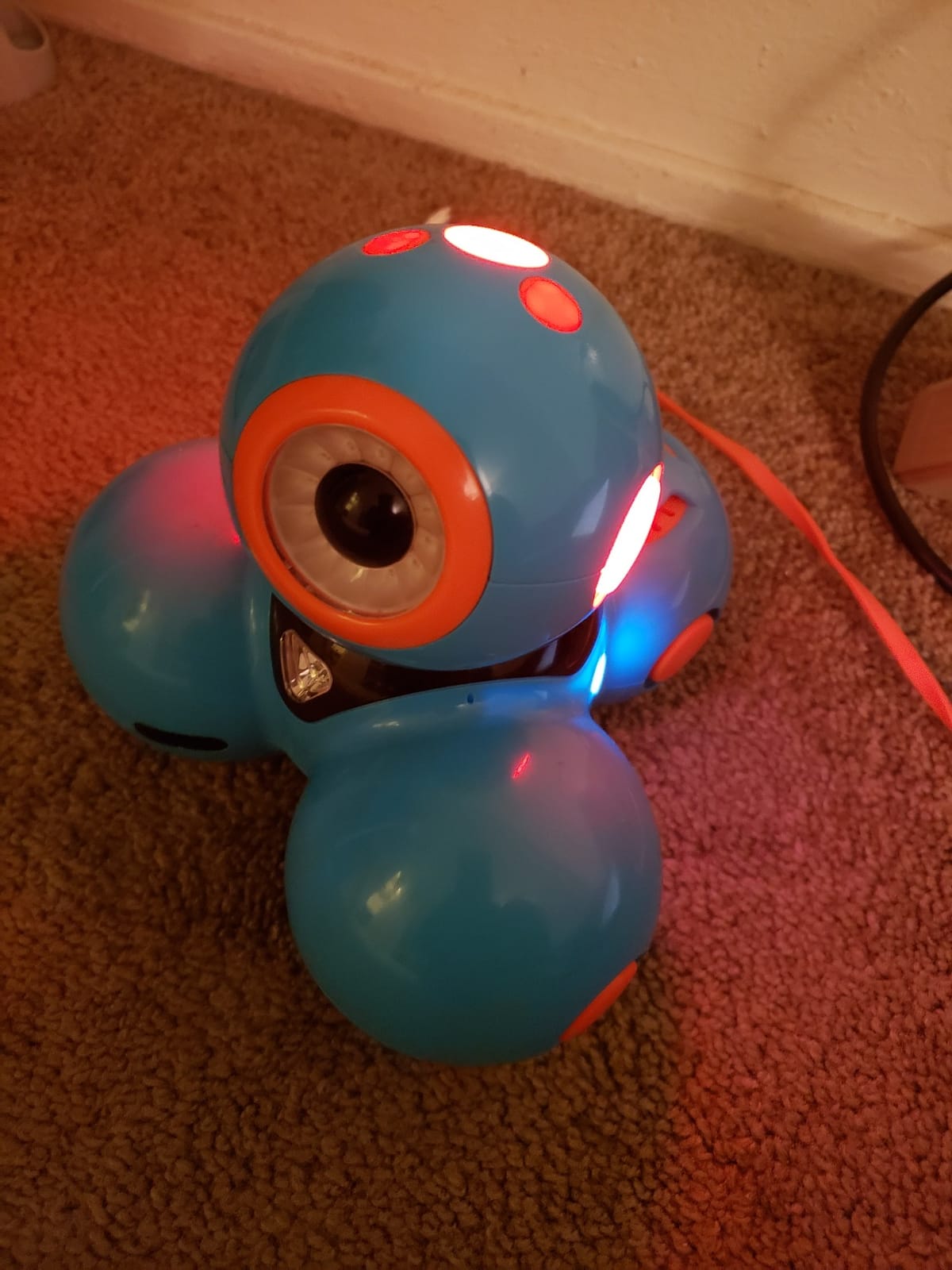
Dash is the most classroom-proven robot on this list, and the manufacturer states it has been used in more than 40,000 schools. That matters because the thing being tested in a classroom for a decade is not the hardware, it is the software. Five apps covering Blockly, Wonder and Path give a genuinely guided progression from simple sequences through loops and variables to branching logic that reviewers say even young children can produce.
It arrives ready to go. No assembly, no firmware, no build failure, and the lithium-ion battery gives up to five hours of active play per charge, several times the figure most rivals manage. It sings, dances, navigates obstacles and responds to voice commands, which gives a beginner something to be excited about before any of the concepts land.
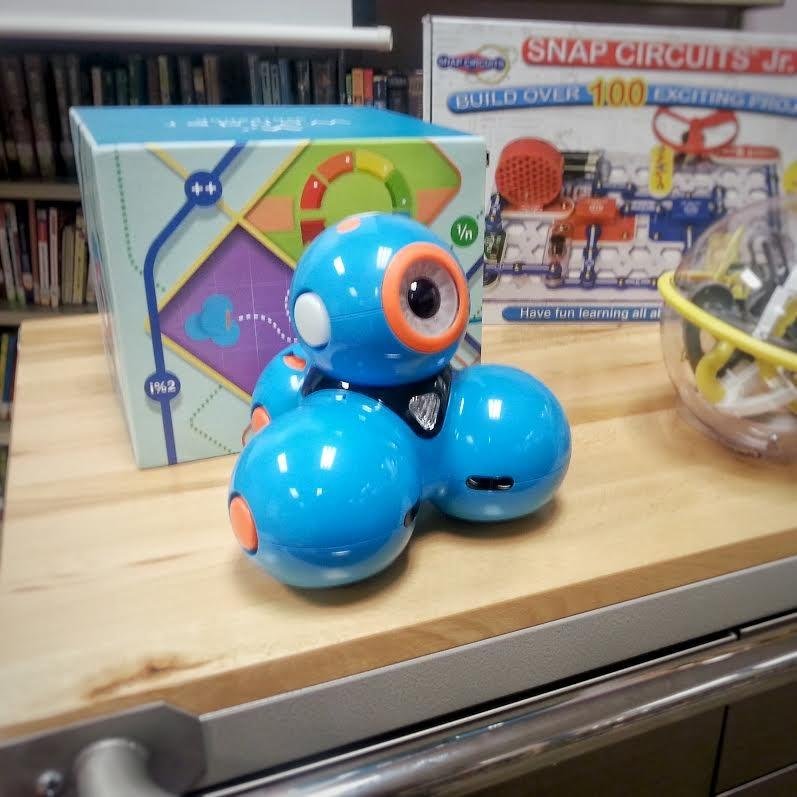
Two details earn particular credit. There is no account sign-up, no personal data collection and no subscription, which is rare in children’s software and a fair consideration for a family deciding what lives on the family tablet. And it runs on iOS, Android, Fire OS and the browser-based code.makewonder.com, so an old laptop can be a perfectly good programming device.
The dominant negative theme is battery degradation, and it is the one serious caveat here. Reviewers report the robot dying quickly after unplugging at around a year of use, though the manufacturer has replaced units outside warranty for some owners. There is no printed quick-start guide in the box, so setup means finding a tutorial video online, the app content is English-only, and the app never shows a readable text view of the code behind the block layout.
Who the Dash robot suits
It suits a child aged six to eleven, and especially a child who responds well to guided instruction rather than free exploration. The step-by-step app progression does the teaching, which reduces the amount of adult involvement needed, and that addresses the most common parent complaint in this category directly.
It also suits a family without a recent tablet, since the browser version means a laptop works fine. And it suits anyone who cares about privacy, because there is no account to create and nothing is collected. The motors are strong enough to handle rugs and clothing changes in terrain, which matters more than it sounds once a child starts building courses around furniture.
Who should skip the Dash robot
Skip it if the family is buying on value. It is the most expensive entry in this roundup, and the app that justifies the cost is where the learning actually happens, so a child who only gets the robot on a shared hand-me-down device will not get the full experience.
Skip it if you buy and forget. Without a printed guide, a parent who is not willing to spend an evening on the tutorial videos may never get past setup, and the battery issue means you should expect a possible conversation with the manufacturer around the one-year mark.
8. Learning Resources Botley – The Best Screen-Free Coding Robot Overall
Learning Resources Botley The Coding Robot Activity Set – 77 Pieces, Ages 5+, Screen-Free Coding Robots for Kids, STEM Toys for Kids, Programming for Kids, for Kids
Ages 5-16
1 kg
77 pieces
Remote programmer, no screen
Pros
- Completely screen-free including the remote
- 40 coding cards make planning visible
- Object detection and line following
- Ten graded challenges for older kids
- Durable enough for a second child
Cons
- One robot per child for siblings
- Five AAA batteries not included
- Wheels struggle on some floor surfaces
- Adult help for object detection setup
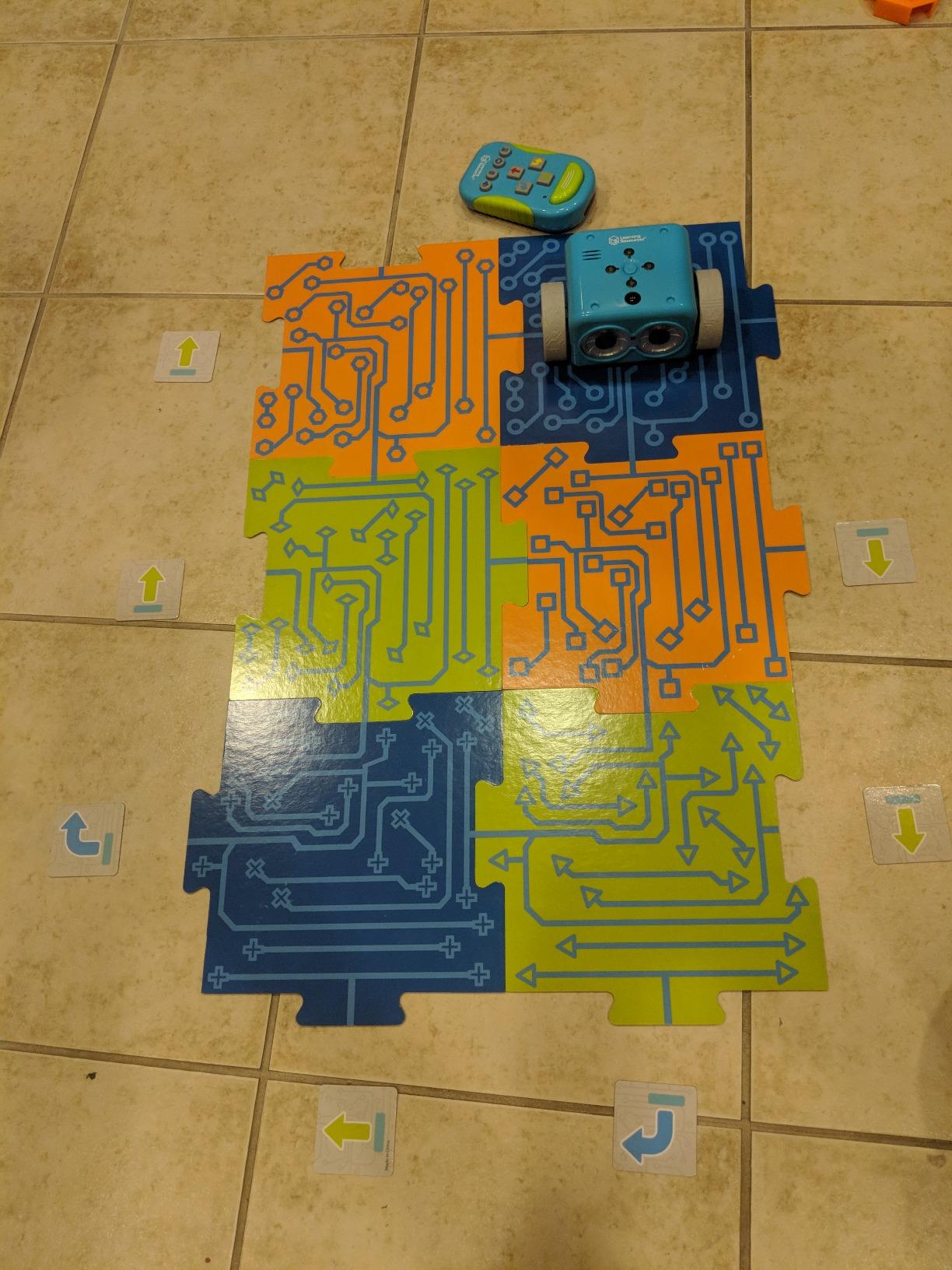
Botley is the one we recommend to parents who want coding with no device anywhere in the process, including the remote. Commands are entered on a separate handheld programmer, so the whole experience is physical: lay out the route, program it, press go, and Botley does exactly what it was told, no more.
That exactness is the teaching mechanism. Because Botley has no ability to improvise or guess, a wrongly ordered program produces an immediate and visible physical failure, which is the fastest route to debugging instinct that a child will ever get. The 40 coding cards map to the remote buttons so the planning step is visible and repeatable rather than a gesture you cannot inspect afterwards.
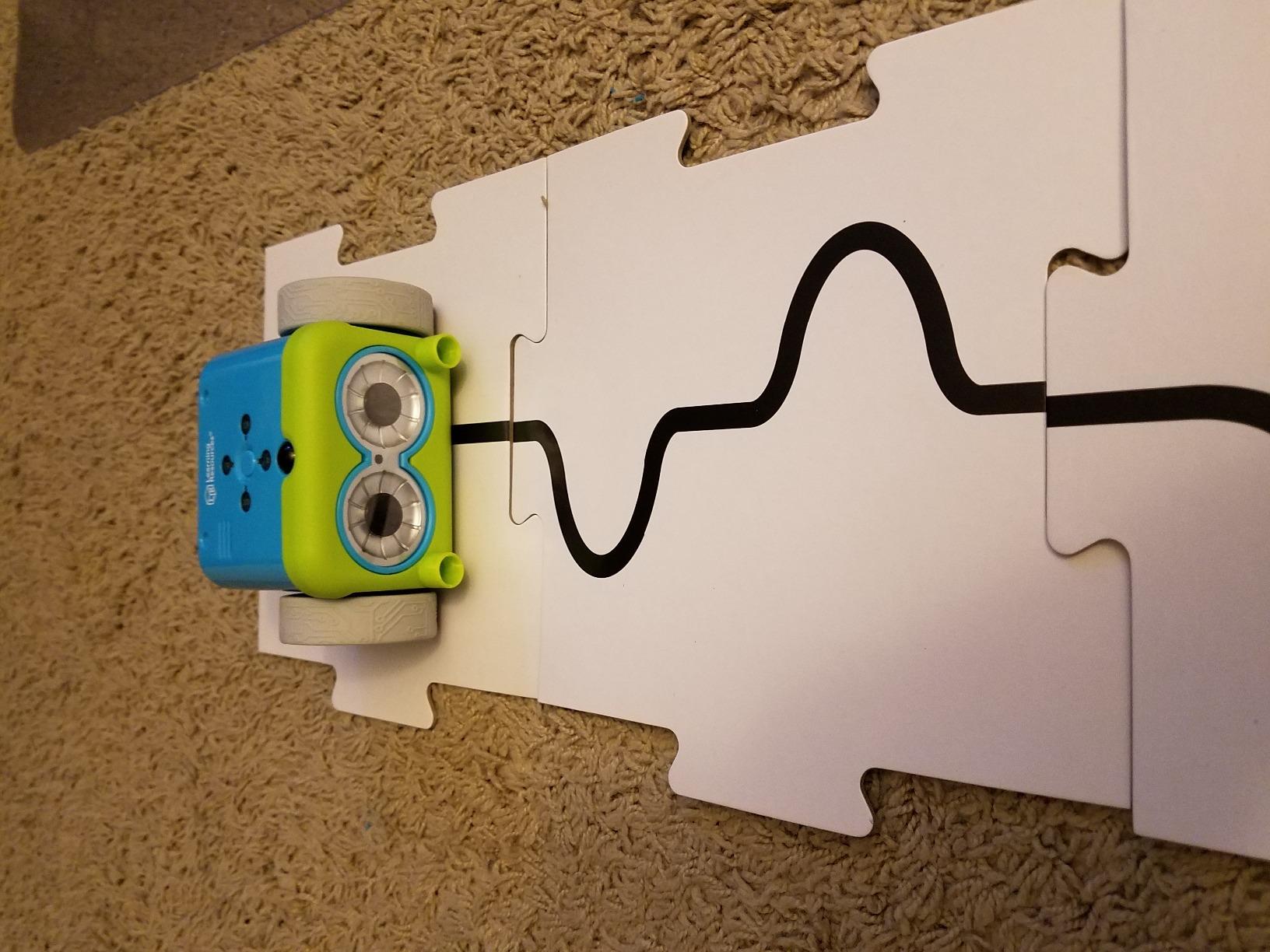
It is deeper than a plain remote-control car. Botley detects objects in its path and avoids them, follows looping commands, runs obstacle courses built from 27 obstacle pieces, and tracks black lines on six double-sided tiles. Detachable robot arms add another configuration, and there are hidden features unlockable with specific sequences, which is the sort of thing that keeps an eight-year-old engaged for an hour.
The booklet contains ten difficulty-graded coding challenges, and reviewers note that the toy holds the attention of five to nine year olds for over an hour while still interesting older students. The stated age range runs from five to sixteen, which is unusually wide, and the build is durable enough to pass down to a younger sibling or into a classroom.
Who Botley suits
It suits a family with a firm no-screens-before-bedtime or no-screens-at-all rule, and a classroom that restricts device use. It suits siblings too, with one important caveat: reviewers are clear that one robot cannot serve two children at once, so a family with two early coders needs two sets.
It also suits a child who has already hit the ceiling of a directional-button toy. Object detection, line following and looping give it enough range to last several years, and the graded challenges mean an older child is not handed the same three commands repeatedly.
Who should skip Botley
Skip it if your floor is textured. Performance is best on low-pile carpet or laminate, and tile grout can derail the wheels mid-route, which turns a lesson in sequencing into a lesson in why floors are annoying. The rubber wheels also collect pet hair and can slip when turning.
Skip it if you expect a path to real text programming. Botley never leaves the physical card world, and there is no software behind it. If your child is already asking about Scratch or Python, the mBot2 is a better bridge, and Botley is a lovely but final destination.
9. Learning Resources Coding Critters – The Best Coding Robot for Preschoolers
Learning Resources Coding Critters Ranger & Zip,22 Piece Set, Ages 4+, Screen-Free Early Coding Toy for Kids, Interactive STEM Coding Pet, Gifts for Boys and Girls
Ages 4-10
0.59 kg
22 pieces
Screen-free arrow buttons
Pros
- Pet theme makes coding feel like play
- Preschoolers master it in minutes
- Storybook presents challenges as narrative
- Play mode adds music and sound effects
- Works on several surfaces
Cons
- Only four directional commands
- Commands cannot be reviewed before running
- Cardstock accessories are flimsy
- Some units failed within days
The Coding Critters set is a puppy, which sounds like a gimmick until you consider how resistant very young children are to anything resembling a worksheet. Ranger is programmable and Zip is a magnetic target puppy that is not, so the play has a goal attached: route Ranger into Zip, nose to nose.
The interface is two arrow buttons on Ranger’s back plus a centre execute button, and reviewers report that preschoolers work it independently within minutes. Holding Ranger’s nose for two seconds drops into a play mode with dancing, patrolling, munching and snoring sounds, which is a well-judged way to keep a small child returning to the toy between coding sessions.
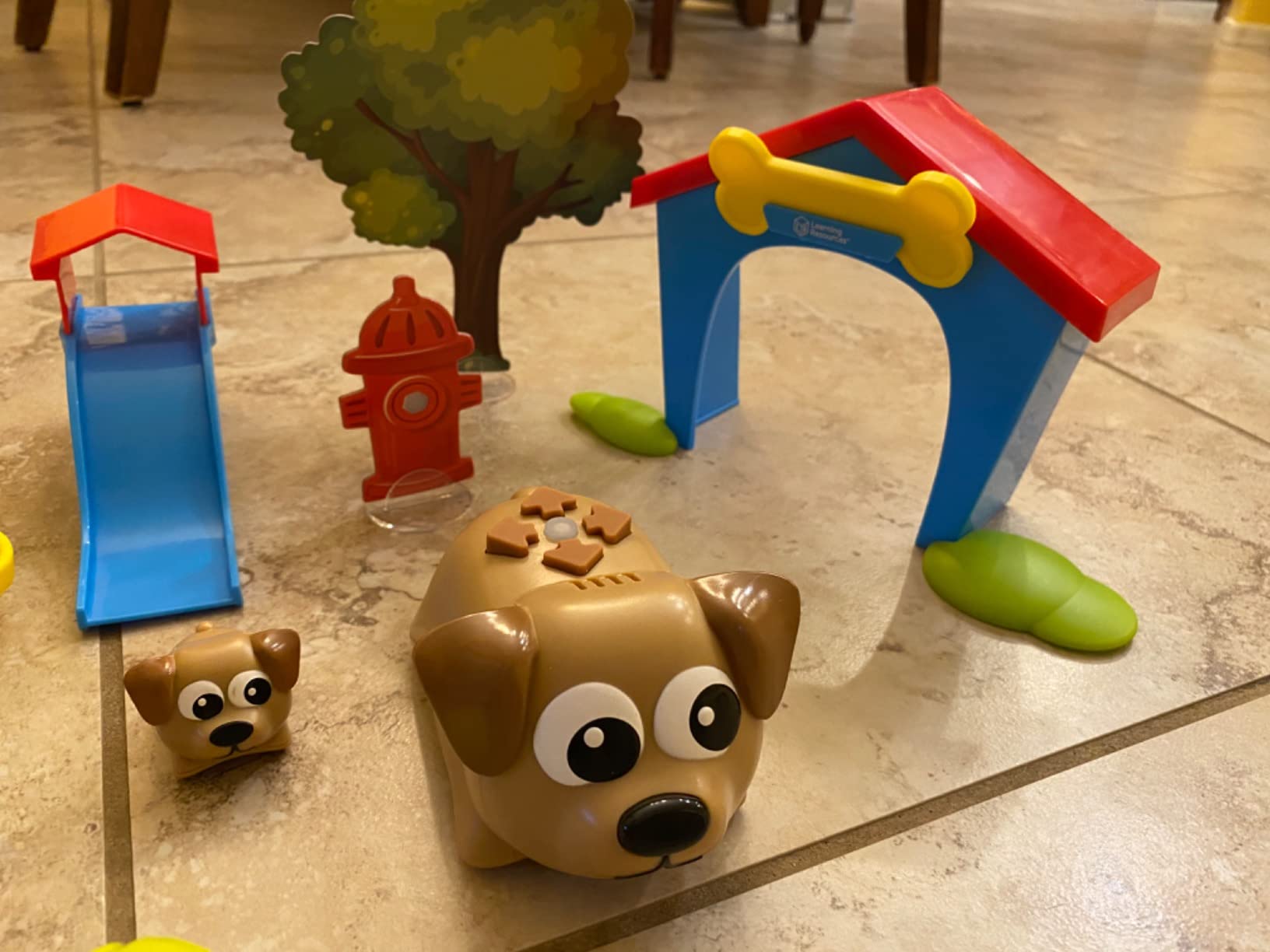
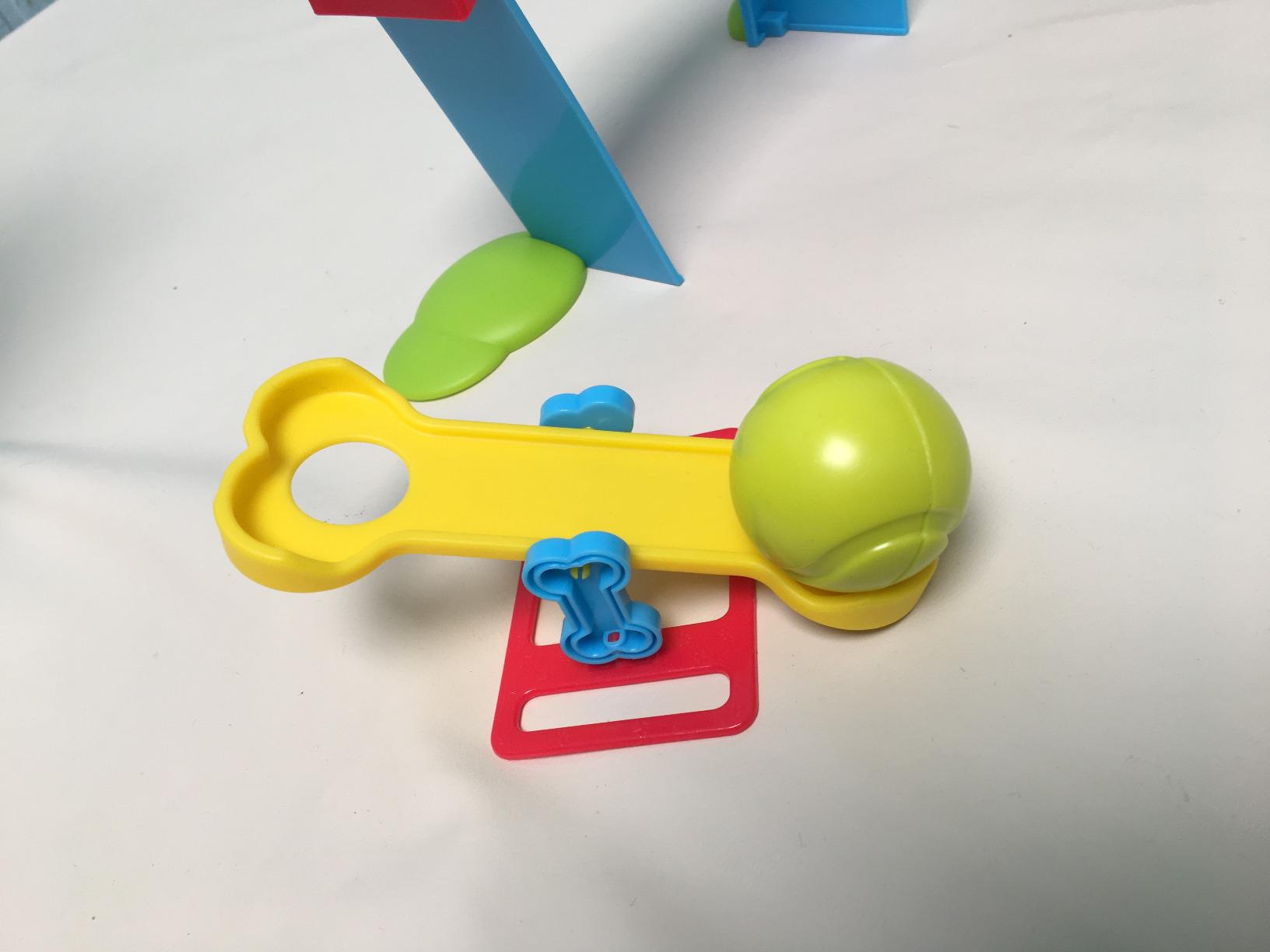
The 22-piece playset gives the coding a stage: a dog house, slide, teeter totter, ball, bone, cardstock paw prints, tree and fire hydrant. A screen-free storybook adds coding adventures and challenges in narrative form, which suits a four-year-old far better than a list of instructions. The manufacturer rates it from four to ten.
The critical reviews make a fair point. This is closer to a remote-controlled dog than to programming, because commands cannot be reviewed or edited before execution and there is no visible representation of the program, so a child who fails has nothing to inspect and correct. It is forward, back and turn, with no loops or conditions, and a few owners report units failing within days of light use.
Who the Coding Critters suit
It suits a child aged three or four who is not ready for anything resembling abstraction. The narrative framing, the pet theme and the four-button interface are all designed for that, and the magnetic success moment gives even a very young child a clear sense of having completed something.
It also suits parents who want a first robot that a preschooler can use without an adult sitting next to them, and reviewers confirm that the independent play claim holds. It works on granite as well as wood, and it needs no screen at any point.
Who should skip the Coding Critters
Skip it if you care about the word coding. The absence of editable, visible commands is a legitimate complaint, and a child who later moves on to a real coding platform will need to relearn the whole mental model rather than building on this one.
Skip it for a school-age child. The stated range runs to ten, but the ceiling is reached around six. Ranger also has a wide turning radius that needs space for tight manoeuvres, and the cardstock tree and hydrant bend easily. Buy it for the two years it does well, not the six it claims.
10. Makeblock mBot2 – The Best Coding Robot for Learning Python
Makeblock mBot2 Coding Robot for Kids, Code Learning Support Scratch & Python Programming, Robotics Kit for Kids Ages 8-14 and up, Building STEM Robot Toys Gifts for Boys Girls
Ages 8+
1.15 kg
Builds in about 30 minutes
Scratch and Python
Pros
- Clear path from Scratch to Python
- Ten plus onboard sensors
- Aluminium body feels durable
- Up to 5 hours play per charge
- Lifelong free software with courses
Cons
- Higher cost than the entry mBot
- Sensor documentation is daunting for new users
- App and firmware updates can be inconsistent
- Limited third-party accessory compatibility
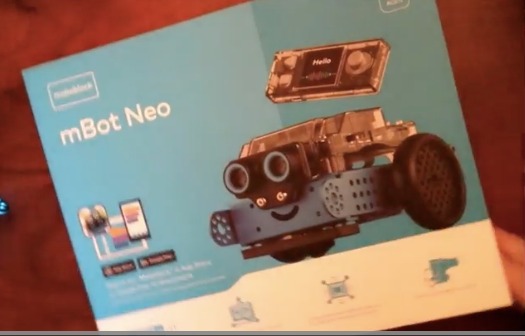
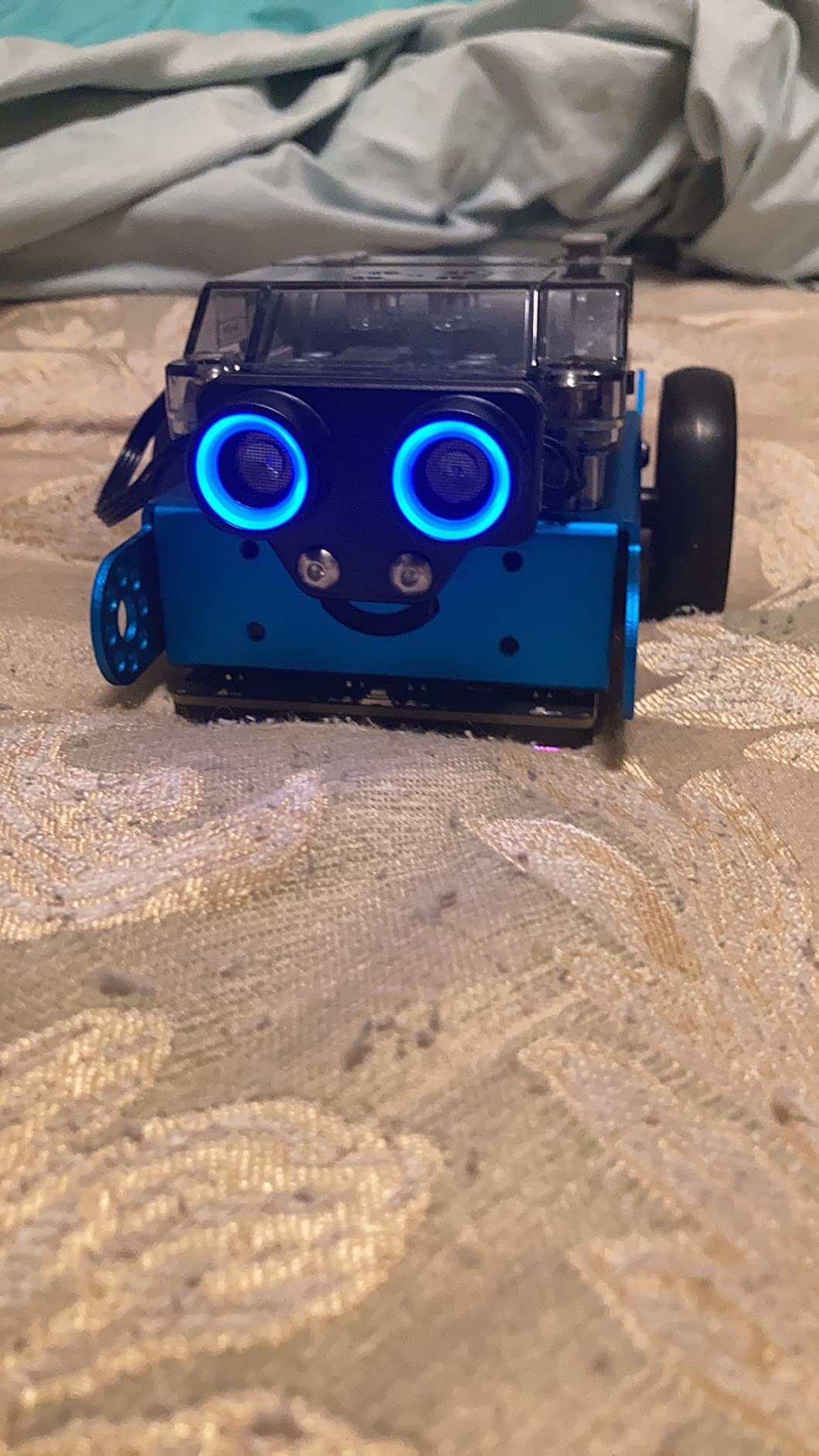
The mBot2 is the version of the mBot built for a child who has already had a first robot and found the limits of block coding. It supports Scratch and Python across 24-plus cases and 8-plus courses, and reviewers describe the structured curriculum with free lifelong software as the real product rather than the robot itself.
Build time is about thirty minutes, which keeps the same principle as the original: the first session should be spent programming, not assembling. It adds ten-plus onboard sensors for line following, obstacle avoidance and colour identification, and expands to 30-plus mBuild modules for Internet of Things work. The Wi-Fi module supports multi-robot classroom tasks, which is why you will see these in co-ops and after-school programs.
Eight-plus play modes cover driving, drawing and running, musician, voice control, code, build and Wi-Fi, so a child who is not ready to sit down and program still has a reason to switch it on. Control switches between Bluetooth, USB and Wi-Fi, and a single charge gives up to five hours. The manufacturer rates it from eight and up.
Be honest about the two things that hold it back. It costs noticeably more than the entry mBot, and a ten-plus sensor array with detailed documentation can overwhelm a genuine beginner rather than welcome one. Reviewers also report app and firmware updates behaving inconsistently across devices, and some third-party accessories simply do not work with it.
Who the mBot2 suits
It suits a child aged nine to thirteen who has finished a block-coding robot and is asking for something real. Python is the language most schools teach first and the one the transfer to every other language is easiest from, so this is a defensible platform choice rather than a brand one.
It also suits a classroom, because the Wi-Fi module lets several robots run the same program at once. The aluminium body and the bundled coding project cards, screwdriver and line-following track map mean a group of them can be set up in an afternoon and still look like equipment rather than a novelty.
Who should skip the mBot2
Skip it as a very first robot. If the child has never programmed anything, ten sensors and a large module ecosystem is complexity before curiosity exists, and the entry-level mBot delivers the same first experience for less money with a fifteen-minute build.
Skip it if you plan to add a lot of third-party hardware. Compatibility with certain add-ons is limited, and a family who expects to mix and match other manufacturers’ electronics will spend time debugging the wrong problem. Check your intended modules before committing.
11. Ruko 1088 Smart Robot – The Biggest Coding Robot for Ages 4 to 9
Ruko 1088 Smart Robot Toy for Kids, Large Programmable Interactive Gift
Ages 4-9
2.8 lb
15.8 inch tall
Remote, app and tilt control
Pros
- Huge 15.8 inch body with 9 flexible joints
- Three control methods including tilt
- Ten songs plus dance and storytelling
- Rechargeable with a charging indicator
- Skin-safe ABS with rounded edges
Cons
- Programming is mostly recorded motion sequences
- About 100 minutes play per charge
- Will not charge with USB-C to USB-C cables
- Voice commands need a quiet room
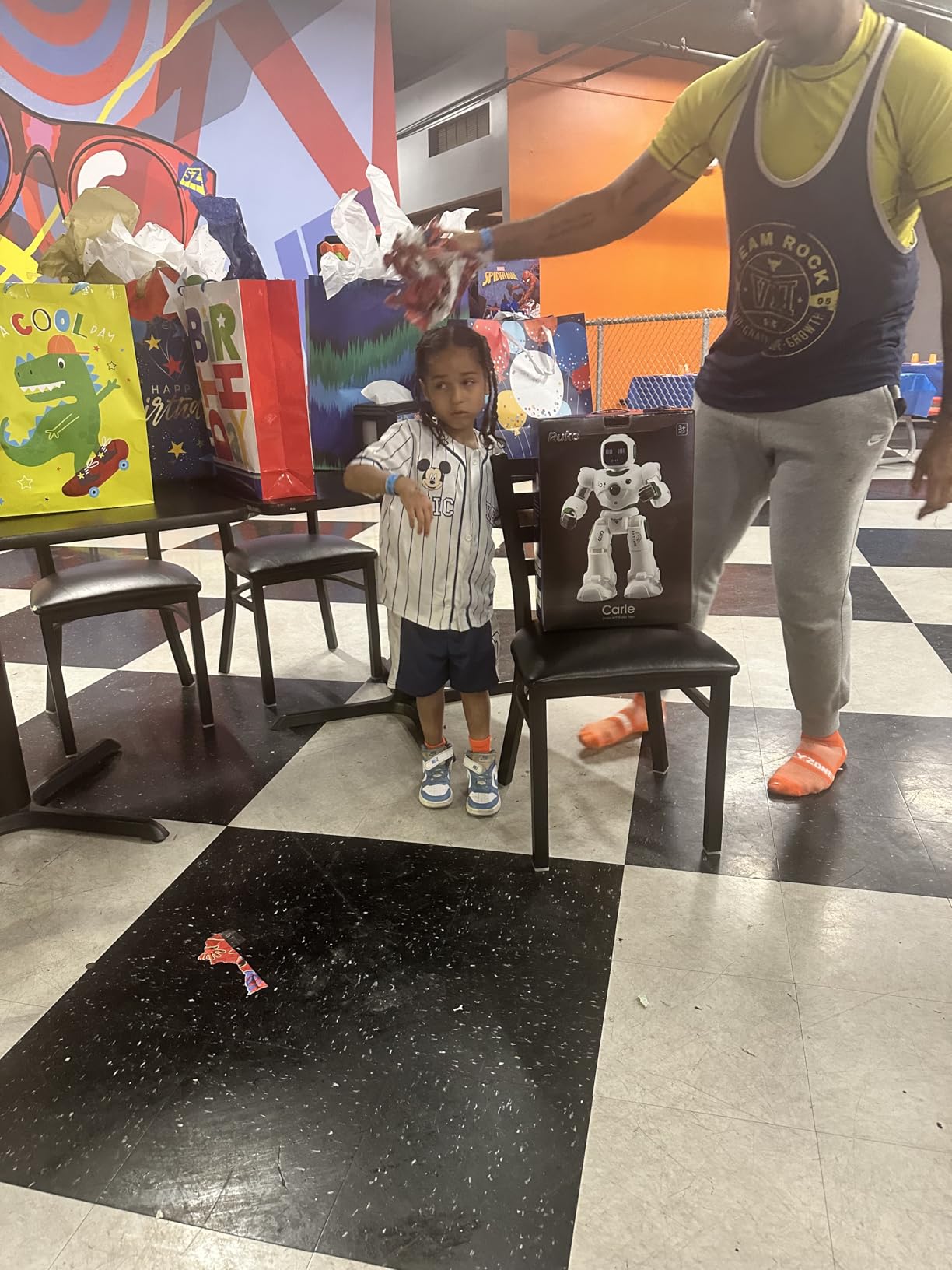
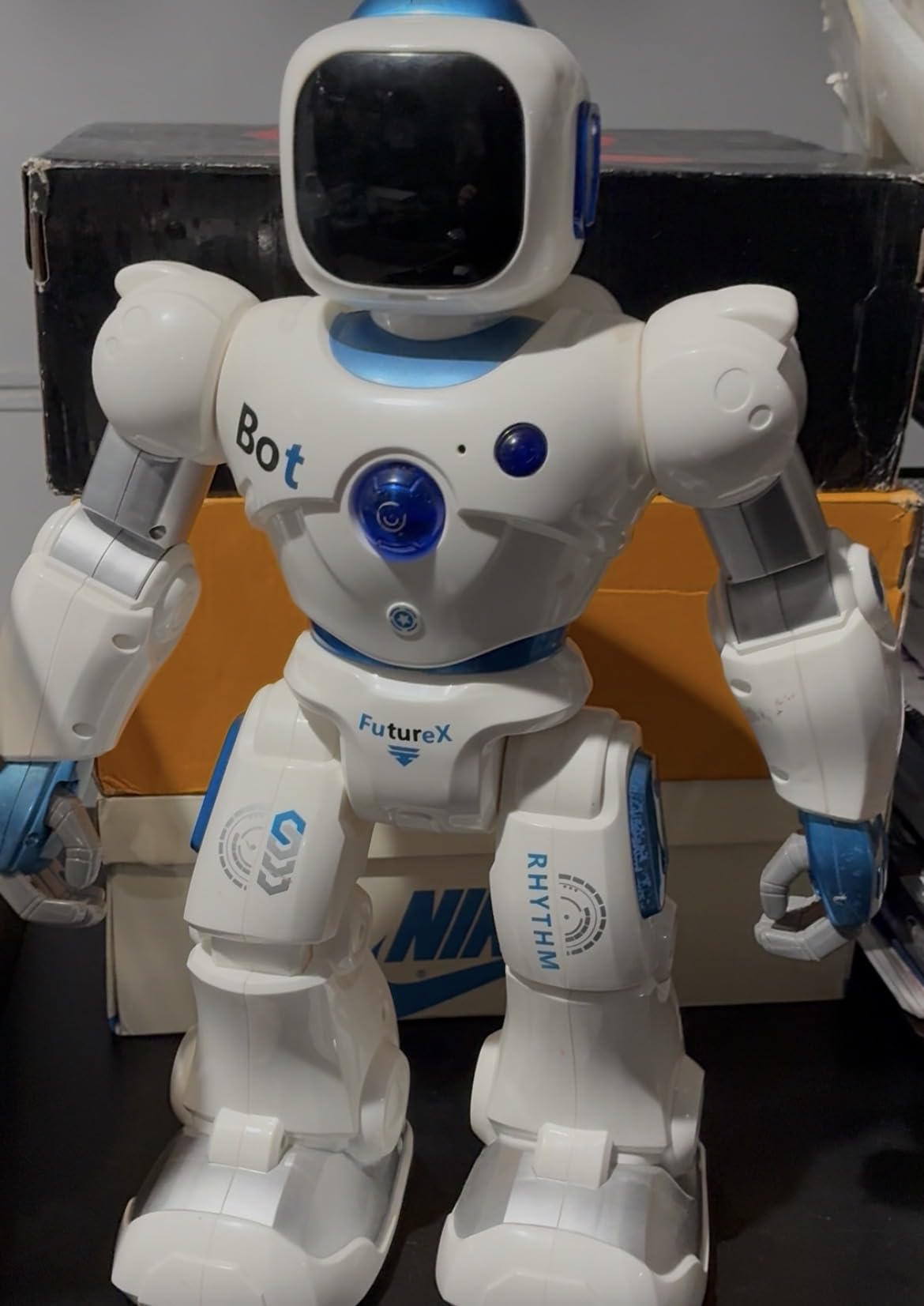
The Ruko 1088 is the largest review base in this roundup, with 6,968 reviews at a 4.5 average, and the reason is obvious from the dimensions. At 15.8 inches tall with nine flexible joints and ten expressions, it reads as a character rather than a machine, and for a four to nine year old that is often the deciding factor.
There are three ways to control it: a 2.4GHz remote, the Carle app over Bluetooth, and a gravity-sensor mode where you tilt the phone. Voice commands such as asking it to dance work as well, and there are ten songs, gymnastics, storytelling and a recording function. Reviewers are won over by how lifelike it looks and how much expressive variety the joints allow.
It is also one of the safest-looking options in physical terms. Skin-safe ABS with smooth, burr-free edges and FCC and CPC certification, which is a reasonable baseline for a toy that will be grabbed, hugged and dropped constantly. The rechargeable battery gives about 100 minutes of play after a 150-minute charge, with a red indicator while charging and a low-power reminder.
Now the honest part. The programming depth is shallow, and reviewers say so directly. Most of what looks like programming is recorded motion sequences rather than a real language, so this is closer to an interactive robot toy than a coding platform. It also will not charge with a USB-C to USB-C cable, only the included one, and voice commands perform best in a quiet room.
Who the Ruko 1088 suits
It suits a child who has not yet shown any interest in programming and might not respond to a product that announces itself as educational. If the goal is a first robot that gets played with enthusiastically, the scale and expressiveness do more work than any app would.
It also suits a family where a child is drawn to characters and performance. The singing, dancing, recording and storytelling functions are genuinely good creative play, and the three control modes mean a non-reading child can operate it with a remote alone.
Who should skip the Ruko 1088
Skip it if you want a child to learn to program. This is the clearest case in the roundup of what parents call STEM-washing, where a toy carries a coding label without delivering an actual programming environment. Pairing it with a screen-free Code and Go mouse is a reasonable two-part approach if you want both, but it will not grow.
Skip it if charging friction would irritate you. Requiring the original cable in place of any USB-C cable is an odd choice in 2026 and a small daily annoyance. Play time per charge is also modest compared with the five hours some rivals manage.
12. Thames and Kosmos Kids First Coding and Robotics – The Best Fully Unplugged Coding Robot
Kids First Coding & Robotics | No App Needed | Grades K-2 | Intro To Sequences, Loops, Functions, Conditions, Events, Algorithms, Variables | Parents’ Choice Gold Award Winner | by Thames & Kosmos
Ages 4-8
2.38 kg
64-page manual
Optical code card scanner
Pros
- No software apps or devices required
- Optical scanner reads real code cards
- Covers loops functions conditions and variables
- Six storylines with model building
- Parent's Choice Gold Award winner
Cons
- Smallest review base here at 423 reviews
- Heavier and bulkier packaging
- Scanner needs careful card alignment
- Paper-based contents feel light
This kit is unplugged in the strictest sense. There is no app, no software, no firmware and no device of any kind. The robot has an optical scanner on top that reads physical code cards you lay on the table, so writing a program means arranging paper and running it. For a family that wants computational thinking with a total absence of screens, nothing else here is this close to zero.
What separates it from other screen-free toys is the concept ceiling. The six storylines cover sequences, loops, functions, conditions, events, algorithms and variables, and the 64-page full-colour manual explains each one. For a child in grades K to 2 that is a genuinely advanced vocabulary, and it is presented through narratives like a mouse finding cheese or a soccer player scoring.
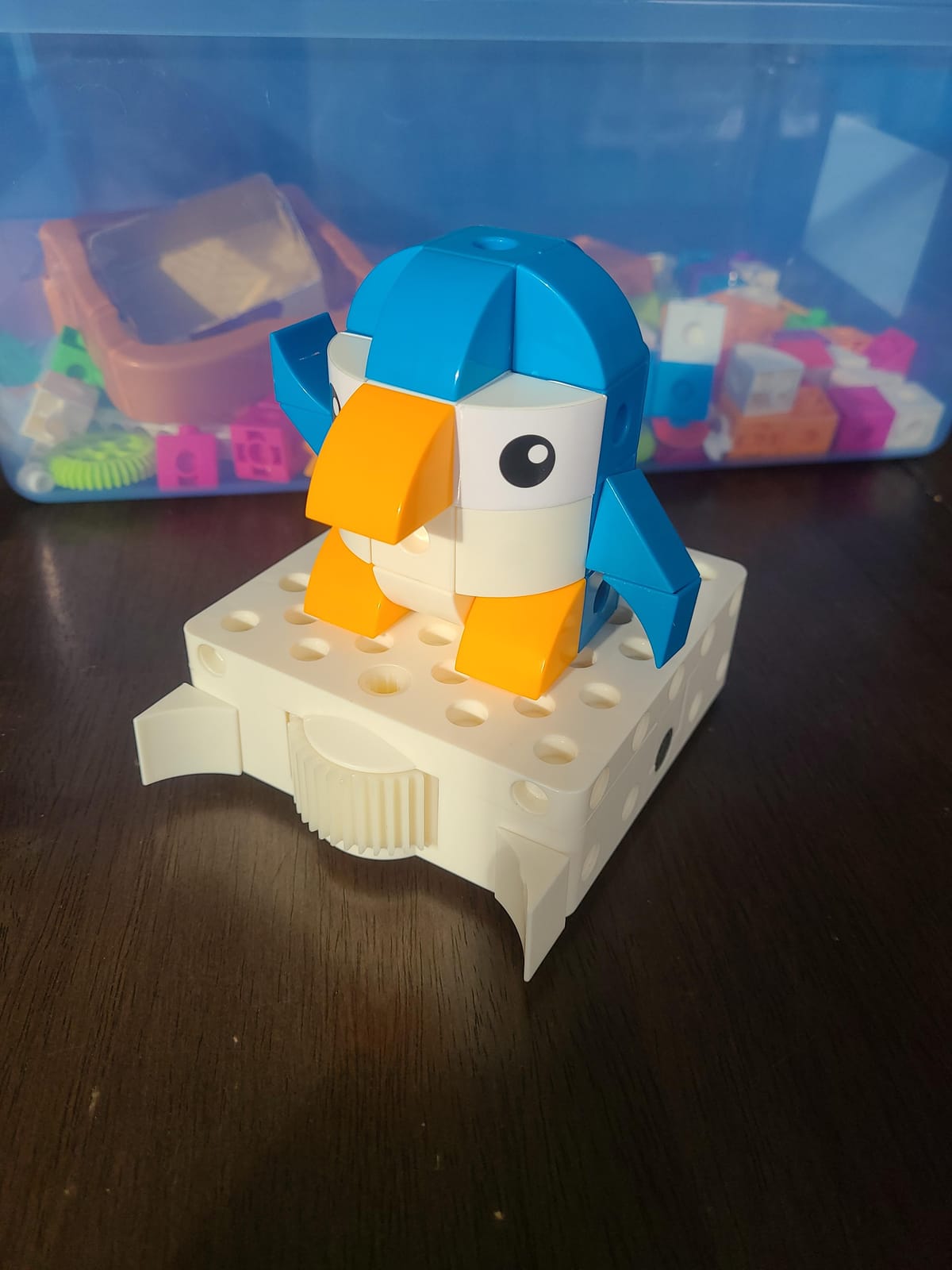
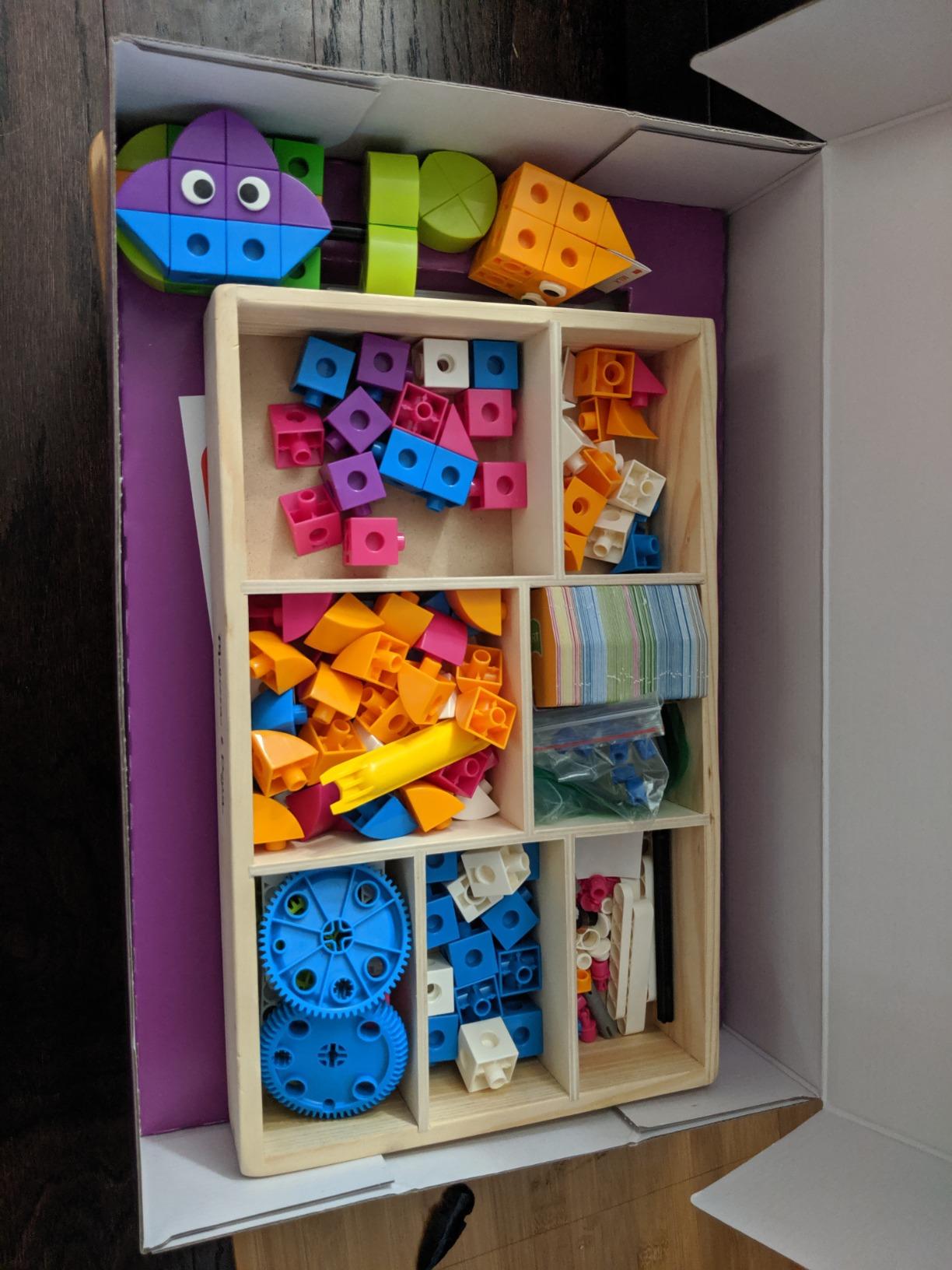
Building pieces and story cards add a model-building dimension, so this is half construction kit and half coding system. The robot carries an LED and a built-in speaker for audio feedback, which means a child gets confirmation without a screen showing the code. It carries a one-year manufacturer warranty and a Parent’s Choice Gold Award.
Two practical caveats. The optical scanner needs precise card alignment and a clean, well-lit surface, so it is more fussy than a button-based bot, and the box is heavier and bulkier than plastic screen-free rivals because the contents are largely paper. Reviewers also find the manual dense for a child who is not already reading fluently.
Who the Kids First Coding kit suits
It suits a family with a hard screen rule and a child in the early elementary years, particularly one who enjoys story problems and physical puzzles. Because there is nothing to download, it works anywhere, needs no account, and cannot be broken by an update or a missing app.
It also suits a homeschooler looking for structured, self-guided material. The six storylines function as a syllabus, and the manual carries real explanations of each concept rather than leaving the adult to improvise. For a parent who is not a programmer themselves, that difference is significant.
Who should skip the Kids First Coding kit
Skip it for a child who is not yet reading independently. The concept vocabulary runs well past arrow-button toys, and the manual is dense for early readers. It works best alongside a parent who will sit down and read the storylines with them.
Skip it if you want a robot rather than a course. There is no app to explore and no expansion ecosystem, so the value is in the six included storylines and nothing beyond them. It is a complete early-years system, not a platform with a long runway.
Buying Guide: How to Choose a Coding Robot for a Beginner
Before any brand name, the single most useful question is what age the child will be when the robot stops being interesting. The parent forums behind this research are consistent on this point: a kit that is too easy produces boredom, and a kit that is too hard produces frustration and abandonment. Both failures look identical from the outside, a child who never touches the thing again.
Most manufacturers print an age range, and most of those ranges are optimistic. Treat the stated age as the age at which the toy still works without an adult hovering, not the age at which the child first shows interest. A four-year-old can absolutely use a Sphero Mini with help, but they will not use it alone, and the difference in longevity is large.
Start with the age band, not the brand
For ages four to six, screen-free is the deciding factor, not preference. The Code and Go Mouse, Botley and the Thames andamp; Kosmos kit all work without a device, and all three teach sequencing through physical routes a child can see and correct. A four-year-old needs a mistake to be visible and cheap, and all three deliver that.
For ages six to eight you get a real choice. Dash introduces a guided app progression and handles the teaching, so it suits a child who needs structure. Botley still works and now has enough range in the challenge booklet for an older user. This is the band where the screen-time question becomes a family decision rather than a product feature.
For ages eight to twelve, pick based on where the child will be at fourteen. If blocks are the destination, the Sphero Mini or mBot is enough. If Python is the destination, go straight to the mBot2 and accept the extra complexity. For ages twelve and over, the ELEGOO UNO R3 is the only option here with real electronics and Arduino-level content.
Block coding or text coding: which one first?
Block coding is drag-and-drop visual programming where each block is a command, and text coding means typing real syntax. For a first robot, blocks are almost always right, because the child can focus on the logic instead of fighting syntax errors, and a program that runs wrong is still a finished program they can debug.
The question parents actually face is when to move. The consensus in the forums is that the transition from blocks to text is the moment a family decides whether to keep investing in a platform, so check before you buy whether the same environment offers both. The Sphero Mini, the Artie 3000 and the mBot and mBot2 all have a real path across that line, which is a large part of why they hold attention longer than arrow-button toys.
For the language question itself, Python is the better first text language for almost all children. It reads more like English than C++ does, it has the gentlest error messages, and it is what most schools now teach, so skills transfer directly. Forum answerers on the question of Python versus C++ are broadly consistent: start with Python and let the hardware be the interesting part.
Screen-free, app-based, or both
This is the question parents raise most often and that roundups most often dodge. Four of these picks need no device at all: Botley, the Code and Go Mouse, the Coding Critters and the Thames andamp; Kosmos kit. Two need a device for everything: the Sphero Mini and the ELEGOO UNO R3. The rest sit in between, with a drive mode that works without one and a programming mode that does not.
There is no universally correct answer, but there is an honest framing. Screen-free toys trade depth for device-free play, and most of them cap out around direction, looping and sequencing. App-based robots give a much longer runway, at the cost of a tablet in the mix. A reasonable compromise is one screen-free toy for the early years and one app-based robot once the child can read a short instruction independently.
Total cost of ownership beyond the box
Most listings do not tell you what the first year actually costs, and it is worth working out before you buy. Batteries are the biggest silent expense here. The Code and Go Mouse needs three AAA, Botley needs five in total across the robot and remote, and the Coding Critters needs three, and none of those are included. The mBot needs four AA plus a CR2025 for the remote.
Second is app cost. Sphero, Makeblock, Wonder Workshop and Learning Resources all run their programming environments free, and none of these twelve require a subscription. That is a genuine advantage over categories where the toy is the cheap part and the content is the recurring cost. The Artie 3000 even runs on its own password-protected Wi-Fi hotspot with no app store download, which removes the account question entirely.
Third is expansion. If a child is likely to stay with one platform, the ecosystem matters more than any single feature. The mBot accepts more than 100 electronic modules and 500-plus parts and LEGO-compatible bricks, and the mBot2 expands with 30-plus mBuild modules. A screen-free robot has no expansion path at all, which is a fair trade only if you expect the child to move on soon.
Five questions to ask before you buy
Does the child have to do the assembly, and how long does it take? A fifteen to thirty minute build is a good first session. A multi-hour build is a parenting commitment, and if an adult ends up doing it you have bought a display model.
Is a screen required, and can the robot be driven without one? Two questions, not one. A robot that plays but cannot be programmed without a tablet is a different commitment from one that is fully programmable and also drivable.
Does the same software support a step up to real code later? Look for the same vendor and the same environment rather than a promise of future compatibility. A platform that ends at blocks is a two-year purchase, and that is a perfectly fine choice if you know it going in.
Is the programming visible and editable before it runs? This is the most underrated question on the list. Toys where the child cannot review the program have no debugging step, which is where most of the actual learning happens.
How much does the parent have to be involved? Forums report that the toy becomes a parent-led chore when the instructions assume an engineer. A guided app like Dash’s, or a manual as thorough as the ELEGOO tutorials, is worth a lot more than an extra sensor.
One more piece of wider context worth knowing. A Statista survey from 2018 found quality was the number one purchase factor for 48% of parents choosing STEM toys, the Toy Association reported in 2024 that 91% of parents see STEM as important to their child’s future, and Grand View Research has STEM toy demand growing at roughly 14.6% a year. The category is expanding fast, which is also why so many toys arrive with a coding label and nothing behind it. Separately, 72% of parents report that their child’s technical confidence makes helping with complex toys genuinely difficult, which is the argument for buying the one with the best documentation rather than the one with the most features.
Finally, a note on design. Researchers at ACM published a study in April 2023 examining how gender-related design features are represented in computational toys and coding kits for children aged seven and up, and the finding that surfaces in parent conversations is that colour and character choices still signal who a toy is for. If a child has rejected a robot on colour grounds before, the coding content will not fix that.
Frequently Asked Questions
What is the best coding robot for kids?
The Sphero Mini is the best overall coding robot for kids because it offers three ways in: drawing a path on screen, dragging blocks, and writing JavaScript. A child can start on day one without reading anything and still have a genuine text-language path later. For children under six, the Learning Resources Code and Go Robot Mouse is the better pick because it needs no screen at all, and for families avoiding devices entirely, Botley is the strongest screen-free option.
What is the best coding robot kit for a 10-year-old?
At ten, most children have finished with arrow-button toys and want something with a real programming environment, so the Makeblock mBot2 is the strongest fit. It supports Scratch and Python, ships with ten-plus onboard sensors, builds in about thirty minutes, and runs eight-plus guided courses on free software with no subscription. If the child is new to programming entirely, the entry-level mBot is easier to start on and can bridge to the mBot2 later.
Do coding robots need a tablet?
It depends entirely on the model. Botley, the Code and Go Robot Mouse, the Coding Critters set and the Thames and Kosmos Kids First Coding kit work with no phone, tablet or app at all. The Sphero Mini, Dash, Artie 3000 and the ELEGOO UNO R3 require a device to program, though Dash and Artie can still be driven or played without one. Check whether the robot is programmable without a screen, not merely whether it is fun without one.
What age should my child start coding with a robot?
Most experts in the parent and educator communities put the starting point around four to six for screen-free robots and six to eight for app-based ones. The rule of thumb is to buy for the age the child will be when the novelty wears off, not the age they are now. A kit they find too easy produces boredom within weeks, and one that is too difficult produces abandonment almost immediately.
Which is better for robotics, Python or C++?
Python is the better first language for almost every beginner. It reads closer to English, produces readable error messages, and has a gentler syntax, which means a beginner spends time thinking about logic instead of fighting punctuation. C++ is worth learning later for competition robotics and embedded systems, but starting there adds difficulty without adding understanding. Most of the robots here that support text code at all support Python first.
What are people saying about the Botley coding robot in reviews?
Reviewers consistently praise Botley for being genuinely screen-free while still teaching real concepts, with object detection, line following and looping going well beyond a basic remote-control car. The 40 coding cards make planning visible, and the instant literal response to commands is what teaches debugging. The most repeated complaints are that one robot cannot serve two children at once, that five AAA batteries must be bought separately, and that wheel performance depends on the floor surface.
Which Coding Robot Should You Buy First?
Buy the Sphero Mini if you want one robot that a child of eight or older can approach three different ways and grow with for years. Buy the Code and Go Mouse if the child is four to six and you would rather they never saw a screen while learning. Buy Botley if the whole family is avoiding devices, and accept that it is a complete experience rather than a stepping stone.
Buy the Makeblock mBot if the child is eight to twelve and you want the clearest documented path from blocks to real code, or the mBot2 if you want Python on the roadmap from the start. Save the ELEGOO UNO R3 for a teenager who is already motivated, because it is genuinely excellent equipment and a genuinely poor first robot for anyone else.
Whatever you choose, buy for the age your child will be in two years rather than the age they are today, and check whether the parent is the one who will end up doing the work. That single check eliminates most disappointing purchases in this category. These were all researched for 2026, and every rating and review count here reflects the current listing.