
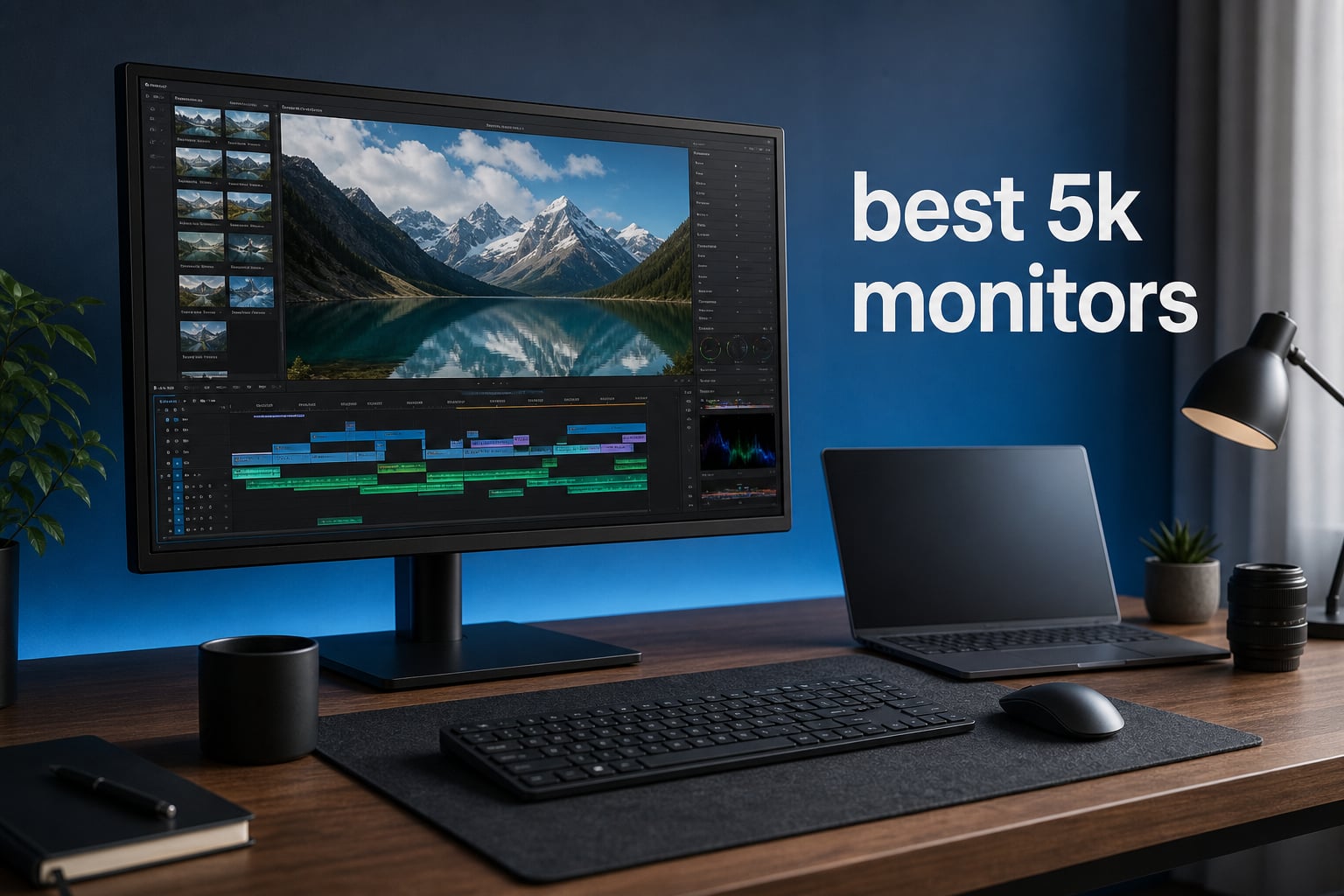
The best 5K monitors make small type, high-resolution photographs, and dense creative timelines look unusually clean without forcing you to sit far from the screen. I separated the true 5K 5120 x 2880 displays from 5K2K 5120 x 2160 ultrawides, because they solve different problems even though both are sold as 5K.
For most desk setups, a 27-inch 5120 x 2880 panel is the sharpness-first choice: it reaches about 218 PPI, the same figure listed for the Samsung Odyssey G8 and BenQ PD2730S. A 40- or 45-inch 5K2K panel instead adds horizontal room for side-by-side applications, but has fewer vertical pixels and a much larger physical footprint.
Our shortlist uses the listed resolution, panel type, refresh rate, color claims, ports, ergonomics, review volume, and reported downsides rather than pretending that one screen fits every workflow. If you want the quick answer for 2026, choose the Dell UltraSharp U4025QW for a feature-rich 40-inch ultrawide desk, the Samsung Odyssey G8 for fast true-5K gaming, or the ASUS ProArt PA27JCV when verified color specifications matter more than speed.
Top 3 Picks for 5K Monitors (October 2026)
These three cover the clearest use cases. The Dell brings a 120Hz curved 5K2K canvas with Thunderbolt, Ethernet, and eight USB ports; Samsung targets games with a 180Hz true-5K mode and a 360Hz QHD mode; ASUS concentrates on factory-calibrated color work at 5120 x 2880.
There is an important trade-off behind those labels: none is a universal winner. Pick the screen shape, native resolution, connection, and refresh behavior your desk actually needs before putting a badge ahead of the specifications.
5K Monitors in 2026
This overview includes every product reviewed below. “True 5K” means 5120 x 2880 at 16:9; “5K2K” means 5120 x 2160 at 21:9, which is superb for width but not the same vertical workspace or pixel density as a 27-inch true-5K display.
| Product | Specifications | Action |
|---|---|---|
 Dell UltraSharp U4025QW Dell UltraSharp U4025QW |
|
View Details |
 Samsung Odyssey G8 G80HF Samsung Odyssey G8 G80HF |
|
View Details |
 LG 45GX950A-B LG 45GX950A-B |
|
View Details |
 Samsung ViewFinity S8 S85TH Samsung ViewFinity S8 S85TH |
|
View Details |
 ViewSonic VP2788-5K ViewSonic VP2788-5K |
|
View Details |
 BenQ PD2730S BenQ PD2730S |
|
View Details |
 ASUS ProArt PA27JCV ASUS ProArt PA27JCV |
|
View Details |
 LG 40U990A-W LG 40U990A-W |
|
View Details |
1. Dell UltraSharp U4025QW Is the Best 5K2K Productivity Hub
Dell UltraSharp U4025QW 40″ Class 5K2K WUHD Curved Screen LED Monitor – 21:9
40 inch curved
5120 x 2160
120Hz
Thunderbolt hub
Pros
- 120Hz ultrawide workspace
- Thunderbolt and Ethernet
- 8 USB ports
- adjustable stand
Cons
- 41.93 pound weight
- 5K2K is not true 5K
The U4025QW is the pick I would start with for someone replacing a dual-monitor office setup with one curved panel. Its 39.7-inch, 21:9 screen runs at 5120 x 2160 and 120Hz, so it prioritizes a wide uninterrupted work surface over the 218-PPI density of a 27-inch true-5K display.
The listed connectivity is unusually practical: DisplayPort, HDMI, Thunderbolt, USB, and Ethernet, plus eight USB ports. That combination makes the monitor a credible desk hub for a laptop, wired network, keyboard, storage, and a second input without a pile of separate adapters.
The matte finish, 178-degree viewing angle, 2000:1 contrast ratio, and 600-nit brightness claim fit a bright shared work area better than a reflective screen. Dell also lists height, swivel, and tilt adjustment, which matters because this display is 37.3 inches wide and needs careful placement.
Be clear about the resolution before buying: the product listing contains both a 5120 x 2160 maximum resolution and a separate 5120 x 2880 native-resolution field. For the actual 21:9 5K2K format, plan around 5120 x 2160 rather than assuming a standard 16:9 5K panel.
A wide single-screen workflow is where the Dell makes the most sense
It suits spreadsheets beside messaging, long video timelines, wide code editors, and people who want a laptop connection plus peripheral hub in one monitor. The 5ms response time and 120Hz refresh also make scrolling and casual games look more fluid than a typical 60Hz creative display.
A compact desk is where the Dell needs a second look
At 41.93 pounds and nearly 37.3 inches wide, it is not a casual arm-mount purchase or a good fit for a shallow desk. Buyers seeking Retina-style text density for a MacBook companion should instead favor one of the 27-inch 5120 x 2880 choices below.
2. Samsung Odyssey G8 G80HF Is the Fast True-5K Gaming Choice
Samsung 27″ Odyssey G8 (G80HF) Gaming Monitor – 5K Resolution, Fast IPS
27 inch Fast IPS
5120 x 2880
180Hz
Dual Mode
Pros
- 218 PPI true 5K
- 180Hz 5K mode
- 360Hz QHD mode
- DP 2.1
Cons
- Limited USB ports
- small review sample
Samsung’s 27-inch Odyssey G8 is the unusual monitor here because it pairs 5120 x 2880 resolution and 218 PPI with a 180Hz refresh rate. That gives it the fine text and detailed still-image advantage people seek from a true 5K display without automatically limiting the panel to a 60Hz desktop experience.
Dual Mode is its defining feature: Samsung lists 5K at 180Hz and QHD at 360Hz, with a 1ms response time. This gives competitive players a sensible choice between high-detail image quality and a lower-resolution, very-high-refresh mode when frame rate has priority.
The Fast IPS panel, HDR10+ Gaming, G-Sync compatibility, FreeSync Premium Pro, DisplayPort 2.1, and HDMI 2.1 give it an appropriately modern gaming specification set. It also has a height-adjustable stand that pivots, tilts, and swivels, so the 27-inch panel is easier to set at a comfortable eye line.
Its 4.5 rating is based on only 23 reviews, so I would not treat that score as settled long-term evidence. The listing also provides only one USB port, meaning a desktop with several accessories may still need a separate hub.
A high-frame-rate gaming PC is the right match for the Odyssey G8
This is the best fit for players who want the sharp 27-inch 5K image for single-player games and desktop use, then the listed 360Hz QHD option for fast action. It can also serve a Windows workstation well when its DisplayPort or HDMI inputs match the computer’s output.
A simple single-cable peripheral setup is not its main job
Mac-oriented users who need Thunderbolt charging and a broad USB hub have better matches in the ViewSonic, BenQ, or ultrawide models. The limited review count also calls for attention to warranty terms and return conditions rather than relying on an early rating alone.
3. LG 45GX950A-B Is the Immersive OLED 5K2K Gaming Screen
LG 45GX950A-B 45-inch Ultragear 5K2K WUHD (5120 x 2160) OLED Curved Gaming Monitor, Dual-Mode, 165Hz, 0.03ms, NVIDIA G-Sync, AMD FreeSync Premium Pro, HDR True Black 400, USB Type-C 90W, DP2.1
45 inch curved OLED
5120 x 2160
165Hz
0.03ms
Pros
- OLED contrast
- 165Hz 5K2K
- Dual Mode
- 0.03ms response
Cons
- very large footprint
- quality concerns in reviews
The LG 45GX950A-B takes a different route from Samsung’s dense 27-inch panel. It is a 44.5-inch curved OLED at 5120 x 2160, with a listed 125 PPI, so the appeal is an enveloping wide image rather than desktop text that looks like a 218-PPI Retina display.
For gaming, the specification is hard to ignore: 165Hz at 5K2K, a 0.03ms response time, DisplayPort 2.1, G-Sync compatibility, and FreeSync Premium Pro. LG also lists a Dual Mode that runs WFHD at 330Hz, which is useful when a game benefits more from speed than pixel count.
OLED is the feature that separates it from the IPS and VA alternatives. LG lists a 1,500,000:1 contrast ratio, HDR True Black 400, and up to 1300 nits peak brightness, figures aimed at deep blacks and strong highlight contrast in compatible content.
The trade-off is physical scale. It is 39.04 inches wide, 30.9 pounds, and uses an 800R curve, so I would measure the desk before treating it like a conventional monitor; the review data also shows a 4.4 rating from 583 reviews with 9% one-star ratings noted in the analysis.
A deep gaming desk is the natural home for LG’s 45-inch curve
Choose it for cinematic games, simulators, and a large single-screen workstation where you can sit farther back. The curved 21:9 format gives wide peripheral space for timelines and multiple windows, while its OLED panel aims squarely at contrast-rich entertainment.
Text-focused close-up work is where the 27-inch true-5K screens win
The listed 125 PPI is clear for this large ultrawide category but is far below 218 PPI. If your daily task is reading small type, retouching at a standard desk distance, or matching Mac-style scaling, the ViewSonic, BenQ, ASUS, or Samsung G8 is the more direct option.
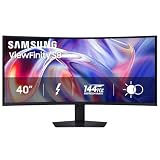
4. Samsung ViewFinity S8 S85TH Is the Two-Computer Office Option
Samsung 40″ ViewFinity S8 (S85TH) Curved Monitor, 5K2K WUHD Resolution
40 inch curved VA
5120 x 2160
144Hz
Thunderbolt 5
Pros
- Thunderbolt 5 charging
- KVM switch
- 144Hz
- ergonomic stand
Cons
- VA viewing limits
- limited review volume
The 40-inch ViewFinity S8 is aimed at office work where two computers share one display. Its 5120 x 2160 curved VA panel combines 144Hz motion, a built-in KVM switch, Picture-in-Picture, and Picture-by-Picture, all features that make source switching less disruptive.
Thunderbolt 5 is the headline connection, with Samsung listing up to 140W charging. The monitor also has DisplayPort, HDMI, four USB ports, a LAN connection, built-in speakers, and an adjustable stand with height, tilt, and swivel movement.
The 3000:1 contrast ratio is a notable VA-panel trait on the specification sheet, while HDR10+ and FreeSync Premium aim to improve compatible media and motion. It is a work-first ultrawide, though, not a claim that every part of the panel will behave like an IPS display at off-center angles.
Review evidence is limited: the 4.2 rating comes from 26 reviews and the analysis flags 14% one-star ratings. That does not decide the monitor’s quality by itself, but it is a reason to test the KVM, ports, panel uniformity, and sleep behavior promptly in your own setup.
A two-device desk is where the ViewFinity S8 earns its space
It makes sense for a laptop and desktop sharing one keyboard and mouse, or for an office that needs both sources visible. The KVM and picture modes are more meaningful here than raw pixel density, and the wide panel reduces the bezel break of two separate screens.
Color-critical collaboration is where an IPS alternative is safer
VA can have narrower effective viewing behavior than IPS, a concern when several people look at the screen or when color judgment is central. A 27-inch IPS true-5K model is more straightforward for close color work, while this one is best treated as a wide, connected work center.
5. ViewSonic VP2788-5K Is the Mac-Ready Color and Connectivity Pick
ViewSonic VP2788-5K 27 Inch 5K Mac Ready Monitor, IPS Designer Display
27 inch IPS
5120 x 2880
75Hz
Thunderbolt 4
Pros
- 100% sRGB and 99% DCI-P3
- 100W Thunderbolt 4
- Pantone Validated
- full ergonomic stand
Cons
- 14ms response time
- quality-control concerns
The ViewSonic VP2788-5K focuses on the combination many Mac users actually ask for: a 27-inch IPS panel at 5120 x 2880, Thunderbolt 4, and stated color coverage of 100% sRGB and 99% DCI-P3. It is also Pantone Validated, which is more useful for a color-managed workflow than a vague “vivid color” claim.
Its Thunderbolt 4 connection supports up to 40Gbps transfers and up to 100W power delivery according to the listing. DisplayPort, HDMI, USB Type-A, and USB Type-C support give it better connection flexibility than a display built only around one computer family.
The 75Hz refresh rate is a modest but pleasant step above 60Hz for desktop movement. The stand supports tilt, swivel, pivot, and height adjustment, and ViewSonic lists a three-year warranty on parts, labor, and backlight.
The limits deserve equal weight: the listed 14ms response time is not for serious fast gaming, and the 4.1 rating is drawn from 52 reviews. The product analysis notes 12% one-star ratings, so it is sensible to examine the panel, ports, and wake behavior during the return period.
A Mac Studio or Thunderbolt laptop setup is where ViewSonic fits neatly
This monitor is for creators and office users who want true-5K pixel density, one-cable power, and broad color-space claims without abandoning HDMI and DisplayPort. Its 27-inch size is easy to center on a normal desk and is far less demanding of desk depth than the 40-inch ultrawides.
Fast esports is where the ViewSonic is the wrong tool
A 14ms response-time listing and 75Hz refresh rate place responsiveness below Samsung’s 180Hz true-5K panel or LG’s OLED. For photo editing, design, text work, and general productivity it makes more sense, especially when the connection and stand flexibility are priorities.
6. BenQ PD2730S Is the Reflection-Conscious Creative Workstation
BenQ PD2730S 27″ 5K 218 PPI Mac Monitor, 90W Thunderbolt 4, 98% P3, Uniformity, 2000:1 Contrast, Nano Matte Panel, Daisy Chain, KVM, Height Adjustable, for 3D Artists, VFX Animators, Game Designers
27 inch 5K
218 PPI
98% P3
Thunderbolt 4
Pros
- 98% P3 color
- 90W Thunderbolt 4
- Nano Matte panel
- KVM and daisy chain
Cons
- 60Hz limit
- small review sample
The BenQ PD2730S is tailored to creative work where ambient reflections can ruin concentration. It is a 27-inch, 5120 x 2880 display rated at 218 PPI, with a Nano Matte panel, 98% P3 coverage, and a 2000:1 contrast ratio listed for color-managed art, VFX, 3D, and design tasks.
Thunderbolt 4 supplies up to 90W of power and 40Gbps transfers according to BenQ’s feature list. It also supports daisy chaining and has a KVM switch, a useful pairing for a creator who alternates between a Mac and a Windows machine without moving peripherals.
The 60Hz refresh rate and 4ms response time show where BenQ placed its priorities. This is not sold as a speed-first gaming panel; the useful features are uniformity-minded color management, anti-reflection treatment, a height-adjustable stand, and a high-density 16:9 workspace.
Forum discussion around 5K screens repeatedly highlights that anti-glare coatings vary widely in their effect on contrast and perceived texture. BenQ’s Nano Matte specification makes it worth considering for a light-filled room, but the listed 3.9 rating from 29 reviews means viewing it in person or testing it early is still wise.
A bright creative room is where the Nano Matte panel matters most
Choose the PD2730S if window glare is a daily frustration and your work benefits from a stated 98% P3 gamut. Its true 5K canvas is also a good match for a MacBook Pro companion where sharp text and deliberate color controls outrank high-refresh gaming.
High-refresh play is where the BenQ makes a clear compromise
The 60Hz ceiling is fine for editing, illustration, and office work, but it does not compete with 120Hz, 144Hz, 165Hz, or 180Hz alternatives for motion. The review distribution also includes 15% one-star ratings in the supplied data, so do not skip a careful inspection.
7. ASUS ProArt PA27JCV Is the Color-Specification-First True-5K Option
ASUS ProArt Display 27” 5K HDR Professional Monitor (PA27JCV) – 5K (5120 x 2880), IPS, 99% DCI-P3, 100% sRGB, ΔE < 2, USB-C PD 96W, Calman Verified, Color Accurate, LuxPixel, 3 yr Warranty
27 inch IPS
5120 x 2880
99% DCI-P3
Calman Verified
Pros
- 99% DCI-P3 and 100% sRGB
- Calman Verified
- 96W USB-C power
- ambient sensors
Cons
- 60Hz refresh
- mixed color-consistency reports
The ASUS ProArt PA27JCV is the most specification-led choice for a photographer, designer, or editor who needs a true 5K monitor for photo editing. It combines 5120 x 2880 on a 27-inch IPS panel with 99% DCI-P3, 100% sRGB, factory pre-calibration, Calman Verified status, and a listed Delta E below 2.
ASUS also includes ambient-light and backlight sensors, plus USB-C power delivery up to 96W. DisplayPort, HDMI, and five USB ports make it a practical desktop display rather than a panel requiring one narrowly defined host connection.
The 400 cd/m2 brightness, 3000:1 contrast ratio, matte finish, and 178-degree viewing angle present a strong paper specification for studio work. Its 60Hz refresh rate, however, is a real boundary; it is designed around consistent color and detailed still imagery, not fast-motion performance.
The 3.8 rating comes from 139 reviews, the largest review pool among the 27-inch professional screens here, but the analysis notes mixed reports on calibration and color consistency and 19% one-star ratings. Factory calibration is a useful starting point, not a substitute for checking the screen with your own color-managed files.
A controlled photo or design workflow is where the ProArt has the strongest case
Its stated gamut coverage, Calman verification, and Delta E claim give buyers concrete items to compare against their required color space. The 27-inch 218-PPI format also delivers the sharp text and fine image-detail benefit that distinguishes true 5K from a 5K2K ultrawide.
A motion-heavy mixed-use setup is where the ASUS becomes less persuasive
Creators who spend most of their time gaming or working with fast camera movement may prefer Samsung’s 180Hz model or an ultrawide running at 120Hz and above. Buyers should also allow time for a calibration check, because supplied review insights flag out-of-box color concerns.
8. LG 40U990A-W Is the Thunderbolt 5 Creative Ultrawide
LG 40U990A-W 40-inch Ultrafine evo 5K2K WUHD (5120 x 2160) Nano IPS Curved Monitor, Thunderbolt 5, DisplayHDR 600, Built-in Speaker, 120Hz, HDMI 2.1, DP 2.1, USB C, Tilt/Height/Swivel Stand, White
40 inch Nano IPS
5120 x 2160
120Hz
Thunderbolt 5
Pros
- Thunderbolt 5
- 120Hz Nano IPS
- 99% DCI-P3
- DisplayHDR 600
Cons
- large desk requirement
- one-year warranty
LG’s 40U990A-W is for creators who want 5K2K width plus a current high-bandwidth connection. The 40-inch curved Nano IPS Black panel runs at 5120 x 2160 and 120Hz, while Thunderbolt 5, HDMI 2.1, DisplayPort 2.1, USB-C, and five USB ports support a complicated workstation.
For image work, LG lists 99% DCI-P3 coverage, a 2000:1 contrast ratio, and VESA DisplayHDR 600. It also has built-in speakers and a stand with tilt, height, and swivel adjustments, which helps turn the large panel into a realistic single-screen editing space.
This is not a true 5120 x 2880 display. Its 21:9 5120 x 2160 resolution makes room for a timeline, bins, scopes, browser, or reference material across the screen, but buyers who need the finest text at close range should not confuse that format with a 27-inch 218-PPI panel.
There are 56 reviews behind its 3.8 rating, and the supplied analysis identifies a one-year warranty and 14% one-star ratings. That makes a careful check of uniformity, ports, sleep behavior, and the amount of desk space available especially important.
A wide creative timeline is where the LG 40U990A-W stands out
Video editors, photographers with many reference panels, and people moving large files between a Thunderbolt host and external storage will appreciate the port selection and horizontal canvas. A 120Hz refresh can also make day-to-day pointer movement and scrolling feel calmer than 60Hz alternatives.
A shallow workstation is where this LG becomes impractical
The display is 37.3 inches wide, 31.1 pounds, and 10.2 inches deep before considering stand placement. Measure both desk depth and viewing distance; its size should be a deliberate workspace choice rather than an impulse replacement for a 27-inch panel.
Choose a 5K Monitor by Matching Resolution, Desk, Connection, and Workload
The first decision is not brand; it is whether you need true 5K or 5K2K. A true 5K monitor has 5120 x 2880 pixels in a 16:9 layout, and at 27 inches that density is about 218 PPI; 5K2K has 5120 x 2160 pixels in a 21:9 layout and favors width for multiple windows.
That distinction explains why a 40-inch ultrawide can feel more productive for a timeline while a 27-inch true-5K panel can look sharper for body text. The Dell, Samsung ViewFinity, LG 45GX950A-B, and LG 40U990A-W are wide 5K2K screens, while the Samsung G8, ViewSonic, BenQ, and ASUS are true 5K.
A 27-inch true-5K panel is the clearest choice for close text work
At around 218 PPI, interface text and fine lines look very dense, which is why the format is often compared with a Retina display. It is especially appealing for a MacBook Pro companion, photo editing, writing, coding, and designs with tiny interface elements.
Use a normal desk viewing distance rather than pressing close to a high-density panel. A height-adjustable stand matters: set the top portion of the screen near eye level, then use scaling that keeps menus and text comfortable instead of choosing a monitor solely to run microscopic UI elements.
A 40- or 45-inch 5K2K panel is the better answer for wide workflows
At 37 to 39 inches wide, these screens can replace two smaller displays without a center bezel. They work well when a spreadsheet lives beside communication tools, when a video timeline needs room, or when a developer keeps documentation and code in view together.
Desk depth is not a minor detail with these products. The Dell is 37.3 inches wide, Samsung’s S8 is 36.56 inches wide, LG’s 40U990A-W is 37.3 inches wide, and the LG OLED spans 39.04 inches, so a shallow desk can force an uncomfortable viewing position.
Mac and Windows both work, but the port and scaling plan must be checked first
Mac users frequently care about clean-looking scaling at desktop sizes, and a 27-inch true-5K display is the direct match for that goal. ViewSonic lists Mac readiness and Thunderbolt 4; BenQ lists Mac-compatible Thunderbolt 4; the ASUS provides USB-C power delivery plus DisplayPort and HDMI.
Windows users should check the graphics card’s connection and the screen’s preferred refresh rate at native resolution. The Samsung G8 lists DisplayPort 2.1 and HDMI 2.1, while the Dell and wide LG models add Thunderbolt-class connections; the computer, cable, dock, and monitor must all support the desired signal path.
Do not infer that every cable carrying video will deliver full 5K resolution, the intended refresh rate, charging, and USB data at once. Start with the cable supplied with the monitor where appropriate, then confirm the operating system reports the native resolution and selected refresh rate.
A high refresh rate needs a GPU plan, especially at true 5K
Driving 5120 x 2880 at 180Hz asks far more of a graphics system than showing a static desktop at 60Hz. Samsung’s Dual Mode gives its G8 a practical fallback to QHD at 360Hz, while LG’s 45GX950A-B can switch its wide panel to WFHD at 330Hz.
For creative work, a stable native-resolution signal, correct color settings, and enough connection bandwidth generally matter more than extreme frame rate. For games, adjust expectations to the title and GPU; high 5K resolution, HDR, and high refresh together are demanding rather than automatic.
Color claims and HDR labels should be read as workflow clues, not interchangeable promises
For web and general desktop work, sRGB coverage is a useful baseline. For wider-gamut photography, video, and design, look at DCI-P3 figures and calibration claims: ViewSonic lists 100% sRGB and 99% DCI-P3, BenQ lists 98% P3, ASUS lists 99% DCI-P3 and 100% sRGB, and LG lists 99% DCI-P3 on its 40-inch model.
HDR labels vary significantly. The LG OLED lists HDR True Black 400 and a high contrast ratio, the LG 40U990A-W lists DisplayHDR 600, Samsung lists HDR10+ on two models, and several professional panels focus more on color controls than HDR spectacle.
Forum feedback also calls out varying anti-glare coatings, limited HDR on some 5K products, occasional buzz or heat reports, and weak stands on some lower-cost displays. Check the exact panel in your working light, listen for unexpected noise, test wake-from-sleep, and use the included stand or a suitable mount before the return window closes.
Ergonomics and warranty coverage are part of the monitor, not afterthoughts
A good panel can still be tiring if the stand cannot reach the right height or a heavy ultrawide is mounted insecurely. Dell lists height, swivel, and tilt; Samsung lists height, tilt, and swivel on the S8; ViewSonic lists tilt, swivel, pivot, and height; BenQ and LG also list adjustable stands.
Warranty length differs within this group. Dell, ViewSonic, BenQ, and ASUS list three-year coverage, LG’s OLED lists two years, Samsung’s G8 and S8 list one year, and the LG 40U990A-W lists one year, so that detail should sit beside the specifications in the final decision.
Answers to Common 5K Monitor Questions
Are 5K monitors worth it?
5K monitors are worth it when sharp text, detailed still images, or a large high-resolution workspace improves daily work. A 27-inch 5120 x 2880 panel delivers about 218 PPI, while 5K2K ultrawides add room for several applications. They are less compelling if your computer cannot drive the target resolution and refresh rate or if 4K already meets your needs.
Is 5K noticeably better than 4K?
At a similar 27-inch size and normal desk distance, 5K is noticeably sharper than 4K for small text, thin lines, and high-detail photos because it packs more pixels into the panel. The visible gain is strongest for reading, coding, design, and Mac-style high-density scaling. It is less important for fast games when resolution must be reduced to reach a preferred frame rate.
What is the ideal screen size for 5K?
Twenty-seven inches is the classic size for a true 5120 x 2880 5K monitor because it reaches about 218 PPI and fits a normal desk. A 40- or 45-inch 5K2K monitor is better when you need horizontal room for timelines and multiple applications, but it needs more desk depth and does not have the same pixel density.
Is 5K2K better than 4K?
5K2K at 5120 x 2160 is better than standard 4K for people who need substantially more horizontal workspace in a single 21:9 screen. It is not automatically better for every task: a 27-inch true 5K 5120 x 2880 monitor has more vertical pixels and higher pixel density, which can be preferable for close text and detailed image work.
The Best 5K Monitor Depends on Your Screen Shape and Work
Among these best 5K monitors, the Dell UltraSharp U4025QW is the broadest productivity recommendation when a 40-inch 5K2K hub fits the desk. The Samsung Odyssey G8 is the standout for true 5K at high refresh, while ASUS ProArt PA27JCV puts unusually specific color credentials into a compact true-5K format.
For a Mac-centered color desk, compare ViewSonic’s Thunderbolt 4, Pantone Validated VP2788-5K with BenQ’s matte PD2730S and the ASUS color specification. For a wider creative or two-computer workspace, compare the Dell, Samsung ViewFinity S8, and LG 40U990A-W by ports, KVM needs, stand range, warranty, and the physical depth your desk allows.
The right 2026 choice is the one whose native resolution, panel size, connection, refresh rate, and color claims match your everyday screen time. Read the full listing details, confirm your computer output, and measure the desk before choosing.