
The best SATA SSDs still make a lot of sense in 2026, especially when a desktop or laptop has open SATA ports but no free M.2 slot. A 2.5-inch SATA solid state drive replaces the noise and long waits of a hard drive with flash storage, quicker booting, and far faster app loading.
For a primary drive, I would start with the Samsung 870 EVO because its listed 560 MB/s read and 530 MB/s write speeds reach the practical SATA III ceiling, and it adds a 600 TBW endurance rating plus a five-year limited warranty. For a more affordable 1TB gaming or general-use drive, the TEAMGROUP T-Force Vulcan Z has a 550/500 MB/s rating, a built-in SLC cache, and the standard 7mm 2.5-inch format.
This guide compares ten real SATA III SSD listings by capacity, stated sequential performance, compatibility, warranty, and the details that matter after installation. If your system accepts NVMe, our best SSDs for gaming performance guide covers faster M.2 choices too; this page is for the reliable internal SSD upgrade that fits a SATA bay.
SATA’s 6Gbps interface limits sequential transfers to roughly 560 MB/s, so small differences among these drives are less important than capacity, endurance, firmware support, and whether the drive fits your machine. That is useful context for older PCs with limited M.2 slots, a concern that comes up frequently in build discussions.
Top 3 Picks for the Best SATA SSDs 2026
The Samsung 870 EVO is the clearest pick for a long-term 1TB boot drive, the T-Force Vulcan Z is the balanced 1TB alternative, and the Crucial BX500 is a compact option for a straightforward hard-drive replacement. All three use the familiar 2.5-inch SATA form factor, but their capacities and stated support features suit different jobs.

Best SATA SSDs in (August 2026)
Every drive below uses SATA and a 2.5-inch form factor. The comparison card makes the stated specifications easy to scan, while the reviews explain the trade-offs that a speed number alone cannot show.
| Product | Specifications | Action |
|---|---|---|
 Samsung 870 EVO 1TB Samsung 870 EVO 1TB |
|
Check Latest Price |
| TEAMGROUP T-Force Vulcan Z 1TB |
|
Check Latest Price |
 Crucial BX500 240GB Crucial BX500 240GB |
|
Check Latest Price |
 PNY CS900 500GB PNY CS900 500GB |
|
Check Latest Price |
 Patriot P210 512GB Patriot P210 512GB |
|
Check Latest Price |
 Timetec 256GB Timetec 256GB |
|
Check Latest Price |
 Silicon Power A55 256GB Silicon Power A55 256GB |
|
Check Latest Price |
 Kingston A400 240GB Kingston A400 240GB |
|
Check Latest Price |
 ADATA SU630 240GB ADATA SU630 240GB |
|
Check Latest Price |
 Lexar NS100 128GB Lexar NS100 128GB |
|
Check Latest Price |
1. Samsung 870 EVO 1TB is the best SATA SSD for a dependable main drive
Samsung 870 EVO SATA III SSD 1TB 2.5” Internal Solid State Drive, Upgrade PC or Laptop Memory and Storage for IT Pros, Creators, Everyday Users, MZ-77E1T0B/AM
1TB
560 MB/s read
530 MB/s write
600 TBW
5-year warranty
Pros
- Near-SATA-limit speed
- 600 TBW endurance
- 5-year warranty
- Magician software
- AES encryption
Cons
- Only 1TB in this listing
- SATA is slower than NVMe
The 870 EVO earns the lead spot because the listed 560 MB/s read and 530 MB/s write specifications are about as fast as a SATA III SSD gets. Its 1TB capacity is also far more comfortable for a boot drive than the 128GB or 240GB entries here, leaving working room for Windows, games, and applications.
Samsung lists up to 600 TBW for this capacity and a five-year limited warranty. Those two figures are meaningful if the drive will see frequent updates, large downloads, or regular creative work rather than occasional file storage.
Samsung 870 EVO fits users who want reliability signals and drive tools
Samsung includes Magician 6 management software and lists AES 256-bit encryption support. I would value those extras on a system drive because monitoring a drive and managing firmware are practical parts of long-term ownership.
The product listing also says compatibility was tested across major host systems and applications, with laptop, Mac, and PC compatibility noted. A 2.5-inch, 7mm SATA bay and the proper SATA data and power connections are still required.
Samsung 870 EVO is limited by the SATA interface rather than its own speed
This is a premium SATA drive, not an NVMe drive. A motherboard with an open M.2 NVMe slot can reach substantially higher sequential transfer rates with a different kind of SSD, though that does not make SATA a poor upgrade from a hard disk.
For an older laptop or desktop that already has a 2.5-inch bay, the interface match matters more than chasing a benchmark that the system cannot support. Its customer rating is 4.8 from 45k+ reviews, adding a substantial body of buyer feedback to the warranty and endurance figures.
2. TEAMGROUP T-Force Vulcan Z 1TB is the balanced SATA SSD for gaming storage
TEAMGROUP T-Force Vulcan Z 1TB SLC Cache 3D NAND TLC 2.5 Inch SATA III Internal Solid State Drive SSD, PC Upgrade (Read/Write Speed up to 550/500 MB/s) T253TZ001T0C101
1TB
550 MB/s read
500 MB/s write
SLC cache
3-year warranty
Pros
- 1TB capacity
- SLC cache
- 550 MB/s read
- 7mm slim fit
- console compatibility listed
Cons
- 3-year warranty
- No stated TBW figure
The T-Force Vulcan Z combines 1TB of space with listed sequential speeds of up to 550 MB/s read and 500 MB/s write. That is a sensible specification set for a secondary game library or a main drive in a PC that uses SATA storage.
Its built-in SLC cache is intended to keep read and write performance stable, and the drive uses 3D NAND TLC technology. The listing specifically calls out lower power consumption, shock resistance, vibration resistance, and silent operation because there are no moving parts.
T-Force Vulcan Z suits a laptop or desktop with a standard 7mm bay
The standard 2.5-inch 7mm slim design is described as fitting most laptops and desktop PCs. I would measure a laptop’s drive bay or check its service manual first, particularly with thin machines that use a bracket or a proprietary cable.
The listed compatibility also names Xbox Series S, Xbox Series X, and PlayStation 5. That does not override each console’s storage rules, but it makes the drive a versatile PC upgrade option when used in the appropriate compatible setup.
T-Force Vulcan Z works best when capacity matters more than warranty length
The warranty is three years, compared with the 870 EVO’s five-year limited coverage. TEAMGROUP describes the protection as a three-year or TBW limited warranty, but the listing does not state a specific TBW number for this 1TB model.
Its 4.6 rating from 7k+ reviews supports its appeal among users looking for fast game loading and everyday responsiveness. SATA game storage remains useful: forum users commonly report only a few seconds of load-time difference versus faster options in many games.
3. Crucial BX500 240GB is the budget SATA SSD for a simple hard-drive replacement
Crucial BX500 240GB 3D NAND SATA 2.5-Inch Internal SSD, up to 540MB/s – CT240BX500SSD1, Solid State Drive
240GB
540 MB/s read
500 MB/s write
Micron 3D NAND
3-year warranty
Pros
- 540 MB/s read
- Micron 3D NAND
- low-power claim
- PC and Mac support
- 3-year warranty
Cons
- 240GB fills quickly
- Small cache specification
The Crucial BX500 is a focused 240GB SATA SSD for bringing an aging desktop or laptop back to life. Crucial lists read speeds up to 540 MB/s and write speeds up to 500 MB/s, so booting and launching applications should feel radically different from using a mechanical drive.
It uses Micron 3D NAND and is specified for desktops and laptops that accept 2.5-inch 7mm SATA drives, including PC and Mac hardware. The listing says it is 45 times more energy efficient than a typical hard drive, a helpful trait for a battery-powered laptop.
Crucial BX500 makes sense for an operating system and essential applications
A 240GB drive can hold an operating system and a selected group of programs, but it needs active housekeeping. I would not choose this capacity for a large current game collection, raw video, or a long-term photo archive.
Crucial provides a three-year limited warranty. Its 4.8 rating from 51k+ reviews is one of the strongest feedback totals in this roundup, which is useful reassurance for a basic storage upgrade.
Crucial BX500 requires a realistic capacity plan before installation
Capacity is the main compromise, not sequential performance. Windows updates, recovery partitions, applications, and saved files can consume a meaningful share of 240GB before games are added.
Forum discussions often raise concerns about DRAMless drives as boot drives. This listing confirms Micron 3D NAND but does not list a DRAM cache, so buyers who place a high priority on cache design should compare the manufacturer’s full documentation before deciding.
4. PNY CS900 500GB is the middle-capacity SATA SSD for low-power upgrades
PNY CS900 500GB 3D NAND 2.5″ SATA III Internal Solid State Drive (SSD) – (SSD7CS900-500-RB)
500GB
550 MB/s read
500 MB/s write
3D NAND
SLC cache
Pros
- Balanced 500GB capacity
- 550/500 MB/s rating
- SLC cache
- low-power design
- SATA II compatibility
Cons
- 3-year warranty
- No listed TBW rating
The PNY CS900 gives you 500GB, which is a practical midpoint between a small operating-system upgrade and a roomy 1TB drive. Its stated 550 MB/s read and 500 MB/s write speeds are close to the SATA III limit, while 3D NAND and an SLC cache target day-to-day responsiveness.
PNY also lists ultra-low power consumption and shock resistance. Those traits are relevant to a laptop replacement, where a silent flash drive avoids the moving parts and vibration sensitivity of an older hard drive.
PNY CS900 helps with older SATA II systems as well as SATA III systems
The drive is backward compatible with SATA II 3Gb/sec. It will work at the older interface’s lower ceiling rather than at its 550/500 MB/s SATA III ratings, but compatibility can be more useful than maximum speed in a legacy machine.
That point matters if an old motherboard has no M.2 socket at all. Users upgrading those systems often want the biggest practical improvement without replacing the board, processor, and memory at the same time.
PNY CS900 is a better fit for moderate storage needs than huge libraries
With 500GB, this model leaves room for a boot drive, common applications, and a measured game rotation. It is less likely to fill immediately than a 240GB SSD but offers only half the space of the 1TB options above.
The product holds a 4.7 rating from 6k+ reviews, and PNY supplies a three-year warranty. The listing does not provide a TBW endurance rating, so heavy writers should not assume a number that is not published.
5. Patriot P210 512GB is the SATA SSD with specified data-protection features
Patriot P210 512GB Internal SSD – SATA 3 2.5″ – Solid State Drive – P210S512G25
512GB
520 MB/s read
430 MB/s write
50K IOPS
3-year warranty
Pros
- 512GB capacity
- SmartECC
- thermal throttling
- 50K random-write IOPS
- 3-year warranty
Cons
- 430 MB/s stated write speed
- Desktop compatibility listed
The Patriot P210’s 512GB capacity is close to the PNY’s 500GB while adding a stated list of data-protection technologies. Patriot identifies end-to-end data path protection, SmartECC, and thermal throttling technology in the drive’s technical details.
Sequential performance is listed at up to 520 MB/s read and 430 MB/s write. That write specification trails the 500 MB/s leaders here, but it is still a significant jump from hard-drive behavior for general computer use.
Patriot P210 is useful when random-write information influences the choice
Patriot lists up to 50K IOPS for 4K aligned random writes. Random performance affects small-file tasks such as operating-system activity and application work, although it should not be compared as though it were the same measurement as sequential MB/s.
The drive uses a latest SATA 3 controller according to the listing. Its three-year warranty provides a defined support period, while the manufacturer does not publish a TBW figure in the supplied product data.
Patriot P210 needs a compatibility check for laptop installations
The listed compatible device is a desktop, even though the hardware platform also identifies PC. I would verify physical bay clearance, SATA cabling, and BIOS recognition before buying it for a particular notebook.
Its 4.6 rating from 6k+ reviews points to broad user experience, but a drive should be chosen on the fit for your system first. A 2.5-inch SATA SSD cannot directly replace an M.2 stick without a separate compatible arrangement.
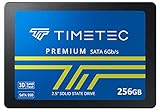
6. Timetec 256GB is the feature-rich compact SATA SSD for broad OS support
Timetec 256GB SSD 3D NAND SATA III 6Gb/s 2.5 Inch 7mm (0.28″) Read Speed Up to 550 MB/s SLC Cache Performance Boost Internal Solid State Drive for PC Computer Desktop and Laptop (256GB)
256GB
550 MB/s read
500 MB/s write
SLC cache
1M-hour MTBF
Pros
- 550/500 MB/s rating
- SLC cache
- TRIM and S.M.A.R.T. support
- wide OS support
- 1M-hour MTBF
Cons
- 256GB capacity
- No listed TBW rating
The Timetec 256GB model claims 550 MB/s read and 500 MB/s write performance, putting its stated sequential numbers near the top of the list. It couples 3D NAND with advanced SLC cache technology, a combination intended to improve read and write behavior.
This drive also lists S.M.A.R.T. monitoring, TRIM, garbage collection, wear-leveling, RAID support, and ECC. Those are sensible maintenance and data-integrity terms to look for when comparing a lesser-known SATA SSD with a more established alternative.
Timetec 256GB supports an unusually broad range of listed operating systems
Timetec names Windows 11 through Windows 7, Mac OS 10.4 or later, and Linux 2.6.33 or later. That breadth makes it worth considering for an old PC, a mixed-OS household, or a laptop that will not run the newest Windows version.
Compatibility in software does not replace the physical check: your device still needs a 2.5-inch SATA connection. The drive is described for both desktop and laptop systems, which covers the most common upgrade paths.
Timetec 256GB is best treated as a compact boot-drive capacity
The listed one million hours MTBF is a reliability indicator, but it is not a promise that an individual drive will run for that duration. A regular backup remains necessary for any SSD, regardless of brand, rating, or flash type.
Its 256GB capacity is more flexible than 240GB by a small margin but still calls for restraint with game installs. The model has a 4.6 rating from 3k+ reviews and includes a three-year limited warranty with free technical support.
7. Silicon Power A55 256GB is the slim SATA SSD for ultrabook-style bays
Silicon Power 256GB SSD 3D NAND A55 SLC Cache Performance Boost SATA III 2.5″ Internal Solid State Drive SU256GBSS3A55S25AH
256GB
460 MB/s read
500 MB/s write
7mm slim
SLC cache
Pros
- 7mm slim design
- 3D NAND
- SLC cache
- TRIM and ECC support
- 3-year warranty
Cons
- 460 MB/s stated read speed
- 256GB capacity
The Silicon Power A55’s standout feature is its 7mm slim design, which the listing says suits ultrabooks and ultra-slim notebooks. It has 256GB of storage, 3D NAND flash, and an advanced SLC cache for a compact storage upgrade.
Its rated read speed is 460 MB/s and rated write speed is 500 MB/s. The read figure is lower than most selections here, so I would choose it primarily for a confirmed slim-bay fit and supported feature set, not for the highest stated sequential read result.
Silicon Power A55 supports familiar SSD maintenance functions
The listing names TRIM command support, garbage collection, RAID support, and ECC error checking and correction. These functions show that the drive is built for normal internal-storage use rather than being a bare minimum flash device.
It also uses a SATA III interface and a 2.5-inch form factor. In a SATA II host, it can be physically compatible but will be constrained by the computer’s older interface speed.
Silicon Power A55 works for a narrow laptop upgrade with sensible expectations
The compatible-device field names a laptop, and the 7mm height is the strongest reason to shortlist it. Before removing an old drive, confirm whether your notebook needs a drive caddy, adapter, or special mounting screws.
The A55 is rated 4.5 from 12k+ reviews and has a three-year limited warranty. Its 256GB capacity is appropriate for office work, web use, and a basic boot drive, but it will not solve storage pressure from large media collections.
8. Kingston A400 240GB is the widely reviewed SATA SSD for a basic upgrade
Kingston 240GB A400 SATA 3 2.5″ Internal SSD SA400S37/240G – HDD Replacement for Increase Performance
240GB
500 MB/s read
SATA 3
2.5-inch
3-year warranty
Pros
- 500 MB/s read
- SATA 3 interface
- backward compatibility
- very large review base
- 3-year warranty
Cons
- 240GB capacity
- 350 Mbps write listing
Kingston’s A400 is one of the most extensively reviewed drives in this group, with a 4.8 rating from 205k+ reviews. It is a 240GB, 2.5-inch SATA 3 SSD rated for up to 500 MB/s read speed, aimed squarely at replacing a slow hard drive.
Kingston describes faster startup, loading, and file transfers, along with backward compatibility. The listing cites a 300% improvement versus a typical hard drive, a directional claim that makes sense as a reason to move from spinning storage to flash.
Kingston A400 is a practical pick for a SATA-only older computer
Backward compatibility is helpful for machines that use an older SATA revision. As with any backward-compatible device, it operates according to the host interface’s limits rather than creating SATA III speed from a SATA II connection.
The listed compatible devices include desktop and laptop, even though the hardware platform field says laptop. I would confirm the available bay, cable, and 7mm or bracket arrangement rather than relying on category labels alone.
Kingston A400 needs a careful look at its listed write-speed unit
The product data gives the write speed as 350 Mbps, while its read speed is expressed as 500 MB/s. Because these are different units and the supplied listing does not clarify further, they should not be treated as a normal side-by-side sequential speed pair.
The drive has a limited three-year warranty. At 240GB, it remains best for an operating system, productivity software, and light file storage rather than a large game library.
9. ADATA SU630 240GB is the shock-resistant SATA SSD for a desktop refresh
ADATA SSD 240GB 2.5 SATA SU630 – ASU630SS-240GQ-R, Internal SSD Storage
240GB
520 MB/s read
450 MB/s write
1500g shock
3-year warranty
Pros
- 520/450 MB/s rating
- 1500g shock resistance
- 1.5M-hour MTBF
- 3-year warranty
- compact size
Cons
- 240GB capacity
- Desktop compatibility listed
The ADATA SU630 lists up to 520 MB/s read and 450 MB/s write in a 240GB 2.5-inch SATA package. It is another direct path away from a hard drive when the main target is faster startup and a more responsive desktop.
ADATA specifies shock resistance up to 1500g for 0.5 ms, an operating temperature range of 0°C to 70°C, and an MTBF of 1.5 million hours. These specifications address durability concerns without pretending that any storage device is immune to failure.
ADATA SU630 gives desktop users concrete durability specifications
The listing identifies the desktop as its compatible device while the hardware platform includes PC and notebook. For a desktop with free SATA power and data connectors, installation is normally straightforward once the drive is mounted in a 2.5-inch location or adapter bracket.
The physical dimensions are listed as 2.5 inches by 2.5 inches by 0.28 inches. That thin profile is typical of a 7mm-class SATA drive, but model-specific mounting hardware should be checked before installation.
ADATA SU630 is constrained by 240GB rather than by its interface speed
At this capacity, the sensible job is a boot-drive SSD with a small application library. Keeping free space available is also sensible because an SSD needs room for normal background management and incoming updates.
The SU630 holds a 4.7 rating from nearly 10k reviews and carries a three-year warranty. It is a credible basic storage upgrade when a desktop needs a SATA drive and workload demands are moderate.
10. Lexar NS100 128GB is the small SATA SSD for a minimal boot-drive job
Lexar 128GB NS100 SSD 2.5 Inch SATA III Internal Solid State Drive, Up To 520MB/s Read, Gray (LNS100-128RBNA)
128GB
520 MB/s read
60TBW
shock resistant
3-year warranty
Pros
- 520 MB/s read
- 60TBW listed
- shock resistant
- no moving parts
- 3-year warranty
Cons
- 128GB capacity
- Small endurance figure
- Desktop compatibility listed
The Lexar NS100 is the smallest selection at 128GB, so it belongs at the end of the list for a reason. It can still make an old machine feel far faster by moving the operating system from a hard drive to flash, with a listed sequential read speed up to 520 MB/s.
Lexar identifies 60TBW endurance for this capacity, shock and vibration resistance, and a three-year limited warranty. Unlike broad endurance marketing, the stated TBW figure gives buyers a specific number to factor into their workload.
Lexar NS100 works when the machine needs only a lean operating-system drive
128GB disappears quickly after an operating system, updates, browser data, and several large applications. I would reserve this drive for a minimal office PC, a lightweight home system, or an older computer where the objective is basic responsiveness rather than storage expansion.
The listing says it can upgrade a laptop or desktop, but its compatible-device field names desktop. Check the actual connection and mounting requirements before using it in a laptop.
Lexar NS100 makes endurance planning especially important
A 60TBW rating is much lower than the Samsung 870 EVO 1TB’s stated 600TBW figure, reflecting capacity and product positioning. That does not make the Lexar unsuitable for light use; it means frequent large writes are a less natural match.
The NS100 has a 4.7 rating from 9k+ reviews. It is a sensible replacement for a failing small hard drive, but not the capacity I would select for current games or a computer expected to store a growing collection.
A SATA SSD buying guide starts with fit, capacity, and workload
Start by checking what your computer actually accepts. These are 2.5-inch SATA drives, so they need a SATA data connection and SATA power in a desktop, or the proper internal bay and connector in a laptop; an M.2 slot by itself is not a substitute.
That distinction is why SATA remains worthwhile. An older PC may have no M.2 slot, a laptop may have an occupied M.2 slot and a separate 2.5-inch bay, or a desktop may simply need inexpensive secondary storage. Owners of older Dell Latitude laptops should consult the exact model’s service documentation before opening the chassis.
Capacity should match the files you keep, not only the operating system
128GB works for a narrow boot-drive role. A 240GB or 256GB SATA SSD is more forgiving for Windows and basic programs, 500GB or 512GB handles a modest library, and 1TB is the least restrictive choice in this selection for games, projects, and ongoing updates.
Leave some free capacity rather than filling any SSD to the last gigabyte. Capacity also gives background functions such as garbage collection and wear-leveling more room to work, although each drive’s behavior is determined by its controller and firmware.
Sequential speed explains transfers, while daily feel also depends on small-file work
SATA III provides a 6Gbps connection, and the fastest listed options here cluster around 550 to 560 MB/s read and 500 to 530 MB/s write. That is why the Samsung 870 EVO, T-Force Vulcan Z, PNY CS900, and Timetec figures look so similar in sequential tasks.
Do not choose only by the highest number on a box. The Patriot P210’s up to 50K 4K aligned random-write IOPS, for example, is a different measure from MB/s and relates to small-file activity. Cache type, firmware, free space, and workload all influence the experience.
DRAM, SLC cache, and endurance figures deserve a practical reading
Many shoppers ask whether a DRAMless drive is acceptable for a boot drive. The supplied product data does not give DRAM specifications for most of these models, so this guide does not guess; where SLC cache is listed, it is identified, but cache alone does not reveal every controller detail.
For endurance, look for TBW and warranty together. The Samsung lists 600TBW and five-year limited coverage, Lexar lists 60TBW and three years, while several alternatives list three-year warranties without a TBW number in the available data. Keep current backups regardless of the rating.
SATA SSDs remain good for gaming when the system is built around SATA
Yes, a SATA SSD is good for gaming in 2026 if the alternative is a hard drive or if your platform has no available NVMe slot. Game loading can be faster and system menus feel more responsive, but a SATA SSD cannot match NVMe’s much higher sequential ceiling.
Storage does not normally fix network delay or low frame rates. For that separate problem, see our guide on ways to reduce lag in online games; an SSD primarily improves local loading and file access.
SATA versus NVMe comes down to interface support and the task at hand
NVMe is faster for sustained file transfers and workloads that can exploit PCIe bandwidth. SATA is still the rational route when a computer only supports SATA, when the intended drive is secondary storage, or when an existing 2.5-inch bay makes installation simple.
Gamers planning a full new machine should consider our prebuilt gaming PCs with fast SSDs, where modern M.2 storage is common. For an existing SATA-capable machine, a compatible drive is better than an incompatible theoretical upgrade.
Installation requires a backup and a clear migration plan
Before swapping drives, back up personal files and decide whether to clone the old drive or make a clean operating-system installation. Cloning may preserve applications and settings, while a clean install can remove old software clutter; the right choice depends on the health of the existing system.
In a desktop, mount the 2.5-inch drive, attach SATA data to the motherboard and SATA power from the power supply, then check BIOS or UEFI detection. In a laptop, disconnect power, follow the maker’s service instructions, and avoid forcing a connector or caddy.
Frequently asked questions about SATA SSDs
What SSD should I get in 2026?
Get a SATA SSD when your computer has a 2.5-inch SATA bay or lacks an available M.2 NVMe slot. The Samsung 870 EVO 1TB is the strongest all-round choice in this list because it pairs 560/530 MB/s listed speeds with 600TBW endurance and a five-year limited warranty; choose capacity based on your files and games.
What is the most reliable SATA SSD?
The Samsung 870 EVO is the reliability-focused choice in this roundup. Samsung lists up to 600TBW endurance for the 1TB version, a five-year limited warranty, compatibility testing for major host systems and applications, and management software. Back up important data on every SSD, regardless of its warranty or endurance rating.
What is the fastest SSD in 2026?
NVMe SSDs are faster than SATA SSDs because they use PCIe rather than the SATA III interface. Within SATA, the Samsung 870 EVO lists up to 560 MB/s read and 530 MB/s write, close to the interface limit. A drive must match your computer’s available connection to deliver useful performance.
Is a SATA SSD good for gaming in 2026?
A SATA SSD is good for gaming when you are replacing a hard drive or adding storage to a SATA-based PC. It improves game and system loading, though NVMe can be faster for supported systems. It will not raise frame rates by itself or fix online network lag.
The best SATA SSD depends on the bay you have and the space you need
The Samsung 870 EVO is the strongest selection for a 1TB main drive thanks to its listed near-limit SATA performance, 600TBW endurance, five-year limited warranty, and management software. Choose the TEAMGROUP T-Force Vulcan Z when you want a 1TB 7mm drive with SLC cache, or the Crucial BX500 for a compact, established hard-drive replacement.
All ten best SATA SSDs here can be useful in the right system, but capacity and compatibility should make the final call. Check the physical bay and connector, back up your data, then choose the model whose published specifications fit the work you will actually do in 2026.