
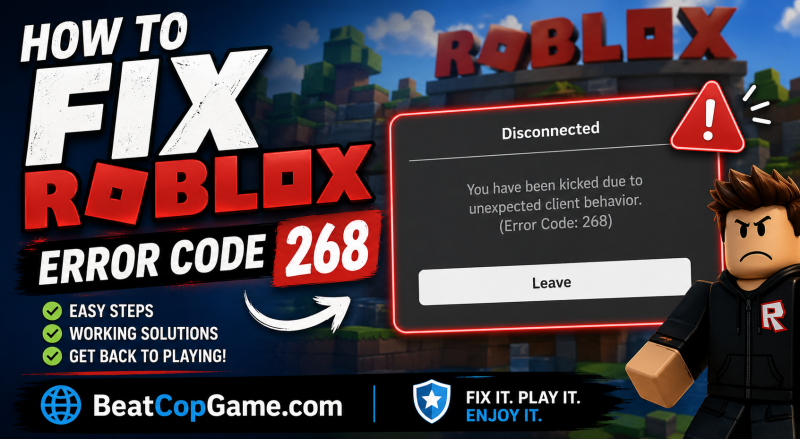
If you’re hitting Roblox error code 268 every time you try to load into a game, you’re not alone — and no, it doesn’t automatically mean Roblox thinks you’re a cheater. I dealt with this exact thing for two whole evenings before I figured out what was actually going on, and the real fix wasn’t even on the first three guides I read.
Here’s what I’m covering below:
- What the “unexpected client behavior” message actually means
- The fix that finally worked for me (and the order I’d try things)
- Network and DNS stuff that nobody explains properly
- How to handle this on Xbox, mobile, and Mac
- A real FAQ from people asking the same stuff on Reddit and the Roblox dev forum
I’m gonna skip the fluff and get straight into it.
Table of Contents
What Error Code 268 Actually Means (and Why the Message Is Misleading)
The popup says: “You have been kicked due to unexpected client behavior. (Error Code: 268).”
That wording made me panic the first time because it sounds like Roblox just flagged me for hacking. It didn’t. Error 268 is mostly a client-side disconnection error — Roblox’s anti-cheat system gets paranoid when something between your device and their servers looks weird. That “something” can be:
- An exploit/script executor running on your PC (yeah, this one is on you)
- A network hiccup or sketchy IP
- Antivirus or firewall blocking Roblox processes
- Browser extensions interfering with the launcher
- Corrupted Roblox files
- A VPN that’s routing you through a flagged server
- Or sometimes — and this is the annoying one — Roblox’s servers themselves having a moment
A guy on the Roblox DevForum literally posted that 268 just started showing up out of nowhere on every game he tried, even though he wasn’t running anything sketchy. That happens way more than people admit. So before you panic-uninstall everything, work through these steps in order.
The 30-Second Check I Do Before Trying Anything Else
I learned this the hard way after spending 45 minutes flushing my DNS for nothing.
Check the Roblox server status first. Go to status.roblox.com. If you see anything red or “degraded performance,” that’s your answer — log off, grab a snack, come back in 20 minutes. I’ve seen entire Reddit threads full of people troubleshooting at the exact moment Roblox was having a partial outage.
If servers are green, then restart your device. Not just close Roblox. A full restart. Half the time error 268 is just stale memory or a hung background process, and rebooting nukes both. Sounds basic, but it cleared 268 for me twice this year.
If you’re still hit with the error after that, keep reading.
The Cheat Software Question (Be Honest With Yourself)
Look, if you’ve got Synapse, Krnl, or any other script executor installed — even if you’re not running it right now — Roblox can detect it sitting on your drive and kick you. That’s the actual intended trigger for 268.
If that’s you:
- Press
Ctrl + R, typeappwiz.cpl, hit enter. - Find any exploit/cheat tools and uninstall them.
- Run a quick antimalware scan to clean up leftover files.
- Restart, then try Roblox again.
This was the fix for a friend of mine. He swore he uninstalled Krnl months ago, but the leftover folder in AppData was still triggering it. Delete the folder manually if needed.
If you’ve genuinely never touched a cheat tool, skip this section — your problem is somewhere else.
Why Your Antivirus Is Probably the Real Villain
This was my fix. Windows Defender flagged a Roblox process update silently and started blocking part of the client. I had no clue until I temporarily disabled real-time protection and 268 vanished.
Here’s how to test it:
- Open Windows Security → Virus & threat protection → Manage settings.
- Toggle off Real-time protection for like 5 minutes.
- Launch Roblox and try to join a game.
If it works, your antivirus was the problem. Don’t leave it off. Instead, whitelist Roblox:
- Add
RobloxPlayerBeta.exeto exclusions - Add the entire
%LocalAppData%\Robloxfolder - Add the Microsoft Store version too if you use both
Same goes for third-party stuff like Avast, Norton, Bitdefender, McAfee. They’re notorious for this. Some users on the help threads said uninstalling their third-party AV completely was the only thing that stopped the kicks.
The Network Fix That Saved Me on a Hotel Wi-Fi
If you’re getting 268 on a public network, school Wi-Fi, or a sketchy connection — that’s almost always your problem. Roblox’s servers can flag certain IPs as suspicious if a bunch of weird traffic is coming from them.
Quick test: switch to your phone’s mobile hotspot for a minute and try joining a game. If it works on hotspot but not on home Wi-Fi, you know it’s a network/IP issue.
Fixes that actually help:
Flush your DNS and reset Winsock. Open Command Prompt as admin and run:
ipconfig /flushdns
ipconfig /release
ipconfig /renew
netsh winsock reset
Restart your PC after that last command. This cleared up 268 for a guy on the KeenGamer thread, and I’ve used it for other Roblox errors too.
Switch to Google DNS. Go to your network adapter settings → IPv4 properties → “Use the following DNS server addresses”:
- Preferred:
8.8.8.8 - Alternate:
8.8.4.4
Cloudflare’s 1.1.1.1 works fine too. This swaps you off whatever DNS your ISP is using, which sometimes resolves Roblox CDN endpoints badly.
Pause your VPN — or turn one on. Yeah, both can be the answer depending on your situation. If you’re using a VPN and getting 268, kill it. If you’re not using one and your ISP’s IP is flagged, a free VPN connecting to a clean US server can get you back in.
Clearing the Roblox AppData Folder (The One Most Guides Skip)
When my reinstalls weren’t sticking, this was the move. Roblox leaves cached config files in AppData even after a full uninstall, and those can stay corrupted forever.
Here’s the cleanup:
- Press
Win + R, type%localappdata%, hit enter. - Find and delete the entire Roblox folder.
- Also check
%appdata%(without the “local”) for any leftover Roblox folders and delete those too. - Clear your
Tempfolder while you’re at it (Win + R→temp→ select all → delete). - Then reinstall Roblox fresh from the official site.
Doing this before reinstalling is the part most people miss. If you reinstall on top of corrupted cache, you’re just putting fresh paint on a broken wall.
Reinstalling Roblox Without Wasting an Hour
If everything above failed, full reinstall time. Don’t worry — your account, Robux, and inventory are tied to your Roblox login, not the local install. Reinstalling won’t touch any of that.
On Windows:
- Settings → Apps → Installed Apps → Roblox → Uninstall
- Uninstall both the Roblox Player launcher AND the Microsoft Store version if you have both
- Delete the AppData folders like I mentioned above
- Restart
- Go to roblox.com, hit play on any game, and let it download fresh
On Mac:
- Drag Roblox from Applications to Trash
- Empty the trash
- Go to
~/Library/Application Support/and delete any Roblox folders there - Reinstall from the site
Pro tip: try the opposite client of whatever you were using. If you were on the Microsoft Store version, switch to the web launcher download. If you were on the launcher, try the Store app. Sometimes one is broken in a build the other isn’t.
What to Do on Xbox, Mobile, and Chromebook
PC isn’t the only platform getting hit with 268.
Xbox:
- Press the Xbox button → My Games & Apps → find Roblox
- Hit Start → Manage game → Uninstall All
- Restart the console (full power cycle, not standby)
- Reinstall from My Games & Apps
- Check your network connection too — Xbox network tests can show packet loss that triggers this
iOS / Android:
- Force-stop Roblox (swipe up from settings or hold the icon → App Info → Force Stop)
- Clear the app’s cache and data on Android (Settings → Apps → Roblox → Storage → Clear Cache/Data)
- iOS doesn’t have a clear-cache button, so just uninstall and reinstall
- Reboot the device fully
- Try mobile data instead of Wi-Fi to rule out network
Chromebook:
- Make sure ChromeOS is fully updated
- Force-quit Roblox from the Chrome menu
- Sign out, power off, sign back in
These platforms get less attention in most error 268 guides, but the fix logic is the same: clear the local install and check the network.
When Roblox Has Actually Banned Your IP or Account
This one stings, but it’s worth ruling out. If you keep getting 268 on every device, every network, no matter what — your account or IP might actually be flagged.
Quick check: try logging into your Roblox account on a browser. If you see a moderation message, that’s your answer. You can appeal through Roblox’s support page.
If your account is fine but your IP is flagged (which usually means someone on your network ran exploits, or you got mistakenly hit), a VPN is the fastest workaround while you wait it out. Roblox’s IP trust system isn’t permanent for non-banned users — give it 24-48 hours and try again on your normal connection.
The Fix Order I’d Actually Recommend
If I were starting from scratch right now with error 268, this is the exact order I’d run through:
- Check Roblox server status
- Restart device
- Disable antivirus temporarily and test
- Switch to mobile hotspot to rule out the network
- Flush DNS + change to Google DNS
- Uninstall any cheat/exploit software you forgot about
- Delete Roblox AppData folders
- Full reinstall
- Try the other Roblox client (Store vs launcher)
- VPN as a last-resort network bypass
Nine times out of ten, you’ll be back in your game by step 5 or 6.
FAQ: Real Questions About Roblox Error Code 268
Why am I getting error 268 if I’ve never used cheats?
This is the most common confusion. Error code 268 isn’t only triggered by exploits — antivirus interference, network instability, browser extensions, corrupted files, and even Roblox’s own server hiccups all set it off. The “unexpected client behavior” wording makes it sound accusatory, but for most fair players it’s a network or software conflict, not a hack flag.
Will I get banned for getting error code 268?
Just getting kicked once or twice? No. Roblox uses 268 as a kick, not a ban. But if their anti-cheat detects actual exploit software running, repeated 268 kicks can lead to a temporary suspension or full account termination. If you don’t cheat, you’ve got nothing to worry about.
Does reinstalling Roblox delete my account or Robux?
No. Your account, Robux, inventory, friends list, and game progress are all tied to your Roblox login on their servers — not your local install. Reinstalling only nukes the client app on your device.
Why does error 268 randomly start after months of no problems?
Usually one of three things: a Roblox client update changed something your antivirus didn’t like, your IP got temporarily flagged because of weird traffic on your network, or a Windows update broke a network setting. The DNS flush and antivirus whitelist usually catch both of those.
Can a VPN actually fix error 268, or does it cause it?
Both, weirdly. If your home IP got flagged, switching to a VPN with a clean US server can get you in instantly. But if you’re already on a VPN and the server you’re routed through is on Roblox’s flagged list, the VPN itself is causing 268. Try toggling it off if it’s on, or on if it’s off.
Is there a fix for error 268 on Xbox specifically?
Most of the time, yeah — uninstall Roblox, full power cycle the console (hold the Xbox button until it shuts off, then unplug for 30 seconds), then reinstall. Make sure your NAT type is Open or Moderate too. Strict NAT can trigger random connection kicks.
Why does 268 happen mid-game and not just at login?
Mid-game 268s are almost always network-related — packet loss, Wi-Fi dropping for half a second, or your ISP rerouting. If you can, switch to a wired ethernet connection. If you can’t, get closer to your router and kill any other heavy bandwidth hogs running in the background.
Wrapping Up
Roblox error code 268 looks scary because of the “unexpected client behavior” wording, but for most players it’s just a fixable network, software, or cache issue. Run through the steps in order, don’t skip the antivirus check (seriously), and clear out that AppData folder before you reinstall.
If you’ve tried everything and you’re still stuck, it’s worth opening a ticket with Roblox Support with your username, error screenshot, and a list of what you’ve already tried — they can sometimes see things on their end that none of these guides can fix.
Now go reload your game. You’ve got worlds to build and minigames to lose at.