
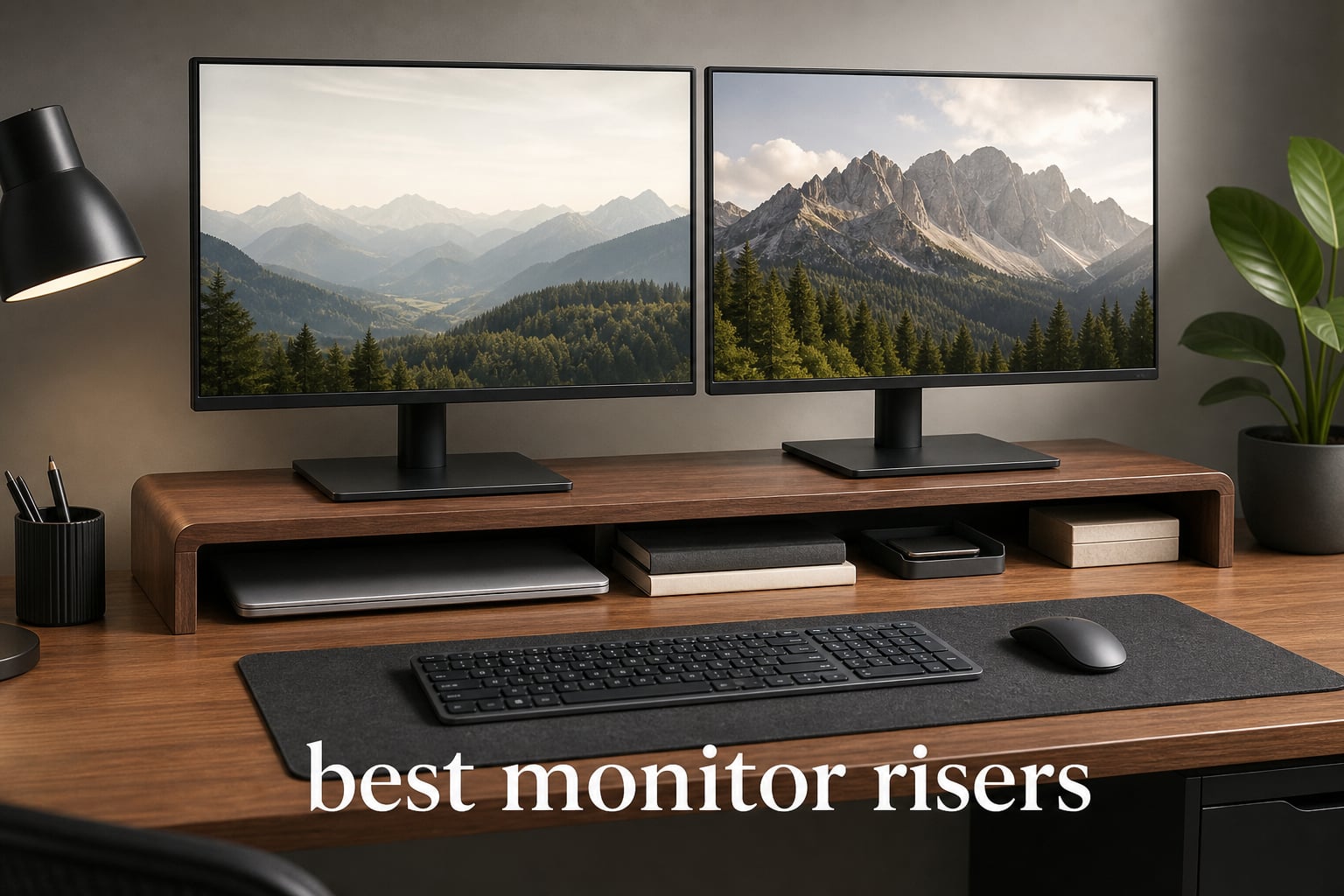
The best monitor risers raise a screen to a more comfortable viewing position while reclaiming desk space below it. I would start with three checks: the riser must fit the monitor’s base, carry the stated load comfortably, and lift the display enough for your seated eye line.
That sounds simple, but a monitor shelf can solve very different problems. A compact adjustable stand suits one display and a laptop, while a 40-inch desk riser can hold two screens and slide a full keyboard out of sight. A drawer, ventilation holes, rubber feet, and cable slots also change how the desk feels every day.
Our eight picks cover those different jobs with verified product data rather than generic specifications. If the riser is part of a larger battlestation, pair the measurements here with our guide to the best L-shaped gaming desks; the desk depth and monitor layout decide whether a wide shelf will feel tidy or crowded.
Table of Contents
The top 3 best monitor risers are the WALI for adjustment, OPNICE for storage, and Across-Star for dual screens
The WALI offers the clearest height range for a single monitor, the OPNICE turns the space under a display into organized storage, and the Across-Star gives two-monitor desks an adjustable-width platform. Each addresses a common issue raised by desk-setup users: getting screen height right without accepting a wobbly shelf or losing keyboard space.

The eight best monitor risers in 2026 cover adjustable, storage-first, and dual-monitor desks
The quick comparison below contains every reviewed model. Use it to narrow the field by shelf width, stated capacity, materials, and the kind of storage you actually use, then read the individual sections for the fit details that a spec list cannot settle.
| Product | Specifications | Action |
|---|---|---|
 WALI Adjustable Monitor Stand WALI Adjustable Monitor Stand |
|
View Details |
 OPNICE 2-Tier Monitor Stand OPNICE 2-Tier Monitor Stand |
|
View Details |
 gianotter 3-Level Riser gianotter 3-Level Riser |
|
View Details |
| Across-Star Dual Monitor Riser |
|
View Details |
 ECOLOVI Adjustable Wood Stand ECOLOVI Adjustable Wood Stand |
|
View Details |
 BONTEC 2-Tier Wooden Riser BONTEC 2-Tier Wooden Riser |
|
View Details |
 gianotter Dual Monitor Stand gianotter Dual Monitor Stand |
|
View Details |
 Fenge Dual Monitor Stand Fenge Dual Monitor Stand |
|
View Details |
1. WALI is the best adjustable monitor riser for a compact single-screen desk
WALI Computer Monitor Stand for Desk, Adjustable Laptop Riser, up to 44 lbs
44 lb support
Three heights 4.5-6.1 in
Vented shelf
Pros
- Three height settings
- 44 lb capacity
- Vented platform
- Rubber pads
Cons
- Plastic construction
- Assembly required
The WALI is the straightforward choice when a normal desk needs a little more vertical adjustment rather than a large furniture-like shelf. Its 14.6 by 9.3 inch platform is sized for flat-screen displays, laptops, and printers, and the stated 44-pound capacity gives it a sensible range for a typical single-monitor station.
What separates it from a fixed monitor stand is the three-position system: 4.5, 5.3, or 6.1 inches. I would use that range to match the top third of the screen to eye level instead of accepting a riser that is almost, but not quite, tall enough.
The product data shows a 4.7 rating from more than 15,000 reviews, along with a vented platform and rubber pads. Those are practical details: the holes leave room for airflow beneath a laptop or device, while the pads matter on a smooth desk that might otherwise show scuffs or allow a shelf to creep.
The tradeoff is plastic construction and required assembly. It is a functional monitor riser for desk use, not a wide dual-monitor shelf, so measure the monitor base before treating its 14.6-inch width as a universal fit.
The adjustable 4.5-to-6.1-inch lift suits people still finding their comfortable eye line
Choose this model if you move between a laptop, an external display, or a printer and need an adjustable monitor riser instead of one permanent height. The three stops make it easier to test posture changes without stacking books or adding an unstable pad under the base.
The 14.6-inch shelf suits one display rather than a two-screen layout
Keep the setup within the listed 44-pound support limit and centered over the shelf. That gives the rubber pads their best chance to protect the desktop and keeps the compact shape working as intended.
2. OPNICE is the best monitor riser for a desk that needs drawer storage
OPNICE Desk Organizer and Accessories, 2-Tier Computer Monitor Stand Riser with Drawer and 2 Pen Holders, Laptop Stand, Office Desk Accessories for Office Supplies, Black
44 lb support
20.5 inch metal shelf
Drawer and pen holders
Pros
- Metal construction
- Drawer storage
- Two pen holders
- Non-slip pads
Cons
- Assembly required
- Storage-first footprint
The OPNICE treats the monitor shelf as a desktop organizer rather than just an elevation block. Its two-tier metal frame measures 20.5 by 9.5 by 6.3 inches and includes a drawer plus two hanging pen holders, which makes sense for a workspace where pens, charging adapters, sticky notes, and small tools tend to spread out.
I would shortlist it for a home office with one monitor or a laptop where the real goal is clearing visual clutter. The listed 44-pound capacity matches the WALI, but this model uses a powder-coated metal construction and puts more of its footprint into storage.
The stated 4.7 rating from more than 3,000 reviews is accompanied by non-slip adjustable-height pads and a 100-day unconditional return policy. The pads address the stability question that comes up often in desk communities, especially if the riser sits on a coated, glass, or easily marked surface.
Assembly is part of the deal, and the 20.5-inch top is more organizer-oriented than a genuine dual-monitor platform. It can create a calmer desk, but it should not be selected solely because it looks wide in a product image.
The drawer and pen holders suit a small home office with loose accessories
This is a strong fit when your keyboard, notebook, and writing tools all compete for space near the display. The split storage gives frequently used small items a home rather than forcing them into the open space under a simple monitor shelf.
The 9.5-inch depth needs a check against the monitor’s actual base
Measure front to back, not just across the desk. A monitor with a deep or unusually shaped stand may need more surface depth even when the stated weight sits comfortably below 44 pounds.
3. gianotter is the best compact steel monitor riser with a sliding drawer
gianotter Computer Monitor Stand Riser with Drawer
34 lb support
14.1 inch steel shelf
Sliding drawer
Pros
- Steel construction
- Sliding drawer
- Ventilated plates
- Non-slip pads
Cons
- 34 lb capacity
- Assembly required
The compact gianotter riser is for people who want vertical organization without giving up much desk width. It measures 14.1 by 9.64 by 5.9 inches, uses ventilated heavy steel plates and legs, and adds both tray space and a sliding drawer.
Its stated 34-pound capacity is lower than several picks in this guide, so I would view it as a single-monitor, laptop, or modest printer solution. That is not a flaw if the equipment fits the limit; it is simply the specification that should decide whether this is a sensible match.
The non-slip rubber pads and ventilated design are the details I like most here. Users regularly call out unstable plastic shelves and hot-running laptops as annoyances, and this design addresses both with materials and airflow rather than relying on extra desk clutter.
The riser does require assembly, and the narrower footprint will not replace a dual monitor riser stand. Its 4.7 rating from more than 2,000 reviews and the listed 100-day return policy add useful context for a compact organizer purchase.
The vertical three-level layout suits desks with limited horizontal room
Pick this one when the desk is narrow but your accessories still need layers. The upper tray, desktop area, and sliding drawer let a single monitor station hold more without demanding a long shelf across the entire desk.
The 34-pound limit calls for an honest monitor-and-base check
Use the combined weight of the display and anything placed on top, rather than estimating from screen size alone. Heavy panels and printers can have surprisingly substantial bases, so the stated limit deserves attention before setup.
4. Across-Star is the best adjustable dual monitor riser for changing screen layouts
Across-Star Dual-Monitor-Stand-Riser-For-Desk Adjustable Length 32-40 Inch,Large Desktop Computer Monitor Riser For 2 Screens,Desk Shelf Organizer Riser Stand For Computer/Laptop/PC/Printer/TV Black
32-40 inch width
80 lb support
Keyboard clearance
Pros
- Adjustable width
- 80 lb capacity
- Full keyboard space
- Wood and metal
Cons
- Assembly required
- Single-level storage
The Across-Star is the first pick I would measure for a true two-screen desk because its shelf adjusts from 32 to 40 inches. That range is useful when a pair of monitors, one monitor plus a laptop, or a desktop speaker layout needs more spread than a compact riser can offer.
Its stated 80-pound capacity, wood-and-metal build, and four strong wood legs put it in a different class from small plastic stands. The 40 by 9.25 by 4.72 inch maximum footprint also leaves room underneath for a full-size keyboard and office supplies.
The product description calls out a scratch-resistant, water-resistant sliding wood surface and an adjustable metal plate. I would see that as a practical gaming or work desk feature: a long shelf must cope with day-to-day keyboard movement, beverages kept nearby, and the visual pressure of several devices sitting in a line.
It is a single-level shelf, so people who need drawers and vertical cubbies should look at a storage-first alternative. Assembly is required, but the adjustable length is a real advantage if you expect to change the screen spacing later.
The 32-to-40-inch shelf suits two monitors with room to reposition them
Start by measuring the total width of both monitor bases, including the empty space you want between them. The extension range is helpful only when the desktop itself has enough clear width and depth for the shelf to sit flat.
The 80-pound stated capacity suits heavier two-monitor arrangements
Capacity alone does not settle stability; distribute the displays evenly instead of putting one very heavy item at an end. The shelf works best when the legs make full contact with a level desktop and the load is centered.
5. ECOLOVI is the best adjustable wood monitor riser for a warm single-screen setup
ECOLOVI Adjustable Wood Computer Monitor Stand Riser, Office Desk Organizer and Accessories for Monitor, Laptop, PC, Printer, Office Desk Accessories Workspace Organizer for Home Office Supplies, Brown
44 lb support
Four heights 4-6.1 in
Natural wood
Pros
- Four height settings
- Natural wood finish
- 44 lb capacity
- Non-slip pads
Cons
- Assembly required
- Single-monitor width
The ECOLOVI makes a different case for a simple single-monitor stand: it combines a warm natural wood finish with four height settings. Its available heights are 4, 4.8, 5.5, and 6.1 inches, which is one more adjustment point than the WALI offers.
At 14.6 by 9.1 inches, it remains a compact monitor shelf, but it has a stated 44-pound capacity and a 12.5 by 7 inch storage area underneath. I would consider it for a laptop-and-monitor desk where the look of bare wood matters as much as hiding a keyboard after work.
The product data lists non-slip rubber pads to protect the desktop and a 100-day satisfaction guarantee. That desktop protection matters with wood, veneer, and painted desks, where a shelf that moves a few millimeters during use can leave an irritating mark over time.
Assembly is required, and its width does not make it a dual-screen answer. It is better understood as an adjustable wooden monitor riser stand for a focused workstation, not a long desk shelf for multiple peripherals.
The four height settings suit people who need finer ergonomic adjustment
Use the lowest setting only if it brings the screen high enough for your seated position. The benefit of four settings is the ability to make a small correction, especially when chair height, monitor base height, and desk thickness are all fixed.
The natural wood surface suits a desk where visual warmth matters
Choose it for a coordinated home office or gaming desk that already uses wood accessories. The rubber pads still deserve a clean, dry desktop beneath them; grit trapped under any pad can damage a surface.
6. BONTEC is the best two-tier monitor riser for cable control and a phone holder
BONTEC Wooden Monitor Stand Riser for Desk, 2-Tier Computer Monitor Stand
66 lb support
16.5 inch two-tier shelf
Cable slots
Pros
- 66 lb capacity
- Cable management
- Phone holder
- Rubber feet
Cons
- Assembly required
- 16.5 inch width
The BONTEC is a middle-ground desk riser: broader and stronger than a compact adjustable platform, but not an extra-wide dual-monitor shelf. Its engineered-wood frame measures 16.54 by 9.25 by 5.59 inches and has a stated 66-pound capacity.
The features that matter most are its two-tier storage, built-in cellphone holder, and cable-management slots. I would pick this model when a charging cable and headset wire usually end up draped across the desk, because a little routing structure can make a computer monitor stand feel much more intentional.
The product data lists soft rubber feet for stability and desktop protection, plus a 4.6 rating from more than 30,000 reviews. It also states that assembly is simple, though it is still assembly, so reserve a few minutes and build it on a protected surface.
The 16.5-inch width is generous for a single-monitor zone but remains too narrow for many dual-monitor bases. Buyers who need two full displays across one shelf should compare their measurements with the Across-Star, gianotter wide shelf, or Fenge instead.
The cable slots and phone holder suit an accessory-heavy work surface
This riser works well when storage means more than placing a keyboard underneath. The cable slots help give charging leads a defined route, while the phone holder gives a small device a place outside the keyboard and mouse area.
The 66-pound capacity suits a robust single-monitor station
The stated capacity leaves room for a monitor, laptop, and modest accessories, provided the load remains centered. Do not read capacity as permission to overhang a heavy display past the shelf’s shallow 9.25-inch depth.
7. gianotter is the best ready-to-use wide monitor riser with a drawer
gianotter Dual Monitor Stand Riser With Drawer and 2 Pen Holders
40.6 inch metal shelf
Drawer and pen holders
No assembly
Pros
- No assembly
- 40.6 inch width
- Drawer storage
- Magnetic pen holders
Cons
- Single-level design
- Fixed 4.3 inch height
This gianotter dual monitor stand combines a long 40.6 by 9.3 inch metal shelf with organizer features normally found on smaller models. It arrives without required assembly, which I see as a meaningful convenience when the desk is already crowded with screens and cables.
The shelf is 4.3 inches high and includes a drawer plus two magnetic pen holders. That creates a clean separation between wide-screen support above and smaller desk supplies below, while the open space underneath can hold a keyboard, mouse, or notebook.
Its powder-coated metal construction and 4.6 rating from nearly 3,000 reviews make it a credible option for a two-monitor desk that values a no-fuss setup. The product information describes the height as adjustable to eye level, but the listed dimensions give 4.3 inches, so I would verify the specific configuration rather than assume a broader adjustment range.
It is a one-level shelf and offers less stated height than models with 5.7- or 6.1-inch top positions. That fixed-height consideration matters if your monitor bases already sit high or your chair does not adjust much.
The no-assembly setup suits desks that need a quick, orderly reset
Choose this model if you want to place a wide shelf, route the keyboard beneath it, and put pens into dedicated holders without a build session. It is especially appealing for shared workspaces where a drawer helps keep loose supplies from drifting.
The 40.6-inch width suits a two-monitor layout after base-depth measurement
Width is promising for two screens, but the 9.3-inch shelf depth is still the number to check. Large V-shaped monitor feet can need more front-to-back room than a standard rectangular base.
8. Fenge is the best high-capacity dual monitor riser for a substantial desk shelf
Fenge Dual Monitor Stand Riser, Wooden Desk Shelf with 2-Tier Storage
42.5 inch shelf
99 lb support
Cable slots and compartments
Pros
- 99 lb capacity
- 42.5 inch width
- Aluminum footing
- Cable management
Cons
- Assembly required
- Wide desk footprint
The Fenge is the most substantial shelf in this roundup, with a 42.5 by 9.3 by 5.7 inch top and a stated 99-pound capacity. Its combination of engineered wood, a 0.7-inch-thick MDF panel, and solid aluminum footing targets people who want a long-term desk shelf for more than one display.
I would choose it for a full-sized dual-monitor workspace where the visual finish, cable routing, and load rating all matter. The walnut-colored surface, round corners, storage compartments, and cable-management slots turn the shelf into a central organizing piece rather than a small accessory.
The product information lists a waterproof surface, FSC-certified wood tabletop, and an assembly time of five to eight minutes. It has a 4.6 rating from 749 reviews, which is less review volume than the compact leaders but still provides product-specific feedback at a useful scale.
Its wide 42.5-inch footprint requires a desk with enough clear width and a flat surface under both supports. Assembly is required, so I would place it at the intended monitor position first and confirm that the cable slots line up with the computer, dock, or power strip.
The 99-pound stated capacity suits a heavy dual-monitor desk setup
This model has the largest stated support limit here, but capacity is only one part of the decision. Put the monitors where the aluminum footing can support the load evenly, and keep the shelf away from a desk edge that could make a heavy setup feel precarious.
The 42.5-inch shelf suits users who want cables and accessories contained
Select the Fenge when a narrow shelf would make the desk feel pinched. The compartments and cable slots are most useful when you plan the cable path before placing the displays, keyboard, and accessories.
A good monitor riser starts with correct height, stable support, and a measured desk
The most useful buying rule is direct: choose the smallest riser that gives the screen a comfortable height, supports the full load, and leaves the desk usable. A monitor riser is a platform that usually raises a display several inches while creating storage below, so it works best when the extra elevation has a clear purpose.
The correct screen height puts the upper viewing area near eye level
Start seated in your usual chair position, with feet supported and shoulders relaxed. The ideal riser height depends on the monitor’s own stand, your torso, and the desk, but a practical aim is to have the top third of the display around eye height so you can look slightly downward at the center.
Risers in this guide span roughly 4 to 6.1 inches of shelf height, with the WALI and ECOLOVI offering the most explicit adjustment. If your display is already tall on its base, a fixed 5.7-inch shelf can be too much, so measure from the desk to the screen rather than choosing by shelf appearance.
The stated capacity and a level desktop prevent most wobble concerns
Forum discussions about desk shelves return to one issue: nobody wants a heavy monitor sitting on a stand that shifts, flexes, or wobbles. Compare the product’s stated load limit with the monitor and base, then keep the load centered instead of pushing it toward one end.
Materials influence the feel too. Steel and aluminum supports tend to suit compact or high-capacity designs, while wood and engineered wood can match a warmer desk, but rubber feet and a level desktop remain important regardless of the material.
Clean the desk before positioning the riser and check that every pad or leg makes contact. This simple step protects painted, glass, laminate, and wood surfaces from trapped grit, and it helps the shelf behave as designed.
A dual-monitor riser needs width, depth, and base spacing rather than screen-size guesses
For two screens, measure the bases at their widest points and include the gap you want between panels. The Across-Star adjusts from 32 to 40 inches, the gianotter is 40.6 inches wide, and the Fenge reaches 42.5 inches, so width is available; depth is the common limitation to check.
A deep V-shaped base can extend beyond a 9.25- or 9.3-inch shelf even if the screen itself is light. A monitor can also fit by weight but feel unsafe if its feet do not sit fully on the top, so full base contact matters more than a rough width estimate.
A gaming monitor riser works best when it frees keyboard space and routes cables cleanly
Risers can be worthwhile for gaming because they lift the display, create a place for a keyboard between sessions, and make the desk look more consistent. They are especially useful when a clamp-on arm will not work with a thick desktop or when the player wants one shelf to visually tie together monitors, speakers, and peripherals.
For a gaming-oriented desk, I would favor the Across-Star for adjustable dual-screen width, the BONTEC for cable slots and a phone holder, or the Fenge for a broad, high-capacity shelf. Before choosing, plan where the headset, controller cable, PC connection, and power strip will sit, since a riser cannot fix cables that have no route.
For the wider workstation around it, see our guide to building a complete gaming setup under $1000. A monitor shelf is only one part of making the desk practical for long sessions.
A monitor arm gives more movement while a riser gives more shelf storage
A monitor riser is the better choice when you want a solid platform, under-shelf storage, and no clamp or grommet installation. It is also a good answer where a desk edge is too thick for an arm clamp or where the desk material is not suitable for clamping.
A monitor arm is better when the screen must move frequently, rotate, extend, or change height by a large amount. The arm usually wins on positioning flexibility, while a riser wins on simple setup and the shelf space it creates.
These monitor riser FAQs answer the key setup questions
What is the best monitor riser for desk setup?
The best monitor riser depends on the desk and display. Choose an adjustable compact model such as the WALI for one screen, an organizer such as the OPNICE when storage matters, or a wide shelf such as the Across-Star or Fenge for two monitors after measuring both monitor bases.
Are monitor risers worth it for gaming?
Monitor risers are worth it for gaming when they put the screen at a more comfortable height, create keyboard storage, and help route cables. A riser is also useful when a monitor arm clamp cannot fit the desk, but an arm remains better for frequent display repositioning.
What is the difference between a monitor riser and monitor arm?
A monitor riser is a fixed or height-adjustable platform that creates storage under the display. A monitor arm clamps or mounts to the desk and gives greater height, tilt, rotation, and reach adjustment, but it needs a suitable mounting point.
How high should a monitor riser be?
Choose a riser height that places the upper part of the screen around eye level in your normal seated position, letting your gaze angle slightly down toward the center. Measure the monitor base height first; a 4-to-6-inch riser is not automatically correct for every chair and desk.
Can a monitor riser hold dual monitors?
A monitor riser can hold dual monitors when its stated capacity, width, and depth fit both displays and their bases. Wide options here include the adjustable 32-to-40-inch Across-Star, 40.6-inch gianotter, and 42.5-inch Fenge; center the load and keep every base fully supported.
The right monitor riser is the one that fits your screen base and work style
For one monitor and adjustable height, I would begin with the WALI; for drawer-based organization, the OPNICE is the sharper match. The Across-Star is the flexible dual-screen choice, while the Fenge is the broadest high-capacity option.
Measure first, then choose from these best monitor risers based on height, depth, width, and the storage you will actually use. That approach gives your 2026 desk setup a cleaner screen position without creating a new stability problem.