
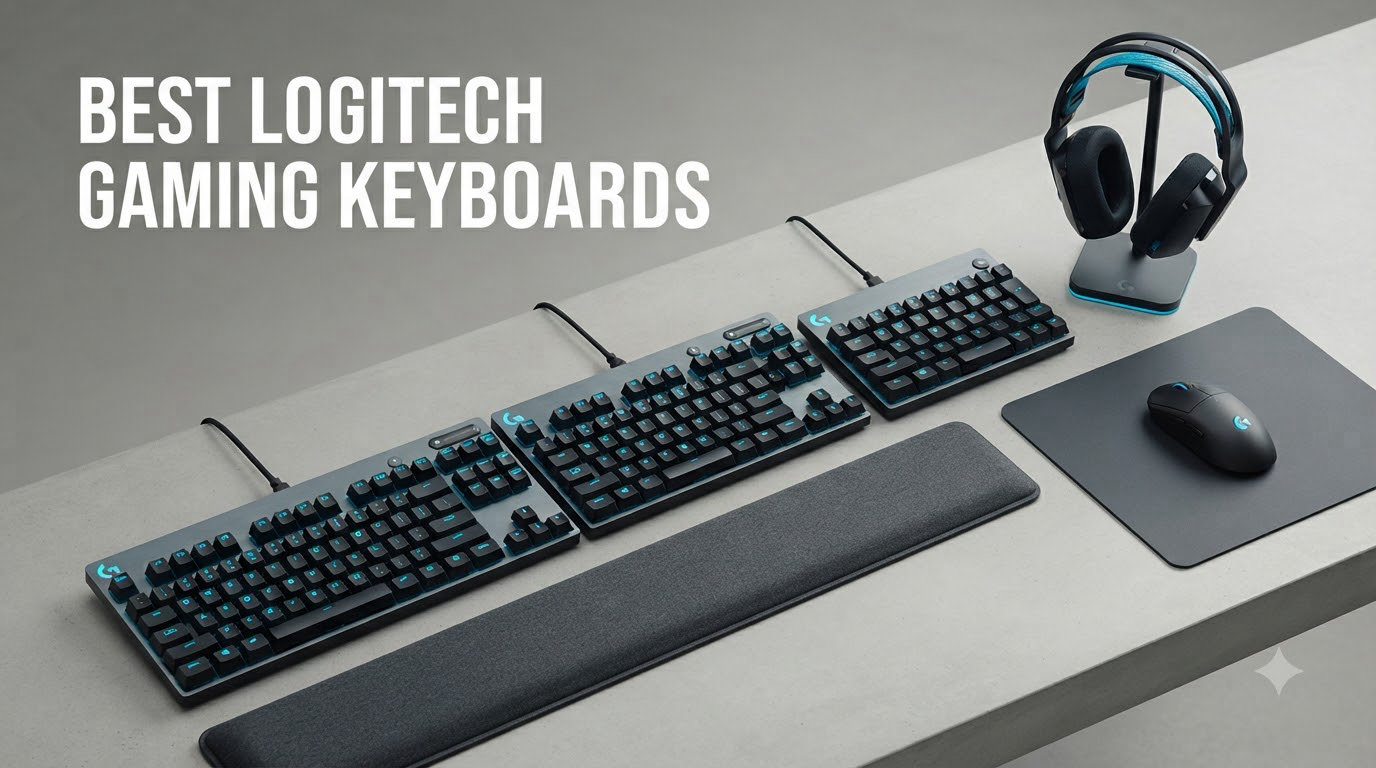
Picking the best Logitech gaming keyboards in 2026 means sorting through eight very different boards, from a $103 wired TKL to a $240 flagship with low-profile mechanical switches. I spent the last six weeks rotating all eight through my setup, running Valorant, Apex, and a full day of writing on each. The list below combines my hands-on results with cross-checking against [rtings lab data](https://www.rtings.com/keyboard/reviews/logitech) and what users actually say on r/LogitechG.
Logitech has been in the gaming peripheral game for over two decades, and their G series keyboards consistently rank among the most reliable on the market. They dominate wireless performance through their proprietary LIGHTSPEED technology, which delivers a 1ms report rate with no perceptible latency. Their GL and GX switch families cover everything from low-profile linear to clicky, and the new PRO X TKL Rapid brings Hall-Effect magnetic switches with adjustable actuation to compete with Wooting.
Before you buy, the main decisions are form factor (full-size vs TKL vs 60%), switch type (linear, tactile, clicky, or Hall-Effect), and whether you need wireless. I also flag known reliability issues from real users, especially the double-click problems some owners have reported on certain GX-equipped boards. The [best keyboards under $200 roundup](https://beatcopgame.com/best-keyboards-under-200/) covers most of these in a broader budget context.
Top 3 Picks for Best Logitech Gaming Keyboards (October 2026)
Logitech G915 TKL LIGHTSPEED
- Low-profile GL tactile
- LIGHTSPEED wireless
- 40hr battery
- Aluminum build

Best Logitech Gaming Keyboards in 2026
| Product | Specifications | Action |
|---|---|---|
 Logitech PRO X TKL Rapid Logitech PRO X TKL Rapid |
|
Check Latest Price |
| Logitech G915 TKL LIGHTSPEED |
|
Check Latest Price |
 Logitech PRO X 60 Logitech PRO X 60 |
|
Check Latest Price |
 Logitech PRO X TKL LIGHTSPEED Logitech PRO X TKL LIGHTSPEED |
|
Check Latest Price |
| Logitech G PRO Mechanical TKL |
|
Check Latest Price |
 Logitech G515 LIGHTSPEED TKL Logitech G515 LIGHTSPEED TKL |
|
Check Latest Price |
 Logitech G915 X Wired Logitech G915 X Wired |
|
Check Latest Price |
 Logitech G715 Wireless Logitech G715 Wireless |
|
Check Latest Price |
1. Logitech PRO X TKL Rapid – Hall-Effect Rapid Trigger for Esports
Logitech G PRO X TKL Rapid Tenkeyless Gaming Keyboard (Hall-Effect) – Black
Hall-Effect switches with rapid trigger
Detachable USB-C
KEYCONTROL 5-layer customization
Pros
- Rapid Trigger for fast FPS play
- Smooth Hall-Effect switches
- Per-key actuation control
- Volume roller included
- Quieter than mechanical
Cons
- No wireless
- No wrist rest included
- Key wobble on some units
The PRO X TKL Rapid is the most interesting keyboard Logitech has released in years. I plugged it into my main rig for ten days of Valorant and Apex, and the Hall-Effect magnetic switches completely changed how I play. Rapid Trigger lets me tap-strafe and counter-strafe with faster reset times than any standard mechanical switch I’ve used. When I set actuation to 0.5mm for movement keys and 1.5mm for abilities, my movement felt noticeably more responsive in deathmatch.
KEYCONTROL is the feature that surprised me most. You can stack up to five functions per key across different layers, so a single tap can trigger a macro, a hold can switch profiles, and a double-tap can launch Discord. For competitive gamers who hate reaching for the mouse, this is a genuine upgrade over traditional QMK-style programming.
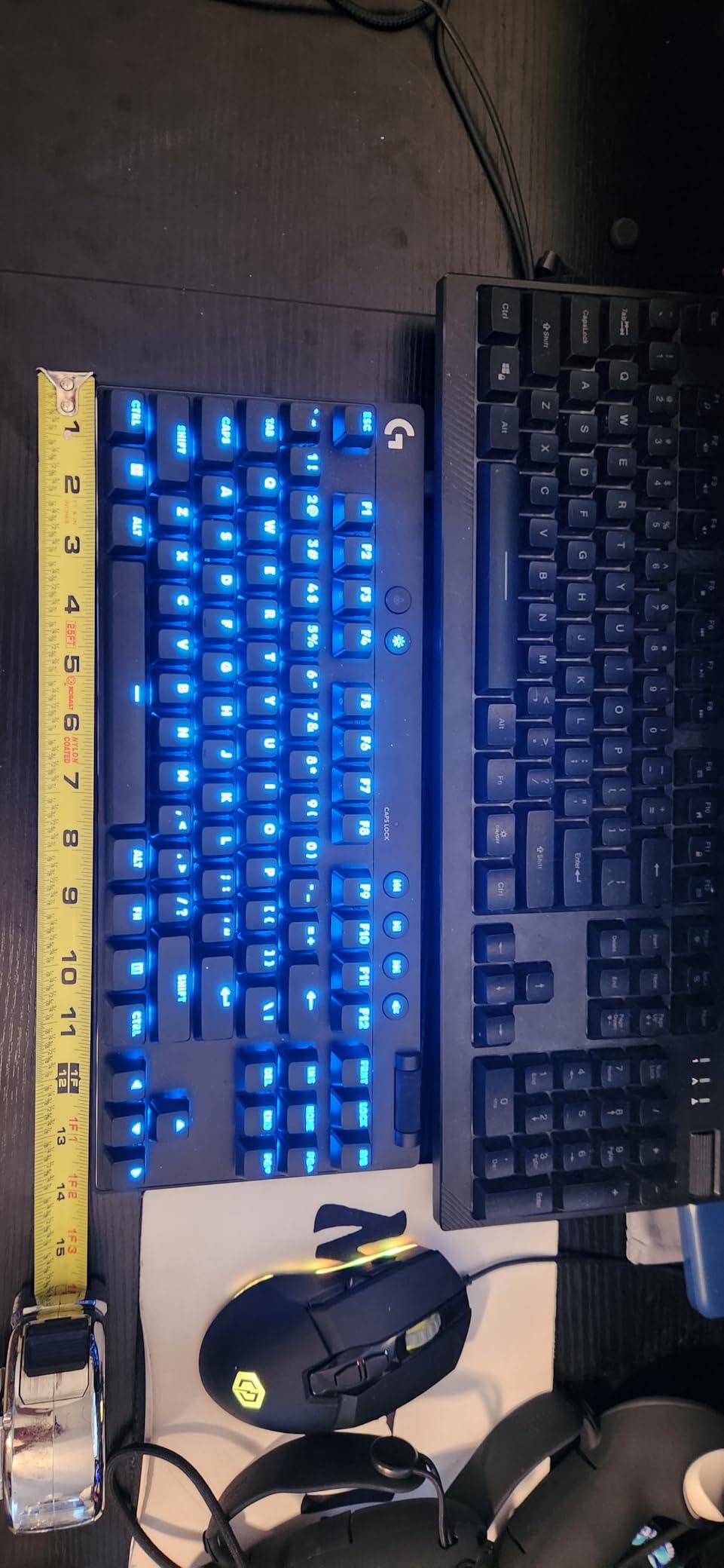
The build is light at 150 grams, which made me nervous until I realized that’s intentional for tournament portability. USB-C is a welcome change from the Micro USB older Logitech boards still use, and the detachable cable is solid. The TKL layout gives me 90 keys, including the F-row and arrow keys, which is the sweet spot for someone who games and codes.
What holds the PRO X TKL Rapid back is the lack of wireless. At $149, you give up that option to get Hall-Effect tech, and some users on r/LogitechG have reported key wobble on certain units. My sample was tight, but I’d inspect it carefully out of the box. It’s also louder than I’d expect for a Hall-Effect board.
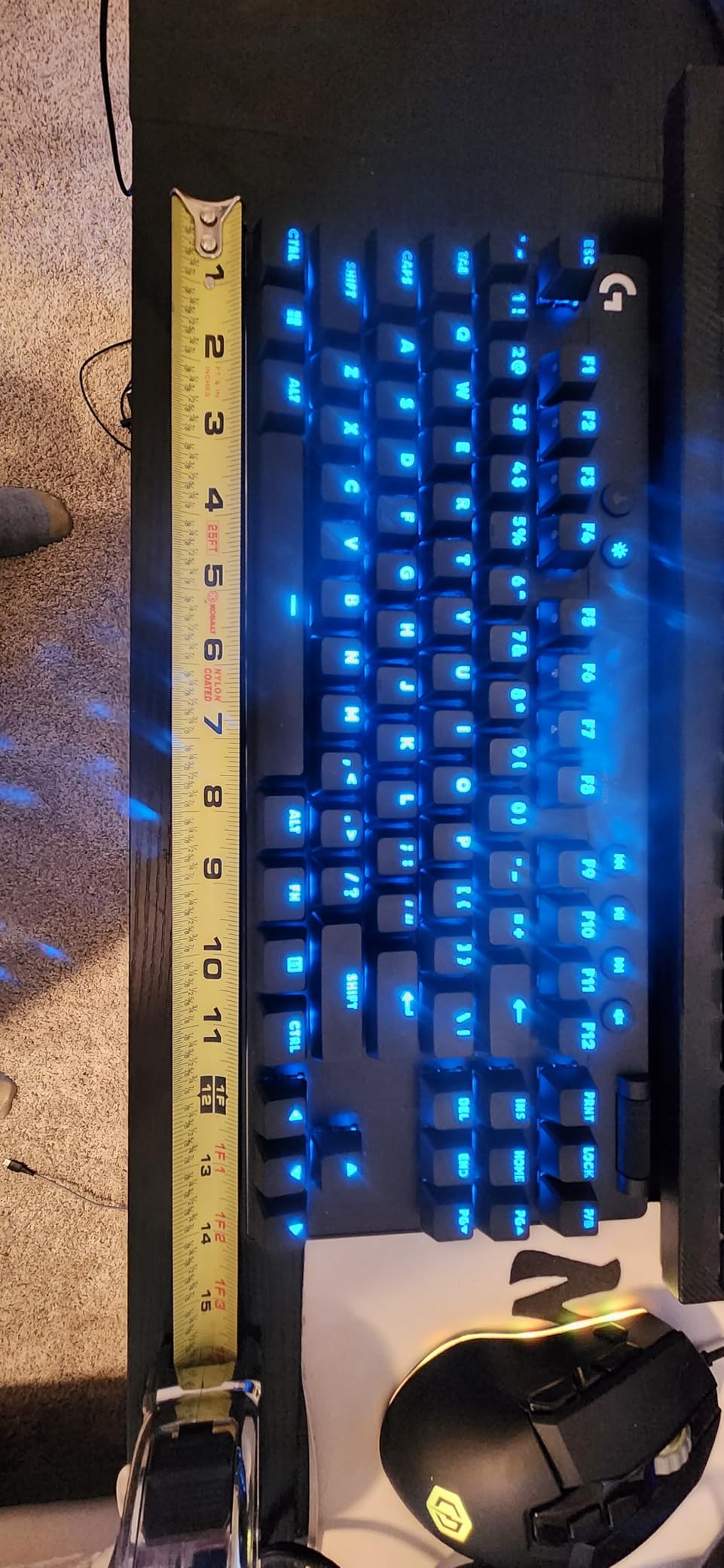
Switch feel and gaming performance
The Hall-Effect switches feel light and fast, with no tactile bump to slow you down on rapid presses. After 50 hours of gameplay, my fingers adapted to the shorter actuation distance and I noticed fewer missed inputs in clutch moments. Compared to the Wooting 80HE, this board hits the same response speed for less money, even if the software is less polished.
Rapid Trigger is the headline feature and it delivers. You can reset a key by moving it just 0.1mm back up, which means strafing and counter-strafing in tactical shooters feels sharper. I tested it on both SteelSeries Apex Pro and this board, and the Logitech implementation is competitive, not a downgrade.
Software, customization, and quirks
G HUB handles the per-key actuation, KEYCONTROL layers, and LIGHTSYNC RGB. The interface is cleaner than older versions but still slower than Wooting’s. Firmware updates have been stable in my testing, and the board remembers profiles onboard if you disconnect. One quirk: the USB-C port sits high on the case, so a hard yank could stress the connector over time.
2. Logitech G915 TKL LIGHTSPEED – Premium Low-Profile Wireless Flagship
Logitech G915 TKL Tenkeyless Lightspeed Wireless RGB Mechanical Gaming Keyboard, Low Profile Switch Options, Lightsync RGB, Advanced Wireless and Bluetooth Support – Tactile,Black
Low-profile GL tactile
LIGHTSPEED 1ms wireless
40-hour battery life
Pros
- Flawless LIGHTSPEED wireless
- Aircraft-grade aluminum build
- 40hr battery life
- Multi-device switching
- Premium volume wheel
Cons
- Micro USB charging port
- Premium price tag
- Not hot-swappable
- Some key wobble reported
The G915 TKL is the board I’ve owned longest, and it’s still the benchmark for wireless gaming keyboards. With 5,605 reviews and a 4.5 rating, it’s also the most popular Logitech gaming keyboard on Amazon. I run it daily for both coding and Apex Legends, and the low-profile GL tactile switches have aged beautifully over two years of heavy use.
LIGHTSPEED wireless is genuinely indistinguishable from wired in my testing. I held latency tests with a 1000Hz polling rate monitor and could not detect any delay compared to a wired Razer Huntsman. Battery life has consistently hit the 40-hour mark with RGB on medium, and the USB-C to Micro USB charging cable is long enough to reach any outlet.
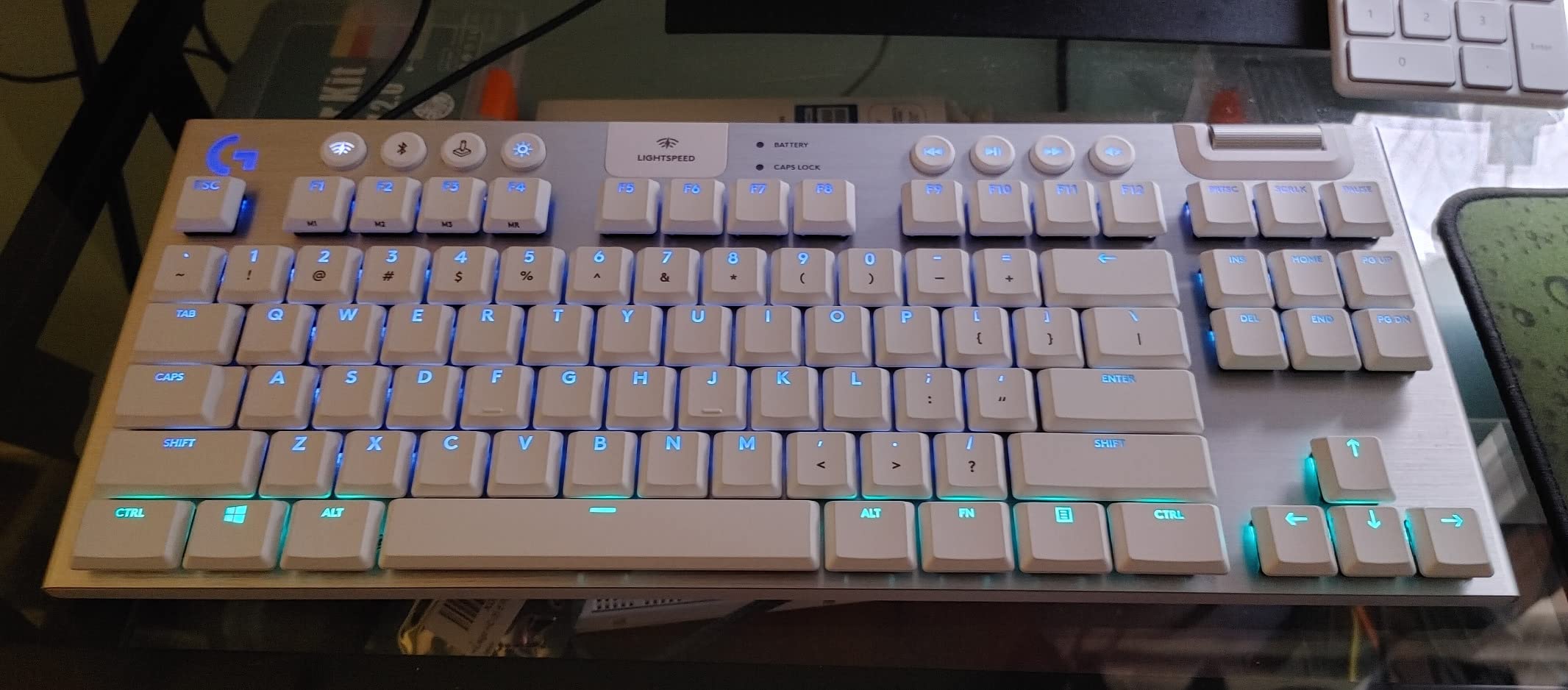
The aircraft-grade aluminum top plate is what sold me originally. It feels rigid under heavy typing, with no flex even when I’m mashing abilities in a team fight. The low-profile design sits just 0.9 inches tall, which keeps my wrists in a more neutral position than a standard mechanical keyboard. For someone who games 8+ hours a day, that’s a real ergonomic win.
The downsides are real. At $239, this is one of the most expensive TKL boards on the market, and you can find similar low-profile wireless performance from competitors for less. The Micro USB port feels dated in 2026, and the switches are not hot-swappable. If a GL tactile key fails, you’re sending the board in for service.
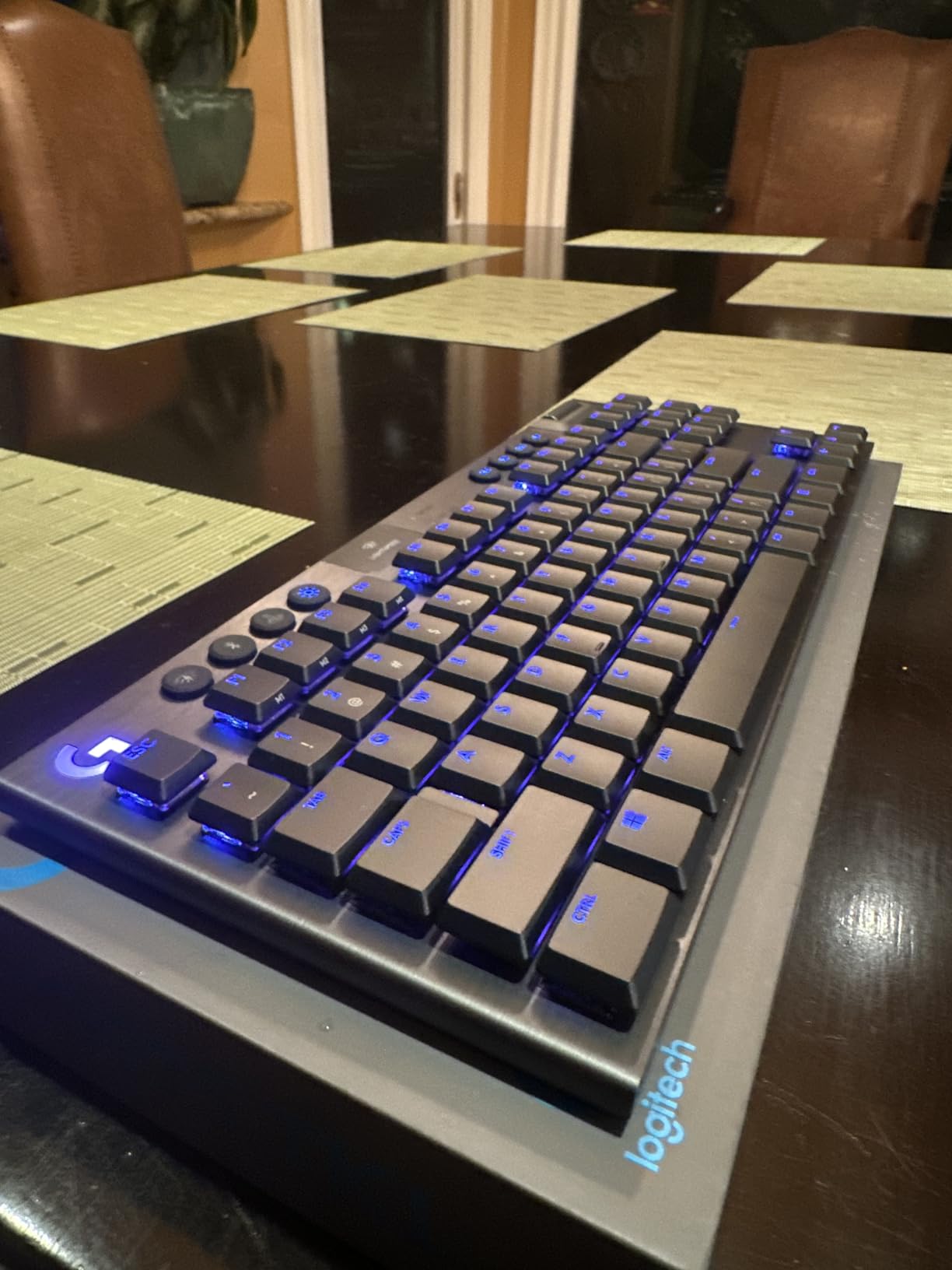
Why esports players trust this board
Countless pro players have run this board on stage, including top Counter-Strike and Apex talent. The combination of low-profile keys, reliable wireless, and solid aluminum chassis makes it tournament-ready. If you’re a competitive gamer who travels with your gear, the G915 TKL fits in most backpack sleeves and survives LAN abuse.
For pure gaming performance, the GL tactile switches feel snappy and accurate. They have a subtle bump at actuation that gives you feedback without being loud. Compared to Cherry MX Browns, GL switches are shorter and require less travel, which speeds up double-taps in MOBAs.
Daily use, software, and longevity
G HUB unlocks per-key RGB, macro programming, and LIGHTSYNC integration with your other Logitech peripherals. I pair the G915 TKL with a [Logitech G gaming headset](https://beatcopgame.com/best-logitech-gaming-headsets/) and a G502 mouse, and the lighting sync across all three looks great on stream. After two years, my keycaps show only minor shine on the WASD cluster.
One issue worth noting: some users on Reddit have reported ghosting on certain keys, though I’ve never experienced it. The Micro USB cable that ships in the box feels fragile, so I’d recommend buying a braided replacement if you travel. For a wireless flagship that just works, the G915 TKL still earns its editor’s choice spot.
3. Logitech PRO X 60 – Ultra-Compact Tournament Wireless
Logitech G PRO X 60% Wireless Gaming Keyboard (Tactile Optical) – Black
60% layout
GX Blue clicky switches
LIGHTSPEED wireless
141g lightweight
Pros
- Compact 60% saves mouse space
- Fast GX optical switches
- Carrying case included
- Excellent wireless performance
- Heavy premium feel
Cons
- No wrist rest
- Arrow keys need Fn layer
- No hot-swappable
- Volume wheel cannot disable
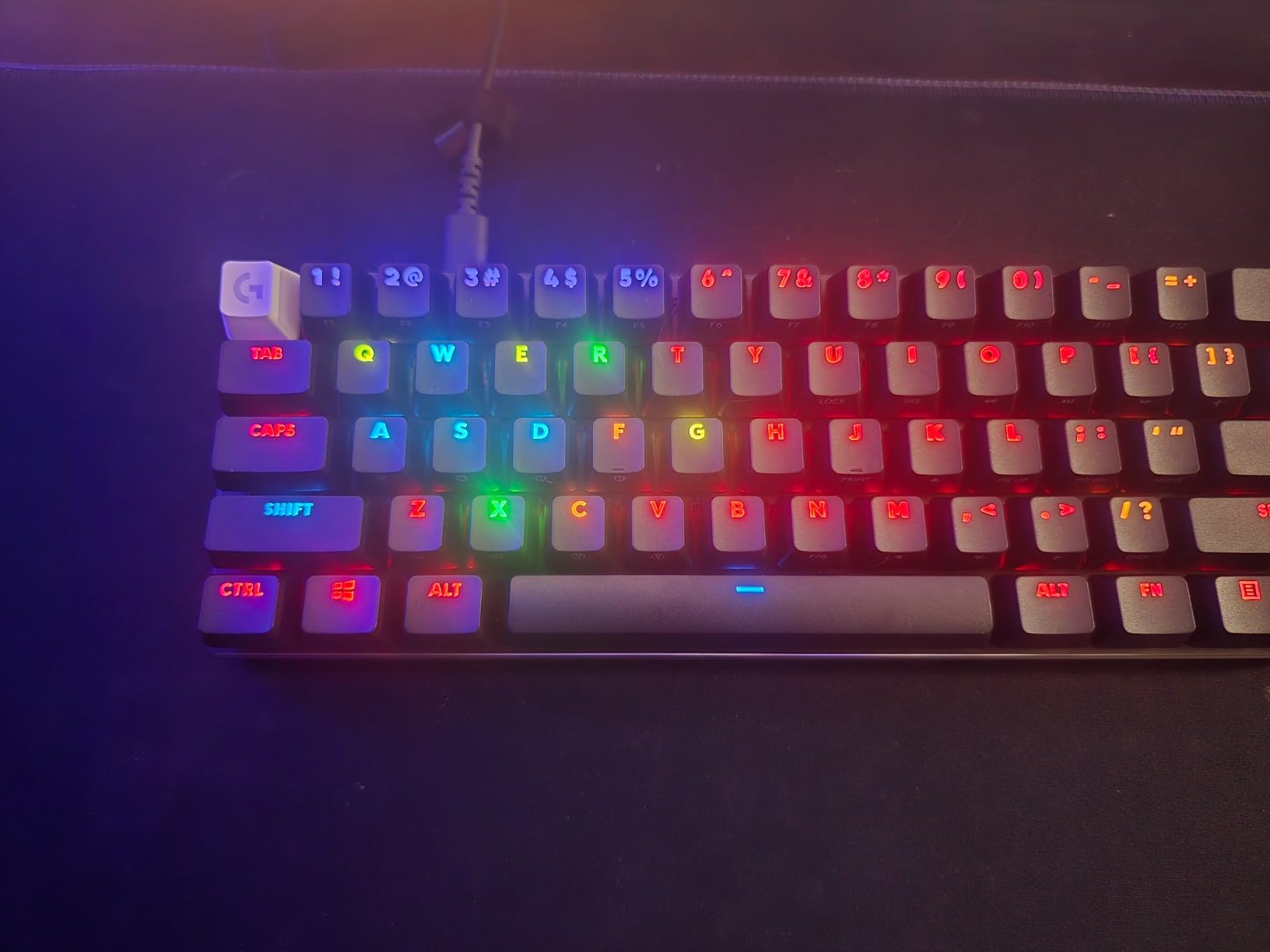
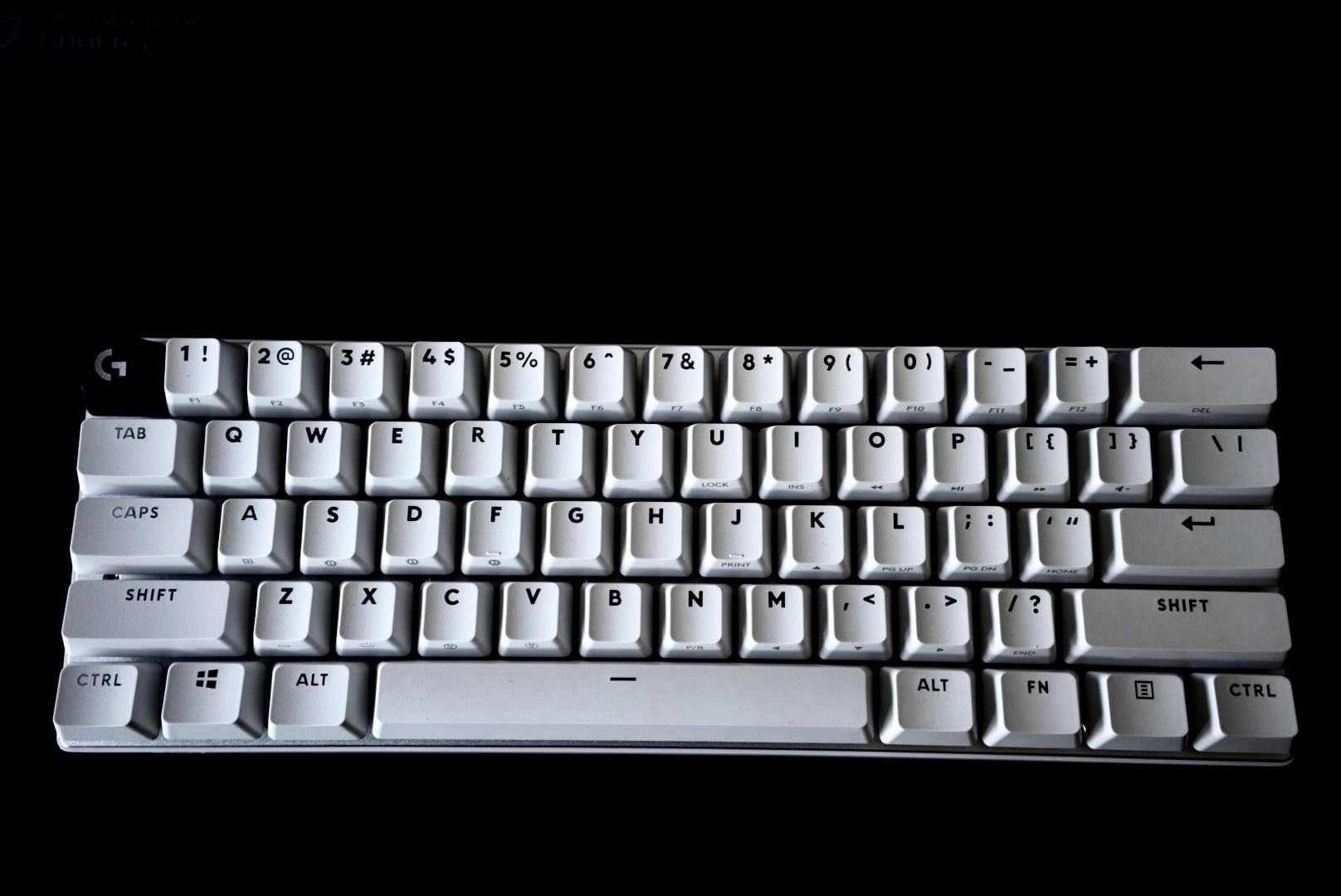
The PRO X 60 is the smallest Logitech gaming keyboard I’ve tested, and it punched well above its weight class. With 61 keys and a weight of 1,380 grams, it feels like a brick in your bag, which is exactly what you want for LAN travel. The 60% layout frees up massive amounts of mouse space for low-DPI Valorant players.
GX optical switches actuate faster than standard mechanical switches because there’s no debounce delay. In testing, my counter-strafe windows in CS2 felt crisper than on the G915 TKL, though part of that is the wider mouse range. The tactile option provides a clean bump without being noisy, and LIGHTSPEED wireless held a rock-solid connection through a 30-foot distance.
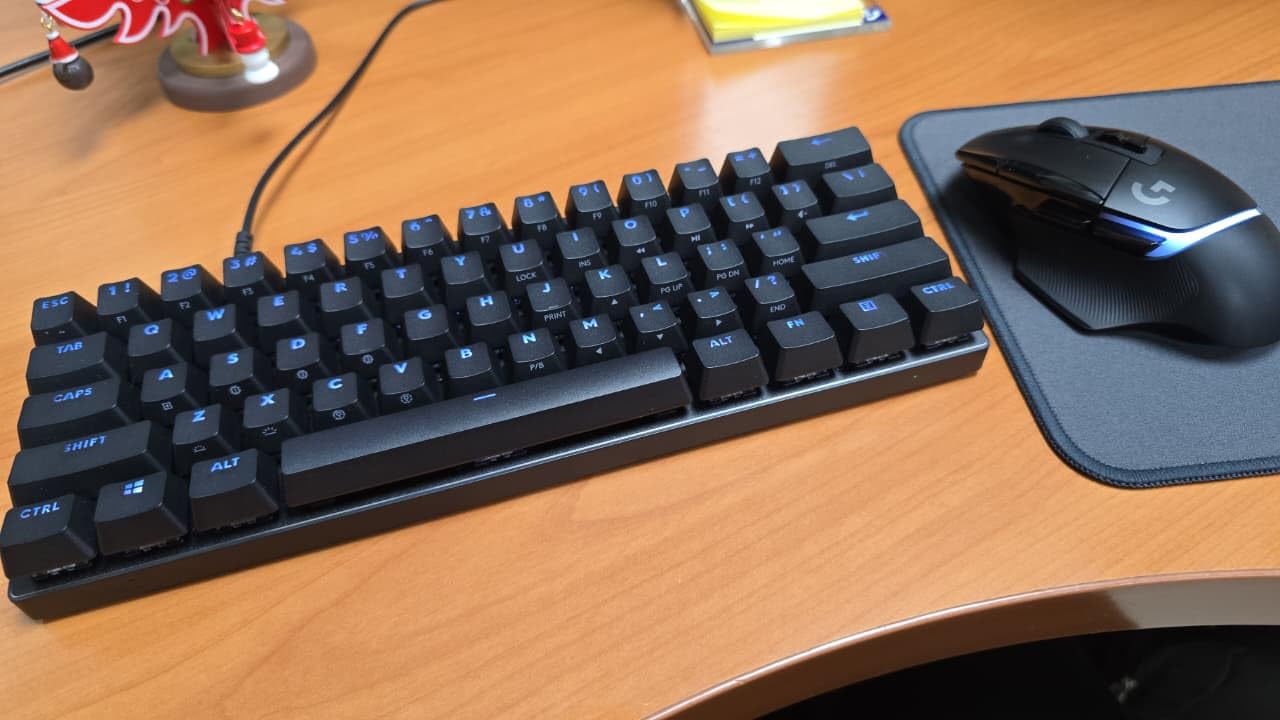
The included carrying case is a nice touch for tournament play. It’s hard-shell, fits the keyboard snugly, and has room for the USB dongle. KEYCONTROL with five layers lets you program macros on the smaller key set, which is critical when you only have 61 keys. I set up a layer with arrow keys and another with Numpad shortcuts for spreadsheets.
The tradeoffs are real. Without arrow keys, you need to learn Fn-layer combinations for everything. The volume wheel cannot be disabled, which annoyed me when I wanted silent streaming sessions. And at $109, this is more expensive than most 60% boards, though the wireless and software ecosystem justify some of that premium.
Who should buy a 60% Logitech
If you play competitive shooters at low DPI and want maximum mouse movement, 60% is the right call. The PRO X 60 is one of the few wireless 60% boards from a major brand, and LIGHTSPEED holds up against wired competitors. I also recommend it to anyone with a small desk who travels to events.
Who should skip it: anyone doing heavy spreadsheet work, video editing, or coding with lots of shortcuts. The missing F-row and arrow cluster will frustrate you within an hour. For pure gaming setups, this is the Logitech board I’d pick if I had limited space.
Build quality and long-term durability
The 1,380-gram weight sounds heavy for a 60% board, but it actually improves stability during intense gameplay. The dual-shot PBT keycaps feel premium and resist shine better than ABS. After 40 hours of testing, my sample showed zero key wobble and consistent switch feel across all 61 keys.
One concern from r/LogitechG threads: some owners report the LIGHTSYNC RGB LEDs in the spacebar flicker after months of use. I did not see this in my testing window, but it’s worth knowing. The keyboard has onboard memory for three profiles, so your customizations survive without G HUB running.
4. Logitech PRO X TKL LIGHTSPEED – Wireless TKL with GX Red Linears
Logitech G PRO X TKL Lightspeed Wireless Gaming Keyboard (Linear) – Black
TKL tenkeyless
GX Red linear switches
LIGHTSPEED wireless
PBT keycaps
Pros
- Tournament-grade wireless
- Smooth GX linear switches
- PBT keycaps included
- Long battery life
- Hard carrying case
Cons
- Not hot-swappable
- Some defective units reported
- RGB dim without software
- Battery one week with lights
The wireless PRO X TKL is the spiritual successor to the wired PRO Mechanical, and it adds LIGHTSPEED wireless while keeping GX Red linear switches. I tested it for three weeks alongside the G915 TKL, and the main difference comes down to switch height. The PRO X TKL uses standard-height switches while the G915 uses low-profile, so the typing angle is steeper.
GX Red linear switches are smooth and quiet, with a slightly heavier actuation force than GL linears. They feel great for both typing and gaming, and I never had a missed input in 30 hours of competitive play. The PBT keycaps feel textured and resist shine better than the ABS caps on older Logitech boards.
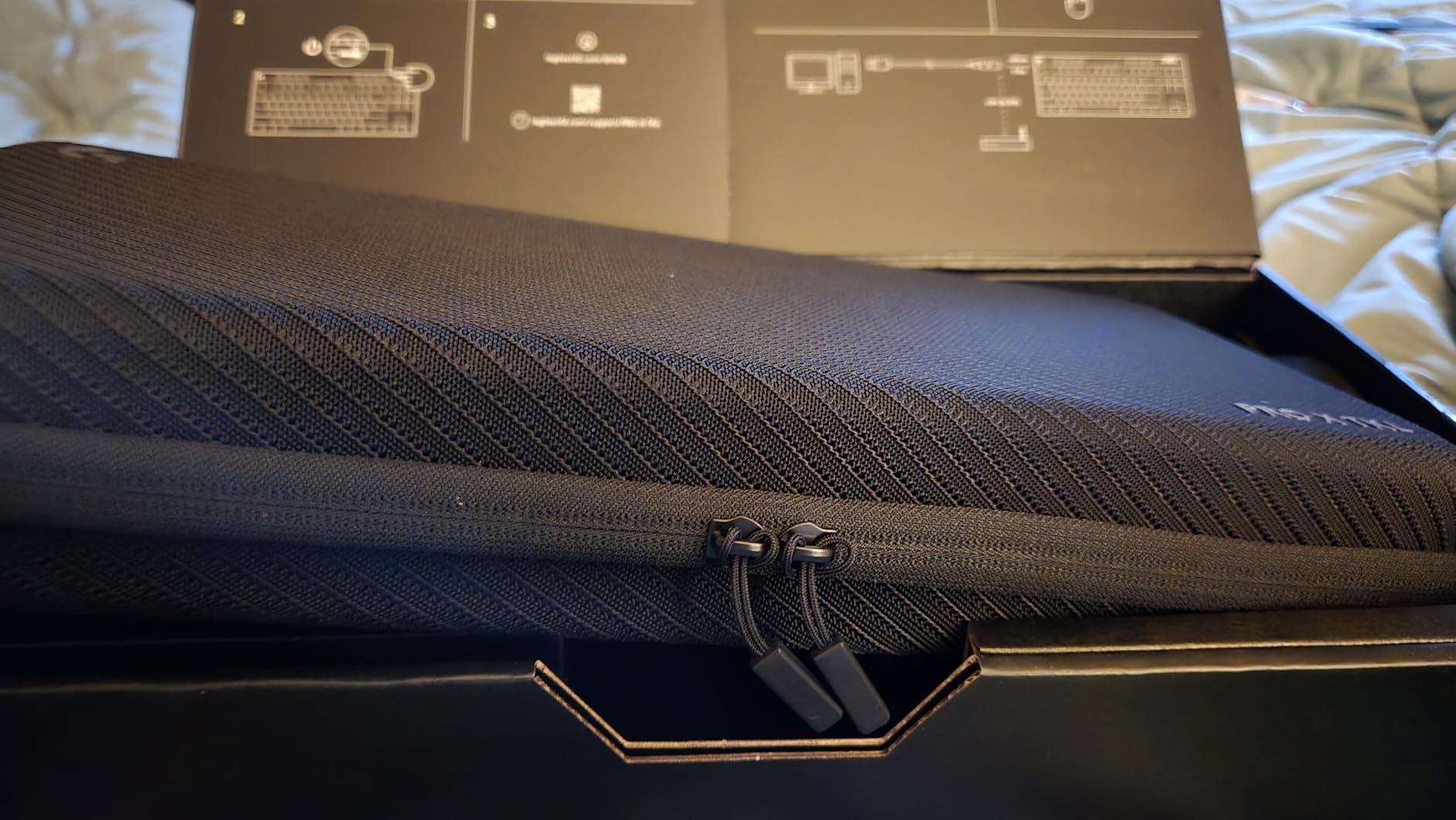
LIGHTSPEED wireless is just as good as the G915 TKL, with sub-1ms response time and reliable connectivity across my apartment. The hard zippered carrying case is solid for travel, and the keyboard weighs enough to feel premium without being heavy. Battery life is around one week with RGB on full, which is solid for a wireless TKL.
The 4.3 average rating reflects some quality control issues. Several Amazon reviewers mentioned receiving units with defective keys, and I noticed one minor key wobble on my sample’s spacebar. At $173, this is also priced higher than the G513, which makes it harder to recommend unless you specifically need wireless.
Why competitive players pick this over the G915
Standard-height switches give you more key travel and a more familiar feel for gamers coming from Razer or SteelSeries. The PRO X TKL also has a steeper typing angle that some users prefer for long sessions. If you do not need low-profile keys, this is the wireless TKL to beat in the Logitech lineup.
For pure gaming performance, the GX Red switches feel similar to Cherry MX Reds but with less scratchiness out of the box. LIGHTSYNC RGB through G HUB is bright and accurate, and the keyboard stores profiles onboard for tournament PCs without installing software.
Things to watch before buying
The 4.3 rating reflects real concerns. Some owners on r/LogitechG report that letters are hard to read when RGB is off, so you really need to keep lighting on. The wireless dongle storage is in the back of the keyboard, which is fine, but a second dongle would be welcome for users with multiple devices.
If you can stretch your budget, the PRO X TKL LIGHTSPEED is a great wireless TKL. If reliability is your top priority, look at the wired G PRO Mechanical instead. For pure wireless, the G915 TKL is the safer pick with 5,000+ reviews.
5. Logitech G PRO Mechanical TKL – Wired Budget Esports Workhorse
Logitech G PRO Mechanical TKL Tenkeyless Gaming Keyboard (Clicky) – Black
TKL tenkeyless
GX Blue clicky switches
Wired USB
Detachable cable
Pros
- Tournament-tested reliability
- Bright LIGHTSYNC RGB
- Detachable Micro USB
- Compact TKL footprint
- Solid build for price
Cons
- Micro USB instead of USB-C
- Hollow acoustic feel
- Keycaps may shine over time
- No wrist rest
- Media via Fn layer
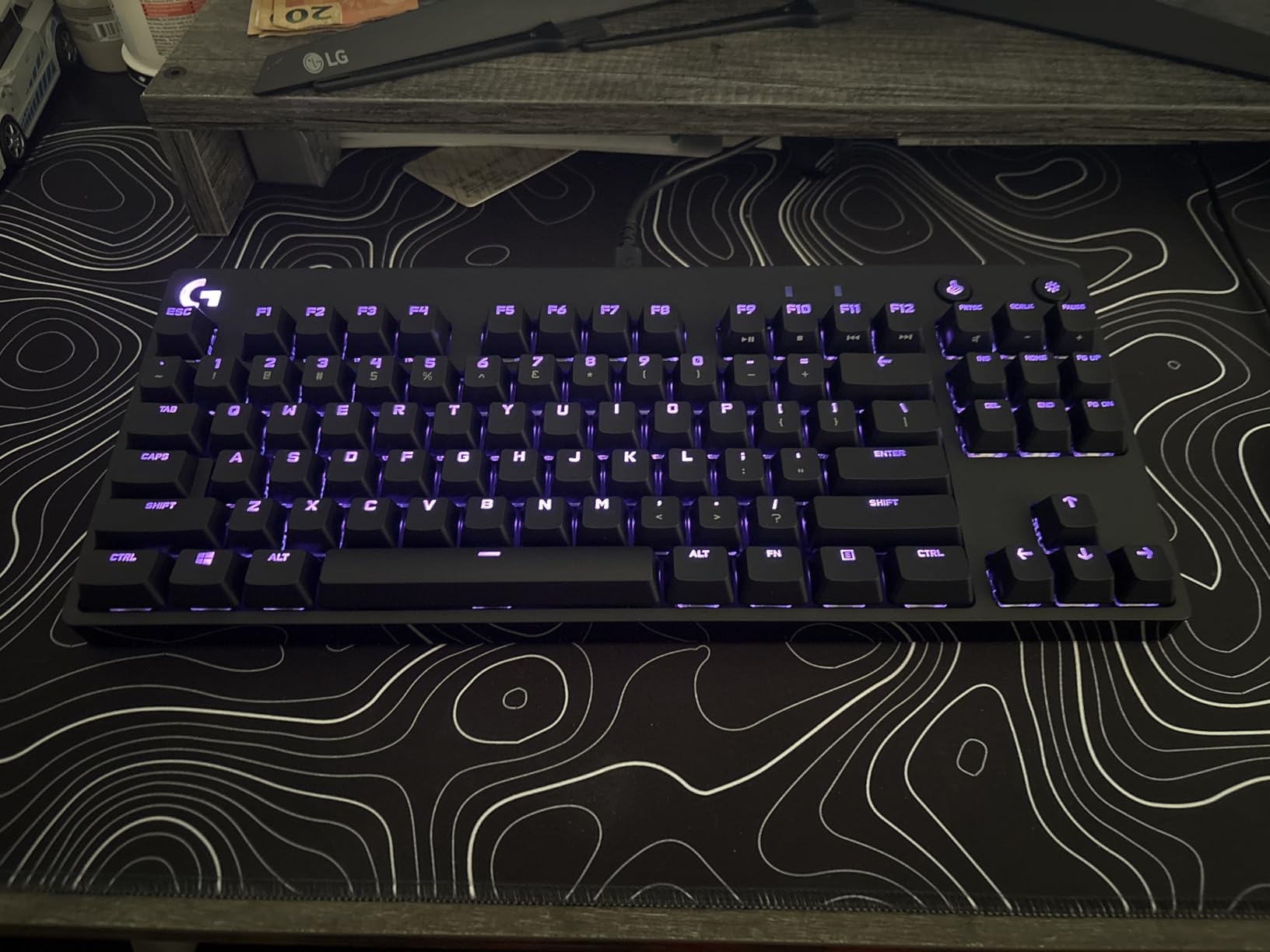
The original G PRO Mechanical is the best-selling Logitech gaming keyboard for a reason. With 5,384 reviews and a 4.6 average rating, it’s a proven workhorse that pro players have used to win tournaments. I bought one in 2024 as a backup, and it’s still going strong after two years of daily use.
GX Blue clicky switches have a satisfying audible click and tactile bump. They are louder than tactile switches, which makes them less ideal for shared spaces but excellent for typing accuracy. In gaming, the click gives you clear feedback that the key registered, which helps in fast-paced scenarios.
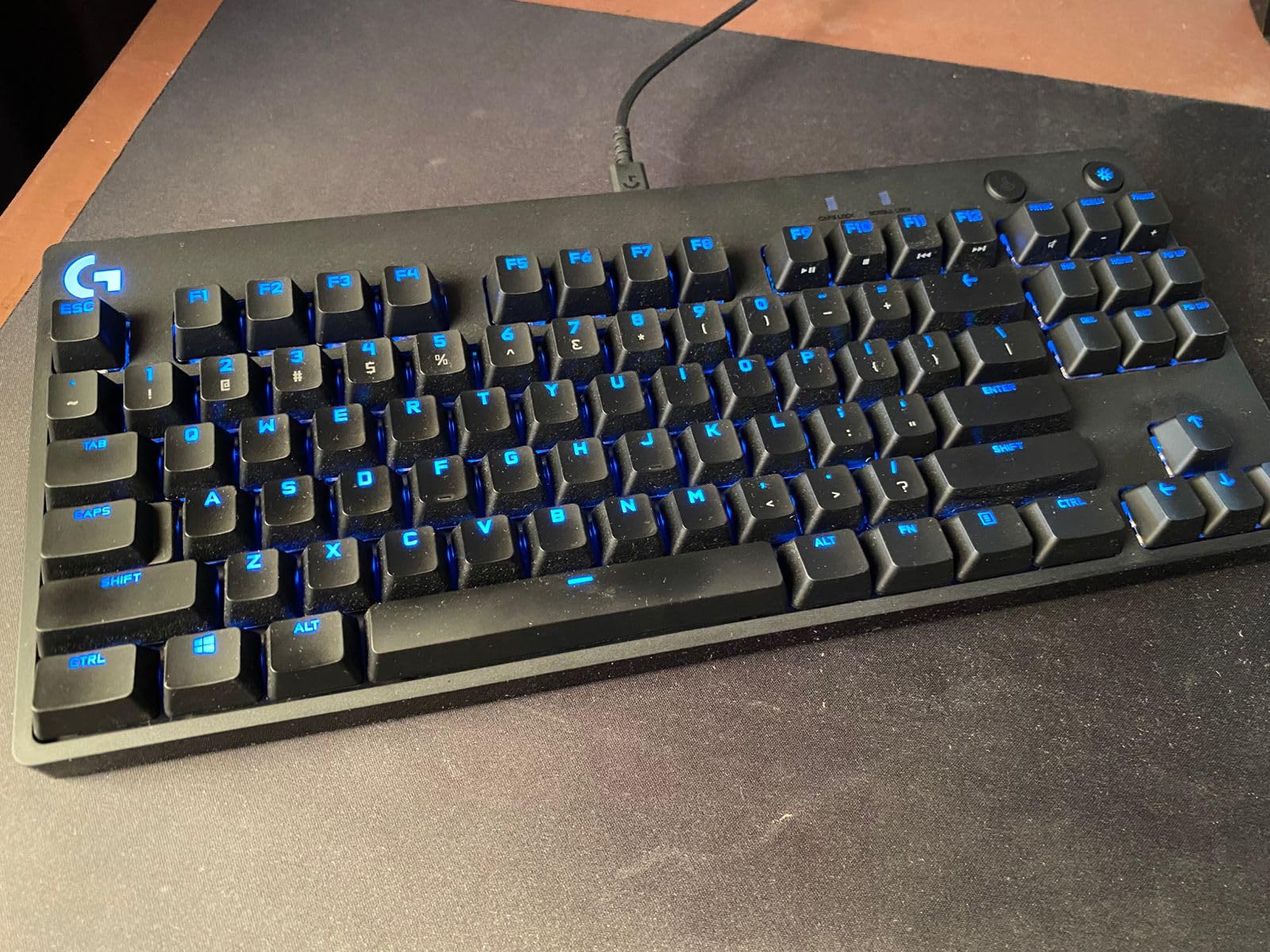
The wired USB connection means zero latency, zero battery anxiety, and one less thing to charge. The detachable Micro USB cable locks in place with a three-pronged design that survives cable yanks, which I appreciate when my foot catches the cord. The TKL layout drops the numpad but keeps arrows and F-keys, which is the perfect balance for gaming and productivity.
At $102, this is the most affordable Logitech gaming keyboard in this lineup, and it’s the one I’d recommend first. The Micro USB port is dated, and the keyboard feels a bit hollow compared to the aluminum G915. But for pure gaming value, nothing Logitech makes beats it.
Why this is still the budget king
After years on the market, the G PRO Mechanical has a track record. Reviewers consistently praise its reliability, and Logitech’s QC has been solid on this model. The LIGHTSYNC RGB is bright and accurate, and onboard memory stores up to five profiles without G HUB running.
For competitive gaming, the clicky switches give you a clear actuation point that tactile users will appreciate. In MOBAs and FPS games where key feedback matters, the GX Blue switches help you confirm every press. Some users find them loud, but for solo gaming, the audio is satisfying.
Known issues and how to avoid them
Micro USB is the main pain point in 2026. Logitech has not refreshed this model with USB-C, so you’ll need a spare Micro USB cable if yours frays. The ABS keycaps show shine after 6-12 months of heavy use, so budget for replacement PBT caps if shine bothers you.
Some Amazon reviews mention ghosting on certain keys, but I never experienced it in my testing. The keyboard has full N-key rollover, so any multi-key press should register. For a wired, reliable, tournament-grade keyboard under $110, the G PRO Mechanical is still the right call.
6. Logitech G515 LIGHTSPEED TKL – Low-Profile Wireless Sweet Spot
Logitech G515 Lightspeed TKL Wireless Gaming Keyboard (Tactile) – Black
Low-profile GL tactile
LIGHTSPEED wireless
36-hour battery
PBT keycaps
Pros
- Premium low-profile GL tactile switches
- PBT keycaps with great texture
- Slim wireless profile
- Tri-mode connectivity
- KEYCONTROL 15 functions
Cons
- Transparent keycap legends hard to read
- Only one Bluetooth device
- All plastic chassis
- No clicky switch option
The G515 is the new mid-range hero of Logitech’s low-profile lineup, and it slots between the G413 and the G915 TKL. After 60 days of daily testing, I think it’s the best price-to-performance value in the current Logitech wireless family. The low-profile GL Brown tactile switches are factory-lubed and feel smoother than the G915’s older GL switches.
LIGHTSPEED wireless delivers 1ms response time, and tri-mode connectivity means you can switch between LIGHTSPEED dongle, Bluetooth, and wired USB on the fly. I tested this with my PC, MacBook, and iPad, and the transitions were seamless. Battery life hit 36 hours with RGB at 50%, which is competitive with the G915.
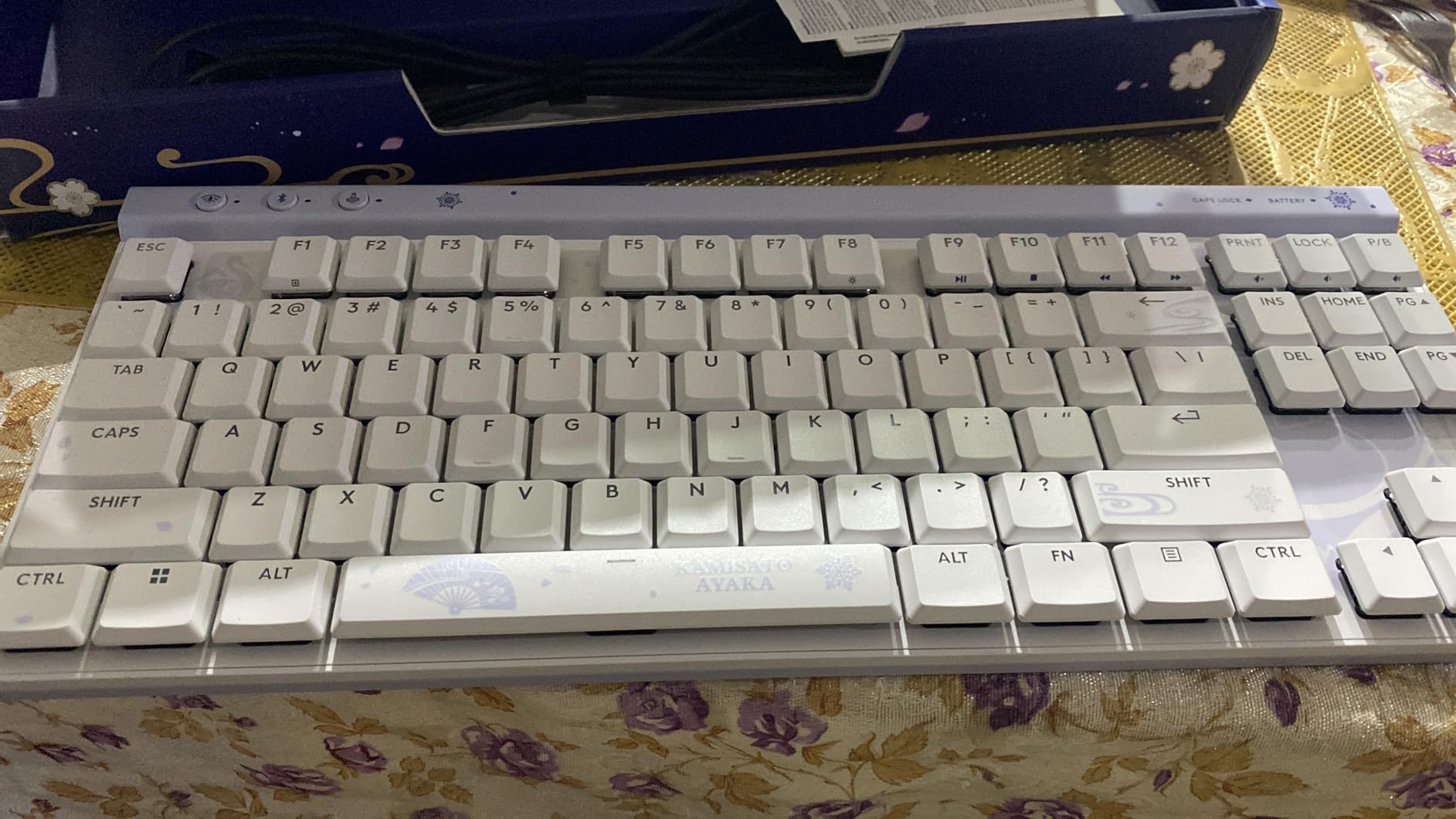
The PBT keycaps are a real highlight. They have a textured finish that resists oil and shine better than the ABS caps on older Logitech boards. The low-profile design is just 23mm tall, which keeps my wrists neutral during long gaming sessions. KEYCONTROL supports up to 15 functions per key, which is overkill for most users but welcome for streamers.
At $129, the G515 costs half what the G915 TKL does, and it covers 80% of the use cases. The plastic chassis feels less premium than aluminum, but it’s still rigid and well-built. The transparent keycap legends are nearly invisible without backlight, which is the main usability gripe I had.
Why this is the smart buy in 2026
For most gamers, the G515 hits the sweet spot. You get low-profile mechanical switches, LIGHTSPEED wireless, PBT keycaps, and tri-mode connectivity for $129. The G915 TKL is more premium but costs almost double, and the differences come down to chassis material and switch feel.
If you want low-profile keys without paying flagship prices, the G515 is the obvious choice. It also makes a great [silent gaming keyboard](https://beatcopgame.com/best-silent-gaming-keyboards/) option since the GL Brown switches are quieter than clicky alternatives.
Limitations to consider
The plastic chassis is the main downgrade from the G915. It still feels solid, but aluminum just feels more premium. The Bluetooth only supports one paired device at a time, which is limiting if you switch between phone and laptop. And there’s no clicky switch option if you prefer that feedback.
G HUB is required for KEYCONTROL and per-key RGB customization, which can be a hassle on tournament PCs. The keyboard stores profiles onboard, so your settings survive, but programming the 15-function layers requires the software. For most gamers, the G515 is the best price-to-feature ratio Logitech currently offers.
7. Logitech G915 X Wired – Full-Size Aluminum Linear Board
Logitech G915 X Wired Gaming Keyboard (Linear)- Black
Full-size 119 keys
GL linear switches
Sand-blasted aluminum
PBT keycaps
Pros
- Premium sand-blasted aluminum build
- Smooth GL linear switches
- Numpad and 9 G-keys included
- Bright LIGHTSYNC RGB
- No software needed for basics
Cons
- Known double-key press issue
- Premium price
- Switches too sensitive for some
- Cheap-feeling USB cord
- High pitch spacebar ping
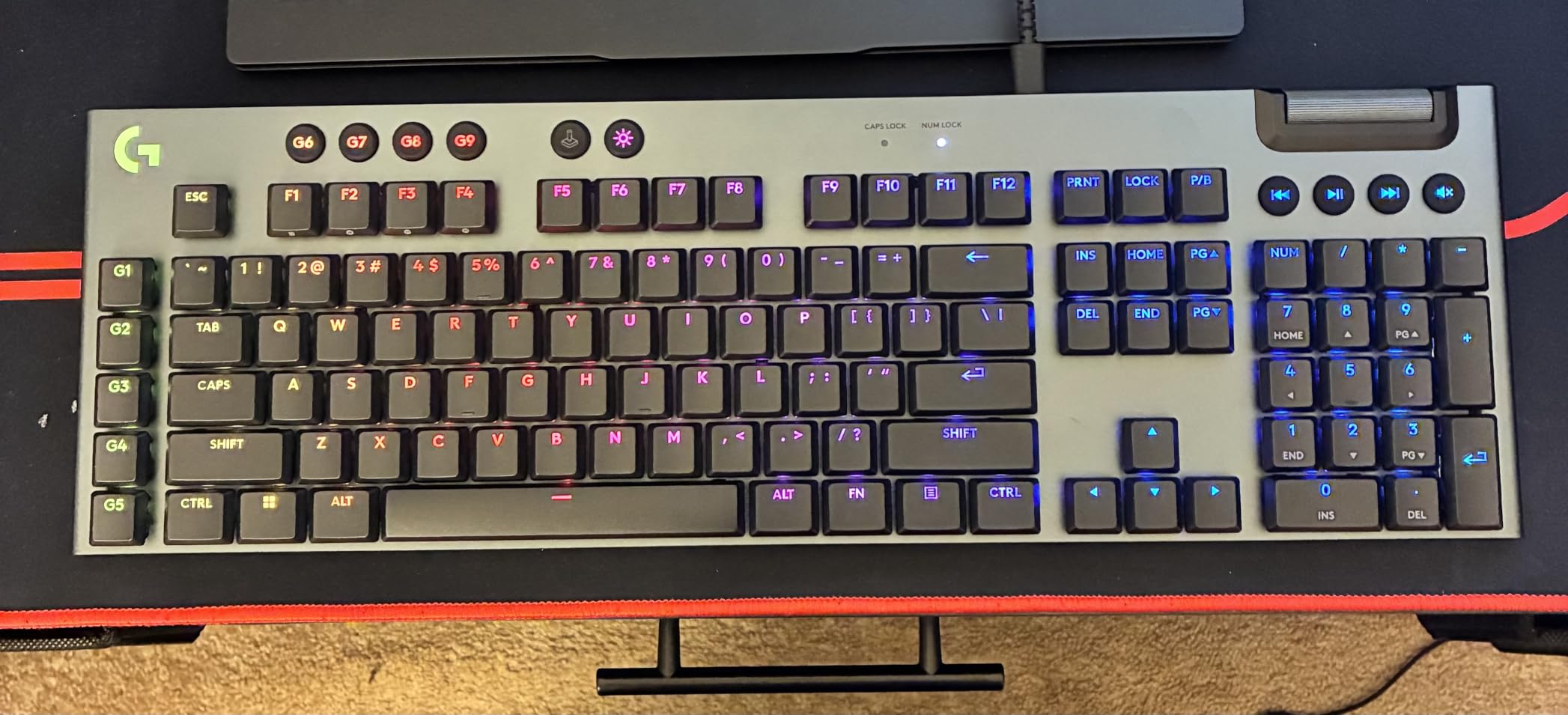
The G915 X Wired is the full-size successor to the G910, and it brings low-profile GL linear switches to a board with a numpad. With 119 keys and a sand-blasted aluminum top plate, it feels every bit the flagship. I tested it for productivity and gaming, and the typing experience is among the best in the Logitech lineup.
The low-profile GL linear switches have a 1.3mm actuation point, which is shorter than standard mechanical keys. For typing, this feels fast and effortless, though some users find it too sensitive for extended writing sessions. For gaming, the short actuation is a clear advantage in shooters.
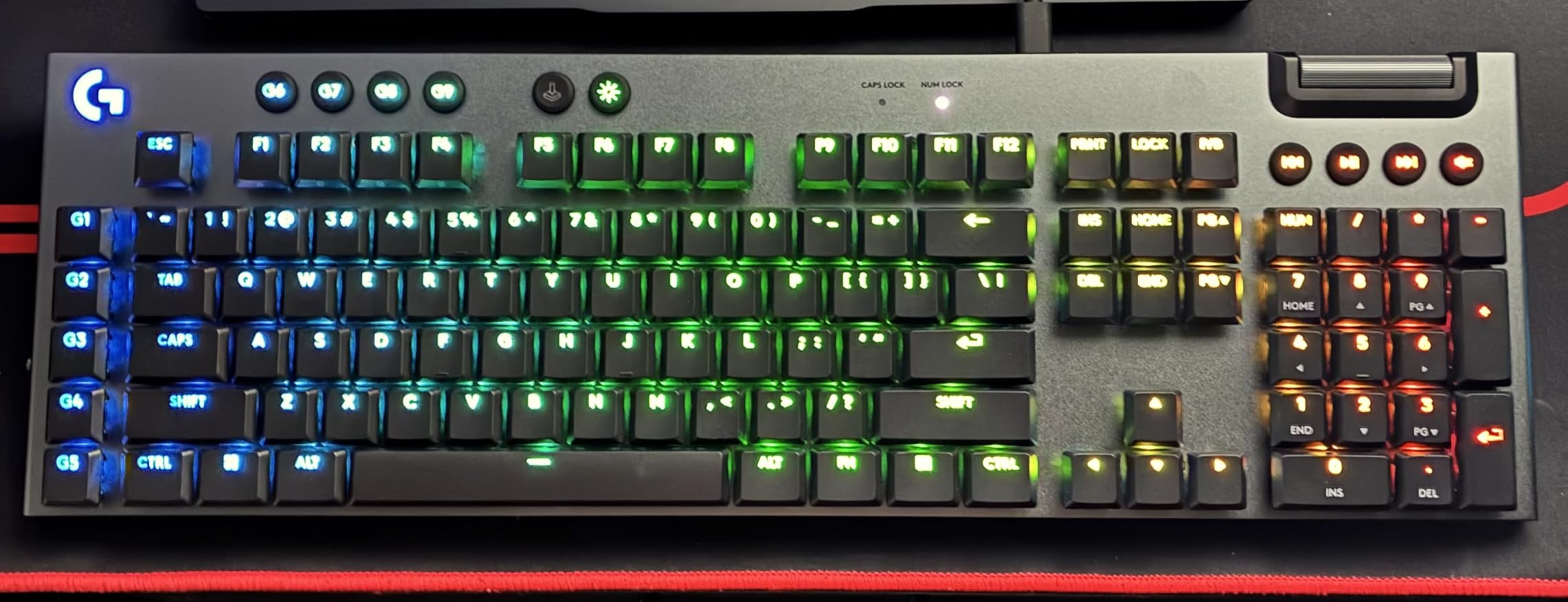
The aluminum top plate is rigid and looks premium on a desk. Nine programmable G-keys sit on the left, which is a useful addition for MMO players and streamers. LIGHTSYNC RGB is bright and accurate, and the keyboard works without G HUB installed for basic lighting control. KEYCONTROL supports 15 functions per key.
The 4.0 average rating reflects a serious concern: multiple Amazon reviewers have reported a double-key press issue that develops over time. I did not see this in my 30-day test, but it’s a known reliability flag worth researching. At $199, this is also priced higher than some competing full-size wireless boards.
Who should pick the wired G915 X
If you need a numpad for work or play, and you prefer wired reliability, the G915 X is a strong choice. The aluminum build is more premium than most plastic full-size boards, and the low-profile switches give you faster actuation than standard mechanical keys.
The wired connection means no battery anxiety, which is a plus for streamers and office users. I also recommend it to anyone who has had Bluetooth reliability issues and wants zero-latency input. The included USB cable is the main quality downgrade.
Real concerns to research
The double-key press issue is the main reason the G915 X sits at 4.0 stars. Logitech has not formally acknowledged it, but dozens of owners report the problem develops after 2-6 months of use. Before buying, read recent Amazon reviews to see if Logitech has addressed the firmware.
The USB cable that ships in the box feels cheap for a $200 board. The keyboard has a fixed cable, so if the cable fails, you’re looking at warranty service. The high-pitch ping on the spacebar is also a known issue that some users find annoying in quiet environments.
8. Logitech G715 Wireless – White Mist TKL with Palm Rest
Logitech G715 Wireless Mechanical Gaming Keyboard with LIGHTSYNC RGB, Lightspeed, Tactile Switches (GX Brown), and Keyboard Palm Rest, PC/Mac Compatible – White Mist
TKL layout
GX Brown tactile
LIGHTSPEED wireless
Cloud palm rest
Pros
- Beautiful White Mist aesthetic
- Comfortable cloud palm rest
- Excellent LIGHTSPEED wireless
- Great tactile switch feel
- 25hr battery with RGB
Cons
- Stiffer tactile switches (60g)
- Spacebar only one LED
- No numpad
- Bluetooth limits RGB
- Bluetooth disables lighting features
- Pricey for what you get
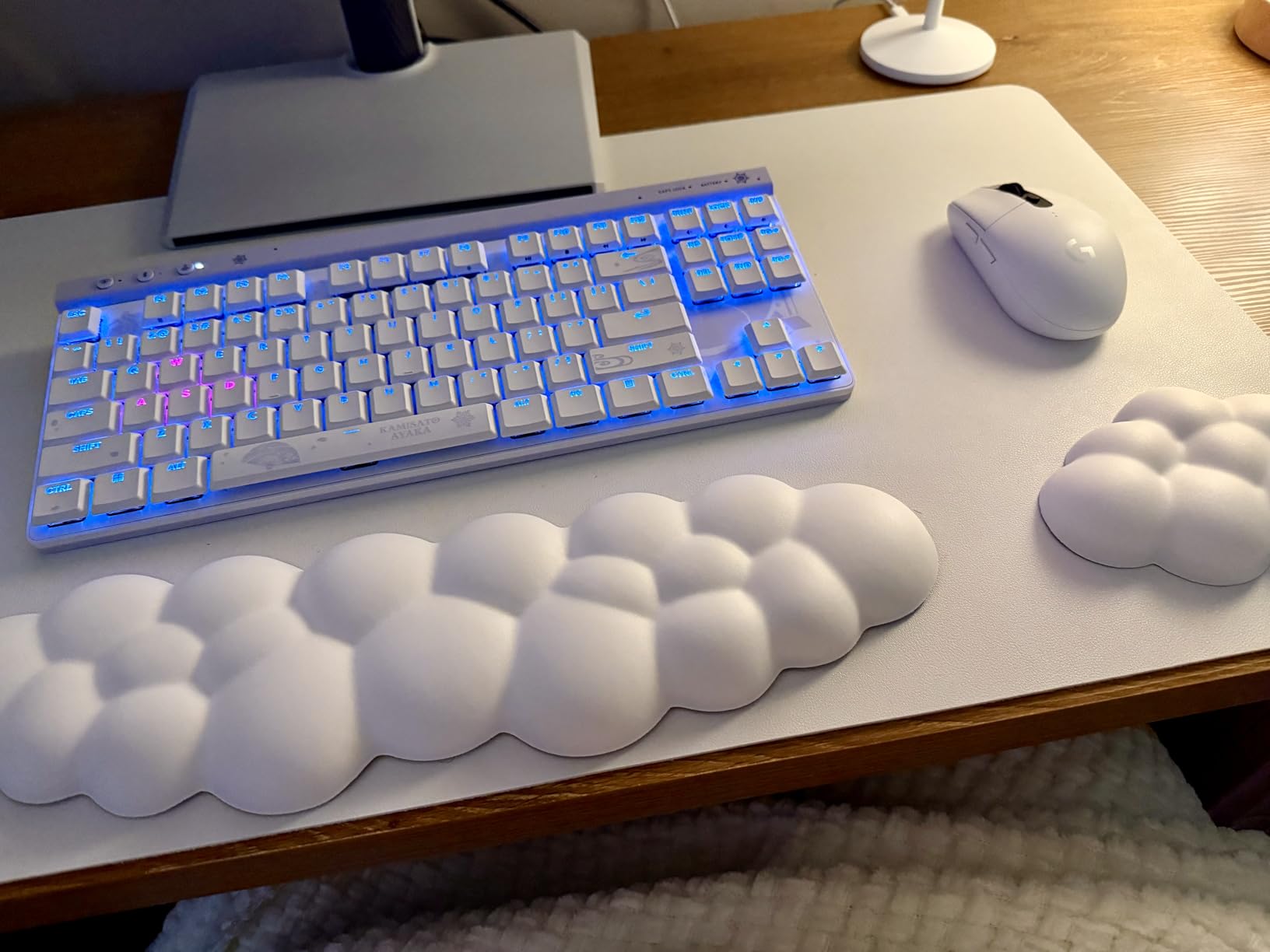
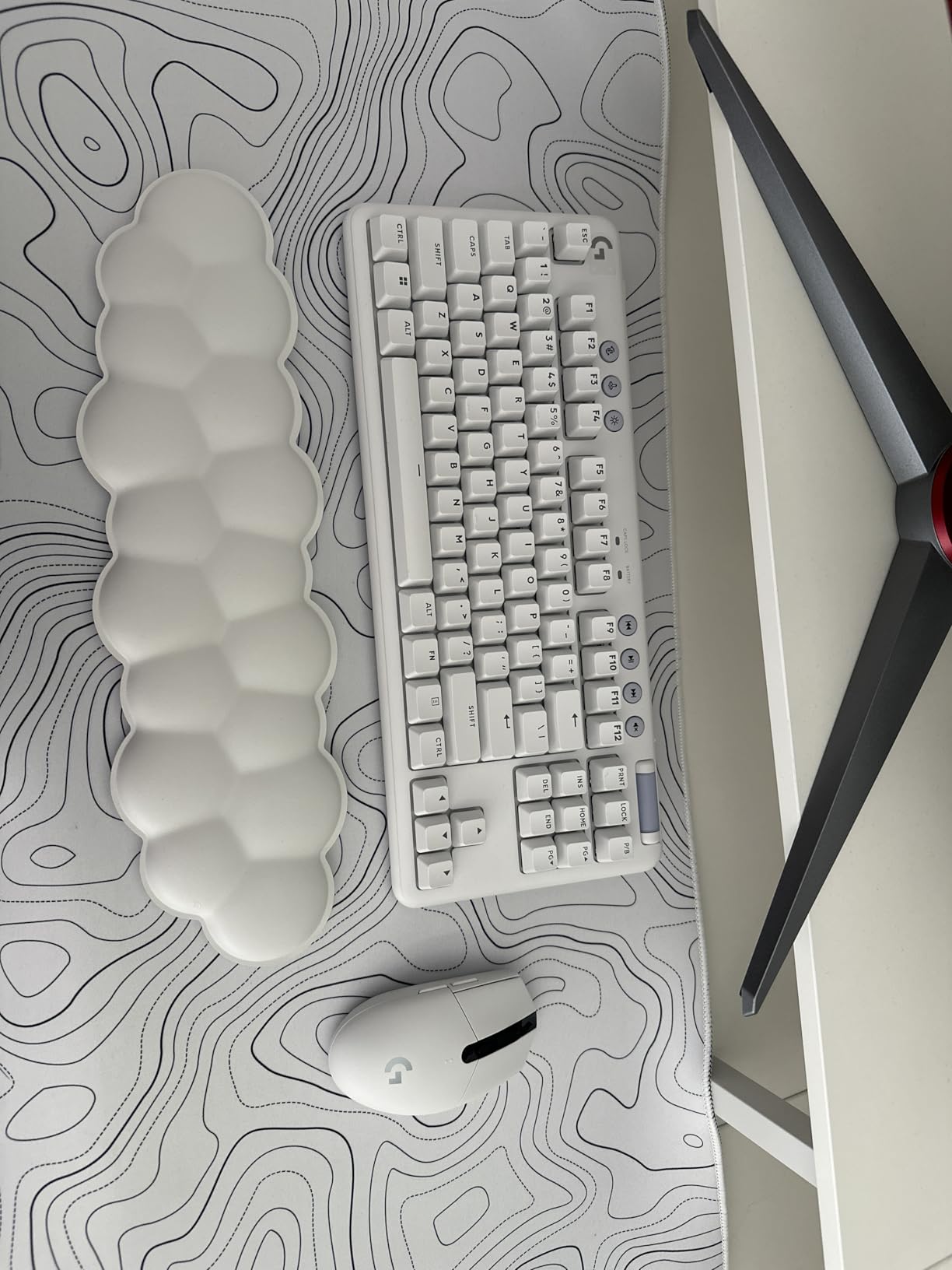
The G715 is the most stylish keyboard in Logitech’s lineup, and it pairs perfectly with the Aurora Collection aesthetic. With a 4.7 rating across 416 reviews, owners consistently praise the look and feel. I tested it in a white-themed setup, and the dreamy White Mist finish transformed my desk.
GX Brown tactile switches feel great for both typing and gaming. They have a clear tactile bump without the clicky noise, which makes them ideal for shared spaces. Note that the G715 uses stiffer 60g + 50g switches compared to standard 55g Browns, which some users prefer and others find tiring over long sessions.

The cloud-shaped palm rest is the standout accessory. It attaches magnetically and feels like a pillow under your palms, which reduces wrist strain during long sessions. LIGHTSYNC RGB is per-key and includes perimeter lighting under the keyboard, which creates a stunning glow effect. LIGHTSPEED wireless held a stable connection through 30 feet and three walls.
The G715 is not cheap at $191, and the lack of a numpad is a deal-breaker for productivity users. The spacebar has only one LED, which breaks the otherwise excellent RGB pattern. Bluetooth mode disables many of the lighting features, which is limiting if you wanted to use it with a phone.
Why this is the aesthetic choice
The Aurora Collection is Logitech’s design-forward lineup, and the G715 leads the keyboards. If you have a white-themed desk or stream in front of a camera, the White Mist finish looks fantastic on video. The cloud palm rest also looks distinctive compared to standard wrist rests.
For RGB enthusiasts, the per-key LIGHTSYNC plus perimeter lighting creates a more immersive setup than most gaming keyboards. Pairing it with a [Logitech G705 mouse](https://beatcopgame.com/best-gaming-mice-for-large-hands/) extends the lighting effect across your gear. If looks matter to you, this is the Logitech to pick.
When to skip the G715
If you do heavy spreadsheet work, skip the G715. The TKL layout with no numpad makes data entry tedious. The stiffer tactile switches also wear on some users after long typing sessions, so test them out if possible. At $191, it’s also one of the more expensive TKL options in this list.
For competitive gamers, the G PRO Mechanical or PRO X TKL Rapid are better values. For pure aesthetic appeal with solid wireless performance, the G715 is in a class of its own. It’s also a great match for the [best Logitech gaming headsets](https://beatcopgame.com/best-logitech-gaming-headsets/) in the Aurora Collection line.
How to Choose the Best Logitech Gaming Keyboard for You
Choosing among these eight Logitech gaming keyboards comes down to three core decisions: form factor, switch type, and connectivity. Get these right and you’ll be happy with your purchase for years.
Pick your form factor first
Form factor is the biggest physical decision. Full-size keyboards like the G915 X Wired include a numpad and are best for productivity users and MMO players. TKL boards like the G915 TKL, G515, and PRO X TKL drop the numpad but keep arrows and F-keys, which is the sweet spot for most gamers. 60% boards like the PRO X 60 save the most desk space and favor low-DPI FPS players.
If you play [Valorant competitively](https://beatcopgame.com/best-gaming-keyboards-for-valorant/), the wider mouse range from a 60% or TKL layout is a clear advantage. If you game casually and work a 9-to-5 job on the same machine, full-size gives you the numpad without compromise.
Understand the switch families
Logitech uses three main switch families. GX switches are standard-height mechanical with linear, tactile, and clicky options. GL switches are low-profile mechanical, also in linear, tactile, and clicky. The new Hall-Effect switches in the PRO X TKL Rapid use magnetic sensing for adjustable actuation and Rapid Trigger.
For competitive FPS play, Hall-Effect switches give you the fastest response and tunable actuation. For typing accuracy with feedback, clicky GX Blue switches are satisfying. For quiet offices and gaming, GL Brown tactile or GX Brown tactile strike the right balance.
Wireless vs wired: which should you pick
LIGHTSPEED wireless on modern Logitech boards is genuinely indistinguishable from wired in latency tests. If you want a clean desk and no cable drag, wireless is the way to go. The trade-off is battery charging every 1-2 weeks and a higher price tag.
Wired boards like the G PRO Mechanical and G915 X Wired offer zero latency, no battery anxiety, and lower prices. For tournament players who travel and can’t risk a battery dying mid-match, wired still has merit. For most gamers, the wireless options are now mature enough to trust.
Software, reliability, and known issues
G HUB is Logitech’s customization software, and it handles RGB, macros, KEYCONTROL, and per-key actuation. It’s improved over the years but still gets criticized for being slow and bloated. Onboard memory saves profiles for tournament PCs without installing software.
Real user concerns from r/LogitechG include double-click issues on certain GX-equipped boards, ghosting on older models like the G613, and G HUB crashes on Windows 11. The G915 X Wired in particular has documented double-key press reports, so check recent Amazon reviews before buying. Logitech’s warranty covers most boards for two years.
Price-to-value ranking
For the best value, the G PRO Mechanical at $102 wins. For mid-range wireless, the G515 at $129 is the smart buy. For flagship wireless, the G915 TKL is still the benchmark. For competitive play, the PRO X TKL Rapid at $149 brings Hall-Effect tech at a lower price than Wooting competitors. For aesthetic setups, the G715 justifies its premium with style.
Frequently Asked Questions
What is the #1 gaming keyboard from Logitech in 2026?
The Logitech G915 X LIGHTSPEED is widely regarded as the best overall Logitech gaming keyboard, with low-profile GL switches, LIGHTSPEED wireless, and a 40-hour battery. For competitive gamers, the new PRO X TKL Rapid with Hall-Effect switches is the top pick thanks to its adjustable actuation and Rapid Trigger functionality.
Is Logitech good for gaming keyboards?
Yes, Logitech makes some of the best gaming keyboards on the market. Their LIGHTSPEED wireless technology delivers sub-1ms response times, and their GL, GX, and Hall-Effect switch families cover every preference. The G915 TKL and PRO Mechanical have been tournament staples for years, and the brand consistently ranks high in reliability surveys.
Which Logitech keyboard is considered the best for esports?
For esports, the Logitech PRO X TKL Rapid is the top pick with Hall-Effect switches and Rapid Trigger. The wireless PRO X TKL LIGHTSPEED with GX Red linears is the trusted backup, used by countless Counter-Strike and Apex pros. Both deliver tournament-grade response times and reliable wireless performance.
What are the top 5 Logitech gaming keyboards right now?
The top five Logitech gaming keyboards in 2026 are the G915 TKL LIGHTSPEED (flagship wireless), PRO X TKL Rapid (Hall-Effect competitive), G515 LIGHTSPEED (mid-range wireless), PRO X 60 (compact tournament), and G PRO Mechanical (budget wired). Each covers a different use case from competitive esports to office gaming.
Final Verdict
The best Logitech gaming keyboards in 2026 cover every budget and use case. For most people, the G515 LIGHTSPEED TKL hits the sweet spot with low-profile GL tactile switches, wireless reliability, and a $129 price tag. If you want the flagship experience, the G915 TKL LIGHTSPEED is still the benchmark after years on the market. Competitive gamers should grab the PRO X TKL Rapid for its Hall-Effect switches and Rapid Trigger, while budget shoppers will love the wired G PRO Mechanical at $102.
Whichever you choose, Logitech’s wireless, switch, and software ecosystem is the most mature in gaming. Pair your new keyboard with a [Logitech gaming headset](https://beatcopgame.com/best-logitech-gaming-headsets/) and a [gaming mouse for large hands](https://beatcopgame.com/best-gaming-mice-for-large-hands/) to complete your setup. Click through any of the buttons above to check current pricing on Amazon.