
The best 55 inch TVs make a lot of sense when your sofa sits roughly 6 to 7 feet from the screen. At that distance, 4K detail is easy to appreciate without a display taking over a bedroom, apartment living room, or compact game setup.
I ranked the 10 models here by the specifications that change day-to-day use: panel type, HDR formats, refresh rate, connections, smart platform, audio hardware, and mounting information. The result is a mix of OLED, Mini-LED, QLED, and conventional LED choices rather than a list that treats every 55 inch 4K TV as interchangeable.
My quick read is simple: pick the LG C5 if deep blacks and fast gaming matter most, the TCL QM6K for a well-rounded Mini-LED option, and the Hisense E6 Cinema if streaming features matter more than high-refresh play. Console players should also see our separate guide to the best 4K TVs for gaming before deciding.
Table of Contents
The top 3 picks answer most 55-inch TV needs
These three choices cover the main reasons people shop in this size: OLED contrast for films, Mini-LED brightness and speed for varied use, and an uncomplicated streaming-first screen. Each is a 4K smart TV, but their panel hardware and refresh-rate ceilings are very different.
The best 55 inch TVs in 2026 cover OLED, Mini-LED QLED and Roku options
The overview below places all 10 models in one place. Use it to narrow the panel type and refresh rate you need, then read the individual notes for platform, sound, VESA, and gaming details.
| Product | Specifications | Action |
|---|---|---|
 LG OLED evo C5 LG OLED evo C5 |
|
View Details |
 TCL QM6K TCL QM6K |
|
View Details |
 Hisense E6 Cinema Hisense E6 Cinema |
|
View Details |
 Hisense U8 Hisense U8 |
|
View Details |
 Sony BRAVIA 5 Sony BRAVIA 5 |
|
View Details |
 Samsung S90F Samsung S90F |
|
View Details |
 Samsung QN70F Samsung QN70F |
|
View Details |
 LG QNED85A LG QNED85A |
|
View Details |
 Roku Plus Series Roku Plus Series |
|
View Details |
 Roku Select Series Roku Select Series |
|
View Details |
All of these sets have 4K resolution and wireless connectivity, yet a 60Hz Roku is aimed at a different person than a 165Hz Hisense. I would not pay attention to marketing labels alone: the listed HDR formats, HDMI count, panel lighting, and audio layout tell a much clearer story.
1. The LG OLED evo C5 is the best all-around pick for dark-room movies and serious gaming
LG 55-Inch Class OLED evo AI 4K C5 Series Smart TV w/Dolby Atmos, Dolby Vision, HDR10, AI Super Upscaling 4K, Filmmaker Mode, Wow Orchestra, Alexa Built-in (OLED55C5PUA, 2025)
OLED
up to 144Hz
4 HDMI 2.1
Dolby Vision
Pros
- Self-lit OLED pixels
- 0.1ms response time
- VRR and G-Sync
- Four HDMI 2.1 inputs
- Dolby Vision
Cons
- OLED needs static-image care
- Wall-mount installation
The LG OLED evo C5 is the one I would put at the top for viewers who split time between films, streaming, and current consoles. Its 8.3 million self-lit pixels give it pixel-level control, while Dolby Vision, Dolby Atmos, and FILMMAKER MODE cover the movie-side essentials listed for this model.
LG lists its Alpha 9 AI Processor Gen8 and AI Super Upscaling 4K for improving lower-resolution material. That matters if live TV, older shows, or a mixed library shares the screen with native 4K streams.
Gaming is the clearer separating point. The set lists a 0.1ms response time, support for up to 144Hz, NVIDIA G-Sync, AMD FreeSync Premium, VRR, Game Dashboard, Game Optimizer, and four HDMI 2.1 inputs.
The C5 suits a dedicated movie and console screen
I would choose this 55 inch OLED TV for a room where lights can be controlled and black-level detail matters. Dolby Vision support and individual pixel lighting are a very convincing combination for film nights.
It also fits a PS5, Xbox Series X, or gaming PC arrangement that needs multiple HDMI 2.1 connections. Four inputs leave more room for consoles and an eARC audio device than a screen with only two high-bandwidth ports.
The C5 needs sensible OLED ownership habits
OLED burn-in concerns appear often in home-theater discussions, especially from players who leave static game interfaces on screen for long stretches. I would vary content, use the TV’s normal screen-protection options, and avoid leaving a paused game or channel logo up for hours.
This is also a wall-mount model with a 300 x 200 mm VESA pattern, so check your bracket before installation. At 35.3 pounds, it is a two-person lift rather than a casual solo setup.
2. The TCL QM6K is the best balanced Mini-LED choice for gaming, sports, and streaming
TCL 55 Inch Class QM6K Series | Mini LED QLED 4K HDR | 55QM6K, Latest Model | 120HZ-144HZ High Brightness Smart Google TV Dolby Atmos Onkyo Audio | Voice Remote Alexa Gaming Streaming Television
QD-Mini LED
144Hz
Google TV
Onkyo 2.1 audio
Pros
- 144Hz native panel
- Full array local dimming
- Dolby Vision and HDR10+
- Built-in subwoofer
- Four HDMI ports
Cons
- Reported motion blur
- External Alexa device needed
The TCL QM6K is my general-purpose Mini-LED pick because its listed hardware covers a broad mix without forcing an OLED decision. It combines QD-Mini LED backlighting, quantum-dot color, full-array local dimming, and Dolby Vision or HDR10+ support.
Its 144Hz native refresh rate, Motion Rate 480, and Game Accelerator 240 VRR give it the kind of gaming-focused specification list that casual 60Hz TVs lack. Google TV, Google Cast, AirPlay 2, and a voice remote make it equally practical when no console is running.
The audio system is worth calling out because the QM6K includes an Onkyo 2.1 speaker system with a built-in subwoofer. Built-in TV sound still has physical limits, but this is more substantial on paper than a basic two-speaker layout.
The QM6K works well in a busy mixed-use room
I would start here for someone who watches sports in the afternoon, streams at night, and wants 144Hz gaming capability in one screen. The listed Halo Control System is designed to improve shadow detail and limit blooming around bright objects.
Its 300 x 300 mm VESA standard and 27.3-pound weight give a wall-mount installer concrete numbers to work with. TCL lists a one-year manufacturer warranty for this model as well.
The QM6K asks motion-sensitive viewers to check their sources
Some customer feedback mentions motion blur with fast-paced content, even though the panel is specified at 144Hz. I would give a sports fan the return window to try their own broadcasts, settings, and preferred streaming apps rather than assume every motion setting will suit them.
The product listing says Alexa compatibility but no built-in voice assistant, which is an important distinction. Google TV and the supplied voice remote cover app navigation, while Alexa control requires a separate Alexa device.
3. The Hisense E6 Cinema is the best straightforward Fire TV choice for streaming-first use
Pros
- Wide HDR support
- Fire TV and Alexa
- Wi-Fi 6
- AI Light Sensor
- High review count
Cons
- 60Hz panel
- 16W audio
- Lower 4.1 rating
The Hisense E6 Cinema puts the focus on everyday streaming rather than high-frame-rate gaming. Its Hi-QLED color panel, Fire TV operating system, Dolby Vision, Dolby Atmos support, Wi-Fi 6, and Alexa voice remote make the feature list easy to understand for a living room that mostly opens apps.
The screen supports Dolby Vision, HDR10, HDR10+, HDR10+ Adaptive, and HLG, which is unusually broad HDR format coverage for this class of set. An AI Light Sensor adjusts brightness based on room light, and the AI 4K Upscaler is listed for lower-resolution material.
Its 60Hz refresh rate is the hard boundary to understand before buying. Game Mode Plus and motion processing are useful extras, but I would not pick this model specifically for players who want a 120Hz or 144Hz display.
The E6 Cinema fits a Fire TV household
I would recommend this set to someone who prefers the Fire TV interface and wants live-channel integration beside streaming apps. Its Press & Ask Alexa remote can also reduce the usual hunt through menus for a title or an input.
The 20.5-pound body is relatively light, and the VESA pattern is 200 x 400 mm. That can make placement easier, although the mount must match that wide pattern.
The E6 Cinema is not the choice for demanding audio or gaming
The listed 16-watt, 2.0-channel speakers are a reason to keep expectations modest for movies. Forum posts repeatedly point out that thin TVs of many brands benefit from separate audio, and this model is a clear candidate for an upgrade later.
Customer feedback gives it the highest review count in this roundup but also the lowest average rating, at 4.1. I would read recent owner comments closely if consistent motion handling and setup experience are your deciding factors.
4. The Hisense U8 is the strongest pick for glare control, very bright HDR, and 165Hz gaming
Hisense 55″ U8 Series ULED Mini-LED 4K UHD Smart Google TV (55U8QG) – QLED, Native 165Hz, VRR 288, Up to LD5600, 5000 Nits, HDR10+, Dolby Vision IQ · Atmos, IMAX Enhanced, 4.1.2 Ch Audio
Mini-LED
165Hz
Anti-Reflection
4.1.2 Atmos audio
Pros
- Up to 5000 nits
- 165Hz native panel
- Anti-Reflection Pro
- FreeSync Premium Pro
- 66W 4.1.2 audio
Cons
- Heavy chassis
- Three HDMI ports
- Complex initial setup
The Hisense U8 is the feature-heavy answer for a sunny room or a gamer who wants more than a 144Hz ceiling. Its MiniLED Pro system is listed with up to 5,000 nits, up to 5,600 local dimming zones, QLED color, and Anti-Reflection Pro.
For gaming, Hisense lists a native 165Hz panel, Game Booster 288 VRR, AMD FreeSync Premium Pro, and Auto Low Latency Mode. The specified 8ms response time is a concrete figure in a category where listings often provide only vague claims.
The U8 also carries a 66-watt 4.1.2-channel Dolby Atmos speaker arrangement, Dolby Vision IQ, HDR10+, IMAX Enhanced, Wi-Fi 6E, and Google TV. That is a notably broad home-theater package before you add an audio system.
The U8 suits rooms with windows and high-refresh hardware
I would put this one in front of viewers fighting daylight reflections or using a gaming PC with high refresh-rate support. Its stated brightness and anti-reflection coating directly address two recurring bright-room complaints.
For a broader list built around that use case, read our recommendations for the best TVs for bright rooms. The U8’s support list also includes multiple HDR formats, so it is flexible across streaming services and devices.
The U8 requires a sturdy mount and setup time
At 39.5 pounds, this is not the lightest 55-inch set here. Its 400 x 400 mm VESA pattern is larger than the LG and Roku patterns, so confirm both the bracket specification and the wall location before opening the box.
Some owners report that initial setup feels complex. I would connect the intended console, eARC audio gear, and Wi-Fi first, then work through picture and game settings before judging the default presentation.
5. The Sony BRAVIA 5 is the best Mini-LED choice for films, upscaling, and PS5-specific features
Sony BRAVIA 5 55 Inch TV, Mini LED, 4K Smart Google TV, XR Processor with AI Technology,120hz Television with Dolby Vision/Atmos, Exclusive Features for PlayStation®5, K-55XR50
Mini-LED
120Hz
Google TV
Dolby Vision
Pros
- XR Backlight Master Drive
- Dolby Vision and Atmos
- PS5 tone mapping
- Google TV
- Four HDMI ports
Cons
- 53-pound weight
- 120Hz rather than 144Hz
- Wall mount required
The Sony BRAVIA 5 makes its case through processing, Mini-LED control, and a deep film-format list. Sony lists the XR Processor with AI technology, XR Backlight Master Drive, XR Triluminos Pro color, Dolby Vision, Dolby Atmos, IMAX Enhanced, and DTS:X.
It is also built for viewers who still watch HD and broadcast material. XR Clear Image is listed to upscale HD and digital content, while studio-calibrated picture modes are provided for Netflix, Prime Video, and SONY PICTURES CORE.
Gamers get a 120Hz refresh rate, Game Menu, XR Motion Clarity, and two PS5-focused features: Auto HDR Tone Mapping and Auto Genre Picture Mode. Those additions make this a thoughtful match for a PlayStation-centered system even without a 144Hz specification.
The BRAVIA 5 suits a film library and a PS5
I would choose the BRAVIA 5 for someone who values Dolby Vision movies, accurate color language, and Sony’s claimed scene-by-scene processing. Google TV with Google Assistant, AirPlay 2, and Google Cast covers the smart-home and streaming side.
The included SONY PICTURES CORE app and movie credits are a useful extra for people starting a digital movie collection. Four HDMI ports also make room for a console, streamer, audio return channel, and another source.
The BRAVIA 5 needs a serious installation plan
The TV is listed at 53 pounds and uses a 300 x 300 mm VESA mount pattern. I would plan for two people and use a properly rated wall mount rather than treating it like a lightweight bedroom screen.
Its sound format support is broad, but a separate audio system still helps create scale in a home theater. Our guide to Dolby Atmos soundbars for immersive viewing is a sensible next stop if you want clearer dialogue and a larger sound field.
6. The Samsung S90F is the best OLED alternative for 144Hz play and AI upscaling
Samsung 55-Inch Class S90F Smart TV (2025 Model, 55S90F), NQ4 Gen3 Processor, Upscaling Pro, HDR+, Motion Xcelerator 144Hz, Vision, Alexa Built-in, 4K UHD
OLED
144Hz
Tizen
AI 4K Upscaling
Pros
- Pixel-level dimming
- 144Hz motion
- Four HDMI ports
- 128 neural networks
- Matte finish
Cons
- No Dolby Vision
- 40W speakers
- Limited availability
The Samsung S90F is an OLED screen for people who prefer Samsung’s Tizen platform and want a 144Hz model. Its pixel-level dimming is the central picture feature, paired with the NQ4 Gen3 AI Processor, AI 4K Upscaling Pro, and a listed 128 neural networks.
Motion Xcelerator 144Hz and AI-powered motion smoothing target quick action in games and sports. Four HDMI ports, Alexa built in, Bluetooth 5.3, Dolby Atmos audio, and a matte screen finish round out the hardware list.
The format tradeoff is clear: the S90F supports HDR10+ but not Dolby Vision. I would factor that in before choosing it over OLED alternatives if Dolby Vision streams are a fixed part of your movie routine.
The S90F suits Tizen users who want OLED speed
I would shortlist this model for an OLED gaming screen where 144Hz capability and Samsung’s application ecosystem are the priorities. Pixel-level dimming delivers the basic OLED advantage of individual control rather than a backlight shared behind an LCD panel.
The matte finish may also appeal to people who dislike seeing room reflections. Do not treat that as a substitute for thoughtful placement, but it is a meaningful design detail in a room with lamps or windows.
The S90F asks buyers to accept HDR10+ instead of Dolby Vision
HDR support is not a generic checkbox. This set has HDR10+, while the LG C5, Sony BRAVIA 5, TCL QM6K, and Hisense models above list Dolby Vision support.
Its 2.1-channel, 40-watt audio is serviceable on paper but less extensive than the 4.1.2 arrangement in the Hisense U8. I would plan external audio if room-filling sound is part of the goal.
7. The Samsung QN70F is the best 144Hz QLED for viewers who want Mini-LED control without OLED
Samsung 55-Inch Class Neo QLED QN70F 4K Mini LED Smart TV (2025 Model) NQ4 AI Gen2 Processor, Quantum Matrix Technology Slim, Motion Xcelerator 144Hz, Samsung Vision AI, Alexa Built-in
Neo QLED
144Hz
4K AI upscaling
Tizen
Pros
- 144Hz VRR gaming
- Mini LED control
- Four HDMI ports
- AI 4K upscaling
- HDR10+
Cons
- No Dolby Vision
- Edge LED noted
- Limited availability
The Samsung QN70F is a Neo QLED model that puts Mini LED precision and a 144Hz refresh rate in a non-OLED package. Quantum Matrix Technology, the NQ4 AI Gen2 Processor, 20 neural networks, and Supreme UHD Dimming form its core picture specification.
Samsung says the processor upscales content to 4K and analyzes scenes for brightness improvements. HDR10+ support, Tizen, Alexa, 2,700-plus free channels, and Samsung TV Plus create a complete streaming feature set around that panel.
For games, Motion Xcelerator 144Hz and VRR support are the reasons to look here. It also has four HDMI ports and two USB ports, so a multi-device setup should not feel cramped.
The QN70F suits bright-room viewers who prefer QLED
I would put this on the short list for a viewer who wants quantum-dot color, high refresh support, and Mini LED technology but does not want an OLED panel. Its slim design and 200 x 200 mm VESA pattern may also suit a clean wall installation.
Samsung’s Eco Dashboard gives owners access to energy settings. It is worth using those controls and the ambient light options to tune the picture for the room instead of leaving every setting at a vivid default.
The QN70F has format and backlight limitations to weigh
The listing identifies HDR10+ but does not list Dolby Vision. It also notes edge LED backlighting rather than full-array backlighting, which distinguishes it from the TCL QM6K’s listed full-array local dimming.
I would compare these technical differences against the room you actually have. A high refresh figure is helpful for games, but it does not replace local-dimming behavior, HDR preferences, or the smart platform you like using.
8. The LG QNED85A is the best webOS Mini-LED pick for cloud gaming and LG soundbar owners
LG 55-Inch Class QNED evo AI QNED85A Series Mini LED 4K Smart TV w/AI Picture, AI Sound, HDR10, AI Super Upscaling 4K, Filmmaker Mode, Wow Orchestra, Alexa Built-in (55QNED85AUA, 2025)
Mini-LED
120Hz
webOS
Game Optimizer
Pros
- 100% Color Volume
- 120Hz native panel
- Game Optimizer
- AirPlay and Chromecast
- WOW Orchestra
Cons
- HDR10 and HLG only
- VRR ceiling is 144Hz
- 2.0-channel audio
The LG QNED85A is a Mini-LED alternative for viewers who want webOS rather than Tizen, Google TV, Fire TV, or Roku. It lists Dynamic QNED Color with 100% Color Volume, Precision Dimming, an Alpha 8 AI Processor Gen2, AI Super Upscaling 4K, and Filmmaker Mode.
Its native refresh rate is 120Hz, with VRR support up to 144Hz, plus LG Game Optimizer, GeForce NOW, and Xbox Cloud Gaming. Those features make it a logical screen for someone whose gaming mix includes streaming services as well as local consoles.
webOS includes LG Channels with more than 350 free channels, while AirPlay 2 and Chromecast are both built in. The set has four HDMI ports, two USB ports, Bluetooth 5.3, and a 300 x 300 mm VESA pattern.
The QNED85A suits a webOS and cloud-gaming household
I would choose this set when the LG interface feels familiar and cloud gaming is a real part of the plan. Having GeForce NOW and Xbox Cloud Gaming in the Game Optimizer menu is more relevant than a generic claim that a TV is good for games.
LG’s WOW Orchestra is another reason to consider it if compatible LG sound equipment is already in the room. It is designed to synchronize the TV and soundbar audio rather than making the screen work alone.
The QNED85A requires realistic HDR expectations
This model lists HDR10 and HLG rather than Dolby Vision or HDR10+. That does not prevent good 4K viewing, but it is a clear format difference beside the TCL QM6K and Hisense U8.
Power consumption is listed at 96 watts and annual energy use at 178 kilowatt-hours. Those figures can help with comparison, though actual use changes with brightness settings, selected mode, and hours watched.
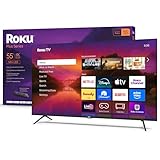
9. The Roku Plus Series is the best Roku Mini-LED pick for simple streaming and stronger built-in audio
Roku Smart TV – 55-Inch Plus Series, Mini-LED TV – RokuTV with Enhanced Voice Remote – Flat Screen 4K QLED Television with Dolby Vision & Wi-Fi for Streaming Live Local News, Sports
Mini-LED QLED
60Hz
Roku TV
Dolby Vision
Pros
- Mini-LED and QLED
- Dolby Vision and HDR10+
- Built-in subwoofer
- Four HDMI ports
- Headphone Mode
Cons
- 60Hz refresh rate
- No high-refresh gaming
- Table stand adds depth
The Roku Plus Series combines Mini-LED backlighting and a QLED screen with the familiar Roku interface. It lists Dolby Vision, HDR10+, HLG, Roku Smart Picture Max, Apple AirPlay 2, Miracast, Bluetooth Headphone Mode, and access to more than 500 free channels.
The built-in Dolby Atmos system includes a subwoofer, which is a notable feature for a Roku TV in this group. There are four HDMI ports and one USB port, giving it better source flexibility than the Roku Select Series.
Roku’s AI-powered Smart Picture Max is intended to clean and optimize incoming signals. I would find that particularly useful in a household where cable, older streaming feeds, and modern 4K sources all rotate through the same TV.
The Roku Plus Series suits viewers who want Roku and private listening
I would recommend this model for a person who already knows the Roku home screen and wants a little more picture and audio hardware than a basic LED. The enhanced voice remote has a lost-remote finder, a small feature that can genuinely help in a shared room.
Bluetooth Headphone Mode is another practical inclusion for late viewing. AirPlay 2 and Miracast also give Apple and other compatible-device users straightforward screen-mirroring paths.
The Roku Plus Series stops short of high-refresh gaming
The panel is specified at 60Hz, so this is not the 55 inch TV for gaming at 120Hz or 144Hz. Its screen size, 4K resolution, and HDMI count still make it fine for casual console sessions, but fast competitive play is better served by the LG, TCL, Samsung, or Hisense high-refresh models.
It weighs 27.4 pounds and supports a 300 x 300 mm VESA mount. Listed power consumption is 200 watts, another concrete number to consider if it will run for many hours each day.
10. The Roku Select Series is the best basic Roku QLED option for a smaller streaming setup
Roku Smart TV 2026 – 55-Inch Select Series, 4K QLED TV – Roku TV with Voice Remote – Flat Screen QLED Television with Wi-Fi for Streaming Live Local News, Sports, & Movies – Bluetooth Headphone Mode
QLED
60Hz
Roku TV
Bluetooth headphones
Pros
- QLED color
- HDR10 and HDR10+
- Roku Smart Picture
- Voice remote
- Light 20.5-pound body
Cons
- 60Hz refresh rate
- Three HDMI ports
- No Mini-LED backlight
The Roku Select Series is the cleanest choice here for someone who wants a 55-inch smart TV centered on familiar apps and a simple remote. Its QLED screen supports 4K, HDR10, HDR10+, and HLG, while Roku Smart Picture is listed to choose an appropriate picture mode for the signal.
It has Roku’s customizable home screen, more than 500 free channels, AirPlay 2, Miracast, Bluetooth Headphone Mode, and voice control through Roku Voice, Siri, Alexa, or Google Assistant. The frameless design and 20.5-pound weight are welcome for a bedroom or secondary room.
The hardware limits are equally plain: 60Hz, three HDMI ports, and a standard QLED rather than Mini-LED backlight. I would regard it as a streaming set first and a gaming display second.
The Roku Select Series fits a simple bedroom or second-room TV
I would choose this screen for straightforward 4K apps, local news, movies, and private late-night listening. The lost-remote finder is again a useful Roku convenience, while the 200 x 100 mm VESA standard offers a compact mounting option.
It uses 160 watts according to the listing. That figure is lower than the listed Roku Plus Series power figure, though your picture mode and viewing habits affect real consumption.
The Roku Select Series needs a separate plan for fast games and large systems
Gamers seeking a 120Hz or 144Hz refresh rate should skip this model and start with the TCL QM6K, Hisense U8, Samsung QN70F, Samsung S90F, or LG C5. Those models list the higher panel rates and gaming features that this Roku does not.
Three HDMI ports are enough for a simple console, streaming box, and soundbar arrangement, but a crowded setup may prefer four. I would map every device before mounting the TV, especially if cables will be difficult to reach afterward.
The buying guide answers how to choose a 55-inch TV without guessing
A 55-inch screen is a versatile middle size, but the panel type and connections determine whether it feels like a movie display, a bright-room TV, or a console monitor. I would decide in that order: room lighting, the content you watch, the sources you own, and then the interface you prefer.
OLED is best when black levels and viewing angles matter most
OLED uses self-lit pixels, so each pixel can control its own light. In this roundup, the LG C5 and Samsung S90F are OLED models; both list 144Hz support, while the LG also lists Dolby Vision and the Samsung lists HDR10+.
For movie watching in a darker room, OLED’s individual pixel control is the main appeal. The tradeoff is sensible care around static elements, such as a paused game screen, news banner, or HUD that stays visible for unusually long periods.
Mini-LED and QLED are best when brightness and room light lead the decision
QLED uses quantum-dot color, while Mini-LED refers to a backlight system with many small LEDs and, on some models, local dimming control. The TCL QM6K, Hisense U8, Sony BRAVIA 5, Samsung QN70F, LG QNED85A, and Roku Plus Series use some form of Mini-LED or QLED technology.
I would lean toward the Hisense U8 for maximum listed brightness and glare reduction, the Sony for its film and PS5 feature set, and the TCL for full-array local dimming plus 144Hz. A Mini-LED can be a more comfortable fit in a room with daytime viewing, although the exact effect depends on placement and the source.
120Hz and above are best for a serious console or PC setup
A 60Hz TV can display ordinary streaming and casual console games well, but a 120Hz, 144Hz, or 165Hz panel has a different role. The LG C5, TCL QM6K, Samsung QN70F, Samsung S90F, LG QNED85A, Sony BRAVIA 5, and Hisense U8 list high-refresh capabilities.
Check more than the refresh number. HDMI 2.1 inputs, VRR, ALLM, FreeSync, G-Sync, and the number of HDMI ports decide how easily a PS5, Xbox Series X, PC, and eARC sound system can coexist.
The LG C5 is strongest on this checklist with four HDMI 2.1 inputs, VRR, G-Sync, FreeSync Premium, and a listed 0.1ms response time. The Hisense U8 lists 165Hz, FreeSync Premium Pro, ALLM, and an 8ms response time, while the TCL supplies 144Hz and Game Accelerator 240 VRR.
HDR format support is best chosen around the services you already watch
Dolby Vision, HDR10+, HDR10, and HLG are not interchangeable labels, even though all refer to HDR playback. The LG C5, TCL QM6K, Sony BRAVIA 5, Hisense U8, Hisense E6 Cinema, and Roku Plus Series list Dolby Vision; the Samsung S90F and QN70F list HDR10+.
I would not reject a TV only because it lacks one format, but it should influence close comparisons. Film fans who regularly use Dolby Vision services have stronger reasons to favor models that state Dolby Vision support.
Built-in sound is best treated as a starting point, not a full theater system
Thin televisions have little cabinet space, so forum owners are right to flag sound as a common disappointment. The Hisense U8 has the most ambitious listed system here at 66 watts and 4.1.2 channels, while the TCL QM6K has an Onkyo 2.1 system with a built-in subwoofer and the Roku Plus includes a subwoofer.
For a larger movie setup, an eARC connection and a separate soundbar make more sense than expecting small TV speakers to fill a room. See our picks for Sonos soundbars to pair with your new TV or Bose soundbars as TV upgrades if you already prefer either ecosystem.
Viewing distance and wall mounting are best checked before delivery
A 55-inch TV is generally comfortable around 6 to 7 feet away for 4K viewing, which is why it works in many bedrooms and medium living rooms. Sit much closer and the screen can dominate your field of view; sit much farther away and the benefit of 4K detail becomes harder to see.
Check the VESA number, not just the word “wall mount.” This group ranges from 200 x 100 mm on the Roku Select Series to 400 x 400 mm on the Hisense U8, with 300 x 300 mm and 300 x 200 mm options between them.
Also check weight and cable access. A wall-mounted TV with HDMI ports that cannot be reached easily becomes frustrating the first time you add a console, a media box, or an eARC soundbar.
These common 55-inch TV questions have straightforward answers
Which TV brand is best for 55-inch?
No single brand is best for every 55-inch setup. LG is the strongest choice here for an OLED with Dolby Vision, four HDMI 2.1 inputs, and up to 144Hz; Sony is compelling for Mini-LED movie processing and PS5 features; Hisense targets high brightness and 165Hz gaming; TCL balances Mini-LED, Google TV, and 144Hz; Samsung offers OLED and Neo QLED options with Tizen and HDR10+.
What is the best value for money 55-inch TV?
The TCL QM6K is the best value-oriented all-purpose choice in this roundup because it combines QD-Mini LED, full-array local dimming, Dolby Vision, HDR10+, Google TV, a 144Hz native refresh rate, Game Accelerator 240 VRR, and an Onkyo 2.1 speaker system. Choose the Hisense E6 Cinema instead when a Fire TV interface and streaming matter more than high-refresh gaming.
Which is better OLED or QLED TV?
OLED is better for pixel-level black control, dark-room movies, and wide viewing angles, while QLED and Mini-LED are often better suited to viewers who prioritize high listed brightness and glare management. The LG C5 and Samsung S90F are OLED choices here; the Hisense U8, TCL QM6K, Sony BRAVIA 5, and Samsung QN70F are Mini-LED or QLED alternatives. Pick based on room light, HDR formats, and gaming connections rather than the label alone.
Who has the best deal on a 55-inch TV?
Retail availability changes often, so this roundup does not rank sellers. Compare the exact model number, included warranty terms, return policy, delivery service, and any bundle items before ordering. The bigger decision is buying the right panel and refresh-rate class: a 60Hz streaming TV, a 120Hz or 144Hz gaming model, or a 165Hz bright-room Mini-LED are different products for different uses.
The best final choice depends on where and how you watch
The LG OLED evo C5 is my top answer for the best 55 inch TVs because it combines self-lit OLED pixels, Dolby Vision, and a complete high-refresh gaming feature set. Choose the TCL QM6K for a flexible Mini-LED screen, the Hisense U8 for a brighter and faster specification sheet, the Sony BRAVIA 5 for a film and PS5 focus, or either Roku when the platform is the deciding factor.
Before you order in 2026, measure the viewing distance, list every HDMI device, and decide whether a soundbar belongs in the setup. Those three checks will do more for satisfaction than choosing a TV based on a brand name alone.