
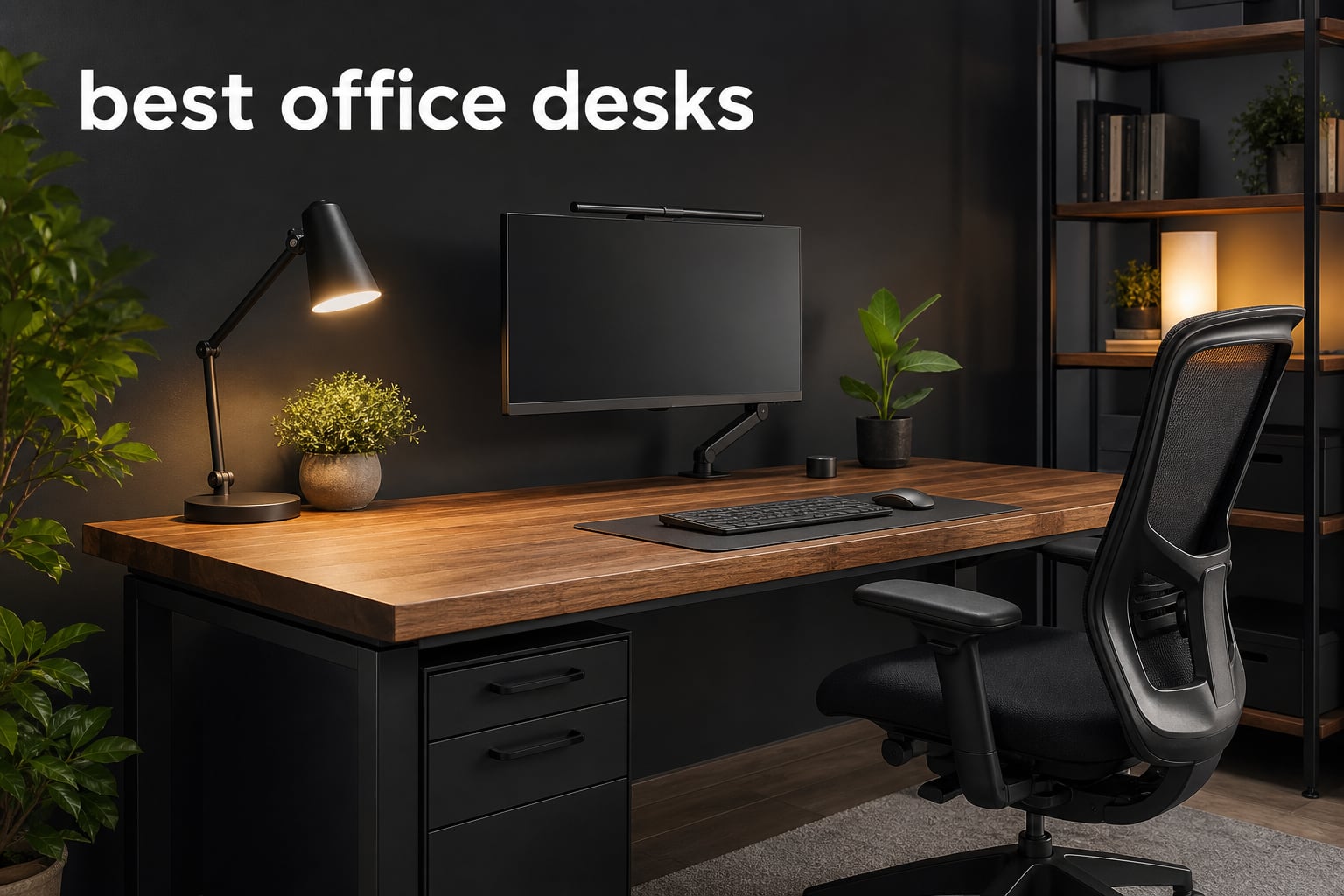
The best office desks give you a stable place to work, enough depth for your screen and keyboard, and a shape that fits the room instead of fighting it. For most home workers, I would start with the ErGear Height Adjustable Electric Standing Desk because its 47.2-by-23.6-inch top, 176-pound stated capacity, four saved heights, and 28.35-to-46.46-inch range cover the basics without taking over a room.
A desk is not just a slab of wood. It determines where cables land, whether a monitor sits at a workable distance, how much legroom you keep, and whether a long typing session feels planted or shaky.
I compared the eight desks in this guide by their documented dimensions, construction, storage, lift range where applicable, stated capacity, included accessories, and buyer feedback summaries. If your desk also doubles as a play space, pair the choice with one of our best gaming chairs for your home office; screen-heavy work may also call for the best monitors for your home office.
The short version is simple: pick a height-adjustable model when you want sitting and standing positions, pick an L shape when you need separate work zones, and pick a fixed rectangular desk when a compact, uncomplicated setup matters most. Forum discussions around WFH desks keep returning to the same concerns—wobble while typing, confusing assembly, weak cable routing, and too little usable depth—so those are the details I put ahead of decorative extras.
Table of Contents
The top 3 choices cover the most common office setups
A strong all-round desk needs a dependable frame, a practical top size, and controls or storage that match the way you work. These three picks separate the broad home-office choice, the feature-rich standing alternative, and the large corner workstation.


Casaottima 63 Inch L-Shaped Standing Desk
- 63 inch reversible L shape
- 27.9-46.1 in range
- 154 lb capacity
The best office desks in 2026 are easy to compare at a glance
Use this overview to narrow the list by shape and function before reading the full notes. A rectangular electric desk is usually the cleanest answer for a single-screen or dual-screen workstation, while the L-shaped options reserve a separate wing for paperwork, a laptop, or gaming gear.
| Product | Specifications | Action |
|---|---|---|
| ErGear Electric Standing Desk |
|
View Details |
| Veken 55 Inch Electric Standing Desk |
|
View Details |
| Casaottima 63 Inch L-Shaped Standing Desk |
|
View Details |
 HUANUO 48 Inch Standing Desk HUANUO 48 Inch Standing Desk |
|
View Details |
 Huuger 55 Inch Computer Desk Huuger 55 Inch Computer Desk |
|
View Details |
 ODK 75 Inch L-Shaped Desk ODK 75 Inch L-Shaped Desk |
|
View Details |
 Huuger 47 Inch L-Shaped Desk Huuger 47 Inch L-Shaped Desk |
|
View Details |
 PRAISUN 63 Inch L-Shaped Desk PRAISUN 63 Inch L-Shaped Desk |
|
View Details |
1. ErGear Electric Standing Desk is the best overall choice for a focused home office
ErGear 48 X 24 Inch Height Adjustable Electric Standing Desk, Black
47.2 x 23.6 in top
28.35-46.46 in lift
176 lb stated capacity
Pros
- Four memory presets
- 176 lb capacity
- 100000 lift-cycle testing
- Included assembly tools
Cons
- No finished back
- Limited storage
The ErGear is the desk I would put first for a typical remote-work setup because the measurements land in a useful middle ground. Its 47.2-by-23.6-inch top is broad enough for a computer, keyboard, and daily notes, yet far easier to place than a big corner workstation.
Its electric frame travels from 28.35 to 46.46 inches, so it has a real sit-stand range rather than a minor adjustment. Four memory presets let more than one person save a position, and the listed 176-pound maximum recommendation leaves room for a monitor arm, displays, and normal desktop gear.
The frame uses alloy steel and carbon-steel elements, with aerospace-grade lifting columns listed in its technical details. The manufacturer also lists testing for 100,000 lift cycles, which is a more useful durability detail than a vague claim about heavy-duty construction.
Community threads make stability during typing the first filter for a standing desk, especially after the top rises. The product feedback summary specifically calls out stability at maximum height and a quiet motor, though I would still place screens near the center of any adjustable desktop and keep the heaviest equipment balanced.
The 47.2-by-23.6-inch footprint suits one or two screens without wasting a small room
A 23.6-inch depth gives more room than a shallow writing desk for a keyboard and display, but it is not a sprawling production desk. It is a smart fit for one large display, a modest dual-monitor arrangement, or a laptop-and-monitor setup where the keyboard needs its own clear zone.
Measure the clear wall width, then leave room for chair movement before deciding that a wider L shape is necessary. If you need a dedicated side area for files, tablets, or a second computer, one of the larger corner desks below makes more sense.
The four saved heights make shared and sit-stand routines easier to repeat
The memory buttons are useful when you change position during the day or share the desk with someone of a different height. Rather than hunting for the right level each time, you can reserve one setting for seated work and one for standing work, with two additional positions available.
This is a desk for workers who want the best office desks features in a compact rectangular format: electric adjustment, a substantial stated capacity, and a top that does not demand a dedicated room. It has only limited storage, so add a mobile drawer unit if papers and accessories need a permanent home.
2. Veken 55 Inch Electric Standing Desk is the best choice for a wider adjustable surface
Veken 55 Inch Large Electric Standing Desk, Gaming Table, White
55 x 23.6 in top
28.3-46.5 in lift
154 lb stated capacity
Pros
- 55 inch worktop
- Motor under 52 dB
- Four memory presets
- Built-in cable clips
Cons
- Two-piece desktop
- Assembly tools not included
The Veken moves up to a 55.12-inch width while keeping a 23.64-inch depth, which is a welcome change if a 48-inch desk feels cramped. I would choose it for a home office where a second display, desktop computer, or writing pad needs to stay on the top at the same time.
It raises from 28.3 to 46.5 inches and lists four memory positions, a 154-pound maximum recommendation, and an electric lifting mechanism. Its stated motor noise is under 52 dB, a worthwhile specification for a shared room where repeated adjustments should not take over a call or study session.
Veken includes cable clips, two headphone hooks, and feet pads. Those small parts do not replace a full under-desk cable tray, but they offer a starting point for keeping charger leads and a headset from accumulating in the leg area.
The product record identifies the desktop as two boards, so plan the layout before mounting a clamp accessory or spreading a large desk mat across the join. It also says no assembly tools are included, which is the sort of advance warning buyers in desk forums ask for after encountering vague instructions or an incomplete tool list.
The 55-inch width gives dual-monitor users a more relaxed working line
A wider top provides room to keep screens centered while leaving a landing space for a notebook or charging dock. That matters more than raw width alone: a tidy desk works better when the keyboard can stay in front of the primary display rather than being pushed toward an edge.
The 23.64-inch depth is still a modest home-office depth, so confirm your monitor stand does not force the screen too close. A monitor arm can recover useful surface area, provided its clamp and the desktop construction are a sensible match.
The quiet motor and four presets support frequent position changes in shared spaces
For people who actually alternate between sitting and standing, controls matter as much as the height range. Four saved levels let you store comfortable sitting and standing positions, then retain two extra options for a second user or a walking-pad arrangement.
The desk includes a two-year warranty in the supplied details, which is a concrete support point to weigh alongside the frame and motor. It is best for a worker who wants extra width and a quieter documented motor, while accepting a two-piece desktop and the need to bring basic assembly tools.
3. Casaottima 63 Inch L-Shaped Standing Desk is the best adjustable corner workstation
Casaottima 63 Inch L Shaped Electric Standing Desk, Home Office, White
63 in reversible L shape
27.9-46.1 in lift
154 lb stated capacity
Pros
- Reversible corner layout
- Large multi-monitor surface
- Three saved positions
- Carbon steel frame
Cons
- No drawers
- 68.3 lb desk weight
The Casaottima answers a different problem from the rectangular standing desks: it gives you a 63-inch reversible L-shaped workstation that can run along either corner orientation. I would consider it when a laptop, screens, reference material, and a printer or drawing tablet all compete for the same surface.
Its electric height adjustment runs from 27.9 to 46.1 inches, with three saved positions and a 154-pound maximum recommendation. The carbon-steel frame and 68.3-pound overall weight point to a desk that is meant to stay put once assembled, not something to shift around every few weeks.
The diagonal working surface is listed at 78.74 inches, and the return can be placed on the left or right. That reversible choice is practical because a corner desk that blocks a doorway, window, or drawer access is a bad fit no matter how large its desktop appears in a product listing.
There are no drawers, although the desk includes a headphone hook. Think of the Casaottima as surface-area first: it gives you zones, not concealed storage, so files and chargers need a separate organizer, cabinet, or wall shelf.
The reversible return lets the corner shape fit the room instead of dictating it
Before ordering any L-shaped desk, measure both wall runs and note where outlets, radiators, doors, and chair traffic sit. The Casaottima can put its return on either side, which offers more placement flexibility than a fixed-return workstation.
People building a mixed work-and-play station can compare the form factor with our guide to the best L-shaped gaming desks. The key distinction here is the electric lift range, which lets the entire corner surface change height rather than leaving one work zone fixed.
The large surface is better for separated work zones than for built-in filing
Use the long side for screens and input devices, then reserve the return for paperwork, a laptop, or a scanner. Keeping those jobs separate makes a large desk feel useful rather than merely empty.
The trade-off is storage. Buyers who need hanging files, drawers, or shelves directly under the desk should look at the ODK or PRAISUN models; buyers who want a clean adjustable corner workspace will get more from Casaottima.
4. HUANUO 48 Inch Standing Desk is the best adjustable desk with drawers
HUANUO 48″ x 24″ Electric Standing Desk with 2 Drawers, C-Clamp Mount Compatible, Height Adjustable Computer Desk, Home Office Stand Up Desk with 4 Preset Heights & 2 Hooks, Black
48 x 24 in top
27.5-46.4 in lift
176 lb stated capacity
Pros
- Two desktop drawers
- C-clamp compatible edge
- Four presets
- Curved front edge
Cons
- Assembly needs two people
- No finished back
The HUANUO combines a 48-by-24-inch electric standing surface with two drawers and an open storage cubicle. I see it as the cleanest answer for someone who wants their pens, charging cables, and small accessories contained without giving up the option to stand.
It adjusts from 27.5 to 46.4 inches, has four preset buttons, and supports up to 176 pounds according to the supplied record. A carbon-steel base and automotive-grade cold-rolled steel frame are listed, while the desktop has curved front edges intended to make the contact point more comfortable.
An extended rear platform edge is identified as compatible with a C-clamp monitor mount. That is a useful compatibility note for workers who want the display lifted off the desktop, although I would still confirm the mount maker’s clamp limits and place the load near a supported part of the top.
The product notes call for assembly and recommend two people. That is not a flaw by itself—standing desks are awkward assemblies—but it should shape your plan: clear the floor, sort hardware, and have a second person available before lifting the frame and desktop together.
The drawers keep small tools and cables close without taking floor space
Desktop drawers make this model attractive in a bedroom office or shared room where a separate filing cabinet would crowd the chair path. The open cubicle gives frequently used accessories a fast-access spot, while the drawers handle items you do not want spread around the keyboard.
Storage at the front also changes how you use the desk: leave enough open surface for a mouse, notes, and drink-free work area instead of treating every flat inch as a charging station. A simple cable sleeve under the rear edge will keep the desk neater when raised.
The C-clamp-ready rear edge supports a screen-first ergonomic layout
A monitor arm can free the 24-inch-deep desktop for writing and input devices. This matters when your screen base is large, because it creates more separation between your eyes and the panel without requiring a larger desk.
The HUANUO is right for an organized solo workstation with modest paperwork and a clamped display. It is less suited to users who need a fully finished rear panel against an open room or who cannot arrange help for assembly.
5. Huuger 55 Inch Computer Desk is the best simple fixed-height desk for a narrow room
Huuger Computer Desk, 55 Inch Home Office Desk, Gaming Writing Work from Home Study Desk, Large Legroom, Sturdy Metal Frame, Modern Simple, Rustic Brown
54 x 19.7 in top
29.5 in fixed height
Single drawer and tray
Pros
- 21 lb overall weight
- Metal frame
- Keyboard tray included
- Assembly under 40 minutes
Cons
- No height adjustment
- 19.7 in depth
The Huuger 55 Inch Computer Desk is a fixed-height 54-by-19.7-inch desk with a metal frame, single drawer, keyboard tray, and included monitor arm listed in the product details. I would point small-room users toward it when they want a straightforward desk rather than a lift mechanism, a huge frame, or a corner layout.
At 29.5 inches high, it follows the familiar seated-desk format. The 21-pound listed weight also makes it much easier to move during a room rearrangement than the large electric and L-shaped desks in this roundup.
The depth is the main limitation to understand. At 19.7 inches, it is better for a laptop, compact display, or shallow keyboard setup than for a deep dual-monitor arrangement with a large speaker pair in front.
The supplied review summary says buyers praise easy assembly in under 40 minutes and the sturdy construction, while the product is ranked fourth in Home Office Desks in its listed category. It is a useful reminder that a basic computer desk can work well when its dimensions fit the task and you do not need standing positions.
The 19.7-inch depth works best with a compact screen and a disciplined desktop
Set up the screen first, then check that your keyboard and mouse still have a comfortable landing area. If you work mainly from a laptop, use a compact monitor, or prefer a minimal writing setup, the narrow profile can be an advantage in a tight space.
For a deeper keyboard, a large curved panel, or a permanent second monitor, move to the Veken’s 23.64-inch depth or HUANUO’s 24-inch top. Those few extra inches make a noticeable difference in how much space remains in front of the display.
The keyboard tray and drawer fit a practical single-user productivity station
The tray separates the typing position from the top surface, and the single drawer provides a small place for cables or stationery. Keep in mind that the storage is modest, not a replacement for a file cabinet or an L-shaped desk with multiple drawers.
This is also a sensible landing place for a compact mechanical keyboard; see our picks for best keyboards for productivity if you are filling out a new work area. Choose the Huuger when easy placement and a light, fixed-height frame matter more than sit-stand movement.
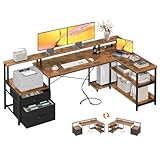
6. ODK 75 Inch L-Shaped Desk is the best storage-heavy command center
ODK 75″ L Shaped Desk with File Drawers, Work from Home Office Desk with Power Outlet, Reversible Computer Desk with Storage Shelves, Gaming Desk with Monitor Shelf, Corner WFM Table, Vintage
75 in L shape
2 file drawers
3 shelves
Built-in outlet and USB
Pros
- Two file drawers
- Three open shelves
- Monitor shelf
- Reversible configuration
Cons
- 60 lb overall weight
- Fixed 35 in height
The ODK is a 75-inch L-shaped fixed-height desk built for people whose workstation includes files, devices, and a lot of gear that needs a dedicated place. I would choose it over a clean minimalist desk when storage is part of the daily job rather than an afterthought.
It has two file drawers, three open shelves, a CPU stand, a monitor shelf, and a built-in outlet with USB ports. The return is reversible, letting you adapt the corner orientation, while the listed dimensions are 39.4 by 74.5 by 35 inches.
The 35-inch maximum and minimum height figures mean this is not a sit-stand desk; its geometry includes the monitor shelf as part of the overall height. Plan your screen placement carefully so the shelf produces a comfortable sightline for your chair and body rather than stacking the display too high.
At 60 pounds, it is not a casual one-person move after assembly. The record says clear instructions, included hardware, and tools are supplied, but the scale of the desk makes a clear assembly area and a helper a sensible plan.
The file drawers and shelves make paper-heavy work easier to contain
Two file drawers are the ODK’s clearest difference from the small storage drawers on compact desks. They give documents a defined home, while the open shelves and CPU stand keep larger equipment from consuming the main work surface.
This arrangement suits bookkeeping, schoolwork, a home business, or any office where folders cannot simply disappear into a single drawer. It also means you can leave the desktop for active work instead of turning it into long-term storage.
The built-in ports reduce charging clutter but still need a cable plan
Built-in power and USB connections bring charging closer to the desk, which is convenient for a phone, headset, or accessory. Route the lead from the desk to the wall with enough slack and a protected path so the corner remains neat and the chair wheels do not cross it.
The ODK is for a permanent office corner with a lot to organize. If you want a full-size L shape but prefer standing positions, the Casaottima is the better match; if you need a smaller L desk, the 47-inch Huuger below is easier to fit.
7. Huuger 47 Inch L-Shaped Desk is the best compact corner desk with charging ports
Huuger L Shaped Office Desk with Power Outlets & 3 Drawers
47 in L shape
220 lb stated capacity
3 drawers
4 AC plus USB-C
Pros
- Six charging connections
- Three fabric drawers
- 220 lb capacity
- X-back supports
Cons
- 17.7 in depth
- No height adjustment
The 47-inch Huuger L-shaped desk puts charging, drawers, and a corner shape into a smaller footprint. I would choose it for a student room, apartment corner, or compact home office that needs to charge a laptop and phone without adding another power strip on top.
Its power module has four AC outlets, one USB port, and one Type-C port. It also includes three fabric drawers, two shelves, reversible orientation, X-shaped rear supports, and a listed 220-pound maximum recommendation.
The workstation is fixed at 29.5 inches high, and its 17.7-inch depth is narrow. That dimension is perfectly workable for a laptop-centered setup or compact screen, but buyers with a bulky monitor stand should map the equipment on a table first to avoid an overly close display.
The desk holds a strong number-seven position in Home Office Desks in the supplied record. Its appeal is not an adjustable frame; it is the combination of a compact L shape, practical storage, and direct desktop charging.
The six charging connections simplify a laptop-and-accessory corner setup
Four AC outlets plus USB and Type-C give frequently charged devices a defined home. That can reduce cable sprawl, especially if the desk is against a wall outlet that is otherwise hard to reach.
Do not overload a convenient power module simply because it is close by. Reserve the connections for routine office accessories and keep leads routed behind or under the desk, where they do not interfere with knees, drawers, or chair movement.
The compact L shape works when a rectangular desk leaves a corner unused
The return creates a second work zone without requiring the 63- or 75-inch scale of the larger corner desks. It is good for a laptop on one side and handwriting, a small printer, or an accessory dock on the other.
The narrow depth is the deciding factor. Choose this Huuger if the room is tight and your gear is compact; choose a deeper desk if your work involves large monitors, broad drawing tablets, or a full desk-mounted audio setup.
8. PRAISUN 63 Inch L-Shaped Desk is the best fixed-height desk for files and a movable monitor shelf
PRAISUN 63 Inch L Shaped Desk with Power Outlets and USB-C Port, Computer Corner Home Office Desk with File Fabric Drawers and Movable Monitor Stand, Larger Storage, Gaming, Writing, Rustic Brown
63 in reversible L shape
2 fabric drawers
File hanging bar
4 AC plus USB-C
Pros
- Movable monitor stand
- File hanging bar
- USB-C and USB-A charging
- Rear crossbar
Cons
- Fixed 29.7 in height
- Two-person assembly recommended
The PRAISUN provides a 63-inch L-shaped surface with a movable monitor stand, two large fabric drawers, an open shelf, and a file hanging bar. I would put it near the top for a worker who needs a corner desk with real document organization but does not need an electric lift frame.
Its built-in strip has four AC outlets, one USB-C port, and one USB-A port. The desktop is FSC-certified wood according to the supplied features, and the product description lists reinforced steel tubing plus a rear crossbar for added stability.
The height is fixed at 29.7 inches, so chair adjustment and monitor placement carry more of the ergonomic workload. The movable monitor stand is helpful because you can raise the screen and position it where the L configuration makes the most sense, rather than accepting a permanently fixed shelf.
Assembly is required and two people are recommended in the product record. That is understandable for a 63-inch corner desk, but it reinforces a pattern from user discussions: measure, clear the room, inspect the parts, and budget calm time for setup instead of trying to finish it between meetings.
The file hanging bar gives paperwork a dedicated place in a home office
The fabric drawers include a hanging bar for A4 and letter-size folders, which is more purposeful than a shallow accessory drawer. That makes the PRAISUN a good option for someone who needs frequent access to documents but does not have room for a separate filing cabinet.
The open shelf can handle equipment or supplies that are used daily. Keep heavy objects low and do not allow the shelf to become a tangle of power bricks, since clean cable routing still matters on a desk with built-in charging.
The movable monitor shelf helps adapt the L shape to the way you face the room
A movable shelf gives you more freedom to position a monitor on the long run or the return. That is useful if daylight, wall placement, or the desk’s reversible orientation changes which side should become the main screen zone.
Select the PRAISUN when you want a roomy, fixed-height L desk with document storage and diverse charging. Select the Casaottima instead if standing is part of the plan, or the ODK if the built-in monitor shelf and additional open shelving fit your equipment better.
The right office desk starts with the room, your equipment, and how often you stand
The best choice is not automatically the largest desk or the one with the most ports. Start with the footprint, then decide whether height adjustment, storage, a corner return, or a compact depth matters most to your actual workday.
A desk needs enough width and depth for the equipment you use every day
For a laptop-only setup, a 47- to 55-inch desk can provide ample width, provided the depth leaves room for the keyboard and a comfortable view of the screen. For a monitor and laptop, or two compact displays, 23.6 to 24 inches of depth is a safer starting point than a 17.7- or 19.7-inch surface.
Measure the equipment rather than guessing. Put your display, keyboard, mouse, notebook, microphone, and charging dock on the floor in the rough arrangement you want, then add clear space around them; this reveals whether a rectangular desk is sufficient or an L-shaped workstation will make daily work easier.
Corner desks work especially well when you need two distinct zones. Put the primary computer area on one side and writing, files, or a second device on the return, but check both wall lengths and leave enough room to open doors and move a chair.
A standing desk is the right answer when you will use saved heights, not just admire the feature
An electric standing desk changes between seated and standing positions through its motorized frame. The Veken, Casaottima, HUANUO, and ErGear each list electric adjustment and memory settings, so they are built for people who expect to vary their working position.
Pick the height range by your body and chair rather than a generic claim. The models here span roughly 27.5 or 28.35 inches at the low end and 46.1 to 46.5 inches at the high end, but you should compare those numbers with your own seated elbow height and comfortable standing keyboard height.
Forum users often warn that a cheap motorized desk can become less stable over time, which is why frame material, stated capacity, and documented buyer feedback matter. The ErGear’s alloy-steel frame and 176-pound stated capacity, the HUANUO’s steel construction and equal listed capacity, and the Veken’s 154-pound recommendation give concrete starting points for matching gear to a desk.
A stable frame and sensible load placement matter more than a headline capacity number
A stated capacity tells you the maximum recommended load, not how stable a desk feels with monitors pushed to one side or a heavy clamp arm at the rear edge. Keep displays centered where possible, spread devices across the surface, and do not treat the full maximum as a target.
Wobble is the most repeated pain point in the supplied forum research. A heavier L desk can be a good permanent base, while an electric model needs a balanced top and a level floor; neither category is immune to poor placement or loose hardware.
After assembly, check each fastener again once the desk is upright and before mounting screens. If a desk has adjustable feet, use them to correct a floor that is slightly uneven, because even a capable frame can feel unstable when one leg is not planted.
Built-in storage should match the type of clutter you actually need to control
Drawers are useful for stationery, chargers, and small items, while file drawers or hanging bars are better for paperwork. The HUANUO has two drawers and an open cubicle; the ODK has two file drawers plus three shelves; the PRAISUN has fabric drawers with a hanging bar; and the Huuger L desk uses three fabric drawers.
Open shelves provide quick access but can become a visible dumping area. A desk with no drawers, such as the Casaottima, creates a cleaner furniture profile but benefits from a separate filing solution if the office handles documents.
Cable management deserves the same planning. Built-in ports and clips are convenient, but a good setup still routes wall power, monitor power, and data cables so nothing pulls tight when a standing desk rises or crosses the chair path on a fixed desk.
Assembly planning prevents the frustration buyers mention most often
Clear enough floor space to lay out the top, frame, hardware, and instructions before you begin. Large L-shaped desks and standing frames are much easier to assemble with another person, and the HUANUO and PRAISUN product details specifically recommend two people.
Bring the tools the listing calls for. Veken does not include assembly tools, whereas the ErGear, ODK, Huuger 55, and Huuger L records list tools or required hardware as included; that difference can save a stalled evening.
If a desk is going into a gaming corner as well as a work zone, think past the desktop itself. Our guide to a complete gaming setup under 1000 can help map the rest of the equipment around a desk with the right dimensions.
The answers below settle the most common office desk questions
What is the best office desk for home use?
The ErGear Height Adjustable Electric Standing Desk is the best office desk for home use in this list because it combines a 47.2-by-23.6-inch worktop, a 28.35-to-46.46-inch electric height range, four saved positions, and a 176-pound stated capacity. Choose a larger L-shaped model instead when you need separate zones for screens, files, or other equipment.
What desk do professionals recommend?
Professionals generally need a stable desk sized for their daily equipment. For a sit-stand workstation, the ErGear, Veken, HUANUO, and Casaottima offer electric adjustment; for paper-heavy work, the ODK and PRAISUN provide file-focused storage. The best match depends on screen count, room size, and whether standing positions are part of the routine.
How much should I spend on an office desk?
Set the budget after deciding on desk dimensions, height adjustment, and storage, not before. A simple fixed-height desk can meet a compact laptop setup, while electric frames, wider tops, corner returns, drawers, and built-in charging add functionality. Focus on a stable frame, adequate depth for your display and keyboard, and storage you will actually use.
What is the best standing desk brand?
There is no single best standing desk brand for every room. In this roundup, ErGear is the best all-round electric option with four presets and a 176-pound stated capacity, Veken offers a wider 55-inch top and a motor listed under 52 dB, HUANUO adds drawers, and Casaottima supplies an adjustable L-shaped surface.
How do I choose the right desk size?
Measure the wall, chair clearance, and every item that stays on the desk. A 47- to 55-inch rectangular desk fits many laptop or monitor setups, while a 23.6- to 24-inch depth gives more keyboard room than shallow desks. Choose an L shape when you need a second work zone, and keep doors, drawers, and cable routes clear.
The ErGear is the safest first pick for most home offices in 2026
The ErGear gives most people the right mix of a usable rectangular top, electric adjustment, four memory positions, and a 176-pound stated capacity. Move to the Veken if extra width matters, the HUANUO if desk-level drawers are non-negotiable, or the Casaottima if a standing L-shaped workstation fits the room.
For fixed-height workstations, the decision comes down to shape and storage: Huuger 55 is the simpler compact choice, while ODK, Huuger L, and PRAISUN bring a corner layout and more places for equipment. Match the dimensions to the room, keep the desktop load balanced, and choose the best office desks features you will use every day.