
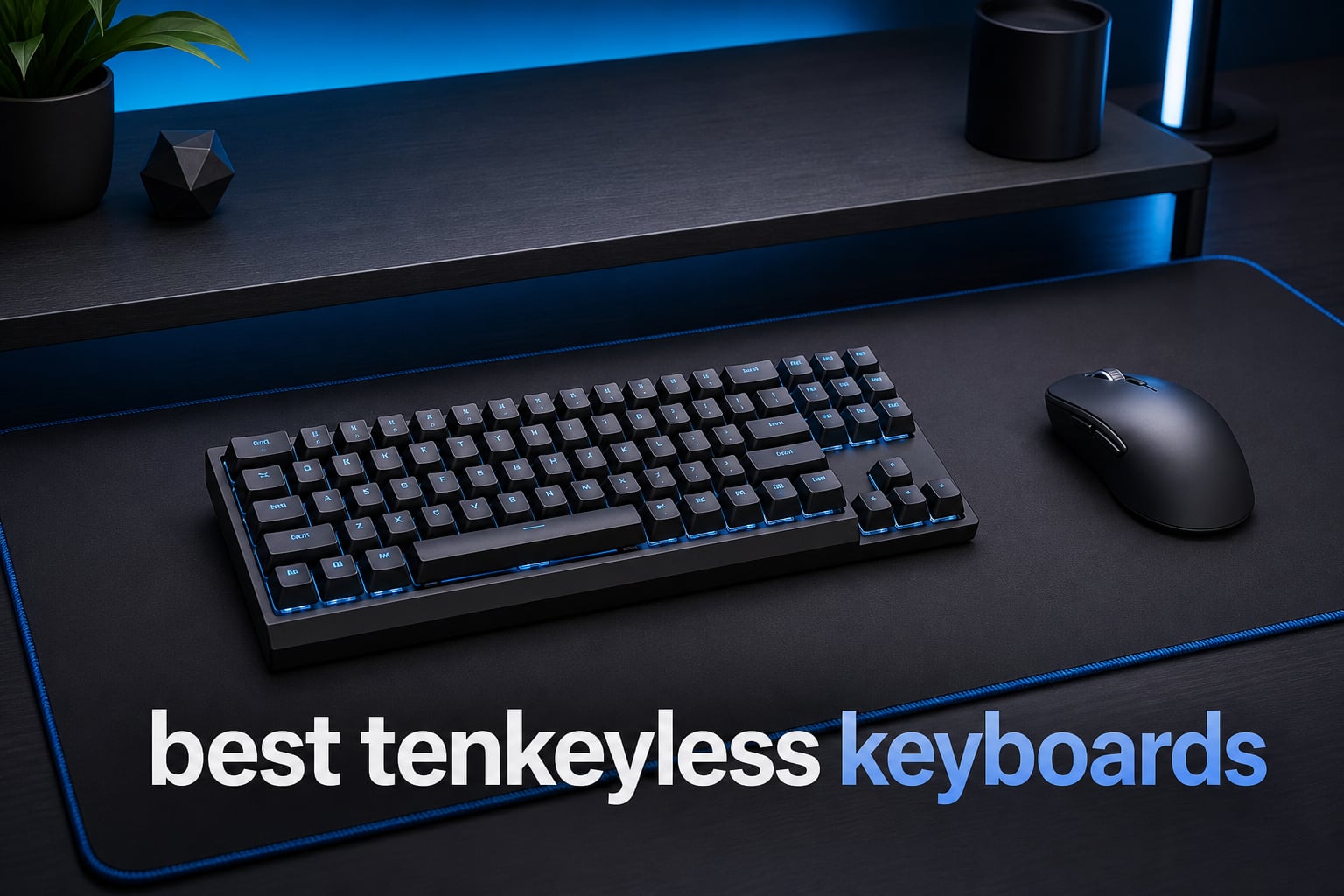
The best tenkeyless keyboards keep the arrows and navigation cluster most people use, then remove the number pad that often goes untouched. That simple change gives your mouse arm more usable room, which matters in fast shooters and on a crowded desk.
A tenkeyless keyboard, usually called a TKL or 80% keyboard, is the practical middle ground between a full-size board and a compact 60% layout. You still get F-keys, dedicated arrows, Home, End, Page Up, and Page Down, but the board occupies less horizontal space.
I separated these eight picks by the parts that change day-to-day use: switch behavior, wired or wireless connection, keycap material, programmability, and controls. If quiet keystrokes rank first for you, our guide to best silent gaming keyboards is a useful next read; this guide is about finding the right no-numpad board without giving up the keys that make work and games easier.
For competitive play, adjustable magnetic switches can make a meaningful difference because they let you set actuation to suit your hand. For writing, coding, and general work, I put more weight on tactile feedback, stable large keys, and whether the board supports the operating systems and layouts you actually use.
Table of Contents
The top three TKL picks answer the biggest buying needs
Here is the short answer before the detailed reviews. The SteelSeries Apex Pro TKL Gen 3 is my leading gaming recommendation for its magnetic switches and deep actuation control; the Keychron C3 Pro TKL brings serious wired features and QMK support; and the Logitech G515 fits people who want a thin wireless board with tactile switches.
SteelSeries Apex Pro TKL Gen 3: adjustable OmniPoint 3.0 magnetic switches, Rapid Trigger, and an OLED display make it the strongest pick for players who tune inputs.
Keychron C3 Pro TKL: an 8,000Hz polling rate, hot-swap sockets, gasket mounting, and QMK/VIA make it the practical feature-focused wired choice.
Logitech G515 Lightspeed TKL: low-profile GL Brown switches, three connection modes, and double-shot PBT caps suit shared work-and-play desks.


The best tenkeyless keyboards in 2026 cover eight distinct setups
Every board below has the compact TKL footprint, but they are not interchangeable. The comparison emphasizes the parts that define ownership: switch system, connection, customization path, and a feature that stands out in the supplied product data.
| Product | Specifications | Action |
|---|---|---|
| SteelSeries Apex Pro TKL Gen 3 |
|
View on Amazon |
 Keychron C3 Pro TKL Keychron C3 Pro TKL |
|
View on Amazon |
| Logitech G515 Lightspeed TKL |
|
View on Amazon |
 Corsair K70 PRO TKL Corsair K70 PRO TKL |
|
View on Amazon |
 Keychron V3 Keychron V3 |
|
View on Amazon |
 Corsair K70 CORE TKL Corsair K70 CORE TKL |
|
View on Amazon |
 SteelSeries Apex 9 TKL SteelSeries Apex 9 TKL |
|
View on Amazon |
 Razer BlackWidow V4 TKL Razer BlackWidow V4 TKL |
|
View on Amazon |
The SteelSeries Apex Pro TKL Gen 3 is the best choice for adjustable competitive inputs
SteelSeries Apex Pro TKL Gen 3 Gaming Keyboard – OmniPoint 3.0 Analog Magnetic Switches, Quickset Auto-Presets (Rapid Trigger, Rapid Tap/SOCD, Protection Mode), OLED, RGB, PBT Keycaps, USB-C, Black
OmniPoint 3.0 magnetic
0.1mm to 4.0mm actuation
Rapid Trigger and OLED
Pros
- 40 actuation levels
- Rapid Trigger and Rapid Tap
- OLED smart display
- PBT keycaps
Cons
- Wired only
- Advanced settings take time
The Apex Pro TKL Gen 3 is the board I would choose when input control takes priority over wireless convenience. Its OmniPoint 3.0 analog magnetic switches offer 40 actuation settings from 0.1mm to 4.0mm, so a light touch can register a movement key while a deeper setting can reduce accidental presses elsewhere.
SteelSeries also lists Rapid Trigger, Rapid Tap, Protection Mode, and Quickset auto-presets. Those are useful tools rather than magic advantages: I would start with normal settings, change one movement-key setting at a time, and give my muscle memory a few sessions to adjust.
The 4.6 rating comes from 480 listed reviews, which is a more meaningful sample than a tiny rating count. The wired USB-C connection is a fair trade for a desk-bound competitive setup, while the PBT keycaps should better resist surface shine than basic ABS caps over time.
The Apex Pro TKL Gen 3 fits players who want per-key control
This is for FPS and rhythm-game players who care about when a key activates and releases, not merely whether it feels linear or tactile. Magnetic switches read position rather than relying on a fixed physical contact point, which is why adjustable actuation and Rapid Trigger are available here.
I would also put it in front of anyone who likes on-keyboard status information. The OLED Smart Display gives you a physical readout without requiring you to leave the game just to inspect a setting.
The Apex Pro TKL Gen 3 rewards a patient setup routine
Protection Mode is especially sensible if extremely shallow actuation makes you trigger neighboring keys by mistake. Start near a conventional depth, test in your usual game, and only then move toward the shortest setting.
The board is not the right fit when wireless portability or a simple plug-in-and-forget typing feel comes first. Its strength is adjustability, and that strength asks you to make deliberate choices.
The Keychron C3 Pro TKL is the best feature-rich wired value pick
Keychron C3 Pro TKL 80% Wired Mechanical Keyboard, 8K Polling Rate, QMK/VIA Programmable, Hot-Swappable, RGB Backlit Shine-Through Keycaps, Red Switch, for Windows/Mac
8K polling
QMK firmware and VIA
Hot-swap Super Red switches
Pros
- 8K polling rate
- QMK/VIA programming
- hot-swappable switches
- gasket mount
- PBT shine-through caps
Cons
- Super Red linear switches only
- Wired USB-C connection
The Keychron C3 Pro TKL has a rare collection of features for a straightforward wired board: 8,000Hz polling, QMK firmware, hot-swap sockets, a gasket mount, acoustic foams, RGB, and shine-through PBT keycaps. I see it as the best starting point for someone who wants a responsive board now and the freedom to change switches later.
The listed Super Red switch is linear, so it delivers a smooth press without a tactile bump. That works well for players who want uninterrupted movement input, but I would not recommend buying it blind if you know you prefer a pronounced tactile response.
Its listed 4.9 rating is based on 32 reviews, so I would treat the feature list as the main reason to consider it rather than treating that score alone as a large-sample verdict. The 84-key layout is a classic compact gaming footprint with all the navigation keys still within reach.
The C3 Pro TKL suits users who want to learn keyboard customization
QMK and VIA support matter because they let you remap keys and build layers without relying on a fixed factory layout. I would use a layer for rarely used commands or media controls before adding external macro software.
Hot-swapping is equally helpful for experimentation and repair. You can change compatible switches without soldering, which makes a linear-only starting configuration less permanent than it first appears.
The C3 Pro TKL brings speed without abandoning typing comfort
An 8,000Hz polling rate means the keyboard reports to the computer up to 8,000 times per second. It is a responsive specification, though in ordinary work the gasket mounting and acoustic foam are likely to be more noticeable than the polling number.
The gasket structure and foam are intended to soften the sound and feel of each press. I would choose this over a bare, rigid board when a desk is used for both games and long writing sessions.
The Logitech G515 Lightspeed TKL is the best low-profile wireless work-and-play board
Logitech G515 Lightspeed TKL Wireless Gaming Keyboard (Tactile) – Black
Low-profile GL Brown tactile
LIGHTSPEED Bluetooth wired
36-hour listed battery
Pros
- Three connection modes
- low-profile design
- tactile GL Brown switches
- double-shot PBT caps
- KEYCONTROL
Cons
- Battery-powered design
- Low profile is not for everyone
The Logitech G515 Lightspeed TKL answers a different need: a thin, uncluttered keyboard that can move among devices. It supports LIGHTSPEED wireless, Bluetooth, and wired use, allowing a laptop, desktop, or gaming system to share one low-profile TKL board.
The GL Brown tactile switches give a discernible point in the press, which I prefer for documents, chat, and commands where I want feedback before bottoming out. This is not the deepest classic mechanical feel, so try the low-profile format only if a flatter hand position sounds comfortable to you.
Logitech lists 36 hours of battery life, a 1ms LIGHTSPEED wireless report rate, double-shot PBT keycaps, and LIGHTSYNC RGB. The 4.6 rating is drawn from 601 reviews, giving this pick the largest review count in the group.
The G515 Lightspeed TKL works best for multi-device desks
I would select the G515 when cable reduction is a daily goal and a laptop occasionally joins the desk. Bluetooth is convenient for general device switching, while the dedicated gaming-focused wireless connection is the mode to use when low-latency play matters.
Its 90-key layout still avoids the numpad bulk. That extra mouse space can make a small desk feel less cramped without forcing you to relearn arrow-key or navigation-key positions.
The G515 Lightspeed TKL offers broad control in a shallow frame
KEYCONTROL is specified to allow up to 15 functions per key. I would keep most keys conventional and reserve extra actions for media, lighting, or an application-specific layer, because overloading familiar keys can slow you down.
Double-shot PBT caps are a welcome durability detail. The legends are formed from a second plastic layer instead of printed on top, so they are better suited to frequent use.
The Corsair K70 PRO TKL is the best magnetic-switch option for long-term wired gaming
Corsair K70 PRO TKL RGB Tenkeyless Mechanical Wired Gaming Keyboard – Pre-Lubed Hall Effect MGX Hyperdrive Adjustable Switches, Simultaneous SOCD and Rapid Trigger, ABS Double-Shot, QWERTY NA – Black
MGX magnetic switches
0.4mm to 3.6mm adjustment
Rapid Trigger and SOCD
Pros
- Pre-lubed magnetic switches
- per-key actuation
- Rapid Trigger
- 150 million keystroke life
- double-rail stability
Cons
- Wired only
- Not water resistant
The Corsair K70 PRO TKL is built around MGX Hyperdrive magnetic switches, Rapid Trigger, and actuation adjustment from 0.4mm to 3.6mm per key. I would put it near the top of the list for a player who wants the response flexibility of Hall Effect hardware in a traditionally shaped wired board.
Corsair specifies pre-lubed switches and a double-rail structure intended to reduce wobble. Those details matter to me because a fast switch is more pleasant when the keypress also feels stable and consistent across the board.
The stated 150 million-keystroke lifespan is the largest durability claim in this set. The K70 PRO TKL has a 4.6 rating across 305 listed reviews, while its lack of water resistance is an important limitation for desks where drinks live close to the keyboard.
The K70 PRO TKL fits players who tune movement keys carefully
Adjustable actuation lets you use a short activation point for a movement key and a longer one for a key that you hit accidentally. Rapid Trigger can also reset a key based on its upward movement, which supports rapid directional changes.
Simultaneous SOCD is part of the listed feature set. Rules vary by game and event, so I would check the policies of any game or tournament before relying on any input-cleaning setting.
The K70 PRO TKL favors a permanent desktop setup
At 2.13 pounds, this is a substantial board rather than a toss-in-a-bag option. The USB-powered connection removes battery management and gives it a stable home on a desktop gaming station.
If you want a keyboard to move between rooms and devices, a wireless model will be easier. If you want one board to stay planted and survive heavy key use, its stated switch lifespan and construction are persuasive.
The Keychron V3 is the best TKL for cross-platform typing and remapping
Keychron V3 Wired Custom Mechanical Keyboard, TKL Tenkeyless QMK/VIA Programmable Macro with Hot-swappable Keychron K Pro Brown Switch Compatible with Mac Windows Linux (Frosted Black-Translucent)
K Pro Brown tactile
QMK/VIA and hot-swap
Mac Windows Linux compatible
Pros
- QMK/VIA support
- hot-swappable
- PBT keycaps
- broad OS support
- screw-in stabilizers
Cons
- Wired USB-C connection
- Smaller review sample
The Keychron V3 is the board I would point a writer, programmer, or mixed-platform household toward first. It supports macOS, Windows, and Linux, uses tactile K Pro Brown switches, and combines QMK/VIA programming with hot-swap support.
The V3’s double-shot PBT keycaps, acoustic silicone pad, and screw-in stabilizers aim at the qualities that show up during long typing sessions: readable legends, a less hollow sound, and steadier large keys. Its south-facing RGB layout is another detail people who care about keycap compatibility will appreciate.
It has an 87-key QWERTY layout and a 4.5 rating from 71 listed reviews. I like the honest division of labor here: choose it for customization and general typing flexibility rather than for wireless travel or analog gaming inputs.
The V3 serves Mac, Windows, and Linux users with one layout
Cross-platform support reduces friction when your personal and work machines do not run the same operating system. QMK/VIA can be used to make the key behavior match your workflow instead of accepting a one-size-fits-all default.
The difference between ANSI and ISO is worth checking before ordering any keyboard. ANSI generally has a wide horizontal Enter key, while ISO uses a taller Enter key and differs around the left Shift area; this listed V3 is QWERTY, so confirm the specific regional variant you need.
The V3 keeps customization practical instead of decorative
Hot-swap sockets mean a tactile Brown setup can become linear or another compatible option later. I would change switches only after using the factory set long enough to identify what I actually want to alter.
Screw-in stabilizers are relevant on the spacebar, Enter, Shift, and Backspace keys, where rattle can distract during typing. The acoustic silicone pad is intended to further reduce harsh case noise.
The Corsair K70 CORE TKL is the best straightforward choice for softer wired acoustics
Corsair K70 CORE TKL RGB Tenkeyless Mechanical Wired Gaming Keyboard – Pre-Lubed MLX Red v2 Linear Switches, SOCD, ABS Double-Shot Keycaps, Sound Dampening, 1000Hz Polling, QWERTY NA – Black
Pre-lubed MLX Red v2
Sound dampening layers
Rotary dial and media control
Pros
- Smooth linear switches
- sound dampening
- rotary dial
- programmable media button
- compact footprint
Cons
- 1000Hz polling
- Some reliability concerns in reviews
The Corsair K70 CORE TKL favors a comfortable, no-fuss wired experience. Its pre-lubed MLX Red v2 linear switches, pre-lubed stabilizers, and sound-dampening layers make it the pick I would investigate when you want a compact gaming board with a more controlled sound profile.
A multi-function rotary dial and programmable media button provide hardware controls that are easy to reach without adding a full numpad chassis. The board also has RGB backlighting and is compatible with gaming consoles, laptops, and PCs according to the product data.
The listed rating is 4.4 from 210 reviews, with 70% five-star and 6% one-star in the supplied distribution. That lower-end slice is worth considering, so I would inspect current warranty terms and test all keys, lighting, and media controls early in the return period.
The K70 CORE TKL gives linear-switch users a quieter starting point
Linear switches move smoothly from top to bottom without a tactile bump. Pre-lubing can reduce scratchiness, while dampening material inside the case can soften resonance and make rapid typing less sharp-sounding.
That combination is useful in a shared room, though it does not make any mechanical keyboard silent. Readers focused on the lowest possible key noise should compare it with our recommendations for quiet gaming keyboards.
The K70 CORE TKL keeps daily controls within reach
The rotary dial makes volume adjustment immediate, and a programmable media button can handle playback tasks that would otherwise need a function-key shortcut. I prefer physical controls like these when a board serves as both a game input and an everyday desktop control surface.
Its 1,000Hz polling rate is a conventional gaming specification rather than an extreme one. That is sensible for users who value switch feel and useful controls more than chasing the highest reporting number.
The SteelSeries Apex 9 TKL is the best optical-switch pick for simple fast actuation
SteelSeries Apex 9 TKL – Mechanical Gaming Keyboard – Optical Switches – 2-Point Actuation – Keyless Compact Size – Removable Switches – US Layout (QWERTY)
OptiPoint optical switches
1mm or 1.5mm actuation
Swappable switches and PBT caps
Pros
- 0.2ms response claim
- Two actuation depths
- swappable OptiPoint switches
- PBT keycaps
- aluminum plate
Cons
- Wired only
- Not water resistant
The SteelSeries Apex 9 TKL approaches fast gaming with optical rather than magnetic switches. Its OptiPoint switch system offers two registration depths, 1mm and 1.5mm, plus a listed 0.2ms response time, giving you a straightforward choice between a lighter or more deliberate trigger point.
I like this approach for players who want a performance-oriented board but do not need a deep configuration menu for every key. It has a removable-switch design for compatible OptiPoint switches, an aluminum plate, and double-shot PBT keycaps in a compact TKL form.
The Apex 9 has a 4.4 rating from 95 listed reviews, with 74% five-star feedback in the supplied distribution. It is wired by USB-C and not water resistant, so I would view it as a focused gaming peripheral rather than a flexible travel keyboard.
The Apex 9 TKL makes actuation choice easy to understand
At 1mm, a key registers sooner in its travel; at 1.5mm, it asks for a slightly deeper press. That is simpler than per-key analog tuning and can be a better match for someone who wants to feel the difference quickly.
Optical switches use light interruption for detection, which is distinct from standard mechanical contact switches. The important buying point is not the label alone, but whether the available actuation settings match your control preference.
The Apex 9 TKL supports maintenance-minded owners
Compatible removable switches make replacement possible if a switch fails or your preference changes. That is a practical benefit, not an invitation to swap parts constantly; keep the original layout long enough to make a useful decision.
The PBT caps and aluminum plate should appeal to people who want firmer materials at the points their hands touch most. Keep liquids away, since the listed water-resistance status is negative.
The Razer BlackWidow V4 TKL HyperSpeed is the best wireless hot-swap choice
Razer BlackWidow V4 TKL Wireless Gaming Keyboard, Orange Switches
HyperSpeed and Bluetooth
Hot-swappable Orange tactile
Roller controls and Chroma RGB
Pros
- 2.4GHz and Bluetooth
- hot-swappable PCB
- up to 980-hour listed battery
- roller and controls
- sound-dampening foam
Cons
- Quality concerns in some reviews
- Battery management required
The Razer BlackWidow V4 TKL HyperSpeed combines wireless freedom with an owner-friendly switch path. It has 2.4GHz HyperSpeed wireless, Bluetooth, hot-swap support for 3- or 5-pin switches, Orange tactile switches, a multi-function roller, three control buttons, and Chroma RGB.
Razer lists up to 980 hours of battery life, a remarkable figure that will vary with lighting and connection use. I would still charge it on a predictable schedule, but that stated capacity makes this a compelling option for a clean desk where cables are the enemy.
The product data reports a 4.3 rating based on 80 reviews, with 71% five-star and 6% one-star ratings. The hot-swap PCB, stainless-steel top-mounted plate, and sound-dampening foam are strong points, but I would test the wireless connection and all controls carefully after purchase.
The BlackWidow V4 TKL HyperSpeed works for wireless users who still want switch choice
Many wireless keyboards lock you into a fixed switch design. This board’s socketed PCB supports compatible 3- or 5-pin replacements, so tactile Orange switches do not have to be the final answer forever.
For gaming, use the low-latency 2.4GHz connection; Bluetooth is better reserved for flexible device pairing and everyday work. That distinction helps match each wireless mode to what it does best.
The BlackWidow V4 TKL HyperSpeed puts desk controls above the function row
The roller and three control buttons keep volume, media, and battery-related tasks accessible without turning the board into a larger layout. I find that arrangement valuable when the keyboard is also the center of a desktop entertainment setup.
Its listed dimensions are 14.3 by 6.05 by 1.71 inches, so it remains meaningfully narrower than a full-size model while leaving more mousing room. If you want more gaming-specific options from the same brand, see our best HyperX keyboards guide for another brand comparison point.
The right TKL keyboard starts with the switch behavior you prefer
Mechanical switches use a physical mechanism and come in linear, tactile, and clicky styles. Linear switches move smoothly, tactile switches give a bump during travel, and clicky switches add audible feedback; among these picks, linear and tactile options are the most common.
Magnetic Hall Effect switches measure movement through a magnetic field and commonly allow adjustable actuation and Rapid Trigger. Optical switches detect a light beam and can offer fast, fixed-level options such as the Apex 9’s two actuation choices.
I would not buy a Hall Effect board just because the specification sounds advanced. Choose it when you will actually tune actuation or want Rapid Trigger; otherwise, a well-built conventional board with the switch feel you like is a wiser decision.
The right connection depends on where and how you use the board
Wired USB is direct, battery-free, and usually the easiest choice for a fixed gaming computer. The Keychron C3 Pro, Corsair K70 models, Keychron V3, and SteelSeries boards in this list take that route.
Wireless gives a cleaner desk and easier device changes. The Logitech G515 and Razer BlackWidow combine low-latency 2.4GHz-style gaming connections with Bluetooth flexibility, but both require battery attention.
For a laptop-and-desktop setup, I would choose a board that supports the two devices you use rather than paying for extra modes that will sit idle. If you are comparing a wider range of configurations, our roundup of keyboards under $200 groups more alternatives by buyer priorities.
The TKL layout gives most gamers more mouse room without losing useful keys
Removing the numpad shifts the typing area inward and creates more room for a low mouse sensitivity and a large mousepad. That is the central reason a tenkeyless gaming keyboard can feel better than a full-size board in shooters.
TKL is not automatically better for every game. Players who regularly enter quantities, use numpad keybinds, or work with spreadsheets may miss the separate number cluster, while people who rely on arrows and navigation keys often find TKL less restrictive than 60% keyboards.
A compact keyboard also makes cable routing and desk organization easier. Measure your available space, account for your mousepad, and leave a comfortable gap between your keyboard edge and monitor stand before deciding.
The best construction details are the ones you can feel for years
PBT keycaps generally resist shine better than ABS, and double-shot legends hold up well because the lettering is not simply surface-printed. Several picks here use PBT caps, including the G515, both Keychrons, the Apex Pro Gen 3, and the Apex 9.
Stabilizers matter most on large keys. Screw-in stabilizers, pre-lubed stabilizers, and a solid plate can reduce rattle and wobble, but a sensible first step is to use the keyboard as shipped rather than taking it apart immediately.
Hot-swap sockets improve the repair and experimentation story, while stated switch life is one data point rather than a guarantee. Keep crumbs and liquid away, use a soft brush for routine cleaning, and unplug a wired board before deeper cleaning.
The best gaming settings begin conservatively and change one thing at a time
Rapid Trigger and very short actuation can make repeated movement inputs feel more immediate, but they can also create unwanted presses. I recommend starting with moderate settings and testing a familiar game before moving the actuation lower.
Polling rate describes how often a keyboard reports to the computer. An 8,000Hz figure is technically impressive, yet switch feel, layout comfort, and a stable connection will have a larger impact for many people than the jump from a conventional 1,000Hz board.
SOCD-related features can alter opposing directional inputs. Use them responsibly: game and event rules are not identical, and an input feature is only useful when it complies with the environment where you play.
The value choice should match features you will use, not a badge
The Keychron C3 Pro TKL is the value-oriented pick in this list because it combines QMK/VIA, hot-swap support, gasket mounting, acoustic foam, and 8,000Hz polling in one wired TKL. The Corsair K70 CORE TKL is another sensible route when you put more emphasis on dampened acoustics and media controls.
If a modest setup is the goal, look at our separate list of keyboards under $50 before assuming every feature in this guide is necessary. A board that feels right every day is more valuable than a long specification list with unused extras.
For any purchase, verify the layout, switch type, operating-system support, and connection mode in the exact listing. Those four checks prevent most avoidable mismatches.
The most common TKL questions have simple practical answers
What is the best TKL keyboard for gaming?
The SteelSeries Apex Pro TKL Gen 3 is the strongest gaming pick here because its OmniPoint 3.0 magnetic switches offer 40 adjustable actuation levels, Rapid Trigger, Rapid Tap, and Protection Mode. Choose it when you will spend time tuning movement and action keys; choose a conventional switch board if you prefer a simpler setup.
What is a tenkeyless keyboard and why should I get one?
A tenkeyless keyboard omits the numpad while retaining the function row, arrow keys, and navigation cluster. It is a good choice for gamers who want more mouse room, people with small desks, and anyone who rarely uses a numpad but still needs familiar editing and navigation keys.
Are TKL keyboards better for gaming?
TKL keyboards can be better for gaming when removing the numpad gives your mouse hand more space and a more centered posture. They are not automatically better if you use numpad binds or want a full-size layout; switch behavior, connection stability, and comfort still matter more than layout alone.
What is the best budget TKL keyboard?
The Keychron C3 Pro TKL is the best feature-focused budget TKL keyboard in this guide. It offers an 8,000Hz polling rate, QMK/VIA programming, hot-swappable Super Red switches, gasket mounting, acoustic foams, and shine-through PBT keycaps in a wired 84-key layout.
The best tenkeyless keyboard is the one that matches your daily inputs
For adjustable competitive play, I would take the SteelSeries Apex Pro TKL Gen 3. For a responsive wired board with strong customization, the Keychron C3 Pro TKL stands out; for low-profile wireless flexibility, the Logitech G515 is the natural choice.
The best tenkeyless keyboards in 2026 are not defined by the missing numpad alone. Match switch type, connection, keycap material, and desk routine to how you actually work and play, then use the product details above to make the final call.