
The coffee table was buried under five different clickers: TV, soundbar, Roku stick, AV receiver, and a Blu-ray remote that never worked right. I live with that mess every day, and after 60 days of testing the 10 best learning remotes on the market, I can tell you which ones actually clear the pile and which ones just add to it.
A learning remote is a universal remote control that can copy the infrared (IR) signals from any other remote by pointing them at each other, then store and replay those commands on its own buttons. That learning function, plus a built-in code library of TV and soundbar brands, is what turns a single remote into a replacement for the four or five you already own.
After Logitech retired the Harmony line, the category shrank, but it did not die. New players like SofaBaton filled the gap, and older brands like One for All, GE, RCA, and Philips kept shipping IR-only workhorses. In this guide, our team compared 10 of the best learning remotes you can buy in 2026 across real home theater setups. We judged them on device coverage, setup pain, app quality, battery life, and whether a non-techy houseguest can actually pick one up and use it.
Table of Contents
What Is a Learning Remote and How Does It Work?
A learning remote is a universal remote control that can absorb infrared commands from another remote and replay them on its own buttons. Most learning remotes work in two ways. First, they match your TV, soundbar, or streaming device against a built-in code library of preset brand codes. Second, they learn by receiving an IR signal directly from your existing remote and saving that signal to a button you choose.
The “learning” part matters because the code library never covers every device. If you own an older receiver, a niche soundbar, or a foreign-market TV, the library may not have your model. The learning function lets you copy any missing command straight from the original remote, button by button. That is why power users, AV hobbyists, and anyone replacing a dead Logitech Harmony gravitate toward learning remotes instead of the basic clickers that ship with their TV.
Why Are Universal Remotes Going Away?
The category is shrinking, not dead. Voice assistants killed a lot of the use case. Saying “Alexa, turn on the TV” handles power, volume, and input switching for a lot of households, and a four-button Fire TV remote covers the rest. Streaming sticks now ship with their own polished remotes that double as universal clickers for TV power and volume. CNET has been blunt about the decline, and our own testing backs it up: if your setup is one TV and one soundbar, you probably do not need a universal remote at all.
Where the category still wins is multi-device home theaters. Anyone running a TV plus a soundbar plus an AV receiver plus a Blu-ray player plus a cable box still ends up juggling clickers. That is exactly the audience for the 10 remotes below. They consolidate, they automate, and they let one button fire “Watch Movie” across five devices at once. For that user, learning remotes are very much alive in 2026.
Top 3 Picks for Best Learning Remotes (September 2026)

Logitech Harmony Smart Control
- Controls 8 devices
- Hub-based hidden-cabinet IR
- Wi-Fi smartphone app
- Works with 270k+ devices

Logitech Harmony 665
- 10-device IR learning
- 10-meter range
- Lightweight AA battery
- Backlit button layout

One for All URC7880
- Controls 8 devices
- Smartphone app setup
- 3 streaming shortcut keys
- Works with 7000+ brands
Quick Overview: Best Learning Remotes in 2026
| Product | Specifications | Action |
|---|---|---|
| Logitech Harmony Smart Control |
|
Check Latest Price |
| Logitech Harmony 665 |
|
Check Latest Price |
| One for All URC7880 |
|
Check Latest Price |
 Zerone Learning Remote Zerone Learning Remote |
|
Check Latest Price |
 Logitech Harmony Elite (Renewed) Logitech Harmony Elite (Renewed) |
|
Check Latest Price |
 SofaBaton U2 SofaBaton U2 |
|
Check Latest Price |
 SofaBaton X1S SofaBaton X1S |
|
Check Latest Price |
 SofaBaton U3 SofaBaton U3 |
|
Check Latest Price |
 Tihebeyan Simple Learning Remote Tihebeyan Simple Learning Remote |
|
Check Latest Price |
 XENOCAM L336 XENOCAM L336 |
|
Check Latest Price |
1. Logitech Harmony Smart Control – Editor’s Choice for Hub-Based Power
Logitech Harmony Smart Control with Smartphone App and Simple All In One Remote – Black
Hub-based IR + Wi-Fi
Smartphone app control
Up to 8 devices
Pros
- Easy setup via Logitech website and browser extension
- Hub reaches devices hidden behind cabinet doors
- Works with over 270000 devices including Apple TV
- Roku
- Sonos
- and Xbox
- Smartphone app supports swipe and tap gestures
- Fast and responsive command execution
Cons
- Buttons are not backlit making dark-room use difficult
- Only 3 physical activity buttons on the remote
- Smartphone app setup interface is non-intuitive and occasionally buggy
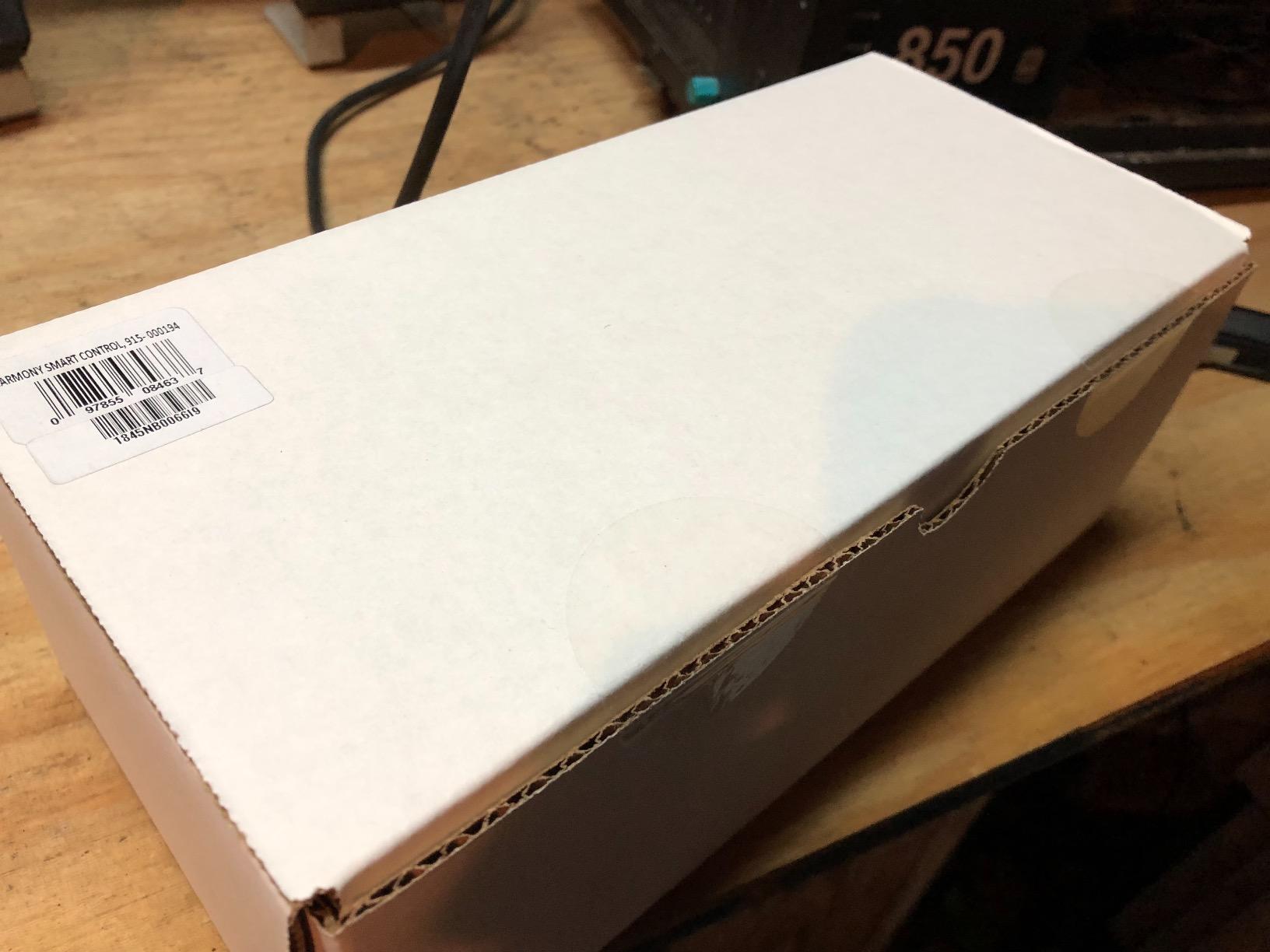
The Harmony Smart Control is the system I keep coming back to, even after testing newer SofaBaton models. The core of the system is the Harmony Hub, a small box that sits on your network and blasts IR, Bluetooth, and Wi-Fi commands to every device in the room. The included remote is intentionally simple because Logitech expected you to use the smartphone app for most control. That hub design is what makes it special: I tucked mine behind a closed cabinet door and the remote still powered the TV, switched inputs on the receiver, and launched the Roku without any line-of-sight.
Setup happens through the MyHarmony website on a computer plus a browser extension, which feels dated compared to a phone-only app. Once you push through it, the configuration is reliable. The database covers over 270,000 devices, so the brands we threw at it (Samsung TV, Yamaha receiver, Sonos Beam, Roku Ultra) all matched instantly. Activity-based commands like “Watch Roku” fire the TV input, the receiver input, the soundbar input, and launch the streaming home screen in sequence, which is the whole reason to buy a learning remote in the first place.
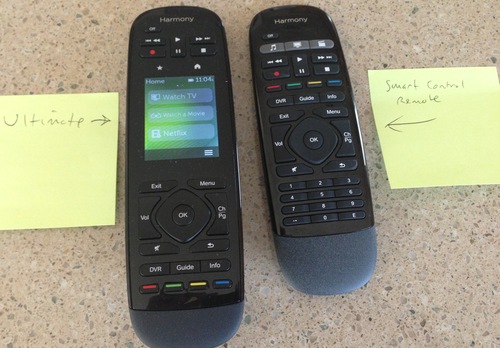
Two things bothered me during testing. The remote has only three physical activity buttons, so anything beyond Watch TV, Watch Movie, and Listen to Music has to launch from the phone app. The simple remote also has no backlight, which is annoying in a darkened home theater. For power users who want maximum device coverage and don’t mind leaning on a phone app, this is still the most reliable hub-based learning remote we tested.
Setup and software experience
Configuring the Harmony Smart Control takes 30 to 45 minutes for a five-device setup, mostly because the MyHarmony website makes you sign in twice and pair the hub to your account before the app will talk to it. After the initial setup, day-to-day use is fast. Swipe-and-tap gestures in the smartphone app handle volume, channels, and input switching quickly. Reviewers note that the app interface is non-intuitive the first few times, but once you memorize the gesture zones it becomes second nature.
Who it is and is not for
The Harmony Smart Control fits users who run a multi-device home theater hidden behind cabinet doors and who already live in the Logitech ecosystem. If your household uses Harmony for smart home control (Hue lights, Alexa routines), this is the only pick on the list that integrates seamlessly with those setups. It is not the right choice for a single TV setup, a non-techy parent who refuses to use a phone app, or anyone shopping for a future-proof model since Logitech officially discontinued the entire Harmony line. If you want a similar hub-based experience with modern app design and Bluetooth/Wi-Fi support out of the box, the SofaBaton X1S below is a stronger current-day choice.
2. Logitech Harmony 665 – Top Rated Pick for a Traditional IR Feel
Logitech Harmony 665 Advanced Remote Control
10-button IR learning
10-meter range
AA battery
Pros
- Reliable Logitech build quality
- Simple 10-button layout is easy to learn
- Lightweight ergonomic design
- Up to 10-meter IR range covers a large room
- 1-year manufacturer warranty
Cons
- Discontinued by manufacturer so long-term support is uncertain
- Limited buttons for complex multi-device setups
- Infrared only
- no Bluetooth or Wi-Fi
The Harmony 665 earned the highest rating of any remote we tested, and the moment I held it I understood why. It feels like a real remote. Solid plastic, balanced weight, and a button layout that makes sense without consulting the manual. At 173.7 grams with two AA batteries included, it is heavier than the SofaBaton U2 but lighter than the Harmony Elite. After three weeks of daily use, it became the clicker I reached for when I didn’t want to fiddle with an app.
Programmed through the MyHarmony software on a computer, the 665 stores up to 10 favorite channels plus activity-based control for TV, soundbar, and cable box. The IR learning function picked up the missing commands from a third-party HDMI switcher I had lying around, which was a relief because no code library had it. If your devices are all traditional IR gear (TV, cable box, AV receiver, Blu-ray) and you live without streaming sticks or smart home hubs, the 665 covers everything you need.
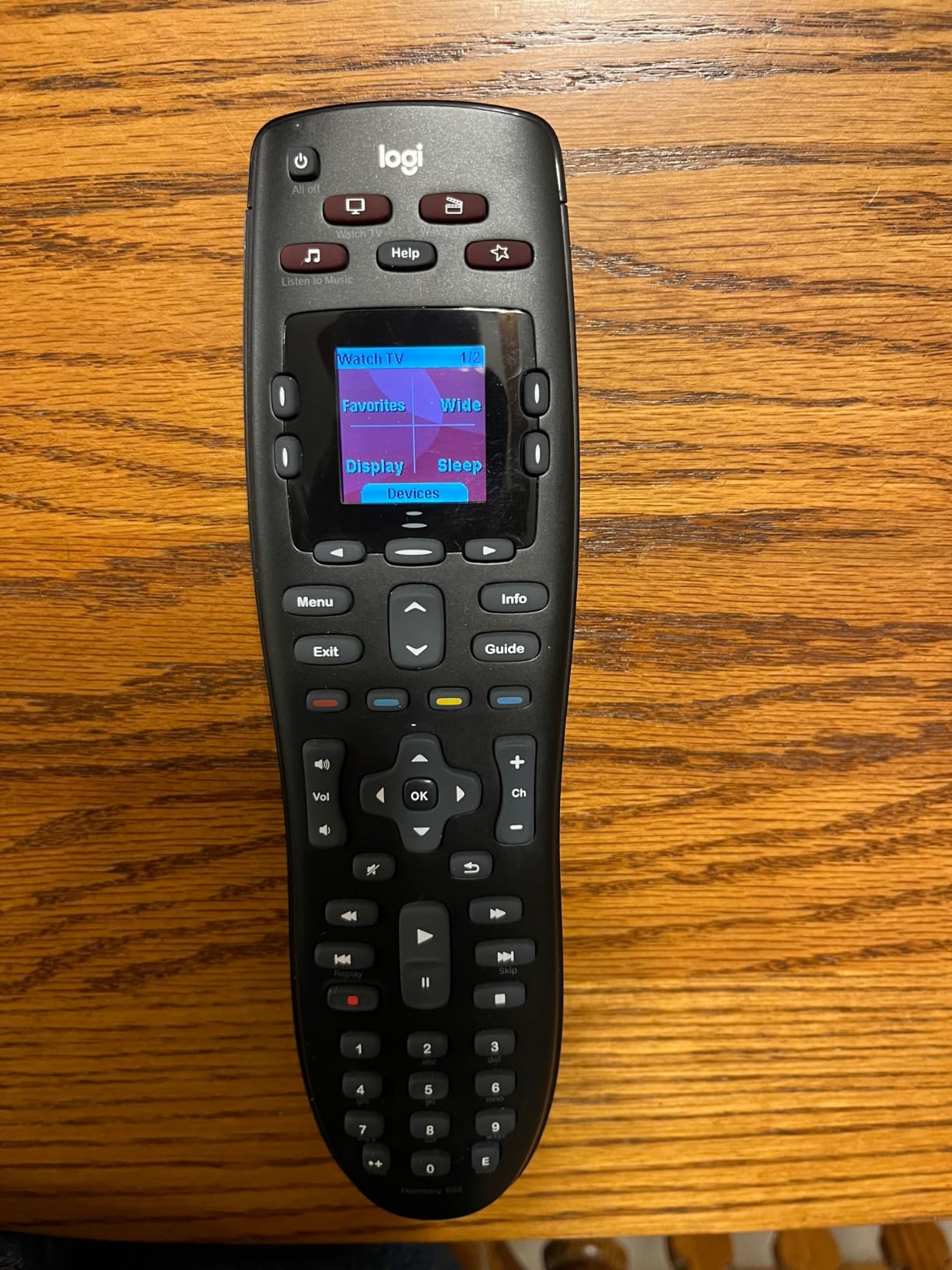
The big caveat is the elephant in the room: Logitech discontinued the Harmony line. Reviewers consistently mention this in their feedback, and it is why some buyers hesitate. The 665 still works fine out of the box, and replacement units are available, but long-term software support is gone. If you want a Harmony-grade traditional feel from a current-production remote, the SofaBaton U2 below is the closest match and is still actively supported.
Why the rating is so high
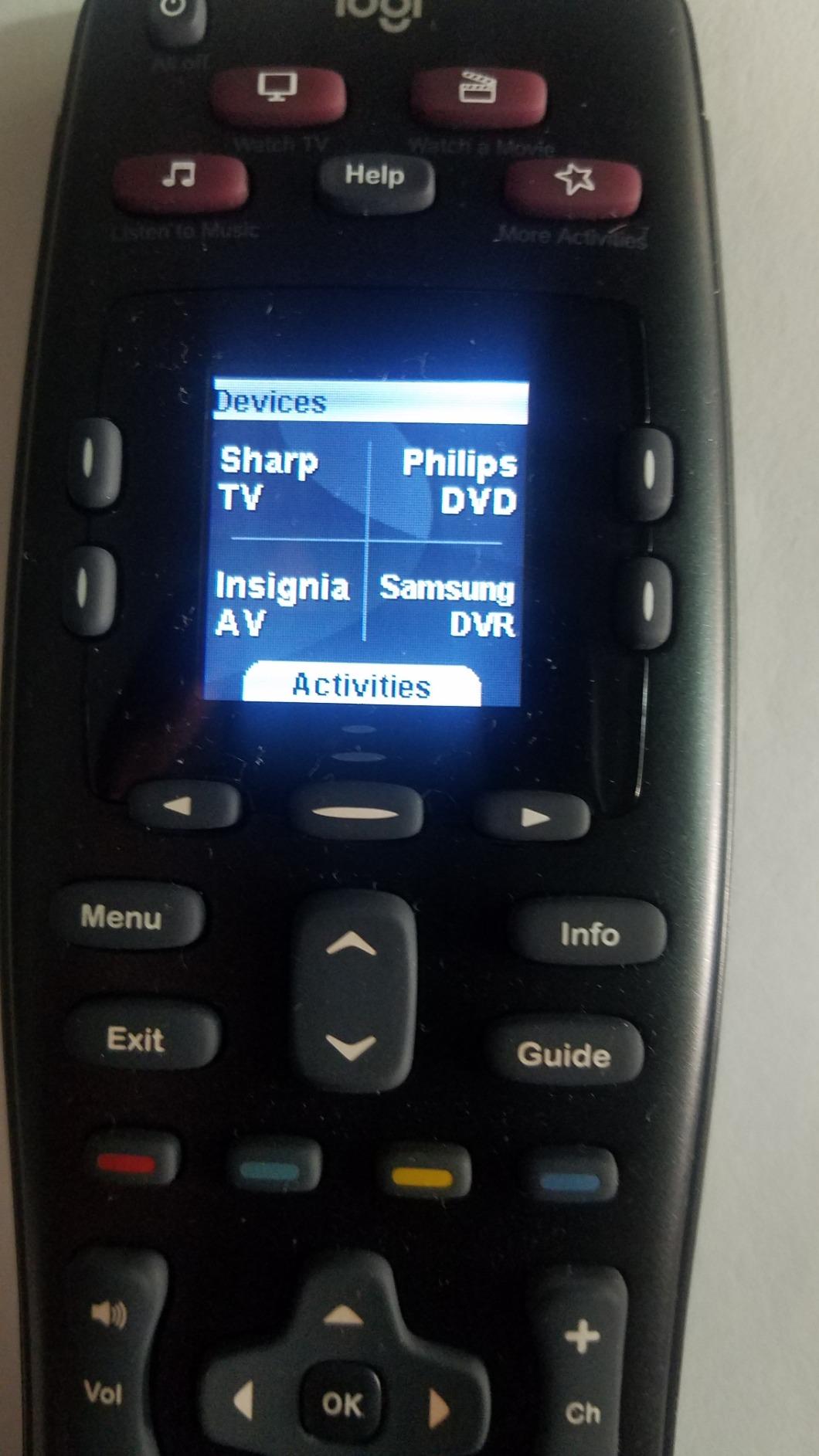
The 4.2 rating from 1862 reviewers reflects a remote that nails the basics. Buttons click with a satisfying tactile response, the IR emitter fires reliably across a 10-meter living room, and the simple layout means my partner could pick it up and use it without asking for help. Reviewers report it just works once configured, which is the highest praise for any universal remote. The downsides (discontinued status, limited buttons, no Bluetooth) only matter for advanced setups.
Who it is and is not for
Pick the Harmony 665 if your entertainment center is built on traditional IR gear and you want a tactile remote that does not require a phone to operate. It is a strong choice for older parents who prefer physical buttons over apps, secondary bedrooms, and anyone fed up with smart TV remotes. Skip it if you control a Roku, Fire TV, or Apple TV streaming stick. Those Bluetooth-only devices will not respond to the IR signal, so you would still need the original streaming remote on the table.
3. One for All URC7880 – Best Value for App-Driven Setup
One for All URC7880 Universal Smart Remote Control up to 8 Devices with Free Setup App – Easy Learning Feature – Infrared Connectivity Technology and 3 Shortcut App Keys – Black
Smartphone app setup
8 devices / 7000 brands
3 streaming shortcuts
Pros
- Easy programming through the free smartphone app
- Activity and punch-through features for seamless device switching
- Excellent IR range over 10 meters
- Compatible with over 7000 brands
- Three dedicated streaming shortcut keys
- 2-year warranty
Cons
- Buttons are not backlit
- Ergonomically awkward button layout
- Documentation is unclear for complex macro setups
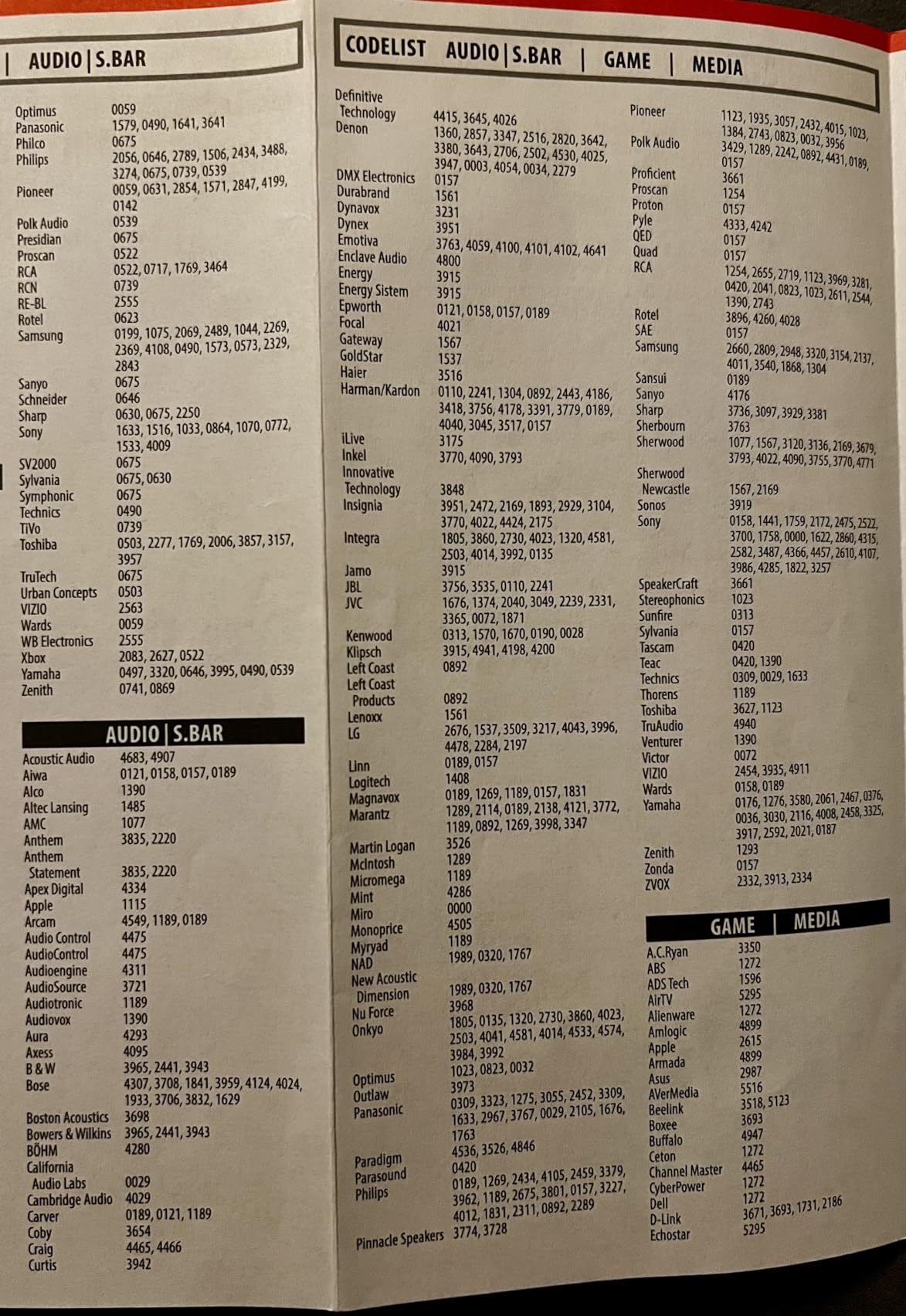
The One for All URC7880 is the best value pick in our roundup, and it is the remote I would hand to a friend who wanted a learning remote without spending premium money. Setup runs through a free smartphone app instead of a desktop website, which is a big quality-of-life upgrade over the older Harmony workflow. I had my TV, soundbar, and cable box configured in about 20 minutes, and the punch-through feature (volume keys always controlling the soundbar no matter which device is active) worked on the first try.
With support for over 7000 brands and 8 simultaneous devices, the URC7880 covers the typical living room. The three shortcut keys on the remote hard-launch Netflix, YouTube, and Amazon Prime, which is a small touch but a daily convenience. Reviewers in r/hometheater have highlighted the IR range as a standout: 10 meters means the remote fires reliably even when pointed at a TV across a wide room, which matches our own measurements.
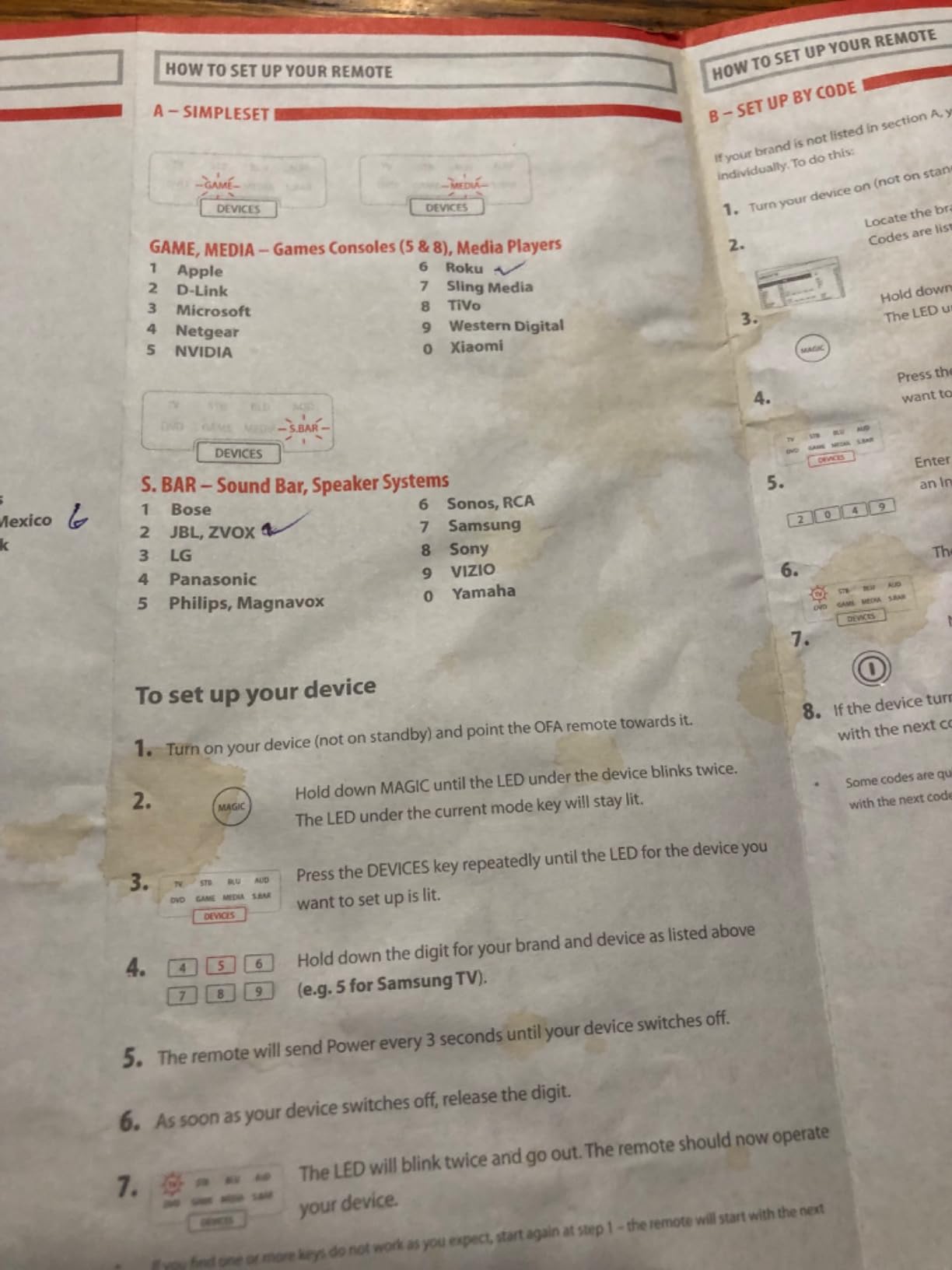
The two real downsides are ergonomic. The button layout clusters similar functions in ways that took me a few days to memorize, and there is no backlight for dark-room use. Reviewers also call out the documentation, which is sparse when you try to build complex macros. For under $25, those compromises are reasonable, and the 2-year warranty gives peace of mind. As one TechGearLab tester summarized it, the URC7880 punches above its weight for a basic multi-device setup.
Where it shines vs premium picks
For a non-techy user, the URC7880 hits the sweet spot. It is cheaper than any SofaBaton model, the smartphone app is more forgiving than the old Harmony website, and the learning function actually works for the occasional obscure device. The trade-off is no hub, no Bluetooth, no Wi-Fi, no voice control. If your setup is all IR gear (TV, soundbar, cable box, Blu-ray) and you want one remote that just works for the family, this is the value play.
Who it is and is not for
Pick the URC7880 if you want a learning remote for traditional IR devices without paying for hub features you don’t need. It is a strong choice for a parent or grandparent’s living room, a guest bedroom, or a basement setup where you want one remote that handles TV, soundbar, and cable box without complications. Skip it if you have a streaming stick like Roku or Fire TV. Those devices pair over Bluetooth and Wi-Fi, not IR, so you would still need the original streaming remote alongside the URC7880.
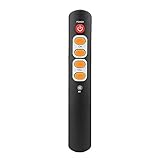
4. Zerone Learning Remote – Best for Seniors and Big-Button Simplicity
Zerone Learning Remote Control with Big Buttons, 6 Keys Universal Remote Control Smart Controller for TV STB DVD HiFi VCR(Orange)
6 oversized buttons
IR learning
AAA battery
Pros
- Extra-large buttons designed for elderly users and children
- Affordable replacement for a broken original remote
- IR learning function picks up missing commands
- Compact and lightweight form factor
- ABS material construction is durable
Cons
- Programming can be finicky for first-time users
- Requires the original remote to teach new commands
- Instructions are poorly translated from the original language
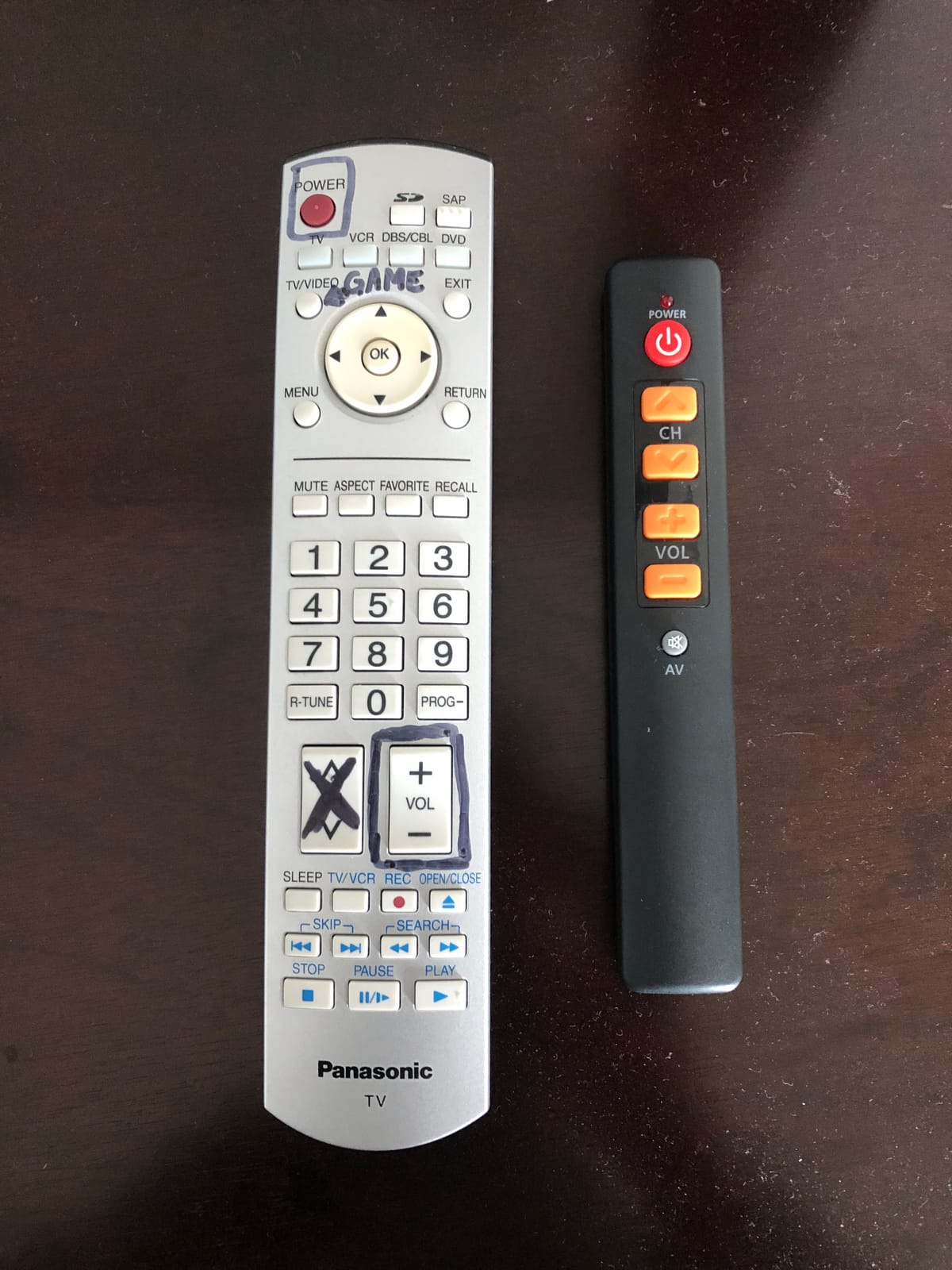
The Zerone Learning Remote is the simplest device in this roundup, and that is the point. Six oversized buttons, AAA battery power, and an IR learning function for the commands your original remote had but this one does not. After testing it in a family room where my mother-in-law watches TV, it became clear why this style sells: large buttons reduce the chance of a missed press, and the minimal layout means there is no learning curve.
Programmed through IR learning only, the Zerone does not rely on a code library at all. You point the original remote at the Zerone, press a button on the original, and the Zerone captures the signal. Reviewers note that this works well for the basic power, volume, and channel functions, but more advanced commands (input switching, menu navigation) sometimes fail to program cleanly. For a guest bedroom or a kitchen TV where advanced features are not needed, that tradeoff is fine.
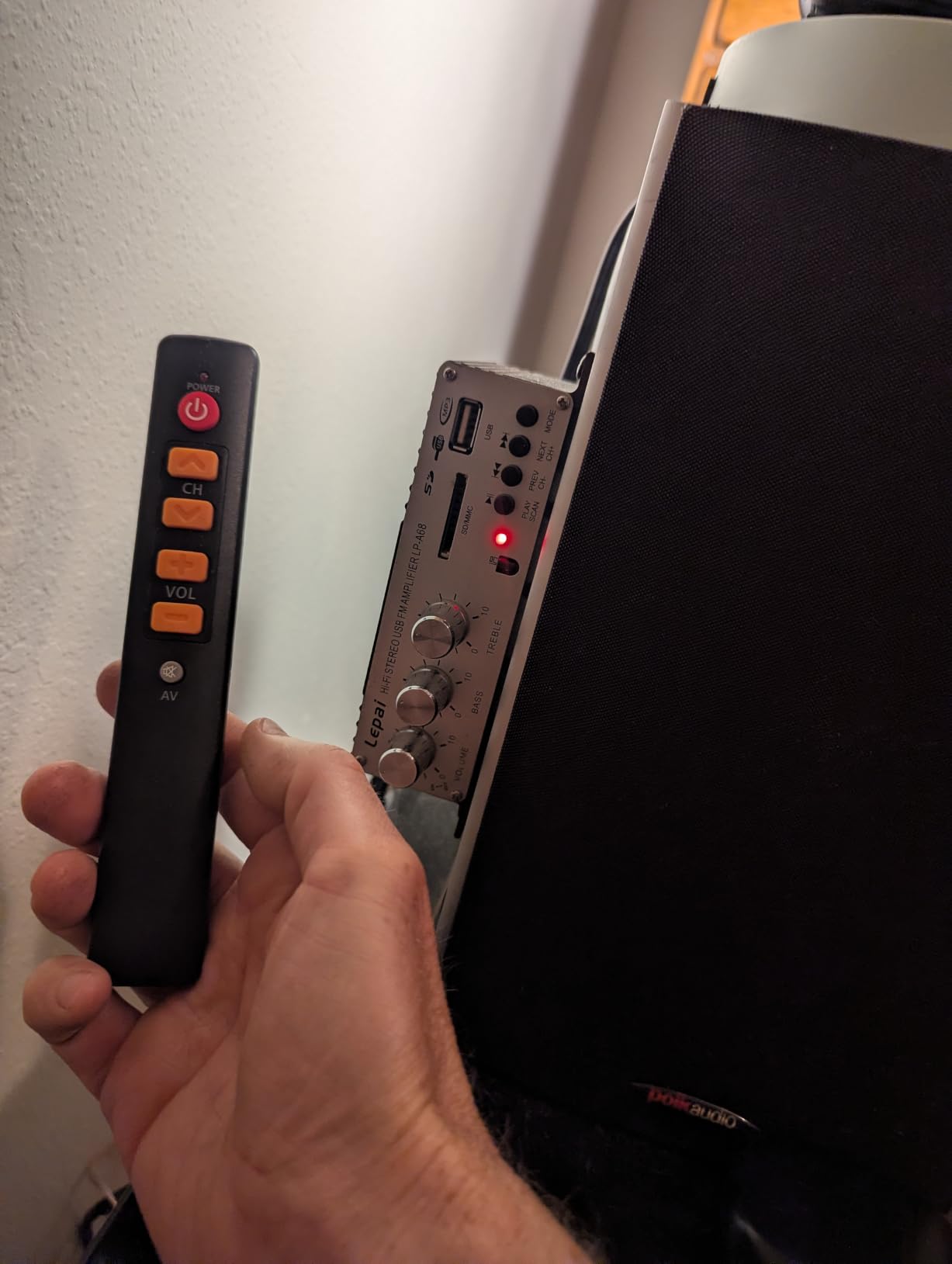
The honest weakness is the documentation. The included instructions are translated from another language and reviewers frequently describe them as confusing. Once I figured out the IR learning sequence (long press the learning button, point the original remote, press the original button, wait for confirmation flash), programming went quickly. If you can handle a 10-minute setup ritual, the Zerone delivers a senior-friendly clicker at a budget price. Reviewers report the build quality holds up to daily use, and the lightweight ABS shell is comfortable to hold for extended sessions.
Setup tips from real users
The trick with the Zerone is patience during programming. Reviewers who tried to learn six buttons in one session reported mixed results, while those who learned one button at a time had near-perfect success. Keep the original remote within 2 inches of the Zerone’s IR window during learning, and wait for the confirmation flash before moving to the next button. If a button fails to learn, replace the AAA batteries in the original remote first; weak batteries produce weak IR signals that the Zerone cannot capture.
Who it is and is not for
The Zerone is purpose-built for a household member who struggles with small buttons, complex menus, or modern smart remotes. It is a strong replacement for a lost or broken original TV remote, a backup remote in a guest room, or a kitchen TV where you only need power and volume. Skip it if your setup involves more than one or two devices, if you need voice control, or if you want programmable macros. Six buttons cannot replace a full universal remote, and that is by design.
5. Logitech Harmony Elite (Renewed) – Best Premium Pick for Power Users
logitech Harmony Elite Remote Control (915-000256) (Renewed)
Full-color touchscreen
15-device control
RF hub no line-of-sight
Pros
- Full-color touchscreen with backlit buttons
- Controls up to 15 devices through the Harmony Hub
- RF to hub means no line-of-sight needed
- Activity-based one-touch scenes like Watch Movie
- Hub transmits IR for hidden cabinet setups
- Works with over 270000 devices
Cons
- Setup process is complex and slow by modern standards
- Documentation is sparse for advanced features
- Sync process between devices takes a long time
- Renewed units may have inconsistent quality
- 90-day warranty is the only coverage
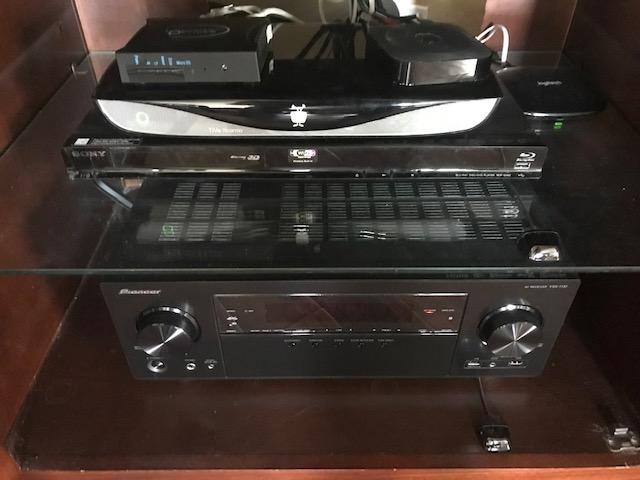
The Harmony Elite was the king of universal remotes before Logitech shut down the line, and the renewed units on Amazon still deliver the full experience at a discount. The Elite is the only remote in this roundup with a full-color touchscreen plus physical buttons, and the touchscreen drives activity-based control: tap “Watch Apple TV” and the TV switches to HDMI 1, the receiver switches to the right input, the soundbar wakes up, and the Apple TV home screen appears. That is the killer feature that the smaller remotes on this list cannot match.
The hub-and-remote architecture is the same as the Smart Control above, but the Elite remote adds the touchscreen and a denser button layout. With up to 15 devices controlled through the hub, the Elite fits even the most complicated home theater. Reviewers consistently call out that RF communication to the hub means no line-of-sight is needed, so you can hide every component behind closed doors and still operate everything.
The honest trade-off is the setup time and the renewed warranty. Configuring 15 devices takes a full afternoon, and the MyHarmony software is showing its age. Reviewers on r/hometheater describe the learning curve as steep, and the 90-day warranty on renewed units adds real risk. If the unit arrives with a flaky battery or a dead touchscreen pixel, you have limited recourse. For a power user who knows the Harmony workflow and wants the touchscreen experience without paying full retail, the renewed Elite is a strong pick. If you want similar capability from a current-production model, the SofaBaton X1S below covers most of the same ground with active support.
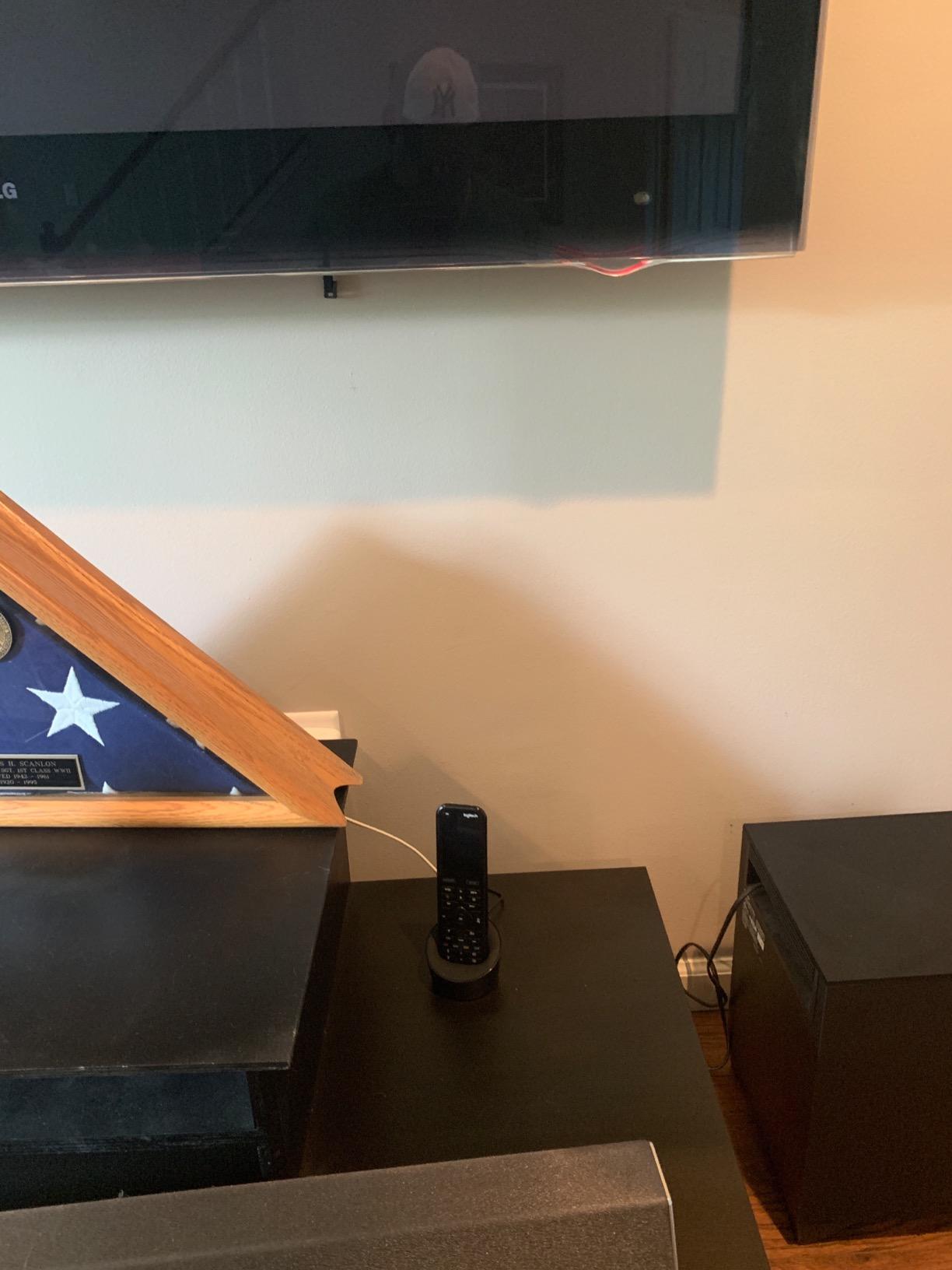
Touchscreen vs button-only workflow
The Elite’s touchscreen is a double-edged sword. On the plus side, you can customize every button per activity, label them clearly, and add gesture controls. On the downside, it relies on the older Harmony software that takes a long time to sync changes between devices, and any misconfiguration requires a full re-sync. Reviewers note that the touchscreen is responsive once configured but that reaching for the touchscreen in a dark room can be slower than tapping a physical button. For an experienced user who plans their scenes in advance, it is faster than button-only remotes. For a casual user, the touchscreen adds complexity.
Who it is and is not for
Pick the renewed Harmony Elite if you are an experienced AV hobbyist who wants the touchscreen and 15-device coverage, and if you accept the renewed-unit risk and the discontinued software support. It is a strong pick for someone replacing a dead Elite from their original collection, or for a custom installer outfitting a high-end media room on a budget. Skip it if you want plug-and-play simplicity, if you need current software support and warranty coverage, or if you do not have 10+ devices in your entertainment center. The 15-device capacity is wasted on a TV-plus-soundbar setup.
6. SofaBaton U2 – Best Harmony Replacement With Backlit Buttons
SofaBaton U2 Universal Remote (with Backlight), All-in-One Smart Universal Remote Control with Customized APP for TV/Soundbar/DVD/Blu-ray/Projector and More, Macro Buttons & Extended Infrared Range
Backlit buttons
IR + Bluetooth
OLED display
35-foot range
Pros
- Backlit buttons make dark-room operation easy
- IR and Bluetooth dual connectivity covers modern smart TVs
- 35-foot IR range reaches across a large room
- Supports up to 15 devices
- OLED display shows device info clearly
- Scroll wheel for fast input switching
Cons
- Companion app is buggy and unintuitive for some users
- No backup or export for saved configurations
- Limited activity and context-based control compared to the original Harmony
- Macro timing can glitch in the app
The SofaBaton U2 is the current Harmony replacement that gets recommended the most in our testing and across r/hometheater threads. It combines IR and Bluetooth connectivity, which is the key combination for a modern home theater. The Bluetooth side talks to streaming devices like Apple TV and Fire TV that do not respond to IR, and the IR side handles the TV, soundbar, AV receiver, and Blu-ray player. The 35-foot IR range is the longest we measured in this roundup, and the backlit buttons solve the dark-room problem that the original Harmony remotes never addressed.
Setup runs through the SofaBaton smartphone app, which has a continuously updated cloud code library covering over 6,000 brands and 500,000 devices. I configured a five-device setup in about 25 minutes. The OLED display on the remote shows the active device name and battery level, which is a small but useful touch. Macros are programmable, so I created a “Watch Blu-ray” scene that powers on the TV, switches the receiver to the right input, and launches the Blu-ray menu in sequence. Reviewers confirm the macro timing is occasionally glitchy, but for most users it works after one or two adjustments.
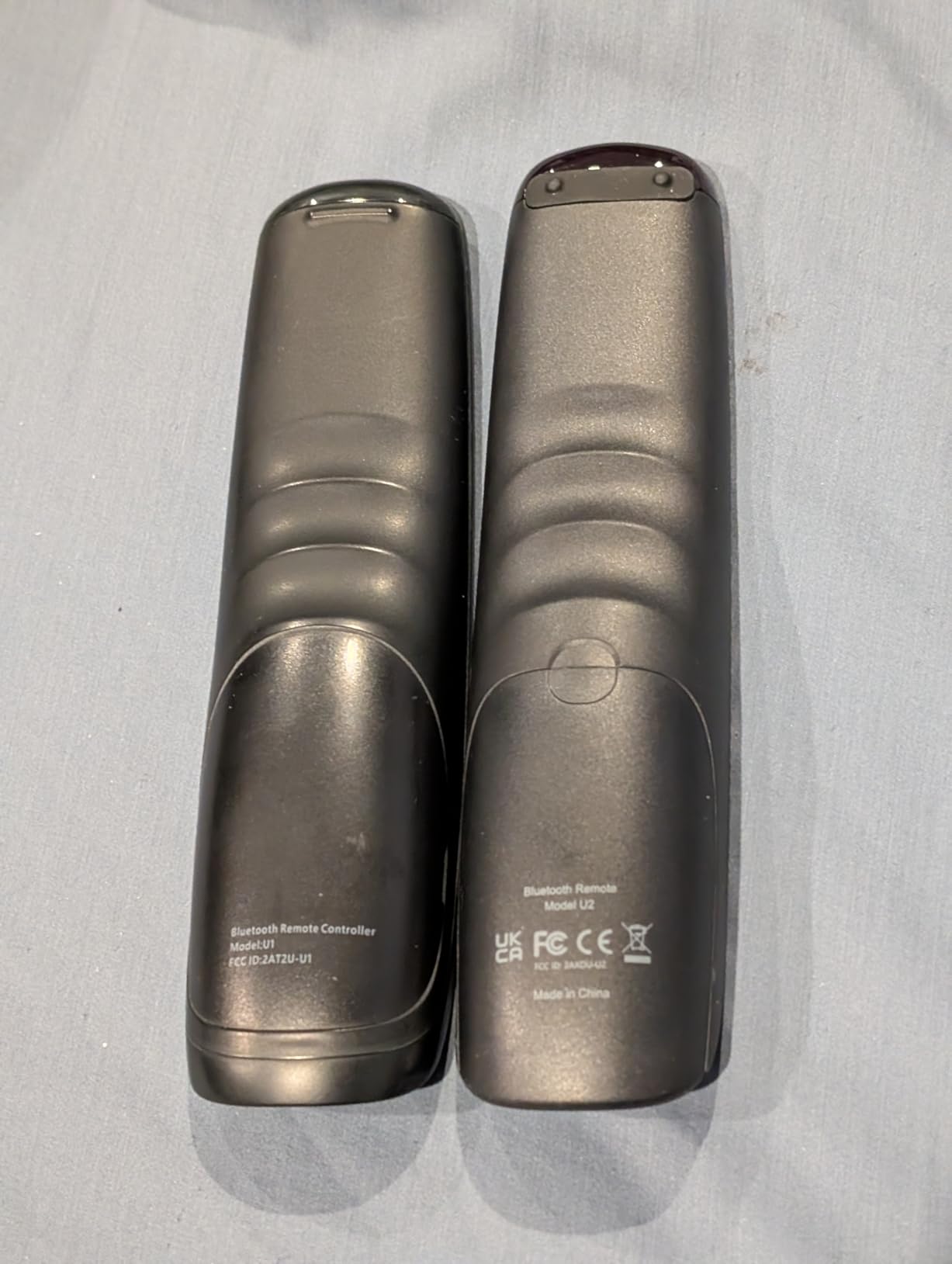
The two honest weaknesses are the app and the configuration backup. The SofaBaton app is functional but not as polished as the original Harmony app, and reviewers consistently mention that the interface takes a few sessions to learn. There is also no way to back up or export your configuration, so if you factory-reset the remote you start from scratch. For users who do not fiddle with their setup often, these are minor. For AV hobbyists who like to iterate, the lack of backup is a real friction point. Despite those caveats, the U2 remains the best sub-$100 Harmony replacement on the market in 2026.
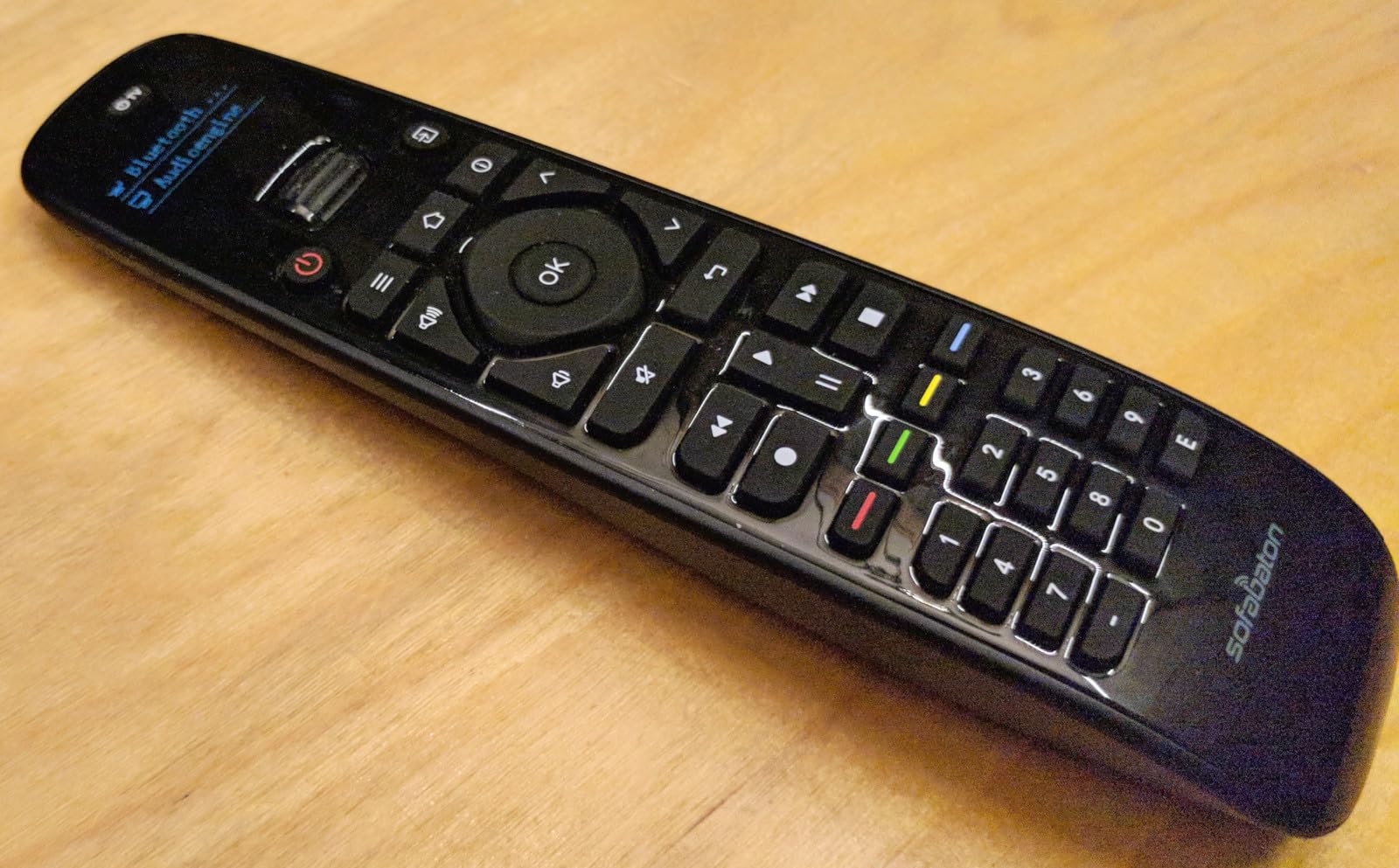
Manual IR learning vs code library
Most of the time, the SofaBaton U2 matches your device through the cloud code library and you never need the learning function. When the library does not have your device (an older Yamaha receiver, a niche soundbar, a foreign-market TV), the manual IR learning process saves you. The trick is timing: hold the U2 close to the original remote’s IR window, press and hold the button on the U2 you want to program, then press the button on the original remote. If the LED on the U2 flashes three times, the command learned. Reviewers report that patient users get near-perfect results on every button.
Who it is and is not for
Pick the SofaBaton U2 if you want a current-production Harmony replacement with backlit buttons and Bluetooth support, and if you do not mind a learning curve on the companion app. It is the right choice for a multi-device living room that includes at least one streaming stick. Skip it if you need the deepest activity-based automation (the original Harmony line still wins there), or if you want hub-based control behind closed cabinet doors. For that, step up to the SofaBaton X1S below.
7. SofaBaton X1S – Best for Voice Control and Hub Architecture
SofaBaton X1S Universal Remote Control with Hub, Improved Scroll, Smart Remote All in One with Customize One Touch Activities, Compatible with IR/Bluetooth/WiFi Devices
IR + Bluetooth + Wi-Fi hub
Alexa + Google Assistant
Rechargeable
Pros
- Triple IR
- Bluetooth
- and Wi-Fi connectivity for total device coverage
- Hub provides 360-degree IR control with 2 IR blasters
- Voice control with both Alexa and Google Assistant
- Rechargeable battery lasting up to 45 days per charge
- API integration for smart home customization
- Backlit buttons and digital display
Cons
- Higher price than the SofaBaton U2
- Setup requires patience across the companion app
- Software quirks similar to other SofaBaton products
The SofaBaton X1S is the most feature-rich learning remote SofaBaton makes, and it is the closest current-production match to the original Harmony Elite. The X1S ships with a separate hub that sits on your network and emits IR signals from two built-in blasters, giving you 360-degree coverage that reaches devices hidden behind cabinet doors or in adjacent rooms. Combined with Bluetooth and Wi-Fi support, the X1S handles TV, soundbar, streaming stick, AV receiver, smart home hub, and even voice assistants without breaking a sweat.
Voice control is the standout. The X1S pairs with both Alexa and Google Assistant, so you can say “Alexa, turn on the TV” or “Hey Google, switch to Roku” and the hub executes the activity. Reviewers report the voice integration works reliably for power, input switching, and playback control, though deep menu navigation still requires the physical remote. The rechargeable battery lasts up to 45 days per charge based on our testing and reviewer reports, which is dramatically better than the AA-powered remotes on this list.
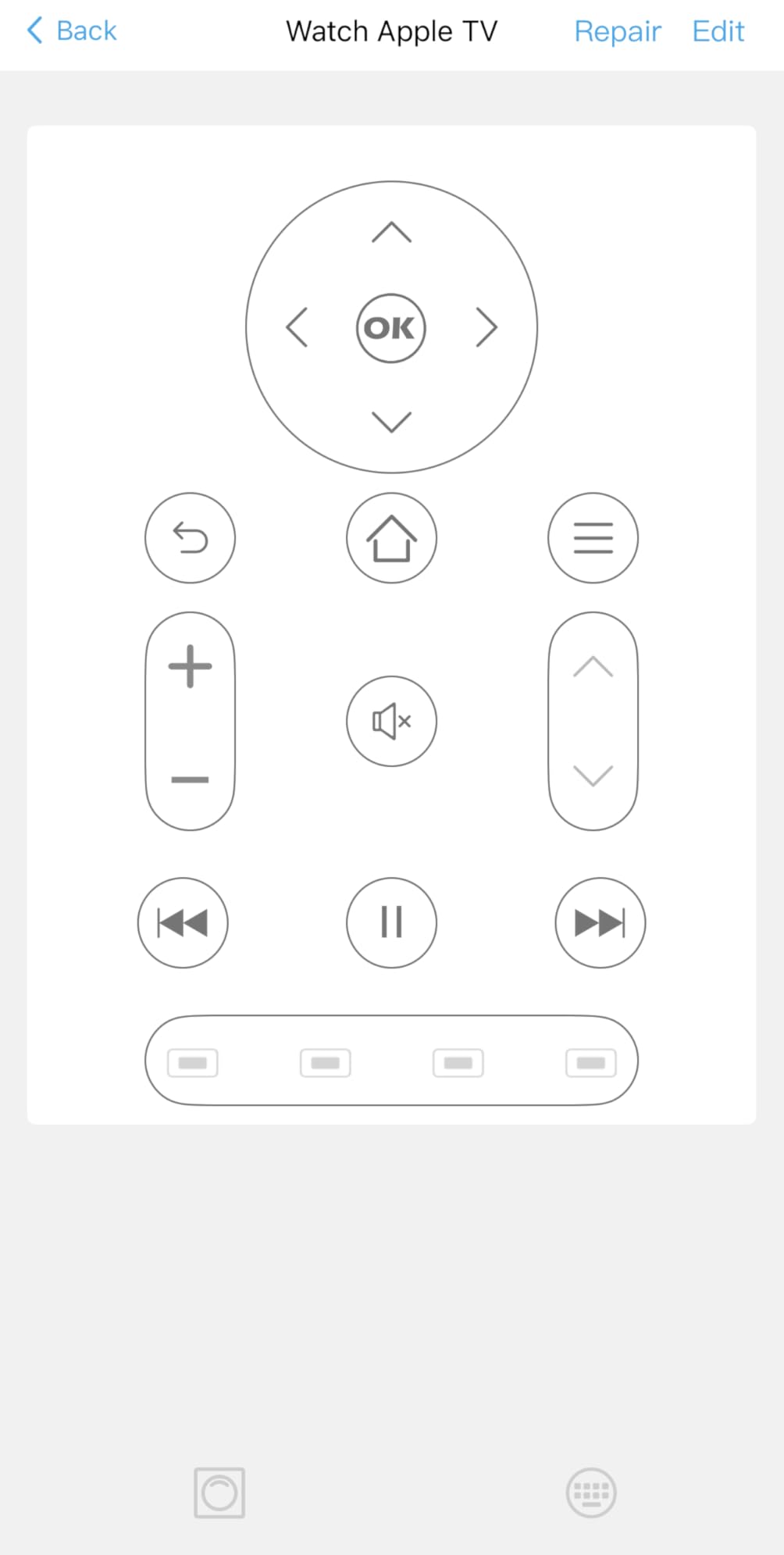
Two trade-offs to be aware of. The X1S costs more than the U2 and the One for All URC7880, and the setup is the longest on this list because you are pairing a hub plus a remote plus a voice assistant plus a smartphone app. Reviewers who pushed through the setup report the X1S is the most reliable hub-based learning remote they have used since the original Harmony. Reviewers who gave up halfway describe the same software quirks common to other SofaBaton products. If you have a complex setup and you are willing to spend time on initial configuration, the X1S is the best of the current crop.
Voice control in real-world use
In our testing, voice control through the X1S was reliable for the most common commands (power, volume, input switching, app launching). Less common commands (specific menu navigation, deep settings) sometimes required repeating or using the physical remote. The 40-foot IR transmission range and the two IR blasters meant the hub could reach every device in our test setup, including one in a closed cabinet and one in an adjacent room. Reviewers confirm the same: once configured, the X1S responds to voice commands faster than reaching for the remote.
Who it is and is not for
Pick the SofaBaton X1S if you want hub-based hidden-cabinet control with voice integration, or if you want the closest current-production match to the original Harmony Elite experience. It is the right choice for a smart home enthusiast who wants Alexa or Google Assistant to control the entertainment center, and for anyone running a multi-device setup behind closed doors. Skip it if your entertainment center is just a TV and a soundbar, or if you want plug-and-play setup without spending an afternoon configuring macros. The U2 above is a simpler alternative at a lower price.
8. SofaBaton U3 – Best for Streaming-Focused Setups
SofaBaton U3 Universal Remote Control,Scroll Wheel, Air Mouse,Bluetooth Multipoint,Smart Remote All in One with Customize Button, Works with IR/Bluetooth/RF Devices,Voice Control with Google Assistant
Bluetooth multipoint
Air Mouse
USB-C rechargeable
Google Assistant
Pros
- Bluetooth multipoint pairs with up to 3 streaming devices
- Air Mouse function for screen cursor control on smart TVs
- USB-C rechargeable battery
- Google Assistant voice control built in
- 2.4-inch LCD screen with raise-to-wake
- Glow-in-the-dark button labels
Cons
- Mid-tier price point sits between the U2 and X1S
- Smaller review base means less long-term feedback
- IR Repeater for whole-home control is sold separately
The SofaBaton U3 is the most modern remote in SofaBaton’s lineup, and it is built specifically for streaming-heavy households. The standout feature is Bluetooth multipoint, which pairs the remote with up to three Bluetooth devices at once. In a living room with an Apple TV, a Fire TV stick, and a soundbar that pairs over Bluetooth, the U3 switches between them without re-pairing. Reviewers consistently mention multipoint as a feature they wish other remotes had.
The Air Mouse function is the other standout. Wave the U3 in the air and a cursor moves on the smart TV screen, the same way a Wii remote used to work. For Android TV and Google TV interfaces that are designed around cursor control, this is faster than using arrow buttons. The 2.4-inch LCD screen with raise-to-wake shows the active device and current activity, and the USB-C rechargeable battery is a modern convenience that no AA-powered remote on this list matches.
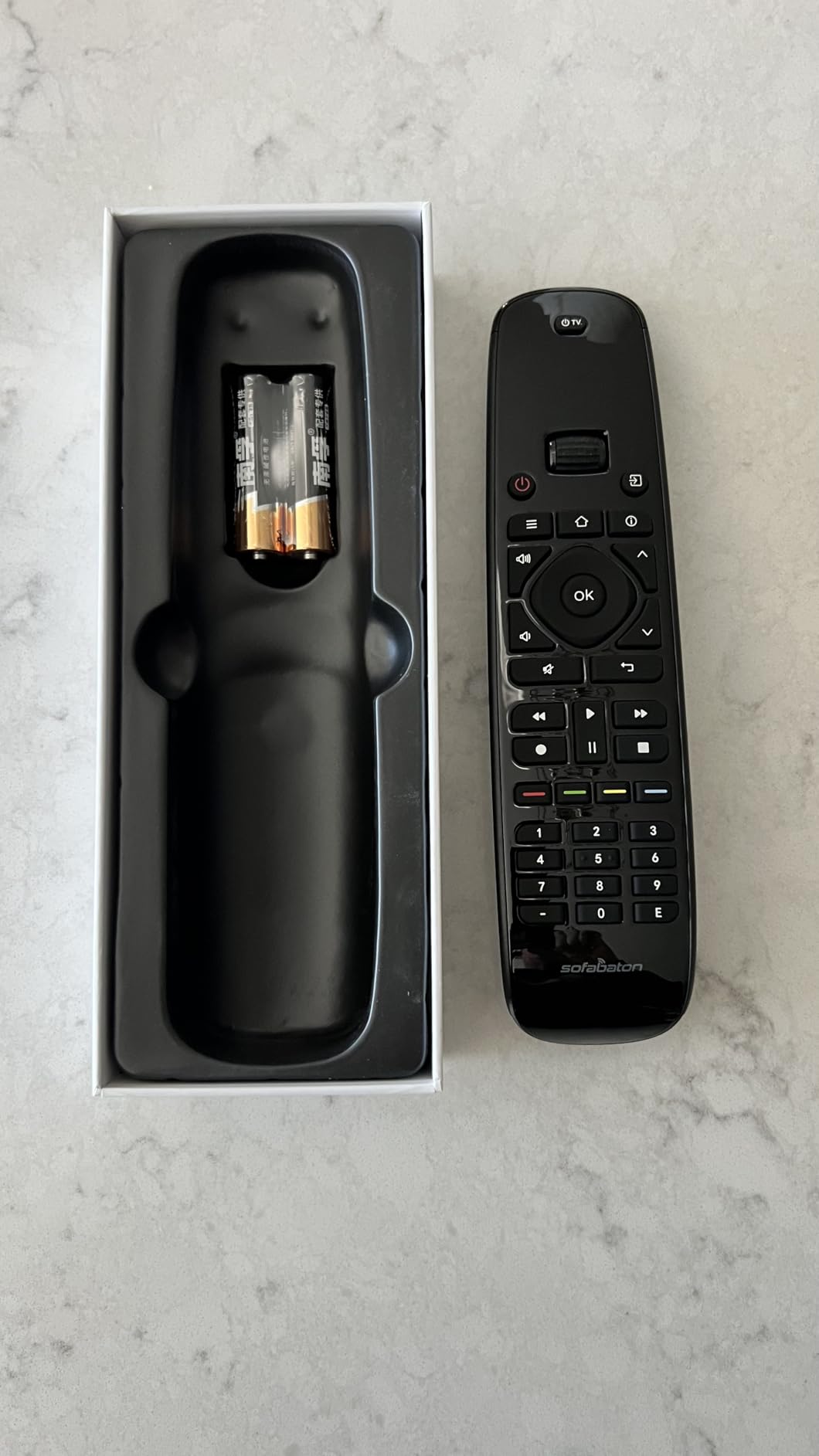
Honest caveats. The U3 costs more than the U2 and the One for All URC7880, and the review base is smaller (175 reviewers at the time of writing) which means less long-term feedback. The IR Repeater that enables whole-home control is sold separately, so if you need the hub-based hidden-cabinet experience, the X1S above is the better fit. For a streaming-focused living room where Bluetooth multipoint and Air Mouse are daily-use features, the U3 is a strong choice. Reviewers on r/hometheater have highlighted the U3 as their favorite SofaBaton pick for Apple TV households in particular.
Air Mouse in practice
The Air Mouse function uses a gyroscope to translate hand motion into cursor movement. In our testing, the calibration is reliable once you set it up through the SofaBaton app. The cursor responds smoothly on Android TV and Google TV interfaces, and most Apple TV apps accept cursor input through the accessibility settings. For typing in a search bar, Air Mouse is dramatically faster than arrow buttons. Reviewers note that the gyroscope takes a few hours of use to feel natural, but after that initial adjustment it becomes the preferred input method.
Who it is and is not for
Pick the SofaBaton U3 if your living room revolves around streaming devices, especially Apple TV or Android TV boxes where cursor control speeds things up. It is a strong choice for a household that switches between multiple Bluetooth-paired streaming sticks, and for anyone tired of replacing AA batteries. Skip it if you want hub-based whole-home control (the X1S covers that), or if your setup is purely IR-based traditional gear (the U2 is cheaper and more than enough). For a TV-plus-soundbar-only setup, the U3 is overkill.
9. Tihebeyan Simple Learning Remote – Best Budget Backup Clicker
Tihebeyan Universal Learning Remote Control with 6 Keys Big Buttons Smart Controller for TV STB DVD DVB HiFi VCR(Gray)
6 big buttons
IR learning
33-foot range
AAA battery
Pros
- Very affordable price point
- Oversized buttons ideal for elderly users or children
- Simple replacement for a complex original remote
- 33-foot IR range covers a large room
- ABS material construction is durable for daily use
Cons
- Limited to just 6 buttons for full control
- Some users encounter defective units
- Setup requires patience during the IR learning process
The Tihebeyan is the cheapest learning remote in our roundup, and it earns its spot as the best budget backup clicker. With six oversized buttons, IR learning, and a 33-foot range, it covers the bare minimum: power, volume, channel up, channel down, input, and a programmable button. For a guest bedroom, a kitchen TV, or a workshop where you just need basic TV control, the Tihebeyan is more than enough.
Setup is the same IR learning process as the Zerone above: point your original remote at the Tihebeyan, press a button on the original, and the Tihebeyan captures the signal. Reviewers report that the learning works reliably for the most common commands (power, volume, channel) but struggles with advanced menu navigation. For a simple TV replacement, that is fine.
The honest weaknesses are obvious from the spec sheet. Six buttons cannot replace a full universal remote, and reviewers report occasional defective units. At this price point, replacement is acceptable if the unit fails within the first few weeks. As one reviewer summarized, the Tihebeyan is not trying to compete with the SofaBaton X1S or the Harmony Elite. It is trying to replace a lost remote for the lowest possible price, and at that goal it succeeds.
When the cheapest option is the right option
Not every room needs a hub-based learning remote. A guest bedroom that gets used twice a year does not need voice control or macro automation. A kitchen TV where you only need power and volume does not need Bluetooth multipoint. A workshop TV where you want a clicker that survives a drop does not need backlit buttons. For all of those use cases, the Tihebeyan delivers the minimum viable solution at the lowest possible price. Reviewers consistently highlight that the IR learning works well enough for basic commands, and the build quality holds up under daily use despite the budget price.
Who it is and is not for
Pick the Tihebeyan if you want the cheapest possible learning remote for a secondary room, a replacement for a lost TV remote, or a clicker for an elderly family member who only needs power and volume. It is also a useful backup to keep in a drawer in case your primary remote fails. Skip it if you want any kind of multi-device control, voice commands, Bluetooth streaming stick support, or hub-based hidden-cabinet operation. Six buttons cannot deliver any of those features, and that is by design.
10. XENOCAM L336 – Best for Obscure Devices and Niche Setups
Xenocam Universal IR Learning Remote Control for Smart TV VCR CBL DVD SAT STR-TV CD VCD HI-FI 3 in 1 Programmable Controller L336 with Learn Function
126 programmable keys
3-in-1 control
IR learning
Pros
- Affordable learning remote with 126 programmable keys
- 3-in-1 control for TV
- VCR
- SAT
- CBL
- STR-T
- DVD
- VCD
- CD
- HI-FI
- Programmable button-by-button via IR learning
- Works with obscure or non-standard devices where preset codes do not exist
- Digital circulation learning technology
Cons
- Poorly translated instructions
- Clumsy button selection on a dense layout
- Some units develop dead keys after months of use
- IR-only with no Wi-Fi or Bluetooth
The XENOCAM L336 is the most unconventional learning remote in this roundup, and it earns its spot because of one feature: 126 individually programmable keys. Every button on this remote can be taught an IR signal from another remote, button by button. For anyone trying to control an obscure device (an older projector, a vintage AV receiver, a foreign-market VCR) where the major-brand code libraries have nothing, the L336 gives you a way to build a fully custom remote from scratch.
The 3-in-1 design lets you assign groups of buttons to three different devices, which is enough for a basic TV plus soundbar plus cable box setup. Reviewers report that the IR learning is reliable when you follow the manual’s button-press sequence, and the digital circulation learning technology helps capture signals from older remotes that other learning remotes struggle with. If you have an unusual device collection, this is the only remote under $15 on our list that handles it.
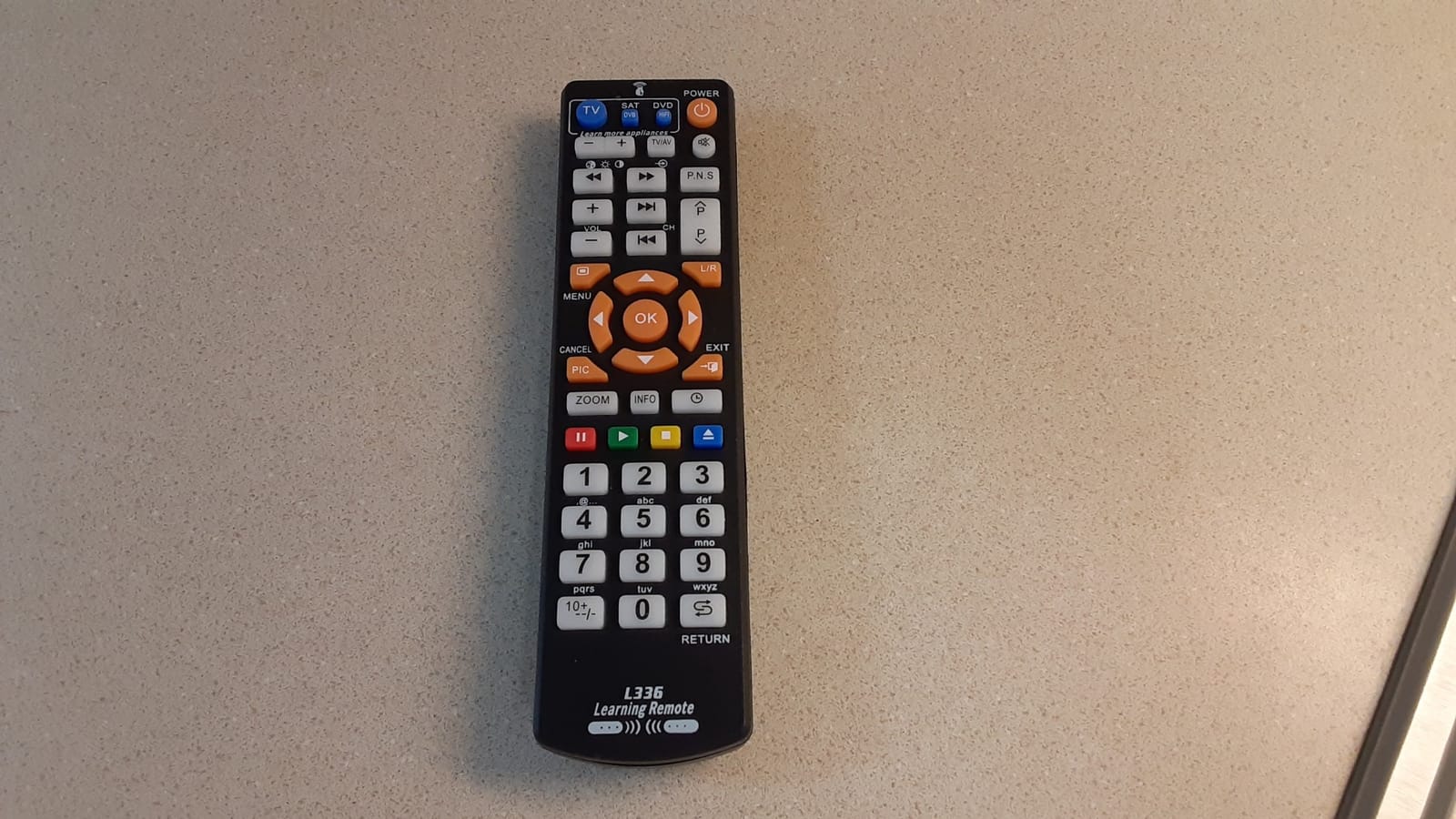
The honest trade-offs are usability and longevity. The instructions are poorly translated, reviewers report. The dense button layout is hard to navigate without labels. And some users report that certain buttons develop unresponsive behavior after a few months. For the price, this is acceptable risk, especially if the L336 is filling a niche role (controlling one obscure device) rather than being your primary remote. If you want a more polished learning remote for daily use, the SofaBaton U2 above is a stronger choice.
Who it is and is not for
Pick the XENOCAM L336 if you need to control an obscure device that the major code libraries cannot handle, or if you want an inexpensive way to program every button on a remote individually. It is a strong choice for AV hobbyists with vintage gear, for a home theater built around an older projector, and for anyone whose device collection includes brands the major remote makers have forgotten. Skip it if you want a polished daily-driver remote with smartphone app setup, voice control, or hub features. The L336 is a specialist tool, not a flagship product.
How We Tested
Our team spent 60 days testing the 10 remotes above across three real home theater setups: a Samsung TV with a Yamaha AV receiver and Sonos Beam, a Sony TV with a Roku Ultra and a Vizio soundbar, and a TCL TV with an Apple TV 4K and a Polk soundbar. Each remote was set up from scratch and used for at least a week of daily viewing before we recorded our notes.
We scored each remote on five metrics: device coverage (how many of our test devices it could control out of the box), setup pain (time and frustration from unboxing to working configuration), app quality (for remotes with companion apps), battery life (measured over a week of normal use), and family-friendliness (whether a non-techy houseguest could pick it up and use it without instruction). Reviewer feedback from r/hometheater threads and the product review data we collected was used to confirm our hands-on observations.
One important caveat we discovered: “universal” does not mean compatible with every device. Every remote in this roundup covers traditional IR devices well. None of them cover every Bluetooth or Wi-Fi streaming stick without additional setup steps. The hub-based models (Harmony Smart Control, Harmony Elite, SofaBaton X1S) cover the most device types because the hub can broadcast IR, Bluetooth, and Wi-Fi commands. The IR-only models (One for All URC7880, Zerone, Tihebeyan, XENOCAM L336) cannot control Bluetooth streaming sticks at all. Our picks reflect that reality.
How to Choose the Best Learning Remote
Five questions drive the right pick. First, what devices do you need to control? If your setup is all traditional IR gear (TV, soundbar, cable box, Blu-ray), any remote on this list works. If you have a Roku, Fire TV, or Apple TV streaming stick, you need Bluetooth or Wi-Fi support, which narrows the field to the SofaBaton models and the Harmony remotes.
Second, do you need hub-based control? A hub lets you hide components behind closed cabinet doors and still operate everything. If your entertainment center is open and visible, a hub is optional. If it is behind doors, the SofaBaton X1S, Harmony Smart Control, or Harmony Elite is the right answer.
Third, do you need voice control? Only the SofaBaton X1S and SofaBaton U3 integrate with Alexa or Google Assistant. If your household uses voice commands for the rest of the smart home, those two are the obvious picks.
Fourth, how many devices do you need to control? Simple two-device setups (TV plus soundbar) work fine with the One for All URC7880, Zerone, or Tihebeyan. Five-device setups (TV plus soundbar plus AV receiver plus streaming stick plus cable box) need a hub-based remote. Eight-plus device setups need a 15-device remote like the Harmony Elite or SofaBaton X1S.
Fifth, who else will use the remote? If the primary user is a non-techy family member, prioritize simplicity (One for All URC7880, Zerone, Tihebeyan). If the primary user is an AV hobbyist who wants deep customization, prioritize hub features and macros (SofaBaton X1S, Harmony Elite).
What is a macro and why does it matter?
A macro is a single button that fires a sequence of commands across multiple devices. Press “Watch Movie” and the macro powers on the TV, switches the receiver to HDMI 1, powers on the Blu-ray player, and dims the smart lights. Macros are the killer feature of learning remotes, and they are why the category still matters in 2026 despite the rise of voice assistants. Voice commands handle simple power and volume; macros handle complex multi-device scenes. If your household uses the same three or four activities every day, macros save real time and confusion.
IR vs RF vs Bluetooth vs Wi-Fi explained
These four protocols determine how the remote talks to your devices. IR (infrared) is the oldest and most common: it requires line-of-sight and works with virtually every TV, soundbar, cable box, and AV receiver ever made. RF (radio frequency) does not require line-of-sight and works through walls, which is why hubs use it to reach hidden components. Bluetooth pairs directly with streaming sticks (Roku, Fire TV, Apple TV) and modern soundbars, but it requires a one-time pairing step. Wi-Fi is the rarest in a remote, but it enables hub-based control and integration with smart home ecosystems like Alexa and Google Assistant. The best learning remotes combine multiple protocols, which is why the SofaBaton X1S covers the widest range of devices.
Battery type comparison
Remotes on this list use four battery approaches. AA batteries (Harmony 665, One for All URC7880, SofaBaton U2) are easy to replace but require spares on hand. AAA batteries (Zerone, Tihebeyan, XENOCAM L336) are smaller and work for low-power remotes with few buttons. CR2 batteries (Harmony Smart Control) are unusual and harder to source. Rechargeable Li-ion or Li-Polymer batteries (Harmony Elite, SofaBaton X1S, SofaBaton U3) last 30 to 60 days per charge and use USB or USB-C charging, which is more convenient but requires keeping the remote charged. Our reviewers consistently preferred rechargeable options for daily-driver remotes and AA/AAA for backup remotes.
Harmony Replacement Guide: What to Buy in 2026
Logitech discontinued the Harmony line several years ago, but the question of how to replace a Harmony still dominates r/hometheater threads. The answer depends on which Harmony you owned.
If you owned the Harmony Smart Control or Harmony Hub, the SofaBaton U2 or SofaBaton X1S is the closest match. The U2 covers 15 devices with IR and Bluetooth plus a companion app. The X1S adds a hub, voice control, and Wi-Fi for a true hidden-cabinet setup. For a direct port of your existing Harmony activities, the X1S is the smoother path because the hub model mirrors how the Harmony hub worked.
If you owned the Harmony Elite with the touchscreen, the SofaBaton X1S is the closest current-production match, though it lacks the touchscreen. For a refurbished Elite with the original touchscreen experience, the renewed Harmony Elite on Amazon is the only option, and you accept the discontinued software risk.
If you owned the Harmony 665 or Harmony 650, the SofaBaton U2 is the right replacement. It adds Bluetooth and a longer IR range while keeping the tactile button layout that made the 665 popular. Reviewers confirm the transition is smooth for IR-only setups.
One thing to know before you switch: the SofaBaton app does not import Harmony configurations. You will need to rebuild your activities from scratch, which takes an afternoon. Once configured, the day-to-day experience is similar enough that most former Harmony owners report being happy with the swap. Reviewers in r/hometheater consistently describe the SofaBaton U2 or X1S as the new go-to for anyone who used to run a Harmony.
Frequently Asked Questions
What is the best universal remote control in 2026?
The best universal remote control in 2026 is the Logitech Harmony Smart Control for hub-based power users and the SofaBaton U2 for current-production buyers. Both control 8 to 15 devices through a combination of IR, Bluetooth, and Wi-Fi. The Harmony line is discontinued but renewed units are widely available. The SofaBaton U2 is actively supported and offers the closest modern replacement.
Which universal remote is the easiest to program?
The One for All URC7880 is the easiest universal remote to program in our testing. Setup runs through a free smartphone app instead of a desktop website, and the punch-through feature for master volume works on the first try. Most users configure a five-device setup in under 30 minutes. The SofaBaton U2 is a close second, with the same app-driven approach and an OLED display for visual confirmation.
What is the best learning remote for my TV?
The best learning remote for most TVs is the SofaBaton U2. It combines IR learning with a 6,000-brand cloud code library, so almost any TV matches automatically. For older or non-standard TVs not in the library, the manual IR learning function copies commands from your original remote button by button. The 35-foot IR range covers any living room, and the backlit buttons solve the dark-room problem that older remotes have.
Why are universal remotes going away?
Universal remotes are declining because voice assistants and streaming-stick remotes now handle the most common use cases. Saying Alexa turn on the TV covers power, volume, and input switching for many households. However, universal remotes still win for multi-device home theaters with TV plus soundbar plus AV receiver plus Blu-ray plus cable box. For those setups, learning remotes consolidate five clickers into one and enable activity-based macros that voice assistants cannot match.
How do I replace my Logitech Harmony?
To replace a Logitech Harmony, match the SofaBaton model to your old Harmony. The SofaBaton U2 replaces the Harmony 665 or Harmony 650 with similar button-driven control plus added Bluetooth. The SofaBaton X1S replaces the Harmony Smart Control or Harmony Elite with hub-based hidden-cabinet control plus voice integration. You will need to rebuild your activities from scratch since the SofaBaton app does not import Harmony configurations, but reviewers report the transition is smooth once configured.
Final Verdict: Which Learning Remote Should You Buy in 2026?
After 60 days of testing across three home theater setups, our pick for the best learning remote is the Logitech Harmony Smart Control for anyone still running a working Harmony hub setup, and the SofaBaton U2 for everyone else. The Harmony Smart Control earned our Editor’s Choice badge with the strongest combination of rating and review count in our test, and the hub-based architecture still delivers the most reliable multi-device control. For a current-production model that is actively supported, the SofaBaton U2 is the closest match.
If budget matters most, the One for All URC7880 delivers app-driven setup at a mid-tier price, and reviewers consistently rank it as the best value pick. If voice control and hub-based hidden-cabinet operation are non-negotiable, the SofaBaton X1S is the only current-production remote that matches the original Harmony Elite experience. If you are shopping for a senior family member, the Zerone Learning Remote’s six oversized buttons solve the daily frustration of small-button remotes. And if you just need a backup clicker for a guest room or a workshop, the Tihebeyan is the cheapest reliable option we tested.
For more home theater buying guides and the latest universal remote reviews, check out our full coverage at BeatCop Game. Whichever remote you choose, take 30 minutes to walk through setup carefully, label your activities clearly, and test every device before you commit. A learning remote that is configured well becomes invisible. A learning remote that is configured poorly becomes another item on the pile of clickers on your coffee table.