
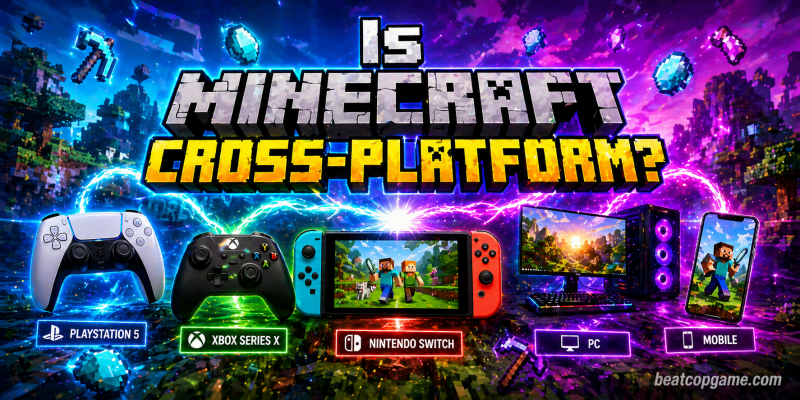
Yes, Minecraft is cross-platform — but only if you’re playing the right version. I’ve been bouncing between Bedrock on my Switch and PC for years, and trust me, this stuff isn’t always obvious until someone actually breaks it down. In this guide, I’ll explain exactly which platforms can play together, how to set everything up, and the workarounds nobody tells you about.
Here’s what you’ll get from this guide:
- A clear answer on which Minecraft editions actually support crossplay
- Step-by-step setup for PC, PS5, Xbox, Switch, and mobile
- The Java vs. Bedrock thing explained without the headache
- How GeyserMC bridges the two editions when your group is split
- Real fixes for the connection errors I’ve personally run into
- Updated info for 2026, including the new yearly versioning system
I learned half of this the hard way. My buddy bought Minecraft on Steam thinking he could join my Bedrock world on Switch, and we wasted an entire night trying to figure out why nothing was working. Don’t be us. Let’s break it all down.
Table of Contents
What “Cross-Platform” Actually Means in Minecraft
Cross-platform play, or crossplay, basically lets people on totally different devices hang out in the same Minecraft world. Your cousin’s on PS5, you’re on a Windows PC, your sister’s on her iPad — everybody mining the same chunk, fighting the same Endermen, building in the same world. No compatibility drama, no separate save files.
Most modern multiplayer games support this in some form, but Minecraft handles it a little differently. There are two completely separate versions of Minecraft, and they don’t naturally talk to each other. Once you wrap your head around that, the rest is easy.
I’d argue Minecraft pulls off crossplay better than almost any game out there. The fact that a kid on a $200 tablet can build a castle alongside someone running a $3,000 gaming rig — and you can’t tell which is which from inside the world — is honestly still wild to me.
Bedrock vs. Java: Why This Is the First Thing You Need to Sort Out
Minecraft has two main editions, and figuring out which one you have is step one for any crossplay attempt. Skip this part and you’re going to be confused for the next hour.
- Bedrock Edition — This is the version that was designed for crossplay from the ground up. It runs on Windows 10/11 (the Microsoft Store version), Xbox One, Xbox Series X|S, PS4, PS5, Nintendo Switch, iOS, Android, and even Chromebooks. It’s all the same code under the hood, which is why it works seamlessly across devices.
- Java Edition — The OG version. It only runs on Windows, macOS, and Linux PCs. Java is the modder’s paradise — most of those wild mods you see on YouTube are Java-only. The downside? Java can only multiplayer with other Java players. No consoles, no mobile, nothing.
Here’s the kicker most beginners miss: if you bought Minecraft on Steam, you got Java Edition. Steam doesn’t have Bedrock at all. So if your friends are on console or mobile and you’re on Steam, you literally cannot play together without workarounds. I’ve had this exact conversation with new players probably ten times now.
If you bought it from the Microsoft Store, console store, or your phone’s app store, you’ve got Bedrock. Easy.
There’s also a Java & Bedrock Edition bundle on PC if you want both versions tied to one account — useful if you’ve got a foot in each world.
Is Minecraft Cross-Platform Across All Devices? Quick Breakdown
Here’s the simple version of which platforms play together natively:
| Platform | Edition | Crossplay Support |
|---|---|---|
| PS5 / PS4 | Bedrock | Yes (with all Bedrock platforms) |
| Xbox Series X|S / Xbox One | Bedrock | Yes |
| Nintendo Switch | Bedrock | Yes |
| Windows 10/11 (Microsoft Store) | Bedrock | Yes |
| iOS / Android | Bedrock | Yes |
| Chromebook | Bedrock | Yes |
| Steam (PC) | Java | Java players only |
| macOS / Linux | Java | Java players only |
So yeah — if everyone’s on Bedrock, you’re golden. If even one person’s stuck on Java, you’ve got a problem to solve. We’ll cover that in a bit.
How to Set Up Minecraft Crossplay (Bedrock Edition)
This is the part most guides overcomplicate. Here’s how I actually do it, no fluff.
Step 1: Make sure everyone has a Microsoft account
You can’t crossplay without one. It’s free, takes two minutes, and works as your universal login across every Bedrock device. Even on PS5, you’ll need to link a Microsoft account inside the game the first time you boot it up. Don’t skip this — nothing else works without it.
Step 2: Add each other as friends
Sign in to your Microsoft account, head to the Friends tab inside Minecraft, and add your buddies using their Xbox Gamertag. The friends list syncs across every Bedrock platform automatically — that’s the magic of Microsoft owning everything.
Step 3: Update everyone to the same version
Mojang switched the versioning system in 2026, so check Settings → About inside the game to confirm everyone’s on the same drop. If one person’s on a different patch, joining will fail with that classic “Outdated Client” or “Outdated Server” error. Java and Bedrock get separate patch numbers even within the same content drop, which is something to keep in mind.
Step 4: Host or join a world
The host opens their world to multiplayer in the world settings. Friends then see it under “Joinable Cross-Platform Friends” in the Friends tab. Click, join, done. Total time once accounts are set up: about 30 seconds.
Step 5: Sort out console subscriptions
Heads up — PS5 and Xbox players usually still need their platform’s online subscription (PlayStation Plus, Xbox Game Pass Core) for any online multiplayer. Switch is the exception — Nintendo doesn’t require Switch Online for Minecraft multiplayer, which is one of the rare W’s for Switch’s online setup.
The Java Edition Crossplay Workaround: GeyserMC
If your group is split between Java and Bedrock players, you’re not totally cooked. There’s a tool called GeyserMC that acts as a translator between the two editions. It runs on the Java server side and converts Bedrock data into something Java can understand, and vice versa.
What GeyserMC does:
- Lets Bedrock players join Java servers
- Bridges the protocol gap between editions
- Keeps most of your Java vanilla features intact
- Pairs nicely with Floodgate (a companion plugin) so Bedrock players don’t need a paid Java account
What it doesn’t do well:
- It doesn’t play nice with every mod
- Setup takes some technical know-how
- Some Java-only features behave weird for Bedrock joiners
- Heavy modpacks can break the connection entirely
I’ve used GeyserMC for a vanilla survival server with friends on PS5 and Switch, and it ran fine. The moment we tried to load anything mod-heavy though, things got buggy fast. For casual play, it’s a lifesaver. For modded chaos, it’s hit or miss.
There are also paid hosting services like Apex Hosting and Shockbyte that auto-install Geyser for you if you don’t want to mess with config files yourself. Honestly, if you’re not technical, that’s the way.
Minecraft Realms: The Lazy Way to Crossplay
If you don’t want to mess with hosting servers or troubleshooting NAT types, Realms is Mojang’s official subscription server. There are two versions:
- Realms for Bedrock — Crossplay across all Bedrock platforms. Up to 10 players online at once.
- Realms for Java — Java players only.
I’ve used Bedrock Realms when I’m too lazy to deal with anything technical. The world stays online 24/7, friends drop in whenever, no port forwarding, no IP addresses, no router voodoo. Worth the few bucks a month if you play with the same group regularly.
The downside? You can’t install most plugins or customize stuff like you can with a self-hosted server. Realms is plug-and-play; that’s its whole vibe.
Best Crossplay Setups (My Top Picks)
After playing this game across just about every platform, here’s my honest ranking of the best crossplay setups for different situations:
- Bedrock + Realms — Most painless option. Everyone on different consoles? This is the move.
- Bedrock + open world hosting — Free, works great for small groups under 8 players.
- Java + GeyserMC dedicated server — Best if your core group is on Java but you’ve got console friends who want in.
- Java + Realms — Solid for PC-only crews who want server convenience without managing hardware.
- Java + community server (Hypixel and similar) — For minigames and big public worlds with thousands of players.
- Bedrock featured servers — Built right into the game, easy hop-in for kids and casual players.
- Local LAN at sleepovers — Old-school but still works on Bedrock when everyone’s on the same Wi-Fi.
For most people asking “is Minecraft cross-platform” for the first time, options 1 or 2 are what you actually want.
Tips and Strategies for Smooth Crossplay
Stuff I’ve picked up over way too many failed connection attempts:
- Always check version numbers before troubleshooting anything else. 90% of crossplay failures are version mismatches. The new yearly versioning in 2026 makes this easier to spot, but Java and Bedrock still drop separate patches even within the same content update.
- Enable cross-network play in your console settings. PlayStation specifically has a setting buried in Account Management that blocks crossplay if you don’t toggle it on. Easy to miss.
- Use Gamertags, not real names. Adding friends through Xbox Live is way more reliable than searching by display name, which has caused me weird sync issues before.
- If you’re hosting, open the right ports. UDP 19132 for Bedrock, TCP 25565 for Java. UPnP usually handles this automatically, but stricter routers may need manual port forwarding.
- Don’t mix LAN and online players in weird ways. If half your group is on the same Wi-Fi and half are remote, the local players sometimes fail to see the world. Have everyone join through the online Friends tab to be safe.
- Microsoft Family Safety can block crossplay on kid accounts. Found out the hard way when my nephew couldn’t join my world. You’ll need to adjust permissions under the parent account’s settings.
- Restart your console if invites won’t go through. I know it sounds dumb, but PS5 in particular gets weird about Microsoft account sync sometimes.
- Check for service outages. Xbox Live goes down more than people realize, and when it does, all Bedrock crossplay breaks. Quick check on the Xbox status page can save you an hour of “is it me or is it them?”
Mistakes to Avoid in Minecraft
I’ve made every one of these so you don’t have to.
- Buying Minecraft on Steam thinking it’s universal. It’s not. Steam = Java only. If your friends are on console, return it and grab Bedrock from the Microsoft Store instead.
- Skipping the Microsoft account setup on console. No Microsoft sign-in means no friends list, no crossplay, nothing. It’s annoying for PS5 players who already have a PlayStation account, but it’s required.
- Trying to mash Java and Bedrock together without GeyserMC. They straight-up cannot connect natively. Don’t waste an evening figuring this out yourself like I did.
- Forgetting to renew console online subscriptions. Your PS Plus expired? Crossplay breaks. Your Xbox Game Pass lapsed? Same. Check your subs before blaming the game.
- Assuming all your friends have the exact same version. They don’t. Mobile updates roll out faster than console approval cycles, so someone’s always behind. Confirm before troubleshooting anything else.
- Inviting people through the wrong friends list. PSN friends ≠ Xbox/Microsoft friends. You have to add people through the Microsoft system inside the game.
Pro Tips for Advanced Minecraft Players
For people who want to actually optimize their crossplay setup:
- Run a self-hosted Bedrock dedicated server on a Raspberry Pi or cheap VPS. Way better performance than Realms, and you control everything. Mojang publishes the official server software for free on their site.
- Use BedrockConnect on Switch and consoles to join community servers that aren’t on the official featured server list. It’s a workaround that lets you point your console to any Bedrock server IP.
- For GeyserMC servers, install Floodgate alongside it so Bedrock players don’t need a paid Java account to join. Game-changer for mixed groups.
- Set up a static local IP for your hosting machine so port forwarding doesn’t break every time the router reboots. Annoying problem, simple fix.
- Whitelist your friends’ Xbox Gamertags if you’re running a public-ish server. Random griefers can find Bedrock servers fast, and you don’t want a creeper-spam situation 30 minutes into a build session.
- Check ping in the Realms admin panel. If certain friends are lagging, you can sometimes change the Realms region to get better performance for the majority of your group.
- Pre-generate chunks before big play sessions. On a self-hosted server, running a chunk pre-generator overnight massively reduces lag spikes when crossplay players are exploring new areas.
Conclusion: Is Minecraft Cross-Platform Worth Setting Up?
Yes — Minecraft is cross-platform, full stop, as long as you’re using Bedrock Edition. Honestly, it’s one of the best crossplay experiences in gaming right now. The fact that someone on a phone can build alongside someone on a PS5 in the same world, with no real performance difference between them, still kind of blows my mind in 2026.
If you and your friends are about to start a new world together, my advice is simple: everyone goes Bedrock. It removes 95% of the headaches. Java’s amazing for solo modded runs and PC-only crews, but for mixed-device groups, Bedrock is the move every single time.
Got a different setup that works for you? Drop it in the comments and let me know what platforms your squad is rolling on. I love hearing how other people are making Minecraft crossplay work in 2026.
Frequently Asked Questions
Is Minecraft cross-platform between PS5 and Xbox?
Yes. As long as both players are on Bedrock Edition (which all current console copies are) and signed into Microsoft accounts, PS5 and Xbox players can join the same world without any extra steps. Just add each other through Gamertags inside the game.
Can Java and Bedrock players play together?
Not officially. The two editions don’t natively talk to each other. Your only real option is running a Java server with the GeyserMC plugin (and ideally Floodgate alongside it), which lets Bedrock clients connect to your Java world.
Is the Steam version of Minecraft cross-platform?
No. The Steam version is Java Edition, which is PC-only multiplayer. If you want to play with console or mobile friends, you need Bedrock from the Microsoft Store instead. This trips people up constantly.
Do I need Xbox Live or PlayStation Plus to play crossplay?
For console crossplay on Xbox and PlayStation, yes — usually. Switch players don’t need Nintendo Switch Online for Minecraft specifically, which is a nice exception. PC and mobile players don’t need any subscription beyond owning the game.
Is the crossplay setup updated for 2026?
Yes. Crossplay still works the same way mechanically, but Mojang changed the version numbering system in 2026 to a year-based format. Always double-check Settings → About in-game to confirm everyone’s on the same drop before troubleshooting.
What’s the easiest way for beginners to start crossplay?
Get everyone on Bedrock Edition, have everyone sign into a free Microsoft account, add each other as friends through the Xbox Gamertag system, and either grab a Realms subscription or have one person open their world to friends. Five minutes start to finish.
Why does my friend’s invite say “Outdated Client”?
Because one of you is on a different version of Minecraft. Updates don’t drop simultaneously across all platforms. Both players need to update to the same version before crossplay works. Check Settings → About to compare.
Can I keep my world progress when switching platforms?
If you’re using Realms or have your world stored in the cloud through your Microsoft account, yes. Local single-player worlds don’t transfer between devices unless you manually export them, which is more hassle than it’s worth for most people.
Any tips for fast progress in crossplay worlds?
Coordinate roles with your group early — one person mines, one builds, one farms. Crossplay shines for division of labor. Also, set spawn points near a shared base so nobody has to run halfway across the map after dying. Saves a ton of grinding time.