
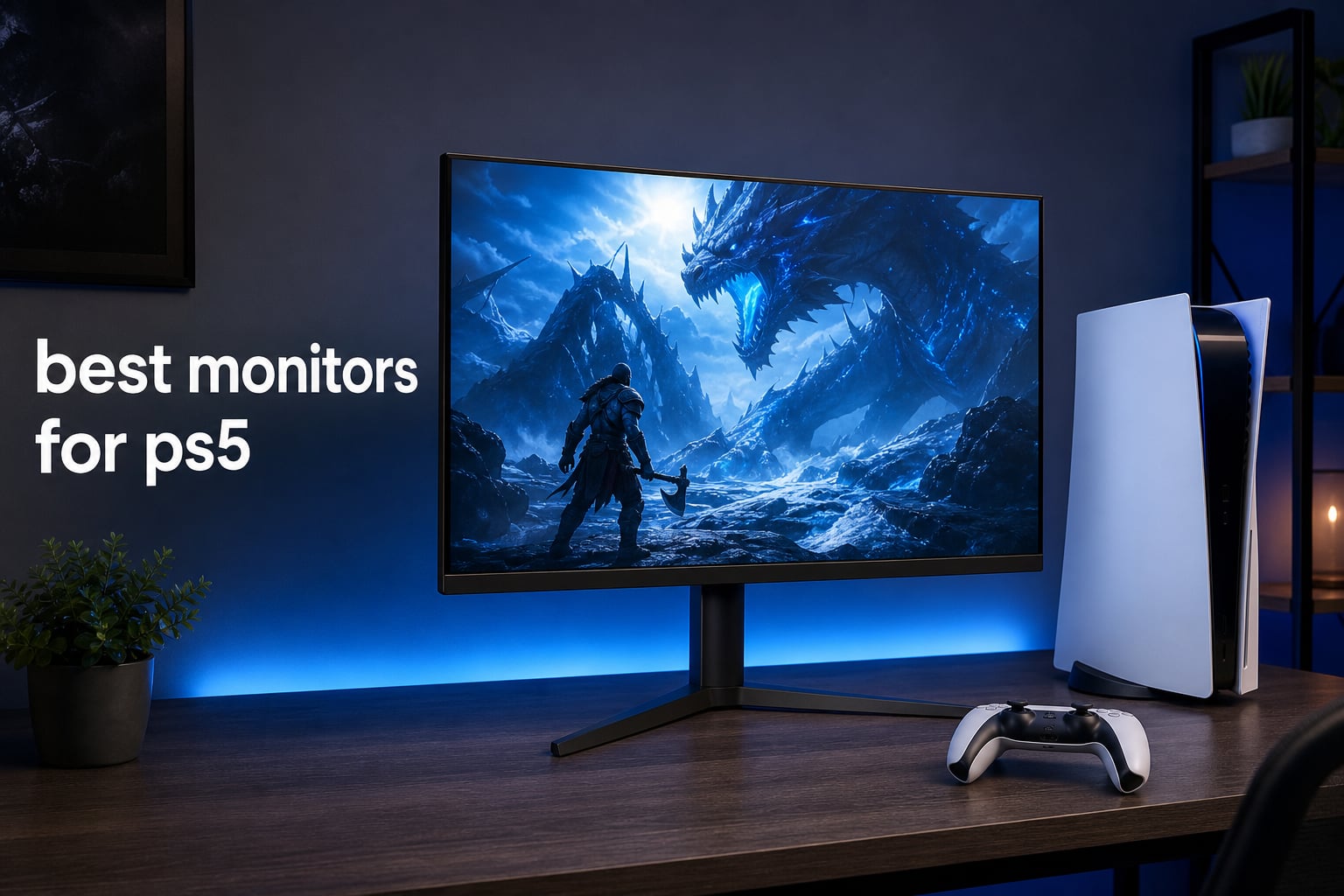
The best monitors for PS5 pair a console-friendly HDMI connection with low-latency gaming features, but the right choice depends on whether you value sharp 4K detail, OLED contrast, or a fast 1440p desk setup. PS5 can output up to 4K at 120Hz, so the practical target is a display that accepts the modes you intend to play, rather than a monitor with an extremely high PC-only refresh ceiling.
Our eight picks cover QHD OLED, 4K QD-OLED, and IPS routes, with every model in this guide listing HDMI 2.1 in its verified specifications. That matters for players who want a 120Hz gaming monitor with a straightforward path to VRR and HDR-capable play.
I would start by measuring the desk before deciding between 27 and 32 inches. A 27-inch screen keeps QHD crisp at close range, while 32 inches makes 4K and cinematic single-player games feel more at home; readers who also play on PC can compare these choices with our comprehensive guide to the best 4K gaming monitors for PS5 and PC.
There is no need to buy features your console cannot use. That practical point comes up repeatedly in player discussions: 120Hz and VRR matter more to many people than chasing a 240Hz label, while OLED’s deep blacks appeal to players who spend long sessions in story-driven games.
The top 3 PS5 picks cover OLED speed, QHD value, and flexible 4K 2026
The LG 27GX704A-B is my overall route for a compact, extremely responsive OLED setup. The LG 27GR83Q-B is the sensible QHD IPS alternative for players who want HDMI 2.1 and 240Hz without moving to OLED, and LG’s 27G810A-B adds native 4K plus an unusual dual-mode option.
Quick answer: choose the 27GX704A-B for OLED motion and contrast, the 27GR83Q-B for 1440p IPS gaming, or the 27G810A-B if 4K detail and a Full HD high-refresh mode both appeal to you. The PS5 itself tops out at 120Hz, but higher panel refresh rates can still be relevant when the same display also serves a PC.
The best monitors for PS5 in (August 2026)
This overview puts the key verified specs in one place. “Best” here is not a claim that one panel suits every desk; it is a way to match resolution, panel type, size, and response characteristics to the games you actually play.
| Product | Specifications | Action |
|---|---|---|
 LG 27GX704A-B LG 27GX704A-B |
|
Check Latest Price |
 LG 27GS93QE LG 27GS93QE |
|
Check Latest Price |
 LG 27G810A-B LG 27G810A-B |
|
Check Latest Price |
 ASUS ROG Swift PG32UCDMR ASUS ROG Swift PG32UCDMR |
|
Check Latest Price |
 LG 27GR83Q-B LG 27GR83Q-B |
|
Check Latest Price |
 MSI MPG 321URX MSI MPG 321URX |
|
Check Latest Price |
 Acer Nitro VG270K V4 Acer Nitro VG270K V4 |
|
Check Latest Price |
 ASUS TUF VG27UQ1A ASUS TUF VG27UQ1A |
|
Check Latest Price |
1. The LG 27GX704A-B is the best overall QHD OLED pick for fast PS5 play.
LG 27GX704A-B 27-inch Ultragear QHD (2650×1440) OLED Gaming Monitor 240Hz, 0.03ms, NVIDIA G-Sync Compatible, AMD FreeSync Premium Pro, VESA Display HDR TrueBlack400, HDMI 2.1, DisplayPort, Black
27-inch QHD OLED
240Hz and 0.03ms
Dual HDMI 2.1
Pros
- 240Hz OLED motion
- True Black 400
- dual HDMI 2.1
- adjustable stand
- 98.5% DCI-P3
Cons
- QHD rather than 4K
- standard brightness is 275 nits
The LG 27GX704A-B is the pick I would make for a close-up desk setup where motion clarity and contrast come before native 4K. Its 27-inch OLED panel is QHD at 2560 by 1440, runs at 240Hz, and lists a 0.03ms response time.
For PS5, the headline connection detail is dual HDMI 2.1. That gives the display a stronger console foundation than a monitor that is fast only over DisplayPort, and its FreeSync Premium Pro and G-SYNC Compatible support make it a flexible option for a combined console and PC desk.
Its VESA DisplayHDR True Black 400 certification and stated 1.5M:1 contrast ratio are the reasons I would choose it for dark scenes and high-contrast games. The listed 98.5% DCI-P3 coverage also points to a broad color presentation, while the anti-glare, flicker-free, and low-blue-light certifications are useful details for longer sessions.
The limitation is simple: QHD does not supply the pixel density of 4K. It is a deliberate trade for anyone who wants OLED speed at 27 inches, and the fully adjustable stand adds height, pivot, and swivel control that can matter as much as a paper specification on a small desk.
The LG 27GX704A-B suits close-range competitive and cinematic gaming.
I would put this model in front of a player who alternates between shooters and darker single-player games, wants a 27-inch OLED gaming monitor, and has room to position the screen directly at eye level. Its 240Hz panel goes beyond the PS5 ceiling, so that headroom is most meaningful when a PC shares the display.
The LG 27GX704A-B is less suited to buyers who require native 4K.
Choose one of the 4K entries below if fine detail at a 32-inch viewing distance is the deciding factor. OLED panels also deserve thoughtful use when static interface elements stay on screen for very long periods, even though this LG has eye-comfort features.
2. The LG 27GR83Q-B is the best value QHD IPS option for a PS5 desk.
LG 27GR83Q-B 27-inch Ultragear QHD (2560×1440) IPS Gaming Monitor, 240Hz, 1ms, DisplayHDR 400, G-Sync AMD FreeSync Premium, HDMI 2.1 DisplayPort, 4-Pole HP Out DTS GP:X, Tilt/Height/Pivot Stand, Black
27-inch QHD IPS
240Hz and 1ms
HDMI 2.1
Pros
- QHD 240Hz IPS
- HDMI 2.1
- FreeSync Premium
- adjustable stand
- 777 reviews
Cons
- 1000:1 contrast ratio
- 4.4 average rating
The LG 27GR83Q-B is the straightforward answer for players who want a 1440p monitor PS5 setup without moving to OLED. Its 27-inch IPS panel lists QHD resolution, 240Hz via HDMI 2.1 or DisplayPort, and a 1ms gray-to-gray response time.
Although the PS5 does not output 240Hz, 120Hz remains the console goal for compatible games, and the monitor’s HDMI 2.1 connection is the important part of that equation. FreeSync Premium and G-SYNC Compatible support are useful for a future PC connection, while Dynamic Action Sync and Black Stabilizer are included gaming tools.
This is the most reviewed display in the group, with 777 customer reviews and a 4.4 average rating in the supplied product data. I see that volume as helpful context, not a substitute for matching a monitor to your room and game library.
IPS is the reason to pick this over an OLED if bright-room consistency and a conventional LCD experience matter more to you than perfect blacks. Its VESA DisplayHDR 400 certification and 95% DCI-P3 coverage are meaningful feature additions, but its listed 1000:1 contrast ratio is far below the OLED choices here.
The LG 27GR83Q-B works best for a 27-inch 1440p gaming desk.
I would choose this LG for multiplayer games, a shared PS5-and-PC arrangement, or a player who likes a height-, tilt-, and pivot-adjustable stand. It also includes DTS Headphone:X audio support, which is a small but welcome option for personal listening.
The LG 27GR83Q-B is not the first choice for absolute black levels.
Its IPS panel cannot reproduce the OLED contrast figures listed for the LG OLED, ASUS QD-OLED, or MSI QD-OLED models. If night scenes and HDR atmosphere are your top priorities, move toward one of those panels; if crisp QHD and fast IPS behavior matter most, this is a more balanced fit.
3. The LG 27G810A-B is the most flexible 4K IPS monitor for PS5 and PC use.
LG 27G810A-B 27-inch Ultragear 4K UHD (3840 x 2160) IPS Gaming Monitor, Dual Mode UHD 180Hz or FHD 360Hz, 1ms, NVIDIA G-Sync, AMD FreeSync Premium, VESA DisplayHDR 400, HDMI 2.1, Black
27-inch 4K IPS
180Hz or 360Hz mode
HDMI 2.1
Pros
- 4K 180Hz mode
- Full HD 360Hz mode
- DisplayHDR 400
- HDMI 2.1
- fully adjustable
Cons
- 1000:1 contrast ratio
- only 67 reviews
The LG 27G810A-B is the unusual choice here because it combines a 4K 180Hz IPS mode with a Full HD 360Hz mode. For PS5, native 4K is the relevant half of that story, while the Full HD setting has clearer value for PC players seeking very high refresh rates.
The panel is 27 inches, uses IPS technology, lists a 1ms response time, and includes HDMI 2.1. It also supports FreeSync Premium and G-SYNC Compatible operation, plus familiar LG gaming features such as Dynamic Action Sync and Black Stabilizer.
I like this route for someone who does not want to decide permanently between detail and speed across two platforms. A PS5 gets a 4K gaming monitor, while a capable PC can make use of the dual-mode design when fast esports titles are part of the routine.
Keep panel type in mind. The stated contrast ratio is 1000:1, so it does not offer the scene depth of an OLED, even with VESA DisplayHDR 400 and 95% DCI-P3 color coverage listed.
The LG 27G810A-B makes sense for a hybrid PS5 and PC setup.
I would recommend this to a player who values mode flexibility over OLED contrast and wants 4K resolution at a compact 27-inch size. The stand supports height, tilt, swivel, and pivot adjustments, which helps when one screen moves between work and play.
The LG 27G810A-B is not for buyers who need extensive customer feedback.
The supplied data shows a 4.6 rating from 67 reviews, which is a far smaller review pool than some alternatives here. Buyers who want a larger body of customer feedback should consider the LG 27GR83Q-B, Acer Nitro VG270K V4, or MSI MPG 321URX.
4. The ASUS ROG Swift PG32UCDMR is the premium 32-inch 4K QD-OLED choice.
ASUS ROG Swift 32” 4K OLED Gaming Monitor (PG32UCDMR) ― 4K (3840 x 2160), QD-OLED, 240Hz, 0.03ms, G-SYNC Compatible, 99% DCI-P3, USB-C 90W, DisplayWidget, DisplayPort 2.1, 3 yr Warranty
31.5-inch 4K QD-OLED
240Hz and 0.03ms
HDMI 2.1
Pros
- 4K QD-OLED
- 240Hz response
- 99% DCI-P3
- USB-C 90W
- three-year coverage
Cons
- large 31.5-inch footprint
- only 102 reviews
The ASUS ROG Swift PG32UCDMR is the display I would select when 4K detail, a larger screen, and OLED image quality all sit at the top of the list. Its 31.5-inch QD-OLED panel is native 3840 by 2160, has a 240Hz refresh rate, and lists a 0.03ms response time.
HDMI 2.1 is present alongside DisplayPort 2.1 and USB-C with 90W Power Delivery, making this more than a single-console screen. The PS5 benefits from the HDMI input, while the added connections matter for a laptop or desktop that shares the desk.
Its VESA DisplayHDR 400 True Black certification, stated 1.5M:1 contrast ratio, and 99% DCI-P3 coverage make the image-focused case. ASUS also lists OLED Care Pro with a proximity sensor and a three-year warranty that includes burn-in coverage, details I would weigh seriously in an OLED purchase.
At 31.5 inches, this is a monitor to place with intention. I would give it more viewing distance than a 27-inch display and check the 28.3-inch width against the desk before ordering.
The ASUS PG32UCDMR is best for immersive 4K PS5 sessions and mixed-device desks.
This is the premium route for large-scale single-player worlds, HDR-minded gaming, and a desk that also needs USB-C power for a laptop. Its height, tilt, and swivel adjustment make placement more forgiving than a fixed stand.
The ASUS PG32UCDMR is less practical on a shallow desk.
A 32-inch 4K panel can look excellent, but it needs space and a comfortable viewing distance to feel natural. Players who sit very close or want a smaller footprint should favor one of the 27-inch models instead.
5. The MSI MPG 321URX is a feature-rich 4K QD-OLED monitor with console mode.
msi MPG 321URX QD-OLED, 32″ 4K UHD Quantum Dot OLED Gaming Monitor, 3840 x 2160, 0.03ms, 240Hz, True Black HDR 400, 90W USB Type C, HDMI, DP Port
31.5-inch 4K QD-OLED
240Hz and 0.03ms
Console Mode
Pros
- 4K QD-OLED
- 240Hz and 0.03ms
- Console Mode
- KVM and USB-C
- True Black 400
Cons
- glossy finish can reflect light
- 27.2-pound weight
The MSI MPG 321URX is another serious 31.5-inch 4K QD-OLED option, and it stands out for a feature list built around a mixed setup. It has two HDMI 2.1 ports, DisplayPort 1.4a, USB Type-C, KVM support, picture-in-picture and picture-by-picture, plus a named Console Mode.
For screen performance, MSI lists 3840 by 2160 resolution, a 240Hz refresh rate, a 0.03ms gray-to-gray response time, VESA DisplayHDR True Black 400, and 99% DCI-P3 coverage. Its 10-bit panel specification lists 1.07 billion colors and DeltaE at or below 2.
I would put the 321URX high on the shortlist for someone who keeps a PS5 and a PC connected full time. The KVM and multi-input tools are not necessary for console-only use, but they can remove friction from a work-and-gaming desk.
The glossy screen finish is the tradeoff to assess in your actual room. A glossy QD-OLED can produce a striking image, but reflected windows and lamps are more noticeable than they are on a matte screen.
The MSI MPG 321URX is ideal for a console-PC command center.
I would choose it for a player who wants 4K OLED quality and regularly switches peripherals or sources. Its four-way adjustable stand gives useful positioning control, and the stated three-year manufacturer warranty provides longer-term ownership context.
The MSI MPG 321URX needs a room with controlled reflections.
Place the screen away from a direct window or a bright lamp when possible. If the room layout cannot change, the LG 27GS93QE’s anti-glare, low-reflection OLED finish is the more targeted alternative in this guide.
6. The LG 27GS93QE is a matte OLED alternative for a 27-inch PS5 setup.
LG 27GS93QE 27-inch Ultragear OLED Gaming Monitor QHD 1440p 240Hz 0.03ms DisplayHDR True Black 400 AMD FreeSync Premium Pro NVIDIA G-Sync HDMI 2.1 DisplayPort Tilt/Height/Pivot Stand Black
27-inch QHD OLED
240Hz and 0.03ms
Anti-glare finish
Pros
- 240Hz OLED
- 0.03ms response
- True Black 400
- anti-glare finish
- two-year warranty
Cons
- QHD resolution
- matte rather than glossy finish
The LG 27GS93QE is the alternative I would consider when you want 27-inch QHD OLED speed but prefer an anti-glare, low-reflection surface. It lists the same core 240Hz and 0.03ms performance class as the 27GX704A-B, with HDMI 2.1 and a 2560 by 1440 OLED panel.
VESA DisplayHDR True Black 400, a stated 1.5M:1 contrast ratio, and 98.5% DCI-P3 coverage give it the expected OLED strengths in blacks and color range. FreeSync Premium Pro and G-SYNC Compatible support also keep it prepared for a PC connection.
The distinction is screen finish, not a generic “better” label. A matte surface can be the smarter call in a bright room because it reduces distractions, though some people simply prefer the look of a glossy display.
LG includes height, tilt, and pivot adjustment along with a two-year UltraGear OLED warranty. The supplied customer data shows a 4.6 average from 340 reviews, a useful middle ground between a new model with limited feedback and a very large review pool.
The LG 27GS93QE is the right OLED choice for a brighter gaming room.
I would favor it if lights or windows are hard to avoid and a smaller OLED desk display is still the goal. It remains a fast HDMI 2.1 monitor for PS5 while making room conditions part of the purchase decision.
The LG 27GS93QE does not replace a 4K display for detail-first buyers.
QHD can be an excellent fit at 27 inches, but it is not the answer for a player determined to run a native 4K screen. For that path, look to the LG 27G810A-B, ASUS PG32UCDMR, MSI MPG 321URX, Acer, or ASUS TUF models.
7. The Acer Nitro VG270K V4 is a 4K IPS alternative with dual-refresh capability.
acer Nitro 27” 4K UHD 3840 x 2160 Gaming IPS Monitor | AMD FreeSync Premium | Up to 160Hz Refresh Rate with DFR to FHD 320Hz| Up to 0.5ms | 1 x Display Port 1.4 & 2 x HDMI 2.1 Ports | VG270K V4bmiipx
27-inch 4K IPS
160Hz or 320Hz DFR
HDMI 2.1
Pros
- 4K IPS detail
- FreeSync Premium
- dual-refresh feature
- HDR10 support
- 90% DCI-P3
Cons
- matte LCD contrast
- only two HDMI ports
The Acer Nitro VG270K V4 gives players a compact 27-inch 4K IPS panel with HDMI 2.1 and a dynamic refresh-rate feature. Acer lists 160Hz at 3840 by 2160 and up to 320Hz at 1920 by 1080 through DFR, with a 1ms gray-to-gray response time that can reach 0.5ms.
For PS5, 4K resolution, HDMI connection, and the monitor’s FreeSync Premium capability are the main points to investigate in console settings. The higher 160Hz and 320Hz figures are above the console’s limit, so I would consider them added versatility for a connected PC rather than a reason to expect PS5 to use those exact modes.
The display lists HDR10 support, 90% DCI-P3 color gamut, and a matte finish. Those are useful IPS features, but the stated 1000:1 contrast ratio signals a different dark-scene experience from OLED.
This Acer has 608 reviews and a 4.2 average in the supplied data. I would read that as a reason to study the current feedback closely, especially if you are deciding between it and the higher-rated LG IPS choices.
The Acer Nitro VG270K V4 fits players who want compact native 4K.
I would put it on a desk where 4K text and game detail matter, but a 32-inch panel would feel too large. Its VESA 100 by 100 mounting support also gives monitor-arm users another placement option.
The Acer Nitro VG270K V4 is not the strongest choice for OLED-style HDR depth.
HDR10 support is welcome, but panel contrast is still a defining characteristic. Choose QD-OLED or OLED when deep black levels and cinematic HDR presentation outweigh the benefits of an IPS LCD screen.
8. The ASUS TUF Gaming VG27UQ1A is a 4K 160Hz LCD choice with ELMB Sync.
ASUS TUF Gaming 27” 4K HDR Monitor (VG27UQ1A) – 160Hz, 1ms, Extreme Low Motion Blur Sync, NVIDIA G-SYNC Compatible, AMD FreeSync Premium, 95% DCI-P3, DisplayWidget, 3 yr Warranty
27-inch 4K LCD
160Hz and 1ms
ELMB Sync
Pros
- 4K 160Hz
- ELMB Sync
- FreeSync Premium
- 95% DCI-P3
- three-year warranty
Cons
- one HDMI port
- 4.1 average rating
The ASUS TUF Gaming VG27UQ1A is a practical final option for a player focused on 4K and motion tools in a 27-inch form factor. It lists a 3840 by 2160 LCD display, 160Hz refresh rate, 1ms response time, HDMI connectivity, and ASUS Extreme Low Motion Blur Sync.
ELMB Sync is ASUS’s named motion-blur technology, while Variable Overdrive, FreeSync Premium, and G-SYNC Compatible support round out the adaptive-gaming credentials. For PS5, I would still treat the monitor’s HDMI port and supported console output modes as the key pre-purchase check.
The monitor lists HDR technology and 95% DCI-P3 color coverage, plus a three-year warranty. The limiting hardware detail is its single HDMI port, so it is less convenient if you plan to leave both a PS5 and a second HDMI source connected.
Its supplied data shows a 4.1 average from 153 reviews. That is still real feedback, but it ranks below several options above, so I would compare its specific motion features against the connection and panel priorities you have already set.
The ASUS TUF VG27UQ1A suits 4K players who value motion-control features.
I would shortlist it for a desk-based PS5 display when ELMB Sync and a 27-inch 4K screen appeal more than an OLED panel. Its 10.6-pound listed weight may also make it easier to handle than the much heavier 32-inch MSI.
The ASUS TUF VG27UQ1A is less convenient for multiple HDMI devices.
One HDMI port means cable swapping or another connection plan if a second HDMI device is part of your setup. Buyers who want more connection flexibility should give the MSI’s two HDMI ports or the ASUS ROG’s wider port selection more weight.
The right PS5 monitor starts with HDMI 2.1, then resolution and panel type.
Start with the actual PS5 modes you want: a screen that handles 4K at 120Hz is the cleanest target for games that offer that output, while 1440p at 120Hz is a strong desk-gaming option. HDMI 2.1 is the connection specification repeatedly requested in forum discussions because it is associated with the bandwidth and feature set players want for 4K, 120Hz, VRR, and HDR-capable use.
A monitor can still work with PS5 without every advanced feature, but not every screen will expose the same resolution, refresh rate, VRR, or HDR options. Use the supplied HDMI cable or a cable rated for the mode you intend to use, connect it directly to the display, then check PS5 video-output settings after setup.
4K is better for PS5 when detail and larger-screen immersion come first.
Choose 4K if you sit far enough back to appreciate the extra detail, play image-heavy single-player games, or want a 32-inch screen. The ASUS PG32UCDMR and MSI MPG 321URX make the strongest 4K OLED case here, while the LG 27G810A-B, Acer Nitro, and ASUS TUF are the 27-inch 4K LCD/IPS routes.
Choose 1440p when a 27-inch screen, competitive play, and a clean desktop footprint matter more. The LG 27GX704A-B, LG 27GS93QE, and LG 27GR83Q-B all use QHD; they show why a 1440p monitor PS5 setup remains a logical fit rather than a compromise by default.
OLED is better for black levels, while IPS is better for a conventional bright-room LCD choice.
OLED and QD-OLED panels can make dark scenes look more dimensional because each pixel can control its own light. The LG OLED models list 1.5M:1 contrast ratios and True Black 400 certification, while the ASUS and MSI QD-OLED monitors add native 4K at 31.5 inches.
IPS has a different appeal: it gives a familiar LCD presentation, commonly works well in bright rooms, and appears in both QHD and 4K choices here. Its stated 1000:1 contrast figures are lower than OLED, so choose it for its balance of use, resolution, and desk fit rather than expecting OLED-like blacks.
27 inches is better for close desks, while 32 inches is better for a more spacious view.
At a close desk position, 27 inches is easier to take in without moving your head much. It pairs naturally with QHD and can also work well with 4K if you want sharp detail in a compact footprint.
At 32 inches, 4K has more room to show its benefit and the game image feels larger, but the display needs more desk depth. Measure width and viewing distance rather than treating size as a simple upgrade; the 31.5-inch ASUS and MSI panels are materially larger than the 27-inch options.
VRR and response time matter most when motion and consistency are your priority.
VRR, or Variable Refresh Rate, synchronizes the display’s refresh behavior with changing game frame output when the system and monitor support it. It is one reason players in forum discussions regularly call out HDMI 2.1 and adaptive-sync support, particularly for fast games where tearing is distracting.
Response time is the panel’s pixel-transition measurement, while input lag is the delay between a controller action and the screen reaction; they are related but not interchangeable. The OLED models list 0.03ms response times, the LG and ASUS IPS/LCD choices generally list 1ms, and Acer lists up to 0.5ms, but none of those figures replaces a full input-lag measurement.
PS5 Pro owners should prioritize supported output modes instead of speculative monitor labels.
A PS5 Pro can benefit from a display that accepts the resolution, refresh, HDR, and VRR modes you plan to use. PSSR is console-side image processing, so a monitor does not need a special PSSR label; screen quality and accepted output modes shape what you see.
For a bigger living-room presentation, a monitor may not be the best physical fit at all. Compare the best 4K TVs for gaming if you prefer a larger screen before building a desk around a 32-inch panel.
A hybrid setup needs enough ports and a realistic refresh-rate plan.
For PS5-only use, HDMI 2.1, screen size, resolution, and panel type should carry most of the decision. For PS5 plus PC, 240Hz and 360Hz modes, DisplayPort, USB-C charging, KVM, and multiple HDMI ports can become genuinely useful rather than decorative specifications.
Players focused on Call of Duty, fighters, or other speed-first titles can also review gaming monitors for competitive FPS games. Those titles make it easier to decide whether the 120Hz console target or a PC-ready high-refresh panel deserves more of your attention.
The most common PS5 monitor questions have straightforward answers.
What type of monitor is best for PS5?
A PS5-ready gaming monitor should support the resolution and refresh modes you plan to use, with HDMI 2.1 as the strongest starting point for 4K at 120Hz, VRR, and HDR-capable use. Choose OLED or QD-OLED for contrast, IPS for a conventional LCD route, then match the screen size to your desk.
Is the 32 or 27-inch monitor better for PS5?
A 27-inch monitor is usually easier to use at close desk distance and pairs naturally with 1440p or 4K. A 32-inch monitor gives 4K games more visual scale but needs a deeper desk and more viewing distance, so neither size is automatically better.
Is 4K or 1440p better for PS5?
4K is the better fit when image detail, larger screens, and cinematic games matter most. 1440p is an excellent choice for a 27-inch desk setup and fast play, especially when paired with HDMI 2.1, 120Hz support, VRR, and a low response time.
Is the PS5 compatible with any monitor?
PS5 can connect to many monitors through HDMI, but compatibility does not mean every monitor supports every PS5 feature. Check the display’s accepted resolution, refresh rate, HDMI version, VRR support, HDR behavior, and port count before buying.
The LG 27GX704A-B is my overall PS5 choice, while other picks solve specific needs.
For most desk players, the LG 27GX704A-B combines QHD OLED contrast, 240Hz panel speed, a 0.03ms listed response time, and dual HDMI 2.1. Pick the LG 27GR83Q-B for QHD IPS, or step to the ASUS PG32UCDMR or MSI MPG 321URX when a larger 4K QD-OLED experience fits your room.
The best monitors for PS5 in 2026 are the ones that fit your desk and game habits, not simply the ones with the longest feature list. Finish the setup with gaming earbuds for an immersive experience if you want a compact audio companion for late-night sessions.