
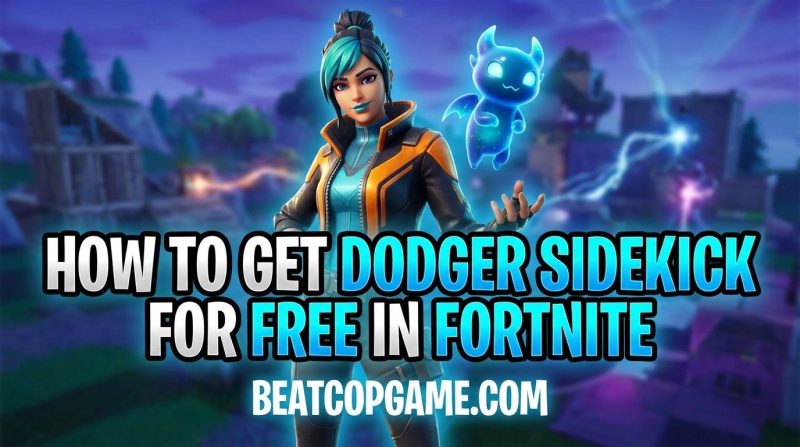
You can only get the Dodger Sidekick for free in Fortnite if you own the original Dodger Pet Back Bling from Chapter 1 Season 8. I logged in last week and found mine waiting in the locker automatically. Epic Games converted several legacy pet back blings into the new Sidekick system, and players who earned these pets during their original Battle Pass seasons received the upgraded versions completely free.
The Sidekick system arrived as part of a major Fortnite update, giving players cosmetic companions that follow them during matches. Unlike back bling pets that simply sat on your back, Sidekicks react to eliminations, dance with emotes, and add personality to your gameplay. I have been testing different Sidekicks across Battle Royale and LEGO Fortnite modes, and the difference in interactivity is immediately noticeable.
If you are looking for other free Fortnite cosmetics, this guide covers everything about claiming your free Dodger Sidekick and troubleshooting if it has not appeared yet.
Table of Contents
What is a Sidekick in Fortnite?
A Sidekick is a cosmetic companion in Fortnite that follows your character throughout matches. Unlike Back Bling pets that simply rested on your character’s back, Sidekicks are fully interactive companions with their own animations and reactions.
I first noticed the difference when my Bonesy Sidekick started reacting to my eliminations with celebration animations. Back Bling pets never did that. Sidekicks also respond when you emote, sometimes dancing alongside you or performing complementary animations. The level of personality and interaction makes them feel like actual companions rather than static accessories.
Back Bling Pets vs Sidekicks: What’s the Difference?
Back Bling pets were introduced in Chapter 1 Season 6 as cosmetic items that sat on your back. They had limited animation and essentially functioned as backpack decorations. I earned several during the early Battle Pass seasons and enjoyed them, but they felt static after a while.
Sidekicks replaced this system with companions that walk, run, and fly alongside you. They react to gameplay events, have emote interactions, and feel much more alive. Epic converted many popular pet back blings into Sidekicks, and players who owned the originals received the upgraded versions for free as a loyalty reward.
The key difference is interactivity. Sidekicks eliminate the distinction between a backpack item and a living companion. They are cosmetic only, meaning they provide no competitive advantage, but they add significant personality to your gameplay experience.
Who Gets the Free Dodger Sidekick?
You qualify for a free Dodger Sidekick only if you unlocked the original Dodger Pet Back Bling from Chapter 1 Season 8 Battle Pass. This required reaching Tier 52 on the premium Battle Pass track during that season.
I remember grinding to Tier 52 back in Chapter 1 Season 8 to get the original Dodger. He was a small, adorable creature that sat on my back during matches. Years later, Epic converted him into a full Sidekick companion, and I received the upgrade automatically just for owning the original.
Eligibility is strictly tied to Battle Pass ownership. If you did not play during Chapter 1 Season 8 or did not reach Tier 52 on the premium track, you will not receive the free Sidekick conversion. Epic has been consistent about this policy across all pet-to-sidekick upgrades.
The grant happens automatically when you log into Fortnite after the Sidekick update. Check your locker immediately upon login. I received a notification popup, but some players report needing to manually check their Sidekick section to find their new companion.
How to Get Dodger Sidekick for Free in Fortnite
Getting your free Dodger Sidekick requires zero effort beyond logging in, but here are the exact steps to ensure you claim yours properly. I followed this process myself and had my Sidekick equipped within minutes.
Step 1: Launch Fortnite and log into your account. Make sure you are on the same Epic Games account that played Chapter 1 Season 8. I almost checked the wrong account initially because I have multiple profiles.
Step 2: Wait for the main menu to fully load. Epic typically displays a notification banner when new Sidekicks are granted to your account. I saw a “New Items in Locker” popup immediately after login.
Step 3: Navigate to your Locker from the main menu. The Locker tab contains all your cosmetic inventory including skins, back bling, pickaxes, and now Sidekicks.
Step 4: Look for the Sidekicks section in your Locker. It should be near the Back Bling section. Click into it to view all available Sidekicks.
Step 5: Find Dodger in your Sidekick collection. If you qualified for the free upgrade, he will appear here with no V-Bucks cost associated.
Step 6: Select Dodger and equip him. Your Sidekick will now follow you in matches, reacting to eliminations and emotes automatically.
Some players report slight delays in receiving their Sidekick after the latest Fortnite updates. If Dodger does not appear immediately, close and restart the game. The grant usually processes within a few hours of login.
How to Equip Your Dodger Sidekick
Equipping your Sidekick takes just a few clicks once you know where to look. I spent a few minutes searching the first time because the interface moved things around.
Open your Locker from the main menu. Navigate to the Sidekicks tab, which appears alongside your other cosmetic categories. Select Dodger from your available Sidekicks. Click the equip button to assign him as your active companion.
Dodger works across all Fortnite modes including Battle Royale, Zero Build, and LEGO Fortnite. I tested him in LEGO mode specifically and he maintains all his animations and reactions. Some Sidekicks have slightly different appearances in LEGO mode to match the aesthetic, but they function identically.
Troubleshooting: Dodger Sidekick Not Showing Up
Some players encounter issues where their free Sidekick does not appear immediately. I researched common problems and solutions based on community reports and my own experience.
First, restart your game completely. Close Fortnite entirely and relaunch. The Sidekick grant sometimes requires a fresh session to process properly. Several Reddit users confirmed this fixed their missing Sidekick issue.
Next, verify you actually own the original Dodger Pet Back Bling. Log into your Epic Games account online and check your purchase history. Look for Chapter 1 Season 8 Battle Pass ownership and confirm you reached Tier 52. If you played during that season but did not buy the Battle Pass or stopped before Tier 52, you do not qualify.
Check if you are logged into the correct Epic account. Many players have multiple accounts across different platforms. I nearly checked my secondary account first before realizing my primary account had the Chapter 1 progress.
Wait 24 hours if the Sidekick still does not appear. Epic processes these grants in batches, and some accounts experience delays. If after 24 hours you still do not have Dodger and you definitely qualify, contact Epic Games support with proof of your Chapter 1 Season 8 Battle Pass ownership.
Other Free Sidekicks You May Have Received
Dodger is not the only free Sidekick Epic has granted. If you have been playing Fortnite since Chapter 1, check your Locker for these other converted companions.
Bonesy Sidekick was granted to players who owned the original Bonesy Pet from Chapter 1 Season 6 Battle Pass. I received him automatically and noticed he has some of the most detailed reaction animations of any Sidekick.
Remus Sidekick went to owners of the original Remus Pet from Chapter 1 Season 6. Some players report receiving multiple Remus Sidekicks due to a bug, but Epic has not clarified whether these duplicates will remain or be removed.
Scales Sidekick was granted to players who owned the original dragon pet. Epic has been systematically converting pet back blings as they release new Sidekick versions. Check your Locker regularly to see if any pets you own have been upgraded.
Each converted Sidekick maintains the personality of the original pet while adding the enhanced interactivity that defines the new system. I find myself rotating between Bonesy and Dodger depending on which skin I am wearing.
What If You Don’t Own the Original Dodger?
Players who did not play during Chapter 1 Season 8 or did not unlock Tier 52 can still get Dodger, but not for free. Epic added Dodger to the Item Shop for 1500 V-Bucks.
V-Bucks are Fortnite’s premium currency, purchasable with real money. The 1500 V-Bucks cost converts to approximately $15 USD depending on your region and the V-Bucks bundle you choose. I consider this a fair price for a cosmetic with the interactivity level Sidekicks provide.
Check the Item Shop daily rotation to see when Dodger appears. Epic rotates Sidekicks through the shop similar to how they handle skins and other cosmetics. If you want him specifically, be prepared to spend the V-Bucks when he appears.
New players should note that purchasing Dodger from the Item Shop is identical to receiving him free as a conversion. The cosmetic functions the same way regardless of how you obtained it.
Frequently Asked Questions
Can I get a free sidekick in Fortnite?
Yes, you can get free Sidekicks in Fortnite if you own the original pet back blings from Chapter 1 Battle Pass seasons. Players who earned Bonesy, Remus, Scales, or Dodger pets during their original seasons received free Sidekick conversions when Epic upgraded the pet system.
How do you get the sidekick emote in Fortnite?
Sidekicks react automatically when you use emotes during matches. Simply perform any emote while you have a Sidekick equipped, and your companion will respond with complementary animations. Some Sidekicks have unique reactions to specific emotes.
How to get Sidekick out in Fortnite?
To equip your Sidekick, open your Locker from the main menu. Navigate to the Sidekicks section, select your desired companion, and click the equip button. Your Sidekick will immediately start following you in matches, Battle Royale, Zero Build, and LEGO Fortnite modes.
Are free Fortnite skins really free?
Free Fortnite cosmetics like the Dodger Sidekick conversion are genuinely free for qualifying players. However, qualification requires having purchased or earned the original cosmetic during its initial release. Nothing in Fortnite requires payment to play competitively, though most cosmetics require either Battle Pass purchase or V-Bucks.
Are Fortnite sidekicks pay to win?
No, Fortnite Sidekicks are purely cosmetic and provide zero competitive advantage. They do not affect gameplay mechanics, visibility, or player hitboxes. Sidekicks simply follow your character and react to eliminations and emotes without impacting match outcomes.
Why did I get Remus Sidekick?
You received Remus Sidekick because you owned the original Remus Pet Back Bling from Chapter 1 Season 6 Battle Pass. Epic automatically converted eligible pet back blings into Sidekicks for free. Some players received multiple Remus Sidekicks due to a bug, but these function identically to the single version.
Did Fortnite give everyone a free sidekick?
No, Fortnite did not give everyone a free Sidekick. Only players who owned specific pet back blings from Chapter 1 Battle Pass seasons received free Sidekick conversions. New players or those who missed the original Battle Pass seasons must purchase Sidekicks from the Item Shop for V-Bucks.
Does a sidekick do anything in Fortnite?
Sidekicks provide cosmetic companionship but no gameplay advantages. They follow your character, react to eliminations with celebration animations, respond to emotes, and add personality to matches. Sidekicks work across all game modes including Battle Royale, Zero Build, and LEGO Fortnite, but they are purely visual enhancements.
Summary
Getting the Dodger Sidekick for free in Fortnite requires owning the original Dodger Pet Back Bling from Chapter 1 Season 8 Battle Pass Tier 52. Eligible players receive the upgrade automatically upon login with no additional action required. Check your Locker immediately to see if you qualify, and enjoy your new interactive companion in your next match.