
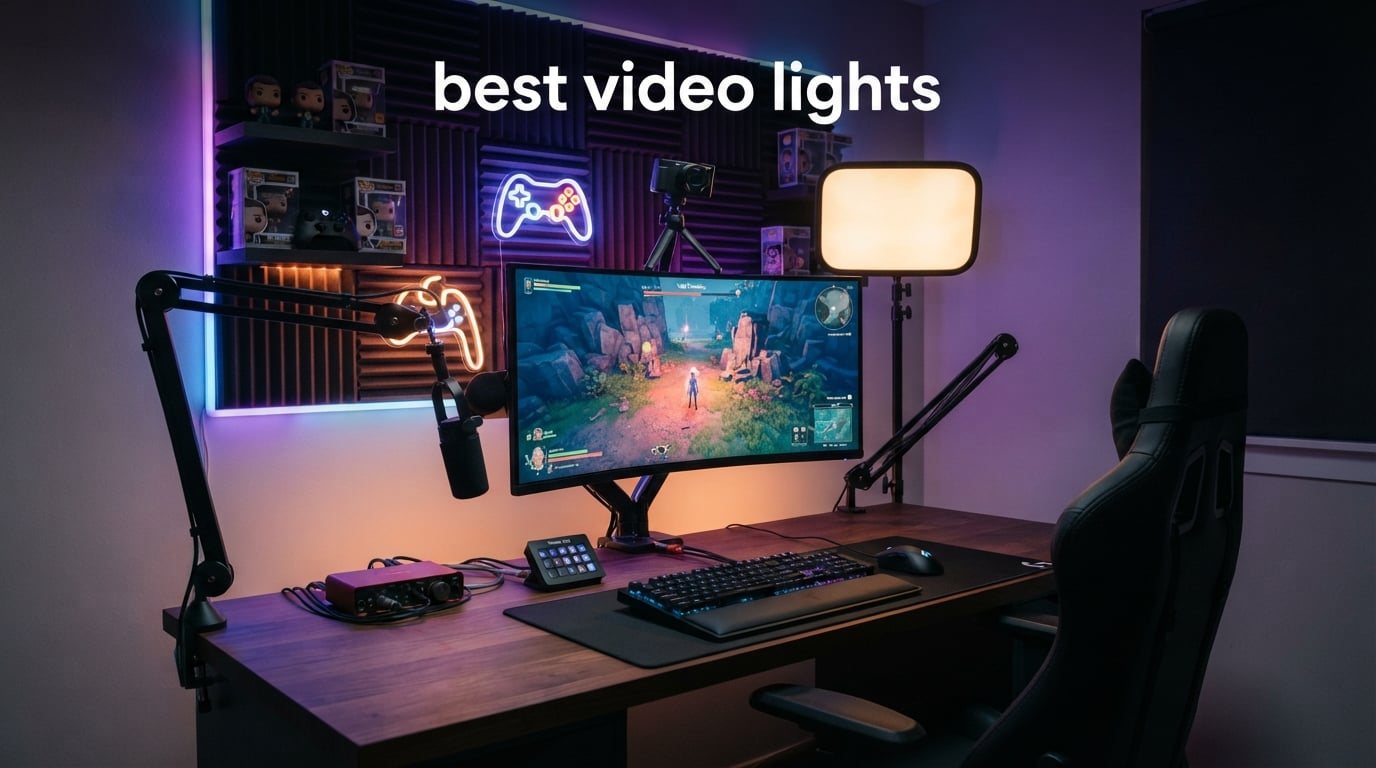
The best video lights make a face-cam look clear before you add a sharper webcam, a new lens, or another RGB strip behind the monitor. They are continuous LED lights that let you control brightness and color temperature, which means your camera sees a consistent subject rather than a mix of window light and a dim room.
For gaming and streaming, I would start with soft light placed just above eye level and slightly off to one side. That small change reduces the hard under-eye shadows a screen-lit desk creates, helps a webcam hold exposure when a game scene changes, and separates you from the background without turning your room into a studio set.
This guide compares 12 real LED video lights for face-cams, YouTube videos, mobile vlogs, interviews, and background effects in 2026. The list has compact on-camera units, battery-powered panels, a two-panel kit, and dedicated streaming lights, so the right answer depends on whether you need portable fill, a soft key, or creative RGB color.
A quick note on how I ranked them: the recommendations below rely on the manufacturer specifications, included components, and customer-review insights in the supplied product data. I do not treat a high output number as an automatic win; distance, diffusion, fan noise, desk space, and the way you actually record matter just as much.
Table of Contents
Top 3 picks: the NEEWER GL1 Pro leads streaming, while the RM120 and VL-81 cover portable setups
For a permanent gaming desk, the GL1 Pro has the clearest streaming-first feature set: a clamp stand, fanless operation, app control, and Elgato Stream Deck compatibility. The SmallRig RM120 is the more flexible RGB portable LED light, while ULANZI’s VL-81 is a simple bi-color fill light with a built-in softbox and long listed runtime.

Best video lights in 2026: compare all 12 options before choosing a setup
The broadest decision is between a compact light that travels with a camera and a larger panel that can soften a face-cam from farther away. RGB models add a colored background or practical effect, but a bi-color panel is often the simpler first key light for a stream or tutorial.
| Product | Specifications | Action |
|---|---|---|
 PIXEL G1s RGB Video Light PIXEL G1s RGB Video Light |
|
Check Latest Price |
| ULANZI VL-81 Bi-Color Light |
|
Check Latest Price |
 SmallRig RM120 RGB Light SmallRig RM120 RGB Light |
|
Check Latest Price |
 NEEWER NL-116AI Panel NEEWER NL-116AI Panel |
|
Check Latest Price |
 ULANZI VL49 Fill Light ULANZI VL49 Fill Light |
|
Check Latest Price |
 VILTROX L116T Panel VILTROX L116T Panel |
|
Check Latest Price |
 NEEWER RGB61 Magnetic Light NEEWER RGB61 Magnetic Light |
|
Check Latest Price |
 RaLeno 19.5W Soft Panel RaLeno 19.5W Soft Panel |
|
Check Latest Price |
 NEEWER NL-192AI Two-Pack NEEWER NL-192AI Two-Pack |
|
Check Latest Price |
| NEEWER GL1 Pro Key Light |
|
Check Latest Price |
 Logitech Litra Glow Logitech Litra Glow |
|
Check Latest Price |
 RaLeno 9 Inch Panel RaLeno 9 Inch Panel |
|
Check Latest Price |
1. PIXEL G1s is the app-controlled RGB light for a camera rig or colorful gaming background
Pixel G1s RGB Video Light with APP Control, 12W 210 Minutes Rechargeable Battery LED Camera Light, 10 Common Lighting Effects, CRI≥97 2500-8500K LED Video Light with Aluminum Alloy Body
12W RGB
2500K-8500K
210 minute battery
Pros
- App-based adjustment
- CRI 97 or higher
- 360 degree rotating arm
- 10 scene effects
Cons
- Not water resistant
- Small output for a room
The PIXEL G1s is a 12W RGB camera light with 150 full-color LEDs, a 2500K–8500K range, and listed CRI of 97 or higher. Its strongest point is control: the app adjusts hue, saturation, brightness, and color temperature, while the onboard LCD gives you a direct settings readout.
I would use this one as a colored rim or background light in a gaming setup rather than as the only light on a face. Its 360-degree rotating arm and cold shoe mounting make it easy to turn toward a shelf, wall, controller display, or the side of a webcam rig.
The RGB controls make the G1s useful when a stream needs a repeatable background look
Ten scene effects and full hue control give a creator options beyond plain white light. The 3200mAh battery is listed for 210 minutes at full brightness, and USB-C charging is useful when the light stays on a desk between sessions.
The compact output makes the G1s better as an accent than a distant key light
A small 12W unit cannot replace a large softened panel when it sits far from the subject. Keep it close for fill, color, or a mobile camera setup, and use a broader light when your face-cam needs coverage across a seated streaming position.
2. ULANZI VL-81 is the straightforward bi-color fill light for beginner video kits
ULANZI VL-81 3000mAh Bi-Color LED Video Light w Softbox – 3200K-5600K+CRI95 Rechargeable Camera Light, 3 Cold Shoe Mount for DSLR/GoPro/Sony/Canon/iPhone, Vlog Filming TikTok Live & Photography
CRI95+
3200K-5600K
Built-in softbox
Pros
- Softbox face
- 120g body
- Three cold shoes
- Up to 480 minute listed runtime
Cons
- Not water resistant
- Small panel coverage
The ULANZI VL-81 pairs 41 white and 40 warm LEDs with a 3200K–5600K bi-color range and CRI95+ color rendering. Its integrated softbox is meaningful for new creators because it takes some edge off the bare-panel look without adding a separate diffuser.
At 120g, this is the kind of light I would put in a small vlogging bag, mount near a phone, or use next to a laptop for a casual webcam shot. The three cold shoe mounts can also join a microphone or another compact light without making a simple rig complicated.
The bi-color adjustment helps the VL-81 match a room instead of fighting it
Match warmer household lighting near 3200K or move toward 5600K for a daylight look. That flexibility is more useful for a first continuous video lighting purchase than RGB effects if the main goal is an even face on calls, clips, and short-form video.
The runtime range suits quick shoots, but brightness changes it
The 3000mAh battery is listed for 150 minutes at maximum brightness and up to 480 minutes at the minimum setting. Plan around the higher-output figure when filming, because the dimmest runtime will not describe a light working as your primary key.
3. SmallRig RM120 is the color-accurate pocket RGB light for mobile creators
SmallRig RM120 RGB LED Video Light Panel, 7W Portable Metal Camera Light
7W 1580 lux
CRI TLCI 98+
2500K-8500K
Pros
- High listed color accuracy
- 5000mAh battery
- OLED controls
- Metal frame
Cons
- Not water resistant
- Not a broad studio key
The SmallRig RM120 combines a 7W output with listed 1580 lux, CRI 98+, and TLCI 98+. For anyone who records product shots, handheld B-roll, or a controller close-up, those color metrics are a better reason to consider it than RGB alone.
It covers 2500K–8500K, 360-degree hue adjustment, 100 saturation levels, and 12 lighting effects. The OLED display and metal frame make the controls and physical design more purposeful than a basic pocket light, while the included diffuser helps soften a close source.
The RM120 works best when the light must travel from a desk to a camera cage
Its 5000mAh battery is listed for 180 minutes at maximum brightness, and USB-C charging keeps cable choices simple. The 1/4-20 threaded hole and dual cold shoe mount give it more placement options than a unit that only sits on a camera shoe.
The RM120 is a close-range tool, not a replacement for a large panel
Use its 1580-lux specification as a guide to close work, since lux depends on the measurement distance. For a background splash, a tight fill, or a desk-level practical effect, this small RGB video light has the flexibility that a fixed-color panel lacks.
4. NEEWER NL-116AI is the desk-panel choice for a compact face-cam station
NEEWER 9″ LED Video Light Panel, Dimmable DSLR Camera Soft Lighting with Mini Desk Tripod Stand, USB Type C Ports, 3200K~5600K CRI95+ for Studio Photography Video Recording Live Streaming, NL-116AI
10W panel
600 lux at 0.5m
Desk tripod
Pros
- Mini tripod included
- One-percent adjustment
- CRI95+
- 180 degree tilt
Cons
- 90 minute listed runtime
- Not water resistant
The NEEWER NL-116AI is a 9-inch, 10W panel with 58 warm and 58 cool LEDs, 600 lux at 0.5m, and a 3200K–5600K range. Unlike a tiny hot-shoe light, its panel size and supplied mini desk tripod make it practical as a dedicated source beside a monitor.
I like the simple physical proposition for a streamer with limited space: set the tripod on the desk, raise the panel, tilt it up to 180 degrees, and adjust brightness and color temperature in one-percent increments. It is an uncomplicated way to make content creator lighting feel intentional.
The included tripod gives the NL-116AI a usable starting position without extra hardware
The all-metal tabletop tripod extends to 7.1 inches, which is enough to clear many desk accessories but not enough to become a tall standing key. A camera cold-shoe adapter offers a second route if the light needs to sit on a cage instead.
The built-in battery favors plugged-in desk use for longer recordings
The 4000mAh battery is listed for 1.5 hours, with a two-hour charge time. That is sufficient for a planned session, yet a long stream is where the USB-C ports become more attractive than relying only on stored power.
5. ULANZI VL49 is the tiny fixed-daylight light for quick camera fill
Ulanzi VL49 On-Camera LED Video Fill Light, 5500K 2000mAh Rechargeable
5500K daylight
CRI95+
90g compact body
Pros
- Very portable
- Three cold shoes
- Up to 300 minute listed runtime
- Simple five-step dimming
Cons
- Fixed 5500K color
- No water resistance
The ULANZI VL49 takes the no-frills route: 49 LEDs, 5500K daylight balance, CRI95+, and five brightness levels. At 90g in the listed technical details, it is one of the easiest lights here to leave on a small camera, phone bracket, or travel tripod.
It is not the right fit if you need to match warm lamps or build a cinematic RGB set. It is the right fit if you need a simple, portable fill that removes the worst shadows from a vlog, a handheld game-store clip, or a close shot of a keyboard.
The 5500K output makes the VL49 simplest in daylight-balanced environments
Fixed color temperature means fewer decisions and fewer ways to mismatch settings. In a room with warm bulbs, though, a 5500K source can look noticeably cool, so switch the room lighting off or choose a bi-color model when matching is important.
The small form factor makes the VL49 a companion light rather than a room light
The 2000mAh battery is listed for 120 minutes at maximum brightness and 300 minutes at minimum. Three cold shoe mounts allow stacking accessories, but keeping a compact rig light and balanced is usually more helpful than filling every mount.
6. VILTROX L116T is the thin bi-color panel for camera-mounted or tabletop video
VILTROX 15W LED Video Light Panel, 3300K-5600K On Camera Light, Super Thin
15W panel
3300K-5600K
CRI95+
Pros
- 15W output
- Soft diffuser face
- LCD display
- Memory function
Cons
- Listed 1.75 hour battery life
- Not water resistant
The VILTROX L116T has 15W output, a 3300K–5600K range, CRI95+, and brightness adjustment from 20 to 100 percent. Its thin body measures 7.56 by 5.04 by 0.98 inches, which places it between a pocket fill and a sizeable desk panel.
The honeycomb-style diffuser surface is designed to soften the source, while the LCD displays brightness, color temperature, and battery information. It also remembers previous settings, a small feature that helps when you want a repeatable look for a recurring stream or recorded series.
The L116T gives a creator more key-light reach than the smallest on-camera units
A 15W panel has a more plausible role as a close tabletop key or side fill than a 6W light. It can also mount to a standard hot shoe, so it works for a camera setup that needs a wider source without carrying a full light stand.
The NP-F550 battery arrangement requires planning for long-form recording
The listed average battery life is 1.75 hours. That can fit a short tutorial or an interview segment, but creators who record gameplay or podcasts for longer should arrange USB power or have their power plan ready before pressing record.
7. NEEWER RGB61 is the magnetic effects light for creative gaming scenes
Pros
- Magnetic rear mount
- Wide 2500K-8500K range
- 20 effects
- Three cold shoes
Cons
- Small output for wide rooms
- Not water resistant
The NEEWER RGB61 is a 6W mini panel with CRI97+, 0–360-degree hue control, 2500K–8500K white balance, and 20 scene modes. Its magnetic rear mount is the standout feature because it can attach to a metal surface without needing to build another tiny stand setup.
For a gaming room, I would think of it as a background maker. Place it on a metal shelf support, a compatible rig, or any suitable metal surface to add a controlled colored pool behind a chair, figure display, or sidewall.
The RGB61 supplies effect modes that are practical for short scenes and creative B-roll
Modes include cop car, ambulance, fire truck, lightning, fireworks, TV, candle, and party. These modes are not a substitute for a proper key light, but they can add movement and context to a skit, a product reel, or a game-themed intro.
The 800-lux specification belongs to close-range lighting decisions
NEEWER lists 800 lux at 0.5m and a 120-degree beam angle. Keep it close to the intended subject or background detail, because moving a small light farther away reduces the light arriving at that point very quickly.
8. RaLeno 19.5W Soft Panel is the larger battery panel for a desk studio
RALENO 13″ LED Video Soft Light Panel with Desk Stand
19.5W panel
2500K-6500K
8000mAh battery
Pros
- Large soft panel
- Wide color range
- Desk stand included
- HD LCD
Cons
- 90 minutes at max output
- Not water resistant
The RaLeno 19.5W light offers 192 LED beads, 650 lux per meter, CRI above 95, and a 2500K–6500K range. Its 13-inch panel has more surface area than most camera lights here, which can make its output feel gentler across a face at a sensible desk distance.
An 8000mAh battery and an adjustable desk stand make it self-contained for a small streaming or recording station. The display shows settings in real time, and the panel can tilt through 180 degrees, so you can aim it down from above rather than firing light directly forward.
The larger panel helps the RaLeno produce a softer close key for talking-head work
Light softness relates to the apparent size of the source from the subject’s position. Place this panel nearer and slightly to the side of the camera for a gradual shadow edge, then lower brightness rather than putting a smaller, harsher light far away.
The 90-minute maximum-output figure matters for a full gaming stream
Battery life is listed as 90 minutes at maximum power, even with the larger 8000mAh capacity. If you expect a lengthy session, keep the light near a USB power source and test the desk stand’s placement before the microphone and camera are in the way.
9. NEEWER NL-192AI two-pack is the ready-made route to key and fill lighting
NEEWER 13″ LED Video Light Panel Kit, 2 Pack Bi Color Dimmable with Tripod Stand, 4000mAh Battery, 3200K-5600K CRI97+, USB, for Studio/Streaming/YouTube, Black, NL-192AI
Two 13 inch panels
2400 lux
CRI97+
Pros
- Two matched panels
- 70 inch stands included
- Carrying case
- 180 degree tilt
Cons
- 90 minute listed runtime
- Some users report charging issues
The NEEWER NL-192AI kit includes two bi-color panels, two 70-inch adjustable stands, and a carrying case. Each panel has 192 LEDs, CRI97+, 3200K–5600K adjustment, and a listed 2400 lux output, so this is the cleanest option in the group for learning a real multi-light layout.
For a YouTube desk review, podcast video, or streamer who wants consistent light from both sides, matched panels avoid the hassle of mixing different color ranges and control styles. The panels are only 0.4 inches thick and can tilt 180 degrees for high or low placement.
The two-panel format makes key-and-fill placement much easier to understand
Set one panel as the brighter key about 45 degrees from your face. Put the other near the camera axis at a lower output as fill, which preserves facial shape while stopping the unlit side from turning into a dense shadow.
The included tall stands make this kit less dependent on desk space
The 70-inch stands move the lights off a crowded streaming surface and can place them above monitor height. Each panel weighs 1.3 pounds, but the listed battery runtime is 90 minutes, so the kit is most comfortable where charging access is nearby.
10. NEEWER GL1 Pro is the dedicated fanless key light for a permanent streaming desk
NEEWER 15.5″ LED Streaming Key Light, Clamp on Desk Panel Video Lighting for Gaming Recording Zoom Call, CRI97+, 2.4G PC/Mac iOS/Android APP Control, Compatible with Elgato Stream Deck, GL1 PRO Black
4300 lux at 0.5m
Fanless
Stream Deck ready
Pros
- Soft edge-lit panel
- Fanless operation
- App and wireless control
- Desk clamp included
Cons
- 6.4 pound body
- Made for a fixed desk
The NEEWER GL1 Pro is the most streamer-specific light in this list. Its 15.5-inch edge-lit panel provides up to 4300 lux at 0.5m, has CRI97+ and TLCI98+ ratings, ranges from 2900K to 7000K, and uses a fanless design that avoids adding fan sound beside a microphone.
The clamp stand fits desk thicknesses from 0.4 to 3 inches and adjusts from 13.8 to 23.6 inches in height. That approach frees the desk surface, which I consider a major advantage when a monitor arm, microphone boom, controller dock, and keyboard already compete for space.
The GL1 Pro fits streamers who want lighting control inside an established desk workflow
It supports 2.4G wireless control, Bluetooth, the Neewer Control Center app, and Elgato Stream Deck compatibility. That lets a creator change a key-light look alongside other stream actions rather than reaching around a monitor during a live session.
The fanless edge-lit design favors a close microphone and a soft face-cam look
Forum discussions often flag fan noise as a small but real audio problem, particularly for spoken streams and interviews. The GL1 Pro’s fanless specification directly addresses that concern, while edge lighting spreads the source across a larger surface for a less hard-edged result.
11. Logitech Litra Glow is the USB monitor light for a minimal PC streaming setup
Logitech for Creators Litra Glow Premium LED Streaming Light – Graphite
TrueSoft LED
USB powered
Three-way monitor mount
Pros
- Wide frameless diffuser
- Simple monitor mount
- G HUB controls
- Compact USB power
Cons
- No built-in audio recording
- Not water resistant
The Logitech for Creators Litra Glow is a compact USB-powered streaming light built around TrueSoft balanced, full-spectrum LED output. Its frameless diffuser spreads wide soft light, and its small 3.56-inch form makes sense for someone who wants a cleaner webcam upgrade without adding a stand.
The three-way mount can adjust height, tilt, and rotation around a monitor, while the G HUB desktop app handles brightness, color temperature, and presets. This is the streaming lights pick I would consider when a desktop computer is the whole production system and portability is secondary.
The monitor mount makes Litra Glow useful when a desk cannot fit another tripod
Putting the light near the top edge of a monitor keeps it close to the webcam’s view and leaves more room for input devices. Move it a little to one side or angle it down to add shape, because light directly on the lens axis can flatten a face.
The USB-powered design supports long sessions when a computer is already running
There is no battery runtime to manage before a stream; the light draws power through USB. That simplicity can be more helpful than extra output modes for a creator whose work is mostly video calls, game streaming, and webcam commentary at one PC.
12. RaLeno 9 Inch Panel is the soft, manually controlled light for calls and recordings
RALENO 9″ LED Video Light, 2500K-6500K Camera Light with Desk Stand
12W 600 lux
2500K-6500K
Four-layer diffuser
Pros
- Soft edge-lit output
- Dual physical knobs
- Wide color range
- Mini stand included
Cons
- 80 minute listed battery life
- Manual controls only
The RaLeno 9-inch panel combines 12W output, 600 lux at 0.5m, CRI above 95, and a 2500K–6500K range. Its edge-lit construction and four-layer diffuser are designed for soft, even light, making it a sensible choice where you want a friendly face-cam image without a bare LED glare.
Two physical knobs separately control brightness and color temperature in one-percent increments. I prefer that immediate approach for a shared desk or a creator who does not want an app involved every time a video conference, tutorial recording, or live stream begins.
The four-layer diffuser gives the RaLeno panel a clear role as a close desktop key
Soft light is especially useful for glasses, shiny headphones, and reflective gaming gear because it reduces the sharp points of reflection a tiny source can create. The included mini stand adjusts from 3.74 to 7.09 inches, and a cold-shoe adapter adds another placement option.
The RaLeno panel works best when a USB-C cable is available for longer sessions
Its built-in 4000mAh battery is listed for 80 minutes. The panel can operate while charging, so a permanent desk setup can avoid an abrupt mid-stream power issue without giving up the freedom to move it for occasional camera work.
Choose your video light by placement, softness, color control, and power plan
The fastest way to narrow this list is to decide where the light will live. A monitor-mounted or clamped streaming key light works for a fixed PC station, a battery panel works near a desk or camera, and a pocket RGB unit works as mobile fill or a colored background accent.
Creators in videography forums repeatedly point to three practical concerns: confusing brightness figures, battery life away from mains power, and fan noise near audio gear. Those are good filters because they describe the real friction that shows up after a light arrives.
Use a large, close source when soft face lighting matters more than raw output
A panel placed close to your face is generally softer than a small on-camera light placed far away. The RaLeno 19.5W panel, NEEWER GL1 Pro, NEEWER two-panel kit, Litra Glow, and RaLeno 9-inch panel each lean toward a broader diffused source for face-cam work.
Do not confuse brightness with softness. Lux tells you how much light reaches a measured point, while the size of the emitting surface and its distance help determine how smooth the shadow transition looks on a face.
Match color temperature to the room before adjusting brightness
Color temperature is measured in Kelvin. A setting around 3200K looks warm and suits many indoor lamps, 5500K is a daylight-style reference, and higher settings look cooler; bi-color models let you match rather than mix those looks.
For a gaming stream, turn one kind of ambient light off when possible and set the key light to match what remains. RGB lighting belongs behind you or on a background object in most setups, where it adds separation without tinting skin tones.
Read CRI and TLCI as color-confidence signals, not as a complete verdict
CRI and TLCI are ratings related to how faithfully a light renders color. A rating of 95 or higher is common among these models, while the RM120 and GL1 Pro list CRI97+ or higher alongside very high TLCI figures, which is reassuring for skin tones, game merchandise, and product demos.
Those metrics do not tell you where to put the light or whether it is bright enough at your chosen distance. Check the panel size, listed lux measurement distance, mounting options, and power method alongside them.
Set up three points when a single key light leaves the background flat
Start with a key light: place it about 45 degrees to one side of the camera and slightly above eye level. Set it high enough to be flattering, then aim it down gently so your eye sockets do not turn into dark patches.
Add fill next by using a weaker light closer to the camera on the other side. A two-panel kit makes this simple, but a compact VL-81, VL49, or small RGB light at low brightness can also lift the shadows without erasing all facial definition.
Finish with a background or rim light placed behind and off to one side. The PIXEL G1s, RM120, and RGB61 suit this role well because hue and scene effects can add color to a wall or shelf while your key remains clean white.
Choose battery power for mobility and USB power for repeatable long sessions
For vlogging or camera work away from a desk, compare the listed maximum-brightness runtime instead of the longest low-brightness claim. The G1s lists 210 minutes at full brightness, the RM120 lists 180 minutes at maximum, and smaller lights may run shorter when pushed hard.
For long game streams, USB-powered options avoid battery timing altogether. The Litra Glow is USB powered, while the GL1 Pro is made for a clamped desktop position; battery panels that can run while charging can also work well when their cable route is safe and out of frame.
Pick a beginner path that fixes the light you actually lack
A beginner who has no usable face lighting should start with a soft bi-color panel such as the NEEWER NL-116AI or RaLeno 9-inch Panel. A beginner who already has a key light but wants visual personality should add an RGB61, RM120, or G1s behind the desk instead.
If you want to film interviews, tutorials, and gameplay commentary with more control from day one, the NEEWER NL-192AI two-pack gives you the most direct route to key-and-fill placement. It is more gear, but it solves the common question of how to light both sides of a subject.
Answers to common video-light questions
What is the best kind of lighting for YouTube videos?
A soft, adjustable LED key light is the best starting point for most YouTube videos. Place a bi-color panel slightly above eye level and about 45 degrees from the camera, then add lower-power fill only if the shadow side of the face is too dark. A two-panel kit makes that key-and-fill arrangement easy, while a compact RGB light works better as a background accent than a primary face light.
How many lumens or lux do I need for a good video light?
Use lux measured at a stated distance rather than chasing a single high number. A close desk key such as the panels in this guide lists 600 lux at 0.5m, while the NEEWER GL1 Pro lists up to 4300 lux at 0.5m. Position, diffusion, camera settings, and room light all affect the usable result, so place the light first and then adjust brightness.
Are LED lights good for professional video?
Yes. LED video lights provide continuous, adjustable output and can offer high color-rendering ratings. For professional-looking footage, check CRI or TLCI, color-temperature range, output at the working distance, diffusion, and whether the unit’s fan or power method suits your recording environment.
What is the best entry-level video light?
The ULANZI VL-81 is a friendly entry-level option when you need portable bi-color fill with an integrated softbox. For a desk-based face-cam, the NEEWER NL-116AI or RaLeno 9-inch Panel gives a wider, softer source and a stand. Choose the one that matches where you record rather than buying RGB effects before you have a usable key light.
Why do you need a video light?
A video light gives your camera consistent illumination when room light or a monitor alone leaves your face dim, uneven, or shadowed. Good placement improves exposure, makes skin tones more natural, adds separation from the background, and keeps a stream or recording more consistent when daylight changes or gameplay brightens and darkens the room.
The best video lights for 2026 are the ones that solve your actual recording problem
For a dedicated gaming desk, choose the NEEWER GL1 Pro when clamp mounting, soft edge-lit output, quiet operation, and Stream Deck support fit your workflow. Choose the Logitech Litra Glow for an uncomplicated USB monitor light, or the NEEWER NL-192AI kit when you want a more complete key-and-fill arrangement.
For creators who travel or need background color, the SmallRig RM120 is the most technically capable pocket option here, while the PIXEL G1s and NEEWER RGB61 give flexible RGB effects and mounting choices. The best video lights are not always the brightest; they are the lights you can place close, power reliably, and control easily every time you go live or hit record.