
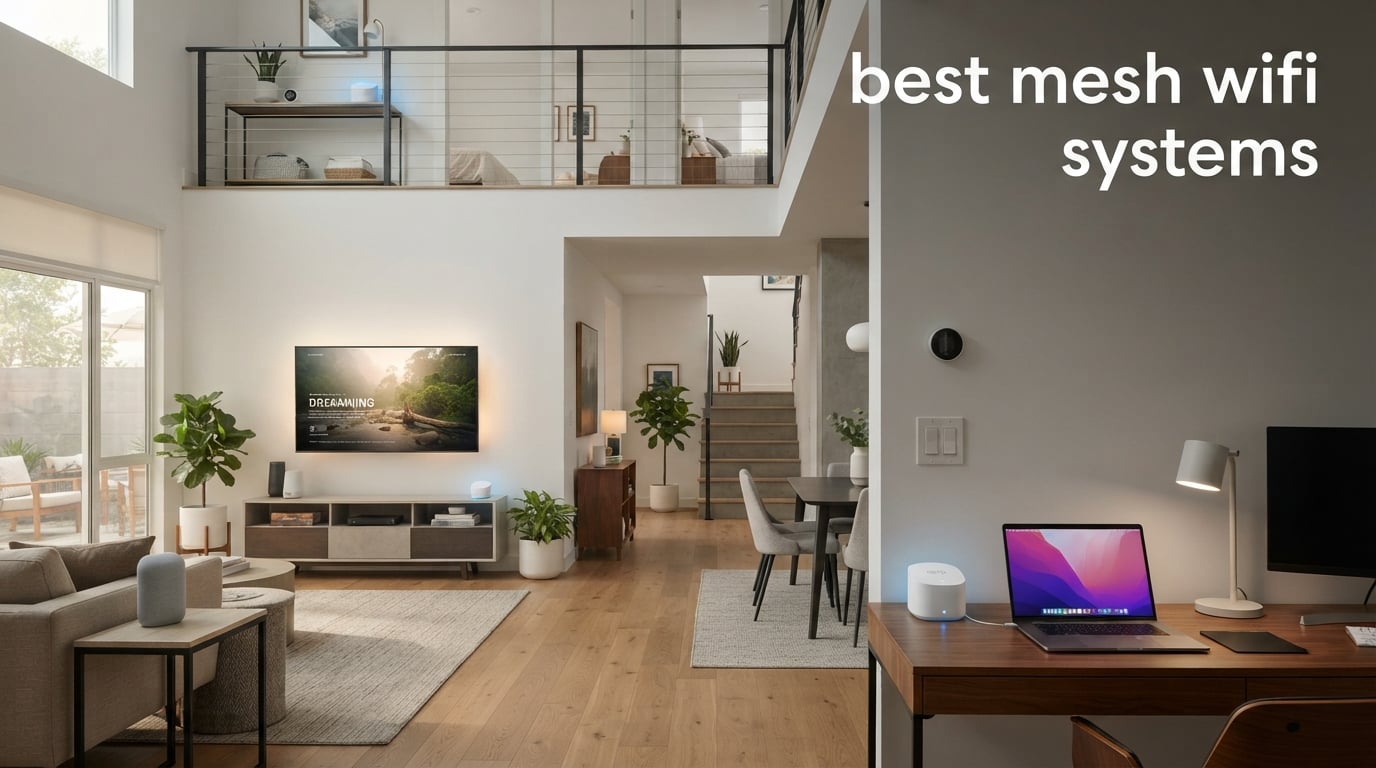
The best mesh WiFi systems replace a weak single-router signal with several coordinated nodes, giving your phone, laptop, TV, and smart devices one network across the home. For most large or multi-floor homes, the TP-Link Deco BE25 is the strongest all-round starting point here because it combines Wi-Fi 7, up to 6,600 square feet of stated coverage, Multi-Link Operation, and two 2.5 GbE ports per unit.
That does not make it the automatic answer for every household. A home with older devices and gigabit internet can make very good use of the TP-Link Deco X55, while a household already using eero gear may prefer the eero 7 or eero Pro 7; readers focused only on newer standards can compare more Wi-Fi 7 mesh systems in our dedicated guide.
I would begin with the building rather than a speed number: identify dead rooms, floors, thick walls, and places where an Ethernet cable already reaches. Wi-Fi 6E still has a useful 6 GHz path for compatible devices, and our guide to Wi-Fi 6E routers adds context if you are deciding between a mesh kit and a single powerful router in 2026.
Table of Contents
The top 3 picks make the fastest choice easier
The Deco BE25 is our editor’s choice for households that want Wi-Fi 7 and multi-gig wired connections without moving into a more demanding tri-band kit. The Deco X55 suits a busy Wi-Fi 6 home that needs many Ethernet ports, while the Deco X20 is the sensible pick when reliable coverage and a straightforward app matter more than newer radios.
For a very large home, do not ignore the NETGEAR Orbi 770’s stated 8,000-square-foot reach. For an eero household with a particularly dense device list, the eero Pro 7’s stated capacity of 600-plus devices and its two 5 GbE ports are the defining figures.
These eight mesh WiFi systems cover the main home-network needs in 2026
| Product | Specifications | Action |
|---|---|---|
 TP-Link Deco X20 TP-Link Deco X20 |
|
View availability on Amazon |
 TP-Link Deco BE23 TP-Link Deco BE23 |
|
View availability on Amazon |
 TP-Link Deco X55 TP-Link Deco X55 |
|
View availability on Amazon |
 Amazon eero 7 Amazon eero 7 |
|
View availability on Amazon |
 Amazon eero Pro 7 Amazon eero Pro 7 |
|
View availability on Amazon |
 TP-Link Deco BE25 TP-Link Deco BE25 |
|
View availability on Amazon |
 TP-Link Deco XE75 TP-Link Deco XE75 |
|
View availability on Amazon |
 NETGEAR Orbi 770 NETGEAR Orbi 770 |
|
View availability on Amazon |
Coverage figures are useful for sorting this list, but they are manufacturer claims rather than a promise that every room will receive the same signal. A long narrow house, brick chimney, concrete floor, metal ductwork, or a node hidden in a cabinet can change the result more than the difference between two nearby coverage claims.
My practical reading of the chart is simple: favor Wi-Fi 7 when you have multi-gig internet, modern devices, or want the newest backhaul tools; favor tri-band when the nodes will communicate wirelessly; and favor wired backhaul whenever your home already has Ethernet in the right places.
The TP-Link Deco X20 is the dependable Wi-Fi 6 choice for broad basic coverage
TP-Link Deco x20 Dual-Band WiFi 6 Mesh System, Deco X20 (3-Pack)
Wi-Fi 6
5,800 sq ft
6 Ethernet ports
Pros
- Up to 150 devices
- Wired backhaul support
- Easy Deco app setup
Cons
- Two-year warranty
- Advanced security is not free
The three-pack Deco X20 is a practical answer when a standard router leaves bedrooms, an upstairs office, or a basement with an unreliable signal. TP-Link rates this dual-band Wi-Fi 6 system for up to 5,800 square feet and up to 150 connected devices, figures that put it squarely in the conversation for active family homes with many phones, TVs, and smart accessories.
It carries a 4.5 out of 5 rating from more than 15k reviews in the supplied product data. That large review base and the customer summary point to two recurring strengths: easy Deco-app setup and steady whole-home coverage.
The AX1800 rating means this is not the system to choose purely for the newest Wi-Fi generation or multi-gig wired networking. Its six total Ethernet ports across the three nodes are Gigabit ports, which remain useful for wiring a TV, desktop, console, or a node back to the main unit.
Wired backhaul is the reason I would not overlook the X20 in a home with existing Ethernet. Connecting the nodes by cable avoids asking the same wireless bands to carry both device traffic and node-to-node traffic, a point that home-networking discussions repeatedly flag when wireless mesh speed falls in distant rooms.
Wired placement gives the Deco X20 its strongest case
Place the main X20 close to the modem in an open area, then place the second node where the strong signal begins to fade rather than at the very edge of the dead zone. The third node can serve an upper floor or a far room, but it needs a good link to the rest of the mesh to help rather than repeat a weak connection.
If Ethernet reaches those secondary locations, this kit can use it for backhaul. That setup leaves more wireless capacity for streaming, video calls, and gaming devices, even though the X20 itself remains a dual-band Wi-Fi 6 model.
Device-heavy homes can choose the Deco X20 with realistic expectations
TP-Link lists support for up to 150 devices, which covers a household where smart speakers, bulbs, plugs, cameras, tablets, and work devices all share the network. Its HomeShield controls add parental-control support, while the product information says advanced security features are not included in the free tier.
Choose another system if your priority is Wi-Fi 7, 2.5 GbE, or a dedicated third band for wireless node traffic. Choose the X20 when coverage, familiar Wi-Fi 6 compatibility, and Ethernet backhaul matter most.
The TP-Link Deco BE23 brings Wi-Fi 7 and MLO to a straightforward three-node kit
TP-Link Deco 7 BE23 Dual-Band BE3600 WiFi 7 Mesh Wi-Fi System | 4-Stream 3.6 Gbps, 160 Mhz | Covers up to 6,500 Sq.Ft | 2× 2.5G Ports Wired Backhaul | VPN,MLO,AI-Roaming, HomeShield, 3-Pack
Wi-Fi 7 BE3600
6,500 sq ft
Two 2.5 GbE ports
Pros
- Multi-Link Operation
- 2.5 GbE wired ports
- Separate IoT network
Cons
- Dual-band design
- Separate modem required
The Deco BE23 moves to Wi-Fi 7 while keeping the hardware focused on the essentials: dual-band BE3600 service, up to 6,500 square feet of stated coverage, and support for 150 devices. Its 4.5 rating comes from 648 reviews, a smaller pool than the established Wi-Fi 6 Decos but still a useful record of early ownership feedback.
Its headline feature is Multi-Link Operation, or MLO. Compatible Wi-Fi 7 devices can use more than one link, and TP-Link also describes MLO as improving the wireless backhaul between nodes.
Every BE23 unit has two 2.5 Gbps WAN/LAN ports, so it is a much better fit than a Gigabit-only kit when your modem, desktop, NAS, or switch already supports faster wired links. The system also offers VPN client and server support and a separate IoT Wi-Fi network with WPA3, which helps keep smart-home setup from crowding your main device list.
This remains a dual-band system, so it does not provide a third band that can be reserved for wireless node traffic. I would run Ethernet backhaul when possible, especially through dense materials or across floors.
Multi-gig ports make the Deco BE23 ready for faster wired gear
Two 2.5 GbE ports per node let you connect a faster internet handoff and a nearby wired device without dropping that link to Gigabit speed. The real benefit depends on the rest of the network: your modem, service tier, cable, switch, and client device must also support speeds above Gigabit.
For a home with a 1 Gbps connection, the ports still offer welcome flexibility for local traffic. For example, a wired desktop and network storage can exchange data through the mesh without the port itself being the tightest limit.
The separate IoT network helps smart-home households organize devices
A separate IoT Wi-Fi network is one of the more useful practical features in the BE23 data. It gives smart plugs, cameras, and other compatible accessories their own connection path instead of forcing every device onto the same primary network.
Check how individual older accessories behave during setup, because many IoT products expect 2.4 GHz access. The BE23 supports earlier Wi-Fi generations, so it can join newer laptops and older smart-home equipment on one mesh system.
The TP-Link Deco X55 gives Wi-Fi 6 homes more wired connections per node
TP-Link Deco X55 AX3000 WiFi 6 Mesh System, Deco X55(3-Pack)
Wi-Fi 6 AX3000
6,500 sq ft
9 Gigabit ports
Pros
- Three ports per unit
- 6
- 500 sq ft coverage
- Ethernet backhaul
Cons
- App needed for full features
- Reports of occasional drops
The Deco X55 is the Wi-Fi 6 model I would look at first when Ethernet ports are as important as wireless coverage. TP-Link rates this AX3000 three-pack for up to 6,500 square feet, and each node has three Gigabit Ethernet ports, giving the full kit nine ports to spread between fixed devices and wired backhaul.
It is also the strongest-selling mesh product in the supplied data, listed at number one in Whole Home & Mesh Wi-Fi Systems. Its 4.4 rating is based on more than 12k reviews, and the review summary credits wide coverage and solid Wi-Fi 6 performance.
AX3000 here combines a 2×2 HE160 2,402 Mbps 5 GHz connection with a 574 Mbps 2.4 GHz connection. Those figures describe the radio capability rather than the speed any one device will see, but the 160 MHz support is useful for compatible Wi-Fi 6 clients close to a node.
The product data does include reports of occasional connectivity drops and says the app is required for full features. I would update firmware before judging the system, position each node in open air, and wire nodes if the home’s walls make an all-wireless path unreliable.
Nine Ethernet ports make the Deco X55 easy to fit around stationary devices
A three-pack with three ports per unit can simplify a media-heavy layout. One node can serve the modem and a switch, another can wire a television and console, and a third can wire a desktop while also carrying Ethernet backhaul.
That port count matters because wired devices do not compete for radio time. It is particularly helpful for a work desk, game console, streaming box, or desktop PC that stays in one place.
AI-driven roaming supports movement through a multi-floor home
TP-Link describes the X55 as an AI-driven mesh system, which is intended to guide devices toward the most suitable node as you move. This is the convenience that makes a mesh network different from manually switching between extender names in a single-router setup.
Roaming still depends on where nodes sit and how aggressively each client holds a weak signal. Give the system several open, central positions to work with rather than hiding satellites behind a television or at the end of a long blocked hallway.
The Amazon eero 7 is the simple Wi-Fi 7 expansion pick for existing eero homes
Amazon eero 7 dual-band mesh Wi-Fi 7 router (newest model) – Supports internet plans up to 2.5 Gbps, Coverage up to 6,000 sq. ft., 3-pack
Wi-Fi 7
6,000 sq ft
Two 2.5 GbE ports
Pros
- MLO support
- 120 plus devices
- Works with older eeros
Cons
- Dual-band design
- Advanced security subscription
The eero 7 is a dual-band Wi-Fi 7 three-pack rated for up to 6,000 square feet and more than 120 devices. It is a natural choice for a home that already has an eero node because the product data confirms backward compatibility with all eero generations.
Its 4.4 rating comes from 1,921 reviews. The supplied customer summary highlights TrueMesh routing and backward compatibility, two points that fit a household wanting to extend an existing eero network rather than replace every node at once.
eero lists support for internet plans up to 2.5 Gbps and two auto-sensing 2.5 GbE ports. Auto-sensing ports make the physical role less fussy, but a faster wired path still needs compatible equipment at both ends to do more than Gigabit.
TrueMesh, TrueRoam, and TrueChannel are eero’s names for its routing, roaming, and channel-management behavior. They are designed to keep the system making network decisions in the background, which is appealing if you want app-led management instead of a dense control panel.
Existing eero owners can expand without rebuilding their network
Backward compatibility is the feature that separates the eero 7 from a fresh-start Wi-Fi 7 kit. It gives existing eero users a path to add a newer node while keeping prior eero hardware in the same mesh.
Mixed-generation networks should be planned around the older equipment’s capabilities. A newer Wi-Fi 7 node cannot make an older client or older satellite communicate with Wi-Fi 7 features, but it can improve the part of the network connected directly to it.
The eero app approach fits hands-off management better than deep tuning
The eero 7 uses app control, and its review data favors its routing software. That approach makes sense for people who want to add nodes, name a network, and check device connections from one place.
Account for the optional eero Plus subscription if advanced security is important to your household. The supplied product data also lists a three-year warranty, which is longer than the two-year warranty listed for the TP-Link systems in this roundup.
The Amazon eero Pro 7 is the high-capacity tri-band choice for demanding networks
Amazon eero Pro 7 tri-band mesh Wi-Fi 7 router (newest model) – Supports internet plans up to 5 Gbps, Coverage up to 6,000 sq. ft., 3-pack
Tri-band Wi-Fi 7
6,000 sq ft
Two 5 GbE ports
Pros
- Up to 600 devices
- 5 GbE ports
- Tri-band radios
Cons
- Advanced security subscription
- Too much for small homes
The eero Pro 7 is for a household where the device count, wired speed, and wireless backhaul demand are unusually high. eero specifies tri-band Wi-Fi 7, up to 3.9 Gbps wireless speeds, coverage up to 6,000 square feet, and support for more than 600 devices in this three-pack.
That 600-plus-device claim is the highest stated capacity in this group. It will be more than most houses need, but it makes sense to consider when cameras, sensors, entertainment gear, phones, computers, and smart appliances all remain online together.
Two auto-sensing 5 GbE ports per unit are a large step up from Gigabit ports and are also faster than the 2.5 GbE connections found on several other picks. This gives the eero Pro 7 room for a very fast broadband handoff and high-throughput wired traffic near each node.
The product record carries a 4.4 rating from 1,304 reviews and lists the same TrueMesh, TrueRoam, and TrueChannel software family as the eero 7. It also shares backward compatibility across eero generations and the optional eero Plus path for advanced security.
Tri-band radios help when nodes must link wirelessly
Tri-band does not guarantee that a mesh will reserve one band only for backhaul in every situation, but it gives the system more spectrum than a dual-band design. That extra flexibility is valuable when satellites cannot be wired and have to move both client data and inter-node data through the air.
Place the nodes where their connection to each other remains strong, not only where the client signal is weak. A tri-band system can help a difficult layout, but it cannot overcome a satellite placed beyond thick concrete or several major obstacles.
Five-gig Ethernet benefits fast internet and local transfers
Choose the Pro 7 when you can identify a real need for 5 GbE, such as a fast modem connection, a multi-gig switch, or high-speed local traffic to network storage. Most phones and many laptops will not approach that wired ceiling, so the benefit is often for the network as a whole rather than one client.
For a smaller home with a normal device count, the eero 7 or a Deco Wi-Fi 7 kit is easier to justify on capability alone. The Pro 7 is about headroom, tri-band communication, and density.
The TP-Link Deco BE25 is the best mesh WiFi system for balanced Wi-Fi 7 coverage
Deco 7 Dual-Band BE5000 WiFi 7 Mesh Wi-Fi System 4-Stream 5 Gbps, 240 Mhz
Wi-Fi 7 BE5000
6,600 sq ft
Two 2.5 GbE ports
Pros
- MLO and AI roaming
- 2.5G wired backhaul
- Separate IoT network
Cons
- Dual-band radios
- Obstacles affect range
The Deco BE25 is our most balanced pick because its Wi-Fi 7 feature set addresses both wireless and wired parts of a modern home network. The three-pack is rated for up to 6,600 square feet and more than 150 devices, with dual-band BE5000 service delivering up to 4,324 Mbps on 5 GHz and 688 Mbps on 2.4 GHz.
It has a 4.4 rating from 1,113 reviews. The supplied review insight specifically calls out Wi-Fi 7 performance, the coverage claim, AI-driven roaming, and HomeShield security as frequent positives.
Each unit has two 2.5G ports, and TP-Link explicitly supports wired backhaul. That is an important combination: you can use a cable between units and still retain 2.5 GbE headroom for the wired link rather than funneling it through a Gigabit port.
The BE25 also supports MLO, VPN client and server functions, WPA3, a separate IoT Wi-Fi network, and earlier Wi-Fi generations. That does not make every older device faster, but it makes the system practical when a home mixes new laptops with long-lived smart accessories.
Two 2.5G ports per unit make wired backhaul practical
For the strongest performance, connect the main BE25 to your modem and run Ethernet from it to the other two nodes. This lets each satellite serve nearby wireless clients without consuming its wireless bands for the full trip back to the main node.
Wired backhaul is especially persuasive in a house with concrete, brick, plaster, or several floors. Forum discussions regularly describe performance slipping when a mesh depends on a weak wireless hop, and cabling is the direct fix where installation is possible.
Wi-Fi 7 features help new devices without excluding older equipment
Wi-Fi 7 adds tools such as MLO and 4K-QAM, but the gain depends on compatible devices and the local network conditions. The BE25 remains compatible with earlier Wi-Fi generations, which matters more than a specification label when the home includes old printers, smart speakers, and IoT accessories.
Its stated coverage is high, but placement still wins over a number on the box. Start with one unit near the modem, then locate satellites along the route to weak rooms rather than burying all three in the corners of the home.
The TP-Link Deco XE75 is the Wi-Fi 6E tri-band answer for 6 GHz backhaul
TP-Link Deco XE75 AXE5400 Tri-Band WiFi 6E System – Wi-Fi up to 7200 Sq.Ft, Engadget Rated Best for Most People, Replaces WiFi Router and Extender, AI-Driven New 6GHz Band, 3-Pack
Tri-band Wi-Fi 6E
7,200 sq ft
6 GHz band
Pros
- 6 GHz capacity
- 7
- 200 sq ft coverage
- Nine Ethernet ports
Cons
- 6 GHz needs compatible devices
- Not Wi-Fi 7
The Deco XE75 is the logical middle ground for a home that wants a third 6 GHz band but does not need to move straight to Wi-Fi 7. TP-Link lists tri-band Wi-Fi 6E, up to 5,400 Mbps combined speed, and up to 7,200 square feet of stated coverage for the three-pack.
Its 4.3 rating comes from 2,123 reviews. The supplied review summary credits its Wi-Fi 6E behavior, broad coverage claim, and AI-driven mesh, while the product data identifies the 6 GHz band as a way to reduce interference.
The key distinction is that the XE75 offers 2.4 GHz, 5 GHz, and 6 GHz, while the X20 and X55 are dual-band Wi-Fi 6 models. In a wireless mesh layout, that third band can give node communication more room than a two-band design, subject to location and client compatibility.
There are nine Ethernet ports across the three nodes, all listed at Gigabit bandwidth. The system supports Ethernet backhaul as well, so 6 GHz is an advantage when cabling is not practical rather than a reason to ignore cables that are already available.
The 6 GHz band is most helpful in crowded wireless homes
6 GHz gives compatible Wi-Fi 6E devices access to spectrum that is separate from the busy 2.4 GHz and 5 GHz bands. That can be useful in apartments or device-dense homes where neighboring networks and many local devices add congestion.
The product data correctly notes the limitation: compatible devices are required for the full 6E benefit. Older clients will still join the available earlier bands, so the system is not limited to a house full of new hardware.
Tri-band wireless links help, but Ethernet still handles difficult construction better
If running cable is impossible, place the XE75 satellites with an intentionally strong 5 GHz or 6 GHz relationship to the main node. A hallway, stairwell, or open landing is often more useful than a far room behind several structural barriers.
If Ethernet is available, use it. Thick walls and concrete do not become transparent because a system has a 6 GHz radio; in fact, higher-frequency signals can be more affected by obstacles, so the wired path is the more predictable option.
The NETGEAR Orbi 770 serves the largest homes with tri-band Wi-Fi 7 reach
NETGEAR Orbi 770 Series WiFi 7 Mesh System, Up to 8,200 sq ft., 3 Pack
Tri-band Wi-Fi 7
8,000 sq ft
2.5 Gig Internet port
Pros
- 11 Gbps class Wi-Fi
- Enhanced backhaul
- Up to 8
- 000 sq ft
Cons
- Separate modem needed
- One-year limited warranty
The Orbi 770 Series RBE773 is the pick for a large home where stated reach is the first filter. NETGEAR rates the router-and-two-satellite system for up to 8,000 square feet and 100 devices, the broadest coverage claim among the eight systems reviewed here.
It is a tri-band Wi-Fi 7 system rated up to 11 Gbps, with a 2.5 Gig internet port and seven ports listed for the complete system. Its supplied review data shows a 4.2 rating from 830 reviews and cites Wi-Fi 7 performance, coverage, and security features as common positives.
NETGEAR describes the node connection as Enhanced Backhaul. The tri-band design and 360-degree antenna approach are aimed at a large multi-node footprint where wireless signal has a lot of ground to cover.
There are a few boundaries to check before choosing it. The product record says it requires a separate modem, is made for U.S. use only, and includes a one-year limited warranty; it also lists VPN, WPA3, automatic firmware updates, and an IoT network among its security-related features.
Eight-thousand-square-foot coverage targets unusually large layouts
The Orbi 770 deserves attention for a sprawling single-story property, a tall multi-floor house, or a home where the router plus two satellites need to cover distant living areas. Coverage claims do not replace a placement plan, but the three-node layout is designed around a much larger stated area than the others here.
For the best chance of a stable chain, start by placing satellites in locations that have a clear, usable connection back to the router. Do not place both satellites at the two most distant dead spots if that leaves them with a poor link to the central unit.
Enhanced backhaul and 2.5 Gig internet fit high-throughput households
A tri-band Wi-Fi 7 system with enhanced backhaul is appropriate when many people stream, work, play online, and transfer files at the same time. It is also a sensible match for a fast internet connection that can take advantage of the 2.5 Gig internet port.
Gaming still benefits most from a wired Ethernet link to the nearby satellite or router, because a cable removes a wireless hop from the device connection. Use Wi-Fi for mobile gear and difficult rooms, but wire stationary latency-sensitive equipment where you can.
Choose a mesh system by home layout, Wi-Fi generation, and backhaul first
A mesh system is a group of router nodes that share one network name and work together to cover more of a home. One primary node connects to the modem, while satellites extend coverage; the system directs devices toward a suitable node as you move through the house.
Mesh is most helpful above roughly 2,000 square feet, across multiple floors, in homes with dead zones, or where thick walls make a single router unreliable. A compact open apartment may be better served by one router, because extra nodes can add unnecessary wireless hops if they are poorly placed.
Home construction should decide node count and node placement
Start with the modem location and mark every room where calls drop, streaming buffers, or pages load slowly. Then place satellites between that main node and the weak room, not in the weakest room itself, so each satellite receives a strong enough signal to pass along.
Concrete, brick, plaster, metal, and floors all reduce signal in ways that square-foot claims cannot predict. In those homes, a three-pack may make sense even if the published coverage sounds excessive, but Ethernet backhaul is the more dependable answer when cable routes exist.
Keep nodes in open, elevated locations away from enclosed cabinets, large appliances, and large metal objects. A satellite next to a television can cover that TV well, but it may have a poor connection to the rest of the network if the cabinet blocks its path.
Wi-Fi 6, Wi-Fi 6E, and Wi-Fi 7 answer different needs
Wi-Fi 6 remains a strong fit for common broadband connections and a mixed device collection. The Deco X20 and Deco X55 use Wi-Fi 6, support wired backhaul, and retain compatibility with older Wi-Fi clients, so they are not obsolete simply because Wi-Fi 7 exists.
Wi-Fi 6E adds the 6 GHz band, as seen in the tri-band Deco XE75. It is useful where compatible devices and wireless node links can benefit from cleaner spectrum, but older devices cannot use its 6 GHz capabilities.
Wi-Fi 7 adds newer capabilities such as MLO and can pair well with multi-gig Ethernet. The Deco BE23, Deco BE25, eero 7, eero Pro 7, and Orbi 770 bring Wi-Fi 7 to this roundup, though the benefit depends on compatible clients, a fast internet plan, and the way nodes connect.
Ethernet backhaul is the dependable cure for a weak inter-node link
Backhaul is the connection carrying data between the main mesh router and its satellites. It can be wireless, which is convenient, or wired through Ethernet, which usually offers a more stable route and protects wireless capacity for phones, computers, and smart devices.
Use wired backhaul whenever an Ethernet cable already reaches the needed node locations. The Deco X20, X55, BE23, BE25, and XE75 explicitly list wired or Ethernet backhaul support, and the practical advice from home-networking communities is consistent: cabling is especially helpful in a large house or through thick walls.
Tri-band models are still attractive where cable is impossible. Their extra band gives the mesh more radio capacity to manage node traffic, but it cannot fully replace a good Ethernet connection through a difficult structure.
Ports and device capacity should match the equipment that stays put
Check both the incoming internet port and the ports on each satellite. A 2.5 GbE or 5 GbE port only creates a faster route if your modem, switch, cable, and connected device support that rate; otherwise it is useful headroom for a later upgrade.
For fixed gaming consoles, desktop PCs, TVs, and media servers, a local Ethernet port can be more meaningful than another advertised wireless speed figure. The Deco X55 and XE75 each offer nine total Gigabit ports, while the BE23 and BE25 provide two 2.5 GbE ports per unit.
Count the devices that stay connected, not only the people in the home. Cameras, thermostats, lights, plugs, displays, speakers, and appliances can add dozens of IoT clients, so systems with separate IoT networks, such as the Deco BE23 and BE25, can make setup and organization easier.
Security controls and subscriptions deserve a check before setup
Security is not identical across these systems. TP-Link lists HomeShield across its Deco options, while its X20 data says advanced security features are not in the free tier; eero identifies eero Plus as optional for advanced security on the eero 7 and eero Pro 7.
Prioritize WPA3 where available, update firmware promptly, use a strong admin password, and set a separate guest or IoT network when the product supports it. The Orbi 770 product data lists WPA3, VPN support, automatic firmware updates, and an IoT network, while the Decos and eeros provide their own management approaches.
If you want more help comparing related gear, our Buying Guides section collects the wider hardware decisions that sit around a home network. The right mesh kit is the one that fits your rooms, wired options, device load, and comfort with app-based controls.
These common mesh WiFi questions have direct answers
What is currently the best mesh WiFi system?
The TP-Link Deco BE25 is the best all-round pick in this list because it combines Wi-Fi 7, Multi-Link Operation, up to 6,600 square feet of stated coverage, support for more than 150 devices, and two 2.5 GbE ports per unit. Choose the Orbi 770 instead when the largest stated coverage area is the priority, or the eero Pro 7 for a very dense, multi-gig household.
Is mesh WiFi really better?
Mesh WiFi is better than a single router when your home has dead zones, multiple floors, thick walls, or many connected devices. Multiple nodes share one network name and spread coverage through the home. In a small open space, one strong router may be simpler, and wired backhaul gives mesh nodes their most stable connection in large or difficult homes.
What are the disadvantages of mesh WiFi?
Mesh systems need thoughtful node placement, and wireless backhaul can lose performance when satellites are too far apart or separated by thick walls. Some advanced security features require an optional subscription, and Wi-Fi 6E or Wi-Fi 7 advantages need compatible devices. A single router can also be the simpler choice for a small home with no dead zones.
What is the best mesh right now?
The Deco BE25 is the strongest balanced choice for Wi-Fi 7, 2.5 GbE wired backhaul, MLO, and 6,600 square feet of stated coverage. The Deco X55 is a strong Wi-Fi 6 alternative for homes needing nine total Gigabit ports, while the NETGEAR Orbi 770 is the large-home option with an 8,000-square-foot coverage claim.
The TP-Link Deco BE25 is our balanced recommendation for best mesh WiFi systems
The best mesh WiFi systems solve a layout problem first, then add the Wi-Fi generation and ports your household can actually use. Choose the Deco BE25 for a balanced Wi-Fi 7 three-pack with 2.5G backhaul, the Deco X55 for Wi-Fi 6 and many Gigabit ports, the XE75 for 6 GHz tri-band coverage, or the Orbi 770 for the biggest stated footprint.
Before ordering, map dead zones, identify available Ethernet, and count your always-connected devices. That short check will lead to a better decision in 2026 than selecting a mesh system solely from its largest advertised speed figure.